1
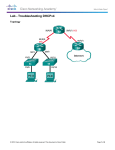
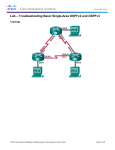
Lab – Troubleshooting DHCPv6 Required Resources 1 Router (Cisco 1941 with Cisco IOS Release 15.2(4)M3 universal image or comparable) 1 Switch (Cisco 2960 with Cisco IOS Release 15.0(2) lanbasek9 image or comparable) 1 PC (Windows 7, Vista, or XP with terminal emulation program, such as Tera Term) Console cables to configure the Cisco IOS devices via the console ports Ethernet cables as shown in the topology Part 1: Build the Network and Configure Basic Device Settings In Part 1, you will set up the network topology and clear any configurations if necessary. You will configure basic settings on the router and switch. Then you will load the provided IPv6 configurations before you start troubleshooting. Step 1: Cable the network as shown in the topology. Step 2: Initialize and reload the router and the switch. Step 3: Configure basic settings on the router and switch. a. Disable DNS lookup. b. Configure device names as shown in the topology. c. Encrypt plain text passwords. d. Create a MOTD banner warning users that unauthorized access is prohibited. e. Assign class as the encrypted privileged EXEC mode password. f. Assign cisco as the console and vty passwords and enable login. g. Configure logging synchronous to prevent console messages from interrupting command entry. Step 4: Load the IPv6 configuration to R1. ip domain name ccna-lab.com ipv6 dhcp pool IPV6POOL-A dns-server 2001:DB8:ACAD:CAFE::A domain-name ccna-lab.com interface g0/0 no ip address shutdown duplex auto speed auto interface g0/1 no ip address duplex auto speed auto ipv6 address FE80::1 link-local ipv6 address 2001:DB8:ACAD:A::11/64 end © 2013 Cisco and/or its affiliates. All rights reserved. This document is Cisco Public. Page 2 of 6