1
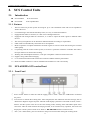
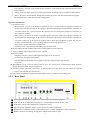
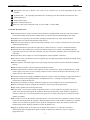
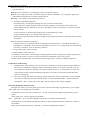
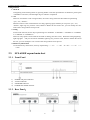
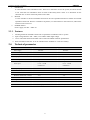
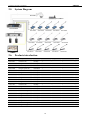
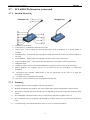
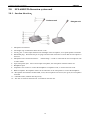
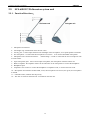
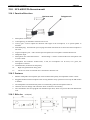
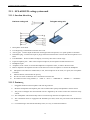
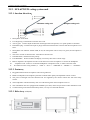
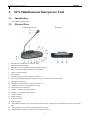
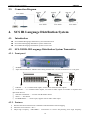
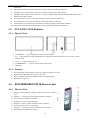
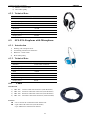
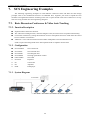
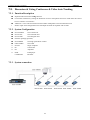
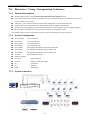
Conference System User Manual SAMCEN 2. SCS Control Units 2.1. Introduction SCS-6100MA SCS-6100E SCS control host SCS expanded host 2.1.1. Features 1. The host itself can provide system accessing for up to 128 contribution units and can be expanded to 4096 at the most. 2. Communicating in the hand in hand daisy-chain, it is easy to install and maintain. 3. Equipped with audio-in connector, it is able to have background music. 4. Equipped with enough audio-out connectors, it is able to output the audio signal to different audio devices. 5. The activity microphones can be limited in different numbers according to requirements. 6. FIFO mode can automatically control the active microphones. 7. Built-in equalizer can adjust and balance the audio signals as well as restrain the howling for excellent audio quality. 8. Cooperating with the central control system, it becomes a powerful conference controller and achieve the super function of camera auto-tracking. 9. Working with the Telephone Interface, it can open a telephone conference with remote user. 10. Support voting and its data managing. 11. Cover with metal material and earth well to ensure the 8000V antistatic performance. 12. Rack-mountable enclosure. It can be installed in the standard 19” rack conveniently. 2.2. SCS-6100MA SCS control host 2.2.1. Front Panel ① Power switch: Please to make sure that the supply power is 100V-240V AC /50Hz before connected the power. ② LCD screen: to indicate the working state. After energized, the first indication welcome message, such as "Welcome to Digital Congress System" Then the LCD display system that is the mode of work, such as : FIFO-3 said the system in the first-in first-out meeting mode, allowing three individuals speak at the same time. After the main machine electrifying seconds, if not carried out any operation, the screen will display the current system of audio level. Such as : ■ ■ ■ ■ ■ ■ ■ black box said Level size. ③ "Esc", exit / return button, press it will return to the previous menu when setting the working mode. 4