1
--Aero Series Robotic Autoloader User Manual-11.7 Screen Saver
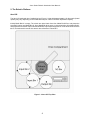
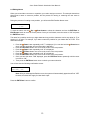
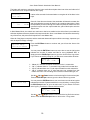
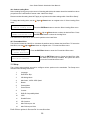
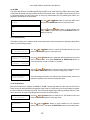
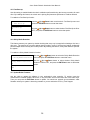
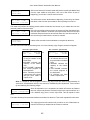
This menu allows you to choose whether you want to enable the Screen Saver feature. By enabling this
feature, a screen saver will be displayed when your autoloader has been idle for a specific period of time.
Setup
7. Screen Saver
Screen Saver:
On
Screen Saver:
Off
Use the Up or Down buttons to select the Screen Saver menu and
press the ENT/Enter button to enter that menu.
Use the Up or Down button to select whether the Screen Saver is on
or off, and press the ENT/Enter button to select that option.
11.8. Counter
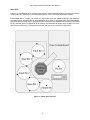
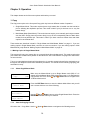
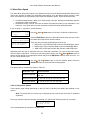
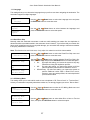
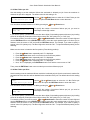
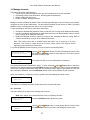
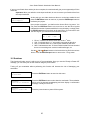
This menu allows you to choose whether you want to enable the Counter feature. By enabling this feature,
the autoloader will prompt you to enter a counter amount and continuously burn discs until it reaches the
value set into the counter.
Setup
8. Counter
Counter:
On
Counter:
Off
Use the Up or Down button to select the Counter menu and press the
ENT/Enter button to enter that menu.
Use the Up or Down button to select whether the Counter is on or off,
and press the ENT/Enter button to select that option.
For information on entering the counters, see “Setting Counters and Assigning Names” on page 12.
11.9 DVD+R High Compatibility Mode
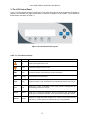
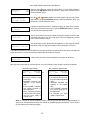
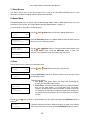
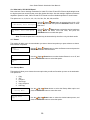
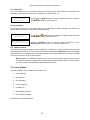
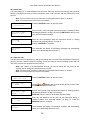
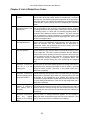
This feature allows you to turn the DVD+R High Compatibility Mode feature ON or OFF. The purpose of this
feature is to increase the compatibility of DVD+R media with a broader range of DVD Video players. This
process will increase the amount of time required to duplicate your disc(s).
Setup
9.DVD+R High Compatibility Mode
DVD+R High Compatibility Mode:
On
DVD+R High Compatibility Mode:
Off
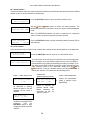
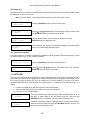
Use the Up or Down button to select the DVD+R High
Compatibility Mode menu and press the ENT/Enter button
to enter that menu.
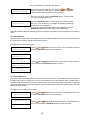
Use the
Up or
Down button to select whether the
DVD+R High Compatibility Mode is on or off, and press the
ENT/Enter button to select that option.
29