1
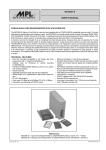
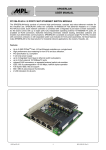
PIPCAN User Manual High-Tech • Made in Switzerland CAN Interface Module for MPL PIP Platforms The PIPCAN is an interface module fitting into MPL PIP computers. It adds a CAN 2.0B controller which is accessible in the I/O space of the CPU address range. Several assembly options enable optimization of space usage within the PIP housing or even integration of the module into non-PC controller hardware. ● Features: ● Supports CAN 2.0B ● Bit rates up to 1 Mbit ● CAN Bus with full galvanic isolation ● Single 5V supply ● Does not require an additional external power supply 2009 by MPL AG 1 MEH-10139-001 Rev. A PIPCAN User Manual High-Tech • Made in Switzerland TABLE OF CONTENTS 1 INTRODUCTION.............................................................................................................3 1.1 ABOUT THIS MANUAL.........................................................................................................3 1.2 SAFTY PRECAUTIONS AND HANDLING............................................................................3 1.3 ELECTROSTATIC DISCHARGE (ESD) PROTECTION........................................................3 1.4 EQUIPMENT SAFETY...........................................................................................................3 1.5 MANUAL REVISIONS............................................................................................................4 1.5.1 RELATED PRODUCTS..................................................................................................4 1.5.2 REVISION HISTORY.....................................................................................................4 1.6 RELATED DOCUMENTATION..............................................................................................5 1.7 ORDERING INFORMATION..................................................................................................5 2 SPECIFICATIONS...........................................................................................................6 2.1 Electrical................................................................................................................................6 2.2 Physical.................................................................................................................................6 2.3 Environmental.......................................................................................................................6 2.4 Mounting options.................................................................................................................6 3 PARTS LOCATION.........................................................................................................7 3.1 PIPCAN-1...............................................................................................................................7 3.2 PIPCAN-2...............................................................................................................................7 3.3 PIPCAN-3...............................................................................................................................7 3.4 PIPCAN-4...............................................................................................................................7 4 CONNECTORS...............................................................................................................8 4.1 CPU-Bus Connectors (J1 / J5).............................................................................................8 4.2 CAN Bus Connectors...........................................................................................................9 4.2.1 D-Sub 9 (J2)...................................................................................................................9 4.2.2 2.54 mm Double Row Header J3 ...................................................................................9 4.2.3 2 mm Double Row Socket J4.......................................................................................10 5 COPYRIGHT.................................................................................................................12 6 DISCLAIMER................................................................................................................12 7 TRADEMARKS.............................................................................................................12 8 SUPPORT.....................................................................................................................12 8.1 SERIAL NUMBER AND REVISION.....................................................................................12 8.2 CONTACT MPL AG.............................................................................................................12 2009 by MPL AG 2 MEH-10139-001 Rev. A PIPCAN User Manual High-Tech • Made in Switzerland 1 INTRODUCTION 1.1 ABOUT THIS MANUAL This manual, the PIPCAN User Manual provides all the information necessary to handle and configure the PIPCAN. The manual is written for technical personnel responsible for integrating the PIPCAN into their systems. It is strongly recommended to read this manual and related documentation to bring the PIPCAN successfully into operation. 1.2 SAFTY PRECAUTIONS AND HANDLING For personal safety and safe operation of the PIPCAN, follow all safety procedures described here and in other sections of the miscellaneous manuals. ● Remove power from the system before installing (or removing) the PIPCAN, to prevent the possibility of personal injury (electrical shock) and / or damage to the product. ● Handle the product carefully; i.e. dropping or mishandling the PIPCAN can cause damage to assemblies and components. ● Do not expose the equipment to moisture. WARNING There are no user-serviceable components on the PIPCAN. 1.3 ELECTROSTATIC DISCHARGE (ESD) PROTECTION Various electrical components within the product are sensitive to static and electrostatic discharge (ESD). Even a small static discharge can be sufficient to destroy or degrade a component's operation! With an open housing, do not touch any electronic components. Handle or touch only the unit chassis. 1.4 EQUIPMENT SAFETY Great care is taken by MPL AG that all its products are thoroughly and rigorously tested before leaving the factory to ensure that they are fully operational and conform to specification. However, no matter how reliable a product, there is always the remote possibility that a defect may occur. The occurrence of a defect on this device may, under certain conditions, cause a defect to occur in adjoining and/or connected equipment. It is your responsibility to protect such equipment when installing this device. MPL accepts no responsibility whatsoever for such defects, however caused. 2009 by MPL AG 3 MEH-10139-001 Rev. A PIPCAN User Manual High-Tech • Made in Switzerland 1.5 MANUAL REVISIONS 1.5.1 RELATED PRODUCTS Manual Revisions A B Related To • PIPCAN-1/2/3/4 based on Layout Rev. B • 1.5.2 REVISION HISTORY Manual Revisions A B 2009 by MPL AG Date Description 28.04.09 Initial release of this document. 4 MEH-10139-001 Rev. A PIPCAN User Manual High-Tech • Made in Switzerland 1.6 RELATED DOCUMENTATION The following documents are related to this manual. For detailed Information about a specific PIPCAN feature or setting please refer to these additional manuals. Reference [1] [2] [3] Description Pip BIOS User Manual PIP Technical Reference Manual SJA1000 Documentation MPL AG: MPL AG: NXP semiconductors: Available from www.mpl.ch www.mpl.ch www.nxp.com 1.7 ORDERING INFORMATION The table below gives you an overview of the different PIPCAN variants and its features. Product Name PIPCAN-1 PIPCAN-2 PIPCAN-3 PIPCAN-4 2009 by MPL AG • • • • • • • • • • Product Features Fully integrated with CAN Port on PIP Serial 2 Connector Galvanic isolation Freely placeable with CAN Port on an additional DB9 Connector Galvanic isolation Product not on Stock, only on request Integrated with CAN Port on a 10 Pin 0.100'' double row Header Galvanic isolation Product not on Stock, only on request Fully integrated with CAN Port on an additional DB9 Connector Galvanic isolation 5 MEH-10139-001 Rev. A PIPCAN User Manual High-Tech • Made in Switzerland 2 SPECIFICATIONS 2.1 Electrical • • • • • • • Supports all features of the SJA1000 controller CAN 2.0B Extended receive buffer of 64 Byte Supports 11 bit as well as 29 bit identifiers PeliCAN mode extensions Bit rate up to 1 Mbit/s CAN bus optically isolated from controller 2.2 Physical • • • • Dimensions 61 x 29.2 mm Top side height max.: PIPCAN-1/2/4 12 mm PIPCAN-3 10 mm Bottom side height max.: PIPCAN-1 5 mm PIPCAN-3/4 12 mm PIPCAN-2 3 mm Single 5V supply 2.3 Environmental • • • Storage temperature range -55°C to 125°C Operating ambient temperature range -40°C to +85°C Relative humidity 0% to 95% (non condensing) 2.4 Mounting options • • • • PIPCAN-1 directly pluggable to PIP internal CAN extension and Serif-module connectors CAN port accessible at DB9 Serial 2 connector PIPCAN-2 pluggable to PIP internal CAN connector via a flat ribbon cable CAN port accessible at an additional DB9 connector PIPCAN-3 directly pluggable to PIP internal CAN extension connector CAN port accessible at an internal 10 pin header PIPCAN-4 directly pluggable to PIP internal CAN extension connector CAN port accessible at an additional DB9 connector above Serial 3 2009 by MPL AG 6 MEH-10139-001 Rev. A PIPCAN User Manual High-Tech • Made in Switzerland 3 PARTS LOCATION 3.1 PIPCAN-1 1 C9 R9 R8 C3 U2 R7 U1 R14 J4 U3 C6 C2 U7 C7 1 J1 C8 U9 R6 R5 C1 U5 U6 U8 C10 R4 R15 C5 U10 M1 R17 C4 R2 U4 R16 R3 R18 R1 Top Layer Components Bottom Layer Components 3.2 PIPCAN-2 1 R9 R8 C9 U2 C3 R6 R5 C8 U1 U9 R14 R7 C1 U7 C7 J5 C2 U5 C6 U3 U6 U8 R4 C10 R15 R3 C5 J2 M1 U10 R17 C4 R2 U4 R16 R18 R1 Top Layer Components Bottom Layer Components 3.3 PIPCAN-3 R9 R8 C3 R6 R5 C8 U9 U1 R14 R7 C1 1 C9 U2 U7 C7 C2 U5 J5 C6 U3 U8 R15 U6 R4 C10 C5 R3 R16 R18 U10 M1 R17 C4 R2 U4 R1 J3 1 Top Layer Components Bottom Layer Components 3.4 PIPCAN-4 R9 R8 C3 R6 R5 C8 U9 U1 R14 R7 C1 1 C9 U2 U7 C7 C2 U5 J5 C6 U3 U6 U8 R4 C10 R15 R3 C5 M1 U10 R17 C4 R2 U4 J2 R16 R18 R1 Top Layer Components 2009 by MPL AG Bottom Layer Components 7 MEH-10139-001 Rev. A PIPCAN User Manual High-Tech • Made in Switzerland 4 CONNECTORS 4.1 CPU-Bus Connectors (J1 / J5) The SJA1000 on board the PIPCAN operates in “Motorola-Mode”. ALE is directly connected to J1/J5 Pin 20 (CSn). Multiplexing / Demultiplexing of address and data is done on the PIPCAN. Pin no. Signal 1 5V Power Supply 2 GND Supply Ground 3 D0 4 D1 5 D2 6 D3 7 D4 8 D5 9 D6 10 D7 11 A0 12 A1 13 A2 14 A3 15 A4 16 A5 17 A6 18 A7 19 R/Wn Read / Write# (low active) 20 CSn Chip Select# (low active) 21 RSTn 22 CLK 8 MHz System Clock 23 IRQn Interrupt Request# (low active) 24 E 25 NC Not Connected 26 NC Not Connected 2009 by MPL AG Description J1 / J5 J1 (PIPCAN-1) and J5 (PIPCAN-3/4; J5 assembled on Bottom Layer) are standard double row, 2 mm pitch sockets with following pin out: SJA1000 Data Bus 26 2 25 1 J5 (PIPCAN-2) assembled on Top Layer is a standard double row, 2 mm pitch header with the following pin out: 25 1 26 2 SJA1000 Address Bus Reset# (low active) Enable 8 MEH-10139-001 Rev. A PIPCAN User Manual High-Tech • Made in Switzerland 4.2 CAN Bus Connectors The CAN-Bus can be accessed via three different connectors depending the assembly variant of the PIPCAN 4.2.1 D-Sub 9 (J2) Pin no. Signal Description 1 NC Not Connected 2 CAN-L CAN-Bus Low 3 CAN-GND CAN Ground 4 NC 5 Case 6 CAN-GND 7 CAN-H CAN-Bus High 8 NC Not Connected 9 NC Not Connected J2 J2 (PIPCAN-2/4) is a standard 9 Pin male D-Sub connector with the following pin out: 1 Not Connected 5 Earth (Connector Shell) CAN Ground 6 9 4.2.2 2.54 mm Double Row Header J3 Pin no. Signal 1 NC 2 CAN-GND CAN Ground 3 CAN-L CAN-Bus Low 4 CAN-H CAN-Bus High 5 CAN-GND 6 NC Not Connected 7 NC Not Connected 8 NC Not Connected 9 Case Earth 10 Case Earth 2009 by MPL AG Description J3 Not Connected J3 (PIPCAN-3) is a standard 10 Pin 2.54 mm header with the following pin out: CAN Ground 9 1 10 2 (A flat ribbon connection to a DB9 connector with Pin 1 matching Pin 1 of the DB9 results in the same pin out as J2) 9 MEH-10139-001 Rev. A PIPCAN User Manual High-Tech • Made in Switzerland 4.2.3 2 mm Double Row Socket J4 Pin no. Signal 1 Case Earth 2 Case Earth 3 NC 4 Case 5 NC Not Connected 6 NC Not Connected 7 NC Not Connected 8 CAN-GND 9 CAN-H CAN-Bus High 10 CAN-L CAN-Bus Low 11 CAN-GND CAN Ground 12 NC 2009 by MPL AG Description J4 J4 (PIPCAN-1) is a standard 12 Pin 2 mm socket with the following pin out: Not Connected 12 2 Earth 11 1 CAN Ground (PIPCAN-1 plugged on a SERIF-Module connector of a PIP results in the same pin out on the serial DB9 connector of the PIP as J2 on PIPCAN) Not Connected 10 MEH-10139-001 Rev. A PIPCAN User Manual High-Tech • Made in Switzerland This page intentionally left blank. 2009 by MPL AG 11 MEH-10139-001 Rev. A PIPCAN User Manual High-Tech • Made in Switzerland 5 COPYRIGHT Copyright © 2009 by MPL AG Elektronikunternehmen. All rights are reserved. Reproduction of this document in part or whole, by any means is prohibited, without written permission from MPL AG Elektronikunternehmen. 6 DISCLAIMER MPL AG has fully tested the PIPCAN and reviewed the documentation. However, MPL AG makes no warranty or representation, either expressed, or implied, with respect to this product, its quality, performance, merchantability, or fitness for a particular purpose. In no event will MPL AG be liable for direct, indirect, special, incidental, or consequential damages resulting from any defect in the product or its documentation, even if advised of the possibility of such damages. In particular MPL AG shall have no liability for any parts connected to this product. MPL AG reserves the right to make changes to any product herein to improve reliability, function or design. 7 TRADEMARKS Brand or product names are trademarks and registered trademarks of their respective holders. 8 SUPPORT 8.1 SERIAL NUMBER AND REVISION For support it is needed that you know the product name, the product variant and the serial number of your PIPCAN. Additionally it is helpful to have the respective information of the used Processor Board and it's BIOS ready. 8.2 CONTACT MPL AG In case of general information questions please feel free to contact us at our homepage (www.mpl.ch) or per email ([email protected]). In case of sales information questions please send an email to [email protected]. If you have a technical problem with a PIPCAN, please first read all the related documentation and the FAQ's on our homepage carefully. If you can’t solve the problem on your own feel free to contact us for technical support per email at [email protected]. Our local Distributor: 2009 by MPL AG 12 MEH-10139-001 Rev. A