1
ARMINES / ECOLE DES MINES DE PARIS
Table of contents
1
Introduction: the model ............................................................................................................ 5
2
Preamble .................................................................................................................................... 6
2.1
2.2
2.3
3
Download and install the software ...................................................................................... 6
Credits ................................................................................................................................. 7
Further information ............................................................................................................. 7
Input parameters ...................................................................................................................... 8
3.1
Overview ............................................................................................................................. 8
3.2
Initialization ...................................................................................................................... 10
3.2.1 Non-expert user ............................................................................................................. 11
3.2.2 Domain.......................................................................................................................... 11
3.2.3 Default parameters ....................................................................................................... 12
3.3
Topography ....................................................................................................................... 13
3.3.1 Surface .......................................................................................................................... 14
3.3.2 Graphical ZCut option .................................................................................................. 15
3.4
Wells ................................................................................................................................. 16
3.4.1 Input Wells .................................................................................................................... 17
3.4.2 User classes .................................................................................................................. 18
3.5
Channel ............................................................................................................................. 19
3.5.1 Erodibility ..................................................................................................................... 20
3.5.2 Channel ......................................................................................................................... 22
3.6
Avulsions .......................................................................................................................... 25
3.7
Aggradation....................................................................................................................... 27
3.7.1 Equilibrium Profile ....................................................................................................... 28
3.7.2 Flood ............................................................................................................................. 28
3.8
Seed ................................................................................................................................... 30
3.9
Status bar ........................................................................................................................... 31
4
Simulation: visualisation and results .................................................................................... 32
4.1
Launch............................................................................................................................... 32
4.1.1 Direct launch ................................................................................................................ 32
4.1.2 Reset and journal file .................................................................................................... 32
4.1.3 Saving a Project ............................................................................................................ 33
4.1.4 Message windows.......................................................................................................... 33
4.2
Settings menu .................................................................................................................... 34
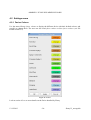
4.2.1 Facies Colours .............................................................................................................. 34
4.2.2 Refreshment period ....................................................................................................... 35
13/12/2013
-2-
flumy3.5_usersguide