1
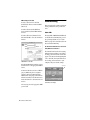
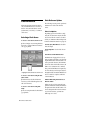
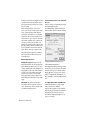
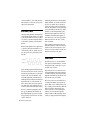
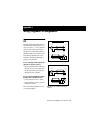
5 Use the Down and Up switches to scroll
through the parameter values. Pressing and
releasing the switches will change the
value by just one incremental value. Pressing and holding the switches will scroll at a
faster speed.
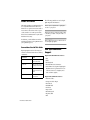
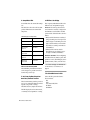
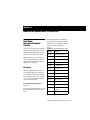
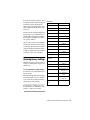
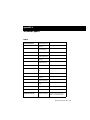
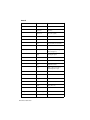
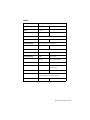
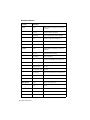
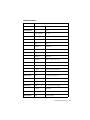
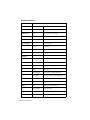
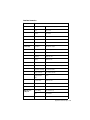
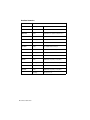
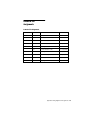
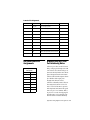
USD Defaults
Parameter Name
Set Generator Start Time
Digital Reference
AES-EBU
Sample Freq (Rate)
44.1 kHz
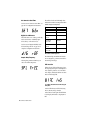
6 When you reach a value that matches the
sticker’s value, stop scrolling and press Set.
The LED Time Code Display will return to
showing time code numbers. Your USD is
now properly calibrated.
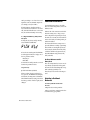
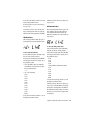
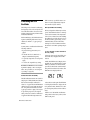
The next time you press Set, the LED Time
Code Display will again show O5C CAL. If
you then press the Down switch, you’ll disengage the Oscillator Calibration parameter name. To change the setting once again,
you’ll need to repeat steps 1 through 6.
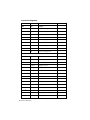
VITC Insertion
On
(VITC) Reader Line
All
(VITC) Generate Line
14 - 16
Window Burn On/Off
On (Enabled)
Freewheel Duration
8 frames
LTC Output gain
Pitch Hold
Bi-Phase Pulse-per-frame
Bi-Phase Signal
Restoring Factory Settings
The USD can be reset to its default factory
settings. See “USD Defaults” on page 65 for
default values.
Video System/Format
(NTSC/PAL)
Idle MTC Enabled
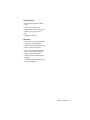
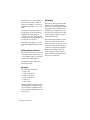
Window Burn options:
3 dBu
Off
0100
A Lead B
NTSC
On
Enabled
Size: Large
Vertical Position: 20%
from Bottom
To reset all parameters to default settings:
1 Switch off power to the USD and wait at
Horizontal Position:
Center
least 10 seconds.
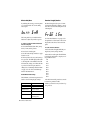
2 Hold down the Up and Down front panel
switches and switch on power to the USD—
do not release the Up and Down switches
until the display reads FAC-CFG.
Default
00:00:00:00
Color: White on Black
background
Variable Speed Offset
(VSO)
Off
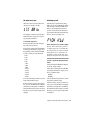
▲ Resetting factory settings does not reset
the USD oscillator. See “Calibrating the USD
Oscillator” on page 64 for information.
Chapter 5: Additional Operational Information 65