1
Updating the Ignition Module Firmware
If the Ignition Module firmware is earlier than 2.1.1, the firmware will need to be updated.
You must have a programmer (P/N PCPROG) to complete the following steps. This programmer is
included in some Ignition Modules or the HDREV kit. If you do not have a programmer, the programmer
can be purchased and will allow you to update your PCIII USB and Ignition Module. If you do not want to
purchase a programmer and cannot find a Tuning Center to update your PCIII USB, the Power
Commander can be sent to Dynojet to be updated. Please call 800-992-4993 for instructions.
Note: Do not follow these steps if you have a Harley Davidson. Harley Davidsons do not employ a
separate Ignition Module.
1
2
3
4
5
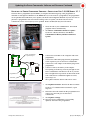
Ignition Module
female plug
programmer
6
battery
connector
7
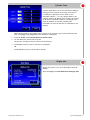
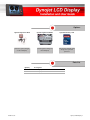
Insert the CD in your CD-ROM drive. The launch
program will run automatically.
Click Ignition Firmware Update.
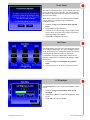
Disconnect the Ignition Module from the Power
Commander.
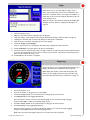
Connect the USB cable to the computer and to the
programmer.
Connect the white male plug from the programmer
to the white female plug on the Ignition Module.
Connect the 9 volt adapter to the female plug on the
programmer.
Connect a fresh 9 volt battery to the adapter.
The Update Firmware button will now be active.
USB cable
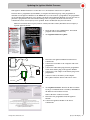
8
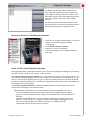
Click Update Firmware. Wait for the blue scroll bar.
If you get a communication error 0005, click OK and
the firmware will continue to load.
Wait for the blue scroll bar to finish.
9
Disconnect the programmer from the Ignition
Module.
10 Connect the Ignition Module to the Power
Commander.
www.powercommander.com
Dynojet LCD Display - 14