1
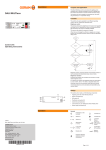
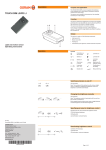
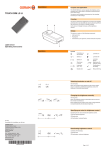
DIP Operation (cont.) T1 X X X* X X X – X* X* X* – X – –X –– 1 – – + 15 s Presence detection Brightness control The device is delivered with both functions switched on. *Does not switch on via sensor. Manual switch-on required. 2 **Automatic switch-off after expiry of the switch-off delay time (motion independent). 2 + 15 –s min DIP switch 1 = ON DIP switch 2 = ON The following functions are switched on and off using DIP switches 3, 4 and 5, see Table T1: – X* – –** 1 ON “Brightness control” operating mode 1 2 3 4 5 –X* ––** min Via DIP switch 1 and 2. DIP Xs + 15 min Adjusting the operating mode 1 2 3 4 5 X* X*+ 15 s min– 1 ON 2 1 2 T2 max 1 X 1 X* < 30 s 2 X X – ON 2 : X* X* X – X – –– X* – –X** 1 2 3 4 5 ON DIP 1 2 3 4 5 DIP switch 1 = ON DIP switch 2 = OFF Standby: 50% DIP switch 1 = OFF DIP switch 2 = ON Standby: 30% min 2 – – – X** Standby: 2 10% 2 + 15 s The following minfunctions are switched on and off using DIP switches 3, 4 and 5, see Table T2: 2x 3 2 + 15 s DIP switch 1 = OFF 1 DIP switch 2 = OFF Presence detection 1 2x 1 2x > 30 s DIP + 15 s X X 2x 2 max : X 1 < 30 s 2x > 30 s 1 1 “Brightness reduction” operating mode + 15 s : 2 utomatic switch-off of the luminaires after expiry of A twice the switch-off delay time *Does not switch on via sensor. Manual switch-on required. **Motion independent 3 max + 15 s Manually switching luminaire on and off A Via short press. 1 max 1 2 3 A max 1 2 ... B > 30 s 2 Changing the brightness manually 3 ... B 1 2 Note: In the “Brightness reduction” operating mode, manual switch-off of the luminaires is not possible. Note: Function is locked if necessary, see “Locking and releasing pushbutton functions”. 1 2 Via long press. 3 Each repeated long key button press causes a toggle between increased brightness and decreased brightness. 1 2 The brightness control is deactivated until the next time the luminaire is switched on. 3 Adjusting the set value/brightness value Note: Function is locked if necessary, see “Locking and releasing pushbutton functions”. 2x 1 < 30 s 2 In the “Brightness control” operating mode the setting corresponds to the set value for the automatic brightness control (tip: make the setting when there is little daylight). 3 In the “Brightness reduction” operating mode, the setting corresponds to the fixed brightness value to which it is dimmed when movement is detected. Set the desired brightness. Double-click. Confirmation: Luminaire flashes. A max 1 2 3 ... B Page 2 of 4