1
NavInc
P.O. Box 4063
5604 EB Eindhoven
1: FEATURES
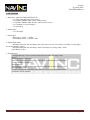
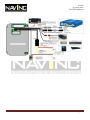
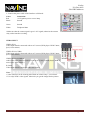
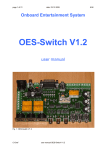
1. Input Spec. (MULTI VIDEO INTERFACE)
-. 3 x Video Input (External video source).
-. 1 x REAR CAMERA Input. (Rear camera source)
-. 1 x REAR CAMERA Input S-Video. (Rear camera source)
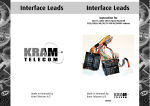
-. 1 x CID Input (Car system Input)
-. 1 x Opel Input
2. Output Spec.
-. 1 x CID output
3. Power Spec.
- Input Power : 8VDC ~ 12VDC
- Consumption Power : 12WATT, Max
4. Switch Input mode
- Automatic detection and switching to the video source for rear view camera.- Possible to switch Input
mode with Remote control)
- Automatic detection and switching to main CID image for viewing caller’s name
(Opel Phone car kit)
5: Extra features:
- Configuration for a reverse camera which does not render "the image in the
mirror"
-Image luminosity adjustment
-Down the consumption of the battery while the CID-controller displays the image
or when the CID is turned off.
-Reset function
-Multi-functions push button for selecting and configuring of video sources. Can be
fitted anywhere in the car.
-Car PC serial port for controlling video interface. In this case, the multi-function
push button will be optional.
NavInc
Pagina 2