1
Rainbow4(S) IP Phone User Manual
6
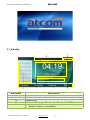
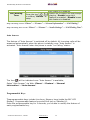
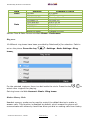
Time, Date
7
Programmable keys (Line Keys in default)
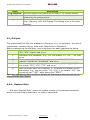
Icon on Standby UI
Icon
Description
The account is registered successfully, and displayed in the
Area 7.
The account is not registered successfully, and displayed in
the Area 7.
The line is being occupied for dialing, and displayed in the
Area 7.
The line is on calling, and displayed in the Area 7.
New incoming call, and displayed in the Area 7.
Call hold, and displayed in the Area 7.
3-way conference calling, and displayed in the calling UI.
Call being hold, and displayed in the calling UI.
Unavailable Network, and displayed in the Area 5.
Calling via handset, and displayed in the Area 1.
Calling via Speaker, and displayed in the Area 1.
Calling via headset, and displayed in the Area 1.
WiFi Signal indicator, and displayed in the Area 1.
Call Forward is activated,and displayed in the Area 1.
New Voicemail, and displayed in the Area 1.
Volume turn to be “0” ,and displayed in the Area 1.
Auto-Answer is activated,and displayed in the Area 1.
DND is activated, and displayed in the Area 1.
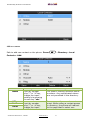
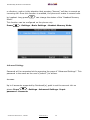
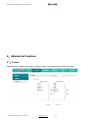
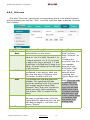
3.4、 Configuration
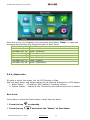
Press the key
ATCOM TECHNOLOGY CO., LIMITED
to enter the Main Menu:
www.atcom.com.cn
22