1
March 2004
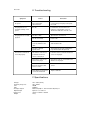
E. Trouble shooting
Symptom
Cause
Correction
No power
No power plug is
disconnected
Connect the power plug securely into
the outlet
The player does not
work after turning on the
power
No disc
Load the disc and check the CD
indicator on the display or check
whether the indicator of CD lit or not
The player does not start
playback
The disc is dirty
Eject the disc and clean it
No disc is inserted
Insert a disc
The disc is not placed
correctly within the disc
draw
Place the disc correctly inside the tray
and reload the disc
The disc is placed
upside down
Insure that CDs are placed within the
tray with the label side upwards
The remote control is not
pointed at the remote
sensor of the player
Point the remote control at the remote
sensor of the player
The remote control is too
far from the player
Operate the remote contol within a 7m
distance of the player
There are obstacles
between the player and
remote control
Ensure that obstacles to not obscure the
sensor
The batteries in the remote
control are exhausted
Replace batteries
The remote control does
not work properly
F. Specifications
Voltage::
Frequency Response:
S/N:
THD:
Analogue Output:
Digital Output:
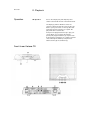
Dimensions:
Weight:
220 - 240 V (50 Hz)
2Hz - 20kHz
100dB
0.0010%
Balanced (XLR) x 1 and non-balanced (RCA) x 1
Optical x 1, Coaxial x 1
376mm x 370mm x 105mm
11Kg