1
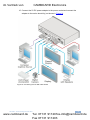
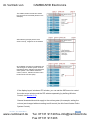
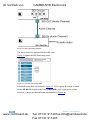
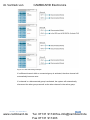
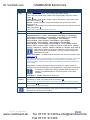
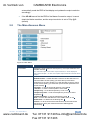
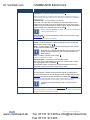
im Vertrieb von # CAMBOARD Electronics Feature Function 1 IR Receiver 2 IR LED 3 INPUT SELECT Buttons 4 5 Accepts IR remote commands Lights red when the unit accepts IR remote commands PC Press to select the computer graphics input CV Press to select the composite video input SDI Press to select the SDI input 6 PIP Button Toggles the dual window mode (Picture-in-Picture) function (see Section 6.2) 7 FREEZE Button Press to freeze/unfreeze the output video image 8 Navigation Buttons /VOLUME Button Press to move down the menu list (see Section 7.1.1) and to decrease numerical values. When not within the OSD menu mode, press to reduce the output volume 9 Button Press to access the OSD menu, exit the OSD menu and, when in the OSD menu, move to the previous level in the OSD screen (see Section 7.1.1) 10 /+ VOLUME Button Press to move up the menu list values (see Section 7.1.1) and to Increase numerical values. When not within the OSD menu mode, press to increase the output volume 11 ENTER Button Press to access sub-menu items and select from several settings (see Section 7.1.1) 12 MENU Button Press to access/exit the menu 13 RESET TO 720P Button Press to reset the video resolution to 720p and change the deep color settings to off on the output (see Section 5.7) 14 PANEL LOCK Button Press and hold for about 2 seconds to lock/unlock the front panel buttons 15 AUDIO PC IN 3.5mm Mini Jack Connector Connect to the unbalanced audio of the computer graphics source 16 AUDIO CV IN (L, R) RCA Connector Connect to the unbalanced stereo audio of the composite video source 17 AUDIO S/PDIF OUT RCA Connector Connect to a digital audio acceptor Press and hold for about 3 seconds to reset to 720p PC IN 15-pin HD Connect to the computer graphics source 21 VIDEO INPUT Connectors 18 22 HDMI OUT Connector 23 RS-232 9-pin D-sub Port Connect to the PC or the remote controller 24 SDI OUT BNC Connector Connect to an SDI acceptor 25 5V DC +5V DC connector for powering the unit 19 20 VP-460 - Overview www.camboard.de CV IN RCA Connect to the composite video source SDI IN Connect to the SDI source SDI LOOP Connect to a local display Connect to an HDMI acceptor 7 Tel. 07131 [email protected] Fax 07131 911203