1
im Vertrieb von
7
CAMBOARD Electronics
Controlling the VP-460
The VP-460 can be controlled via:
7.1
•
The front panel buttons (see Section 7.1)
•
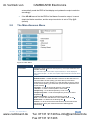
The OSD menu (see Section 7.2)
•
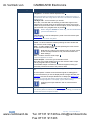
The infrared remote control transmitter (see Section 7.3)
Controlling via the Front Panel Buttons
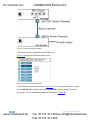
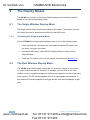
The VP-460 includes the following front panel buttons:
•
Input selector buttons for selecting the required input: PC, CV and SDI (see
Section 7.1.1)
7.1.1
•
PIP and FREEZE buttons (note, these buttons illuminate when selected)
•
MENU (left arrow), ENTER (right arrow), and up, down, arrow buttons
•
Output Volume up and down buttons (when not in the OSD mode)
•
RESET TO 720p and PANEL LOCK buttons
Using the INPUT Front Panel buttons
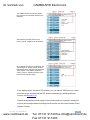
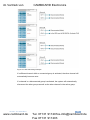
When selected, an INPUT front panel button behaves as follows:
Selecting the:
Causes the button to:
Main input button
Illuminate continuously
PiP input button
Blink (the light On period is shorter than the light Off period)
Same Main input button and
PiP button
Blink (the light On period is longer than the light Off period)
i
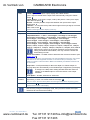
If you want to adjust the image of a selected input in a window, press
that input button again (up to 3 times) for fast tuning. Pressing that
input button for the fourth time initiates full tuning of the window.
VP-460 - Controlling the VP-460
www.camboard.de
37
Tel. 07131 [email protected]
Fax 07131 911203