1
im Vertrieb von
CAMBOARD Electronics
5.2.1.1 Changing the Size of the Main and/or PiP Window
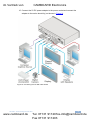
Use the H Width and V Height to change the size of the window using the + and –
buttons on the front panel or remote control transmitter (as illustrated in Figure 5).
Figure 5: changing the size of the Window
To change the size of the window, do the following:
1. Check that window control is set as required (for example, PiP Window
Control).
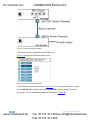
2. Select Window Customization (see Figure 9).
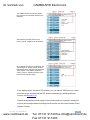
3. Select H width (an OSD slide bar appears) and press + to increase the
width, or – to decrease the width, see Figure 6.
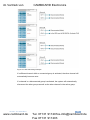
The following example shows how to decrease the width of the window
Figure 6: Increasing the Width
16
www.camboard.de
VP-460 - The OSD Menu
Tel. 07131 [email protected]
Fax 07131 911203