Hardware Setup
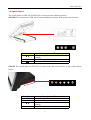
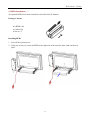
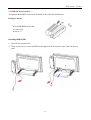
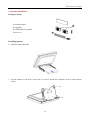
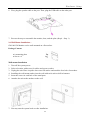
4. Trace the 3-in-1 Card Reader cable into the unit using the cable clip to secure the cable as the
picture shown below.
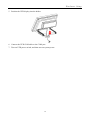
5. Replace the rear plate.
6. You may turn the system back on once the 3-in-1 Card Reader is completely installed.
16