1
6. LCD Menu Function for MU Series
6.1
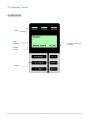
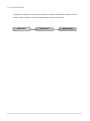
Enter the Main Menu
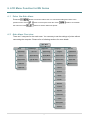
Press the
previous menu. Press
button to enter the main menu or to cancel the setting and return to the
button to scroll up the menu list. Press
the menu list. Press
6.2
button to scroll down
button to set the values into printer.
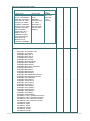
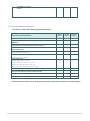
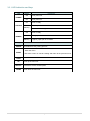
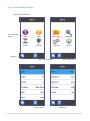
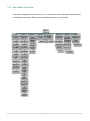
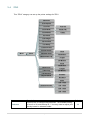
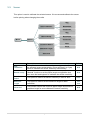
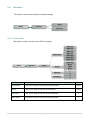
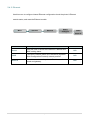
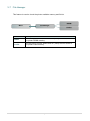
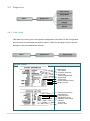
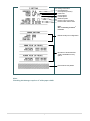
Main Menu Overview
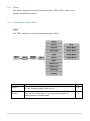
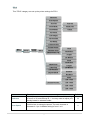
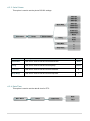
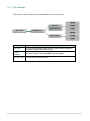
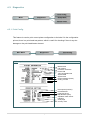
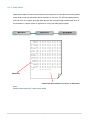
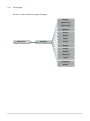
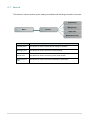
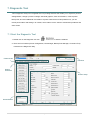
There are 5 categories for the main menu. You can easy to set the settings of printer without
connecting the computer. Please refer to following sections for more details.
Main Menu
Setup
File Manager
Diagnistics
Language
Service
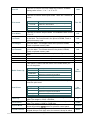
Print Setup
File List
Print Config.
English
Initialization
Sensor
Avail. Memory
Dump Mode
Chinese (TC)
Mileage Info.
Serial Comm.
Del. All Files
Rotate Cutter
Chinese (SC)
Serial Info.
Ethernet
Japanese
Maintenance In
Date Time
Korean
German
Italian
French
Russian
Polosh
Spanish
Lithuanian
Czech
Portuguese
Serbian
- 54 -