1
Chapter 3 Quick Reference
3.1 Power-on-self-test
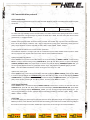
Verify that you have received the following items with your power supplier. If anything is missing,
contact your nearest Sales Office.
Thiele KG • Vorderer Weinberg 26 • D-71522 Backnang • Tel.:(07191)3560-0 • Fax.:(07191)3560-19 • [email protected] • www.thiele-electronic.de
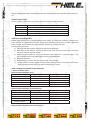
One power cord for your location
The user’s manual
One CD(only when you have bought communication accessories)
One communication cable (only when you have bought communication
accessories)
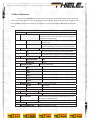
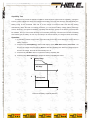
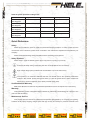
At first, please make sure the electronic load has been correctly connected and powered on. Please refer to
the following for the detailed operation steps.
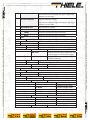
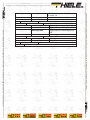
Procedure
Display
1. Power on the
SYSTEM SELF TEST
electronic load
Explanation
Vxxx
The electronic load start power-on-self-test
and the VFD display shows the software
serial No.
2. Wait for 1s after
EPROM ERROR
turn on electronic load
off.
ERROR CAL.DATA
3. Wait for another 2S xxxxxxxV
once ERROR
EEPROM damage or lost data of last power
xxxxxxxA
xxxxxxxW
xxxxxxxX
EEPROM lost calibration data.
Display the actual input voltage and current
value, actual power value and setting value.
occurred
3.2 In Case Of Trouble
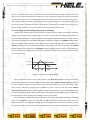
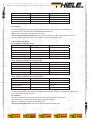
If electronic load fails to run during power-on operation, the following test will help you to solve the
problems that might be encountered.
1)
Make sure if you have connected the power properly and On/Off switch has been pressed.
2)
Check the power voltage setting.
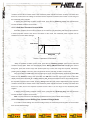
There are two voltages which can make load work: 110V or 220V, Please make sure you get the right
voltage in accordance to the voltage in your area.
3)
Check the fuse of load.
Thiele KG • Vorderer Weinberg 26 • D-71522 Backnang • Tel.:(07191)3560-0 • Fax.:(07191)3560-19 • [email protected] • www.thiele-electronic.de
Vorderer Weinberg 26 • D-71522 Backnang • Tel.:+49 (0)7191 3560-0 (Fax.:-19)