1
Contents
1
Welcome
4
2
Connections
5
2.1 Stand alone setup
5
2.2 External mixer setup
6
2.3 External audio interface setup
7
2.4 External mixer and external audio interface setup
8
3
Software installation
9
4
Getting started
10
4.1 Configuring display settings
10
4.2 Launching MIXVIBES VFX
10
4.3 Software activation
10
4.4 Install Wizard
10
4.5 Choosing the skin
11
4.6 Configuring the audio
11
4.7 Importing media
14
4.8 Analyzing media
14
4.9 Loading media
14
Controller overview
15
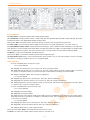
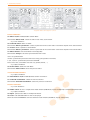
5.1 Top panel overview
15
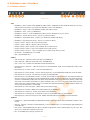
5.2 Rear panel overview
19
Software user interface
6.1 Header menus
20
20
6.2
6.3
6.4
6.5
6.6
6.7
22
26
28
28
29
29
5
6
Players
Integrated Mixer
The Crossfader rack
The Main Volume / Record rack
The Mix rack
The Video Mixer rack
30
vibe-watermark-bright.pdf
6.8 The Video Titler rack
6.9 Audio Sampler
6.10 The Preview rack
7
Media management
7.1 MediaView
7.2 Explorer window
7.3 Selection window
7.4 Edit media information
8
Preferences
8.1 General
8.2
8.3
8.4
8.5
8.6
Mix
Skin
Soundcard
EQ/Gain
Video
8.7 Projection
8.8 Effect
8.9 Keyboard
8.10 MIDI
8.11 Vinyl/CD input
9
31
32
C
33
33
36
36
M
37
38
38
Y
39
39
39
40
40
CM
41
41
41
42
43
MY
CY
Troubleshooting
10 Frequently Asked Questions
45
46
CMY
11 Technical specifications
48
K
2/
50