1
Table of Contents
Table of Contents.............................1
User Settings..................................35
Usage Notice.....................................2
Using the On Screen Display
(OSD).................................................35
Precautions..........................................2
Safety Labels of This Machine.............8
Regulation & Safety Notices................9
Other Information...............................15
Introduction.....................................16
Product Features...............................16
Package Overview.............................17
Product Overview..............................18
How to operate...................................... 35
PICTURE.............................................. 36
SCREEN............................................... 38
SETTING............................................... 40
VOLUME (PJ X2240 / PJ WX2240)...... 41
OPTIONS.............................................. 42
3D.......................................................... 45
Troubleshooting.............................46
Connection Ports................................... 19
Control Panel........................................ 20
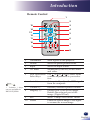
Remote Control..................................... 21
Replacing the lamp........................51
Remote Control Battery.....................23
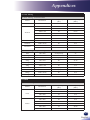
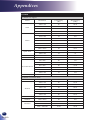
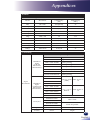
List of Compatible Signals.................52
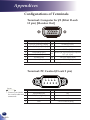
Configurations of Terminals...............56
For the First Time.................................. 23
Replace the Battery............................... 23
Remote Control Operating Range......... 24
Basic Operations............................25
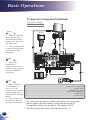
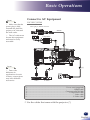
Connecting the Projector...................25
Connect to Computer/Notebook............ 25
Connect to Computer/Notebook............ 26
Connect to AV Equipment..................... 27
Connect to AV Equipment..................... 28
Appendices.....................................52
Terminal: Computer In 1/2 (Mini D-sub 15
pin) [Monitor Out].................................. 56
Terminal: PC Control (D-sub 9 pin)....... 56
Specifications.....................................57
Cabinet Dimensions...........................58
Trademarks........................................59
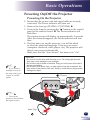
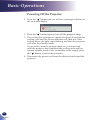
Powering On/Off the Projector...........29
Powering On the Projector.................... 29
Powering Off the Projector.................... 30
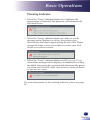
Warning Indicator.................................. 31
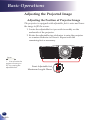
Adjusting the Projected Image...........32
Adjusting the Position of Projector
Image.................................................... 32
Adjusting the Projector Zoom and
Focus.................................................... 33
Adjusting Projection Image Size........... 33
1
English
English