1
Heiland electronic GmbH
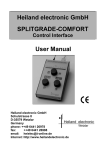
SPLITGRADE-COMFORT
Control Interface
User Manual
Heiland electronic GmbH
Schulstrasse 8
D-35579 Wetzlar
Germany
phone: ++49 6441 26978
fax:
++49 6441 26988
email: [email protected]
Internet: http://www.heilandelectronic.de
Features
The SPLITGRADE Comfort Control Interface is used as an accessory in
order to operate the main SPLITGRADE functions comfortably and securely.
The development was driven by customers demanding clearly visible
displays, easy to operate handles for exposure time and gradation setting as
well as START/STOP and FOCUS function. Please note that the
SPLITGRADE Comfort does not replace the SPLITGRADE Controller itself.
The COMFORT control interface already contains an integrated grey scale,
which offers pre-visualisation of the approximate density while changing
paper grade and exposure time. The implemented LED segments of the
grey scale show the actual measurement using the „Zone scale system“ in
reference to the brightest and darkest areas of the final print.
Installation
Please see the SPLITGRADE User Manual prior to any operation or set-up
of the Comfort Control Interface. Please make sure that the SPLITGRADE
Controller is at least using software version 2.0, before you connect both
systems in order to ensure secure operation of all functions. The software
version will be briefly displayed in the LCD display, when the SPLITGRADE
Controller is switched on. The Controller needs to be updated, when a lower
version number is displayed. In order to do so, you can download the
software update for SPLITGRADE free of charge on our homepage or
request a floppy disc/CD or you may send back your SPLITGRADE to us in
order to have us update your system. Please note that we will charge a
handling fee for labour costs and transportation.
The communication cable need to connected to the COM1 port of both
systems. Please use the cable provided with your SPLITGRADE Controller
only, it is used for updating your SPLITGRADE Controller also.
The power supply of the COMFORT Control Interface is established by the
SPLITGRADE controller. Therefore the power supply connector located on
the rear side of the Comfort unit must not be connected. It is used only for
proper work with older controller models (serial no. below ....334).
Operation and Displays
The functions are operated by using control knobs with rest stops. The
selected value is increasing while turning the control knob clockwise.
Turning counter clockwise will decrease the value. Additionally the control
knobs can be used as switches while pressing down the knob itself. The
selected values for exposure time, grade and the actual burn in number are
displayed by large red coloured LED, avoiding any undesired exposure of
B&W paper. The control knobs are located in-between the displays and
highlighted symbols in order to locate them securely while working.
2
Exposure time setting
Turn the control knob underneath “Time” until the desired exposure time is
selected. The display above this knob will show the selected exposure time.
The resolution is depending on the absolute exposure time. Long time – big
increments, short time – small increments.
Paper grade setting and white light burn in
Turn the control knob underneath “Grade” until the desired paper grade is
selected. The display above this knob will show the selected paper grade.
To select burn-in using white light first choose one of the burn in times 1...7.
Then increase the grade, beyond grade 5 the display will show „--- “, which
is the sign for white light exposures. Further clockwise turning will change
the display to grade 00.0 / 00.1 / 00.2 ..... This overflow from hard to soft
grade allows flexible and easy selection of every paper grade setting. While
turning the grade control knob counter clockwise the selected grade will
change 00.1 / 00.0 / ---- / 5.0 / 4.9 .....
Setting of burn-in times
Using the control knob underneath “Burn In Time” allows the selection,
display and execution of the main exposure or one additional exposure time.
Please note that the SPLITGRADE Comfort needs to distinguish between
the main exposure of the main menu and the additional exposure menu.
This allows to separate the two different operation modes of the
SPLITGRADE Controller.
The main menu of the SPLITGRADE Controller will be represented using a
“dark” display of the Comfort Control Interface. In this mode the
measurement of the negative could be done.
Inside the burn in menu, the main exposure time will be shown as “0”. The
selected burn in exposure times will be indicated by using “1” to “7”.
START / STOP of exposure time
Press the „Time“ control knob in order to start the selected exposure. An on
going exposure can be stopped by pressing the knob again. Once more and
the actual exposure will be continued. The exposure could be terminated by
pressing the “Focus” control knob.
Focus light On / Off and abort of exposure sequence
This function is implemented by pressing the “Grade” control knob. The
focus light can switched on in the main menu as well as in-between the burn
in exposure times. In conjunction with the red filter of the enlarger this might
be helpful to locate areas that should be dodged.
SPLITGRADE-COMFORT User Manual
3
In the main menu measurements can be done after the focus light has been
switched on. The focus light is switched off by pressing the “Grade” control
knob again.
Grey Scale
The advantage of the grey scale is the pre-visualisation of the approximate
density of a measurement point while changing paper grade and exposure
time settings in reference to the brightest and darkest point.
The prediction of the print result will be much easier using the density
measurements of those 3 points. In order to allow a quick orientation the
tone indicator is using the Zone scale system. Zone „X“ represents plain
white paper, Zone „0“ shows maximum density of the paper. Also you can
prepare and stick a grey scale above the LED´s replacing the Zone scale.
To use the grey scale ensure first that the controller is in the main menu.
Then switch on the focus light by pressing the “Grade” control knob. You
may now either do a measurement or skip this point. To activate the grey
scale please press the “Time” control knob. The exposure time and grade
are displayed and the 3 LED´s of the grey scale lit. The left one displays the
highlight value, the right one displays the shadow value. The third LED
represents the actual tone value which is measured with the probe.
While changing the exposure time or paper grade or while moving the probe
to various points, you are able to imagine tone values in the final print.
If the outer left or right LED is blinking, this indicates that the value is out of
print range, i.e. really white or black. If you use software version 2.1 or
higher in the Splitgrade-Controller, the LCD display of the controller shows
additionally the zone values, even in a higher resolution. The terms ‘Li’
(Lights), ‘Sh’ (Shadows) and ‘Ac’ (actual value) are used to identify the
values.
In order to interrupt the grey scale function press the “Grade” control knob.
Change of display intensity
The intensity of the display can be adjusted in 4 different steps by pressing
down the „Burn In Time“ control knob and turning the knob. Please note that
the intensity is at maximum level, when the system is switched on.
Foot switch
The foot switch of the SPLITGRADE controller can also be connected to the
SPLITGRADE Comfort Control using the implemented front side connector.
It enables starting and stopping of the exposure time very comfortably while
having the hands free.
Hint: For further explanations please see the SPLITGRADE user manual.
February, 5th 2004, Changes without notice.
4