1
CONTENTS
1
INTRODUCTION
P.1
2
PRECAUTIONS FOR USE
P.1
3
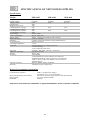
SPECIFICATIONS FOR NDP POWER SUPPLIES
P.2
4
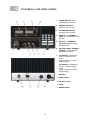
CONTROLS AND INDICATORS
P.3
5
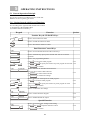
OPERATING INSTRUCTIONS
P.4
5.1 General Operation Principle
5.1.1 Getting Started with Keypad Functions
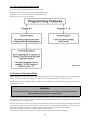
5.1.2 The Timed and Preset Programs
5.2 Standard Operation Mode
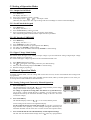
5.3 Setting of Operation modes
5.3.1 Output On/Off Mode
5.3.2 Lock/Unlock keypad
5.3.3 PC Interface USB/ RS-485
5.3.4 Upper Voltage Limit Setting
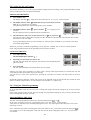
5.4 Manual Operation Modes
5.4.1 Setting Voltage and Current by Manual Operation
5.4.2 Using the Preset Feature
5.4.3 Using the Timed Programming
6
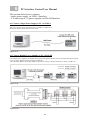
PC Interface Control User Manual
P.9
6.1 Connect a Single Power Supply to PC via USB 1.1
6.2 Connect multiple Power Supplies to PC via RS-485
6.3 PC Application Software
6.3.1 What the Application Software will do
6.3.2 System Requirements
6.3.3 Installation of Software
6.4 Running the Application Software for USB 1.1 Interface
6.4.1 Getting Started with Software for USB 1.1 Interface
6.4.2 General Operation
6.4.3 Internal Timed Program
6.4.4 External Timed Program
6.4.5 Internal Preset Memory
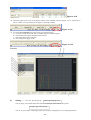
6.5 Running the Software Using RS-485 Interface
6.5.1 Getting Started with Software for RS-485 Interface
6.5.2 Configuration of Multi Window Analysis
7
MAINTENANCE
P.18
7.1 Fuse Replacement
7.2 Recabration
7.3 Recalibrating the Set Value and the Actual Output Value
7.3.1 Calibrating Voltage
7.3.2 Calibrating Current
7.4 Recalibrating the Set Value and the LED Display Value
7.4.1 Calibrating Voltage
7.4.2 Calibrating Current
8
APPENDICES
APPENDIX A
- Table for Voltage Recalibration
P.21
APPENDIX B
- Table for Current Recalibration
P.23
APPENDIX C
- Command Set
P.25
APPENDIX D
- Optional RS-232 to RS-485 Adapter ATR-2485 User Manual
P.28
All brand or trade names are trademarks or registered trademarks of their respective companies.