1
im Vertrieb von
7.2
CAMBOARD Electronics
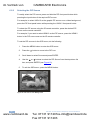
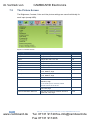
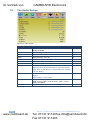
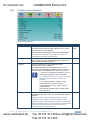
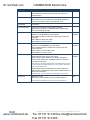
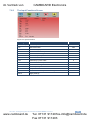
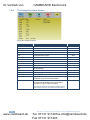
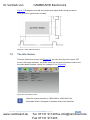
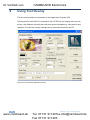
The Picture Screen
The Brightness, Contrast, Color and Hue picture settings are saved individually for
each input (except USB).
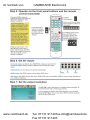
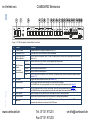
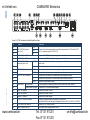
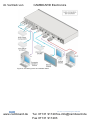
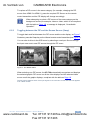
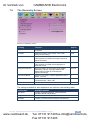
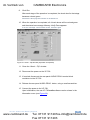
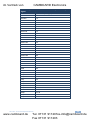
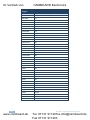
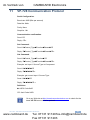
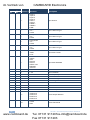
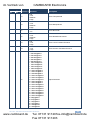
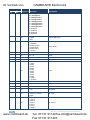
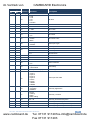
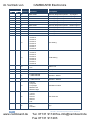
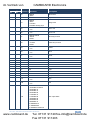
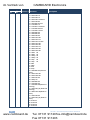
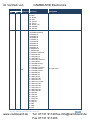
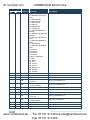
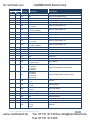
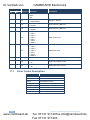
Figure 11: Picture Screen
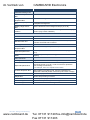
Setting
Function
Brightness
Adjust the brightness: 0 to 100
Default
50
Contrast
Adjust the contrast: 0 to 100
50
Color
Adjust the color: 0 to 100
55
Hue
Adjust the hue: 0 to 360
180
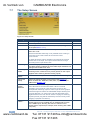
Sharpness
Adjust the sharpness: 0 to 100
50
Output Gamma
Adjust the gamma: Gamma 1 to Gamma 5
Gamma 1
Film Mode
Set the film mode: Auto, Video, Film
Auto
Temporal NR
Set the temporal noise reduction level: Off,
Low, Medium, High
High
Mosquito NR
Set the Mosquito noise reduction level: Off,
Low, Medium, High
Low
Block NR
Set the block noise reduction level: Off, On
Off
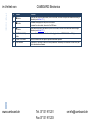
Detail Enhancement
Set the detail enhancement: Off, Low,
Medium, High
Medium
If the USB input is selected, Detail
Enhancement is set to Off
Luma Transition Enhance
Set the luminance transition enhance level:
Off, Low, High
Low
Chroma Transition Enhance
Set the chrominance transition enhance
level: Off, Low, High
Low
24
www.camboard.de
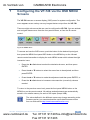
VP-728 - Configuring the VP-728 via the OSD MENU Screens
Tel. 07131 [email protected]
Fax 07131 911203