1
im Vertrieb von
CAMBOARD Electronics
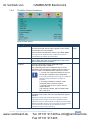
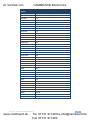
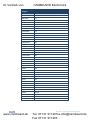
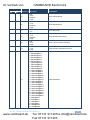
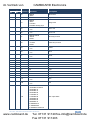
Contents
1
Introduction
1
2
2.1
2.2
Getting Started
Achieving the Best Performance
Recycling Kramer Products
2
2
2
3
3.1
4
Overview
Defining the VP-728 Presentation Switcher/Scaler
Installing in a Rack
3
5
9
5
5.1
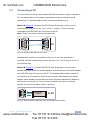
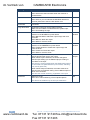
Connecting the VP-728
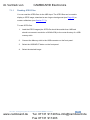
Connecting a PC
10
13
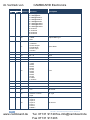
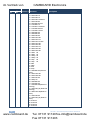
6
6.1
6.2
6.3
6.4
7
7.1
7.2
7.3
7.4
7.5
7.6
7.7
7.8
7.9
8
Presentation Switcher / Scaler Buttons
Switching an Input
The PIP Button Feature
Locking and Unlocking the Front Panel
The Infrared Remote Control Transmitter
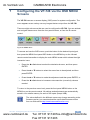
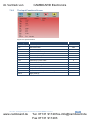
Configuring the VP-728 via the OSD MENU Screens
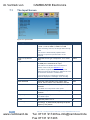
The Input Screen
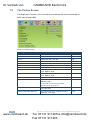
The Picture Screen
The Output Screen
The PIP Screen
The Audio Screen
The Geometry Screen
The Setup Screen
The Advanced Setup Screen
The Info Screen
Using Text Overlay
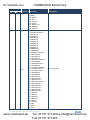
14
14
15
19
20
21
22
24
25
27
28
29
30
32
37
38
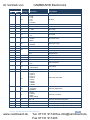
9
9.1
9.2
9.3
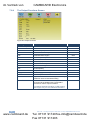
Audio Flash Memory Upgrade
Downloading from the Internet
Connecting the PC to the RS-232 Port
Upgrading the Audio Firmware
40
40
41
41
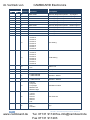
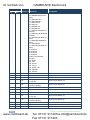
10
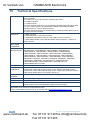
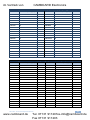
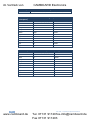
Technical Specifications
46
11
11.1
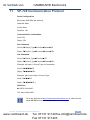
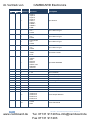
VP-728 Communication Protocol
Error Codes Description
51
62
VP-728 – Contents
www.camboard.de
i
Tel. 07131 [email protected]
Fax 07131 911203