1
Handbuch
User Manual
U.S.A.
POWER
LOW
ON
OFF
16 CHAN
6
5
4
3
2
NELS S
7
8
6
UHF-101
ELECTO
A
B
C
D
1 0 F E
R
nova U.S.A. UHF-101
nova
UHF-101
Wireless Microphone System
UHF-101
Wireless Microphone System
or dry
UHF-101
Wireless Microphone System
CRAAFT AUDIO GmbH
damp or dry but clean
with unit unplugged.
distributor
CRAAFT AUDIO GmbH
UHF-101
Wireless Microphone System
NOVA U.S.A. UHF-101 microphone system offers the highest level of reliability and performance for all
wireless microphone applications. Featuring a premium ultra-high frequency transmission, both the receiving unit and
the handheld MIC transmitter can be individually set for is different frequencies ending the difficulty and worry of matching
replacement and additional system components with preset frequencies.
Utilizing Phase-Locked Loop(PLL)technology, the UHF-101 maintains the appropriate frequency relative to the reference
signal of the transmitter and ensures a stronger connection, complete with a cardioid, dynamic MIC transmitter the system
delivers an 120 degree off axis pattern, superior noise absorption and unsurpassed gain-before-feedback.
Designed with a roaming range of over 300 ft, tone-squelch control, a high signal-to-noise ratio and wide frequency response,
NOVA U.S.A. UHF-101 provides an elevated valued solution for even the most demanding applications.
The UHF-101 is a 16 channel PLL wireless system, it provides 16 custom selectable channels with easy and simple operation.
It is the finest in its class. This system will give you excellent performance for years to come.
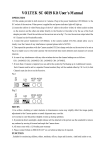
UHF-101
Adapter
Audio cable
4 Group Indicator
5 Frequency Indicator
R F Diversity Indicator
7 Rotate Frequency Selector
12
13
Adjustment
UHF-101
Wireless Microphone System
UHF-101 FRONT
UHF-101 BACK
DC 16V IN
16 CHA
NNELS
SELECT
OR
1
2 3
4
5
6
7
8
6
6
5
4
3
2
A
B
C
D
1 0 F E
UNBALANCED
7
BALANCED
XLR
SQ
Figure 1
8
9
10
11
12
ON/OFF
20 minutes
Power and battery Indicator.
8
4
T
to insert
5. Rotate Frequency Selector. Select the frequency by rotating the frequency selector.
ON
POWER
OFF
LOW
nova U.S.A. UHF-101
5
4
+
-
+
-
13
9
UHF-101
Wireless Microphone System
Audio Mixer
(Figure 5)
Select the Frequency you want by rotating the Frequency
Power ON/OFF
Selector of the receiver.
Select the same frequency as receiver by rotating the Frequency Selector of the transmitter.
shown
During the performance or presentation, you can still change the frequency. First, you should reselect the frequency from the
receiver; Second, you must slide the handheld POWER ON/OFF to OFF position,and select the frequency as the same as
receiver, then slide the handheld POWER ON/OFFto ON position; Third, wait about 5 seconds, when the receiverwill indicate
the RF signal, you can begin speaking or singing.
Power ON/OFF
IMPORTANT : Because this UHF-101 is a PLL wireless system, when you turn on this system, the receiver needs 5 seconds
to source the partnership to the transmitter.
Power ON/OFF
REWOP
LWOL
ONO
FFO
16 C HAN
NEL S
SE LEC
TOR
7
8
6
6
5
4
3
2
A
B
C
D
1 0 F E
+
-
+
UHF-101
Wireless Microphone System
20 minutes
r
Audio mixer
UHF-101
Wireless Microphone System
863 - 865
60
21
XLR
-107
1.2
110mA
230mA
140mA
300mA