1
R&S®FS-K130PC
Configuring and Performing Measurements
Specifying the File Type
If you save a file, the variable within this file gets the specified signal name. This feature can be useful if you want to load reference and measurement files and already
want to distinguish both files while loading them, for example.
If you load a file, the loading function queries the variable with this name. It is possible
to store multiple I/Q vectors (e.g. reference and measurement signal) in one file and
specify the name of the signal to load here.
If the name was not found within the file and there is only one vector, this vector will be
loaded. If there is more than one value, an error will be generated.
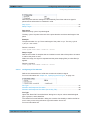
Remote command:
I/Q Generator: CONF:IQGEN:FILE:MLAB:NAME 'string'
I/Q Recorder: CONF:IQSINK:FILE:MLAB:NAME 'string'
Matlab Format
Sets the version for *.mat files when saving a signal in Matlab format.
As the Matlab format has changed in the past, special user-defined functions for reading Matlab files may require older versions of the file format. If this is the case, you can
specify the version here. The parameter is analoguous to the parameter of the save
function of Matlab.
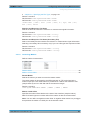
Remote command:
I/Q Generator: CONF:IQGEN:FILE:MLAB:FORM DEFAULT | V4 | V6 | V7 |
V7_3
I/Q Recorder: CONF:IQSINK:FILE:MLAB:FORM DEFAULT | V4 | V6 | V7 |
V7_3
Matlab Data Direction
Defines the orientation of the data (row or column).
For more information see "Main Data Direction" on page 111.
Remote command:
I/Q Generator: CONF:IQGEN:FILE:MLAB:DIR LEFTRIGHT | TOPBOTTOM
I/Q Recorder: CONF:IQSINK:FILE:MLAB:DIR LEFTRIGHT | TOPBOTTOM
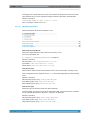
4.5.5 Specific Values
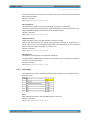
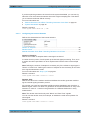
Contains specific characteristics for measurements from a file.
Ignore First.................................................................................................................. 114
Read Only................................................................................................................... 114
Remove DC.................................................................................................................114
Signal Name................................................................................................................114
User Manual 1173.1162.12 ─ 03
113