1
Rear
HDR-1003S/500GB & NOHDD
2
1
3
6
4
5
7
9
8
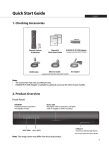
1LNB IN: Connect a satellite antenna cable.
2 VIDEO/AUDIO: Use an RCA cable to connect to the TV.
3 COMPONENT OUT: Use a component cable to connect to the TV.
4SPDIF: Use an SPDIF cable to connect to the digital audio device.
5 HDMI: Use an HDMI cable to connect to the TV.
6 Ethernet: Connect a LAN cable.
7 USB: Connect a wireless USB dongle or external USB devices.
8 RS232C: Connect to the PC to update software.
9 POWER: Connect the power cord.
10 FAN: Do not block.
AU4
10