1
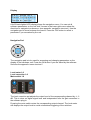
Display
K.M.E. DAP26 V0.1
Preset Configuration
Choose an option!
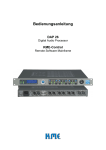
A 4x20 back-lighted LCD display shows the navigation menu. You can set all
software parameters on the unit itself. Arrows in the lower right corner show the
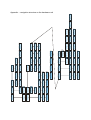
directions to navigate to submenus. (see appendix ‘navigation structure’). Use the
navigation pad to move between the menus. Press the ‘OK’ button to select a
parameter if you are asked by the unit.
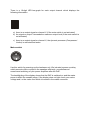
Navigation Pad
The navigation pad is to be used for accessing and changing parameters on the
display of the hardware unit. Press the OK button if you are asked by the software.
See also the appendix ‘menu structure’!
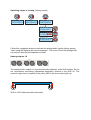
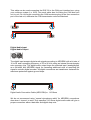
Level meter 1-6
Level correction 1-6
Mute switch 1-6
LIMIT
+
-6 dB +6
MUTE
0
dB
-6 dB +6
MUTE
-60
The level correction pot adjusts the output level of the corresponding channel by +/- 6
dB. This is done on digital signal level and independent from the gain correction in
the software plug-in.
Pressing the mute switch mutes the corresponding output channel. The level meter
still displays the output level to avoid unintentional triggering of the switches.