1
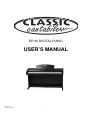
CONTROL PANEL AND PEDAL
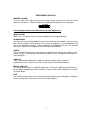
FRONT CONTROL PANEL
Voice Select
Display
Master Volume
Setup, Demo, Metro, Trans, Tempo
▲,▼
Record
Song
Reverb, Chorus, Layer, Duet
See detailed description of the control panel in the following chapters.
POWER SWITCH - The power switch is located to the left of the keyboard. Press the
button to turn the power on and off. The red power indicator in the left of the front cross
bar lights up when the power is on.
Note: When you turn the power off, do not turn it back on immediately. Wait at least five
seconds to turn the power back on so that the electronic circuits can properly reset.
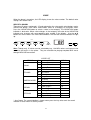
BOTTOM PANEL
The socket board located on the front-left of the bottom
L
LI NE I N
R
LI NE OUT
L
R
MI DI
IN
OUT
USB
PEDAL
The headphone jack board is located on the front-left of the bottom.
See detailed description of the panel in the PREPARING FOR PLAY chapter.
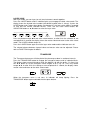
PEDAL
1. SOFT PEDAL - When the left pedal is engaged the piano volume is reduced and the
timbre slightly altered on the notes that are played.
2. SOSTENUTO PEDAL: The function of it is similar with the sustain pedal. When playing
notes then middle pedal is engaged, the notes will be sustained. Sustain effect does not
apply to the notes played after pressing pedal, even though the pedal keeps down.
3. SUSTAIN PEDAL - When the right pedal is engaged the piano keys will continue to
sustain as they are played. Thereby the piano note will decay gradually as if you were
continuing to hold down the piano keys.
8