1
9
3 Quick guide
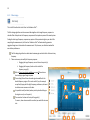
The following steps will get you started immediately. In the Step-by-step guide on page 10, the
process is described in more detail.
1. Run the Dirac Live Calibration Tool™ Installer. (Mac: page 10; PC: page 10)
2. Run the Dirac Audio Processor™ Installer. (Mac: page 10; PC: page 10)
3. Connect your sound card to the computer and the output of the sound card to the input of
your sound system (on your amplifier/preamplifier). (page 11)
4. Start the Dirac Live Calibration Tool™. (page 11)
5. Follow the on-screen instructions to select your microphone input and microphone
calibration file (page 13), sound card outputs (page 14), measure (page 15) and optimize
(page 19) your sound system. Make sure to Save the project regularly to be able to resume
your work and fine-tune your settings!
6. When you have saved your filters from the Dirac Live Calibration Tool™, start the Dirac Audio
Processor™. (page 21)
7. Select your desired Output device in the bottom of the Dirac Audio Processor™ Controller.
(page 22)
8. Click on an empty filter slot (numbered 1-4) and select your newly created filter. (page 24)
9. Make sure that the computer’s primary sound device is set to be the Dirac Audio Processor™.
(page 22)
10. Start your media player software (such as iTunes, Spotify, or Windows Media Player)
11. Enjoy a more musical and accurate reproduction of your favorite music!