1
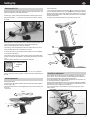
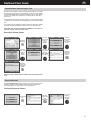
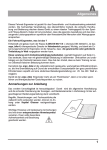
The Dashboard
1
GB
Top panel
14
1. Colour screen
2. Volume (up)
3. MP3-Player
4. Volume (down)
5. Function keys
2
13
6. Menu
Calls the main menu
3
10
7. Info
Displays detailed information about the current situation
4
8. Control button
By turning and pressing this button you can select and open menu items
5
9. -/+ Dumbbell
Decrease or increase the load
6
10. -/+ Values
Decrease or increase the pulse rate, RPM, torque and gear
The value that can be actually modified will be colour-highlighted in the
training view.
7
11. Audio connector
Used to connect a headphone
9
11
12
8
12. Cardio connector
Used to connect the ear clip
13. Relax connector
Used to connect the Relax sensor
14
14. Card reader for the ergo_memo-card2
Front side of the console
15
26
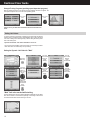
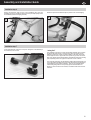
Underside
15. RS422 interface to the control board
16. Treadmill keyboard
17. Reset key
18. USB-Host
19. USB-Slave
16
17
25
24
23
18
19
20. Wireless pulse rate
21. Operating power from control board
22. Hand pulse rate
23. Audio connector L/R to external amplifier (Line Out)
24. Network connector (Ethernet)
25. Light-emitting diode (LED) for network connector
26. Battery 3.3 V
20
22
21
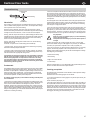
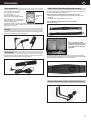
Battery replacement
The button cell battery (CR 2032) is located on the underside of the circuit board
of the dashboard. Replace this battery when you notice a loss of time and date
on the system clock. (See the maintenance section)
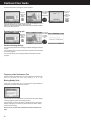
These areas are still visible when installed
7