1
TimeLine - User Manual
®
Globals Menu
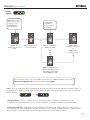
Global parameters affect TimeLine regardless of what patch is currently active.
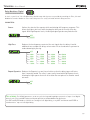
Time Display: Configures the display to show delay time in Milliseconds or Beats Per Minute.
MS
BPM
Global Tap: Allows the last tapped tempo to affect all presets regardless of the tempo saved
in the preset.
PRESET - when patch is changed, delay time will change to saved value in preset
GLOBAL - delay time will remain at the last tapped tempo regardless of current preset
Looper Location: Switches the Looper to be Pre or Post delay.
PRE
POST
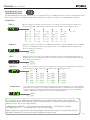
Looper Level: Sets the volume level of the looper playback.
|||||||
Looper Exit: Determines if the looper stops when exiting or keeps playing in the background.
PLAY
STOP
Bypass Set-Up: Changes the bypass mode between True Bypass and Buffered Bypass. In True
Bypass, electromechanical relays are used to bypass TimeLine so that no
components are touching the input signal. In Buffered Bypass the bypassed
signal runs through a high quality analog buffer.
TRUE BYPASS
BUFFERED BYPASS
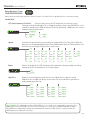
MIDI Channel: Sets the MIDI Channel. Can be set to 1 - 16.
CH 1 - 16
MIDI Continuous Controllers: Turns MIDI CC messaging (continuous controllers) ON or OFF.
ON
OFF
MIDI Patch Change: Turns MIDI patch change messaging ON or OFF.
ON
OFF
MIDI Through: When set to ON, MIDI messages that arrive at the input are sent to the output.
ON
OFF
pg 21