1
Chapter 3 Getting RTAI
Chapter 3
Getting RTAI
Download RTAI – The CVS repository
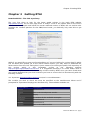
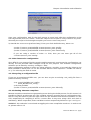
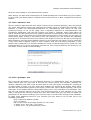
The very first place to look for the latest stable release is the main RTAI website
http://www.rtai.org. On the first page there is always a link to the tarball with all the source
code needed to compile and install the actual released version of RTAI; this tar archive also
contains the certified patches for the GNU/Linux kernel; you basically only need this to get
started.
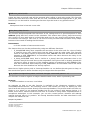
Illustration 1: The main RTAI webpage
While if you would like to test new functionalities or if you are looking for a minor bug fix which
has not been back ported yet to the official stable version, you may want to download the
latest version from the CVS. Doing this is just a matter of accessing the public CVS repository of
this
project
which
is
also
browsable
on-line
at
the
following
address
http://cvs.gna.org/cvsweb/?cvsroot=rtai. It is suggested browsing it to locate better what is
needed and to get familiar with the naming scheme used by RTAI. Once you have found what
you need to download on your local machine you have to access the CVS anonimously with the
following comand:
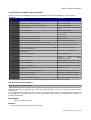
cvs -d:pserver:[email protected]:/cvs/rtai co <modulename>
The module you wish to check out must be specified as the modulename. When and if
prompted for a password simply press the Enter key. The available modules are:
Module Name
Description
Kilauea
Closed branch
Magma
This is the development version
rtai
Empty
Showroom
It contains all the available examples
Stromboli
Closed branch
Vesuvio
Closed branch
Vulcano
This is the stable version
RTAI User Manual 3.3 - pag 3