1
ColorQuest XT User’s Manual Version 1.7
APPENDIX A
Applet Programming
Occasionally you may come across an application for which none of the HunterLab-supplied applets is
appropriate or you may need to calculate a scale or index that is not included in these applets. Using the
ColorQuest XT’s built-in applet language and Windows Notepad or another text editor, you may define
your own color scale and index formulas, illuminants, and screen layout for the touch screen display.
Note: This ability is provided as-is and is intended for use by personnel who possess the
programming knowledge required.
The information required for programming applets is contained in an HTML help file entitled
CQXEML.CHM, which is installed with the ColorQuest XT Applet Manager. This software is included
with your instrument and is described in the rest of this appendix.
Note: In the help file, all references to ColorQuest XE include the specialized version ColorQuest
XT, and the term “macro” is used interchangeably with the term “applet.”
After your applet is programmed, load it into your ColorQuest XT using the Applet Manager
application.
Installing the Applet Manager
The Applet Manager application requires a computer running Windows 95 or higher.
1. Insert the installation CD into your CD-ROM drive. If your system is set up to automatically run
CD programs, the setup program will begin automatically and you may skip to Step 5.
2. Click on the Windows Start button.
3. Select Run from the command list.
4. Type “D:\SETUP” and then press Enter. If your CD-ROM drive is assigned a designation other
than drive D, use that letter in place of the “D” in this statement.
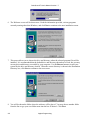
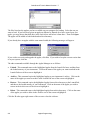
5. The setup program will boot and the following screen will be shown.
Applet Programming
A-1