Download GD510 User Guide
Transcript
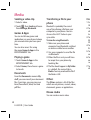
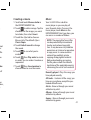
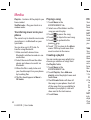
Media You can store any multimedia files on your phone’s memory so that you have easy access to all your pictures, sounds, videos and games. You can also save your files to a memory card. Using a memory card allows you to release space in your phone’s memory. You can find these files in the menu Media in the ENTERTAINMENT tab. Images Images contains a list of pictures including default images pre-loaded onto your phone, images downloaded by you and images taken on your phone’s camera. Sending images 1 Touch Media in the ENTERTAINMENT tab and select Images. Select the picture you want. 2 Touch Send and choose from Multimedia message, Bluetooth. 38 LG GD510 | User Guide Using an image Prin You can choose images to use as wallpapers and the lock screen or even to identify a caller. 1 Touch Media in the ENTERTAINMENT tab and select Images. Select the picture you want. And touch . 2 Touch Use as and choose from: Homescreen image - Set a wallpaper for the home screen. Lock screen image - Set a wallpaper for the lock screen. Contacts image - Allocate an image to a particular person in your contacts list so that their picture shows when they call you. Start up image - Set an image to appear when you switch the phone on. Shut down image - Set an image to appear when you switch the phone off. 1 To EN Im wa 2 To Blu TIP blu Pic Mov You c betw mem this t of th your 1 To EN an 2 Se 3 Yo by im co