1
Parameter level
Access to the
parameter level
At the parameter level, all values that can be modified can be
checked and changed if required.
The parameter level is activated by pressing the rotary selector once.
Parameter P01 appears
(start differential solar cylinder 1).
Display (factory setting):
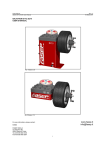
Rotary selector with
pushbutton function
Example: parameter P 01
Turning the rotary selector clockwise scans all further available
parameters in sequence.
Changing parameters:
▪ Pressing the rotary selector again enables the currently
displayed parameter.
The display of the corresponding value flashes.
▪ Turning the rotary selector enables you to modify the value.
▪ Pressing the rotary selector again confirms the value. The
value display then changes from flashing to static.
The parameter level can be exited by pressing the Info key.
The parameter level will also be terminated if no further activity is
detected within one minute.
14
3061916_0611