1
VirusBuster Scanner
VIRUSBUSTER SCANNER
The VirusBuster Scanner programs have been drawn together in this manual, as they are
similar and have same functionality. The differences in the operation of the programs
will be indicated. The task of the VirusBuster Scanner programs is to find virus
infections on the data storage systems and other areas and if possible remove them.
The program provides the opportunity for performing regular scans on the data storage
devices. The program can be run from the command line and its operation can be
adjusted with aid of parameters. An automatic protection can be achieved, to a
certain degree, by using the parameters.
Main features of the product:
-
Operating in interactive and automatic modes
Heuristics scanning levels
Multi-thread scanning
Enable/disable boot scanning
Option’s values can be stored in configuration file
Command line quarantine handling
Incremental virus database update
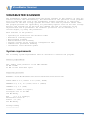
System requirements
The following system requirements must be available to execute the program:
General requirements
-------------------x86, amd64, ia64 processor at 200 MHz minimum
64 MB of RAM
40 MB of free hard disk space
Supported platforms
------------------WINDOWS: 95/98/Me/NT4/NT4s/2000/2000s/XP/XP-x64/2003s/2003s-x64
LINUX GLIBC 2.2.5, kernel 2.2.x (i386, amd64)
FREEBSD 4.9, 5.4, 6.0 (i386) and 6.0 (amd64)
OPENBSD 3.4, 3.6 (i386)
SOLARIS 9 / SunOs 5.9 (sparc)
UltraSparc IIe at 500 MHz
128 MB memory
AIX
4.3, 5.2 (powerpc)
Maintenance level 10
Power3 - II (G3)
256 MB memory
Package naming
--------------
3