1
1. Prologue
Over 70% of large companies and organizations world-wide
world wide are working with Microsoft SharePoint. The main
purpose is to improve the collaboration and the communication processes among employees, departments and
other parts of the organization. From the technical perspective, MS SharePoint provides capabilities to create and
to maintain so-called
called Team Sites for departments or work groups of an organization, which help to coordinate
team activities with document collaboration and storage and to encourage
encourage the team’s autonomy. Due to the
comprehensive character of MS SharePoint as portal or intranet, these provided document repositories are also
searchable and available for users (depending on the security level and permissions) other than only team
members.
ers. Therefore, the required information is provided centrally within MS SharePoint to share the common
knowledge and to improve the communication.
While the number of different document repositories increases within MS SharePoint, the inefficiency of gaining
gain
information or of searching data increases, too. This happens, because the documents are stored without
adequate meta data like keywords, appropriate file name or storage location. The result is that the document
repositories are chaotic and that MS SharePoint
SharePoint does not meet the advantages of a modern Document
Management System.
At this point, TeleForm for MS SharePoint helps to reduce the time and costs in capturing and searching for data
and information immensely. Compared to the manual (and therefore error prone) capturing of data /
information, TeleForm helps to simplify the capturing processes through intelligent automation and processing of
input such as documents (e.g. invoices), forms and electronic forms (so-called
(so called eForms). The new and extended
connect
onnect agent SharePoint for HP TeleForm is based on .NET and provides the necessary functionality to export
the processed documents, forms and eForms to your MS SharePoint server based on the captured data /
information. The workflow within TeleForm is clear,
cle secure and auditable.
This document contains information in terms of installation, functionality, data export preferences and
application of the SharePoint Connect Agent for HP TeleForm in the following sections. This connect agent makes
it possible to export any content captured using TeleForm to any SharePoint library simply, securely and fast.
Note:
TeleForm provides functionalities to process digital data as well. Because TeleForm supports onon and offline
processes, field workers may use their mobile devices for data capturing as well.
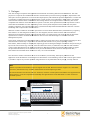
Introduced with eForm Suite Version 5 for TeleForm, cameras of smart phones and tablets are supported and
those photos or scans are exported automatically through TeleForm to MS SharePoint or other connected
backend systems.
© Electric Paper Informationssysteme GmbH
Subject to change
www.electricpaper.biz
4