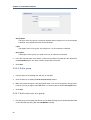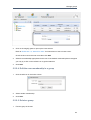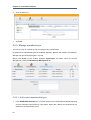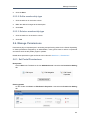
1
GateIn User Guide
by the GateIn community , JBoss by Red Hat , and eXo Platform
edited by Scott Mumford (Red Hat), Thomas Heute (Red Hat), and Luc Texier (Red Hat)
1. Introduction ................................................................................................................. 1
1.1. Related Links ..................................................................................................... 1
2. Glossary ...................................................................................................................... 5
2.1. Portal ................................................................................................................. 5
2.2. Portlet ................................................................................................................ 5
2.3. Toolbar ............................................................................................................... 5
2.4. Navigation .......................................................................................................... 5
2.5. Gadgets ............................................................................................................. 6
2.6. Modes ................................................................................................................ 6
2.7. Permissions ........................................................................................................ 7
3. Portlets ........................................................................................................................ 9
3.1. Functional Portlets .............................................................................................. 9
3.2. Interface Portlets ............................................................................................... 10
3.3. Dashboard Portlet ............................................................................................. 13
3.3.1. Using the Dashboard Workspace ............................................................ 13
3.3.2. Add Gadgets .......................................................................................... 16
4. Accounts .................................................................................................................... 19
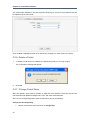
4.1. Register New Accounts .....................................................................................
4.2. Sign In and Sign Out ........................................................................................
4.2.1. Sign In ..................................................................................................
4.2.2. Sign Out ................................................................................................
4.3. Remember User Account ..................................................................................
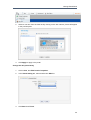
4.4. Change Account Settings ..................................................................................
4.5. Account and Password Retrieval .......................................................................
5. Portal Administration .................................................................................................
5.1. Toolbar .............................................................................................................
5.1.1. User Actions in the Toolbar ....................................................................
5.1.2. Administration Actions in the Toolbar .......................................................
5.2. Manage Portals ................................................................................................
5.2.1. Create a New Portal ...............................................................................
5.2.2. Edit a Portal ..........................................................................................
5.2.3. Edit Layout ............................................................................................
5.2.4. Edit Navigation .......................................................................................
5.2.5. Edit Properties .......................................................................................
5.2.6. Delete a Portal .......................................................................................
5.2.7. Change Portal Skins ..............................................................................
5.2.8. Switching between Portals ......................................................................
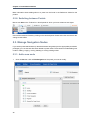
5.3. Manage Navigation Nodes ................................................................................
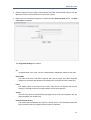
5.3.1. Add a new node ....................................................................................
5.3.2. Edit a node ............................................................................................
5.3.3. Copy a node ..........................................................................................
5.3.4. Clone nodes ..........................................................................................
5.3.5. Cut a node ............................................................................................
5.3.6. Delete a node ........................................................................................
19
21
21
22
23
23
24
27
27
27
28
28
28
30
30
32
33
34
34
36
36
36
39
41
42
44
45
iii
GateIn User Guide
5.3.7. Change Node Order ...............................................................................
5.4. Manage Pages .................................................................................................
5.4.1. Adding a new Page ................................................................................
5.4.2. Edit a Page ...........................................................................................
5.4.3. View a Page ..........................................................................................
5.4.4. Delete a Page ........................................................................................
5.4.5. Drag and Drop the Page Body ................................................................
5.5. Manage Users and Groups ...............................................................................
5.5.1. Manage users ........................................................................................
5.5.2. Manage groups ......................................................................................
5.5.3. Manage memberships ............................................................................
5.6. Manage Permissions .........................................................................................
5.6.1. Set Portal Permissions ...........................................................................
5.6.2. Set Page Permission ..............................................................................
5.6.3. Set Access Permission on a Category .....................................................
5.6.4. Set Access Permission on a Portlet .........................................................
6. Language administration ...........................................................................................
45
46
46
54
55
55
56
57
57
60
64
65
65
68
70
70
73
6.1. Change Interface Language ..............................................................................
6.1.1. Language for the user ............................................................................
6.1.2. Set language for a user ..........................................................................
6.2. Right To Left Support ........................................................................................
6.3. Multi-Language Navigation Nodes ......................................................................
6.3.1. Key Format ............................................................................................
6.3.2. Creating Keys ........................................................................................
6.3.3. Creating Keys using Create Page Wizard ...............................................
6.3.4. Creating/Editing Keys using Navigation Management .............................
6.3.5. Providing translation ...............................................................................
7. Portlets and Gadgets Administration .........................................................................
7.1. Import Portlets and Gadgets ..............................................................................
7.2. Manage Portlets and Gadgets ...........................................................................
7.2.1. Display Gadgets .....................................................................................
7.2.2. Add a new Category ..............................................................................
7.2.3. Edit a Category ......................................................................................
7.2.4. Delete a Category ..................................................................................
7.2.5. Add Portlets/Gadgets to a Category ........................................................
7.2.6. Set Access Permission on Portlets ..........................................................
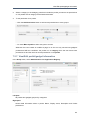
7.2.7. View/Edit portlet/gadget information .........................................................
7.2.8. Add a Gadget ........................................................................................
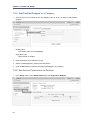
7.2.9. Add a new Gadget to the Dashboard Portlet ............................................
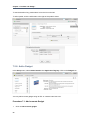
7.2.10. Manage Gadgets ..................................................................................
73
73
74
74
76
76
77
77
77
79
81
81
82
82
82
83
83
84
84
85
86
88
88
iv
Chapter 1.
Introduction
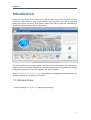
GateIn 3.0 is the merge of two mature Java projects; JBoss Portal and eXo Portal. This new
community project takes the best of both offerings and incorporates them into a single j2ee
deployment archive. The aim is to provide an intuitive user-friendly portal and a framework to
address the needs of today's Web 2.0 applications.
This book introduces and provides detailed information about most features and capabilities of
GateIn 3.0 such as user/group management and access permissions, using portlets and changing
basic interface objects such as skins, language and page orientation.
Refer to GateIn 3.0 Reference Guide [http://www.jboss.org/gatein/documentation.html] for
detailed information on all aspects of the project.
1.1. Related Links
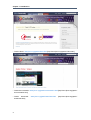
• GateIn homepage: www.gatein.org [http://www.gatein.org]
1
Chapter 1. Introduction
• GateIn videos: www.jboss.org/gatein/videos.html [http://www.jboss.org/gatein/videos.html]
• GateIn documentation: www.jboss.org/gatein/documentation.html [http://www.jboss.org/gatein/
documentation.html]
• GateIn downloads:
downloads.html]
2
www.jboss.org/gatein/downloads.html
[http://www.jboss.org/gatein/
Related Links
3
4
Chapter 2.
Glossary
2.1. Portal
An enterprise portal is a Web application that provides means to aggregate and personalize
information via application-specific portlets.
Users and administrators are able to integrate information, people and processes across
organizational boundaries via a web-based user interface.
The framework enables aggregation of enterprise content and business applications with flexible
management and personalization options.
2.2. Portlet
A portlet is a small, self-contained web application. Portlets are managed and displayed within a
Portal. Typically, a portal page is displayed as a collection of non-overlapping portlet windows,
with each portlet window displaying a different portlet. Hence a portlet (or collection of portlets)
resembles a web-based application hosted in a portal.
Portlets can be configured to generated differing content and GateIn 3.0 has a number of default
portlets that can be used in any portal built in the application.
2.3. Toolbar
The Toolbar spans the top of the portal application and provides links to user and administrative
actions.
This screenshot displays three Navigations referred to in Section 2.4, “Navigation” as well as the
main Menu button (on the far left of the toolbar) and the name of the current user (on the far right).
In this example the current user is the site administrator, hence the extra "Site Editor" menu.
2.4. Navigation
Portal navigations are menus that contain hyperlinks to other parts of a Portal. They can help
users to visualize the structure of a site. The default navigation menus in GateIn 3.0 are located
in the Toolbar (Section 2.3, “Toolbar”).
There are three navigation types.
Site
This navigation links to separate sites of the parent Portal. Each site has only one navigation
and it is automatically generated when the site is created.
5
Chapter 2. Glossary
This functionality allows different sites to administer some Portal aspects (such as portlets)
individually while maintaining other content standardized with the parent Portal.
Group
The content of this navigation differs depending on the type of account logged in.
• If a user account in in effect, this navigation holds personal links set up by that user.
• When using a management account, this navigation contains links to pages for registered
users as well as administrative tasks and personal links.
• In an administrator account the navigation adds further management abilities such as
Internationalization and community management.
Dashboard
Each user has own navigation 'Dashboard' that contains links and portlets (or gadgets) that
the user has selected. A user's navigation is created automatically when user is registered.
This navigation only can be deleted when the user is deleted.
When logged in as an Administrator, a fourth navigation appears in the Toolbar:
Site/Group Editor
This navigation appears as either Site Editor or Group Editor depending on the
administrator's location within the portal.
When in areas of the portal displaying content, the navigation shows as Site Editor and in
areas of the portal pertaining to users, the navigation shows as Group Editor.
This navigation contains links to add a new pages to the portal, to edit a page or to change
the portal's layout. Administrators can use these links to manage the portal.
2.5. Gadgets
A gadget is a customizable mini web application that portal users may add to their web pages.
For more information about the gadgets shipped by default with GateIn 3.0, please check out
Section 3.3.1, “Using the Dashboard Workspace”
2.6. Modes
By default GateIn 3.0 offers two access modes:
Public
This mode is for guest users who are not registered with the Portal. It does not require a log
in and restricts the visitor to the public pages in the portal. Visitors can register an account to
gain access to the restricted pages. After being registered, they can use the Private mode but
must still contact the Portal administrator to get more rights or a group manager to become
a member and gain access a group.
6
Permissions
Private
This mode is for registered users only. Users set a username and password during registration
which they can then use to sign in. This mode offers users more site privileges. Registered
users can manage private resources (creating, editing or deleting private pages), "borrow"
pages from other users by creating hyperlinks and change the language for individual needs.
2.7. Permissions
Permission settings control what users can and cannot do within the portal and are set by portal
administrators.
Permission types dictate what a user can do within the portal. Two permission types are available
as follows:
Access
This permission type allows users to utilize portal content, that is; sign in, rearrange portlets,
etc. This permission can be set for multiple member groups.
Edit
This permission type allows users to change portal content. This includes actions such as
changing page information, deleting pages etc. The edit permission is set for only one group
at a time.
Permission levels dictate where in the portal the user's permission type applies. There are three
permission levels:
Portal
The portal permission level includes all pages within the portal. Therefore, a user with the
access permission type can view (but not edit) all the pages within the portal. A user with edit
permission at the portal level, can change any page in the portal.
Page
The page permission level restricts the user to particular pages. Users are only able to see
and/or edit (depending on their permission type) pages they have been given access to.
Portlet
The portlet permission level allows users to create a page by dragging and dropping portlets
into a page. Some portlets are only used for administrators while some are used for individuals
thus administrators have to set the appropriate access permissions.
Permission types and levels can be used to effectively control who can do what within the portal.
For more information on setting permissions refer to Section 5.6, “Manage Permissions”
7
8
Chapter 3.
Portlets
3.1. Functional Portlets
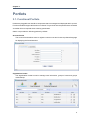
Portlets are pluggable user interface components that are managed and displayed within a portal.
Functional Portlets support all functions of a Portal. They are built into the portal and are accessed
via toolbar links as required when actioning portal tasks.
GateIn 3.0 provides the following portlets by default:
Account Portlet
The Account Portlet allows users to register a new account and choose a preferred language
for displaying the Portal interface.
Organization Portlet
The Organization Portlet is used to manage user information, groups of users and groups
memberships.
9
Chapter 3. Portlets
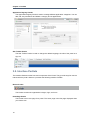
Application Registry Portlet
The Application Registry Portlet is used to manage different application categories. You can
add, edit, set permissions and delete a category and its applications.
Star Toolbar Portlet
The Star Toolbar Portlet is used to change the default language, the skin of the portal or to
sign out.
3.2. Interface Portlets
The Interface Portlets are the front-end components of the Portal. They provide ways for users to
interact with the portal. GateIn 3.0 provides the following Interface Portlets:
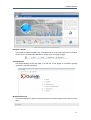
Banner Portlet
This Portlet contains the organization's slogan, logo, and icons.
HomePage Portlet
This Portlet is the home page for a portal. The home page is the first page displayed when
you visit the site.
10
Interface Portlets
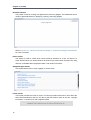
Navigation Portlet
This Portlet provides a navigation bar. A navigation bar is a menu that helps users to visualize
the structure of a site and provide links to quickly move from page to page.
Sitemap Portlet
This Portlet displays a site map page of a web site. It lists pages on a website, typically
organized in hierarchical fashion.
Breadcumbs Portlet
This Portlet displays the 'path' the user has taken from the home page to arrive at the currrent
page.
11
Chapter 3. Portlets
Dashboard Portlet
This portlet is used for hosting mini-applications known as gadgets. The dashboard uses a
variety of graphical effects for displaying, opening, and using gadgets.
Refer to Section 3.3, “Dashboard Portlet” or Chapter 7, Portlets and Gadgets Administration
for more information.
Iframe Portlet
This Portlet is used to create inline frames (IFrame) elements for a site. An Iframe is a
HTML element which can embed another document into a parent HTML document. By using
IFrames, embedded data is displayed inside a sub-window of browser.
Gadget Wrapper Portlet
This Portlet allows users to view a gadget in canvas mode.
Footer Portlet
This Portlet provides the footer for a site. This footer provides information or links about the
site's author/institutional sponsor, the date of the last revision made to the site, copyright
information, comments form and navigational links.
12
Dashboard Portlet
3.3. Dashboard Portlet
The Dashboard portlet is used for hosting mini applications known as gadgets. The Dashboard
uses a variety of graphical effects for displaying, opening and using gadgets.
Gadgets within the Dashboard portlet can be moved and rearranged. New gadgets can be created
and unnecessary ones deleted. More than one instance of the same gadget can be opened at
the same time and each instance of the same gadget can have different settings. The gadgets
instances are completely independent.
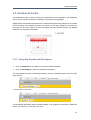
3.3.1. Using the Dashboard Workspace
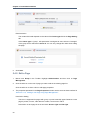
1.
Click on Dashboard in the toolbar to access the Dashboard portlet.
2.
Click on Add Gadgets to open the Dashboard Workspace.
The active Dashboard can be individually named by clicking on the default name ("Click and Type
Page Name")...
...and entering a new name:
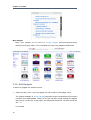
The Dashboard Workspace lists all available gadgets. Four gadgets are provided by default with
GateIn 3.0, however you can add many more.
13
Chapter 3. Portlets
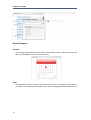
Default Gadgets:
Calendar
The calendar gadget allows users to switch easily between daily, monthly and yearly view
and, is customizable to match your portal's theme.
ToDo
This application helps you organize your day and work group. It is designed to keep track of
your tasks in a convenient and transparent way. Tasks can be highlighted with different colors.
14
Using the Dashboard Workspace
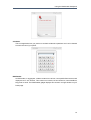
Calculator
This mini-application lets you perform most basic arithmetic operations and can be themed
to match the rest of your portal.
RSS Reader
An RSS reader, or aggregator, collates content from various, user-specified feed sources and
displays them in one location. This content can include, but isn't limited to, news headlines,
blog posts or email. The RSS Reader gadget displays this content in a single window on your
Portal page.
15
Chapter 3. Portlets
More Gadgets
Many more gadgets can be found at Google Gadgets [http://www.google.com/ig/
directory?synd=open]. GateIn 3.0 is compatible with most of the gadgets available there.
3.3.2. Add Gadgets
To add more gadgets from external sources:
1.
Obtain the URL (.xml or .rss) of the gadget you wish to add from the gadget source.
The gadgets available at Google Gadget [http://www.google.com/ig/directory?synd=open]
provide a link to View source. Clicking on this link will open a page showing the gadget's
XML source. Use the URL of this page in the Dashboard Workspace. The URL should end
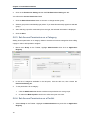
with .xml
For example:
16
Add Gadgets
URL Types
Remote gadgets can be only created using an .xml link or RSS URL.
However, if you use a link that generates an RSS feed (for example: http:/
/feeds.feedburner.com/gatein), a new RSS reader gadget will be created
automatically even if the URL does not end with .rss.
2.
Return to your portal and click Dashboard in the toolbar.
3.
Click on Add Gadgets in the Dashboard to open the Dashboard Workspace.
4.
The Dashboard Workspace dialog appears:
5.
Paste the URL obtained in step 1 into the text box above the gadget list.
17
Chapter 3. Portlets
6.
18
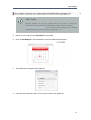
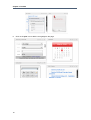
Click on the plus icon to add the new gadget to the page.
Chapter 4.
Accounts
4.1. Register New Accounts
Unregistered users visiting the portal are limited in the content they can see.
Users who need access to deeper content or who need to perform actions within the portal
should register themselves and then contact the portal administrator to gain appropriate access
permissions to their account.
Users can quickly and easily register a new account for themselves.
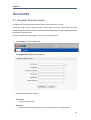
1.
Click Register on the Navigation bar.
The Register New Account page appears:
The required information includes:
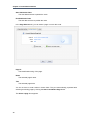
User Name
The name used to log in.
Password
The password must be between 6 and 30 characters and can contain spaces.
19
Chapter 4. Accounts
Confirm Password
Re-type the password above. The Password and Confirm Password fields must be the
same.
First Name
The user's first name.
Last Name
The user's last name.
Email Address
The user's email address. This must be in the appropriate format. For example:
[email protected].
2.
Fill in the form.
3.
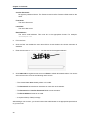
Click the 'find' icon beside the user name field to check whether the chosen username is
available.
4.
Enter the text next to verification: into the text box that appears below it:
5.
Click Subscribe to register a new account or Reset to refresh all entered values. You cannot
add a new account if one of the following cases occurs:
• The chosen User name already exists or is invalid.
• The Password has less than 6 characters or more than 30 characters.
• The Password and Confirm Password fields are not the same.
• The Email Address format is not valid.
• A required field (or fields) is empty.
After adding a new account, you should contact the administrator to set appropriate permissions
on your account.
20
Sign In and Sign Out
Note
Be sure you enter your email address carefully. Should you forget your user name
or password, you can recover it from this email address.
4.2. Sign In and Sign Out
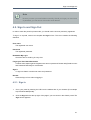
In order to enter the portal in private mode, you should use the account previously registered.
To sign in to a portal, users must complete the Sign in form. This form contains the following
elements:
User name
The registered user name.
Password
The registered password.
Remember My Login
Check this box to avoid log in every time
Forgot your User Name/Password?
To follow some steps to get the forgotten user name or password. Please refer [Portal:Account
and Password Retrieval] for more details.
Sign in
To sign into GateIn 3.0 with user name and password.
Discard
Close the Sign In form without logging in.
4.2.1. Sign In
1.
Go to your portal by entering the URL into the address bar of your browser (For example
http://localhost:8080/portal).
2.
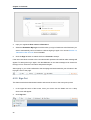
Click the Sign in link at the top right of the page if you are current in the Classic portal. The
Sign in form appears:
21
Chapter 4. Accounts
3.
Input your registered User name and Password .
4.
Select the Remember My Login check box when you sign in GateIn 3.0 at the first time if you
want to automatically return to GateIn 3.0 without signing in again. You can see Section 4.3,
“Remember User Account” for more details.
5.
Click the Sign in button to submit the form or Discard to escape.
If the user name does not exist or the user name and/or password is invalid an alert message will
appear. To attempt the log in again; click the OK button on the alert message to be returned to
the Sign In form. Enter the user name and password again.
After signing in, you will be redirected to the homepage and welcomed with your full name in the
top right corner of the page.
4.2.2. Sign Out
This feature ends the authenticated session and returns the user to the anonymous portal.
1.
In the upper left corner of the screen, hover your cursor over the GateIn 3.0 icon. A drop
down menu will appear.
2.
Click Sign out :
22
Remember User Account
4.3. Remember User Account
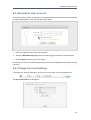
Users who return to GateIn 3.0 regularly can be automatically authenticated to avoid performing
an explicit authentication each time they access the portal.
1.
Input your registered user name and password.
2.
Select the Remember My Login check box when logging in GateIn 3.0 at the first time.
3.
Click the Sign in button to sign in the portal.
Do not sign out when you leave the portal and you will be automatically authenticated next time
you visit it.
4.4. Change Account Settings
To change your account information, click on the account name in the top navigation bar:
The Account Profiles form will appear:
23
Chapter 4. Accounts
To change your Account Profile information:
1.
Select the Account Profiles tab.
2.
Your User Name cannot be changed. You can change your: First Name , Last Name and
Email.
3.
Once the desired changes have been made, click the Save button to submit them.
If you want to change your Password :
1.
Select the Change Password tab, it will display the following form:
2.
Input your current password to identify that you are the owner of this account.
3.
Input your new password, it must have at least 6 characters
4.
Re-enter your password in the Confirm New Password field.
5.
Click the Save button to accept changes.
4.5. Account and Password Retrieval
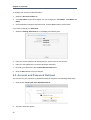
You can recover your username or password should you forget them by following these steps:
1.
Click the link 'Forgot your User Name/Password?'
2.
This form offers two options:
24
Account and Password Retrieval
• Forgot my password.
• Forgot my username.
Select the appropriate option and click Next.
3.
You will be prompted to provide identification information depending on which option you
selected:
• If you selected the Forgot my password option you will be prompted for your username:
• If you selected Forgot my username you will be prompted for your email address.
After you submit the form an email will be send to your email address with the requested
information, either your username or password.
If you forgot your password you will be sent a new (temporary) password. Your original password
will not be valid after this email is sent. You will be directed to a page to update your password
the next time you sign in.
25
26
Chapter 5.
Portal Administration
5.1. Toolbar
The Toolbar offers a convenient way for users and administrators to execute tasks within the portal
quickly and easily.
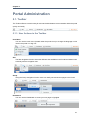
5.1.1. User Actions in the Toolbar
User Menu
You can use the main menu (located under the product icon) to change the language or skin
used in the portal or to sign out.
Site
The Site navigation function shows the different sites available in this Portal and allows users
to directly edit the navigation tree.
Group
Using the Group navigation function users can easily see and access pages in the Portal.
Dashboard
You can use the Dashboard to create your own pages of gadgets.
27
Chapter 5. Portal Administration
The name shown in the image above is the default and can easily be overtyped when the
Dashboard is open.
5.1.2. Administration Actions in the Toolbar
Editor
Portal Administrators have access to another navigation that allows them to; add a new page
to the current portal, edit a particular page's properties or to change a page's layout.
This navigation appears next to the Dashboard navigation in the Toolbar and is contextuallynamed. It will appear as either Site Editor, Dashboard Editor or Group Editor depending
on the user's location within the portal.
5.2. Manage Portals
5.2.1. Create a New Portal
Creating a new portal requires access credentials that only an administrator may set up.
1.
Click on Site in the toolbar then click the Add New Portal button.
2.
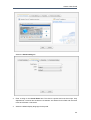
This opens the Create New Portal window which contains the Portal Templates tab. By
default, the template used in new portals is 'Classic'.
28
Create a New Portal
Select the Portal Setting tab.
3.
Enter a string for the Portal Name field. This field is required and must be unique. Only
alphabetical, numerical and underscore characters are allowed for this field and the name
must have at least 3 characters.
4.
Select the default display language for the portal.
29
Chapter 5. Portal Administration
5.
Select a skin for a portal.
6.
Click on the Properties tab to fill in the Keep session alive property. There are 3 options:
Never
The session will never timeout, even if an application requests it.
On-demand
The session will timeout if an application requests it
Always
The session will time out after a set period.
7.
Click on the Permission Setting tab and set the permissions for the Portal.
The access permissions list for the portal is empty by default. You have to select at least one
or tick on the Make it public check box to assign access permission to everyone.
8.
Click Save
You also can edit or delete a portal. See Section 5.2.2, “Edit a Portal” or Section 5.2.6, “Delete
a Portal” for more details.
5.2.2. Edit a Portal
An administrator can chagne many aspects of a portal:
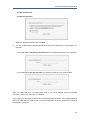
Click Site on the Toolbar. A list of active portals will appear:
5.2.3. Edit Layout
To edit the layout of a portal, click the Edit Layout key beside the active portal you wish to edit:
30
Edit Layout
New applications, containers or gadgets can be dragged from the Edit Inline Composer window
(inset on the right of the screen) onto the main portal body.
Elements already in place in the portal body can be rearranged or removed as required. Use the
relevent button in the overlay that appears when you mouse-over each element:
31
Chapter 5. Portal Administration
5.2.4. Edit Navigation
The portal navigation can be edited by clicking Site in the Toolbar and selecting the Edit
Navigation link next to the portal you wish to edit:
The Navigation Management window appears:
32
Edit Properties
More information about actions possible in this window can be found in Section 5.3, “Manage
Navigation Nodes”
5.2.5. Edit Properties
Portal properties such as language, skin and permissions can be set by clicking on Site in the
Toolbar and selecting the Edit Portal Properties link for the portal you wish to edit:
33
Chapter 5. Portal Administration
The various tabs available in the edit properties window give access to the properties that can
be edited for the chosen portal:
Click on Save or Cancel to either set or discard any changes you have made in the portal.
5.2.6. Delete a Portal
1.
To delete a portal click on the Delete icon beside the portal you no longer require.
The confirmation message will appear:
2.
Click OK
5.2.7. Change Portal Skins
Skins are graphic styles used to provide an attractive user interface. Each skin has its own
characteristics with different backgrounds, icons, and other visual elements.
Skins can be changed temporarily (and are reset at log-out) or permanently.
Change the skin temporarily
1.
34
Mouse over the Start menu and click on Change Skin.
Change Portal Skins
2.
Select a new skin from the Skin list. By clicking on the skin name a picture will appear
in the preview pane.
3.
Click Apply to apply to the portal.
Change the skin permanently
1.
Click on Site, then Edit Portal's Properties.
2.
In the Portal Setting tab, select another skin Skin list
3.
Click Save then Finish.
35
Chapter 5. Portal Administration
More information about adding skins to a portal can be found in the Reference Guide for this
product.
5.2.8. Switching between Portals
Mouse over Site on the Toolbar for a list all portals in which you have at least access rights:
Users switch between Portals by clicking on the desired portal. Please wait a few seconds for the
change to take effect.
5.3. Manage Navigation Nodes
If you are the portal administrator (or the administrator has granted you the appropriate permission
privileges) you can execute all actions related to portal nodes. These actions include adding new
nodes or editing, copying, moving, deleting or cloning existing nodes.
5.3.1. Add a new node
1.
36
Click on Site then click on Edit Navigation of the portal you want to modify.
Add a new node
2.
Select a node from list (to create a new node like sub-node of the selected node) or click the
Up icon to create a new node at the root level of the portal.
3.
Right-click on the selected navigation or node and select Add new Node option. The Add
new node form appears:
The Page Node Setting tab includes:
Uri
An identification of the node. The Uri is automatically created after adding a new node
Node name
The name of the node. This field is required and must be unique. Only alpha, digit and
underscore characters are allowed for this field and it must have at least 3 characters.
Label
The display name of the node on the screen. This field is not required and may be
changed. This field must have a length between 3 and 120 characters.
Visible
This check box allow to hide (and show) the page and its node at the navigation bar, the
page navigation and the site map
Publication date & time
This option allows publishing this node for a period of time. Start Publication Date and
End Publication Date only appear when this option is selected.
37
Chapter 5. Portal Administration
Start Publication Date
The start date and time to publish the node.
End Publication Date
The end date and time to publish the node.
In the Page Selector tab, you can select a page or not for this node.
Page Id
The identification string of the page.
Name
The selected page's name.
Title
The selected page's title.
You do not have to enter values in these fields. They are automatically populated after
selecting an existing page by clicking the Search and Select Page button.
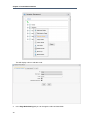
The Select a page form appears:
38
Edit a node
This window lists of all existing pages, each displayed with basic information. You can follow
this guide to select a page for creating a node:
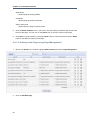
Select a page from list or search a specific page :
1.
Enter a search term related to the page which you want to search for:
2.
Choose the field you wish to search in:
3.
Click the 'find' icon to perform the search. All pages matching with search term will be
listed.
4.
Click the OK icon on the row of the page you wish to select.
5.
After selecting a page, the details of this page will be displayed in the Page Selector
form.
After configuring the page node settings, the page selector and the node's icon, click the Save
button to accept or the Cancel button to quit without creating a new node.
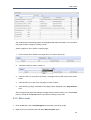
5.3.2. Edit a node
1.
Click on Site then click on Edit Navigation of the portal you want to modify.
2.
Right-click on the selected node and select Edit this Node option.
39
Chapter 5. Portal Administration
This will display a form to edit this node:
3.
40
In the Page Node Setting tab you can change the value of these fields:
Copy a node
• Label
• Visible
• Publication Date & time
4.
After you finish making the desired changes, click the Save button to accept changes or
Cancel button to exit without change.
5.
In the Page Selector tab you can also search and select another page for this node by clicking
the Search and Select Page button.
You can see more details on how to select a page for a node in Section 5.3.1, “Add a new
node”.
After you finish edit any another page required for this node, click the Save button to accept
changing or Cancel button to leave without saving any changes.
5.3.3. Copy a node
1.
Click on Site then click on Edit Navigation of the portal you want to modify.
2.
Right-click on the selected node and select Copy node option.
3.
Select the position that you want to paste this node and select Paste Node option. Click the
mark icon to Save.
41
Chapter 5. Portal Administration
5.3.4. Clone nodes
The Clone node function allows you to copy a node.
The differences between clone node and copy node is that the clone node has its own page and
which has the same content as the selected node.
Therefore there will be a new page that has the same name as the cloned node's page shown in
the page list when you access Manage Pages.
1.
Click on Site then click on Edit Navigation of the portal you want to modify.
2.
Right-click on selected node and select Clone node option.
42
Clone nodes
3.
Select the position that you want to paste this node and select Paste Node option. Click the
mark icon to Save.
The new pages will appear in the page lists:
43
Chapter 5. Portal Administration
5.3.5. Cut a node
1.
Click on Site then click on Edit Navigation of the portal you want to modify.
2.
Right-click on the selected node and select Cut node option.
3.
Select the position that you want to paste this node and select Paste Node option. mark icon
to Save.
44
Delete a node
5.3.6. Delete a node
1.
Click on Site then click on Edit Navigation of the portal you want to modify.
2.
Right-click on the selected node and select Delete node option.
It will display an alert message confirming the removal of the node. Click the OK button to
accept the deletion or Cancel button to quit without deleting the node.
5.3.7. Change Node Order
You can easily change the position of nodes in the navigation bar following these steps:
1.
Click on Site then click on Edit Navigation of the portal you want to modify.
2.
Select the node that you want to move. Right click on the selected node and then click on
Move up or Move down
45
Chapter 5. Portal Administration
3.
The selected node will be moved up or down within the list.
5.4. Manage Pages
5.4.1. Adding a new Page
5.4.1.1. Adding a new Page using Page Creation Wizard
A page creation wizard is available to administrators in order to create and publish portal pages
quickly and easily.
1.
46
Mouse over Site Editor then select Add New Page.
Adding a new Page
2.
The wizard window is divided into two sections: the left pane contains the existing page/node
hierarchy and the right pane displays the Page Editor.
3.
In the left pane, you can navigate up and down the node/page structure:
4.
In the right pane are the required paramters for a new page:
Current Selected Page Node
The path of the selected node to add a new sub page
47
Chapter 5. Portal Administration
Node Name
The node name of the added page. It is required field. This field must start with a character
and must have a length between 3 and 30 characters.
Display Name
The display name of the node which contains the added page and must have a length
between 3 and 30 characters.
Visible
This checkbox toggles the global visibility of this page.
If checked the page or the page node appears on on the navigation bar, the page
navigation and the site map. If "visible" is checked the visibility depends on the
"publication date & time" attribute.
If unchecked the page is not shown under any circumstances, even if the publication
period valid.
Publication date &time
This option allows publishing the page for a period of time. If this option is checked the
visibility of the page depends on the publication period start and end date.
Start Publication Date
The start date and time to publish the page
End Publication Date
The end date and time to publish the page.
Setting Time and Date
You can set date and time by clicking the Start Publication Date field and
End Publication Date field and select a date in the calendar pop up
5.
48
Click Next or number '2' of the wizard steps to go to step 2.
Adding a new Page
6.
Select Empty Layout or click the icon to see more templates to select.
7.
Click the Next button or number '3' of the wizard step to go to step 3. You can drag portlets
from the popup panel into the main pane to create the content of this page.
49
Chapter 5. Portal Administration
Applications
Allows listing all existing portlets
Containers
Allows listing all existing containers
Switch View mode
Allows viewing a page in preview mode
8.
Click the Show Container icon if you want to see the existing containers and re-select the
layout of the page. You can click on the Switch icon to view the content of this page.
9.
Click Save to accept creating a new page, Back button to return the previous step or Abort
button to quit without creating a new page.
5.4.1.2. Adding a new Page using Page Management
1.
Mouse over Group in the Toolbar, highlight Administration then select Page Management.
2.
Click on Add New Page.
50
Adding a new Page
3.
Page Id
A string that identifies the page. It is automatically generated when you finish creating
the page.
Owner type
If the page Owner type is portal the page is created for a portal. Therefore only users
who have edit permissions on the portal level can create this page type.
The name of the current portal is automatically selected for Owner id ensuring the edit
permissions are assigned to users who can edit the current portal.
If the page Owner type is group the page is created for a group. Therefore only users
who have manager permissions for that group can create this page type.
51
Chapter 5. Portal Administration
Owner Id
The name of the page owner. When the owner type is set to group, a list of groups will
allow you to select one user as the 'owner'.
Page Name
The name of the page. This is a required field and must be unique. Only alphabetical,
numerical and underscore characters are allowed to be used for this field and the name
must be at least 3 and no more than 30 characters in length.
Page title
The title of the the page. This is an optional field. If you choose to add a title to the page
it must be at least 3 and no more than 30 characters in length.
Show Max Window
The option allows users to choose whether the page is shown at maximum size or not.
4.
52
Enter values for fields in the Permission Setting tab
Adding a new Page
Access Permission
The content of this tab is identical to the Owner type field in the Page Setting tab.
Therefore, all users having access rights for the type selected in the Owner type field
will appear in this tab. But users can also change the value of this tab.
Check the check box if you want to share access with everyone or click the Add
Permission button to assign permission on group level, then select a group and
membership or click the trash can icon to remove a group from the list.
53
Chapter 5. Portal Administration
Edit Permission
The content of this tab depends on the value of the Owner type field in the Page Setting
tab.
If the Owner type is "group", edit permission is assigned to users who are "manager"
of the group that is selected in Owner id. You can only change this value when editing
the page.
5.
Click Save.
5.4.2. Edit a Page
1.
Mouse over Group in the Toolbar. Highlight Administration and then click on Page
Management.
2.
Click the edit icon on the row of page you want to edit in the existing page list.
Click the edit icon to show a form to edit page properties.
3.
The properties presented in the Page Properties window are the same as those outlined in
Section 5.4.1.2, “Adding a new Page using Page Management”.
Permission Setting
This form is supported for pages with group or portal ownership types. Because a user
page is private, no user, other than the creator, can access or edit it.
Permission on each page is set in two levels: Access right and Edit right.
54
View a Page
Access right
The page Access right can be set to specific user groups or set to everyone (this includes
unregistered users).
Current access permissions on page are listed and you can remove permissions (by
clicking the delete icon) or add further permission (by click the Add Permission button).
Populating the Make it public check box will allow all users (registered or unregistered)
to access the page.
Edit right
The Edit right allows users to change information on a page. Edit right only is set for
a group of users.
Edit right can be set for one specific membership type within a particular group (* allows
every membership type in a group). If you want to re-assign this right to another group,
click Select Permission to choose another one.
4.
Editing page container layout
Click the Show Container icon to show current container layout of selected page on your
right and all the container layouts list on the left pane.
If you want to change the current layout, select a layout type from the list on the left pane,
then drag the template you want into the right pane. The new container will be displayed
on the right pane.
You can change the position of the current container by dragging it to another place on
the right pane or remove it completely by clicking the delete icon in the right corner.
5.
Editing page portlet layout
Click the Show Portlet icon to show current portlet layout of page.
If you want to change the current layout, select a layout type from the list on the left pane,
then drag it into the right pane. The new portlet will be added and displayed in the right
pane. You can change the position of the current portlet by dragging it to the place you
want on the right pane, or remove it completely by clicking the delete icon.
5.4.3. View a Page
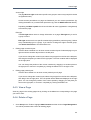
View any page in the existing pages list by clicking on the View icon corresponding to the page
you want to view.
5.4.4. Delete a Page
1.
Go to Group in the Toolbar. Highlight Administration and then click on Page Management.
You will be presented with a list of all existing pages.
55
Chapter 5. Portal Administration
2.
Click the trash can icon in the row of the page you want to delete. It will display the confirmation
message.
3.
Click the OK button to complete the deletion or Cancel button to quit without deleting the
page.
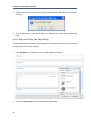
5.4.5. Drag and Drop the Page Body
To assist administrators to modify or personalize their portal GateIn 3.0 allows you to easily drag
and drop page content within the page.
1.
Go to Site Editor in the toolbar and click on Edit Layout It will display :
2.
Click on the Portal Page, drag and drop within the portal page.
56
Manage Users and Groups
5.5. Manage Users and Groups
Several tools are offered to assist Administrators manage users, groups and memberships easily
and effectively.
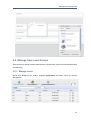
5.5.1. Manage users
Mouse over Group on the Toolbar. Highlight Organization and select Users and Groups
Management
57
Chapter 5. Portal Administration
Administrators can see all existing registered users and search, edit or even delete them. Each
user's groups and memberships (roles) in these groups are also available. You can not add users
to a group but you can remove them from the group.
5.5.1.1. Add a user
To add a new user to the portal user lists follow these steps:
1.
Mouse-over Group in the Toolbar.
2.
Highlight Organization and then click on New Staff.
The New Staff window will open:
This window has two tabs; Account Settings and User Profile.
3.
To create a new user all of the fields in the Account Settings tab must be completed.
Further information about the user (such as nickname and birthday) can be added in the User
Profile tab. This information is not required for the creation of the account.
4.
Click either Save or Reset to create or discard the new account.
5.5.1.2. Search for users
The Administrator can search for specific users by username, first name, last name or email
address.
1.
58
Select the information type (name, email, etc) to search against
Manage users
2.
Type in a partial/full string which identifies the user record being searched. Note that wild
cards are not supported at this release.
3.
Click the magnifying glass icon to begin the search.
5.5.1.3. Edit a user
1.
Locate the user you wish to edit.
2.
Click the edit icon (next to the trash icon).
3.
Select the Account Info tab to edit the main user information set including first name, last
name or email address.
User Name
The User Name field cannot be changed. Other fields First Name , Last Name , Email
Address can be changed.
Change Password
The Change Password option allows an administrator to set a new password for a
user. When the Change Password option is unchecked, New Password and Confirm
Password are hidden. Passwords must contain at least 6 characters and can contain
letters, numbers and punctuation marks.
4.
Select the User Profile tab to edit additional information about the user's profile such as the
birthdate or the job title as well as some home and business metadata. You may also switch
the default display language for that user.
5.
Select the User Membership tab to see a user's group membership information.
59
Chapter 5. Portal Administration
User Membership
The User Membership tab displays which group(s) the selected user belongs to. In the
above figure, the user "demo" is a member of two groups: "guests" and "users". The
parent group of both is "platform".
To remove the user from a group, click the trash can icon.
6.
Click the Save.
5.5.1.4. Delete a user
1.
Locate the user you wish to delete
Click the trash icon in the Action column
2.
Click OK to confirm.
5.5.2. Manage groups
Mouse over Group on the Toolbar. Highlight Organization and select Users and Groups
Management
Select the tab Group Management
By default, all existing groups will be displayed on the left pane. This tab is used to add new, edit or
delete a group. The right pane shows information about the selected group including information
about the members in the specific group along with a small form to add a new user to a group.
60
Manage groups
5.5.2.1. Add a New Group
1.
First choose where in the existing group structure you want the new group to be created. You
may navigate up the tree by clicking on the green vertical little arrow at the top of the tree.
The current path is displayed in the path bar.
2.
Click Add New Group.
61
Chapter 5. Portal Administration
Group Name
The name of the new group. This field is required and any length from 3 to 30 characters
is allowed. Once saved this name cannot be edited.
Label
The display name of the group. Any length from 3 to 30 characters is allowed.
Description
A description of the group. Any length from 3 to 30 characters is allowed.
3.
Fill in the required fields. Only letters, numbers and underscore characters are allowed for
the Group Name field. The name must be unique within the portal.
4.
Click Save
5.5.2.2. Edit a group
1.
Find the group in the existing tree and click on the label
2.
Click the edit icon to display the Edit Current Group window.
3.
Make the desired changes in the appropriate fields. You can not change the Group Name,
however you may change to the Label field. You are also able to edit the Description field.
4.
Click Save
5.5.2.3. Add a new user to a group
1.
62
Find the group in the existing tree and click on its label. Existing group memberships are listed
on the left hand side along with the Add Member window.
Manage groups
2.
Click on the magnify glass to open up the User selector.
Refer to Section 5.5.1.2, “Search for users” for instructions on how to locate a user.
Check the box next to the user name then click Add
3.
Select the membership appropriate for this user. If the desired membership does not appear
you may try to click on the refresh icon to get the latest list.
4.
Click Save
5.5.2.4. Edit the user membership in a group
1.
Click the edit icon in the Action column
2.
Select another membership.
3.
Click Save.
5.5.2.5. Delete a group
1.
Find the group in the tree
63
Chapter 5. Portal Administration
2.
Click the trash icon.
3.
Click OK.
5.5.3. Manage memberships
The role of a user in a specific group is managed using memberships.
By default three membership types are available: Manager, Member and Validator. By definition,
Manager has got the highest rights in a group.
Mouse over Group on the Toolbar. Highlight Organization and select Users and Groups
Management. Select the Membership Management tab.
5.5.3.1. Add a new membership type
1.
64
In the Add/Edit Membership form, enter the values for the membership name field (required)
and the description field (optional). Only letters, digits, dots, dashes and underscores are
allowed for the membership name.
Manage Permissions
2.
Click the Save
5.5.3.2. Edit a membership type
1.
Click the edit icon in the Action column.
2.
Make the desired changes to the description.
3.
Click Save
5.5.3.3. Delete a membership type
1.
Click the trash icon in the Action column.
2.
Click OK
5.6. Manage Permissions
Permissions play an important part in accessing and performing actions in the Portal. Depending
on these permissions assigned by an administrator, users gain access to various components
and actions such as edit portals, pages or portlets.
Details about permission types and levels can be found in Section 2.7, “Permissions”
5.6.1. Set Portal Permissions
New portals
Click on Site in the Toolbar then click on Add New Portal. Last select the Permission Setting
tab.
Existing portals
On the Toolbar click Site then Edit Portal's Properties. Last select the Permission Setting
tab.
65
Chapter 5. Portal Administration
5.6.1.1. Set Access permissions
Public access
If you do not want your Portal to be publicly accessible, make sure the Make it
public check box is clear.
If Make it public is clear, you need to add permissions by member group.
66
Set Portal Permissions
1.
Click Add Permission
2.
Make the appropriate selections from the group and membership options presented in the
Permission Selector dialogue box.
3.
After selecting a membership type, the selected permission is displayed in the access
permission list. You can only select one group with one membership type at a time. If you
want to add more, click Add Permission and select again. Repeat the process for as many
permission settings as you require. >
5.6.1.2. Set Edit Permissions
Only users members of the Editor group can edit that portal. Access rights can be given to several
groups but edit rights can only be given to a group with a membership type. To assign an edit
permission to a user, you must add him/her to the editor group of the respective portal.
67
Chapter 5. Portal Administration
1.
Click Edit Permission Setting
2.
Click Select Permission to choose a group.
3.
Select a group and a membership type from the left and right panes, respectively, of the
Permission Selector window (select * if you want to assign all available membership types
to the selected group).
5.6.2. Set Page Permission
User
If the owner type of a page is "user", you don't have to set permissions, no one except the
creator has got access and edit permissions.
Group
If the Owner type of a page is "group", initial permissions on page are:
• Access permission: everyone in that group.
• Edit permission: the manager of that group.
Portal
If the Owner type of a page is portal, initial permissions are:
68
Set Page Permission
• Access permission: users who can access that portal.
• Edit permission: users who can edit that portal.
5.6.2.1. Set Access Permission on a Page
1.
Open up the page you wish to configure. Select Site Editor on the Toolbar and select Edit
Page.
2.
Click View Page Properties in the Page Editor applet.
3.
Click the Permission Setting tab.
To be able to access a page users have to be in one of the groups that have access permission to
that page. There may be several groups that have access rights to a page. A list of the permissions
for that page will be shown (provided the Make it public check-box has not been used).
1.
Click Add Permission
2.
Select a group in the left pane then select a membership type.
3.
After selecting a membership type, the selected permission is displayed in the access right
list. Note that you may associate group and membership only one at a time. To add more
access permissions, click the Add Permission button and apply the same process again.
If you want to allow any visitors to access the page tick the Make it public check-box. Any
permission set for that page will be relaxed and the permissions list will disappear.
5.6.2.2. Set Edit Permission on a Page
Only users who are in the page's editor group can edit it. The access right can be set for several
groups but the edit right only can be set for one group. To give a user the edit permission, you
must add them to the editors group of that page.
The Permission Setting tab is available in two different ways:
Via Edit Page:
1.
Mouse over Site Editor on the Toolbar and select Edit Page.
2.
Click on View Page Properties in the Page Editor applet.
3.
Click the Permission Setting tab then the Edit Permission Setting sub tab.
Via Page Management:
1.
Mouse over Group on the Toolbar, highlight Administration and click on Page
Management.
2.
Locate the page you want to edit using the Page Id column then click the edit icon (next to
the trash icon). You will be taken to the Page Editor applet.
69
Chapter 5. Portal Administration
3.
Click on the Permission Setting tab then the Edit Permission Setting sub tab.
You will see the Current Permission listed.
1.
Click the Select Permission button to set new or change another group.
2.
Select a group with a membership type (select * if you want all membership types in a selected
group)
3.
After selecting a specific membership from the right, the selected information is displayed.
4.
Click the Save
5.6.3. Set Access Permission on a Category
Setting access permission on a category allows to be able to list those categories when editing
a page in order to add portlets or widgets.
1.
Mouse over Group on the Toolbar, highlight Administration then click on Application
Registry.
2.
In the list of categories available in the left pane, click the edit icon, then choose the
Permission Setting tab.
3.
To set permissions for a category:
1.
Click the Add Permission button to add access permissions to more groups .
2.
Or select the Make it public check box to allow everyone to access.
5.6.4. Set Access Permission on a Portlet
1.
70
Select Group on the Toolbar. Highlight the Administration entry and click on Application
Registry.
Set Access Permission on a Portlet
2.
Select a category on the left pane that includes the portlet you want to set rights for. Then all
portlets of the selected category are listed immediately and detail information of each portlet
is displayed on the right pane.
3.
To set permissions for a portlet:
1.
Click the Add Permission button to add access permissions to more groups .
2.
Or select the Make it public check box to allow everyone to access.
71
72
Chapter 6.
Language administration
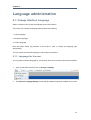
6.1. Change Interface Language
GateIn 3.0 allows users to pick the language of the user interface.
The priority of the interface language setting follows this hierarchy:
1. User's language
2. Browser's language
3. Portal's language
Note that users should pay attention to this order in order to change the language type
appropriately.
You may switch the interface language in various places as follows:
6.1.1. Language for the user
You may set the interface language for your account alone and not for the entire Portal as follows:
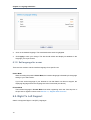
1.
Open up the Start menu and click on Change Language :
2.
The Interface Language Setting window lists all available languages installed in the Portal:
73
Chapter 6. Language administr...
3.
Click on the desired language. The associated native word is highlighted.
4.
Click Apply to save your change. The site should refresh and display its attributes in the
language you've just chosen.
6.1.2. Set language for a user
There are two modes to set the interface language for a specific user.
Public Mode
When accessing the portal in Public Mode, the interface language is dictated by the language
setting of your web browser.
If you have set the language of your browser to one that GateIn 3.0 does not support, the
displaying language will be the language set at the Portal level (see above).
Private Mode
The interface language in Private Mode is set when registering each user. See step four of
the process to register a new account Section 4.1, “Register New Accounts”.
6.2. Right To Left Support
GateIn 3.0 supports Right to Left (RTL) languages.
74
Right To Left Support
The Account Portlet.
The Application Registry Portlet.
75
Chapter 6. Language administr...
The Organization Portlet:
6.3. Multi-Language Navigation Nodes
GateIn 3.0 supports a multi-language environment for your portal allowing you to internationalize
any menu entry on the navigation.
As the navigation bar is composed of nodes, you have to modify the display names of the nodes
to enable this. Instead of entering the display name of the node in a defined language (English,
for example) you have to use a language-neutral 'resource key'.
This resource key is then used to define the label that is shown for that node on the navigation
bar, the menu and the breadcrumb.
6.3.1. Key Format
The resource key format is: #{key}
The resource key can contain any text that you consider appropriate to satisfy your business
needs. It should, however, be human-readable and must not contain spaces.
76
Creating Keys
6.3.2. Creating Keys
There are two ways to create a key for a node:
1. Section 6.3.3, “Creating Keys using Create Page Wizard”
2. Section 6.3.4, “Creating/Editing Keys using Navigation Management”
6.3.3. Creating Keys using Create Page Wizard
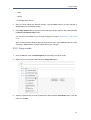
1.
Open the Site Editor menu and pick Add New Page.
2.
Enter a name for this new page
3.
Enter a resource key in the Display Name field.
4.
Click Next. On the next screen you may define a page layout out of existing templates.
5.
Click Next to finalize the page creation with portlets for instance.
6.3.4. Creating/Editing Keys using Navigation Management
1.
Click on Site in the Toolbar then Edit Navigation
77
Chapter 6. Language administr...
2.
Click on Add Node
3.
The Create/Edit node dialog appears. Enter a resource key in the Label field
78
Providing translation
Reusing Keys
You can reuse the same resource key in several nodes.
6.3.5. Providing translation
To provide a translation for the resource key used as page name, resource bundles must be
provided within the web archive.
Property files (or XML resource bundles) must be located in: WEB-INF/classes/locale/
navigation/portal/[portalName]_[2letterCode].properties
79
80
Chapter 7.
Portlets and Gadgets Administration
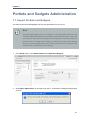
7.1. Import Portlets and Gadgets
This feature imports portlets/gadgets found in web applications on your server
Note
The Application Registry looks in all webapps of your application server for a file
located at WEB-INF/portlet.xml and registers the portlets found there. When the
user clicks on "Auto Import" the portlets of all webapps are imported. If there is a
portlet.xml file in a webapp a new category is created whose name is the webapp
war name (or the webapp folder name). All the portlets that are configured in the
portlet.xml file are added to the new category.
1.
In the Group menu, select Administration then Application Registry:
2.
Click Import Applications on the right hand side. A confirmation message should appear
as such:
81
Chapter 7. Portlets and Gadge...
7.2. Manage Portlets and Gadgets
Portlets and gadgets are organized in different categories. Each category contains one or several
portlets or gadgets. You can also mix portlets and gadgets into one category. By default all gadgets
are placed in the Gadgets category.
7.2.1. Display Gadgets
You can change the number of columns available in the Dashboard Portlet.
1.
Click on Site Editor : Edit Page
2.
Click on Edit Portlet button (which is displayed a pencil icon when you mouse-over the portlet
in edit mode). It will show a dialog to change the number of columns to display gadgets.
3.
Change the number of columns and click the Save button to accept the changes.
7.2.2. Add a new Category
You easily add a new category by following these guides:
1.
In the Group menu, select Administration -> Application Registry.
2.
Click the Add Category button on the action bar:
82
Edit a Category
The Category Setting tab: includes common information about a category.
Category name
The name of the category. This field is required and its length must be between 3 and 30
characters. Only alpha, digit, dash and underscore characters are allowed.
Display name
The display name of the category and its length must be between 3 and 30 characters.
Description
A brief description of the category. Any length from 0 to 255 characters is allowed.
The Permission Setting tab provides access to the Permission manager.
The permission criteria are used whenever a user creates or modifies a page. In that case
the user can only see and use portlets in those categories on which he or she has access to
(as defined by groups and memberships).
7.2.3. Edit a Category
1.
Click the Edit icon located next to the title bar.
2.
Update the category information.
3.
Click the Save button to apply changes.
7.2.4. Delete a Category
1.
Click the Trash can icon located next to the title bar.
2.
Accept the deletion by clicking OK
83
Chapter 7. Portlets and Gadge...
7.2.5. Add Portlets/Gadgets to a Category
1.
Click the "Plus" icon located next to the category name to which you want to add portlets/
gadgets.
Display name
The display name of a portlet/gadget.
Application Type
Either Portlet or Gadget.
2.
Enter the display name and select a type
3.
Select a portlet/gadget by checking the radio button.
4.
Click the Save button to add the selected portlet/gadget to the category.
7.2.6. Set Access Permission on Portlets
1.
84
In the Group menu, select Administration and then Application Registry.
View/Edit portlet/gadget information
2.
Select a category in the Category pane that includes the portlet you want to set permissions
on. All portlets of that category will be listed underneath.
3.
To set permission for a portlet:
• Click the Add Permission button to add access permissions to more groups.
• Or check Make it public to allow everyone to access.
Whenever the user creates or modifies a page, he or she can only see and use gadgets/
portlets that fulfill two conditions: the portlet is in a category which the user has access
permission too and the user has access permission on the portlet
7.2.7. View/Edit portlet/gadget information
In the Group menu, select Administration then Application Registry.
Left pane
All portlets and gadgets grouped by categories
Right pane
shows detail information about a portlet: Name, Display name, Description and Portlet
preferences.
85
Chapter 7. Portlets and Gadge...
To see the details of any portlet select it from the list on the left.
To edit a portlet, click the edit button to the right of the portlet's name:
7.2.8. Add a Gadget
In the Group menu, select Administration then Application Registry. Click on the Gadget icon.
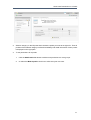
You may add a remote gadget using its URL or create a brand-new one:
Procedure 7.1. Add a remote Gadget
1.
86
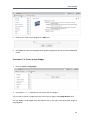
Click on Add a remote gadget:
Add a Gadget
2.
Enter the url of the remote gadget in the URL field.
3.
Click Add. The new remote gadget will be appear in gadget list on left pane of the Dashboard
portlet.
Procedure 7.2. Create a new Gadget
1.
Click on Create a new gadget:
2.
Populate the Source field with the xml code of the new gadget.
You can edit or refresh a gadget using the icons in the top right of the Gadget Details pane.
You can delete a local gadget using the trashcan icon to the right of the appropriate gadget in
the gadget list.
87
Chapter 7. Portlets and Gadge...
7.2.9. Add a new Gadget to the Dashboard Portlet
See Section 3.3.2, “Add Gadgets” for instructions on how to add new gadgets to the dashboard.
7.2.10. Manage Gadgets
7.2.10.1. Edit a Gadget
Click the Edit Gadget icon located in the header of the Gadget Details page to display the
following window:
88