1
SETUP:
RFID
These menus are only displayed when an RFID module is installed.
RFID:
MODE
RFID:
TAGREAD
RFID:
TAGADJUST
RFID:
RETRIES
RFID:
VOIDTEXT
RFID:
FIELDSTRENGTH
MODE:
ENABLE
MODE:
DISABLE
TAG:
TAGADJUST:
[0]:
RETRIES:
[1]:
VOIDTEXT:
[VOID]:
FIELDSTRENGTH:
[72]:
Read-Only
Read-Only
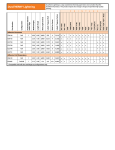
IPL RFID Setup Tree
3 Configure the RFID parameters. For more information, see
“RFID Parameters” on page 11.
Using the Printer’s Home Page
1 Make sure you have an EasyLAN Ethernet card installed in
your printer.
2 Find your printer’s IP address:
a
On your printer console, press Setup.
b
Navigate to Network > IP Address.
Or,
•
On your printer console, press the
or
button.
3 On your PC, run your web browser application.
4 In the address field, enter your printer’s IP address. The
printer’s home page appears.
5 From the main menu, select Configuration.
6 Select Printer > RFID.
7 Configure the RFID parameters. For more information, see
“RFID Parameters” on page 11.
Using Fingerprint Commands
You can use Fingerprint commands to configure the RFID
parameters. For example, the following code sets TAGADJUST to
50 dots, RETRIES to 3 labels. and VOIDTEXT to “Bad label”.
SETUP “RFID,TAGADJUST,50”
SETUP “RFID,RETRIES,3”
SETUP “RFID,VOIDTEXT,Bad label”
For more details about RFID parameters, see “RFID
Parameters” on page 11.
10
EasyCoder Printer (PM4i, PX4i, and PX6i ) RFID User’s Guide