1
Network Console User Guide
•
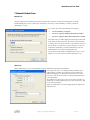
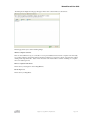
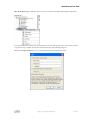
Use the following username\password for all target computers
o
•
The Network Console will scan the remote computers using the specified username and
password (including the domain) combination.
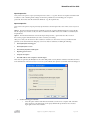
Save this login information…
o
Check this box and the specified authentication method will be saved for each target computer in
the Computer List section, enabling faster access to the computer for future remote control, file
transfer, etc. sessions.
Note: All passwords are encrypted and stored in the computer’s registry and memory. If you export your predefined
section it will also automatically export all your stored passwords (encrypted, of course). Only the person who exports
the passwords can import them, and only on the specified computer. You have to use the same account to perform
this function, otherwise your passwords again. This only applies to your stored passwords, as the other settings can
be imported again.
8. Quick Connect
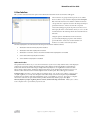
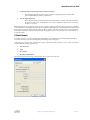
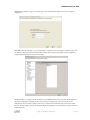
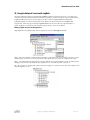
To quickly connect to a machine running RemotelyAnywhere, select Quick Connect from the Quick Start dialog
box or from the File menu. The following dialog box will appear (see next page):
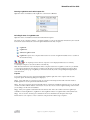
To directly connect to a machine, enter the name of the computer to which you wish to connect, select an operation
and click OK. The available operations are:
•
Remote Control
•
Telnet
•
File Transfer
•
Open RemotelyAnywhere
The selected option for session type will determine the contents of the main area..
Copyright © 2007 LogMeIn, Inc. All rights reserved.
Page 7 of 28