1
6. Using non-standard formats
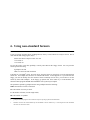
If you get a floppy and don’t know anything about it, first try to read a block of 128 bytes from it. This is
done with the disk dump program, dd(1).
$ dd if=/dev/fd0 of=/tmp/foo count=1 bs=128
1+0 records in
1+0 records out
In case this works, Linux has (probably) correctly auto-detected the floppy format. You can print the
format specification using:
$ getfdprm /dev/fd0
2400 15 2 80 0 0x1b 0x00 0xdf 0x54
If dd fails or if getfdprm2 prints ‘No such device’ then the format is most likely not in the autodetection
format list. For example, this list does not include FM formats. If this happens or if you know that the
floppy you want to identify does not contain a format commonly used on PCs, you will have to set the
format by hand with setfdprm. If the floppy in question has been written by a CP/M machine, the
shareware DOS program 22DISK and ANADISK3 from Sydex may be helpful.
The parameters printed by getfdprm and set using setfdprm mean the following:
2400 is the number of sectors on the disk.
15 is the number of sectors per track.
2 is the number of heads (1 means single sided).
80 is the number of cylinders.
2.
getfdprm and related programs can be obtained via ftp from ftp.imag.fr:pub/Linux/ZLIBC/fdutils
3.
22DISK is stored in a file called 22dsk142.zip and ANADISK is stored as anad207.zip. A search engine like archie should find
the nearest site which stores them.