1
2-22
Chapter 2: Hardware Installation
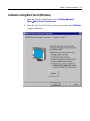
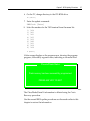
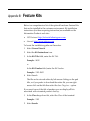
If cursor is not stable, or false touches are suspected, run the Noise Check Utility from the Microcal program. Choose the recommended frequency (the one with the lowest noise level). This should also be done if the Touch Screen is still not calibrated after one attempt to recalibrate it. 1. Set the video resolution by going to the Tools menu, Video and selecting 800 x 600 256 colors. 2. Go to the Tools menu, select Noise Check. 3. Follow the instruction prompts. Choose the frequency with the lowest noise level. Application software can possibly generate a dialog box from the Touch Driver, with the message that the touch screen needs to be recalibrated. If the screen appears to be working normally, then this message can be ignored. There will be a check box labeled Do not
show this message again. Make sure this box is checked. Summary
If there is a Touch Screen calibration issue during or after installation, take the following actions in the order listed: 1. Recalibrate. 2. If recalibration is unsuccessful after two attempts, then run the Noise check to change the frequency. 3. If you are still unable to calibrate, change the touch screen glass. 4. The final step is to replace the Processor Board. If this corrects the problem, then the old glass is probably OK to reuse.