1
GNSS Module
L76 EVB User Guide
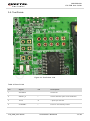
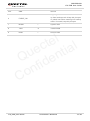
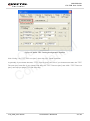
Table 5: Explanations of PowerGPS Window
Icon
Explanation
SV with PRN 65. If the position of SV is near to the centre of the
Sky View, the elevation angle of SV is close to 90°. Dark blue
means this satellite is in tracking.
Light blue means this satellite is not in tracking.
l
e
t
l
c
a
e
i
t
u
n
Q ide
f
n
o
C
The CNR of PRN 25 is 31dB/Hz. Light blue column means the
navigation data of this satellite is in use.
The CNR of PRN 70 is 32dB/Hz. White column means the
navigation data of this satellite is not in use. The range of
GLONASS SVID is 65-96.
UTC time
Latitude degree
longitude degree
Positing fix
Using the number of satellites
Horizontal Dilution of Precision
Altitude based on WGS84 Datum
UTC date
Fix type: No-Fix, 3D or 2D SPS
Using satellite
Position Dilution of Precision
Vertical Dilution of Precision
Speed of receiver
L76_EVB_User Guide
Confidential / Released
20 / 25