1
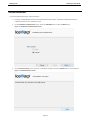
IceWarp Server Outlook Sync User Guide IceWarp Outlook Sync User Guide Installation This chapter lists installation pre-requisites and details step-by-step installation procedure. Installation Pre-requisites Microsoft Outlook must be installed on the machine where you want to install IceWarp Outlook Sync, but it should not be running. NOTE: There are times when MS Outlook appears not to be running but it actually is. You can check it by looking for OUTLOOK.EXE in the Windows Task Manager. If it is listed, shut it down (End Task) before you start installation. You should be familiar with MS Outlook. If using WIndows XP, you need to have Service Pack 3 installed. You should have your account name, password, and server name (hostname) at hand – you will need these to configure your account. You should have downloaded the latest version of the IceWarp Outlook Sync from the IceWarp web site or from your local provider of IceWarp Server (e.g. http://mydomain.com/install/) or from the WebClient interface in the Tools – Licenses/Integration – IceWarp Outlook Sync section. You need to have installed .NET Framework version 3.5. Even if you have .NET Framework version 4 installed, you still need to install also version 3.5. If you intend to use the .msi installation file format, you do not need to look for .NET Framework as it is a part of the installation package. You will just be asked whether you want to install it. You need Activation Key for its registration, e-mailed from your administrator or available from the WebClient interface in toolbar: Tools – Licenses/Integration – IceWarp Outlook Sync section. This is not necessary when you will use the SmartDiscover feature within the installation. You may be required to insert your original MS Outlook installation media. Make sure that you have your original MS Outlook installation media available before you intend to change your Outlook configuration. IceWarp Outlook Sync will only install on systems where the user has administrative rights. The user's rights can be changed to install the IceWarp Outlook Sync and then reset to the original rights. Assure, you have sufficient disk space (depending on your email box size) – if you are not sure, ask your server administrator what is adequate. For smooth IceWarp Outlook Sync function, it is necessary users to install every important MS Outlook update offered by Microsoft. Page 4