1
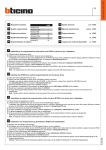
CONTROL STATE INDICATION make operation state, while FIX OFF is used to select a permanent break operation state. The actual control state is indicated by the terms ON / OFF next to the time on the display. Hand symbol ON and hand symbol OFF are temporary control states, which means that they are cancelled by the next programmed time setting. MANUAL SWITCH SUMMER TIME The time setting can be changed at any time without altering the programmed setting stored in the memory by pressing the key with the hand symbol. The control states FIX ON, FIX OFF and hand symbol ON, hand symbol OFF will then appear on the display one after the other. FIX ON is used to generate a permanent Using the +1h key, the clock can be turned to summer time. A further pressing of the key will allow you to switch back and forth between summer and winter time. If you want to enter a time during the summer time period, the display has to be set to +1h before entering the desired time setting. Program Example Below, we will show you how to set the timer if access to the safe is to be granted to all valid combinations Mondays through Fridays from 6 am to 6 pm (18.00), Saturdays from 8 am to 6 pm (18.00) and Sundays from 9 am until 6 pm (18.00). In our example we will take advantage of the possibility of combining several days to groups. KEY LCD INDICATION REMARKS KEY LCD INDICATION REMARKS Enter the hour with the h+ key. Press CH1 once to program the first make-operation time 1 setting. Enter the minutes with the m+ key. Enter the hour with the h+ key. Enter Saturday with the Day key. Enter the minutes with the m+ key. Press CH1 once. As the timer is switched off at 6 pm each day by Timer 1 OFF (first time frame selected) anyway, there is no need to program Timer 2 OFF or Timer 3 OFF in this example. Enter the required part of the week Monday through Friday with the Day key. Press CH1 once to program the first break-operation time 1 setting. Press CH1 once to program the third make-operation time 3 setting. Enter the hour with the h+ key. Enter the hour with the h+ key. Enter the minutes with the m+ key. Enter the required part of the week Monday through Sunday with the Day key (considering that the lock has to become inoperative at 6 pm for all three time frames). Press CH1 once to program the second make-operation time 2 setting. Enter the minutes with the m+ key. Enter Sunday with the Day key. Press the clock symbol key to return to the actual time indication. page 2