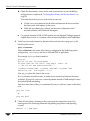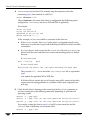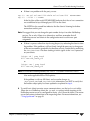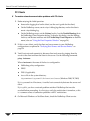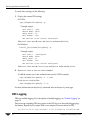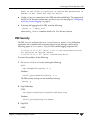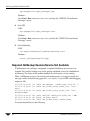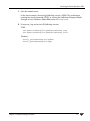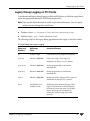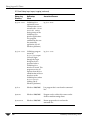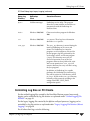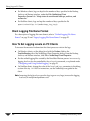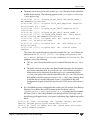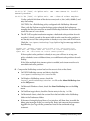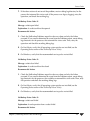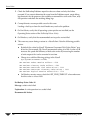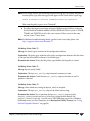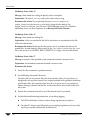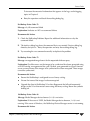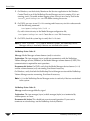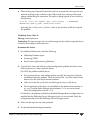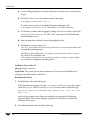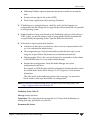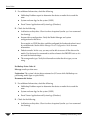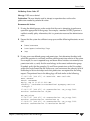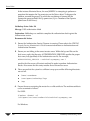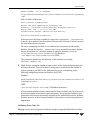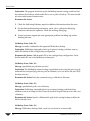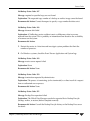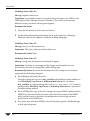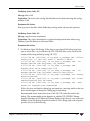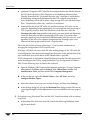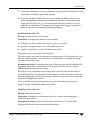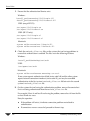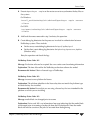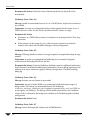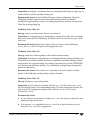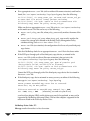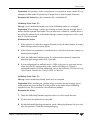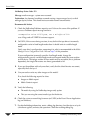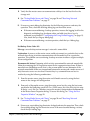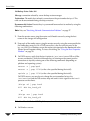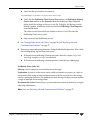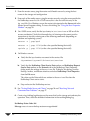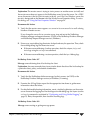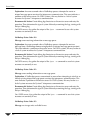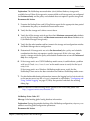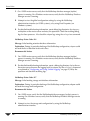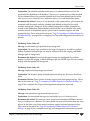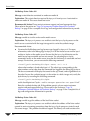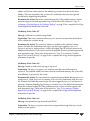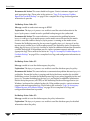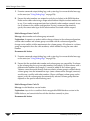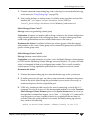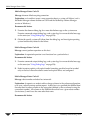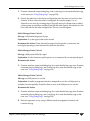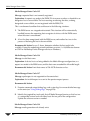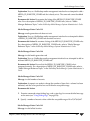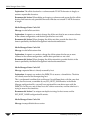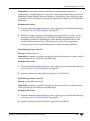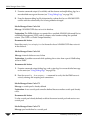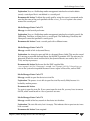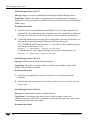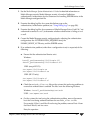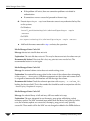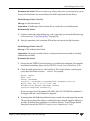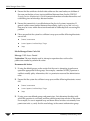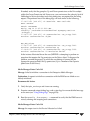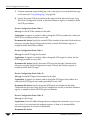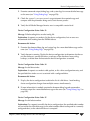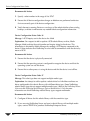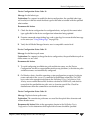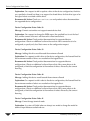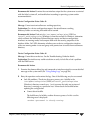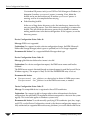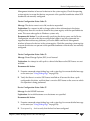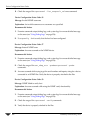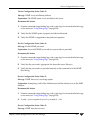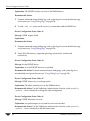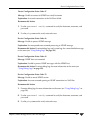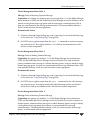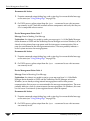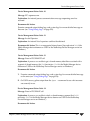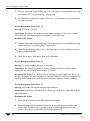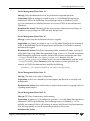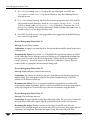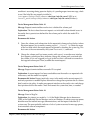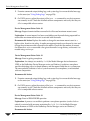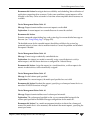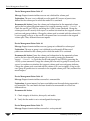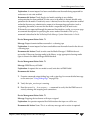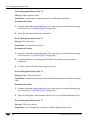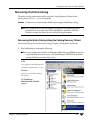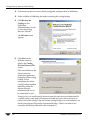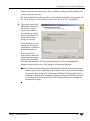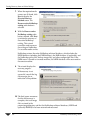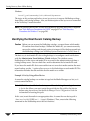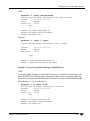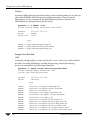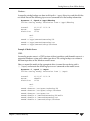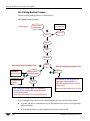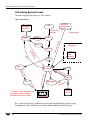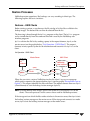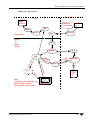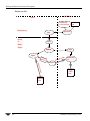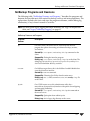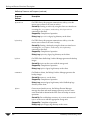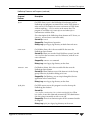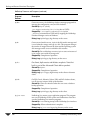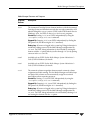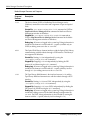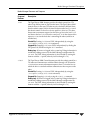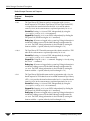
1
VERITAS NetBackup™ 6.0 Troubleshooting Guide for UNIX, Windows, and Linux N15281C September 2005 Disclaimer The information contained in this publication is subject to change without notice. VERITAS Software Corporation makes no warranty of any kind with regard to this manual, including, but not limited to, the implied warranties of merchantability and fitness for a particular purpose. VERITAS Software Corporation shall not be liable for errors contained herein or for incidental or consequential damages in connection with the furnishing, performance, or use of this manual. VERITAS Legal Notice Copyright © 1998 - 2005 VERITAS Software Corporation. All rights reserved. VERITAS, the VERITAS Logo, and NetBackup are trademarks or registered trademarks of VERITAS Software Corporation or its affiliates in the U.S. and other countries. Other names may be trademarks of their respective owners. Portions of this software are derived from the RSA Data Security, Inc. MD5 Message-Digest Algorithm. Copyright 1991-92, RSA Data Security, Inc. Created 1991. All rights reserved. VERITAS Software Corporation 350 Ellis Street Mountain View, CA 94043 USA Phone 650-527-8000 Fax 650-527-2908 www.veritas.com Third-Party Copyrights For a list of third-party copyrights, see the NetBackup Release Notes appendix. ii NetBackup Troubleshooting Guide Contents Preface . . . . . . . . . . . . . . . . . . . . . . . . . . . . . . . . . . . . . . . . . . . . . . . . . . . . . . . . . . . . . . ix Getting Help . . . . . . . . . . . . . . . . . . . . . . . . . . . . . . . . . . . . . . . . . . . . . . . . . . . . . . . . . . . . . . ix Finding NetBackup Documentation . . . . . . . . . . . . . . . . . . . . . . . . . . . . . . . . . . . . . . . ix Accessing the VERITAS Technical Support Web Site . . . . . . . . . . . . . . . . . . . . . . . . . ix Contacting VERITAS Licensing . . . . . . . . . . . . . . . . . . . . . . . . . . . . . . . . . . . . . . . . . . . xi Accessibility Features . . . . . . . . . . . . . . . . . . . . . . . . . . . . . . . . . . . . . . . . . . . . . . . . . . . . . . xi Comment on the Documentation . . . . . . . . . . . . . . . . . . . . . . . . . . . . . . . . . . . . . . . . . . . .xii Chapter 1. Introduction . . . . . . . . . . . . . . . . . . . . . . . . . . . . . . . . . . . . . . . . . . . . . . . . . . 1 Define the Problem . . . . . . . . . . . . . . . . . . . . . . . . . . . . . . . . . . . . . . . . . . . . . . . . . . . . . . . . . 1 What was the Error Indication? . . . . . . . . . . . . . . . . . . . . . . . . . . . . . . . . . . . . . . . . . . . . 1 What Were You Trying to Do When the Problem Occurred? . . . . . . . . . . . . . . . . . . . 2 Record All Information . . . . . . . . . . . . . . . . . . . . . . . . . . . . . . . . . . . . . . . . . . . . . . . . . . . . . . 2 Troubleshooting the Problem . . . . . . . . . . . . . . . . . . . . . . . . . . . . . . . . . . . . . . . . . . . . . . . . . 3 Problem Report Information . . . . . . . . . . . . . . . . . . . . . . . . . . . . . . . . . . . . . . . . . . . . . . . . . 5 General Information . . . . . . . . . . . . . . . . . . . . . . . . . . . . . . . . . . . . . . . . . . . . . . . . . . . . . . 5 Gathering Information for NetBackup - Java . . . . . . . . . . . . . . . . . . . . . . . . . . . . . . . . . 7 Chapter 2. Troubleshooting Procedures . . . . . . . . . . . . . . . . . . . . . . . . . . . . . . . . . . . . 9 Preliminary Troubleshooting . . . . . . . . . . . . . . . . . . . . . . . . . . . . . . . . . . . . . . . . . . . . . . . . 10 Troubleshooting Installation and Configuration Problems . . . . . . . . . . . . . . . . . . . . . . . 14 To Resolve Installation Problems . . . . . . . . . . . . . . . . . . . . . . . . . . . . . . . . . . . . . . . . . . 14 To Resolve Common Configuration Problems . . . . . . . . . . . . . . . . . . . . . . . . . . . . . . 15 General Test and Troubleshooting Procedures . . . . . . . . . . . . . . . . . . . . . . . . . . . . . . . . . 21 iii Testing the Master Server and Clients . . . . . . . . . . . . . . . . . . . . . . . . . . . . . . . . . . . . . 21 Testing Media Server and Clients . . . . . . . . . . . . . . . . . . . . . . . . . . . . . . . . . . . . . . . . . 24 Resolving Network Communication Problems . . . . . . . . . . . . . . . . . . . . . . . . . . . . . 27 Verifying Host Names and Services Entries . . . . . . . . . . . . . . . . . . . . . . . . . . . . . . . . 34 Using bpclntcmd . . . . . . . . . . . . . . . . . . . . . . . . . . . . . . . . . . . . . . . . . . . . . . . . . . . . . . . 38 Using the Host Properties Window . . . . . . . . . . . . . . . . . . . . . . . . . . . . . . . . . . . . . . . . . . 54 Resolving Problems Related to a Full Disk . . . . . . . . . . . . . . . . . . . . . . . . . . . . . . . . . . . . 55 Resolving Problems Related to PBX . . . . . . . . . . . . . . . . . . . . . . . . . . . . . . . . . . . . . . . . . . 57 PBX Must Be Installed . . . . . . . . . . . . . . . . . . . . . . . . . . . . . . . . . . . . . . . . . . . . . . . . . . . 57 PBX Must Be Running . . . . . . . . . . . . . . . . . . . . . . . . . . . . . . . . . . . . . . . . . . . . . . . . . . 57 PBX Must Be Set Correctly . . . . . . . . . . . . . . . . . . . . . . . . . . . . . . . . . . . . . . . . . . . . . . . 57 PBX Logging . . . . . . . . . . . . . . . . . . . . . . . . . . . . . . . . . . . . . . . . . . . . . . . . . . . . . . . . . . . 58 PBX Security . . . . . . . . . . . . . . . . . . . . . . . . . . . . . . . . . . . . . . . . . . . . . . . . . . . . . . . . . . . 59 Required NetBackup Daemon/Service Not Available . . . . . . . . . . . . . . . . . . . . . . . 60 Resolving Problems Related to Unavailable Storage Units . . . . . . . . . . . . . . . . . . . . . . 62 Changes to bptm (5.x Media Servers Only) . . . . . . . . . . . . . . . . . . . . . . . . . . . . . . . . . 62 Troubleshooting NBU in a SAN Environment . . . . . . . . . . . . . . . . . . . . . . . . . . . . . . . . . 64 NetBackup Enterprise Lifecycle: Best Practices . . . . . . . . . . . . . . . . . . . . . . . . . . . . . 64 Using CommandCentral Storage to Troubleshoot NetBackup . . . . . . . . . . . . . . . . 65 Common NetBackup Troubleshooting Use Cases . . . . . . . . . . . . . . . . . . . . . . . . . . . 66 Backup Performance and NIC Cards . . . . . . . . . . . . . . . . . . . . . . . . . . . . . . . . . . . . . . . . . 68 Chapter 3. Using Logs and Reports . . . . . . . . . . . . . . . . . . . . . . . . . . . . . . . . . . . . . . 71 Reports . . . . . . . . . . . . . . . . . . . . . . . . . . . . . . . . . . . . . . . . . . . . . . . . . . . . . . . . . . . . . . . . . . 73 Status for User Operations . . . . . . . . . . . . . . . . . . . . . . . . . . . . . . . . . . . . . . . . . . . . . . . . . . 74 UNIX System Logs . . . . . . . . . . . . . . . . . . . . . . . . . . . . . . . . . . . . . . . . . . . . . . . . . . . . . . . . 74 Windows Event Viewer Application Logs . . . . . . . . . . . . . . . . . . . . . . . . . . . . . . . . . . . . 74 Debug Logs on Servers . . . . . . . . . . . . . . . . . . . . . . . . . . . . . . . . . . . . . . . . . . . . . . . . . . . . . 74 Unified Logging . . . . . . . . . . . . . . . . . . . . . . . . . . . . . . . . . . . . . . . . . . . . . . . . . . . . . . . . 74 Configuring and Using Unified Logging . . . . . . . . . . . . . . . . . . . . . . . . . . . . . . . . . . . 81 iv NetBackup Troubleshooting Guide Submitting Unified Logging Files to VERITAS Support . . . . . . . . . . . . . . . . . . . . . . 86 Legacy NetBackup Logging . . . . . . . . . . . . . . . . . . . . . . . . . . . . . . . . . . . . . . . . . . . . . . 88 Logs To Accompany Problem Reports for Synthetic Backup . . . . . . . . . . . . . . . . . . 93 Debug Logs on UNIX Clients . . . . . . . . . . . . . . . . . . . . . . . . . . . . . . . . . . . . . . . . . . . . . . . . 95 Controlling Log Size on UNIX Clients . . . . . . . . . . . . . . . . . . . . . . . . . . . . . . . . . . . . . 97 Client Logging File Name Format . . . . . . . . . . . . . . . . . . . . . . . . . . . . . . . . . . . . . . . . . 97 How To Set Logging Levels on UNIX Clients . . . . . . . . . . . . . . . . . . . . . . . . . . . . . . . 98 Debug Logs on PC Clients . . . . . . . . . . . . . . . . . . . . . . . . . . . . . . . . . . . . . . . . . . . . . . . . . . 98 Unified Logging on PC Clients . . . . . . . . . . . . . . . . . . . . . . . . . . . . . . . . . . . . . . . . . . . 98 Legacy Debug Logging on PC Clients . . . . . . . . . . . . . . . . . . . . . . . . . . . . . . . . . . . . . 99 Controlling Log Size on PC Clients . . . . . . . . . . . . . . . . . . . . . . . . . . . . . . . . . . . . . . . 101 Client Logging File Name Format . . . . . . . . . . . . . . . . . . . . . . . . . . . . . . . . . . . . . . . . 102 How To Set Logging Levels on PC Clients . . . . . . . . . . . . . . . . . . . . . . . . . . . . . . . . . 102 Media Manager Logs . . . . . . . . . . . . . . . . . . . . . . . . . . . . . . . . . . . . . . . . . . . . . . . . . . . . . . 103 EMM Server . . . . . . . . . . . . . . . . . . . . . . . . . . . . . . . . . . . . . . . . . . . . . . . . . . . . . . . . . . 103 Status Collector Daemon . . . . . . . . . . . . . . . . . . . . . . . . . . . . . . . . . . . . . . . . . . . . . . . . 103 Media Manager Logging (UNIX) . . . . . . . . . . . . . . . . . . . . . . . . . . . . . . . . . . . . . . . . . 103 Media Manager Logging (Windows) . . . . . . . . . . . . . . . . . . . . . . . . . . . . . . . . . . . . . 105 Windows Event Viewer Logging Option . . . . . . . . . . . . . . . . . . . . . . . . . . . . . . . . . . . . . 106 Enabling the Logging Tool . . . . . . . . . . . . . . . . . . . . . . . . . . . . . . . . . . . . . . . . . . . . . . 106 eventlog File Entries . . . . . . . . . . . . . . . . . . . . . . . . . . . . . . . . . . . . . . . . . . . . . . . . . . . . 106 Example . . . . . . . . . . . . . . . . . . . . . . . . . . . . . . . . . . . . . . . . . . . . . . . . . . . . . . . . . . . . . . 107 Troubleshooting the Administration Console for UNIX . . . . . . . . . . . . . . . . . . . . . . . . 108 Disk Space Needed for Logging and Temporary Files . . . . . . . . . . . . . . . . . . . . . . . 109 Enabling Detailed Debug Logging . . . . . . . . . . . . . . . . . . . . . . . . . . . . . . . . . . . . . . . 110 Query String Overview . . . . . . . . . . . . . . . . . . . . . . . . . . . . . . . . . . . . . . . . . . . . . . . . . . . . 111 Query String Syntax . . . . . . . . . . . . . . . . . . . . . . . . . . . . . . . . . . . . . . . . . . . . . . . . . . . . 111 Data Types for Fields . . . . . . . . . . . . . . . . . . . . . . . . . . . . . . . . . . . . . . . . . . . . . . . . . . . 113 String Constants . . . . . . . . . . . . . . . . . . . . . . . . . . . . . . . . . . . . . . . . . . . . . . . . . . . . . . . 114 Query String Examples . . . . . . . . . . . . . . . . . . . . . . . . . . . . . . . . . . . . . . . . . . . . . . . . . 114 Contents v Chapter 4. Using NetBackup Utilities . . . . . . . . . . . . . . . . . . . . . . . . . . . . . . . . . . . . 115 Analysis Utilities for NetBackup Debug Logs . . . . . . . . . . . . . . . . . . . . . . . . . . . . . . . . 115 Installation Requirements . . . . . . . . . . . . . . . . . . . . . . . . . . . . . . . . . . . . . . . . . . . . . . 116 Output Format . . . . . . . . . . . . . . . . . . . . . . . . . . . . . . . . . . . . . . . . . . . . . . . . . . . . . . . . 116 Limitations . . . . . . . . . . . . . . . . . . . . . . . . . . . . . . . . . . . . . . . . . . . . . . . . . . . . . . . . . . . 116 How to Run the Log Analysis Utilities . . . . . . . . . . . . . . . . . . . . . . . . . . . . . . . . . . . 117 Chapter 5. NetBackup Status Codes and Messages . . . . . . . . . . . . . . . . . . . . . . . 121 Status Codes . . . . . . . . . . . . . . . . . . . . . . . . . . . . . . . . . . . . . . . . . . . . . . . . . . . . . . . . . . . . . 122 Messages . . . . . . . . . . . . . . . . . . . . . . . . . . . . . . . . . . . . . . . . . . . . . . . . . . . . . . . . . . . . . . . . 313 Chapter 6. Media Manager Status Codes and Messages . . . . . . . . . . . . . . . . . . . . 355 Status Codes . . . . . . . . . . . . . . . . . . . . . . . . . . . . . . . . . . . . . . . . . . . . . . . . . . . . . . . . . . . . . 355 Using Debug Logs . . . . . . . . . . . . . . . . . . . . . . . . . . . . . . . . . . . . . . . . . . . . . . . . . . . . . . . . 356 Media Manager Status Codes . . . . . . . . . . . . . . . . . . . . . . . . . . . . . . . . . . . . . . . . . . . . . . 356 Device Configuration Status Codes . . . . . . . . . . . . . . . . . . . . . . . . . . . . . . . . . . . . . . . . . 420 Format Optical Status Codes . . . . . . . . . . . . . . . . . . . . . . . . . . . . . . . . . . . . . . . . . . . . . . . 444 Device Management Status Codes . . . . . . . . . . . . . . . . . . . . . . . . . . . . . . . . . . . . . . . . . . 450 Robotic Status Codes . . . . . . . . . . . . . . . . . . . . . . . . . . . . . . . . . . . . . . . . . . . . . . . . . . . . . 471 Robotic Error Codes . . . . . . . . . . . . . . . . . . . . . . . . . . . . . . . . . . . . . . . . . . . . . . . . . . . . . . 489 Messages . . . . . . . . . . . . . . . . . . . . . . . . . . . . . . . . . . . . . . . . . . . . . . . . . . . . . . . . . . . . . . . . 494 Chapter 7. Disaster Recovery . . . . . . . . . . . . . . . . . . . . . . . . . . . . . . . . . . . . . . . . . . 533 Recommended Backup Practices . . . . . . . . . . . . . . . . . . . . . . . . . . . . . . . . . . . . . . . . . . . 534 Selecting Files To Back Up . . . . . . . . . . . . . . . . . . . . . . . . . . . . . . . . . . . . . . . . . . . . . . 534 Bare Metal Restore . . . . . . . . . . . . . . . . . . . . . . . . . . . . . . . . . . . . . . . . . . . . . . . . . . . . . 535 Critical Policies . . . . . . . . . . . . . . . . . . . . . . . . . . . . . . . . . . . . . . . . . . . . . . . . . . . . . . . 535 Full Backup After Catalog Recovery . . . . . . . . . . . . . . . . . . . . . . . . . . . . . . . . . . . . . 535 Online Catalog Backups . . . . . . . . . . . . . . . . . . . . . . . . . . . . . . . . . . . . . . . . . . . . . . . . 535 Online Catalog Backup Disaster Recovery Files . . . . . . . . . . . . . . . . . . . . . . . . . . . . 535 Online Catalog Disaster Recovery Information E-mail . . . . . . . . . . . . . . . . . . . . . . 536 vi NetBackup Troubleshooting Guide Identifying the Correct Catalog Backup . . . . . . . . . . . . . . . . . . . . . . . . . . . . . . . . . . . 536 Catalog Recovery Time . . . . . . . . . . . . . . . . . . . . . . . . . . . . . . . . . . . . . . . . . . . . . . . . . 536 Master and Media Server Backups . . . . . . . . . . . . . . . . . . . . . . . . . . . . . . . . . . . . . . . 536 Disk Recovery Procedures for UNIX . . . . . . . . . . . . . . . . . . . . . . . . . . . . . . . . . . . . . . . . 537 Recovering the Master Server Disk . . . . . . . . . . . . . . . . . . . . . . . . . . . . . . . . . . . . . . . 537 Recovering the NetBackup 6.0 Media Server Disk . . . . . . . . . . . . . . . . . . . . . . . . . . 542 Recovering the Client Disk . . . . . . . . . . . . . . . . . . . . . . . . . . . . . . . . . . . . . . . . . . . . . . 542 Disk Recovery Procedures for Windows . . . . . . . . . . . . . . . . . . . . . . . . . . . . . . . . . . . . . 543 Recovering the Master Server Disk . . . . . . . . . . . . . . . . . . . . . . . . . . . . . . . . . . . . . . . 543 Recovering the NetBackup 6.0 Media Server Disk . . . . . . . . . . . . . . . . . . . . . . . . . . 549 Recovering the Client Disk . . . . . . . . . . . . . . . . . . . . . . . . . . . . . . . . . . . . . . . . . . . . . . 549 Catalog Recovery from an Online Backup . . . . . . . . . . . . . . . . . . . . . . . . . . . . . . . . . . . . 552 Recovering the Entire Catalog . . . . . . . . . . . . . . . . . . . . . . . . . . . . . . . . . . . . . . . . . . . 553 Recovering the Catalog Image File . . . . . . . . . . . . . . . . . . . . . . . . . . . . . . . . . . . . . . . 560 Recovering Relational Database Files from an Online Catalog Backup . . . . . . . . 568 Recovering NetBackup Access Management Components . . . . . . . . . . . . . . . . . . . 571 Recovering the Catalog Using a Copy of an Online Catalog Backup . . . . . . . . . . 572 Recovering the Catalog Without the Disaster Recovery File . . . . . . . . . . . . . . . . . . 573 User-Directed Online Catalog Recovery from the CLI . . . . . . . . . . . . . . . . . . . . . . . 576 Restoring Files from an Online Catalog Backup . . . . . . . . . . . . . . . . . . . . . . . . . . . . 579 Unfreezing Online Catalog Recovery Media . . . . . . . . . . . . . . . . . . . . . . . . . . . . . . . 580 Catalog Recovery From Offline Backup . . . . . . . . . . . . . . . . . . . . . . . . . . . . . . . . . . . . . . 581 Identifying the Most Recent Catalog Backup . . . . . . . . . . . . . . . . . . . . . . . . . . . . . . . 582 NetBackup Catalog Recovery Procedures . . . . . . . . . . . . . . . . . . . . . . . . . . . . . . . . . 586 Recovering the Entire Catalog . . . . . . . . . . . . . . . . . . . . . . . . . . . . . . . . . . . . . . . . . . . 587 Recovering Catalog Image Files . . . . . . . . . . . . . . . . . . . . . . . . . . . . . . . . . . . . . . . . . . 591 Recovering NetBackup Relational Database Files . . . . . . . . . . . . . . . . . . . . . . . . . . . 593 Recovering Catalogs From an NDMP-Attached Tape Drive . . . . . . . . . . . . . . . . . . 596 Recovering NetBackup Access Management Components . . . . . . . . . . . . . . . . . . . 597 5.x Media Server Catalog Recovery . . . . . . . . . . . . . . . . . . . . . . . . . . . . . . . . . . . . . . . . . . 598 Contents vii Appendix A. Functional Overview . . . . . . . . . . . . . . . . . . . . . . . . . . . . . . . . . . . . . . 601 Backup and Restore Functional Description . . . . . . . . . . . . . . . . . . . . . . . . . . . . . . . . . . 602 Startup Process . . . . . . . . . . . . . . . . . . . . . . . . . . . . . . . . . . . . . . . . . . . . . . . . . . . . . . . . 602 Backup and Archive Processes . . . . . . . . . . . . . . . . . . . . . . . . . . . . . . . . . . . . . . . . . . 604 Backups and Archives - UNIX Clients . . . . . . . . . . . . . . . . . . . . . . . . . . . . . . . . . . . . 605 Restore Processes . . . . . . . . . . . . . . . . . . . . . . . . . . . . . . . . . . . . . . . . . . . . . . . . . . . . . . 625 NetBackup Directories and Files . . . . . . . . . . . . . . . . . . . . . . . . . . . . . . . . . . . . . . . . . 633 NetBackup Programs and Daemons . . . . . . . . . . . . . . . . . . . . . . . . . . . . . . . . . . . . . 637 NetBackup Catalogs . . . . . . . . . . . . . . . . . . . . . . . . . . . . . . . . . . . . . . . . . . . . . . . . . . . 646 Media Manager Functional Description . . . . . . . . . . . . . . . . . . . . . . . . . . . . . . . . . . . . . 647 Startup Process . . . . . . . . . . . . . . . . . . . . . . . . . . . . . . . . . . . . . . . . . . . . . . . . . . . . . . . . 647 Media and Device Management Process . . . . . . . . . . . . . . . . . . . . . . . . . . . . . . . . . . 649 Shared Storage Option Management Process . . . . . . . . . . . . . . . . . . . . . . . . . . . . . . 651 Barcode Operations . . . . . . . . . . . . . . . . . . . . . . . . . . . . . . . . . . . . . . . . . . . . . . . . . . . . 653 Media Manager Components . . . . . . . . . . . . . . . . . . . . . . . . . . . . . . . . . . . . . . . . . . . 655 Appendix B. Networks and Hostnames . . . . . . . . . . . . . . . . . . . . . . . . . . . . . . . . . . 663 Appendix C. Robotic Test Utilities . . . . . . . . . . . . . . . . . . . . . . . . . . . . . . . . . . . . . . 667 Robotic Tests on UNIX . . . . . . . . . . . . . . . . . . . . . . . . . . . . . . . . . . . . . . . . . . . . . . . . . . . . 667 Robotic Tests on Windows . . . . . . . . . . . . . . . . . . . . . . . . . . . . . . . . . . . . . . . . . . . . . . . . 668 Index . . . . . . . . . . . . . . . . . . . . . . . . . . . . . . . . . . . . . . . . . . . . . . . . . . . . . . . . . . . . . . 671 viii NetBackup Troubleshooting Guide Preface This guide explains how to isolate and resolve problems encountered when installing, configuring, or using VERITAS NetBackup™. This guide refers to VERITAS NetBackup as NetBackup, and includes coverage for Enterprise Media Manager, a component of NetBackup used for media and device management. Getting Help You can find answers to questions and get help from the NetBackup documentation and from the VERITAS technical support web site. Finding NetBackup Documentation A list of the entire NetBackup documentation set appears as an appendix in the NetBackup Release Notes. All NetBackup documents are included in PDF format on the NetBackup Documentation CD. For definitions of NetBackup terms, consult the online glossary. ▼ To access the NetBackup online glossary 1. In the NetBackup Administration Console, click Help > Help Topics. 2. Click the Contents tab. 3. Click Glossary of NetBackup Terms. Use the scroll function to navigate through the glossary. Accessing the VERITAS Technical Support Web Site The address for the VERITAS Technical Support Web site is http://support.veritas.com. The VERITAS Support Web site lets you do any of the following: ix Getting Help ◆ Obtain updated information about NetBackup, including system requirements, supported platforms, and supported peripherals ◆ Contact the VERITAS Technical Support staff and post questions to them ◆ Get the latest patches, upgrades, and utilities ◆ View the NetBackup Frequently Asked Questions (FAQ) page ◆ Search the knowledge base for answers to technical support questions ◆ Receive automatic notice of product updates ◆ Find out about NetBackup training ◆ Read current white papers related to NetBackup From http://support.veritas.com, you can complete various tasks to obtain specific types of support for NetBackup: 1. Subscribe to the VERITAS Email notification service to be informed of software alerts, newly published documentation, Beta programs, and other services. a. From the main http://support.veritas.com page, select a product family and a product. b. Under Support Resources, click Email Notifications. Your customer profile ensures you receive the latest VERITAS technical information pertaining to your specific interests. 2. Locate the telephone support directory at http://support.veritas.com by clicking the Phone Support icon. A page appears that contains VERITAS support numbers from around the world. Note Telephone support for NetBackup is only available with a valid support contract. To contact VERITAS for technical support, dial the appropriate phone number listed on the Technical Support Guide included in the product box and have your product license information ready for quick navigation to the proper support group. 3. Contact technical support using e-mail. x NetBackup Troubleshooting Guide Accessibility Features a. From the main http://support.veritas.com page, click the E-mail Support icon. A wizard guides you to do the following: ◆ Select a language of your preference ◆ Select a product and a platform ◆ Provide additional contact and product information, and your message ◆ Associate your message with an existing technical support case b. After providing the required information, click Send Message. Contacting VERITAS Licensing For license information, you can contact us as follows: ◆ Call 1-800-634-4747 and select option 3 ◆ Fax questions to 1-650-527-0952 ◆ In the Americas, send e-mail to [email protected]. In the Asia and Pacific areas, send email to [email protected]. In all other areas, send email to [email protected]. Accessibility Features NetBackup contains features that make the user interface easier to use by people who are visually impaired and by people who have limited dexterity. Accessibility features include: ◆ Support for assistive technologies such as screen readers and voice input (Windows servers only) ◆ Support for keyboard (mouseless) navigation using accelerator keys and mnemonic keys For more information, see the NetBackup Installation Guide. Preface xi Comment on the Documentation Comment on the Documentation Let us know what you like and dislike about the documentation. Were you able to find the information you needed quickly? Was the information clearly presented? You can report errors and omissions or tell us what you would find useful in future versions of our manuals and online help. Please include the following information with your comment: ◆ The title and product version of the manual on which you are commenting ◆ The topic (if relevant) on which you are commenting ◆ Your comment ◆ Your name Email your comment to [email protected]. Please only use this address to comment on product documentation. See “Getting Help” in this preface for information on how to contact Technical Support about our software. We appreciate your feedback. xii NetBackup Troubleshooting Guide 1 Introduction This chapter explains the basic steps to take if you encounter a problem while using NetBackup. Other chapters provide more specific information. Note The term media server, as distinct from master server or server, may or may not apply to the NetBackup Server product and depends on the context. When troubleshooting a Server installation, be aware that there is only one host: the master and media server are one and the same. References to a media server on a different host can be ignored. Define the Problem The first step in troubleshooting is to define the problem. What was the Error Indication? In defining the problem, you must know what went wrong and sometimes resolving the problem also requires that you also know what went right. Error messages are usually the vehicle for telling you something went wrong. So the first thing to do is look for an error message. If you don’t see an error message in an interface, but still suspect a problem, check the reports and logs. NetBackup provides extensive reporting and logging facilities and these can provide an error message that points you directly to a solution. The logs also show you what went right and what NetBackup was doing when the problem occurred. For example, a restore can be waiting for media to be mounted and the required media is currently in use for another backup. The “Using Logs and Reports” chapter describes the log information that NetBackup provides. The “NetBackup Status Codes and Messages” and “Media Manager Status Codes and Messages” chapters provide interpretations of NetBackup (and Media Manager) status codes and messages. 1 Record All Information What Were You Trying to Do When the Problem Occurred? Another important part of defining the problem is to clearly define what you were trying to do in the first place. Some questions to ask here are: ◆ What operation was being attempted? ◆ What method were you using? For example, there is more than one way to install software on a client. There is also more than one possible interface to use for many operations and some operations can even be performed with a script. ◆ What type of server platform and operating system was involved? ◆ If your site uses both master and media servers, was it a master or a media server? ◆ If a client was involved, what type of client was it? ◆ Have you ever performed the operation successfully in the past? If so, what is different now? ◆ What is the service pack level? ◆ Are you using operating system software with the latest fixes supplied, especially those required for use with NetBackup? ◆ Is your device firmware at a level, or higher than the level, at which it has been tested according to the posted device compatibility lists? Record All Information As you define and troubleshoot a problem, always try to capture potentially valuable information, such as: 2 ◆ NetBackup progress logs ◆ NetBackup Reports ◆ NetBackup Utility Reports ◆ NetBackup debug logs ◆ Media Manager debug logs ◆ On UNIX NetBackup servers, check for error or status messages in the system log or standard output ◆ Error or status messages in dialogs ◆ On Windows NetBackup servers, check for error or status information in the Event Viewer Application log NetBackup Troubleshooting Guide Troubleshooting the Problem ◆ Check for error or status information in the Event Viewer Application log Record this information for each attempt. A benefit of this approach is that you can compare the results of multiple attempts. It is also useful for others at your site and for customer support in the event that you cannot solve the problem yourself. The “Using Logs and Reports” chapter explains the various logs. On UNIX systems, the /usr/openv/netbackup/bin/goodies/support script creates a file containing data necessary for customer support to debug any problems you encounter. For more details, consult the usage information of the script by using support -h. If your troubleshooting attempt is unsuccessful, customer support can provide further assistance. Before calling, have the following information ready. ◆ Product, platform, and device information: ◆ Product and its release level. ◆ Server hardware type and operating system level. ◆ Client hardware type and operating system level, if a client is involved. ◆ Storage units being used, if it is possible that storage units are involved. ◆ If it looks like a device problem, be ready to supply device information, such as the types of robots and drives, and their version levels along with Media Manager and system configuration information. ◆ Software patches to the products that were installed. ◆ Service packs and hotfixes that were installed. ◆ What is the definition of the problem as described earlier in this chapter? Copies of logs or core dumps (if any) can also be required. ◆ Have you had this problem before? If so, was there a successful resolution and what did you try that time? ◆ Has the configuration been changed recently and, if so, what was changed? ◆ If necessary, can you communicate with technical support through ftp, email, or fax? This can be useful for sending information such as copies of logs. “Problem Report Information” on page 5 lists the information you need and also provides methods for gathering information. Troubleshooting the Problem After defining the problem, use the information in the other chapters of this manual to try and correct it. Chapter 1, Introduction 3 Troubleshooting the Problem ◆ When you have a status code or message, proceed directly to “NetBackup Status Codes and Messages” or “Media Manager Status Codes and Messages” and try the corrective actions recommended there. ◆ When you do not see a status code or message, or the actions in “NetBackup Status Codes and Messages” or “Media Manager Status Codes and Messages” do not solve the problem, try the troubleshooting procedures in the “Troubleshooting Procedures” chapter. Those procedures describe an effective approach for isolating common problems. If you don’t find the solution, contact customer support. Note The VERITAS technical support site has a wealth of information that can help you solve NetBackup problems. Please visit http://support.veritas.com for comprehensive troubleshooting details. 4 NetBackup Troubleshooting Guide Problem Report Information Problem Report Information General Information Date: _________________________ Servers (master and media): Table 1 Platform Types and Host Names OS Levels Product Version and Patch Levels OS Levels Product Version and Patch Levels Clients: Table 2 Platform Types and Host Names Chapter 1, Introduction 5 Problem Report Information Devices: Table 3 Robotic Library and Drive Models Firmware Levels Firmware Level Listed as “Tested” in the VERITAS Device Compatibility Lists at www.support.veritas.com What were you attempting when the problem occurred? (for example, a backup on a Windows client) ______________________________________________________________________ ______________________________________________________________________ What were the error indications? (for example, status code, error dialog box) ______________________________________________________________________ ______________________________________________________________________ ______________________________________________________________________ Did this occur during or shortly after any of the following: _____ Initial Installation _____ Configuration change (explain) _____ System change or problem (explain) _____ Have you seen the problem before: (if so, what did you do that time) Logs or other failure data you have saved: _____ All log entries report 6 NetBackup Troubleshooting Guide Problem Report Information _____ Media Manager debug logs _____ NetBackup debug logs _____ System logs (UNIX) _____ NetBackup Configuration Validation Utility Output (UNIX) _____ Event Viewer Application logs (Windows) Can you communicate with us through any of the following: _____ ftp _____ telnet _____ email _____ fax Gathering Information for NetBackup - Java If you encounter problems with the NetBackup-Java applications, use the following methods to gather data for VERITAS support. The following scripts are available for gathering information: ◆ The NetBackup-Java administration application startup script, jnbSA, logs data to a log file in /usr/openv/netbackup/logs/user_ops/nbjlogs. At startup, the script tells you which file in this directory it is logging to. Normally, this file does not become very large (usually less than 2 KB). Consult the file /usr/openv/java/Debug.properties for options that can affect the contents of this log file. ◆ The NetBackup-Java administration application on Windows logs data to a log file in install_path\NetBackup\logs\user_ops\nbjlogs if NetBackup is installed on the machine where the application was started. If NetBackup was not installed on this machine, then no log file is created. To produce a log file, modify the last ‘java.exe’ line in install_path\java\nbjava.bat to redirect output to a file. ◆ The /usr/openv/java/get_trace script provides a Java virtual machine stack trace for support to analyze. This stack trace is written to the log file associated with the instance of execution (see previous bullet). ◆ The /usr/openv/netbackup/bin/goodies/support script creates a file containing data necessary for customer support to debug any problems you encounter. For more details, consult the usage information of the script by using support -h. Chapter 1, Introduction 7 Problem Report Information Follow these steps to get debug data for VERITAS support to analyze: 1. If the application does not respond for a long time, it may be hung. However, some operations can take quite a while to complete. This is especially true in the Activity Monitor and Reports applications. So, wait for several minutes before assuming the operation is hung. If there is no response within several minutes, execute /usr/openv/java/get_trace under the account where you started the Java application. This causes a stack trace to be written to the log file. For example, if you started jnbSA from the root account, start /usr/openv/java/get_trace as root. Otherwise, the command executes without error, but fails to add the stack trace to the debug log. This occurs because root is the only account that has permission to execute the command that dumps the stack trace. 2. Execute /usr/openv/netbackup/bin/goodies/support to get data about your configuration. Execute this script after completing NetBackup installation and each time after you change the NetBackup configuration. 3. Provide the support-script output and log file to VERITAS support. 8 NetBackup Troubleshooting Guide 2 Troubleshooting Procedures This chapter has procedures for finding the cause of NetBackup errors. These procedures are general in nature and do not attempt to cover every problem that could occur. They do, however, recommend methods that usually result in successful problem resolution. Note The VERITAS technical support site has a wealth of information that can help you solve NetBackup problems. Please visit http://support.veritas.com for comprehensive troubleshooting details. When performing these procedures, try each step in sequence. If you have already performed the action or it does not apply, skip to the next step. If it branches you to another chapter, use the solutions suggested there. If you still have a problem, go to the next step in the procedure. Also, alter your approach based on your specific configuration and what you have already tried. The information in this chapter is divided into three sections: ◆ Preliminary Troubleshooting ◆ Troubleshooting Installation and Configuration Problems ◆ General Test and Troubleshooting Procedures ◆ Troubleshooting NBU in a SAN Environment Start with “Preliminary Troubleshooting.” This explains what to check first and then branches off to other procedures as appropriate. “Troubleshooting Installation and Configuration Problems” applies specifically to installation and configuration problems. “General Test and Troubleshooting Procedures” defines general methods for finding server and client problems and should be used last. Note The term media server, as distinct from master server or server, does not apply to the NetBackup Server product. When troubleshooting a NetBackup Server installation, please ignore any references to media server. 9 Preliminary Troubleshooting Preliminary Troubleshooting ▼ If you are having problems with NetBackup, perform this procedure first. 1. Ensure that your servers and clients are running supported operating system versions and the peripherals you are using (if any) are supported. See the NetBackup release notes and the NetBackup device compatibility lists on www.veritas.com for this information. 2. Check for status codes or messages. a. Use the All Log Entries report and check for NetBackup errors for the appropriate time period. This report can show the context in which the error occurred and can often provide specific information that is useful when the status code can result from a variety of problems. If the problem involved a backup or archive, check the Backup Status report. This report gives you the status code. If you find a status code or message in either of the above reports, go to the chapter titled “NetBackup Status Codes and Messages” or “Media Manager Status Codes and Messages” and perform the recommended corrective actions. b. If the problem pertains to media or device management and either NetBackup does not provide a status code or you cannot correct the problem by following the instructions in “NetBackup Status Codes and Messages” or “Media Manager Status Codes and Messages”, check the system log on UNIX servers, or the Event Viewer Application log on Windows servers. This log can show the context in which the error occurred and the error messages are usually descriptive enough to point you to a problem area. c. Check applicable debug logs that are enabled and correct problems you detect. If these logs are not enabled, enable them before retrying the failed operation (see the “Using Logs and Reports” chapter). d. If you performed corrective actions, retry the operation. If you did not perform corrective actions or the problem persists, go to step 3 below. 3. If you encountered the problem: ◆ During a new installation ◆ During an upgrade installation ◆ After making changes to an existing configuration Then, go to “Troubleshooting Installation and Configuration Problems” on page 14. 10 NetBackup Troubleshooting Guide Preliminary Troubleshooting 4. Ensure that the server and client are operational. If the server or client disk crashed, refer to the “Disaster Recovery” chapter for procedures on recovering files that are critical to NetBackup operation. Verify there is enough space available in the disk partitions that NetBackup uses. If one or more of these partitions is full, NetBackup processes that access the full partition will fail. The resulting error message depends on the process but you could see messages such as “unable to access” or “unable to create or open a file.” On UNIX systems, use the df command to view disk partition information. On Windows systems, use Disk Manager or Explorer. Check the following disk partitions: ◆ The partition where NetBackup software is installed. ◆ On the NetBackup master or media server, the partition where the NetBackup (or Media Manager) databases reside. ◆ The partition where the NetBackup processes write temporary files. ◆ The partition where NetBackup logs are stored. ◆ The partition where the operating system is installed. 5. Enable verbose logging either for everything or just for areas you think are related to the problem. See the “Using Logs and Reports” chapter for information on logging. 6. Determine which daemons or processes are running. Follow the procedures below for UNIX or Windows NetBackup servers. On UNIX NetBackup servers Execute the following: /usr/openv/netbackup/bin/bpps -a a. If the master server is also the EMM server, ensure that the nbemm and nbrb services are running. If these services are not running, start them by entering the following: /usr/openv/netbackup/bin/nbemm /usr/openv/netbackup/bin/nbrb If both nbemm and nbrb are not running, they must be started in the above sequence. If only one is not running, start it using the above command. b. The nbpem and nbjm services must be running on the master server. If these services are not running, start them by entering the following: Chapter 2, Troubleshooting Procedures 11 Preliminary Troubleshooting /usr/openv/netbackup/bin/nbjm /usr/openv/netbackup/bin/nbpem If both nbjm and nbpem are not running, they must be started in the above sequence. If only one is not running, start it using the above command. c. If either the NetBackup request daemon (bprd) or database manager daemon (bpdbm) are not running, execute this command to start them: /usr/openv/netbackup/bin/initbprd d. If any of the following media and device management processes are not running: ◆ ltid (device; ltid only needs to be running if drives are configured on the server) ◆ vmd (volume) ◆ avrd (automatic volume recognition) ◆ processes for all configured robots Stop the device daemon, ltid, by executing: /usr/openv/volmgr/bin/stopltid Verify that the ltid, avrd, and robotic control daemons have been stopped by executing: /usr/openv/volmgr/bin/vmps Note If you are using ACS robotic control, the acsssi and acssel processes will remain running when ltid is stopped. For more information about stopping these daemons, refer to the Automated Cartridge System (ACS) Appendix in the NetBackup Media Manager System Administrator’s Guide. Stop any robot control daemons that remain running when ltid is terminated. Then, start all daemons by executing: /usr/openv/volmgr/bin/ltid For debugging, it is best to start ltid with the -v (verbose) option. On Windows NetBackup servers a. The following services must be running. If these services are not running, start them using the NetBackup Activity Monitor, or using the Services application in the Windows Control Panel: Note To start all of them, execute install_path\NetBackup\bin\bpup.exe. 12 NetBackup Troubleshooting Guide Preliminary Troubleshooting On NetBackup master servers: ◆ NetBackup Request Manager service ◆ NetBackup Policy Execution Manager service ◆ NetBackup Job Manager service ◆ NetBackup Database Manager service ◆ NetBackup Device Manager service (if the system has devices configured) ◆ NetBackup Volume Manager service ◆ NetBackup Client service If the master server is also the EMM server: ◆ NetBackup Enterprise Media Manager service ◆ NetBackup Resource Broker service On NetBackup media servers: ◆ NetBackup Device Manager service (if the system has devices configured) ◆ NetBackup Volume Manager service ◆ NetBackup Client service On NetBackup clients (including NetBackup Remote Administration Consoles) ◆ NetBackup Client service b. Use the NetBackup Activity Monitor to see if the following Media Manager processes are running: ◆ avrd (automatic media recognition) ◆ Processes for all configured robots (see the Media Manager System Administrator’s Guide for Windows) If the above processes are not running, stop and then restart the NetBackup Device Manager service by using the NetBackup Activity Monitor or the Services application in the Windows Control Panel. 7. If you had to start any of the processes or services in the previous steps, retry the operation. If they are running or the problem persists, go to “General Test and Troubleshooting Procedures” on page 21. If you cannot start any of these processes or services, check the appropriate debug logs (see the “Using Logs and Reports” chapter) for NetBackup problems. Chapter 2, Troubleshooting Procedures 13 Troubleshooting Installation and Configuration Problems When started, these processes and services continue to run unless you stop them manually or there is a problem with the system. On Windows systems, we recommend you add commands for starting them to your startup scripts, so they are restarted in case you have to reboot. Troubleshooting Installation and Configuration Problems This section outlines steps to resolve installation and common configuration issues. To Resolve Installation Problems Note Before you install or use NetBackup on a Linux client, verify that the inetd (or xinetd) service is started on that machine. This will ensure proper communication between the NetBackup master and the Linux client. ▼ To resolve installation and configuration issues, ask these questions 1. Could you install the software on the master and media servers by using the release media? Some reasons for failure could be: ◆ Not logged in as an Administrator on a Windows system (you must have permission to install services on the system) ◆ Permission denied (ensure you have permission to use the device and to write the directories and files being installed) ◆ Bad media (contact customer support) ◆ Defective drive (replace the drive or refer to vendor’s hardware documentation) ◆ Improperly configured drive (refer to system and vendor documentation) 2. Could you install NetBackup client software on the clients? Note You cannot install PC client software from a UNIX NetBackup server. ◆ For an install to a trusting UNIX client, verify that you have the correct client name in your policy configuration and the correct server name in the client /.rhosts file. If the install hangs, check for problems with the shell or environment variables for the root user on the client. The files to check depend on the platform, operating system, and shell you are using. An example for a Sun system would be if your 14 NetBackup Troubleshooting Guide Troubleshooting Installation and Configuration Problems .login executes an stty (such as stty ^erase) before defining your terminal type. If this caused the install process to hang, you could modify the .login file to define the terminal before executing the stty or you could move the client .login to another file until the install is complete. ◆ For an install to a secure UNIX client, check your ftp configuration. For example, you must be using a user name and password that the client considers valid. 3. For general network communications problems, go to “Resolving Network Communication Problems” on page 27. To Resolve Common Configuration Problems If this is an initial installation or if you have changed the configuration, check for these problems before proceeding: ▼ To resolve configuration issues, check for these problems 1. Check for the following device configuration problems: ◆ Configuration for robotic drive does not specify the robot. ◆ Drive is configured as wrong type or density. ◆ Incorrect Robotic Drive Number. ◆ SCSI ID for the robotic control is specified instead of the logical Robot Number assigned to the robot. ◆ The same robot number is used for different robots. ◆ SCSI ID for the drive is specified instead of a unique Drive Index number. ◆ A platform does not support a device or was not configured to recognize it. ◆ Robotic device is not configured to use LUN 1, which is required by some robot hardware. ◆ On UNIX, drive no-rewind device path is specified as a rewind path. ◆ On UNIX, tape devices are not configured with “Berkeley style close.” This is configurable on some platforms and is required by NetBackup (see the Media Manager Device Configuration Guide for more information). ◆ On UNIX, tape devices (other than QIC) are not configured as “variable mode.” This is configurable on some platforms and is required by NetBackup. Chapter 2, Troubleshooting Procedures 15 Troubleshooting Installation and Configuration Problems When this condition exists, you can frequently perform backups but not restores. “NetBackup Status Code: 174” in the “NetBackup Status Codes and Messages” chapter provides further explanation. Also see the Media Manager Device Configuration Guide. ◆ On UNIX, pass-through paths to the tape drives have not been established. Also see the Media Manager Device Configuration Guide. 2. Check for the following problems with the daemons or services: ◆ Daemons or services do not start during reboot (configure system so this occurs). ◆ Wrong daemons or services are started (problems with media server start up scripts). ◆ Configuration was changed while daemons or services were running. ◆ On Windows, the %SystemRoot%\System32\drivers\etc\services file does not have an entry for vmd, bprd, bpdbm and bpcd. Also, ensure there are entries for the processes for configured robots (see the Media Manager System Administrator’s Guide for Windows for a list of these processes). ◆ On UNIX, the /etc/services file (or NIS or DNS) does not have an entry for vmd, bprd, bpdbm, or robotic daemons. 3. If you found and corrected any configuration problems, retry the operation and check for NetBackup status codes or messages. a. Check the All Log Entries report for NetBackup errors for the appropriate time period. This report can show the context in which the error occurred and can often have specific information that is useful when the error can result from a variety of problems. If the problem involved a backup or archive, check the Backup Status report. This report gives you the status code. If you find a status code or message in either the Backup Status or All Log Entries report, go to the “NetBackup Status Codes and Messages” chapter or “Media Manager Status Codes and Messages” chapter and perform the recommended corrective actions. b. If the problem pertains to device or media management and either NetBackup does not provide a status code or you cannot correct the problem by following the instructions in status codes chapters, check the system log on UNIX systems, or the Event Viewer Application log on Windows systems for NetBackup entries. c. Check appropriate debug logs that are enabled and correct problems you detect. 16 NetBackup Troubleshooting Guide Troubleshooting Installation and Configuration Problems If these logs are not enabled, enable them before your next attempt. For more information, see the “Using Logs and Reports” chapter. d. If you performed corrective actions as a result of step a through step c, retry the operation. If you did not perform corrective actions or the problem persists, go to the next section, “General Test and Troubleshooting Procedures.” To Resolve Device Configuration Problems Certain auto-configuration warning messages are displayed in the second panel of the Device Configuration wizard if the selected device meets any of the following conditions: ◆ Not licensed for NetBackup Server ◆ Exceeds a license restriction ◆ Has inherent qualities that make it difficult to auto-configure These are the messages relating to device configuration, along with explanations and recommended actions: Message: Drive does not support serialization Explanation: The drive does not return its serial number. Note that some manufacturers do not support serial numbers. Although automatic device configuration will not function optimally, the drive can be manually configured and operated without its serial number. Recommended Action: Ask the manufacturer for a newer firmware version that returns serial numbers (if available), or manually configure and operate the drive without a serial number. Message: Robot does not support serialization Explanation: The robot does not return its serial number or the serial numbers of the drives contained within it. Note that some manufacturers do not support serial numbers. Although automatic device configuration will not function optimally, the robot and/or drives can be manually configured and operated without serial numbers. Recommended Action: Ask the manufacturer for a newer firmware version that returns serial numbers (if available), or manually configure and operate the robot and/or drives without serial numbers. Message: Too many drives in robot Explanation: The robotic library has more than two installed drives—the maximum allowed with a NetBackup Server license. Chapter 2, Troubleshooting Procedures 17 Troubleshooting Installation and Configuration Problems Recommended Action: Remove all but two drives. Message: Too many slots in robot Explanation: The robotic library has more than 30 installed slots—the maximum allowed with a NetBackup Server license. Recommended Action: If possible, configure the robotic library to have 30 or fewer slots. Only use robotic libraries that are supported with NetBackup Server. Message: No license for this robot type Explanation: The robotic type defined for this robot is not supported by NetBackup Server. Recommended Action: Define a different robot. Only use robotic libraries that are supported with NetBackup Server. Message: No license for this drive type Explanation: The drive type defined for this drive is not supported by NetBackup Server. Recommended Action: Define a different drive. Only use drives that are supported by NetBackup. Message: Unable to determine robot type Explanation: The robotic library is not recognized by NetBackup. The robotic library cannot be auto-configured. Recommended Action: 1. Download a new device_mapping file from the VERITAS support web site, and try again. 2. Configure the robotic library manually. 3. Use only robotic libraries that are supported by NetBackup. Message: Drive is standalone or in unknown robot 18 NetBackup Troubleshooting Guide Troubleshooting Installation and Configuration Problems Explanation: Either the drive is standalone, or the drive or robot is not returning a serial number. Note that some manufacturers do not support serial numbers. Although automatic device configuration will not function optimally, the drive or robot can be manually configured and operated without a serial number. Recommended Action: Ask the manufacturer for a newer firmware version that returns serial numbers (if available), or manually configure and operate the drive/robot without serial numbers. Message: Robot drive number is unknown Explanation: Either the drive or robot is not returning a serial number. Note that some manufacturers do not support serial numbers. Although automatic device configuration will not function optimally, the drive or robot can be manually configured and operated without a serial number. Recommended Action: Ask the manufacturer for a newer firmware version that returns serial numbers (if available), or manually configure and operate the drive/robot without serial numbers. Message: Drive exceeds drive limit Explanation: The NetBackup Server license allows a maximum of two drives and two drives have already been configured. Recommended Action: To use this drive, a previously configured drive must be disabled (deleted from the device configuration). Message: Robot exceeds robot limit Explanation: A robotic library has already been configured. Recommended Action: To use this robot, a previously configured robot must be disabled (deleted from the device configuration). Message: Drive is in an unlicensed robot Explanation: The drive is in a robotic library that cannot be licensed for NetBackup Server. Since the robot cannot be licensed for NetBackup Server, any drives configured in that robot are unusable. Recommended Action: Configure a drive that does not reside in the unlicensed robot. Chapter 2, Troubleshooting Procedures 19 Troubleshooting Installation and Configuration Problems Message: Drive's scsi adapter does not support pass-thru (or pass-thru path does not exist) Explanation: A drive was found that does not have a SCSI pass-through path configured. There are two possible causes for this message: ◆ The drive is connected to an adapter that does not support SCSI pass-through. ◆ The pass-through path for this drive has not been defined. Recommended Action: Change the drive’s adapter, or define a pass-through path for the drive. See the Media Manager Device Configuration Guide for scsi adapter pass-through information. Message: No configuration device file exists Explanation: A device has been detected without the corresponding device file necessary to configure that device. Recommended Action: Refer to the chapter for your system type in the Media Manager Device Configuration Guide for information on creating device files. Message: Unable to determine drive type Explanation: The drive is not recognized by NetBackup Server. The drive cannot be auto-configured. Recommended Action: 1. Download a new device_mapping file from the VERITAS support web site, and try again. 2. Configure the drive manually. 3. Use only drives that are supported by NetBackup. Message: Unable to determine compression device file Explanation: A drive has been detected without the expected compression device file used to configure that device. Automatic device configuration attempts to use a device file that supports hardware data compression. When multiple compression device files exist for a drive, automatic device configuration cannot determine which compression device file is best. It uses a non-compression device file instead. 20 NetBackup Troubleshooting Guide General Test and Troubleshooting Procedures Recommended Action: If you do not need hardware data compression, no action is necessary. The drive can be operated without hardware data compression. If you need hardware data compression, refer to the chapter for your system type in the Media Manager Device Configuration Guide for information on configuring tape drives. General Test and Troubleshooting Procedures If the “Preliminary Troubleshooting” or “Troubleshooting Installation and Configuration Problems” procedures did not reveal the problem, perform the following procedures, skipping those steps that you have already performed. The procedures assume that the software was successfully installed, but not necessarily configured correctly. If NetBackup or Media Manager has never worked properly, there are probably configuration problems. Repeat the checks mentioned in the “Troubleshooting Installation and Configuration Problems” procedure when you encounter errors. In particular, look for device configuration problems. You may also want to perform each backup and restore twice. On UNIX, perform them first as a root user and then as a nonroot user. On Windows, perform them first as a user that is a member of the Administrators group and then as a user that is not a member of the Administrator group. In all cases, ensure that you have read and write permissions on the test files. The explanations in these procedures assume that you are familiar with the information in the “Functional Overview” appendix. If you have not read that appendix, do so before proceeding. Testing the Master Server and Clients ▼ To test the master server and clients 1. Enable appropriate debug logs on the master server (see the “Using Logs and Reports” chapter). If you do not know which logs apply, enable them all until you solve the problem. Delete the debug log directories when you have resolved the problem. 2. Configure a test policy (set backup window to be open while you are testing). Name the master server as the client and a storage unit that is on the master server (preferably a nonrobotic drive). Also, configure a volume in the NetBackup volume pool and insert the volume in the drive. If you don’t label the volume by using the bplabel command, NetBackup automatically assigns a previously unused media ID. 3. Verify that the NetBackup daemons or services are running on the master server: Chapter 2, Troubleshooting Procedures 21 General Test and Troubleshooting Procedures ◆ To check the daemons on a UNIX system, execute: /usr/openv/netbackup/bin/bpps -a ◆ To check the services on a Windows system, use the NetBackup Activity Monitor or the Services application in the Windows Control Panel. 4. Start a manual backup of a policy by using the manual backup option in the NetBackup administration interface. Then, restore the backup. This verifies: ◆ NetBackup server software is functional, including all daemons or services, programs, and databases. ◆ Media Manager can mount the media and use the drive you configured. If a failure occurs, first check the NetBackup All Log Entries report. For failures relating to drives or media, verify that the drive is in an UP state and the hardware is functioning. To further isolate the problem, use the debug logs. The “Functional Overview” appendix explains the basic sequence of events (log messages are more detailed than the information in that appendix). If the debug logs do not reveal the problem, check the following: ◆ Systems Logs or Event Viewer System logs ◆ Event Viewer Application logs on Windows systems ◆ vmd debug logs on the EMM database host for the device ◆ bptm debug logs See the vendor manuals for information on hardware failures. If you are using a robot and this is an initial configuration, verify that the robotic drive is configured correctly. In particular, verify that: ◆ The same robot number is used both in the Media Manager and storage unit configurations. ◆ Each robot has a unique robot number. On a UNIX NetBackup server, you can verify only the Media Manager part of the configuration, by using the tpreq command to request a media mount. Verify that the mount completes and check which drive the media was mounted on. Repeat the process until the media has been mounted and unmounted on each drive from the host where the problem was occurring. If this works, the problem is probably with the policy or storage unit configuration. When you are done, tpunmount the media. 22 NetBackup Troubleshooting Guide General Test and Troubleshooting Procedures 5. If you previously configured a nonrobotic drive and your system includes a robot, change your test policy now to specify a robot. Add a volume to the robot. The volume must be in the NetBackup volume pool on the EMM database host for the robot. Repeat this procedure starting with step 3, but this time for the robot. This verifies that Media Manager can find the volume, mount it, and use the robotic drive. If you have difficulties with the robot, try the test utilities described in the “Robotic Test Utilities” appendix. Note Do not use the Robotic Test Utilities when backups or restores are active. These utilities prevent the corresponding robotic processes from performing robotic actions, such as loading and unloading media. This can cause media mount timeouts and prevent other robotic operations like robotic inventory and inject/eject from working. 6. Add a user schedule to your test policy (the backup window must be open while you are testing). Use a storage unit and media that has been verified in previous steps. 7. Start a user backup and restore of a file by using the client-user interface on the master server. Monitor the status/progress log for the operation. If successful, this operation verifies that client software is functional on the master server. If a failure occurs, check the NetBackup All Log Entries report. To further isolate the problem, check the appropriate debug logs from those listed below. The “Using Logs and Reports” chapter explains which logs apply to specific client software. Note These logs exist only if you enabled debug logging in step 1. On a UNIX system, the debug logs are in the /usr/openv/netbackup/logs/ directory. On a Windows system, the debug logs are in the install_path\NetBackup\logs\directory. ◆ bparchive (UNIX only) ◆ bpbackup (UNIX only) ◆ bpbkar ◆ bpcd ◆ bplist ◆ bprd ◆ bprestore ◆ nbwin (Windows only) ◆ bpinetd (Windows only) Chapter 2, Troubleshooting Procedures 23 General Test and Troubleshooting Procedures 8. Reconfigure your test policy to name a client that is located elsewhere in the network. Use a storage unit and media that has been verified in previous steps. If necessary, install the NetBackup client software. 9. Create debug log directories for the processes listed below. The “Using Logs and Reports” chapter explains which logs apply to specific client types. ◆ bprd on the server ◆ bpcd on the client ◆ bpbkar on the client ◆ nbwin on the client (Windows only) ◆ bpbackup on the client (except Windows clients) ◆ bpinetd (Windows only) 10. Perform a user backup and then a restore from the client specified in step 8. This verifies: ◆ Communications between the client and master server ◆ NetBackup software on the client If an error occurs, check the following: ◆ All Log Entries report ◆ Debug logs created in the previous step A likely cause for errors is a communications problem between the server and the client. 11. When the test policy operates satisfactorily, repeat specific steps as necessary to verify other clients and storage units. 12. When all clients and storage units are functional, test the remaining policies and schedules that use storage units on the master server. If a scheduled backup fails, check the All Log Entries report for errors, then follow the actions suggested in the status codes chapters. Testing Media Server and Clients If you are using media servers, verify their operation as explained in the following steps. Before proceeding, eliminate all problems on the master server by completing “Testing the Master Server and Clients” on page 21. 24 NetBackup Troubleshooting Guide General Test and Troubleshooting Procedures ▼ To test the media server and clients 1. Enable appropriate legacy debug logs on the servers (see the “Using Logs and Reports” chapter). If you are uncertain which logs apply, enable them all until you solve the problem. Delete the legacy debug log directories when you have resolved the problem. 2. Configure a test policy with a user schedule (set the backup window to be open while you are testing). ◆ Name the media server as the client and a storage unit that is on the media server (preferably a nonrobotic drive). ◆ Add a volume on the EMM database host for the devices in the storage unit. Ensure the volume is in the NetBackup volume pool. ◆ Insert the volume in the drive. If you do not prelabel the volume by using the bplabel command, NetBackup automatically assigns a previously unused media ID. 3. Verify that all NetBackup daemons or services are running on the master server and Media Manager daemons or services are running on the media server. ◆ To perform this check on a UNIX system, execute: /usr/openv/netbackup/bin/bpps -a ◆ To perform this check on a Windows system, use the Services application in the Windows Control Panel. 4. Perform a user backup and then a restore of a file. Perform these operations from a client that has been verified to work with the master server. This test verifies: ◆ NetBackup media server software ◆ Media Manager on the media server can mount the media and use the drive that you configured ◆ Communications between the master server processes nbpem, nbjm, nbrb, EMM server process nbemm, and media server processes bpcd and bpbrm ◆ Communications between media server process bpbrm and client processes bpcd and bpbkar For failures relating to drives or media, ensure that the drive is in an UP state and the hardware is functioning. Chapter 2, Troubleshooting Procedures 25 General Test and Troubleshooting Procedures If you suspect a communications problem between the master and media servers, check the debug logs for the involved processes. If the debug logs don’t help you, check the following: ◆ On a UNIX server, the System log ◆ On a Windows server, the Event Viewer Application log ◆ vmd debug logs See the vendor manuals for information on hardware failures. If you are using a robot and this is an initial configuration, verify that the robotic drive is configured correctly. In particular, verify that: ◆ The same robot number is used both in the Media Manager and storage unit configurations. ◆ Each robot has a unique robot number. On a UNIX server, you can verify only the Media Manager part of the configuration, by using the tpreq command to request a media mount. Verify that the mount completes and check which drive the media was mounted on. Repeat the process until the media has been mounted and unmounted on each drive from the host where the problem was occurring. Perform these steps from the media server. If this works, then the problem is probably with the policy or storage unit configuration on the media server. When you are done, tpunmount the media. 5. If you previously configured a nonrobotic drive and a robot attached to your media server, change the test policy to name the robot. Also, add a volume for the robot to the EMM server. Verify that the volume is in the NetBackup volume pool and in the robot. Then, repeat this procedure starting with step 3, this time for a robot. This verifies that Media Manager can find the volume, mount it, and use the robotic drive. If a failure occurs, check the NetBackup All Log Entries report. Look for errors relating to devices or media. If the All Log Entries report doesn’t help, check: ◆ On a UNIX server, the system logs on the media server ◆ vmd debug logs on the EMM server for the robot ◆ On a Windows system, the Event Viewer Application log In an initial configuration, verify that the robotic drive is configured correctly. Do not use a robot number that is already configured on another server. Try the test utilities described in the “Robotic Test Utilities” appendix. 26 NetBackup Troubleshooting Guide General Test and Troubleshooting Procedures Note Do not use the Robotic Test Utilities when backups or restores are active. These utilities prevent the corresponding robotic processes from performing robotic actions, such as loading and unloading media. This can cause media mount timeouts and prevent other robotic operations like robotic inventory and inject/eject from working. 6. When the test policy operates satisfactorily, repeat specific steps as necessary to verify other clients and storage units. 7. When all clients and storage units are working, test the remaining policies and schedules that use storage units on the media server. If a scheduled backup fails, check the All Log Entries report for errors, then follow the actions suggested in the status codes chapters. Resolving Network Communication Problems The following procedure is for resolving NetBackup communications problems, such as those associated with NetBackup status codes 54, 57, and 58. There are two variations of this procedure: one for UNIX clients and another for PC clients. Note In all cases, ensure that your network configuration is working correctly outside of NetBackup before trying to resolve NetBackup problems. UNIX Clients For UNIX clients, perform the following steps. Before starting this procedure, add the VERBOSE option to the /usr/openv/netbackup/bp.conf file. Also, create a bpcd debug log directory on your server and clients and a bprd log directory on the server. During subsequent retries, the debug logs will provide detailed debug information that will be useful in analyzing the problem. ▼ To resolve network communication problems with UNIX clients 1. If this is a new or modified configuration: a. Check any recent modifications to ensure that they did not introduce the problem. b. Ensure that the client software was installed. c. Ensure that the client operating system is one of those supported by the client software. Chapter 2, Troubleshooting Procedures 27 General Test and Troubleshooting Procedures d. Check the client names, server names, and service entries in your NetBackup configuration as explained in “Verifying Host Names and Services Entries” on page 34. Two other checks that you can make on host names are: ◆ Use the hostname command on the client to determine the host name that the client sends with requests to the server. ◆ Check the bprd debug log (verbose) on the server to determine what occurred when the server received the request. e. Pay special attention to NIS or DNS updates that are required. Failing to properly update these services is a common source of network problems with NetBackup. 2. Verify basic network connectivity between client and server by trying to ping the client from the server. ping clientname Where clientname is the name of the client as configured in the NetBackup policy configuration, /etc/hosts, and also in NIS and DNS (if applicable). For example, to ping a client named ant: ping ant ant.nul.nul.com: 64 byte packets 64 bytes from 199.199.199.24: icmp_seq=0. time=1. ms ----ant.nul.nul.com PING Statistics--- 2 packets transmitted, 2 packets received, 0% packet loss round-trip (ms) min/avg/max = 1/1/1 Also, try ping from the client to the server. If ping succeeds in both instances, it verifies basic connectivity between the server and client. If ping fails, you have a network problem outside of NetBackup that must be resolved before proceeding. Note that some forms of the ping command let you ping the bpcd port on the client as in: ping ant 13782 or ping ant bpcd 3. Check that the client is listening on the correct port for connections to bpcd by running one of the following commands (depending on platform and operating system). netstat -a | grep bpcd 28 NetBackup Troubleshooting Guide General Test and Troubleshooting Procedures netstat -a | grep 13782 (or the value specified during the install) rpcinfo -p | grep 13782 (or the value specified during the install) For example, assume the client is a Solaris system and you execute: netstat -a | grep 13782 If there is no problem with the port, the results are be similar to: tcp 0 0 *.13782 *.* LISTEN The LISTEN indicates that the client is listening for connections on this port. If there is a problem, this line does not appear and one of the following three conditions exists: ◆ /etc/services (or applicable NIS file) does not have the correct bpcd entry. The correct /etc services entry is: bpcd ◆ 13782/tcp bpcd /etc/inetd.conf (or applicable NIS or DNS file) does not have the correct bpcd entry. The correct /etc/inetd.conf entry is: bpcd stream tcp nowait root /usr/openv/netbackup/bin/bpcd bpcd ◆ /etc/inetd.conf was changed but was not reread. Correct this condition by executing one of the following (whichever works): /bin/ps -ef | grep inetd kill -HUP the_inetd_pid or /bin/ps -aux | grep inetd kill -HUP the_inetd_pid Note On a Hewlett-Packard platform, use inetd -c to send a SIGHUP to inetd. If the problem is with an AIX client, use SMIT to verify that the InetServ object policy has been updated with information about the bpcd process (/etc/inetd.conf and /etc/services information). If you modify the InetServ object policy, using SMIT, the inetexp command is automatically invoked. If you edit the InetServ object policy, using an ODM editor, run the inetexp command to export the InetServ object policy to the /etc/inetd.conf and /etc/services files. This keeps these files in sync with the InetServ object policy. If you change the /etc/inetd.conf or /etc/services file, using SMIT, the inetimp command automatically updates the InetServ object policy. If you change either file, run the refresh -s inetd or kill -1 InetdPID command to inform the inetd daemon of the changes to its configuration file. Chapter 2, Troubleshooting Procedures 29 General Test and Troubleshooting Procedures 4. telnet to bpcd on the client. If it succeeds, keep the connection until after performing step 5, then terminate it with Ctrl-c. telnet clientname 13782 Where clientname is the name of the client as configured in the NetBackup policy configuration, /etc/hosts, and also in NIS and DNS (if applicable). For example, telnet ant bpcd Trying 199.999.999.24 ... Connected to ant.nul.nul.com. Escape character is ‘^]’. In this example, telnet can establish a connection to the client ant. ◆ If the telnet succeeds, then inetd on the client is configured correctly and is able to pass its connection to bpcd and NetBackup should also be able to establish a connection. ◆ If telnet doesn’t work, ensure that the inetd.conf file and /etc/services files on both the server and client have correct and matching entries. By default, these are: In /etc/services: bpcd 13782/tcp bpcd In /etc/inetd.conf: bpcd stream tcp nowait root /usr/openv/netbackup/bin/bpcd bpcd Then, execute kill -HUP to reread the /etc/inetd.conf file as explained in step 3. Also, update the applicable NIS or DNS files. If all these files are correct and you still cannot successfully connect to the client, suspect network routing problems or a problem with the port assignment (see next step). 5. Check that the client is listening on the correct port for the telnet connection to bpcd by running one of the following commands (depending on platform and operating system). netstat -a | grep bpcd netstat -a | grep 13782 (or the value specified during the install) rpcinfo -p | grep 13782 (or the value specified during the install) For example, assume the client in step 4 is a SunOS system named ant and the telnet is from a NetBackup server named whale: netstat -a | grep 13782 30 NetBackup Troubleshooting Guide General Test and Troubleshooting Procedures ◆ If there is no problem with the port, you see: tcp 0 0 tcp 0 0 ant.nul.nul.com.13782 whale.nul.nul.com.1516 *.13782 *.* LISTEN ESTABLISHED In the first line of the result, ESTABLISHED indicates that the telnet connection was established to bpcd through port 13782 on the client. The LISTEN in the second line indicates that the client is listening for further connections on this port. Note We suggest that you not change the port number for bpcd or other NetBackup services. Do so only if there is no alternative; and then, remember that all NetBackup servers and clients in the configuration must use this new port assignment. ◆ If there is a process other than bpcd using the port, try rebooting the client to clear the problem. If the problem is still not fixed, it might be necessary to change one of the service numbers (preferably for the other service). You do this by modifying the /etc/services files then sending SIGHUP signals to the inetd processes on your clients. /bin/ps -ef | grep inetd kill -HUP the_inetd_pid or /bin/ps -aux | grep inetd kill -HUP the_inetd_pid Note On a Hewlett-Packard platform, use inetd -c to send a SIGHUP to inetd. Also make applicable NIS or DNS updates. If the problem is with an AIX client, and you make changes to /etc/inetd.conf and /etc/services information, use SMIT to verify that the InetServ object policy has been updated as explained in step 4. 6. To verify basic client to master server communications, use the bpclntcmd utility. When run on a NetBackup client, the -pn and -sv options initiate inquiries to the NetBackup master server (as configured in the bp.conf file on the client). The master server then returns information to the requesting client. For more information, see “Using bpclntcmd” on page 38. Chapter 2, Troubleshooting Procedures 31 General Test and Troubleshooting Procedures PC Clients ▼ To resolve network communication problems with PC clients 1. Before retrying the failed operation: ◆ Increase the logging level on the client (see the user’s guide for the client). ◆ On the NetBackup server, create a bprd debug log directory and on the clients create a bpcd debug log. ◆ On the NetBackup server, set the Verbose level to 1 on the TroubleShooting tab in the NetBackup Client Properties dialog. To display this dialog, start the Backup, Archive, and Restore interface and click NetBackup Client Properties on the File menu (also see “Using the Host Properties Window” on page 54). 2. If this is a new client, verify the client and server names in your NetBackup configuration as explained in “Verifying Host Names and Services Entries” on page 34. 3. Verify basic network connectivity between client and server by pinging from the server to the client and from the client to the server. Use the following command: ping hostname Where hostname is the name of the host as configured in: ◆ NetBackup policy configuration ◆ WINS ◆ DNS (if applicable). ◆ hosts file in the system directory: %SystemRoot%\system32\drivers\etc\hosts (Windows 2000, XP, 2003) If ping succeeds in all instances, it verifies basic connectivity between the server and client. If ping fails, you have a network problem outside of NetBackup that must be resolved before proceeding. As a first step, verify the workstation is turned on, as this is a common source of connection problems with PC workstations. 4. On Microsoft Windows or NetWare clients, check the NetBackup Client service: 32 NetBackup Troubleshooting Guide General Test and Troubleshooting Procedures a. Ensure that the service is active, either by checking the logs (see step b) or as follows: ◆ On Windows 2000, XP or Windows Server 2003 clients, use the Services application in the Control Panel to verify that the NetBackup Client service is running and start it if necessary. ◆ On NetWare clients, enter load bpcd from the NetWare server console to start the NetBackup client daemon. b. Check the bpcd debug logs for problems or errors. See “Using Logs and Reports” chapter for instructions on enabling and using these logs. c. Verify that the same NetBackup client Service (bpcd) port number is specified on both the NetBackup client and server (by default, 13782). ◆ On Microsoft Windows, check the NetBackup Client Service Port number on the Network tab in the NetBackup Client Properties dialog. To display this dialog, start the Backup, Archive, and Restore interface on the client and click NetBackup Client Properties on the File menu. Verify that the setting on the Network tab matches the one in the services file. The services file is located in: %SystemRoot%\system32\drivers\etc\services (Windows 2000, XP or 2003) The values on the Network tab are written to the services file when the NetBackup Client service starts. ◆ On NetWare clients, see the BPCD setting in the openv\netback\bp.ini file. ◆ Or, instead of the first bullet under step c, above: On UNIX NetBackup servers, the bpcd port number is in the /etc/services file. On Windows NetBackup servers, see the Client Properties dialog box in the Host Properties window (see “Using the Host Properties Window” on page 54). Correct the port number if necessary. Then, on Windows clients and servers, stop and restart the NetBackup Client service. On NetWare clients, stop and restart the NetBackup client daemon (bpcd). Note Do not change NetBackup port assignments unless it is absolutely necessary in order to resolve conflicts with other applications. If you do change them, do so on all NetBackup clients and servers. These numbers must be the same throughout your NetBackup configuration. 5. Verify that the NetBackup Request Service (bprd) Port number on Microsoft Windows and NetWare clients is the same as on the server (by default, 13720). Chapter 2, Troubleshooting Procedures 33 General Test and Troubleshooting Procedures ◆ On Microsoft Windows clients (use the same method as in step c under step 4). ◆ On NetWare clients, see the BPRD setting in the openv\netback\bp.ini file. ◆ Or, instead of the first bullet: On UNIX NetBackup servers, the bprd port number is in the /etc/services file. On Windows NetBackup servers, set these numbers in the Client Properties dialog box in the Host Properties window (see “Using the Host Properties Window” on page 54). 6. Verify that the hosts file or its equivalent contains the NetBackup server name. The hosts files are: ◆ %SystemRoot%\system32\drivers\etc\hosts (Windows 2000, XP or 2003) ◆ SYS:etc\hosts (NetWare) ◆ /etc/hosts (UNIX) 7. Verify client-to-server connectability by using ping or its equivalent from the client (step 3 verified the server-to-client connection). 8. If the client’s TCP/IP transport allows telnet and ftp from the server, try these as additional connectivity checks. 9. For a NetWare client, ensure that the server is not trying to connect when a backup or restore is already in progress on the client. Attempting more than one job at a time on these clients, results in a “can’t connect” or similar error. 10. Use the bpclntcmd utility to verify basic client to master server communications. When run on a NetBackup client, the -pn and -sv options initiate inquiries to the NetBackup master server (as configured in the server list on the client). The master server then returns information to the requesting client. For more information, see “Using bpclntcmd” on page 38. 11. Verify that the client operating system is one of those supported by the client software. Verifying Host Names and Services Entries This procedure is useful if you encounter problems with host names or network connections and want to verify that the NetBackup configuration is correct. Several examples follow the procedure. Note For more information on host names, refer to the “Networks and Hostnames” appendix in this manual and to the “Rules for Using Host Names in NetBackup” section in the NetBackup System Administrator’s Guide Volume II. 34 NetBackup Troubleshooting Guide General Test and Troubleshooting Procedures ▼ To verify the client and server host names in NetBackup 1. Verify that the correct client and server host names are configured in NetBackup. a. On Windows servers, Windows clients and NetWare nontarget clients, check the General tab in the NetBackup Client Properties dialog and the Server to use for backups and restores drop-down in the Specify NetBackup Machines and Policy Type dialog box. To display these dialog boxes, start the Backup, Archive, and Restore interface on the client. For the General tab, click NetBackup Client Properties on the File menu; for the Server to use for backups and restores drop-down, click Specify NetBackup Machines and Policy Type on the File menu. ◆ On the Server to use for backups and restores drop-down, ensure that there is a server entry for the master server and each media server. On Windows systems, the correct server must be designated as the current master server in the list. If you add or modify server entries on the master server, stop and restart the NetBackup Request service and NetBackup Database Manager services. On UNIX systems, if you add or modify SERVER entries on the master server, stop and restart bprd and bpdbm. ◆ On the General tab, verify that the client name setting is correct and matches what is in the policy client list on the master server. ◆ On a master or media server, ensure there is a server entry for each Windows administrative client that can be used to administer that server. ◆ If a host name is misspelled in the bp.conf file (UNIX) or via the servers list (Windows) on the master server, or if a host name cannot be resolved via gethostbyname, the following error messages will be logged in the NetBackup error log: Gethostbyname failed for <host_name>:<h_errno_string> (<h_errno>) One or more servers was excluded from the server list because gethostby name() failed. You can also make the above changes on the appropriate tabs in the properties dialog boxes on a Windows NetBackup server (see “Using the Host Properties Window” on page 54). b. On UNIX NetBackup servers and clients, and Macintosh clients, check the server and client name entries in the bp.conf file: ◆ Ensure there is a SERVER entry for the master server and each media server in the configuration. The master server must be the first name in the list. Chapter 2, Troubleshooting Procedures 35 General Test and Troubleshooting Procedures Remember, if you add or modify SERVER entries on the master server, you must stop and restart bprd and bpdbm before the changes take effect. ◆ Ensure that the CLIENT_NAME option (if included) is correct and matches what is in the policy client list on the master server. The bp.conf file is in the /usr/openv/netbackup directory on UNIX clients and it is in the Preferences:NetBackup folder on Macintosh clients. Users on UNIX clients can also have a personal bp.conf file in their home directory. A CLIENT_NAME option in $HOME/bp.conf overrides the one in /usr/openv/netbackup/bp.conf. c. On NetWare clients, check the openv\netback\bp.ini file to ensure that: ◆ There is a SERVER entry for the master server and each media server in the configuration. The master server must be the first name in the list. ◆ The ClientName entry and the entries in the [clients] section are correct and match what is in the policy client list on the master server. d. On the master server, verify that you have created any required /usr/openv/netbackup/db/altnames files (UNIX) install_path\NetBackup\db\altnames files (Windows) Pay particular attention to requirements for host.xlate file entries. 2. Verify that each server and client has the required entries for NetBackup reserved port numbers. Note The examples following this procedure show the default port numbers. Do not change NetBackup port assignments unless it is absolutely necessary in order to resolve conflicts with other applications. If you do change them, do so on all NetBackup clients and servers. These numbers must be the same throughout your NetBackup configuration. a. On NetBackup servers, check the services files to ensure that they have entries for: 36 ◆ bpcd and bprd ◆ vmd ◆ bpdbm ◆ Processes for configured robots (for example, tl8cd). See the Media Manager System Administrator’s Guide for a list of these processes. NetBackup Troubleshooting Guide General Test and Troubleshooting Procedures On UNIX, the services file is /etc/services. On Windows, the services file is %SystemRoot%\system32\drivers\etc\services. b. On UNIX, Windows, and NetWare clients, verify the NetBackup client daemon or service number, and the request daemon or service port number. ◆ On UNIX clients, check the bprd and bpcd entries in the /etc/services file. ◆ On Microsoft Windows clients, verify that the NetBackup Client Service Port number and NetBackup Request Service Port number on the Network tab in the NetBackup Client Properties dialog match the settings in the services file. To display this dialog, start the Backup, Archive, and Restore interface on the client and click NetBackup Client Properties on the File menu. The values on the Network tab are written to the services file when the NetBackup Client service starts. The services file is located in: %SystemRoot%\system32\drivers\etc\services (Windows 2000, XP or 2003) ◆ On NetWare clients, check the BPCD and BPRD entries in the openv\netback\bp.ini file. 3. On UNIX servers and clients, check the /etc/inetd.conf file to ensure that it has the following entry: bpcd stream tcp nowait root /usr/openv/netbackup/bin/bpcd bpcd 4. On Windows servers and clients, verify that the NetBackup Client service is running. 5. If you are using NIS in your network, update those services to include the NetBackup information that is added to the /etc/services file. 6. NIS, WINS, or DNS host name information must correspond to what is in the policy configuration and the name entries in the following: ◆ On Windows NetBackup servers, Microsoft Windows clients, and NetWare nontarget clients, check the General tab in the NetBackup Client Properties dialog and the Server to use for backups and restores drop-down in the Specify NetBackup Machines and Policy Type dialog. To display these dialogs, start the Backup, Archive, and Restore interface on the client. For the General tab, click NetBackup Client Properties on the File menu; for Server to use for backups and restores drop-down, click Specify NetBackup Machines and Policy Type on the File menu. ◆ The bp.conf file on UNIX servers and clients and Macintosh clients. Chapter 2, Troubleshooting Procedures 37 General Test and Troubleshooting Procedures ◆ The openv\netback\bp.ini file on NetWare clients. Also, verify that reverse DNS addressing is configured. 7. To confirm the setup of the IP addresses and hostnames in DNS, NIS, and (or) local hosts files on each NetBackup node, use the NetBackup bpclntcmd utility. Using bpclntcmd The bpclntcmd utility resolves IP addresses into host names and host names into IP addresses by using the same system calls as the NetBackup application software. The command that starts the utility is located in the following directory: install_path\NetBackup\bin (Windows) /usr/openv/netbackup/bin (UNIX) On Windows, run this command in an MS-DOS command window so you can see the results. bpclntcmd options that are useful for testing the functionality of the host name and IP address resolution are -ip, -hn, -sv and -pn. The following topics explain each of these options: bpclntcmd -ip IP_Address The -ip option allows you to specify an IP address. bpclntcmd uses gethostbyaddr() on the NetBackup node and gethostbyaddr() returns the host name with the IP address as defined in the node’s DNS, WINS, NIS, or local hosts file entries. No connection is established with the NetBackup server. bpclntcmd -hn Hostname The -hn option allows you to specify a host name. bpclntcmd uses gethostbyname() on the NetBackup node to obtain the IP address associated with the host name defined in the node’s DNS, WINS, NIS, or local hosts file entries. No connection is established with the NetBackup server. You can use the -ip and -hn options to verify the ability of a NetBackup node to resolve the IP addresses and host names of other NetBackup nodes. For example, you can verify that a NetBackup server can connect to a client. In this case, the steps are: 38 NetBackup Troubleshooting Guide General Test and Troubleshooting Procedures 1. On the NetBackup server, use bpclntcmd -hn to verify that the operating system can resolve the host name of the NetBackup client (as configured in the client list for the policy) to an IP address. The IP address is then used in the node’s routing tables to route a network message from the NetBackup server. 2. On the NetBackup client, use bpclntcmd -ip to verify that the operating system can resolve the IP address of the NetBackup server (the IP address is in the message that arrives at the client’s network interface). bpclntcmd -pn When run on a NetBackup client, the -pn option initiates an inquiry to the NetBackup master server, and the server then returns information to the requesting client. First, bpclntcmd identifies the server to which it is making the request (on Windows systems, this is the Current Server in the server list), then it displays the information that the server returns. For example: bpclntcmd -pn expecting response from server rabbit.friendlyanimals.com dove.friendlyanimals.com dove 123.145.167.3 57141 Where: ◆ expecting response from server rabbit.friendlyanimals.com is the master server entry from the server list on the client. ◆ dove.friendlyanimals.com is the connection name (peername) returned by the master server. The master server obtained this name through gethostbyaddress(). ◆ dove is the client name configured in the NetBackup policy client list. ◆ 123.145.167.3 is the IP address of the client connection at the master server. ◆ 57141 is the port number of the connection on the client. bpclntcmd -sv The -sv option displays the NetBackup version number on the master server. Chapter 2, Troubleshooting Procedures 39 General Test and Troubleshooting Procedures Host Name and Service Entry Examples - UNIX The following figure shows a UNIX master server with one UNIX client. Example 1: UNIX Master Server and Client UNIX Master Server jupiter Ethernet mars Policy Client List UNIX Client jupiter mars usr/openv/netbackup/bp.conf SERVER=jupiter CLIENT_NAME=jupiter usr/openv/netbackup/bp.conf SERVER=jupiter /etc/inetd.conf CLIENT_NAME=mars bpcd ... (see note 1) /etc/inetd.conf /etc/services # NetBackup services bpcd 13782/tcp bpcd bprd 13720/tcp bprd bpdbm 13721/tcp bpdbm # Volume Manager services # vmd 13701/tcp vmd tl8cd 13705/tcp tl8cd odld 13706/tcp odld . . bpcd ... (see note 1) /etc/services # NetBackup services bpcd 13782/tcp bpcd bprd 13720/tcp bprd Notes: 1. The complete inetd.conf entry is: bpcd stream tcp nowait root /usr/openv/netbackup/bin/bpcd bpcd 2. All other applicable network configuration must also be updated to reflect the NetBackup information. For example, this could include the /etc/hosts file and NIS, and DNS (if used). 40 NetBackup Troubleshooting Guide General Test and Troubleshooting Procedures The following example includes a UNIX NetBackup media server named saturn. Note the addition of a SERVER entry for saturn in the bp.conf files on all the systems. This entry is second, beneath the one for the master server jupiter. Example 2: UNIX Master and Media Servers UNIX Master Server UNIX Media Server jupiter saturn Ethernet mars Policy Client List jupiter mars saturn UNIX Client usr/openv/netbackup/bp.conf usr/openv/netbackup/bp.conf usr/openv/netbackup/bp.conf SERVER=jupiter SERVER=jupiter SERVER=jupiter SERVER=saturn SERVER=saturn SERVER=saturn CLIENT_NAME=mars CLIENT_NAME=saturn /etc/inetd.conf /etc/inetd.conf /etc/inetd.conf bpcd ... (see note 1) bpcd ... bpcd (see note 1) bpcd ... bpcd (see note 1) /etc/services /etc/services # NetBackup services bpcd 13782/tcp bpcd bprd 13720/tcp bprd # NetBackup services bpcd 13782/tcp bpcd bprd 13720/tcp bprd bpdbm 13721/tcp bpdbm /etc/services # NetBackup services bpcd 13782/tcp bpcd bprd 13720/tcp bprd bpdbm 13721/tcp bpdbm # Volume Manager services # vmd 13701/tcp vmd tl8cd 13705/tcp tl8cd odld 13706/tcp odld . . # Volume Manager services # vmd 13701/tcp vmd tl8cd 13705/tcp tl8cd odld 13706/tcp odld . Notes: 1. The complete inetd.conf entry is: bpcd stream tcp nowait root /usr/openv/netbackup/bin/bpcd bpcd 2. All other applicable network configuration must also be updated to reflect the NetBackup information. For example, this could include the /etc/hosts file and NIS, and DNS (if used). Chapter 2, Troubleshooting Procedures 41 General Test and Troubleshooting Procedures The following example shows a NetBackup master server with PC clients, defined here as Windows, NetWare, or Macintosh clients. Server configuration is the same as it is for UNIX clients.These clients do not have inetd.conf entries. Example 3: PC Clients UNIX Master Server jupiter Ethernet NetWare Target Client Windows Client mars saturn Policy Client List jupiter mars saturn pluto bp.ini usr/openv/netbackup/bp.conf SERVER=jupiter [bp] ClientName=mars CLIENT_NAME=jupiter [servers] master=jupiter /etc/inetd.conf [clients] browser=jupiter bpcd ... (see note 1) /etc/services # NetBackup services bpcd 13782/tcp bpcd bprd 13720/tcp bprd bpdbm 13721/tcp bpdbm # Volume Manager services # vmd 13701/tcp vmd tl8cd 13705/tcp tl8cd odld 13706/tcp odld . . [tcpip] bpcd=13782 NetBackup Client Properties dialog Servers Server List: jupiter General Client Name: saturn Network NetBackup Client Service Port 13782 NetBackup Request Service Port 13720 Notes: 1. The complete inetd.conf entry is: bpcd stream tcp nowait root /usr/openv/netbackup/bin/bpcd bpcd 2. All other applicable network configuration must also be updated to reflect the NetBackup information. For example, this could include the /etc/hosts file and NIS, and DNS (if used). 42 NetBackup Troubleshooting Guide General Test and Troubleshooting Procedures This network in this example shows a client (mars/meteor) that is a router to clients in another network. The client’s host name on the master server side is mars and the host name presented to the client pluto is meteor. Example 4: Clients in Multiple Networks UNIX Master Server UNIX Media Server jupiter saturn Ethernet mars Policy Client List jupiter meteor mars UNIX Client Ethernet saturn pluto usr/openv/netbackup/bp.conf pluto SERVER=jupiter UNIX Client SERVER=saturn usr/openv/netbackup/bp.conf /etc/inetd.conf bpcd ... bpcd (see note 1) SERVER=jupiter usr/openv/netbackup/bp.conf SERVER=saturn SERVER=jupiter SERVER=saturn /etc/services # NetBackup services bpcd 13782/tcp bpcd bprd 13720/tcp bprd bpdbm 13721/tcp bpdbm # Volume Manager services # vmd 13701/tcp vmd tl8cd 13705/tcp tl8cd odld 13706/tcp odld . . /etc/inetd.conf bpcd ... bpcd (see note 1) /etc/inetd.conf bpcd ... bpcd (see note 1) /etc/services # NetBackup services bpcd 13782/tcp bpcd bprd 13720/tcp bprd /etc/services # NetBackup services bpcd 13782/tcp bpcd Notes: 1. The complete inetd.conf entry is: bpcd stream tcp nowait root /usr/openv/netbackup/bin/bpcd bpcd 2. All other applicable network configuration must also be updated to reflect the NetBackup information. For example, this could include the /etc/hosts file and NIS, and DNS (if used). Chapter 2, Troubleshooting Procedures 43 General Test and Troubleshooting Procedures Discussion for Example 4: Clients in Multiple Networks First, we examine the configuration of the router system. The NetBackup policy client list shows this system as mars because that is the name of the interface to the master server. There is no special configuration to note other than the client name setting. This name must be set to mars, because this is the name that the master server recognizes. The second client, pluto, is also configured no differently than if it were in the same network as the master server. Assuming that all the standard networking files (for example, hosts, NIS, DNS, WINS, and routing tables) are set up correctly, all the required network connections can be made. There would be a problem, however, with restoring files from pluto if the mars/meteor system was a type of router that hides the name of the originating host when it routes requests between the two networks. For example, a router between an Ethernet and a token ring network exhibits this behavior. To illustrate what occurs, assume that pluto is on FDDI (token ring) and the server is on Ethernet. If a user on pluto starts a restore, the router could use the name of its network interface to pluto (meteor) as the peername when it forwards the request to the server. The server interprets the request as coming from a host named meteor and does not allow the restore because meteor is not in the client list. To resolve this problem, the administrator creates altnames directory on the master server and adds a file for meteor to that directory. On a Windows NetBackup server, the file path is: install_path\netbackup\db\altnames\meteor On a UNIX NetBackup server, the file path is: /usr/openv/netbackup/db/altnames/meteor Then, the administrator adds the following line to this file: pluto The master server now recognizes, as legitimate, any restore requests that show a peername of meteor and client name of pluto. Refer to the NetBackup System Administrator’s Guide for UNIX for more information on altnames configuration. Regardless of the type of router, the configuration for the media server, saturn, is the same as in example 2. If a media server is involved in a backup or restore for pluto, the master server provides the correct peername and client name for the media server to use in establishing connections. 44 NetBackup Troubleshooting Guide General Test and Troubleshooting Procedures The following example shows a NetBackup server that has two Ethernet connections and clients in both networks. The server’s host name is jupiter on one and meteor on the other. Example 5: Server Connects to Multiple Networks UNIX Client mars saturn Ethernet jupiter meteor UNIX Media Server UNIX Master Server Ethernet Policy Client List jupiter mars saturn pluto pluto UNIX Client usr/openv/netbackup/bp.conf usr/openv/netbackup/bp.conf SERVER=jupiter SERVER=meteor SERVER=saturn CLIENT_NAME=mars SERVER=jupiter SERVER=meteor SERVER=saturn CLIENT_NAME=jupiter /etc/inetd.conf bpcd ... (see note 1) /etc/inetd.conf /etc/services bpcd ... bpcd (see note 1) # NetBackup services bpcd 13782/tcp bpcd bprd 13720/tcp bprd bpdbm 13721/tcp bpdbm /etc/services # NetBackup services bpcd 13782/tcp bpcd bprd 13720/tcp bprd # Volume Manager services # vmd 13701/tcp vmd tl8cd 13705/tcp tl8cd odld 13706/tcp odld . usr/openv/netbackup/bp.conf SERVER=jupiter SERVER=meteor SERVER=saturn CLIENT_NAME=pluto /etc/inetd.conf bpcd ... bpcd (see note 1) /etc/services # NetBackup services bpcd 13782/tcp bpcd Notes: 1. The complete inetd.conf entry is: bpcd stream tcp nowait root /usr/openv/netbackup/bin/bpcd bpcd 2. All other applicable network configuration must also be updated to reflect the NetBackup information. For example, this could include the /etc/hosts file and NIS, and DNS (if used). Chapter 2, Troubleshooting Procedures 45 General Test and Troubleshooting Procedures Discussion for Example 5: Server Connects to Multiple Networks The first thing to note about this configuration is that the NetBackup policy client list specifies jupiter as the client name for the master server. The list could show either jupiter or meteor but not both. Another important item to note is the configuration of the NetBackup server list. The NetBackup server list on the master server has entries for both jupiter and meteor. The reason for both names is that when the server does a backup, it uses the name associated with the client it is backing up. For example, it uses the meteor interface when backing up pluto and the jupiter interface when backing up mars. The first server entry (master server name) is jupiter because that is the name used to back up the client on the master server. The NetBackup server list for the other systems also have entries for both the jupiter and meteor interfaces. This is recommended in order to keep the server entries the same on all clients and servers in the configuration. It would be adequate to list only the master-server name for the local network interface to the client system or media server (for example, meteor for pluto). For the network shown, the differences mentioned for the policy client list and the server list is the only unique configuration required. Assuming that all the standard networking files (for example, the hosts file, WINS, NIS, DNS, and routing tables) are set up correctly, all required network connections can be made. If the master server system is a type of router that hides the name of the originating host when routing requests between networks, you see the same type of restore problem discussed in example 4. For example, if pluto were on FDDI (token ring), the master server would use meteor as the peername when it forwarded the request to NetBackup. NetBackup would then interpret the request as coming from a host named meteor, which was not in the client list, and the restore would fail. The solution, in this case, is also identical to that discussed in “Example 4: Clients in Multiple Networks” on page 43. 46 NetBackup Troubleshooting Guide General Test and Troubleshooting Procedures Host Name and Service Entry Examples - Windows 2000 The following figure shows a Windows 2000 master server with a Windows 2000 client. Example 1: Windows 2000 Master Server and Client Windows 2000 Master Server jupiter Ethernet Policy Client List Windows 2000 Client mars jupiter mars NetBackup Configuration 1 Servers Server List: jupiter General Client Name: jupiter NetBackup Configuration 1 Servers Server List: jupiter (master) .../etc/services 2 General bpcd 13782/tcp bpcd bprd 13720/tcp bprd bpdbm 13721/tcp bpdbm Client Name: mars vmd 13701/tcp vmd tl8cd 13705/tcp tl8cd odld 13706/tcp odld .../etc/services 2 . bpcd 13782/tcp bpcd bprd 13720/tcp bprd . Notes: 1.The NetBackup Client Properties dialog also has a Network tab with “NetBackup client service port (BPCD)” and “NetBackup request service port (BPRD)” settings that must be the same as the bpcd and bprd settings in the services file. 2.The complete path to the Windows 2000 \etc\services file is: %SystemRoot%\system32\drivers\etc\services 3. All other applicable network configuration must also be updated to reflect the NetBackup information. For example, this could include the %SystemRoot%\system32\drivers\etc\hosts file and also WINS and DNS (if used). Chapter 2, Troubleshooting Procedures 47 General Test and Troubleshooting Procedures The following example includes a NetBackup media server named saturn. Note the addition of a server list for saturn on all the systems. Jupiter is designated as the master. Example 2: Windows 2000 Master and Media Servers Windows 2000 Master Server Windows 2000 Media Server jupiter saturn Ethernet Windows 2000 Client mars Policy Client List jupiter mars saturn NetBackup Configuration 1 NetBackup Configuration 1 Servers Servers Server List: jupiter saturn NetBackup Configuration 1 General Client Name: jupiter .../etc/services 2 bpcd 13782/tcp bpcd bprd 13720/tcp bprd bpdbm 13721/tcp bpdbm vmd 13701/tcp vmd tl8cd 13705/tcp tl8cd odld 13706/tcp odld . . Servers Server List: jupiter saturn Server List: jupiter saturn General Client Name: saturn General Client Name: mars .../etc/services 2 bpcd 13782/tcp bpcd bprd 13720/tcp bprd .../etc/services 2 bpcd 13782/tcp bpcd bprd 13720/tcp bprd vmd 13701/tcp vmd tl8cd 13705/tcp tl8cd odld 13706/tcp odld . . Notes: 1.The NetBackup Client Properties dialog also has a Network tab with “NetBackup client service port (BPCD)” and “NetBackup request service port (BPRD)” settings that must be the same as the bpcd and bprd settings in the services file. 2.The complete path to the Windows 2000 \etc\services file is: %SystemRoot%\system32\drivers\etc\services 3.All other applicable network configuration must also be updated to reflect the NetBackup information. For example, this could include the %SystemRoot%\system32\drivers\etc\hosts file and also WINS and DNS (if used). 48 NetBackup Troubleshooting Guide General Test and Troubleshooting Procedures The following figure shows a master server with a NetWare client. Entries for NetWare are in the openv\netback\bp.ini file. Example 3: PC Clients Windows 2000 Master Server jupiter Ethernet NetWare Target Client mars Policy Client List jupiter mars pluto bp.ini NetBackup Configuration 1 Servers [bp] ClientName=mars [servers] master=jupiter Server List: jupiter General Client Name: jupiter [clients] browser=jupiter [tcpip] bpcd=13782 .../etc/services 2 bpcd 13782/tcp bpcd bprd 13720/tcp bprd bpdbm 13721/tcp bpdbm vmd 13701/tcp vmd tl8cd 13705/tcp tl8cd odld 13706/tcp odld .. Notes: 1.The NetBackup Client Properties dialog also has a Network tab with “NetBackup client service port (BPCD)” and “NetBackup request service port (BPRD)” settings that must be the same as the bpcd and bprd settings in the services file. 2.The complete path to the Windows 2000 \etc\services file is: %SystemRoot%\system32\drivers\etc\services 3.All other applicable network configuration must also be updated to reflect the NetBackup information. For example, this could include the %SystemRoot%\system32\drivers\etc\hosts file and also WINS and DNS (if used). Chapter 2, Troubleshooting Procedures 49 General Test and Troubleshooting Procedures The following example shows a client (mars/meteor) that is a router to clients in another network. The client’s host name on the master server side is mars and the host name presented to the client pluto is meteor. Example 4: Clients in Multiple Networks Windows 2000 Master Server Windows 2000 Media Server jupiter saturn Ethernet mars Policy Client List jupiter mars saturn pluto NetBackup Configuration meteor Windows 2000 Client pluto Windows 2000 Client Ethernet 1 Servers Server List: jupiter (master) saturn General Client Name: jupiter NetBackup Configuration 1 NetBackup Configuration 1 Servers Servers Server List: jupiter saturn Server List: jupiter saturn General General .../etc/services 2 Client Name: mars Client Name: pluto bpcd 13782/tcp bpcd bprd 13720/tcp bprd bpdbm 13721/tcp bpdbm .../etc/services 2 .../etc/services 2 bpcd 13782/tcp bpcd bprd 13720/tcp bprd bpcd 13782/tcp bpcd bprd 13720/tcp bprd vmd 13701/tcp vmd tl8cd 13705/tcp tl8cd Notes: 1.The NetBackup Client Properties dialog also has a Network tab with “NetBackup client service port (BPCD)” and “NetBackup request service port (BPRD)” settings that must be the same as the bpcd and bprd settings in the services file. 2.The complete path to the Windows 2000 \etc\services file is: %SystemRoot%\system32\drivers\etc\services 3.All other applicable network configuration must also be updated to reflect the NetBackup information. For example, this could include the %SystemRoot%\system32\drivers\etc\hosts file and also WINS and DNS (if used). 50 NetBackup Troubleshooting Guide General Test and Troubleshooting Procedures Discussion for Example 4: Clients in Multiple Networks First, we examine the configuration of the router system. The NetBackup policy client list shows this system as mars because that is the name of the interface to the master server. There is no special configuration to note other than the client name setting. This name must be set to mars, because this is the name that the master server recognizes. The second client, pluto, is also configured no differently than if it were in the same network as the master server. Assuming that all the standard networking files (for example, hosts, DNS, WINS, and routing tables) are set up correctly, all the required network connections can be made. There would be a problem, however, with restoring files from pluto if the mars/meteor system were a type of router that hides the name of the originating host when it routes requests between the two networks. A router between an Ethernet and a token ring network exhibits this behavior. To illustrate what occurs, assume that pluto is on FDDI (token ring) and the server is on Ethernet. If a user on pluto starts a restore, the router could use the name of its network interface to pluto (meteor) as the peername when it forwards the request to the server. The server interprets the request as coming from a host named meteor and does not allow the restore because meteor is not in the client list. To resolve this problem, the administrator creates an altnames directory on the master server and adds a file for meteor to that directory. On a Windows 2000 NetBackup server, the file is: install_path\NetBackup\db\altnames\meteor Then, the administrator adds the following line to this file: pluto The master server now recognizes, as legitimate, restore requests that show a peername of meteor and client name of pluto. Refer to the NetBackup System Administrator’s Guide for Windows for more information on altnames configuration. Regardless of the type of router, the configuration for the media server, saturn, is still the same as in example 2. If a media server is involved in a backup or restore for pluto, the master server provides the correct peername and client name for the media server to use in establishing connections. Chapter 2, Troubleshooting Procedures 51 General Test and Troubleshooting Procedures The following example shows a NetBackup server with two Ethernet connections and clients in both networks. The server’s host name is mars on one and meteor on the other. Example 5: Server Connects to Multiple Networks Windows mars Client saturn Windows 2000 Media Server Ethernet NetBackup Configuration 1 jupiter Windows 2000 Master Server Servers Server List: jupiter meteor meteor Ethernet Clients Client List: mars .../etc/services 2 bpcd 13782/tcp bpcd bprd 13720/tcp bprd Policy Client List jupiter mars saturn pluto pluto NetBackup Configuration 1 Windows 2000 Client NetBackup Configuration 1 Servers Server List: jupiter meteor Servers Server List: jupiter meteor General General Client Name: jupiter Client Name: pluto .../etc/services 2 bpcd 13782/tcp bpcd bprd 13720/tcp bprd bpdbm 13721/tcp bpdbm vmd 13701/tcp vmd tl8cd 13705/tcp tl8cd odld 13706/tcp odld .../etc/services 2 bpcd 13782/tcp bpcd bprd 13720/tcp bprd Notes: 1.The NetBackup Client Properties dialog also has a Network tab with “NetBackup client service port (BPCD)” and “NetBackup request service port (BPRD)” settings that must be the same as the bpcd and bprd settings in the services file. 2.The complete path to the Windows 2000 \etc\services file is: %SystemRoot%\system32\drivers\etc\services 3.All other applicable network configuration must also be updated to reflect the NetBackup information. For example, this could include the %SystemRoot%\system32\drivers\etc\hosts file and also WINS and DNS (if used). 52 NetBackup Troubleshooting Guide General Test and Troubleshooting Procedures Discussion for Example 5: Server Connects to Multiple Networks The first thing to note about this configuration is that the NetBackup policy client list specifies jupiter as the client name for the master server. The list could show either jupiter or meteor but not both. Another important item to note is the configuration of the NetBackup server list. The NetBackup server list on the master server has entries for both jupiter and meteor. The reason for both names is that when the server does a backup, it uses the name associated with the client it is backing up. For example, it uses the meteor interface when backing up pluto and the jupiter interface when backing up mars. The current server entry (master server name) is jupiter because that is the name used to back up the client on the master server. The NetBackup server list for the other systems also have entries for both the jupiter and meteor interfaces. This is recommended in order to keep the server entries the same on all clients and servers in the configuration. It would be adequate to list only the master-server name for the local network interface to the client system or media server (for example, meteor for pluto). For the network shown, the differences mentioned for the policy client list and the server list is the only unique configuration required. Assuming that all the standard networking files (for example, the hosts file, WINS, DNS, and routing tables) are set up correctly, all required network connections can be made. If the master server system is a type of router that hides the name of the originating host when routing requests between networks, you see the same type of restore problem discussed in example 4. For example, if pluto were on FDDI (token ring), the master server would use meteor as the peername when it forwarded the request to NetBackup. NetBackup would then interpret the request as coming from a host named meteor, which was not in the client list, and the restore would fail. The solution, in this case, is also identical to that discussed in “Discussion for Example 4: Clients in Multiple Networks” on page 51. Chapter 2, Troubleshooting Procedures 53 Using the Host Properties Window Using the Host Properties Window The Host Properties window in the NetBackup Administration Console provides access to many configuration settings for NetBackup clients and servers. For example, you can modify the server list, e-mail notification settings, and various timeout values for servers and clients. The following are general instructions for using this window. For more information, see the online help or the NetBackup System Administrator’s Guide. ▼ To access configuration settings through Host Properties 1. Start the NetBackup Administration Console. 2. Click Host Properties. 3. Select the servers or clients where you want to make the change. 4. Select Properties from the Actions menu. 5. In the properties dialog box that appears, select the appropriate tab and make your change. Many procedures in this guide also refer to the NetBackup Client Properties dialog in the Backup, Archive, and Restore interface on Microsoft Windows clients. This dialog lets you change NetBackup configuration settings only for the local system where you are running the interface. Most settings in the NetBackup Client Properties dialog are also available in the Host Properties window. 54 NetBackup Troubleshooting Guide Resolving Problems Related to a Full Disk Resolving Problems Related to a Full Disk If the NetBackup installation directory fills up, such as with logging files, a number of problems can result. In general, NetBackup may become unresponsive. For example, NetBackup jobs may remain queued for long periods, even though all NetBackup processes and services are running. To diagnose the problem, check the following: ◆ There may be database connection errors in the NetBackup Resource Broker (nbrb) log, indicating failures attempting to establish connections to the nbemm database. The following is an example of such errors in the nbrb log: 7/20/2005 12:33:47.239 [RBDatabase::connectDatabase()] ODBC connection failed. ErrMsg: [Sybase][ODBC Driver][Adaptive Server Anywhere]Disk write failure 'Fatal error: disk write failure C:\Program Files\VERITAS\NetBackupDB\data\NBDB.log' -- transaction rolled back ErrCode: -1Sqlstate: HY000 The nbrb log (originator ID 118) is written in /usr/openv/logs (UNIX) or install_path\NetBackup\logs (Windows). See the “Using Logs and Reports” chapter for more information on unified logging. To correct the situation, do the following: 1. Clear up disk space in the directory where NetBackup is installed. ◆ You may need to delete log files manually, reduce logging levels, and adjust log retention to have log files automatically deleted sooner. Refer to the sections on logging levels, log file retention, and configuring unified logging in the “Using Logs and Reports” chapter for assistance in managing unified logging files. ◆ Consider moving the NetBackup unified logging files to a different file system. See “Changing log file locations” on page 75 for assistance. 2. Using the Activity Monitor, verify that the NetBackup relational database service is running. This is the NB_dbsrv daemon on UNIX and the “Adaptive Server Anywhere - VERITAS_NB” service on Windows. 3. If the NetBackup relational database service is stopped, note the following: a. Do NOT stop the nbrb service. Stopping the nbrb service while the NetBackup relational database service is down can result in errors. b. Restart the NetBackup relational database service. Chapter 2, Troubleshooting Procedures 55 Resolving Problems Related to a Full Disk Note Verify that the NetBackup relational database service is running. If it is not, simply removing files to free up disk space may not fix the problem. The relational database service must be restarted to allow the Resource Broker (nbrb) to allocate job resources. 56 NetBackup Troubleshooting Guide Resolving Problems Related to PBX Resolving Problems Related to PBX The Enterprise Media Manager (EMM) services and other services of NetBackup 6.0 require a common services framework called Private Branch Exchange (PBX). Like vnetd, PBX helps limit the number of TCP/IP ports used by the CORBA services of NetBackup. In troubleshooting PBX, consider the issues described in this section. Note If PBX is not installed or is configured incorrectly, NetBackup will be unresponsive. PBX Must Be Installed NetBackup requires the VERITAS Private Branch Exchange service (PBX). PBX can be installed prior to NetBackup or during NetBackup installation, as described in the NetBackup Installation Guide. If you uninstall PBX, you must re-install it. ◆ To see if PBX is installed, look for the following directory on the NetBackup master server: On UNIX: /opt/VRTSpbx On Windows: install_path\VxPBX ◆ To check the version of PBX, enter the following: On UNIX: /opt/VRTSpbx/bin/pbxcfg -v On Windows: install_path\VxPBX\bin\pbxcfg -v PBX Must Be Running To see if PBX is running, do the following on the NetBackup master server: On UNIX, check for the PBX process: ps | grep pbx_exchange On Windows, make sure the “VERITAS Private Branch Exchange” service is started. (Go to Start > Run and enter services.msc.) PBX Must Be Set Correctly Two settings are vital to the correct functioning of PBX: Auth User (authenticated user) and Secure Mode. When PBX is installed, these are automatically set as required. Chapter 2, Troubleshooting Procedures 57 Resolving Problems Related to PBX To verify these settings, do the following. 1. Display the current PBX settings: On UNIX: /opt/VRTSpbx/bin/pbxcfg -p Example output: Auth User:0 : root Secure Mode: false Debug Level: 10 Port Number: 1556 PBX service is not cluster configured Note: Auth User must be root and Secure Mode must be false. On Windows: install_path\VxPBX\bin\pbxcfg -p Example output: Auth User:0 : localsystem Secure Mode: false Debug Level: 10 Port Number: 1556 PBX service is not cluster configured Note: Auth User must be localsystem and Secure Mode must be false. 2. Reset Auth User or Secure Mode as needed: To add the correct user to the authenticated user list (UNIX example): /opt/VRTSpbx/bin/pbxcfg -a -u root To set Secure Mode to false: /opt/VRTSpbx/bin/pbxcfg -d -m For more information on the pbxcfg command, refer to the pbxcfg man page. PBX Logging PBX uses unified logging. For a description of unified logging, see “Unified Logging” on page 74. Error messages regarding PBX may appear in the PBX log or in the unified logging logs for nbemm, nbpem, nbrb, or nbjm. Here is an example of an error related to PBX: 05/11/05 10:36:37.368 [Critical] V-137-6 failed to initialize ORB: 58 NetBackup Troubleshooting Guide Resolving Problems Related to PBX check to see if PBX is running or if service has permissions to connect to PBX. Check PBX logs for details ◆ Use the vxlogview command to view PBX and other unified logs. The originator id for PBX is 103. For more information, see the vxlogview man page or “Configuring and Using Unified Logging” on page 81. ◆ To change the logging level for PBX, enter the following: pbxcfg -s -l debug_level where debug_level is a number from 0 to 10. 10 is the most verbose. PBX Security The PBX Secure Mode must be set to false. If Secure Mode is true, NetBackup commands such as bplabel and vmoprcmd will not work. Messages similar to the following appear in /usr/openv/logs for PBX (unified logging originator 103). 5/12/2005 16:32:17.477 [Error] V-103-11 User MINOV\Administrator not authorized to register servers 5/12/2005 16:32:17.477 [Error] Unauthorized Server To correct this problem, do the following: 1. Set Secure Mode to false by entering the following: UNIX: /opt/VRTSpbx/bin/pbxcfg -d -m Windows: install_path\VxPBX\bin\pbxcfg -d -m The PBX security settings can be verified by entering: pbxcfg -p 2. Stop NetBackup: UNIX: /usr/openv/netbackup/bin/goodies/netbackup stop Windows: install_path\NetBackup\bin\bpdown 3. Stop PBX: UNIX: Chapter 2, Troubleshooting Procedures 59 Resolving Problems Related to PBX /opt/VRTSpbx/bin/vxpbx_exchanged stop Windows: Go to Start > Run, enter services.msc, and stop the “VERITAS Private Branch Exchange” service. 4. Start PBX: UNIX: /opt/VRTSpbx/bin/vxpbx_exchanged start Windows: Go to Start > Run, enter services.msc, and start the “VERITAS Private Branch Exchange” service. 5. Start NetBackup: UNIX: /usr/openv/netbackup/bin/goodies/netbackup start Windows: install_path\NetBackup\bin\bpup Required NetBackup Daemon/Service Not Available If NetBackup is not working as configured, a required NetBackup service may have stopped. For example, backups may not be getting scheduled, or may be scheduled but not running. The nature of the problem depends on which process is not running. When a NetBackup service is not running and another process is trying to connect to it, messages similar to the following appear in /usr/openv/logs for PBX (unified logging originator 103): 05/17/05 10:00:47.179 05/17/05 10:00:47.179 ack=1 05/17/05 10:00:47.179 extension=EMM 05/17/05 10:00:47.180 05/17/05 10:00:47.180 05/17/05 10:00:47.180 [Info] PBX_Manager:: handle_input with fd = 4 [Info] PBX_Client_Proxy::parse_line, line = [Info] PBX_Client_Proxy::parse_line, line = [Info] hand_off looking for proxy for = EMM [Error] No proxy found. [Info] PBX_Client_Proxy::handle_close To correct the problem, try the following. 60 NetBackup Troubleshooting Guide Resolving Problems Related to PBX 1. Start the needed service. In the above example, the missing NetBackup service is EMM. This would mean entering the nbemm command (UNIX), or starting the NetBackup Enterprise Media Manager service (Windows; Start > Run, enter services.msc). 2. If necessary, stop and restart all NetBackup services. UNIX: /usr/openv/netbackup/bin/goodies/netbackup stop /usr/openv/netbackup/bin/goodies/netbackup start Windows: install_path\NetBackup\bin\bpdown install_path\NetBackup\bin\bpup Chapter 2, Troubleshooting Procedures 61 Resolving Problems Related to Unavailable Storage Units Resolving Problems Related to Unavailable Storage Units NetBackup jobs sometimes fail because storage units are unavailable, due to downed drives or errors in configuration, such as referencing an incorrect robot number. NetBackup processes log messages to the NetBackup error log that will help you pinpoint and resolve these types of issues. In addition, the job details display in the Activity Monitor will contain messages describing the resources that the job is requesting and the resources that have been granted (allocated). In case a job is queued awaiting resources, the job details display will list the resources that the job is waiting for. The three types of messages begin with the following headers: REQUESTING_RESOURCE ... AWAITING_RESOURCE ... RESOURCE_GRANTED ... Changes to bptm (5.x Media Servers Only) When a backup job fails with error code 219, the problem is usually caused by a misconfigured storage unit, or a storage unit in which all drives are down. To make it easier to distinguish between these states, bptm logs the following messages to the NetBackup error log: all standalone drives of the specified density=drive_density are down This message is logged when all drives of the specified density are down. If the storage unit used in the backup job is configured with standalone drives of this density, then the cause of the failure resulting in error code 219 is the downed drives. all drives are down for the specified robot number=robot_num, robot type=robot_type, and density=drive_density This message is logged when all the drives in the specified robot are down. If the storage unit used in the backup job uses this robot, then the cause of the failure resulting in error code 219 is the downed drives in the robot. no standalone drives of the specified density=drive_density were found This message is logged when no standalone drive of the specified density is found. If the storage unit used in the backup job uses a standalone drive of this density, then the cause of the failure resulting in error code 219 is the lack of a standalone drive of the specified density. 62 NetBackup Troubleshooting Guide Resolving Problems Related to Unavailable Storage Units no drives were found with the specified robot number=robot_num, and robot type=robot_type, bad robot number/type This message is logged when no drives are found with the specified robot number or type. If you see this message in the error log and your backup job fails with error code 219, check the robot number and/or the robot type in the storage unit configuration. Ensure that the entries in the storage unit configuration match the robot number and robot type of an existing robot. no drives were found with the specified density=drive_density This message is logged when no drives are found that match the specified density. If your backup job fails with error code 219, check the density defined in the storage unit. It must match the density of the drives configured for the robot defined in the storage unit. no NDMP drives connected to host=host_name were found in robot number=robot_num, robot type=robot_type, density=drive_density This message is logged when no NDMP drives connected to host_name are found matching the specified robot number, robot type, and density. This message indicates that the specified robot number and type exist, and that there are drives matching the specified density, but that the combination of that robot number/type with that drive density does not exist. In other words, the robot is configured with drives of a density other than the specified density. Ensure that the storage unit is configured to use the correct robot number and type, and with the density matching the drives configured for the robot. no drives matching the requested criteria were found (robot number=robot_num, and robot type=robot_type, and density=drive_density) This message is logged when the specified robot contains drives that are not of the specified density. This message indicates that the specified robot number and type exist, and that there are drives matching the specified density, but that the combination of that robot number/type with that drive density does not exist. In other words, the robot is configured with drives of a density other than the specified density. Ensure that the storage unit is configured with the correct robot number and type, and with the density matching the drives configured for the robot. Chapter 2, Troubleshooting Procedures 63 Troubleshooting NBU in a SAN Environment Troubleshooting NBU in a SAN Environment Three common problems NetBackup administrators may encounter in a SAN (Storage Area Network) environment are: ◆ Intermittent backup failures ◆ Connectivity issues (downed drives) ◆ SAN configuration changes If the SAN administrator rezones the network, or masks an array in use by NetBackup, certain machines or devices needed by NetBackup may no longer be available to NetBackup. Either of these actions will cause backups to fail and drives to be downed, with no more information available to the NetBackup administrator than an error 83 (media open error) or error 84 (media write error) status code. A NetBackup administrator can use VERITAS CommandCentral Storage (or the earlier SANPoint Control) to check elements of the SAN configuration, such as whether or not a particular device is connected, and the zoning and masking on the SAN. Sometimes a switch or a Windows box hiccups, and sends out a reset command. Since NetBackup doesn’t automatically maintain persistent bindings, the reset command can cause drives to be mapped differently. CommandCentral Storage can help find the problem by showing the changes in the drive mappings, although it cannot automatically fix the problem. (For information on how to implement persistent bindings refer to the NetBackup documentation.) NetBackup allows you to launch CommandCentral Storage in-context, that is, the CommandCentral Storage web GUI will display precisely the area of the SAN configuration you are troubleshooting. NetBackup Enterprise Lifecycle: Best Practices SAN-related problems generally involve the use of Shared Storage Option (SSO). There are generally two types of NetBackup users: operators, who have limited access to hosts and to the fabric of the SAN, and system administrators who have administrator privileges, but no access to the fabric. The SAN administrator generally operates outside the NetBackup domain entirely. It is difficult to troubleshoot NetBackup issues that involve the SAN because administrative responsibility tends to be spread out, and no one person may have a clear picture of the overall backup structure. CommandCentral Storage provides a consistent view of the entire SAN against which to measure performance. It gives NetBackup administrators the data they need to request changes of and collaborate with the SAN administrators. It provides guidance to NetBackup administrators when designing, configuring, implementing solutions or modifying solutions in response to changes in the backup environment (hardware, applications, demand). 64 NetBackup Troubleshooting Guide Troubleshooting NBU in a SAN Environment CommandCentral Storage can help those responsible for managing a backup system in a SAN environment by integrating SAN management and backup operation information. CommandCentral Storage can provide support during the following backup lifecycle stages: ◆ Design: CommandCentral Storage can be used during the design phase to determine where on the SAN a backup system should be deployed, or if SAN redesign is required to meet backup windows at minimum hardware cost and application impact. For example, a backup design that takes into account performance trending reports kept by CommandCentral Storage to determine the pattern of fabric utilization may not require the purchase of additional switches. Or perhaps simple re-zoning of the fabric through CommandCentral Storage may provide sufficient bandwidth for meeting backup window requirements. In addition, CommandCentral Storage can provide visibility into recovery designs and fabric performance in the event of large restores required during critical business operations. ◆ Configuration, testing: Generally, backup systems are tested prior to implementation to obtain benchmarks and adjust (tune) the system for maximum efficiency. CommandCentral Storage can provide the performance metrics for end-to-end I/O capabilities for all elements in the backup path. Additionally, CommandCentral Storage can provide valuable environmental information for qualifying the backup environment and a future troubleshooting/configuration management baseline. ◆ Implementation, reconfiguration, production: CommandCentral Storage can help to determine whether a host can see through the entire I/O path to the target backup device by pinpointing connectivity issues. Using CommandCentral Storage to Troubleshoot NetBackup You can use CommandCentral Storage in the following ways to troubleshoot NetBackup in a SAN environment: In-context Launch Having the ability to launch CommandCentral Storage and access a quick overview of the SAN from NetBackup in context is valuable for determining root cause problems quickly. In addition, because NetBackup administrators and SAN administrators are often in different groups, the fragmented operations that lead to resolution delays may be overcome more quickly if the NetBackup administrator can gain a view of the overall health of the SAN as part of the initial troubleshooting process. Chapter 2, Troubleshooting Procedures 65 Troubleshooting NBU in a SAN Environment Connectivity/Device Check Any failure in the topology can be detected by the view of the SAN environment presented by CommandCentral Storage. In addition, having an environment inventory to provide to support for troubleshooting is valuable to speed up support processes. General Troubleshooting Tools Here are some ways to investigate a backup failure. ◆ Launch CommandCentral Storage in-context from NetBackup to check fabric health. ◆ Check reports for fabric events occurring around the time the NetBackup error log was generated. Common NetBackup Troubleshooting Use Cases The following use cases demonstrate the ways CommandCentral Storage can be integrated into a NetBackup troubleshooting procedure to investigate the SAN context of a backup system. Most common NetBackup problems on SANs revolve around connectivity issues. Use Case 1: NetBackup cannot access drives or robots. Typically found as an error 213 (no storage units available for use) in NetBackup, this problem represents a loss of connectivity. This issue is a real problem because NetBackup freezes tapes with two write failures, even when the failures are caused by SAN problems. Symtom: Backup jobs fail Troubleshooting Steps: 1. Check the NetBackup device monitor to see whether a device is down. 2. If it is, try to bring the drive back up. 3. If the drive is still down, check syslog, device logs, and NetBackup logs to look for status 219 (the required storage unit is unavailable) and 213 (no storage units available for use) on the media server. Also look for status 83, 84, 85, and 86 in the NetBackup logs (83 to 86 relate to write, read, open, position failures to access the drive). 4. Try a robtest to determine connectivity. 66 NetBackup Troubleshooting Guide Troubleshooting NBU in a SAN Environment 5. If there is no connectivity, it is likely there is a hardware problem. From the master server, select the robot or device the storage unit is associated with, and launch CommandCentral Storage. This will give you a view of the media server and devices. Once CommandCentral Storage is launched, check fabric connectivity (whether any I/O path devices are down). Use Case 2: NetBackup device discovery cannot see a robot or drive. The NetBackup administrator installs a new device and runs the Device Configuration Wizard to discover and configure it. The wizard does not see the newly installed device. The NetBackup administrator can use CommandCentral Storage topology to visually check the connectivity between the hosts and the devices, to see if a network cable was dislodged or if some other problem exists. This use case may be encountered when configuring offhost backups. Offhost backups require the media server to be capable of seeing all devices with which it is conducting the backup: disk array, disk cache, data mover, library, and drive. Connectivity must be correct. In addition, the bptpcinfo command in NetBackup Advanced Client generates a 3pc.conf configuration file for running the backup. Often the WWN (world wide name) for some devices is incorrect. The administrator could use CommandCentral Storage to verify that the contents of the 3pc.conf file correlate to the actual fabric configuration. For a description of offhost backup, the bptpcinfo command, and the 3pc.conf file, refer to the NetBackup Advanced Client System Administrator’s Guide. Symtom: After running the Device Configuration Wizard, the new device does not appear in the discovered devices list. Troubleshooting Steps: 1. Run device discovery again. 2. If the new device is still not seen, there is likely a hardware problem. Launch CommandCentral Storage. 3. If the new device does not appear in the CommandCentral Storage topology, check SAN hardware connections to determine whether or not the device is connected. If the new device shows up as disconnected or offline, contact the SAN administrator and check switch configuration. Compare this troubleshooting procedure to a similar problem without the benefit of CommandCentral Storage, such as Robotic Status Code: 214, robot number does not exist. 4. Rerun the Device Configuration Wizard. Chapter 2, Troubleshooting Procedures 67 Backup Performance and NIC Cards Use Case 3: Intermittent Drive Failure A drive is failing and causing a backup to fail, yet when the administrator looks at the drive everything looks fine. Sometimes failures are caused by a problem with a switch or bridge either before or during the backup job, which will cause the job to fail and the drive to be downed. This is one of the most difficult problems to diagnose, because by the time the NetBackup administrator looks at the SAN everything may be fine again. One way a NetBackup administrator can use CommandCentral Storage to troubleshoot this issue is to check for alerts around the time that the job failed, and see if a SAN problem occurred that would have caused the job to fail. Another possibility is that another application reserved the device. A SCSI device monitoring utility is required to resolve this issue, which neither CommandCentral Storage nor NetBackup currently supplies. Symtom: The backup job fails intermittently and the drive is downed intermittently. No errors appear in the error log other than that the job failed. Troubleshooting Steps: 1. Select a drive inside the NetBackup Device Monitor and launch CommandCentral Storage in the drive context to see whether or not the drive is connected to the SAN. 2. Check the CommandCentral Storage alert reports to see whether a SAN problem existed that would have affected the drive during the time the backup job failed. Backup Performance and NIC Cards If backup or restore jobs are running slowly, verify that the network interface cards (NIC) are set to full duplex. Half duplex often causes poor performance. For assistance viewing and resetting duplex mode for a particular host or device, consult the documentation provided by the manufacturer, or try the following. 1. Log in to the host containing the network interface card(s) and enter the following command to view the current duplex setting. ifconfig -a On some operating systems, this is the ipconfig command. Example output from a NAS filer: e0: flags=1948043<UP,BROADCAST,RUNNING,MULTICAST,TCPCKSUM> mtu 1500 inet 10.80.90.91 netmask 0xfffff800 broadcast 10.80.95.255 ether 00:a0:98:01:3c:61 (100tx-fd-up) flowcontrol full 68 NetBackup Troubleshooting Guide Backup Performance and NIC Cards e9a: flags=108042<BROADCAST,RUNNING,MULTICAST,TCPCKSUM> mtu ether 00:07:e9:3e:ca:b4 (auto-unknown-cfg_down) flowcontrol e9b: flags=108042<BROADCAST,RUNNING,MULTICAST,TCPCKSUM> mtu ether 00:07:e9:3e:ca:b5 (auto-unknown-cfg_down) flowcontrol 1500 full 1500 full In this example, the network interface showing “100tx-fd-up” is running in full duplex. Only interface e0, the first in the list, is at full duplex. Note A setting of “auto” is not recommended, because devices can auto negotiate to half duplex. 2. The duplex mode can be reset using the ifconfig (or ipconfig) command. For example: ifconfig e0 mediatype 100tx-fd 3. For most hosts, you can set full-duplex mode permanently, such as in the host’s /etc/rc files. Refer to the host’s documentation for more information. Chapter 2, Troubleshooting Procedures 69 Backup Performance and NIC Cards 70 NetBackup Troubleshooting Guide 3 Using Logs and Reports NetBackup produces the following categories of information that you can use for troubleshooting problems. ◆ Reports ◆ Status for User Operations ◆ UNIX System Logs ◆ Windows Event Viewer Application Logs ◆ Debug Logs on Servers ◆ Media Manager Logs ◆ Windows Event Viewer Logging Option ◆ Troubleshooting the Administration Console for UNIX ◆ Query String Overview Note The format of the entries in the NetBackup logs is subject to change without notice. The following figure shows whether this information is available on the client or server and the processes involved in making the information available. The remaining topics in this chapter describe the reports and logs shown on the figure. Note The term media server, as distinct from master server or server, does not apply to the NetBackup Server product. When troubleshooting a Server installation, please ignore any references to media server in this guide. 71 See Appendix A for more information on the programs and daemons mentioned in this figure and elsewhere in this chapter. SERVER Error Catalog NetBackup Administration Interface CLIENT File Catalog NetBackup Database Manager Status Logs Client Debug Logs Master Server Master or Media Server Server Programs Client Programs Media Catalog Server Debug Logs System Logs System Messages Windows Event Log 72 NetBackup Troubleshooting Guide Reports Reports NetBackup provides a set of standard reports that gives you most of the status and error information you need. To run these reports, use the NetBackup administration interface (see the NetBackup System Administrator’s Guide for instructions). The following table provides a brief description of the reports. NetBackup Reports Report Description Backup Status/Status of Backups Status and error information on backups and archives completed within the specified time period. On UNIX systems, environment variables allow modification of character lengths of some fields. Media Reports Client Backups Provides the following reports about the media: ◆ Media Lists - Shows information about volumes that NetBackup has used for backups or archives. This report does not show information for disk storage units. ◆ Media Contents - Lists the backup IDs that are on a single volume. The information is read directly from the media. This report does not show information for disk storage units. ◆ Images on Media - Shows the contents of media as recorded in the NetBackup file database. This report shows information for any type of storage unit, including disk. ◆ Media Logs- Lists the media errors that have been recorded. This information is a subset of the All Log Entries report. ◆ Media Summary - Summarizes active and nonactive volumes and groups them according to expiration date. The report shows the expiration date and the number of volumes that are at each retention level. ◆ Media Written - Identifies volumes that have been used for backups or archives within the specified time period. This report does not show media used for image duplication if the original image was created prior to the specified time period. Detailed information on backups and archives completed within the specified time period. Problems/Problems Problems that the server has logged during the specified time with Backups period. This information is a subset of the information in the All Log Entries report. All Log Entries Chapter 3, Using Logs and Reports All log entries for the specified time period. 73 Status for User Operations Status for User Operations NetBackup allows you to view status on the progress of user operations. See the NetBackup user guides for instructions UNIX System Logs The NetBackup server daemons and programs occasionally log information through syslogd, which then shows a message or writes the information in an appropriate system log or the console log. See the syslogd man page for the locations of system log messages on your system. Windows Event Viewer Application Logs The NetBackup services and programs log information to the Event Viewer Application log. Look for messages pertaining to NetBackup in these logs. Debug Logs on Servers If a problem requires more information than is available through the normal logs and reports, you can consult debug logs that show detailed information about specific processes. The following sections describe the two forms of debug logging used by NetBackup 6.0: unified logging and legacy logging. For logging information unique to Media Manager, see “Media Manager Logs” on page 103. Unified Logging Unified logging—new in this 6.0 release—creates log file names and messages in a format that is standardized across all VERITAS products. Unified logging is used by certain NetBackup processes, mostly server processes. For a list of the processes that use unified logging, see “Unified Logging: Originator IDs and NetBackup Processes” on page 77 and the client sections later in this chapter. 74 NetBackup Troubleshooting Guide Debug Logs on Servers Log locations All unified logs are written to the /usr/openv/logs directory (UNIX) and the install_path\NetBackup\logs folder (Windows). Unlike legacy logging, there is no need to create logging subdirectories. Changing log file locations The unified logging files can consume a lot of disk space. You can have them written to a different location, if needed. To have unified logs written to a different file system, enter the following: On UNIX: /usr/openv/netbackup/bin/vxlogcfg –a –p NB –o Default –s “LogDirectory=new_log_path” where new_log_path is a full path, such as /bigdisk/logs. On Windows: install_path\NetBackup\bin\vxlogcfg –a –p NB –o Default –s “LogDirectory=new_log_path” where new_log_path is a full path, such as D:\logs. Message types Three kinds of messages can appear in unified logging files: ◆ Application log messages: these include informational, warning, and error messages. Application messages are always logged and cannot be disabled. These messages are localized. Example of application message: 05/02/05 11:02:01.717 [Warning] V-116-18 failed to connect to nbjm, will retry ◆ Diagnostic log messages: these are the unified logging equivalent of the legacy debug log messages. They can be issued at various levels of detail (similar to verbose levels in legacy logging). These messages are localized. Example of diagnostic message: 05/05/05 14:14:30.347 V-116-71 [JobScheduler::doCatIncr] no configured session based incremental catalog schedules Chapter 3, Using Logs and Reports 75 Debug Logs on Servers ◆ Debug log messages: These are primarily for VERITAS engineering. Like diagnostic messages, they can be issued at various levels of detail. These messages are not localized. Note Like diagnostic messages, debug messages can be disabled with the vxlogcfg command. Example of debug message: 10/29/04 13:11:28.065 [taolog] TAO (12066|1) - Transport_Cache_Manager::bind_i, 0xffbfc194 -> 0x7179d0 Transport[12] Unified Logging File Name Format Unified logging uses a standardized naming format for log files, as follows: productID-originatorID-hostID-date-rotation.log productID identifies the VERITAS product. The NetBackup product ID is 51216. originatorID identifies the log writing entity, such as a process, service, script, or other software. hostID identifies the host that created the log file. Unless the file was moved, this is the host where the log resides. date shows when the log was written, in YYMMDD format. rotation is a numbered instance of a log file for a given originator. This numbering is used for log file rotation (see “Unified Logging File Rotation” on page 80). Example log file name: /usr/openv/logs/51216-116-2201360136-041029-0000000000.log Where: 51216 is the product ID (entity ID) for NetBackup. 116 is the originator ID of the nbpem process (the NetBackup policy execution manager). 2201360136 is the host ID for the host that created this log. 041029 is the date in YYMMDD format. 0000000000 is the rollover number indicating the instance of this log file. By default, log files roll over based on file size. If the file reaches maximum size and a new log file is created for this originator, the new file will be designated 0000000001. See “Unified Logging File Rotation” on page 80 for more information. 76 NetBackup Troubleshooting Guide Debug Logs on Servers Processes Using Unified Logging For the 6.0 release, unified logging is used by the following NetBackup components: ◆ The job scheduling services (nbpem, nbjm, nbrb) ◆ Enterprise Media Manager (nbemm) ◆ Bare Metal Restore (BMR) ◆ NetBackup for NDMP ◆ NetBackup Operation Manager (NOM) ◆ Private Branch Exchange (PBX) The following table lists unified logging originator IDs and the NetBackup processes that use them. An originator ID may be used by more than one process. All logs with these IDs are written to the /usr/openv/logs directory on UNIX or to install_path\NetBackup\logs on Windows. Unified Logging: Originator IDs and NetBackup Processes Originator ID Processes Using the Originator ID 103 Private Branch Exchange service (PBX). 111 nbemm: Enterprise Media Manager. This process runs only on the EMM server. 116 nbpem: NetBackup Policy Execution Manager. This process runs only on the master server. 117 nbjm: NetBackup Job Manager. This process runs only on the master server. 118 nbrb: NetBackup Resource Broker. This process runs only on the EMM server. 119 bmrd and bmrbd: Bare Metal Restore (BMR) master (or boot) server daemons. bmrbd runs on the BMR boot server. 121 bmrsavecfg: Bare Metal Restore data collection utility. bmrsavecfg runs on the NetBackup client, not server. 122 bmrc: Bare Metal Restore utility that UNIX clients use to communicate to the BMR master server during a restore. bmrc originates on the BMR boot server and runs on the restoring client. Chapter 3, Using Logs and Reports 77 Debug Logs on Servers Unified Logging: Originator IDs and NetBackup Processes 78 Originator ID Processes Using the Originator ID 123 bmrs: the Bare Metal Restore commands and database interface. 124 bmrcreatefloppy.exe: (Windows only) used by Bare Metal Restore commands that create floppy disks. bmrcreatefloppy.exe runs on the BMR boot server. 125 bmrsrtadm: Bare Metal Restore utility that creates a shared resource tree and bootable CDs, and runs on the BMR boot server. 126 bmrprep: Bare Metal Restore utility that prepares BMR servers for a client restoration. 127 bmrsetupmaster and bmrsetupboot: Bare Metal Restore installation, configuration, and upgrade processes. 128 Bare Metal Restore libraries get their log messages from this catalog. 129 bmrconfig: Bare Metal Restore utility that modifies a client's configuration. 130 bmrpkg and bmrcreatepkg: Bare Metal Restore utilities to add Windows drivers, service packs and hot fixes to the BMR master server so they can be used in a restore. 131 bmrrst.exe and bmrmap.exe (Windows systems only). Utilities that restore Windows Bare Metal Restore clients. These utilities run on the restoring client. 132 nbsl: NetBackup Service Layer. 134 ndmpagent: NDMP Agent daemon that manages NDMP backup and restore. 137 NetBackup libraries. 140 nbsl: NetBackup Service Layer. These messages are displayed in the NetBackup Administration Console. 142 bmrepadm: a utility that manages Bare Metal Restore external procedures used during a restore. 144 Device Allocator, for shared drives. NetBackup Troubleshooting Guide Debug Logs on Servers Unified Logging: Originator IDs and NetBackup Processes Originator ID Processes Using the Originator ID 146 Operations Manager Reporting Service (NOMTRS), part of NetBackup Operations Manager (NOM). 147 Operations Manager client (NOMClient), part of NetBackup Operations Manager (NOM). 148 Operations Manager server (NOMCServer), part of NetBackup Operations Manager (NOM). 151 NetBackup for NDMP, avrd, and robotic processes. 153 nbgenjob: starts backups that require snapshots, or that do discovery operations, or that run commands other than bpbrm and bptm (such as BMR, Vault, synthetic, and disk staging storage units). 154 bmrovradm: a utility that manages custom override functions for Bare Metal Restore. 157 nbnos: NetBackup Notification Service. How To Set Logging Levels Unified logging is enabled by default to log information at a minimum level of detail (level 1). You can change the logging level in the NetBackup Administration Console with the Global logging level setting (click Host Properties, then Master or Media Servers, Properties > Logging). Changes made with Global logging level affect the logging level used by both unified logging and legacy logging, with the exception of PBX logging (see “PBX Logging” on page 58) and Media Manager logging (see “Media Manager Logs” on page 103). Note that on the Logging dialog the logging level can be set individually for certain NetBackup processes. To set verbosity levels for legacy logging without affecting unified logging, use the bp.conf file as explained under “How To Set Legacy Logging Levels” on page 93 or the vm.conf file as explained under “Media Manager Logs” on page 103. To set the logging level for unified logging without affecting legacy logging, use the vxlogcfg command as explained under “Configuring and Using Unified Logging” on page 81. Chapter 3, Using Logs and Reports 79 Debug Logs on Servers The NetBackup Administration Console Global logging level field allows values of 0 to 5. The table below lists the kind of detail each level includes. Table 4. Global logging levels (under NetBackup Administration Console > Host Properties) Logging level Information to be logged 0 Very important low-volume diagnostic and debug messages 1 This level adds verbose diagnostic and debug messages 2 Adds progress messages 3 Adds informational dumps 4 Adds function entry/exits 5 Finest detail: everything is logged Please note: ◆ A level of 0 in the Global logging level field of the Administration Console specifies the minimum level of logging for both legacy and unified logging. However, for diagnostic and debug messages in unified logging, the logging level can be turned off completely (no diagnostic or debug messages are logged). This level cannot be set with the Global logging level field in the NetBackup Administration Console, but only with the vxlogcfg command, as explained under “Configuring and Using Unified Logging” on page 81. ◆ A change to the Global logging level field affects the logging level of all NetBackup and Enterprise Media Manager (EMM) processes on the server or client (with the exception of PBX and Media Manager logging). This setting overrides any previous settings. ◆ A change to the VERBOSE level in the bp.conf file affects legacy logging level only. ◆ A change made with the vxlogcfg command affects unified logging level only. Unified Logging File Rotation To prevent log files becoming too large, you can place a limit on their size and have logging information “rolled over” to a new file when the current file reaches its limit. This involves closing the current log file and opening a new log file for the same originator. The rollover can occur according to desired file size, date, or elapsed time. As new log files are created, older ones can be deleted or archived (see “Setting Log File Retention”). By default, log-file rollover is based on a file size of 5120 KB. When a log file reaches 5120 KB, that file is closed and a new one is created. (The file size is set by the vxlogcfg command with the MaxLogFileSizeKB option.) 80 NetBackup Troubleshooting Guide Debug Logs on Servers Here are example file names showing log file rollover, with rotation ID incremented: /usr/openv/logs/51216-116-2201360136-041029-0000000000.log /usr/openv/logs/51216-116-2201360136-041029-0000000001.log /usr/openv/logs/51216-116-2201360136-041029-0000000002.log Note Logs for the processes listed in the “Unified Logging: Originator IDs and NetBackup Processes” table can use rotation, as can certain legacy logs described under “Legacy Logging File Rotation (Robust Logging)” on page 90. Setting Log File Retention Regarding the Keep logs For setting in the Clean-up dialog under Host Properties: ◆ Logs that exceed the number of days specified by the Keep logs For setting will be deleted for unified and legacy logging. ◆ Unified logging log files can also be deleted explicitly using the vxlogmgr command. If files are not manually deleted or moved using vxlogmgr, the Keep logs For setting will remove the old logs, both for unified and legacy logging. Configuring and Using Unified Logging This section describes commands for controlling unified logging, with examples. Unified Logging Commands Apart from the logging control available in the NetBackup Administration Console (Host Porperties > Master/Media Server > Properties > Logging), there are three commands for managing unified logging. These commands are located in /usr/openv/netbackup/bin (UNIX) and install_path\NetBackup\bin (Windows). vxlogview command Use this command to view the logs created by unified logging. These logs are stored in the /usr/openv/logs on UNIX or install_path\logs on Windows. Note Unlike the files written in legacy logging, unified logging files cannot be viewed with a text editor. The unified logging files are in binary format, and some of the information is contained in an associated resource file. Only the vxlogview command can assemble and display the log information correctly. Chapter 3, Using Logs and Reports 81 Debug Logs on Servers vxlogview examples Example 1 Display the log messages for NetBackup showing only the date, time, message type, and message text: vxlogview --prodid 51216 --display D,T,m,x Example 2 Display the log messages for originator 116 (nbpem) that were issued during the last twenty minutes: vxlogview -o 116 -t 00:20:00 Note that you can specify -o nbpem instead of -o 116. Example 3 Display the log messages for nbpem that were issued during a particular time period: vxlogview -o nbpem -b "05/03/05 06:51:48 AM" -e "05/03/05 06:52:48 AM" Example 4 You can use the -i option instead of -o, to specify an originator: vxlogview -i nbpem the -i option shows messages logged by the named originator process, such as nbpem, and also shows messages logged by the library that is used by the originator. The -o option, on the other hand, shows only the messages logged by the originator process. vxlogmgr command Use this command to manage unified logging files, such as moving or deleting logs. Example 1 List all unified log files for the nbrb service: vxlogmgr -s -o nbrb Example output: /usr/openv/logs/51216-118-1342895976-050503-0000000000.log /usr/openv/logs/51216-118-1342895976-050504-0000000000.log /usr/openv/logs/51216-118-1342895976-050505-0000000000.log Total 3 file(s) Assuming that the vxlogcfg NumberOfLogFiles option is set to 1, the following deletes the two oldest log files for the nbrb service: 82 NetBackup Troubleshooting Guide Debug Logs on Servers vxlogmgr -d -o nbrb -a Example output: Following are the files that were found: /usr/openv/logs/51216-118-1342895976-050504-0000000000.log /usr/openv/logs/51216-118-1342895976-050503-0000000000.log Total 2 file(s) Are you sure you want to delete the file(s)? (Y/N): Y Deleting /usr/openv/logs/51216-118-1342895976-050504-0000000000.log ... Deleting /usr/openv/logs/51216-118-1342895976-050503-0000000000.log ... Example 2 Delete unified log files that were created by NetBackup in the last fifteen days: vxlogmgr -d --prodid 51216 -n 15 Example 3 Delete all unified log files for originator nbrb: vxlogmgr -d -o nbrb Example 4 Delete all unified log files for NetBackup: vxlogmgr -d -p NB vxlogcfg command Use this command to configure logging settings. For instance, use vxlogcfg to change logging levels and rollover settings. Note the following: ◆ vxlogcfg provides the only means of turning off diagnostic and debug messages in unified logging (in legacy logging, the writing of messages cannot be turned off, only minimized). ◆ The vxlogcfg settings for robust file logging (MaxLogFileSizeKB and NumberOfLogFiles) also affect certain legacy logs, as listed under “Legacy Logging File Rotation (Robust Logging)” on page 90. ◆ Absolute paths must be specified, not relative ones. The following example sets the NetBackup (prodid 51216) rollover mode for the default: Chapter 3, Using Logs and Reports 83 Debug Logs on Servers vxlogcfg -a --prodid 51216 --orgid Default -s RolloverMode=FileSize The following example sets the debug level and diagnostic level for all the originators of product ID NetBackup (51216): vxlogcfg -a --prodid 51216 --orgid ALL -s DebugLevel=0 -s DiagnosticLevel=1 For further details on these commands, refer to the NetBackup Commands manual or to the man pages. The following sections provide additional examples. Listing Unified Logging Settings The following vxlogcfg example shows how to list the active unified logging settings for a given originator (the nbrb service). Note that MaxLogFileSizeKB, NumberOfLogFiles, and RolloverMode are included. vxlogcfg -l -o nbrb -p NB Output: Configuration settings for originator 118, of product 51,216... LogDirectory = /usr/openv/logs/ DebugLevel = 5 DiagnosticLevel = 5 LogToStdout = False LogToStderr = False LogToOslog = False RolloverMode = FileSize MaxLogFileSizeKB = 5120 RolloverPeriodInSeconds = 43200 RolloverAtLocalTime = 0:00 NumberOfLogFiles = 4 OIDNames = nbrb L10nLib = /usr/openv/lib/libvxexticu.so L10nResource = nbrb L10nResourceDir = /usr/openv/resources SyslogIdent = VRTS-NB SyslogOpt = 0 SyslogFacility = LOG_LOCAL5 LogFilePermissions = 436 Controlling Log File Size By default, the maximum log file size in unified logging is 5120 KB. After a log file reaches 5120 KB, the file is closed and a new log file is opened. 84 NetBackup Troubleshooting Guide Debug Logs on Servers You can change the maximum file size with the vxlogcfg command’s MaxLogFileSizeKB option. The following example changes the default maximum log size to 2048 KB for product NetBackup: vxlogcfg -a -p 51216 -o Default -s MaxLogFileSizeKB=2048 Note For MaxLogFileSizeKB to be effective, the vxlogcfg command’s RolloverMode option must be set to FileSize. The following sets the default NetBackup rollover mode: vxlogcfg -a --prodid 51216 --orgid Default -s RolloverMode=FileSize MaxLogFileSizeKB can be set per originator. If it is not configured for given originator, that originator will use the default value. The following example overrides the default value for service nbrb (originator 118). vxlogcfg -a -p 51216 -o nbrb -s MaxLogFileSizeKB=1024 To make nbrb follow the default setting again, execute: vxlogcfg -r -p 51216 -o nbrb -s MaxLogFileSizeKB Controlling Number Of Log Files You can use the vxlogmgr command in conjunction with the vxlogcfg command’s NumberOfLogFiles option. If there are currently 10 unified logging files, and the vxlogcfg command’s NumberOfLogFiles option is set to 2, entering the following will keep the two most recent log files and delete the rest for all originators: vxlogmgr -a -d The following applies to all NetBackup originators: Vxlogmgr -a -d -p NB The following applies to all PBX originators: Vxlogmgr -a -d -p ics The following deletes log files for the nbrb service only: vxlogmgr -a -d -o nbrb Controlling Disk Space Usage You can periodically execute the vxlogmgr -a command (such as through a cron job) to delete logs and monitor disk space used by unified logging. The disk space used by a given originator can be calculated as follows: Chapter 3, Using Logs and Reports 85 Debug Logs on Servers NumberOfFiles for originator * MaxLogFileSizeKB for originator The total disk space consumed by NetBackup unified logs is the sum of the disk space consumed by each originator. If none of the originators are overriding the NumberOfFiles and MaxLogFileSizeKB settings, then the total disk space consumed by NetBackup unified logging is the following: Number of NetBackup originators * default MaxLogFileSizeKB * default NumberOfFiles To see the current unified logging settings, use the vxlogcfg command as shown under “Listing Unified Logging Settings” on page 84. For example, assume the following: ◆ Vxlogmgr -a -p NB is configured as a cron job with a frequency of 1 hour. ◆ No NetBackup originators are overriding default settings for MaxLogFileSizeKB or NumberOfFiles. ◆ The total number of active NetBackup originators on the host is 10 (this may be typical of a NetBackup 6.0 master server that is not running BMR or NDMP). ◆ The default NumberOfFiles is equal to 3. ◆ The default MaxLogFileSizeKB is equal to 5120. Given the above conditions, NetBackup unified logging will consume: Number of NetBackup originators * default MaxLogFileSizeKB * default NumberOfFiles. Which is 10 * 5120 * 3 KB, or 15360 kilobytes of disk space at the end of each hour. Submitting Unified Logging Files to VERITAS Support The following is an example of the basic steps for gathering unified logs for NetBackup: 1. Create a directory: mkdir /upload 2. Enter one of the following: To copy all unified logs (including those for PBX) to the /upload directory: vxlogmgr -c --dir /upload To copy unified logs (for NetBackup only) to the /upload directory: vxlogmgr -p NB -c --dir /upload Example output: Following are the files that were found: 86 NetBackup Troubleshooting Guide Debug Logs on Servers /usr/openv/logs/51216-157-2202872032-050125-0000000000.log /usr/openv/logs/51216-111-2202872032-050125-0000000000.log /usr/openv/logs/51216-118-2202872032-050125-0000000000.log /usr/openv/logs/51216-117-2202872032-050125-0000000000.log /usr/openv/logs/51216-116-2202872032-050125-0000000000.log /usr/openv/logs/51216-132-2202872032-050125-0000000000.log Total 6 Copying ... Copying ... Copying ... Copying ... Copying ... Copying ... file(s) /usr/openv/logs/51216-157-2202872032-050125-0000000000.log /usr/openv/logs/51216-111-2202872032-050125-0000000000.log /usr/openv/logs/51216-118-2202872032-050125-0000000000.log /usr/openv/logs/51216-117-2202872032-050125-0000000000.log /usr/openv/logs/51216-116-2202872032-050125-0000000000.log /usr/openv/logs/51216-132-2202872032-050125-0000000000.log 3. Change to the /upload directory and list its contents: cd /upload ls Output: 51216-111-2202872032-050125-0000000000.log 51216-116-2202872032-050125-0000000000.log 51216-117-2202872032-050125-0000000000.log 51216-118-2202872032-050125-0000000000.log 51216-132-2202872032-050125-0000000000.log 51216-157-2202872032-050125-0000000000.log 4. Tar the log files: tar -cvf sinestro.logs ./* Chapter 3, Using Logs and Reports 87 Debug Logs on Servers Legacy NetBackup Logging Unified logging is used by certain NetBackup processes as described above. All other NetBackup processes use legacy logging. Legacy Log Locations In legacy debug logging, each process creates logs in its own logging directory. To enable legacy debug logging on NetBackup servers, create the appropriate directories under: UNIX: /usr/openv/netbackup/logs Windows: install_path\NetBackup\logs The “NetBackup Server Legacy Debug Logs” table lists the legacy debug log directories that apply to servers. Note You must create these directories before logging can take place. When these directories exist, NetBackup creates log files in the directory for the associated process. A debug log file is created when the process begins. On a Windows server, you can create all of the NetBackup debug log directories at once on a master or media server by running the following batch file: install_path\NetBackup\Logs\mklogdir.bat Note Media servers have only the bpbrm, bpcd, bpdm, and bptm debug logs. NetBackup Server Legacy Debug Logs 88 Debug Log Directory Associated Process admin Administrative commands. bpbrm Net backup and restore manager. bpcd NetBackup client daemon/manager. This process is started by the NetBackup Client service. bpcoord NetBackup process started by bpsynth to start and monitor the bptm/bpdm processes on the media servers to read the component images to be synthesized. bpcoord runs on the master server. bpdbjobs NetBackup jobs database manager program. NetBackup Troubleshooting Guide Debug Logs on Servers NetBackup Server Legacy Debug Logs (continued) Debug Log Directory Associated Process bpdm NetBackup disk manager. bpdbm NetBackup database manager. This process runs only on master servers. On Windows systems, it is the NetBackup Database Manager service. bpjava-msvc NetBackup-Java application server authentication service started by inetd on UNIX servers and by the Client Services service on Windows servers during startup of the NetBackup Java interface applications. This program authenticates the user that started the application. bpjava-susvc NetBackup program started by bpjava-msvc upon successful login through the Login dialog box that is presented when a NetBackup-Java interface is started. This program services all requests from the Java user interfaces on the NetBackup master or media server host where bpjava-msvc is running.(On all Windows platforms.) bprd NetBackup request daemon/manager. On Windows systems, this process is called the NetBackup Request Manager service. bpsynth NetBackup process started by nbgenjob, for synthetic backup. bpsynth runs on the master server. bptm NetBackup tape or optical media management process. symlogs System log. user_ops The user_ops directory is created during the install of NetBackup on all servers and clients. The NetBackup Java interface programs use it for temporary files and for job and progress log files generated by the user backup, archive, and restore program (jbpSA). This directory must exist for successful operation of any of the Java programs and must have public read, write and execute permissions. user_ops will contain a directory for every user that is using the Java programs. In addition, on NetBackup-Java capable platforms, the NetBackup Java interface log files will be written in a sub-directory called nbjlogs. All files in the user_ops directory hierarchy will be removed according to the setting of the KEEP_LOGS_DAYS configuration option. Chapter 3, Using Logs and Reports 89 Debug Logs on Servers NetBackup Server Legacy Debug Logs (continued) Debug Log Directory Associated Process vnetd The VERITAS network daemon, used to create “firewall friendly” socket connections. Started by the inetd(1M) process. Note Prior to this 6.0 release, on UNIX, the vnetd log directory was located in /usr/openv/logs rather than /usr/openv/netbackup/logs. For 6.0, logging occurs in either location if the vnetd directory exists there. If the vnetd directory exists in both locations, logging occurs only in /usr/openv/netbackup/logs/vnetd. See the “Functional Overview” appendix for more information on the programs and daemons that write the logs. On UNIX systems, also refer to the README file in the /usr/openv/netbackup/logs directory. Controlling Legacy Log Size NetBackup retains legacy debug logs for the number of days specified in the Keep Logs For global attribute (28 days by default) and then deletes them. For instructions on changing Keep Logs For, see the NetBackup System Administrator’s Guide. A robust logging feature is also available for controlling the size of debug logs that are created by certain NetBackup processes (explained below). Debug logs can grow very large. Enable them only if unexplained problems exist and delete the logs and the associated directory when they are no longer needed. Legacy Logging File Rotation (Robust Logging) To control the size of legacy logs written by certain NetBackup processes, a feature called robust logging can be used. This involves file rotation, just as used in unified logging (“Unified Logging File Rotation” on page 80). By setting the maximum size for a log file and the number of log files to be kept in a logging directory, you can limit the amount of disk space consumed by the logs. When a log file grows to its maximum size, it is closed and a new file is opened. If the new file exceeds the number of log files allowed for the directory, the oldest file is deleted. Legacy logs using rotation Logs created by the following NetBackup processes can use log rotation (robust logging): 90 NetBackup Troubleshooting Guide Debug Logs on Servers ◆ bpbkar (client process only) ◆ bpbrm ◆ bpcd ◆ bpdbm ◆ bpdm ◆ bprd ◆ bptm For the legacy logs created by other NetBackup processes, use the Keep Logs For setting on the Host Properties > Properties > Clean-up (Windows) and Host Properties > Properties > Global Attributes dialog (UNIX). Note The Keep Logs For setting ultimately applies to all legacy logs: if the robust file logging settings allow log files to exist for longer than 10 days, and the Keep Logs For value is 10 days, the logs will be deleted on the 11th day. Configuring Legacy Log Rotation 1. Go to Host Properties > Master Servers > Properties > Logging and click the Enable robust logging box to enable legacy log rotation. This item applies to legacy logs only. By default, the maximum file size is 500 Mb and the number of files kept per logging directory is 3. Note If Enable robust logging is disabled, the standard log-file behavior remains in effect: one log file is created per logging directory per day, and log deletion is based on the Keep Logs For setting. 2. To change the maximum file size, or number of log files per directory, use the MaxLogFileSizeKB and NumberOfLogFiles options on the vxlogcfg command. The vxlogcfg command is located in /usr/openv/netbackup/bin (on UNIX) and install_path\NetBackup\bin (on Windows). For example: vxlogcfg -a -p 51216 --orgid Default -s MaxLogFileSizeKB=5000,NumberOfLogFiles=10 This example sets the maximum file size to 5000 KB and the maximum number of log files per logging directory to 10. It sets the default values for all unified logging processes and for the legacy processes listed under “Legacy logs using rotation” on page 90, for NetBackup (product ID 51216). Chapter 3, Using Logs and Reports 91 Debug Logs on Servers See “Configuring and Using Unified Logging” on page 81 for more examples of the vxlogcfg command, or refer to the vxlogcfg man page or to the NetBackup Commands manual. Legacy Logging File Name Format There are two log file name formats used in legacy logging, depending on whether the log is using file rotation (robust logging). Standard file name format for legacy logs, without log file rotation: In the standard, legacy logging system, a NetBackup process creates one debug log file per day. The log file name is of this format: On UNIX: log.mmddyy For example: log.040805 On Windows: mmddyy.log For example: 040105.log File name format for legacy logs with log file rotation: In the legacy logging system with Enable Robust Logging enabled, a NetBackup process creates a certain number of log files, each file growing to a certain size before it is closed and a new one created. The file name is of this format: mmddyy_nnnnn.log For example: 040105_00001.log Where nnnnn is a counter or rotation number for the log file. When the counter exceeds the setting for number of log files, the oldest log file is deleted. The number of log files is set by the NumberOfLogFiles option on the vxlogcfg command. Notes on legacy file-naming formats: 92 NetBackup Troubleshooting Guide Debug Logs on Servers ◆ For compatibility with existing scripts, the debug log file naming format will not change. If log files have already been created with the standard legacy naming format, and then robust file logging is enabled, only the new log files for processes governed by robust logging will use the new file rotation naming format. ◆ Any mixture of new and old log file names in a legacy debug log directory will be managed according to the Keep Logs For setting and the robust logging settings when applicable (see the note under “Legacy logs using rotation” on page 90). How To Set Legacy Logging Levels To increase the amount of information that processes write in the logs: ◆ On Windows or UNIX systems, set the Global Logging Level to a higher level, in the Logging dialog/tab under Host Properties > Master Server properties. This affects both legacy logging and unified logging. ◆ On UNIX systems, define the string VERBOSE in the /usr/openv/netbackup/bp.conf file. VERBOSE by itself sets the verbose value to 1. To get more logging detail, enter VERBOSE = 2 or a higher value. This setting in bp.conf affects legacy logging only. Caution High verbose values can cause debug logs to become extremely large. ◆ Also note: You can use the Logging dialog/tab under Host Properties > Master Server Properties to set the logging level for individual processes, as described in the NetBackup System Administrator’s Guide. Or, specify the verbose flag (if available) when starting the program or daemon. Logs To Accompany Problem Reports for Synthetic Backup In order to debug problems with synthetic backups, you must include in the problem report a complete set of logs. There are two types of logs to include: ◆ Log files created by unified logging: for directions on gathering unified logging files that may be relevant to the problem, see “Submitting Unified Logging Files to VERITAS Support” on page 86. ◆ Log files created by legacy logging: if the following legacy log directories have not been created, you must create the directories, set the debug level to 5, and then rerun the job. a. Create these directories: On the master server: <install_path>/netbackup/logs/bpsynth Chapter 3, Using Logs and Reports 93 Debug Logs on Servers <install_path>/netbackup/logs/bpcoord <install_path>/netbackup/logs/bpdbm <install_path>/netbackup/logs/vnetd On the media server: <install_path>/netbackup/logs/bpcd <install_path>/netbackup/logs/bptm <install_path>/netbackup/logs/bpdm b. To set the logging level, use the Global logging level option on the Logging tab in the Master Server Properties dialog. To display this dialog, see “Using the Host Properties Window” on page 54. c. Rerun the job, then gather the logs from the above directories. The bptm logs are required only if the images are being read from or written to a tape device. The bpdm logs are needed only if the images are being read from or written to disk. Note If the images are being read from multiple media servers, the debug logs for bptm/bpdm must be collected from each media server. Try File Include the try file for the job id from the following directory: install_path/netbackup/db/jobs/trylogs/jobid.t For instance, if the job id of the synthetic backup job was 110, then the try file will be named 110.t. Policy Attributes Capture the output from the following command and send it to Support with the rest of the information: install_path/netbackup/bin/admincmd/bppllistpolicy_name -L where policy_name is the name of the policy for which the synthetic backup job was run. 94 NetBackup Troubleshooting Guide Debug Logs on UNIX Clients List of Storage Units Capture the output from the following command and send it to Support with the rest of the information: install_path/netbackup/bin/admincmd/bpstulist -L Debug Logs on UNIX Clients Most UNIX client logs are of the legacy type, with the exception of a few Bare Metal Restore processes, as explained below. Unified Logging on UNIX Clients These are the UNIX client processes for Bare Metal Restore that use unified logging: ◆ bmrsavecfg: originator ID 121. ◆ bmrc: originator ID 122. bmrc originates from the BMR boot server, which may or may not be a NetBackup server, and runs on the restoring client. Refer to “Unified Logging” on page 74 for a discussion of unified logging file name format and other details. Unified logging is enabled by default. Legacy Logging on UNIX Clients To enable legacy debug logging on UNIX clients, create the appropriate directories under: /usr/openv/netbackup/logs The following table lists the legacy debug log directories that apply to UNIX clients. See also “Legacy NetBackup Logging” on page 88 for additional information on legacy logging. Note Create the directories with access modes of 777 so that user processes can write to the log files. UNIX Client Debug Logs: Legacy Logging Debug Log Directory Associated Process bp Menu driven client-user interface program. bparchive Archive program. Also useful for debugging bp. Chapter 3, Using Logs and Reports 95 Debug Logs on UNIX Clients UNIX Client Debug Logs: Legacy Logging (continued) 96 Debug Log Directory Associated Process bpbackup Backup program. Also useful for debugging bp. bpbkar Program used to generate backup images. bpcd NetBackup client daemon/manager. bphdb Program that starts a script to back up a database on a NetBackup database agent client. See the system administrator's guide for the appropriate NetBackup database agent for more information. bpjava-msvc NetBackup-Java application server authentication service started by inetd during startup of the NetBackup Java interface applications. This program authenticates the user that started the application. bpjava-usvc NetBackup program started by bpjava-msvc upon successful login through the Login dialog box that is presented when a NetBackup-Java interface is started. This program services all requests from the Java administration and user interfaces on the host where bpjava-msvc is running. bplist Program that lists backed up and archived files. Also useful for debugging bp. bpmount Program that determines local mount points and wildcard expansion for Multiple Data Streams. bporaexp Command-line program on clients to export Oracle data in XML format. Communicates with bprd on server. bporaexp64 64-bit command-line program on clients to export Oracle data in XML format. Communicates with bprd on server. bporaimp Command-line program on clients to import Oracle data in XML format. Communicates with bprd on server. bporaimp64 64-bit command-line program on clients to import Oracle data in XML format. Communicates with bprd on server. bprestore Restore program. Also useful for debugging bp. db_log For more information on these logs, see the NetBackup guide for the database-extension product that you are using. NetBackup Troubleshooting Guide Debug Logs on UNIX Clients UNIX Client Debug Logs: Legacy Logging (continued) Debug Log Directory Associated Process mtfrd These logs have information about the mtfrd process, which is used for phase 2 imports and restores of Backup Exec media. tar tar process during restores. user_ops The user_ops directory is created during the install of NetBackup on all servers and clients. The NetBackup Java interface programs use it for temporary files and for job and progress log files generated by the user backup, archive, and restore program (jbpSA). This directory must exist for successful operation of any of the Java programs and must have public read, write and execute permissions. user_ops will contain a directory for every user that is using the Java programs. In addition, on NetBackup-Java capable platforms, the NetBackup Java interface log files will be written in a sub-directory called nbjlogs. All files in the user_ops directory hierarchy will be removed according to the setting of the KEEP_LOGS_DAYS configuration option. Controlling Log Size on UNIX Clients For the unified logging files created by the Bare Metal Restore process bmrsavecfg, logging can be controlled by log file rotation as explained under “Unified Logging File Rotation” on page 80. For the legacy logging files created by the bpbkar and bpcd processes, logging can be controlled by log file rotation as explained under “Legacy Logging File Rotation (Robust Logging)” on page 90. For all other client logs, logs are kept for the number of days specified by the “Keep status of user-directed backups, archives, and restores for” setting on the Host Properties > Clients > Properties > UNIX Client > Client Settings dialog. Client Logging File Name Format For a description of logging file name format, refer to “Unified Logging File Name Format” on page 76 and “Legacy Logging File Name Format” on page 92. Chapter 3, Using Logs and Reports 97 Debug Logs on PC Clients How To Set Logging Levels on UNIX Clients To increase the amount of information that client processes write in the logs, go to the Host Properties > Clients > Properties > Logging dialog. Debug Logs on PC Clients Most PC client logs are of the legacy type, with the exception of a few Bare Metal Restore processes, as explained below. Unified Logging on PC Clients These are the Windows client process for Bare Metal Restore that use unified logging: ◆ bmrsavecfg: originator ID 121. ◆ bmrc: originator ID 122. bmrc originates from the BMR boot server, which may or may not be a NetBackup server, and runs on the restoring client. ◆ bmrrst.exe and bmrmap.exe: originator ID 131. These originate from the BMR boot server, which may or may not be a NetBackup server, and run on the restoring client. Refer to “Unified Logging” on page 74 for a discussion of file name format and other unified logging details. Unified logging is enabled by default. 98 NetBackup Troubleshooting Guide Debug Logs on PC Clients Legacy Debug Logging on PC Clients To enable detailed legacy debug logging on Microsoft Windows or NetWare target clients, create the appropriate directories in the following locations: Note These are the default locations in which to place these directories. You can specify another location during client installation. ◆ Windows clients - C:\Program Files\VERITAS\NetBackup\Logs\ ◆ NetWare clients - SYS:\OPENV\NETBACK\LOGS\ The following table lists the legacy debug log directories that apply to the above clients: PC Client Debug Logs: Legacy Logging Debug Log Directory NetBackup Client Associated Process bp NetWare target Client-user interface program for NetWare. bpinetd Windows 2000/2003 Client service logs. These logs have information on the bpinetd32 process. bparchive Windows 2000/2003 Archive program that is run from the command line. bpbackup Windows 2000/2003 Backup program that is run from the command line. bpbkar Windows 2000/2003 Backup and archive manager. These logs have information on the bpbkar32 process. bpcd All Windows and NetWare clients NetBackup client daemon/manager. These logs have information on communications between the server and client. On NetWare clients, these logs also contain the log information for the backup and restore processes. Chapter 3, Using Logs and Reports 99 Debug Logs on PC Clients PC Client Debug Logs: Legacy Logging (continued) 100 Debug Log Directory NetBackup Client Associated Process bpjava-msvc NetBackup-Java bpjava-msvc application server authentication service started by the Client Services service during startup of the NetBackup Java interface applications. This program authenticates the user that started the application. (On all Windows platforms.) bpjava-usvc NetBackup program bpjava-usvc started by bpjava-msvc upon successful login through the Login dialog box that is presented when a NetBackup-Java interface is started. This program services all requests from the Java administration and user interfaces on the NetBackup host where bpjava-msvc is running.(On all Windows platforms.) bplist Windows 2000/2003 List program that is run from the command line. bpmount Windows 2000/2003 Program used to collect drive names on the client for multistreaming clients. bprestore Windows 2000/2003 Restore program that is run from the command line. NetBackup Troubleshooting Guide Debug Logs on PC Clients PC Client Debug Logs: Legacy Logging (continued) Debug Log Directory NetBackup Client Associated Process bpsrv NetWare nontarget NetBackup service utility. This program allows the system with the user interface to communicate with the NetBackup for NetWare client. nbwin Windows 2000/2003 Client-user interface program for Windows 2000. tar Windows 2000/2003 tar process. These logs have information about the tar32 process. user_ops Windows 2000/2003 The user_ops directory is created during the install of NetBackup on all servers and clients. The NetBackup Java interface programs use it for temporary files and for job and progress log files generated by the user backup, archive, and restore program (jbpSA). This directory must exist for successful operation of any of the Java programs and must have public read, write and execute permissions. user_ops will contain a directory for every user that is using the Java programs. In addition, on NetBackup-Java capable platforms, the NetBackup Java interface log files will be written in a sub-directory called nbjlogs. All files in the user_ops directory hierarchy will be removed according to the setting of the KEEP_LOGS_DAYS configuration option. Controlling Log Size on PC Clients For the unified logging files created by the Bare Metal Restore process bmrsavecfg, logging can be controlled by log file rotation as explained under “Unified Logging File Rotation” on page 80. For the legacy logging files created by the bpbkar and bpcd processes, logging can be controlled by log file rotation as explained under “Legacy Logging File Rotation (Robust Logging)” on page 90. For all other client logs, note the following: Chapter 3, Using Logs and Reports 101 Debug Logs on PC Clients ◆ For Windows clients, logs are kept for the number of days specified in the Backup, Archive, and Restore interface, under the File>NetBackup Client Properties>General tab: “Keep status of user-directed backups, archives, and restores for.” ◆ For NetWare clients, logs are kept the number of days specified in file openv\netback\bp.ini (under Keep_Log_Days). Client Logging File Name Format For a description of logging file name format, refer to “Unified Logging File Name Format” on page 76 and “Legacy Logging File Name Format” on page 92. How To Set Logging Levels on PC Clients To increase the amount of information that client processes write in the logs: ◆ On Windows clients, set the debug level with the Verbose field on the TroubleShooting tab of the NetBackup Client Properties dialog. From the Backup, Archive, and Restore interface, click File > NetBackup Client Properties. ◆ For the unified logging files created by the Bare Metal Restore process bmrsavecfg, logging level can also be controlled by the vxlogcfg command, as explained under “Configuring and Using Unified Logging” on page 81. ◆ On NetWare clients, change the value of the level and tcp parameters in the debug section of the bp.ini file. For instructions, see the NetBackup user guide for the client. Note Increasing the log level can cause the logs to grow very large; increase the logging level only if unexplained problems exist. 102 NetBackup Troubleshooting Guide Media Manager Logs Media Manager Logs Media Manager logging is of the legacy type (as used in previous releases of NetBackup), with the exception of logging for the EMM server. EMM Server Logging for the EMM server is handled by unified logging as explained under “Unified Logging” on page 74. Consult the log files for nbemm (originator ID 111), written in /usr/openv/logs directory on UNIX or install_path\logs on Windows. Status Collector Daemon To enable debug logging for the Media Manager Status Collector Daemon (vmscd), create the following directory before starting nbemm (or stop and restart nbemm after creating this directory): UNIX /usr/openv/volmgr/debug/reqlib Windows install_path\Volmgr\debug\reqlib Media Manager Logging (UNIX) Media Manager on a UNIX system automatically records robotic and network errors in the system logs by using syslogd. System log entries are also made when robotically controlled drives change between UP and DOWN states. Note You must enable system logging to troubleshoot ltid or robotic software. See the syslogd(8) man page for information on setting up system logs. How to Set Logging Levels If a problem requires more information, do the following: ◆ Put a VERBOSE entry in the Media Manager configuration file, /usr/openv/volmgr/vm.conf, and restart ltid (create the vm.conf file if necessary). ◆ Enable legacy debug logging to the system logs by including the verbose option (-v) on the command that you use to start a daemon. This command can be: Chapter 3, Using Logs and Reports 103 Media Manager Logs ◆ The ltid command that started the device management processes. If the -v option is included on the ltid command, all daemons started as a result also have the -v option in effect. or ◆ A command to start a specific daemon (for example, acsd -v). See the syslogd man page for the locations of legacy system log messages. Errors are logged with LOG_ERR, warnings with LOG_WARNING, and debug information with LOG_NOTICE. The facility type is daemon. To enable debug logging for the Media Manager Volume daemon (vmd), create the following directories before starting vmd (or stop and restart vmd after creating them): /usr/openv/volmgr/debug/daemon (Debug information on vmd, oprd, and rdevmi) /usr/openv/volmgr/debug/reqlib (Debug information on the process requesting the daemon and on vmscd) /usr/openv/volmgr/debug/tpcommand (Debug information on the tpconfig and tpautoconf commands) /usr/openv/volmgr/debug/ltid (Debug information on ltid and on avrd) /usr/openv/volmgr/debug/acssi (Debug information on transactions between NetBackup and the Storage Tek ACSLS server) /usr/openv/volmgr/debug/robots (Debug information on all robotic daemons) Media Manager creates one log per day in each of the debug directories with file names of the form: log.mmddyy For example: log.110894 To disable vmd debug logging, either delete the /usr/openv/volmgr/debug/daemon directory or rename it. This directory continues to accumulate information until you either rename or delete it. 104 NetBackup Troubleshooting Guide Media Manager Logs Media Manager retains debug logs for the number of days you specify with the DAYS_TO_KEEP_LOGS = entry in the vm.conf file. (The default is infinite retention.) For instructions on using this entry, see the NetBackup Media Manager System Administrator’s Guide. Note On HP-UX, the sysdiag tool may provide additional information on hardware errors. On Compaq Tru64 the uerf command may provide additional information on hardware errors. Media Manager Logging (Windows) On Windows, Media Manager records robotic and drive errors in the Event Viewer Application log. Log entries are also made when drives change between the UP and DOWN states. If a problem requires more information, increase the level of logging to the Event Viewer Application log by adding a VERBOSE entry to the following file: install_path\Volmgr\vm.conf In addition, you can enable debug logging for the NetBackup Volume Manager service by creating the following directories: install_path\Volmgr\debug\daemon (Debug information on the service) install_path\Volmgr\debug\reqlib (Debug information on the process requesting the service) install_path\Volmgr\debug\tpcommand (Debug information on the tpconfig and tpautoconf commands) install_path\Volmgr\debug\ltid (Debug information on ltid) NetBackup creates one log per day in each of the above debug directories with file names of the form: mmddyy.log For example: 110894.log To disable debug logging for the NetBackup Volume Manager service, either delete or rename the directories. Chapter 3, Using Logs and Reports 105 Windows Event Viewer Logging Option Media Manager retains debug logs for the number of days you specify with the DAYS_TO_KEEP_LOGS = entry in the vm.conf file. (The default is infinite retention.) For instructions on using this entry, see the NetBackup Media Manager System Administrator’s Guide. Windows Event Viewer Logging Option NetBackup Windows master servers can be configured so messages from NetBackup reports are written to the Windows Event Viewer Application Log. This allows you to see these messages in the Application Log and also to use third party tools to monitor the Application Log for these messages. To route the unified logging application and diagnostic messages for a given originator to the Windows Event Viewer Application Log, the value of “LogToOslog” should be set to true for that originator. For example, execute the following to route the application and diagnostic messages for nbrb to the Windows event log: vxlogcfg -a -o nbrb -p NB -s "LogToOslog=true" Note For the above setting to be effective, restart NetBackup services. Enabling the Logging Tool ▼ To enable the logging tool 1. Create the following file on the NetBackup master server: install_path\NetBackup\db\config\eventlog 2. Add an entry (optional) to the eventlog file that specifies the severity and type of NetBackup messages that are written. The following is an example: 56 255 The next topic explains the format of the entry. If you do not add an entry, a default value is used, which is also explained in the next topic. eventlog File Entries The eventlog entry has two parameters: 106 NetBackup Troubleshooting Guide Windows Event Viewer Logging Option ◆ The first parameter controls which messages NetBackup writes to the Application Log, based on severity level. ◆ The second parameter controls which type of messages NetBackup writes to the Application Log. Both parameters are specified as decimal numbers and equate to a bitmap that expresses the values below: Severity: 1 = Unknown 2 = Debug 4 = Info 8 = Warning 16 = Error 32 = Critical Type: 1 = Unknown 2 = General 4 = Backup 8 = Archive 16 = Retrieve 32 = Security 64 = Backup Status 128 = Media Device ◆ If the file is empty, the default severity is Error (16) and the default type is Backup Status (64). ◆ If the file has only one parameter, it is used for the severity level and the default value of Backup Status (64) is used for the type. Example Assume you want to include all types of messages that have severity levels of warning, error, and critical. In this instance, the entry is: 56 255 Where: Chapter 3, Using Logs and Reports 107 Troubleshooting the Administration Console for UNIX 56 = severity= the sum of warning, error, and critical (8 + 16 + 32) 255 = type = the sum of all types (1 + 2 + 4 + 8 + 16 + 32 + 64 +128) The following is an example of a message written in the Windows Event Viewer Application Log: 16 4 10797 -1 cacao bush nbpem backup of client bush exited with status 71 The meaning of each field is as follows (left to right): severity - 16 (Error) type - 4 (Backup) jobid - 10797 job group id -1 server - cacao client - bush process - nbpem text - backup of client bush exited with status 71 Troubleshooting the Administration Console for UNIX Most errors that occur in the NetBackup Administration Console for UNIX appear in an attention dialog or in an error message pane in the lower right area of the console. Those that appear elsewhere are Java exception errors, which are not documented in this guide; they may appear in the status line (bottom) of the NetBackup Administration window, or in the log file that contains stdout or stderr messages written by Java APIs or by the NetBackup Administration Console. The following are the four kinds of error messages seen in the NetBackup Administration Console. ◆ NetBackup and Media Manager status codes and messages as documented in Chapter 5 and Chapter 6. Operations performed in the Administration Console can result in errors recognized in other parts of NetBackup. These errors usually appear exactly as documented in Chapter 5. 108 NetBackup Troubleshooting Guide Troubleshooting the Administration Console for UNIX Note The error message is not always accompanied by a status code. You can find the status code by looking up the message in the alphabetical listing at the end of Chapter 5. Then use the status code to find the full description of the message in the first half of Chapter 5. ◆ NetBackup Administration Console: application server status codes and messages as documented in Chapter 5. These messages have status codes in the 500 range. Messages with status codes 500, 501, 502, 503 and 504 begin with "Unable to login, status:". Messages with status codes 511 and 512 may or may not begin with “Unable to login, status:". The message is not always accompanied by a status code (see the above note). ◆ Java exceptions These are generated by either the Java APIs or by NetBackup Administration APIs. These messages begin with the name of the exception. For example: java.lang.ClassCastException or vrts.nbu.NBUCommandExecutionException Java exceptions usually appear in one of three places: ◆ ◆ In the status line (bottom) of the NetBackup Administration window ◆ In the log file generated by the jnbSA or jbpSA commands ◆ When set up, in the output file of the Windows Display Console .bat file (see “Enabling Detailed Debug Logging” below, for more detail) Operating system errors Messages that do not match those documented in this manual are probably operating system errors. Disk Space Needed for Logging and Temporary Files The Administration Console requires disk space in the following locations for successful operation: ◆ On the host specified in the login dialog ◆ In /usr/openv/netbackup/logs/user_ops ◆ On the host where the Console was started ◆ In /usr/openv/netbackup/logs/user_ops/nbjlogs Chapter 3, Using Logs and Reports 109 Troubleshooting the Administration Console for UNIX If space is not available in the respective file systems, you may experience long waits for application response, incomplete data, reduced functionality, and/or unexpected error messages may be returned. Below are some of the results you may receive: ◆ No response during login ◆ “Cannot connect” socket errors during login to the NBJava application server ◆ Reduced functionality in the NetBackup interface, for example, only the Backup, Archive, and Restore and Files System Analyzer nodes appear in the tree ◆ An error dialog with the “Unable to login, status: 35 cannot make required directory” message ◆ An error dialog with “/bin/sh: null: not found (1) “message. ◆ Empty warning dialogs ◆ An error dialog with the message “An exception occurred: vrts.nbu.admin.bpmgmt.CommandOutputException: Invalid or unexpected class configuration data: <the rest of the message will vary>” Enabling Detailed Debug Logging The NetBackup Administration Console is a distributed application that allows administration of remote NetBackup servers. All administration is accomplished via the application server of the NetBackup Administration Console. This application server is made up of an authentication service and a user service. The login request from the login dialog is sent to the authentication service for validation. The user name and password have to be valid in the Windows/UNIX authentication files/process. After validation, the authentication service starts a user service under the user’s account. Thereafter, all NetBackup administrative tasks are performed through an instance of the user service. Additional user service processes will get initiated to process requests from the Console. On both UNIX and Windows, the authentication service is the bpjava-msvc application and the user service is the bpjava-susvc or bpjava-usvc application. 110 NetBackup Troubleshooting Guide Query String Overview ▼ To enable detailed debug logging 1. On the NetBackup client or server specified in the login dialog, create the bpjava-msvc, bpjava-susvc (if a NetBackup server), and bpjava-usvc (if a NetBackup client) debug log directories in the /usr/openv/netbackup/logs directory (UNIX) or in install_path\NetBackup\logs (Windows). Refer to “Debug Logs on Servers” earlier in this chapter for more information. 2. On the UNIX machine where you execute the jnbSA or jbpSA commands, add the following line to the Debug.properties file in the /usr/openv/java directory. debugMask=2 The log file name is displayed in the xterm window where you executed the jnbSA or jbpSA commands. 3. If you are using the NetBackup Java Windows Display Console, add the following line to the Debug.properties file in the NetBackup Java installed folder (for example, C:\VERITAS\java): debugMask=2 4. If you are using the Windows Display Console on a host on which NetBackup is not installed, you will have to edit the nbjava.bat file located in the NetBackup Java installed folder to redirect output to a file. See the nbjava.bat file for details. Query String Overview Following are details on the -w (- -where) QueryString option on the vxlogview command for unified logging. Query string is a text expression similar to a database WHERE clause that is used to retrieve log entries from the unified logging system. The expression is a combination of relational operators, constant integers, constant strings, and names of log fields that evaluate to a single value. Expressions are grouped by the logical operators such as AND and OR. Query String Syntax Following are the supported relational operators: < > <= >= less than greater than less than and equal to greater than and equal to Chapter 3, Using Logs and Reports 111 Query String Overview = != equal to not equal to Following are the supported logical operators: && || 112 logical AND logical OR NetBackup Troubleshooting Guide Query String Overview Data Types for Fields Data types Field name Type Description Example PRODID or prodid Integer or string Provide the product id or the abbreviated name of product. PRODID = 100 or PRODID = 'NBU' ORGID or orgid Integer or string Provide the originator id or the abbreviated name of the component. ORGID = 1 or ORGID = 'VxAM' PID or pid Long Integer Provide the process id PID = 1234567 TID or tid Long Integer Provide the thread id TID = 2874950 STDATE or stdate Long Integer or Provide the start date in seconds or in the STDATE = 98736352 or string locale specific short date and time format. For STDATE = '4/26/04 example, a locale may have format 11:01:00 AM' 'mm/dd/yy hh:mm:ss AM/PM' ENDATE or stdate Long Integer or Provide the end date in seconds or in the ENDATE = 99736352 or string locale specific short date and time format. For ENDATE = '04/27/04 example, a locale may have format 10:01:00 AM' 'mm/dd/yy hh:mm:ss AM/PM' PREVTIME or prevtime String Provide the hours in 'hh:mm:ss' format. This PREVTIME = '2:34:00' field should be used only with operators =, <, >, >= and <= SEV or sev Integer Provide the severity type. Following are the severities that should be used: Chapter 3, Using Logs and Reports ◆ INFO or info ◆ WARNING or warning ◆ ERR or err ◆ CRIT or crit ◆ EMERG or emerg SEV = 0 or SEV = INFO 113 Query String Overview Data types MSGTYPE or msgtype CTX or ctx Integer Integer or string Provide the message type. Following are the message types that should be used: ◆ DEBUG or debug - debug messages ◆ DIAG or diag - diagnostic messages ◆ APP or app - application messages ◆ CTX or ctx - context messages. ◆ AUDIT or audit - audit messages MSGTYPE = 1 or MSGTYPE = DIAG Provide the context token as string identifier CTX = 78 or CTX = 'ALL' or 'ALL' to get all the context instances to be displayed. This field should be used only with the operators = and !=. String Constants String constants should be given in single quotes. For example, prodid = 'NBU' Syntax for Providing Start and End Date Start and end date can be provided either as a string constant of the regional display short date format or a long value of number of seconds elapsed since midnight January 1, 1970. Query String Examples 1. (PRODID == 100) && ((PID == 178964) || ((STDATE == '2/5/03 00:00:00 AM') && (ENDATE == '2/5/03 12:00:00 PM')) 2. ((prodid = 'NBU') && ((stdate >= ‘11/18/03 0:0:0 AM’) && (endate <= ‘12/13/03 13:0:0 AM’))) || ((prodid = 'BENT') && ((stdate >= ‘12/12/03 0:0:0 AM’) && (endate <= ‘12/25/03 25:0:0 PM’))) 3. (STDATE <= ‘04/05/03 0:0:0 AM’) - This query will retrieve log messages, which are logged on or before 2003-05-04 for all the installed Veritas products. 114 NetBackup Troubleshooting Guide 4 Using NetBackup Utilities Several utilities are available to NetBackup users to help with diagnosing NetBackup problems. The Analysis Utilities for NetBackup debug logs described below are especially germane to troubleshooting. Analysis Utilities for NetBackup Debug Logs The debug log analysis utilities enhance NetBackup’s existing debug capabilities by providing a consolidated view of a job debug log. The first release (post version 4.5) of these utilities supported backup and restore jobs. Support has been extended to all job types, including Vault, Alternate Backup Method (ABM), and database extensions, as well as command line utilities such as bpduplicate, bpbackupdb, bpimport, and bpverify. NetBackup jobs span multiple processes distributed across servers. Two kinds of logging are used: legacy logging and unified logging, described in the “Using Logs and Reports” chapter. To trace a NetBackup job requires viewing and correlating messages in multiple log files on multiple hosts. The log analysis utilities provide a consolidated view of the job debug log(s) by scanning the logs for all processes traversed/executed for the job. The utilities can consolidate job information by client, job ID, start time for the job, and policy associated with the job. The available utilities are: ◆ backuptrace will copy to standard output the debug log lines relevant to the specified backup jobs, including online (hot) catalog backups ◆ restoretrace will copy to standard output the debug log lines relevant to the specified restore jobs ◆ bpgetdebuglog is a helper program for backuptrace and restoretrace ◆ backupdbtrace consolidates the debug log messages for specified NetBackup offline (cold) catalog backup jobs and writes them to standard output. ◆ duplicatetrace consolidates the debug logs for the specified NetBackup duplicate jobs and writes them to standard output. 115 Analysis Utilities for NetBackup Debug Logs ◆ importtrace consolidates the debug log messages for the specified NetBackup import jobs and writes them to standard output. ◆ verifytrace consolidates the debug log messages for the specfied verify job[s] and writes them to standard output. Installation Requirements The log analysis utilities are available for HP/UX 11 (hp_ux), AIX 5 (rs6000), Solaris (solaris), and Windows 2000 (nt/x86). Note Even though the utilities have to be initiated on a supported platform, they can still analyze debug log files from most NetBackup UNIX and Windows client and server platforms. Output Format The format of an output line is: daystamp.millisecs.program.sequence machine log_line daystamp The day of the log in yyyymmdd format. millisecs The number of milliseconds since midnight on the local machine. program The name of program (BPCD, BPRD, etc.) being logged. sequence Line number within the debug log file. machine The name of the NetBackup server or client. log_line The line that actually appears in the debug log file. Limitations While the log analysis utilities cover a variety of logs, the following exceptions occur. ◆ 116 Media Manager logs are not analyzed. NetBackup Troubleshooting Guide Analysis Utilities for NetBackup Debug Logs ◆ The legacy debug log files must be in standard locations on the servers and clients. /usr/openv/netbackup/logs/<PROGRAM_NAME>/log.mmddyy on UNIX and <install_path>/NetBackup/Logs/<PROGRAM_NAME>/mmddyy.log on Windows. An option may be added later that allows the analyzed log files to reside on alternate paths. Note For processes using unified logging, no log directories need to be created. ◆ The consolidated debug log may contain messages from unrelated processes. You can ignore messages from bprd, nbpem, nbjm, nbrb, bpdbm, bpbrm, bptm, bpdm, and bpcd with timestamps that are outside the duration of the job. How to Run the Log Analysis Utilities This section describes each utility and the conditions for using it. For each command’s parameters, limitations, and examples of use, see the NetBackup Commands manual, or use the command with the -help option. backuptrace The backuptrace utility can be used for regular file system, database extension, and alternate backup method backup jobs. It consolidates the debug logs for specified NetBackup jobs. The debug log meessages relevant to the specified jobs will be written to standard output and the messsages will be sorted by time. backuptrace will attempt to compensate for time zone changes and clock drift between remote servers and clients. The output is formatted so that it should be relatively easy to sort or grep by time stamp, program name, and/or server/client name. The backuptrace utility will work with the nbpem, nbjm, and nbrb logs on the master server. You should enable debug logging for bpbrm and bptm/bpdm on the media server and for bpbkar on the client. For best results, set the verbose logging level to 5. Enable debug logging for bpdbm and bprd on the master server and for bpcd on all servers and clients in addition to the processes already identified. This command requires administrative privileges. restoretrace restoretrace consolidates the debug logs for specified NetBackup restore jobs. The debug log messages relevant to the specified jobs will be written to standard output and the messages sorted by time. restoretrace will attempt to compensate for time zone changes and clock drift between remote servers and clients. The output is formatted so that it should be relatively easy to sort or grep by time stamp, program name, and/or server/client name. Chapter 4, Using NetBackup Utilities 117 Analysis Utilities for NetBackup Debug Logs At a minimum, you must enable debug logging for bprd on the master server. Enable debug logging for bpbrm and bptm/bpdm on the media server and tar on the client. For best results, set the verbose logging level to 5. Enable debug logging for bpdbm on the master server and for bpcd on all servers and clients. This command requires administrative privileges. bpgetdebuglog bpgetdebuglog is a helper program for backuptrace and restoretrace. It can also be useful as a standalone program. It is available for all NetBackup server platforms. bpgetdebuglog will print to standard output the contents of a specified debug log file. If only the remote machine parameter is specified, bpgetdebuglog will print to standard output the number of seconds of clock drift between the local machine and the remote machine. This command requires administrative privileges. backupdbtrace backupdbtrace consolidates the debug log messages for specified NetBackup database backup jobs and writes them to standard output. The messages will be sorted by time. backupdbtrace will attempt to compensate for time zone changes and clock drift between remote servers and clients. At a minimum, you must enable debug logging for admin on the master server, and for bptm and bpbkar on the media server. For best results, set the verbose logging level to 5 and enable debug logging for bpdbm on the master server and bpcd on all servers in addition to the processes already identified. This command requires administrative privileges. duplicatetrace duplicatetrace consolidates the debug logs for the specified NetBackup duplicate jobs and writes them to standard output. The messages will be sorted by time. duplicatetrace will attempt to compensate for time zone changes and clock drift between remote servers and clients. At a minimum, you must enable debug logging for admin on the master server and for bptm/bpdm on the media server. For best results, set the verbose logging level to 5 and enable debug logging for bpdbm on the master server and bpcd on all servers and clients in addition to the processes already identified. This command requires administrative privileges. 118 NetBackup Troubleshooting Guide Analysis Utilities for NetBackup Debug Logs importtrace importtrace consolidates the debug log messages for the specified NetBackup import jobs and writes them to standard output. The messages will be sorted by time. importtrace will attempt to compensate for time zone changes and clock drift between remote servers and clients. At a minimum, you must enable debug logging for admin on the master server, and for bpbrm, bptm and tar on the media server. For best results, set the verbose logging level to 5 and enable debug logging for bpdbm on the master server and bpcd on all servers and clients in addition to the processes already identified. This command requires administrative privileges. verifytrace verifytrace consolidates the debug log messages for the specfied verify job[s] and writes them to standard output. The messages will be sorted by time. verifytrace will attempt to compensate for time zone changes and clock drift between remote servers and clients. At a minimum, you must enable debug logging for admin on the master server, and for bpbrm, bptm/bpdm and tar on the media server. For best results, set the verbose logging level to 5 and enable debug logging for bpdbm on the master server and bpcd on all servers and clients in addition to the processes already identified. This command requires administrative privileges. Chapter 4, Using NetBackup Utilities 119 Analysis Utilities for NetBackup Debug Logs 120 NetBackup Troubleshooting Guide 5 NetBackup Status Codes and Messages This chapter lists all the status codes and messages provided by NetBackup. (For Media Manager codes, see “Media Manager Status Codes” on page 356.) There are two parts to the chapter: ◆ The first section, “Status Codes,” lists the NetBackup status codes in numerical order and includes an explanation of what occurred along with recommended actions. ◆ The second section, “Messages,” lists the same status codes but sorts them alphabetically according to the message. If you see a status code without its associated message text, you can determine the message, its explanation and recommended action by using the bperror command: On UNIX systems: /usr/openv/netbackup/bin/admincmd/bperror -statuscode statuscode [-recommendation] On Windows systems: install_path\NetBackup\bin\admincmd\bperror -statuscode statuscode [-recommendation] where statuscode is the number of the message. Example: On UNIX: /usr/openv/netbackup/bin/admincmd/bperror -statuscode 150 On Windows: install_path\NetBackup\bin\admincmd\bperror -statuscode 150 termination requested by administrator The process is terminating (or has terminated) as a direct result of a request from an authorized user or process. Note The VERITAS technical support site has a wealth of information that can help you solve NetBackup problems. Please visit http://support.veritas.com for comprehensive troubleshooting details. 121 Status Codes Status Codes Note The term media server, as distinct from master server or server, does not apply to the NetBackup Server product. When troubleshooting a Server installation, please ignore any references to media server. NetBackup Status Code: 0 Message: the requested operation was successfully completed Explanation: There were no problems detected with the requested operation. Recommended Action: None, unless this was a database backup performed through a database extension product (for example, NetBackup for Oracle or NetBackup for SQL Server). In those instances, code 0 means the backup script that started the backup ran without error. However, you must check other status as explained in the related NetBackup manual to see if the database was successfully backed up. NetBackup Status Code: 1 Message: the requested operation was partially successful Explanation: A problem that may require corrective action was detected during the requested operation. Recommended Action: Check the All Log Entries report and also the progress log (if there is one). Some of the problems that can show up under status code 1 are: ◆ A file or directory path that is more than 1023 characters long. For NetBackup Advanced Client: the maximum path name length is 1000 characters for snapshot backups, not 1023. When the snapshot is created, a new mount point is added to the beginning of the file path. If this new mount point plus the original file path exceeds 1023 characters, the backup fails with status code 1. The progress log includes the entry “ERR - Skipping long dir path.” ◆ Could not open a file. The file may have been locked for some reason. 122 ◆ On a UNIX system, NetBackup could not get the link name of a file. ◆ On a UNIX system, NetBackup could not process a sparse file. ◆ Read error encountered in a file. ◆ File is of an unknown type, or may be hidden. NetBackup Troubleshooting Guide Status Codes ◆ On a UNIX system, the lstat system call fails on a file that is eligible to be backed up. This may be a permission problem. ◆ On a UNIX system, a file could not be locked that has mandatory locking enabled. ◆ A synthetic backup job may terminate with a status code 1 under the following conditions: ◆ No images were found to synthesize (status code = 607) ◆ TIR info has been pruned from component images (status code = 136) ◆ Image format is unsupported (status code = 79) The synthetic backup job will log the actual status code in the NetBackup error log. Please refer to the documentation for the corresponding NetBackup error code for the corrective action to take. ◆ A BMR job may terminate with status code 1 if saving the BMR configuration returned an error but the child jobs completed successfully. Examine the nbgenjob unified log (originator ID 153) for more detail on the cause of the error. ◆ If a scheduled backup of a UNIX database extension client started via a policy that contains multiple backup scripts fails with a status code 1, it means that some of the backup scripts returned a failure status. ◆ On NetBackup 5.0 or later clients using Windows Open File Backups (WOFB) to back up open or active files, volume snapshots may not have been enabled successfully for the backup. The following logging messages should appear in the bpbkar32 logs if volume snapshots could not be successfully enabled. If multi-streamed backup jobs are enabled, log messages similar to the one below would appear, indicating volume snapshots were not enabled for the multi-streamed backup job: 11:05:44.601 AM: [1536.724] <4> tar_backup::V_AddToFI_XBSAObj: INF - Volume snapshots not enabled for: D:\Directory1 If multi-streamed backups were not enabled, log messages similar to the one below would appear, indicating volume snapshots were not enabled for the non-streamed backup job: 1:59:41.229 PM: [2076.2088] <4> V_Snapshot::V_Snapshot_CreateSnapshot: INF =============================== 1:59:41.229 PM: [2076.2088] <4> V_Snapshot::V_Snapshot_CreateSnapshot: INF snapshots for D:\Directory1 1:59:41.229 PM: [2076.2088] <4> V_Snapshot::V_Snapshot_CreateSnapshot: INF C:\Program Files\VERITAS\NetBackup\bin\bpfis Directory1“ Chapter 5, NetBackup Status Codes and Messages Attempting to create CREATE request: create -fim VSP “D:\ 123 Status Codes 1:59:41.799 PM: [2076.2088] <4> V_Snapshot::V_Snapshot_ParseBpfisOutput: INF FIS_ID: 1058813981 1:59:41.799 PM: [2076.2088] <4> V_Snapshot::V_Snapshot_ParseBpfisOutput: INF EXIT STATUS 11: system call failed 1:59:41.799 PM: [2076.2088] <4> V_Snapshot::V_Snapshot_CreateSnapshot: INF not successful 1:59:41.799 PM: [2076.2088] <4> V_Snapshot::V_Snapshot_CreateSnapshot: INF =============================== - Snapshot creation, - Snapshot creation Snapshot creation was If this is the case, examine the bpfis logs for error messages regarding snapshot creation failures (Please see the NetBackup Advanced Client System Administrator’s Guide for more details on the bpfis logs). In the bpfis logs, the following messages may appear when snapshot creation fails for Windows Open File Backup: 1) 04:01:14.168 [376.2364] <32> onlfi_fi_split: VfMS error 11; see following messages: 04:01:14.168 [376.2364] <32> onlfi_fi_split: Fatal method error was reported 04:01:14.168 [376.2364] <32> onlfi_fi_split: vfm_freeze_commit: method: VSP, type: FIM, function: VSP_make 04:01:14.168 [376.2364] <32> onlfi_fi_split: VfMS method error 3; see following message: 04:01:14.168 [376.2364] <32> onlfi_fi_split: VERITAS Frozen Image Services: snapshot creation failed: invalid argument(s). Cause: VSP could not be enabled because the VSP snapshot for the backup could not meet the minimum time specified in the Busy File Wait setting for VSP. Recommended action: Either increase the Busy File Timeout VSP setting (recommended setting: 300 seconds or more) or resubmit the backup job when there is less activity on the volume. 2) 04:17:55.571 [1636.3224] <2> onlfi_vfms_logf: VERITAS Frozen Image Services: (null): There was an unexpected error while preparing the VSP snapshot transaction. Dumping the parameter array to provide more information: Error 112 from VSP_Prepare Cause: VSP could not be enabled for the backup because there is not enough free disk space on the client for the VSP Snapshot Cache files. Recommended action: Free up some disk space on the volumes being backed up. 124 NetBackup Troubleshooting Guide Status Codes 3) If Microsoft Volume Shadow Copy Service (VSS) is used as the Windows Open File Backup snapshot provider and snapshot creation fails, please refer to your Event Viewer’s Application and System Logs for error information. ◆ With NetBackup 5.0 or later installed and clients that use the Windows Open File Backup option to back up open or active files, a snapshot error may have occurred. If this is the case, a log message in the bpbkar32 debug log will appear indicating a snapshot error has occurred. For example: 8:51:14.569 AM: [1924.2304] <2> tar_base::V_vTarMsgW: ERR -Snapshot Error while reading test.file See the recommended actions under status code 156. Note For additional troubleshooting details specific to this status code, please visit: http://support.veritas.com/nbucode/1 NetBackup Status Code: 2 Message: none of the requested files were backed up Explanation: A backup or archive could not back up any of the files in the file list. Recommended Action: Verify that the files exist and you have read access to them. ◆ Check to see if there is a trailing space on one or more of the filenames in the client’s file list. Remove any inadvertent trailing characters (such as spaces or tabs). ◆ On UNIX clients, check to see if the files or directories would be excluded because of an entry in /usr/openv/netbackup/exclude_list. ◆ On PC clients, check the exclude list per the instructions in the user’s guide for the client. ◆ On Windows clients, verify that the account used to start the NetBackup Client service has read access to the files. If you are backing up a network drive or a UNC (universal naming convention) path, use the Services application in the Windows Control Panel to verify that the NetBackup Client service does not start under the SYSTEM account. The SYSTEM account cannot access network drives. To back up network drives or UNC paths, change the NetBackup Client service startup to log in as a user that has permission to access network drives. Note For additional troubleshooting details specific to this status code, please visit: http://support.veritas.com/nbucode/2 Chapter 5, NetBackup Status Codes and Messages 125 Status Codes NetBackup Status Code: 3 Message: valid archive image produced, but no files deleted due to non-fatal problems Explanation: The backup portion of the archive command reported problems so the files were not deleted. Recommended Action: Examine the progress log or status of the archive on the client to determine if you need to retry the archive after correcting the problem. If the problem is not serious and the files were backed up, you can manually delete the files. To verify which files were backed up, use the NetBackup client-user interface in restore mode and browse the files in the archive. A possible cause for files not being deleted is that you do not have the necessary permissions. NetBackup cannot delete files unless you are either the user that owns the files, a superuser on UNIX, or an administrator on Windows. NetBackup Status Code: 4 Message: archive file removal failed Explanation: The backup portion of the archive completed was successful but the delete failed. Recommended Action: Verify that you have permission to delete the files and that the read-only flag is not set for the files. On UNIX clients, verify that you have write permission to the directories that contain the files.Since the backup was successful, you can delete the files that were backed up (or have the system administrator delete the files if you do not have the necessary permissions). NetBackup Status Code: 5 Message: the restore failed to recover the requested files Explanation: There were errors that caused the restore to fail. Recommended Action: 1. Ensure that the client’s server list contains entries for the master server and for any media servers that could be used during a backup or restore. 2. Examine the status or progress log on the client for messages on why the restore failed. Also, check the All Log Entries report on the server. 3. Check ownership and permission on directories where files will be restored. 4. Correct problems that you find and retry the restore. 126 NetBackup Troubleshooting Guide Status Codes 5. For OpenVMS clients, make sure the NetBackup client software is version 3.4 or higher. 6. If you receive status code 5 when attempting to restore files from a FlashBackup backup after a NetBackup patch was installed, the patch may not have been installed properly. Follow the installation instructions in the patch README file and make sure the libsfr.so file is copied as instructed. Note For additional troubleshooting details specific to this status code, please visit: http://support.veritas.com/nbucode/5 NetBackup Status Code: 6 Message: the backup failed to back up the requested files Explanation: Errors caused the user backup to fail. Recommended Action: 1. Verify that you have read access to the files. Check the status or progress log on the client for messages on why the backup failed. Correct problems and retry the backup. 2. On Windows clients, verify that the account used to start the NetBackup Client service has read access to the files. 3. On Macintosh clients, this code can be due to multiple backups being attempted simultaneously on the same client. Some possible solutions are: ◆ Adjust the backup schedules. ◆ If the client is only in one policy, set the policy attribute, Limit jobs per policy, to 1. ◆ Set the NetBackup global attribute, Maximum jobs per client, to 1 (note that this limits all clients in all policies). 4. For a UNIX database extension client (for example, NetBackup for Oracle), this can mean a problem with the script that is controlling the backup. Check the progress report on the client for a message such as Script exited with status code = number (the number will vary). The progress log also usually names the script. Check the script for problems. Also, check the troubleshooting logs created by the database extension. See the NetBackup guide that came with the database extension for information on the scripts and troubleshooting logs. Chapter 5, NetBackup Status Codes and Messages 127 Status Codes NetBackup Status Code: 7 Message: the archive failed to back up the requested files Explanation: Errors caused the user archive to fail. Recommended Action: Verify that you have read access to the files. Check the progress log or the status on the client for messages on why the archive failed. Correct problems and retry the archive. On Windows clients, verify that the account used to start the NetBackup services has read access to the files. NetBackup Status Code: 8 Message: unable to determine the status of rbak Explanation: On DomainOS clients, rbak is used to do restores. If rbak does not exit with a status message, NetBackup cannot determine whether the restore worked or not. Recommended Action: Check for a new core file to see if rbak aborted. Check the ps output to see if rbak is hung. If so, kill it and try again. Check the progress log for any unusual messages from rbak. NetBackup Status Code: 9 Message: an extension package is needed, but was not installed Explanation: A NetBackup extension product is required in order to perform the requested operation. Recommended Action: Install the required extension product. NetBackup Status Code: 10 Message: allocation failed Explanation: Allocation of system memory failed because there is insufficient system memory available. This could be caused by the system being overloaded with too many processes and not enough physical or virtual memory. Recommended Action: Free up memory by terminating unneeded processes that consume memory. Add more swap space or physical memory. NetBackup Status Code: 11 Message: system call failed Explanation: A system call failed. This status code is used for a generic system call failure that does not have its own status code. 128 NetBackup Troubleshooting Guide Status Codes Recommended Action: 1. Check the All Log Entries and Problems reports to determine which system call failed and other information about the error. 2. nbgenjob and nbproxy return status code 11 when an exception is processed, such as when nbproxy is obtaining a policy or configuration information, or when nbgenjob is trying to connect to nbpem or nbjm. Examine the nbgenjob unified log (originator ID 153) or the nbproxy legacy log for more detail on the cause of the error. 3. A frequent cause is that the server’s file system is full. For example, you may see a message similar to the following in the Problems report or bpdbm debug log: 06/27/95 01:04:00 romb romb 06/27/95 01:04:01 romb romb 06/27/95 01:05:15 romb romb (system call failed) db_FLISTsend failed: system call failed (11) media manager terminated by parent process backup of client romb exited with status 11 On UNIX systems, run a df command on the /usr/openv/netbackup/db directory. If the df command does not reveal the problem, check the bpdbm debug logs or do a grep for the message system call failed in relevant files under the directory /usr/openv/netbackup/db/error/ On Windows systems, verify that there is enough room in the disk partition where NetBackup is installed. 4. Verify that the system is not running out of virtual memory. If virtual memory is the problem, shut down unused applications or increase the amount of virtual memory. To increase virtual memory on Windows: a. Display the Control Panel. b. Double-click System. c. On the Performance tab, set Virtual Memory to a higher value. 5. On UNIX systems, check for a semaphore problem. This error can be caused by the system not having enough semaphores allocated. This is most commonly seen on Solaris 2 servers when an RDBMS is also running. Chapter 5, NetBackup Status Codes and Messages 129 Status Codes The symptoms of the problem vary. In some cases, error messages in the NetBackup log indicate a backup failure due to an error in semaphore operation; another symptom is the inability of the NetBackup Device Manager service Media Manager device daemon, ltid, to acquire a needed semaphore (this is the Media Manager Device Manager device daemon on UNIX). System requirements vary; thus, no absolute recommendations can be made. One customer running both NetBackup and ORACLE on their Solaris server made the following changes to their /etc/system file and then rebooted the system (boot -r); the changes were found to be adequate: set set set set semsys:seminfo_semmni=300 semsys:seminfo_semmns=300 semsys:seminfo_semmsl=300 semsys:seminfo_semmnu=600 Set these attributes to a value great enough to provide resources to all applications on your system. 6. Examine other debug logs or the progress log or status on the client. Examine the nbgenjob unified log (originator ID 153) for more detail on the cause of the error. Note For additional troubleshooting details specific to this status code, please visit: http://support.veritas.com/nbucode/11 NetBackup Status Code: 12 Message: file open failed Explanation: An open of a file failed. Recommended Action: ◆ This error can occur when a disk storage unit attempts to write to or create a directory on the root device of the NetBackup server or media server. In this case, the Activity Monitor job details log will contain the message “backups not permitted to root device.” Note that in NetBackup 6.0, by default, the absolute path or directory specified for a disk storage unit cannot be on the root file system (or system disk) unless explicitly enabled to be there when the storage unit is created. Try the following: 130 ◆ If you want the path for the disk storage unit to reside in the root file system, open the Change Storage Unit dialog in the Administration Console and select the check box “This directory can exist on the root file system or system disk.” ◆ If the path specified for the disk storage unit is not in the root file system or system device, verify that the path is in a mounted file system. NetBackup Troubleshooting Guide Status Codes ◆ If the path specified for the disk storage unit is in the root file system or system device but does not need to be, use the Change Storage Unit dialog to specify a different (non-root) path in a mounted file system. ◆ Check the NetBackup Problems report. Try to determine the file and why the error occurred. A possible cause is a permission problem with the file. For detailed troubleshooting information, create a debug log directory for the process that returned this status code. Then, retry the operation, and check the resulting debug log. ◆ For NetBackup Lotus Notes: Point-In-Time restore jobs initiated from the master server, using either the NetBackup Administration Console or the Backup, Archive, and Restore interface, may fail with a status 12 as reported in the NetBackup tar log file (in install_path\NetBackup\logs\tar folder on Windows or /usr/openv/netbackup/logs/tar folder on UNIX). If the install path of the NetBackup master server is different from the install path of the NetBackup client, the automatic restore of Lotus transaction log extents during recovery of the Lotus database will fail. Note that the Activity Monitor will show a status 0 (successful). The tar log on the client, however, will show success for the restore but a failure (status 12) for the Lotus database recovery. Perform the restore job from the Backup, Archive, and Restore interface on the NetBackup client. ◆ For NetBackup Advanced Client: Status code 12 may appear in the /usr/openv/netbackup/logs/bptm or bpdm log, accompanied by the following: tpc_read_config failed: cannot open file /usr/openv/volmgr/database/3pc.conf This may indicate that the policy is configured with either NetBackup Media Server or Third-Party Copy Device as the offhost backup method, but that the 3pc.conf file does not exist or is in the wrong location. For instructions on creating the 3pc.conf file, refer to the latest version of the NetBackup Advanced Client System Administrator’s Guide. ◆ For a FlashBackup policy, if the CACHE= entry follows the source data entry (the entry for the data to back up), the backup will fail with status code 12. Messages such as the following will appear in the /usr/openv/netbackup/logs/bpbkar logs on the client 09:55:33.941 [6092] <16> bpfsmap: ERR - open_snapdisk: NBU snapshot enable failed error 3 09:55:33.942 [6092] <32> bpfsmap: FTL - bpfsmap: can't open snapshot disk /dev/rdsk/c4t1d0s3 errno 0 Chapter 5, NetBackup Status Codes and Messages 131 Status Codes 09:55:33.950 status = 12: 09:55:33.956 open failed 09:55:33.957 [6092] <16> bpbkar Exit: ERR - bpbkar FATAL exit file open failed [6092] <4> bpbkar Exit: INF - EXIT STATUS 12: file [6092] <2> bpbkar Exit: INF - Close of stdout complete Change the order of the Backup Selections list so that the CACHE entry precedes the source data entry. (The source data entry specifies the raw partition containing the file system to be backed up.) NetBackup Status Code: 13 Message: file read failed Explanation: A read of a file or socket failed. Possible causes include: ◆ I/O error reading from the file system. ◆ Read of an incomplete or corrupt file. ◆ Socket read failing. A socket read failure can be caused by a network problem or a problem with the process that is writing to the socket. ◆ A problem specific to NetBackup Advanced Client (see recommended actions). Recommended Action: 1. Check the NetBackup Problems report for clues on where and why the problem occurred. 2. For a FlashBackup client, check the /var/adm/messages log for errors like the following: Mar 24 01:35:58 bison unix: WARNING: sn_alloccache: cache /dev/rdsk/c0t2d0s3 full - all snaps using this cache are now unusable This indicates that the cache partition is not large enough. If possible, increase the size of the cache partition. Or, if multiple backups are using the same cache, either reduce the number of concurrent backups by rescheduling some of them or reschedule the entire backup to a time when the file system is less active. 3. For detailed troubleshooting information, create a debug log directory for the process that returned this status code, retry the operation, and check the resulting debug log. 4. For NetBackup Advanced Client only: Status code 13 may appear in the /usr/openv/netbackup/logs/bpbkar log, and can indicate the following: 132 NetBackup Troubleshooting Guide Status Codes ◆ The files to back up reside on an IDE drive as opposed to SCSI, and the offhost backup method was set to either NetBackup Media Server or Third-Party Copy Device. If you are using offhost backup, the disk containing the client files must be a SCSI or Fibre Channel device. If the disk is an IDE drive, you may see the following in the /usr/openv/ netbackup/logs/bpfis log: get_disk_info: FTL - /var/tmp/caa026fEU disk_inquiry failed. Errno = 25: Inappropriate ioctl for device and the following may appear in the /usr/openv/netbackup/logs/bpbkar log: bpbkar: bpbkar: bpbkar: bpbkar: bpbkar: ◆ INF ERR ERR ERR INF - Processing /var get_disk_info() failed, status 13 tpc_get_disk_info() failed: err 13 bpbkar FATAL exit status = 13: file read failed EXIT STATUS 13: file read failed The files to back up exist on a file system that is not mounted. The file system specified as the snapshot source must be mounted. If the snapshot source is not mounted but the mount point is present, NetBackup may try to take a snapshot of the directory above the directory that was specified as the snapshot source. Note For additional troubleshooting details specific to this status code, please visit: http://support.veritas.com/nbucode/13 NetBackup Status Code: 14 Message: file write failed Explanation: A write to a file or socket failed. Possible causes include: ◆ I/O error writing to the file system. ◆ Write to a socket failed. This can be caused by a network problem or a problem with the process reading from the socket. ◆ Writing to a full disk partition. Recommended Action: ◆ Check the NetBackup Problems report for clues on where and why the problem occurred. ◆ For detailed troubleshooting information, create a debug log directory for the process that returned this status code, retry the operation, and check the resulting debug log. ◆ Make sure that routers, bridges, and other network devices are all at “full” duplex. See “Backup Performance and NIC Cards” on page 68. Chapter 5, NetBackup Status Codes and Messages 133 Status Codes ◆ Use a “sniffer” program to determine the number of packets being rejected and/or re-requested. ◆ On Windows systems, the client bpbkar log may contain a 10054 “Connection Reset Error”error (usually indicates a hardware error). Somewhere between the NetBackup client and server, the connection was reset. When NetBackup receives this error, it is unable to continue the backup. This error has been attributed to the following: ◆ A hiccup in the network. ◆ A bad network interface card on a NetBackup client. ◆ A bad network interface card on the NetBackup server. ◆ Faulty routers. ◆ Other applications interfering with NetBackup connections. ◆ On Novell systems, status code 14 has also been attributed to network issues. Try a “sniffer” program, as suggested above. ◆ If this error occurs while using the NetBackup-Java interface, the application server (bpjava processes) for the NetBackup-Java interface probably ran out of disk space in the file system containing /usr/openv/netbackup/logs/user_ops. The application server writes temporary files into directories in the /user_ops directory. Try clearing up disk space in the file system. Note For additional troubleshooting details specific to this status code, please visit: http://support.veritas.com/nbucode/14 NetBackup Status Code: 15 Message: file close failed Explanation: A close of a file or socket failed. Recommended Action: Check the NetBackup Problems report for clues on where and why the problem occurred. For detailed troubleshooting information, create a debug log directory for the process that returned this status code, retry the operation, and check the resulting debug log. NetBackup Status Code: 16 Message: unimplemented feature Explanation: The specified operation is unimplemented. This error should not occur through normal use of NetBackup. Recommended Action: Save all error information and call customer support. 134 NetBackup Troubleshooting Guide Status Codes NetBackup Status Code: 17 Message: pipe open failed Explanation: Occurs in NetBackup client menu and vault areas. Recommended Action: None NetBackup Status Code: 18 Message: pipe close failed Explanation: Close of a pipe failed, when one process tries to start a child process. Recommended Action: Check the NetBackup Problems report for clues on why the failure occurred. For detailed troubleshooting information, create a debug log directory for the process that returned this status code, retry the operation, and check the resulting debug log. NetBackup Status Code: 19 Message: getservbyname failed Explanation: A call to getservbyname() failed. The getservbyname()function uses the name of the service to find a service entry in the services file (or NIS services map on UNIX if it is configured). Recommended Action: 1. Check the NetBackup Problems report for clues on why the failure occurred. 2. On a UNIX system, check that /etc/services and NIS services map (if applicable) have entries for the NetBackup services: bpcd, bpdbm, and bprd. 3. On a Windows system, verify that the %SystemRoot%\system32\drivers\etc\services file shows the correct entries for the NetBackup internet processes: bpcd, bpdbm, and bprd. Ensure that the NetBackup Client Service Port number and NetBackup Request Service Port number on the Network tab in the NetBackup Client Properties dialog match the settings in the services file. To display this dialog, start the Backup, Archive, and Restore interface and click NetBackup Client Properties on the File menu. The values on the Network tab are written to the services file when the NetBackup Client service starts. Also, see “Verifying Host Names and Services Entries” on page 34. 4. Check the level of network activity. An overloaded network can cause this error. Chapter 5, NetBackup Status Codes and Messages 135 Status Codes 5. If the above actions do not reveal the problem, create a debug log directory for the process that returned this status code, retry the operation, and check the resulting debug log. NetBackup Status Code: 20 Message: invalid command parameter Explanation: One or more command parameters were not valid. This error can occur when a master and its media server(s) or client(s) have incompatible levels of NetBackup installed. For example, if a NetBackup master server has NetBackup 6.0 and the media server or the client has NetBackup 4.5. This error can also occur if the wrong parameters are used when executing a command line. Recommended Action: 1. Check the NetBackup Problems report for clues. 2. If the error occurs when executing a command on the command line, verify that the parameters are valid. 3. An online, hot catalog backup may have been directed to a 5.x media server. The online, hot catalog backup feature was introduced in NetBackup 6.0. In the online catalog backup policy, specify a storage unit that is hosted on a 6.0 or later media server. 4. This status code may occur if nbjm passes parameters but is missing a required parameter. Check the nbjm unified logs (originator ID 117) for the list of parameters passed. 5. For NetBackup Advanced Client: ◆ If the following appears in the /usr/openv/netbackup/logs/bptm log, bptm: cannot perform Third-Party-Copy for multiplexed backups send_brm_msg: ERROR 20 bptm: EXITING with status 20 multiplexing was enabled on a third-party copy backup. The Third-Party Copy Device offhost backup method is incompatible with multiplexing (the writing of two or more concurrent backup jobs to the same storage device). You must disable multiplexing for any third-party copy backups. If multiplexing is enabled, the backup will fail. 136 NetBackup Troubleshooting Guide Status Codes ◆ The media server may not have the correct 3pc.conf file entry for the client disk needed for the backup. The following appears in the /usr/openv/netbackup /logs/bpbkar log: 14:45:00.983 [15773] <4> bpmap_mm_get_devid: GET_DEVICE_INDEX 1 EMC:SYMMETRIX:601092014000 14:45:00.986 [15773] <4> bpbkar child_send_keepalives: keepalive child started, pid = 15822 14:47:02.029 [15773] <4> bpmap_mm_get_devid: keepalive child: 15822 killed 14:47:02.030 [15773] <4> bpmap_mm_get_devid: DEVICE_INDEX -1 14:47:02.031 [15773] <16> bpmap_send_extend: ERR - can't obtain device id string EMC:SYMMETRIX:601092014000 14:47:33.167 [15773] <16> bpbkar Exit: ERR - bpbkar FATAL exit status = 227: no entity was found 14:47:33.167 [15773] <4> bpbkar Exit: INF - EXIT STATUS 227: no entity was found 14:47:33.168 [15773] <2> bpbkar Exit: INF - Close of stdout complete This shows that a particular device cannot be found in the 3pc.conf file on the media server (14:47:02.031 [15773] <16> bpmap_send_extend: ERR can't obtain device id string EMC:SYMMETRIX:601092014000). The problem is one of the following: ◆ ◆ The 3pc.conf file on the media server is outdated. Recreate the 3pc.conf file. ◆ The media server is not on the same fibre channel network as the third-party copy device and client disk. As a result, the 3pc.conf file does not have a correct entry for the client disk. Run the bptpcinfo command with the -x client_name option; this adds the client disk to the 3pc.conf file. For each disk added to the file by means of bptpcinfo -x client_name, you may need to add the device’s world-wide name (wwn=), as explained in the SAN Configuration chapter of the NetBackup Advanced Client System Administrator’s Guide. For a FlashBackup policy configured in the earlier (pre-5.0) manner, if the Backup Selections list contains the actual file name of the raw device (such as /devices/pci@1f,0/pci@1/scsi@3/sd@1,0:d,raw) rather than the symbolic link form (such as /dev/rdsk/c0t0d0s1), the backup will fail. Messages such as the following will appear in the /usr/openv/netbackup/logs/bpbkar logs on the client: 09:41:30.785 [5998] <32> bpfsmap: FTL - bpfsmap: couldn't get block name for /devices/pci@1f,0/pci@1/scsi@3/sd@1,0:d,raw 09:41:30.792 [5998] <16> bpbkar Exit: ERR - bpbkar FATAL exit status = 20: invalid command parameter Chapter 5, NetBackup Status Codes and Messages 137 Status Codes 09:41:30.797 [5998] <4> bpbkar Exit: INF - EXIT STATUS 20: invalid command parameter 09:41:30.799 [5998] <2> bpbkar Exit: INF - Close of stdout complete Use the symbolic link form of the device name (such as /dev/rdsk/c0t0d0s1) and retry the backup. CAUTION: For a FlashBackup policy configured with NetBackup Advanced Client, with the Perform snapshot backups option selected, the backup may complete but the data cannot be restored if the Backup Selections list contains the actual file name of a raw device. ◆ The HP VxFS snapshot mechanism requires a dedicated cache partition for each snapshot. A check is made in the mount table to make sure the cache partition is not already in use. If the cache partition is already in use, status code 20 will occur. Check the /usr/openv/netbackup/logs/bpbkar log for a message similar to the following: bpfsmap: FTL - bpfsmap: snapshot cache already in use, /dev/arrayvg/vol4c bpbkar Exit: ERR - bpbkar FATAL exit status = 20: invalid command parameter bpbkar Exit: INF - EXIT STATUS 20: invalid command parameter If the snapshot cache partition is already in use, you will have to set up your policy schedules to run at different times, or use different cache partitions for each backup. If the Allow multiple data streams option is enabled, each stream must have its own dedicated cache partition. 6. Compare the NetBackup version level on the server to that on the clients: 138 ◆ On UNIX NetBackup servers and clients, check the /usr/openv/netbackup/bin/version file. ◆ On Windows NetBackup servers, check the install_path\netbackup\version.txt file or the About NetBackup item on the Help menu. ◆ On Microsoft Windows clients, check the About NetBackup item on the Help menu. ◆ On NetWare target clients, check the Version entry in the bp.ini file. ◆ On Macintosh clients, check the version file in the bin folder in the NetBackup folder in the Preferences folder. ◆ If the error is being displayed from a Java interface, tell them how to enable the debug print manager in the Java startup file. Retry and compare the parameters logged in the Java log with the parameters listed in the commands usage statement. NetBackup Troubleshooting Guide Status Codes 7. If the above actions do not reveal the problem, create a debug log directory for the process that returned this status code (if the process uses legacy logging), retry the operation, and check the resulting log. NetBackup Status Code: 21 Message: socket open failed Explanation: A socket could not be opened. Recommended Action: 1. Check the NetBackup Problems report for clues on where and why the failure occurred. If you cannot determine the cause from the Problems report, create debug log directories for the processes that returned this status code. Then, retry the operation and check the resulting debug logs. 2. On Sun Solaris, verify that all operating system patches are installed (see the Operating Notes section of the NetBackup Release Notes). 3. On Windows, verify that the recommended service packs are installed. NetBackup Status Code: 22 Message: socket close failed Explanation: A socket could not be closed. Recommended Action: 1. Check the NetBackup Problems report for clues on where and why the failure occurred. If you cannot determine the cause from the Problems report, create debug log directories for the processes that could have returned this status code. Then, retry the operation and check the resulting debug logs. 2. On Sun Solaris, verify that all operating system patches are installed (see the Operating Notes section of the NetBackup Release Notes). 3. On Windows, verify that the recommended service packs are installed. NetBackup Status Code: 23 Message: socket read failed Explanation: A read operation from a socket failed. Recommended Action: Chapter 5, NetBackup Status Codes and Messages 139 Status Codes 1. Check the NetBackup Problems report for clues on where and why the failure occurred. If you cannot determine the cause from the Problems report, create debug log directories for the processes that could have returned this status code. Then, retry the operation and check the resulting debug logs. 2. Corrupt binaries are one possible cause for this error. Loading a fresh bptm from the install media may resolve the problem. 3. On Sun Solaris, verify that all operating system patches are installed (see the Operating Notes section of the NetBackup Release Notes). 4. On Windows, verify that the recommended service packs are installed. 5. This error may occur during a restore to a Novell client. Note the following possible actions: ◆ By default, the value for Novell “Maximum Concurrent Disk Cache Writes” may be too low (for example, 50); Novell recommends setting it to 100. A value of 100 increases the speed and efficiency of disk cache writes by increasing the number of write requests that can be executed at one time. ◆ Change to or add the following settings in the Novell sys:system\autoexec.ncf file: SET SET SET SET SET ◆ Maximum Maximum Maximum Maximum Maximum Packet Receive Buffers = 4000 Directory Cache Buffers = 4000 Concurrent Disk Cache Writes = 2000 Concurrent Directory Cache Writes = 2000 Physical Receive Packet Size = 1514 On Windows master servers, check the LIST_FILES_TIMEOUT value and ensure that this value is at least 1800. NetBackup Status Code: 24 Message: socket write failed Explanation: A write operation to a socket failed. Recommended Action: 140 NetBackup Troubleshooting Guide Status Codes 1. Check the NetBackup Problems report for clues on where and why the failure occurred. If you cannot determine the cause from the Problems report, create debug log directories for the processes that could have returned this status code. Then retry the operation and check the resulting debug logs. 2. A possible cause could be a high network load. For example, this has been seen in conjunction with Cannot write to STDOUT when a Windows system that is monitoring network load has detected a high load and sent an ICMP packet to other systems that says the route being used by those systems was disconnected. The log messages were similar to the following: 01/31/96 14:05:23 ruble crabtree.null.com from client crabtree.null.com: ERR - Cannot write to STDOUT. Err no= 242: No route to host 01/31/96 14:05:48 ruble crabtree.null.com successfully wrote backup id crabtree.null.com_0823125016, copy 1, fragment 1, 440864 Kbytes at 628.538 Kbytes/sec 01/31/96 14:05:51 netbackup crabtree.null.com CLIENT crabtree.null.com POLICY Remote3SysFullW SCHED Sirius EXIT STATUS 24 (socket write failed) 3. On Sun Solaris, verify that all operating system patches are installed (see the Operating Notes section of the NetBackup Release Notes). 4. On Windows, verify that the recommended service packs are installed. 5. This error may occur during a restore to a Novell client. Note the following possible actions: ◆ By default, the value for Novell “Maximum Packet Receive Buffers” may be too low (such as 100). The restore performance may be improved by changing this value to 2000. To change it, issue “SET Maximum Packet Receive Buffers=<value>” at the console, or enter the value in either of the following Novell files: sys:system\startup.ncf or sys:system\autoexec.ncf. ◆ Change to or add the following settings in the Novell sys:system\autoexec.ncf file: SET SET SET SET SET Maximum Maximum Maximum Maximum Maximum Packet Receive Buffers = 4000 Directory Cache Buffers = 4000 Concurrent Disk Cache Writes = 2000 Concurrent Directory Cache Writes = 2000 Physical Receive Packet Size = 1514 NetBackup Status Code: 25 Message: cannot connect on socket Chapter 5, NetBackup Status Codes and Messages 141 Status Codes Explanation: A process timed out while connecting to another process for a particular operation. This problem can occur when a process tries to connect to the NetBackup request daemon (bprd) or database manager daemon (bpdbm) and the daemon is not running. (On Windows, these daemons are the NetBackup Request Manager and NetBackup Database Manager services.) It can also occur if the network or server is heavily loaded and has slow response time, or if an evaluation license key for NetBackup has expired. However, the most common cause of this error is a hostname resolution problem. Other possible causes of this error: nbjm is unable to connect to bpcd on the media server, nbpem is unable to connect to nbproxy, or bptm on the media server is unable to connect to nbjm on the master server. This is caused either by network connectivity issues or if a required process such as pbx_exchange is not running. Recommended Action: 1. Verify that the following are running: bpcompatd, vnetd, and Private Branch Exchange (PBX). For information on starting PBX, see “Resolving Problems Related to PBX” on page 57. If needed, stop and restart NetBackup: UNIX /usr/openv/netbackup/bin/goodies/netbackup stop /usr/openv/netbackup/bin/goodies/netbackup start Windows install_path\NetBackup\bin\bpdown install_path\NetBackup\bin\bpup 2. On a UNIX NetBackup master server, verify that the bprd and bpdbm processes are running. If these processes are not running, start them. On a Windows master server, verify that the NetBackup Request Manager and NetBackup Database Manager services are running. If these services are not running, start them. If the above processes or services are running, examine the All Log Entries report for the time of the failure to determine where the failure occurred. 142 ◆ If you cannot view the report, or you get a cannot connect on socket error when trying to view it, verify again that the NetBackup Database Manager service or daemon is running. Then, create a debug log directory for bpdbm, retry the operation, and check the resulting debug log. ◆ If you can view the report and have not found an entry related to this problem, create debug log directories for the related processes that were running when the error first appeared (this process will frequently be bpbrm). Then, retry the operation and check the resulting debug logs. NetBackup Troubleshooting Guide Status Codes 3. Verify that the server list specifies the correct master server. ◆ On Windows systems, the master server is designated in the Server to use for backups and restores drop-down in the Specify NetBackup Machines and Policy Type dialog. To display this dialog box, start the Backup, Archive, and Restore interface and click Specify NetBackup Machines and Policy Type on the File menu. ◆ On UNIX, and Macintosh systems, the master server is the first SERVER entry in the bp.conf file. ◆ On NetWare target and OS/2 clients, the master server name is the first SERVER entry in the bp.ini file. ◆ Make sure all recommended NetBackup patches have been installed. Check the VERITAS support web site for current patch information. (Go to www.support.veritas.com, then select “NetBackup” followed by “files and updates”.) ◆ If failure occurs when executing a user-directed backup from a client, make sure a user-directed backup schedule exists at the master server. ◆ When working with NetBackup database extensions, make sure that the applicable database product has the correct permissions allowing NetBackup to write to the progress log on the client. ◆ On UNIX systems, if bpdbm is dying when the shutdown script is executed on a media server, carefully read the K77netbackup script (in /usr/openv/netbackup/bin/goodies) for details on how to prevent this problem. If you change the server list on a master server, stop and restart the NetBackup database manager and request daemons (UNIX) or the NetBackup Database Manager and NetBackup Request Manager services (Windows). 4. Check the services file. On UNIX, verify that the /etc/services file (and NIS services if NIS is used) has entries for the NetBackup services: bpcd, bpdbm, and bprd. On Windows, verify that the %SystemRoot%\system32\drivers\etc\services file has the correct entries for bpcd, bpdbm, and bprd. Also, verify that the NetBackup Client Service Port number and NetBackup Request Service Port number on the Network tab in the NetBackup Client Properties dialog match the settings in the services file. To display this dialog, start the Backup, Archive, and Restore interface and click NetBackup Client Properties on the File menu. The values on the Network tab are written to the services file when the NetBackup Client service starts. Chapter 5, NetBackup Status Codes and Messages 143 Status Codes Also, see “Verifying Host Names and Services Entries” on page 34. 5. On Sun Solaris, verify that all operating system patches are installed (see the Operating Notes section of the NetBackup Release Notes). 6. On Windows, verify that the recommended service packs are installed. 7. When the base NetBackup license key expires, daemons (such as bprd and bpdbm) will terminate on the NetBackup server. If these daemons are not running, you are likely to encounter status code 25 errors in the Administration console. Install a valid base NetBackup license key, restart the daemons, and restart the console. 8. For NetBackup Advanced Client: When many devices are configured on a media server, it may take a long time for the bptpcinfo command to generate the 3pc.conf file. When the backup is run for the first time, the backup may fail with status 25. Make sure that the /usr/openv/volmgr/database/3pc.conf file exists. If it does, rerun the backup. If the backup fails again, run the bptpcinfo manually to generate the 3pc.conf file, then try the backup again. Note For additional troubleshooting details specific to this status code, please visit: http://support.veritas.com/nbucode/25 NetBackup Status Code: 26 Message: client/server handshaking failed Explanation: A process on the server encountered an error when communicating with the client. This error indicates that the client and server were able to initiate communications, but encountered difficulties in completing them. This problem can occur during a backup or a restore. Recommended Action: Determine which activity encountered the handshake failure by examining the All Log Entries report for the appropriate time period. Determine the client and server that had the handshake failure. For detailed troubleshooting information, create a debug log directory for the process that returned this status code, retry the operation, and check the resulting debug log. NetBackup Status Code: 27 Message: child process killed by signal 144 NetBackup Troubleshooting Guide Status Codes Explanation: A child of the process reporting this error was killed. This can occur because the backup job was terminated or the child process was terminated by another error. This problem can also occur if a NetBackup process was terminated through Task Manager or another utility. Recommended Action: Check the NetBackup All Log Entries report for clues on where and why the failure occurred. For detailed troubleshooting information, create a debug log directory for the process that you suspect of returning this status code. Then, retry the operation and check the resulting debug log. NetBackup Status Code: 28 Message: failed trying to fork a process Explanation: A fork of a child process failed (on UNIX) or a CreateProcess failed (on Windows). This may be due to: ◆ An overloaded system ◆ Insufficient swap space or physical memory ◆ Too many processes running on the system Recommended Action: Check the NetBackup All Log Entries report for clues on where and why the failure occurred. For detailed troubleshooting information, create debug log directories for the processes that you suspect of returning this status code. Then, retry the operation and check the resulting debug logs. NetBackup Status Code: 29 Message: failed trying to exec a command Explanation: A command could not be executed. This can occur because the permissions of the command do not allow it to be executed, or there is lack of system resources such as memory and swap space. Recommended Action: 1. Check the NetBackup All Log Entries report for clues on where and why the failure occurred. 2. Check the permissions on the command to be executed. 3. For detailed troubleshooting information, create a debug log directory for the process that returned this status code, retry the operation, and check the resulting debug log. NetBackup Status Code: 30 Message: could not get passwd information Chapter 5, NetBackup Status Codes and Messages 145 Status Codes Explanation: Could not get the passwd entry for a user. Recommended Action: Check the NetBackup All Log Entries report for clues on where and why the failure occurred. For detailed troubleshooting information, create a debug log for the process that you suspect of returning this status code. Then, retry the operation and check the resulting debug log. NetBackup Status Code: 31 Message: could not set user id for process Explanation: Could not set the user ID of a process to that of the requesting user. NetBackup executes client processes as the requesting user. Recommended Action: Check the NetBackup All Log Entries report for clues on where and why the failure occurred. For detailed troubleshooting information, create a debug log directory for the process that you suspect of returning this status code. Then, retry the operation and check the resulting debug log. NetBackup Status Code: 32 Message: could not set group id for process Explanation: Could not set the group ID of a process to the requesting user group. NetBackup executes client processes with the group ID of the requesting user. Recommended Action: Check the NetBackup All Log Entries report for clues on where and why the failure occurred. For detailed troubleshooting information, create a debug log directory for the process that you suspect of returning this status code. Then, retry the operation and check the resulting debug log. NetBackup Status Code: 33 Message: failed while trying to send mail Explanation: An E-mail notification of backup, archive, or restore results has failed. The E-mail could not be sent to the administrator’s address as specified by the E-mail global attribute, or, in the case of a UNIX client, an E-mail address specified with USEMAIL in the client’s bp.conf file. Recommended Action: Check the NetBackup All Log Entries report for clues on where and why the failure occurred. For detailed troubleshooting information, create a debug log directory for the process that you suspect of returning this status code. Then, retry the operation and check the resulting debug log. NetBackup Status Code: 34 Message: failed waiting for child process 146 NetBackup Troubleshooting Guide Status Codes Explanation: A NetBackup process encountered a failure while waiting for a child process to complete. Recommended Action: Check the NetBackup All Log Entries report for clues on where and why the failure occurred. For detailed troubleshooting information, create a debug log for the process that you suspect of returning this status code. Then, retry the operation and check the resulting debug log. NetBackup Status Code: 35 Message: cannot make required directory Explanation: Could not create a required directory. Possible causes are: ◆ A process does not have permission to create the directory ◆ The path to the directory is not valid ◆ An IO error occurs ◆ There was no space available on the device containing the directory Recommended Action: 1. Check the NetBackup All Log Entries report to determine which directory could not be created and why it could not be created. In particular, check for a full disk partition. 2. Check the permissions on the parent directory and verify that NetBackup services are started with a “Logon as” account that has permission to create the directory. 3. For detailed troubleshooting information, create a debug log directory for the process that returned this status code, retry the operation, and check the resulting debug log. NetBackup Status Code: 36 Message: failed trying to allocate memory Explanation: Allocation of system memory failed. This error occurs when there is insufficient system memory available. This could be caused by the system being overloaded with too many processes and there is not enough physical and virtual memory. Recommended Action: Free up memory by terminating unneeded processes that consume a lot of memory. Add more swap space or physical memory. NetBackup Status Code: 37 Message: operation requested by an invalid server Chapter 5, NetBackup Status Codes and Messages 147 Status Codes Explanation: A request was made to the NetBackup request daemon (bprd) or NetBackup database manager daemon (bpdbm) by an invalid media server or Windows NetBackup Remote Administration Console. On Windows, these daemons are the NetBackup Request Manager and NetBackup Database Manager services. Recommended Action: Examine the NetBackup All Log Entries report for the time of this error to determine which system was trying to connect to the master server. If the server is a valid media server, verify that the storage unit for the media server is defined. Also, verify that the server or Windows NetBackup Remote Administration Console has a server list entry on the master server. If necessary, update the server list. On a UNIX master server, add a SERVER = media_server_name to the bp.conf file. media_server_name is the host name of the media server. On a Windows master server, add the media server to the list on the Servers tab in the Master Server Properties dialog (see “Using the Host Properties Window” on page 54). If a server or Windows NetBackup Remote Administration Console has more than one host name (for example, if it has multiple network interfaces), verify that the master server has a server list entry for each of them. If you change the server list on a UNIX master server, you must stop and then restart the NetBackup Request daemon (bprd) and NetBackup database manager daemon (bpdbm) for the changes to take effect. If you change the server list on a Windows master server, stop and then restart the NetBackup Request Manager and NetBackup Database Manager services. NetBackup Status Code: 38 Message: could not get group information Explanation: Could not get the group entry describing a UNIX user group. Recommended Action: Check the NetBackup Problems report for clues on why the error occurred. For detailed troubleshooting information, create a debug log directory for the process that returned this status code, retry the operation, and check the resulting debug log. NetBackup Status Code: 39 Message: client name mismatch Explanation: The name that the client used in a request to the NetBackup server did not match the client name configured in the policy on the server. Recommended Action: Change either the NetBackup client name setting on the client (see the applicable NetBackup users guide) or the one in the policy configuration on the server so the two match. 148 NetBackup Troubleshooting Guide Status Codes NetBackup Status Code: 40 Message: network connection broken Explanation: The connection between the client and the server was broken. This status code can also appear if the connection is broken between the master and media server during a backup. Recommended Action: 1. Try pinging the client from the server. If this is not possible, check for loose connections or other network problems. 2. Verify that the server list settings are correct on both the client and the server. If the backup involves a media server, verify that these entries are correct on both the master and media server. For example, if a media server does not have a server list entry for the master, it does not accept connections from the master. ◆ On Windows, the master server is designated on the Servers tab in the Master Server Properties dialog. To display this dialog, see “Using the Host Properties Window” on page 54. ◆ On UNIX, and Macintosh systems, the master server is the first SERVER entry in the bp.conf file. ◆ On NetWare target and OS/2 clients the master server name is the first SERVER entry in the bp.ini file. If you change the server list on a UNIX master server, you must stop and then restart the NetBackup Request daemon (bprd) and NetBackup database manager daemon (bpdbm) for the changes to take effect. On Windows, stop and restart the NetBackup Request Manager and NetBackup Database Manager services. 3. Status code 40 can also be due to the operator denying a mount request. 4. This status code may occur if nbgenjob was unable to connect to bpbrm or to bpmount. Examine the nbgenjob unified log (originator ID 153) or the bpbrm or bpmount legacy logs for more detail on the cause of the error. NetBackup Status Code: 41 Message: network connection timed out Explanation: The server did not receive any information from the client for too long a period of time. Recommended Action: Chapter 5, NetBackup Status Codes and Messages 149 Status Codes 1. On UNIX or Windows clients, check for the following problems with the bpbkar client process. On Windows clients: The bpbkar client process is not hung, but due to the files and directories it is scanning, it has not replied to the server within the Client read timeout or Client connect timeout period. This has been seen to occur during incremental backups when directories have thousands of unmodified files. For this case, use Host Properties on the NetBackup server to change Client connect timeout or Client read timeout. These settings are on the Timeouts and Universal Settings tabs, respectively, in the Master Server Properties dialog (see “Using the Host Properties Window” on page 54). The default for these timeouts is 300 seconds. You can also monitor CPU utilization to determine if this condition exists. On UNIX clients: ◆ The bpbkar client process is hung on a file that has mandatory locking set. For this case, add the following to the client’s bp.conf file: VERBOSE and as root on the client execute: touch /usr/openv/netbackup/bpbkar_path_tr mkdir /usr/openv/netbackup/logs/bpbkar Then retry the operation. The names of the files are logged in the debug log file in the /usr/openv/netbackup/logs/bpbkar directory before bpbkar processes them. The last file in the log will be the file that is causing problems. Note Also, use the above procedure for other, “unknown” bpbkar hangs. If the problem is due to mandatory file locking, you can have NetBackup skip the locked files by setting LOCKED_FILE_ACTION to SKIP in the /usr/openv/netbackup/bp.conf file on the client. ◆ The bpbkar client process is not hung, but due to the files and directories it is scanning, it has not replied to the server within CLIENT_READ_TIMEOUT or CLIENT_CONNECT_TIMEOUT. This has been seen to occur during backups when directories have thousands of unmodified files, or during restores of sparse files that have thousands of holes; it has also been seen when backing up file systems or directories that reside on optical disk, which is considerably slower than magnetic disk. For this case, try adding or modifying the CLIENT_READ_TIMEOUT and CLIENT_CONNECT_TIMEOUT values in the server’s /usr/openv/netbackup/bp.conf file. The default for the CLIENT_READ_TIMEOUT and CLIENT_CONNECT_TIMEOUT is 300 seconds if unspecified. 150 NetBackup Troubleshooting Guide Status Codes Use your system’s ps command and monitor CPU utilization to help decide which of the above conditions exist. When you are through investigating the problem, delete the /usr/openv/netbackup/logs/bpbkar directory, since the log files can become quite large and are not deleted automatically. Also delete /usr/openv/netbackup/bpbkar_path_tr so you do not generate larger log files than needed the next time you create directory /usr/openv/netbackup/logs/bpbkar. 2. On Windows systems, try the following: ◆ Disable the following file: install_path\VERITAS\NetBackup\bin\tracker.exe ◆ Repair hard drive fragmentation. You could try an application called Diskeeper Lite, which is part of the Windows Resource Kit. ◆ Make sure there is enough space available in \temp. 3. If the server cannot connect to the client, create bpcd or bpbkar (UNIX and Windows only) debug log directories on the client, retry the operation, and check the resulting logs. If these logs do not provide a clue, create a bpbrm debug log on the server, retry the operation again, and check the resulting debug log. If the bpbrm log has entries similar to the following: bpbrm hookup_timeout: timed out waiting during the client hookup bpbrm Exit: client backup EXIT STATUS 41: network connection timed out then the problem is in the routing configuration on the server. Verify that the client IP address is correct in the name service that is being used. On UNIX, if both NIS and DNS files are used, verify that they match. Also, see “Resolving Network Communication Problems” on page 27. 4. If you are using an AIX token ring adapter and the routed daemon is running, the timeout can occur because the token ring adapter creates dynamic routes, causing the routed daemon to crash. 5. For a FlashBackup client, this can happen if the file system being backed up is very large and has a very large number of files. It can also occur if a large number of concurrent data streams are active at the same time. The corrective action is to add CLIENT_READ_TIMEOUT to the /usr/openv/netbackup/bp.conf file and set it to increase the timeout interval. Chapter 5, NetBackup Status Codes and Messages 151 Status Codes 6. Make sure all recommended NetBackup patches have been installed. Check the VERITAS support web site for current patch information. (Go to www.support.veritas.com, then select “NetBackup” followed by “files and updates”.) 7. Add the CLIENT_READ_TIMEOUT values to the master server, media server and client when a NetBackup database extension product is installed. The values should all be the same for each server. The value set is dependent on the size of the database being backed up. See the NetBackup System Administrator’s Guide for more information on CLIENT_READ_TIMEOUT. 8. Make sure enhanced authentication is configured correctly. See the chapter on enhanced authentication in the NetBackup System Administrator's Guide. For example, the following could result in status code 41: host A is configured to use enhanced authentication with host B, but host B is not configured to use enhanced authentication with host A. In this case, connections from host B to host A are likely to fail with status code 41. Connections from host A to B are likely to fail with authentication errors (status code 160). Note For additional troubleshooting details specific to this status code, please visit: http://support.veritas.com/nbucode/41 NetBackup Status Code: 42 Message: network read failed Explanation: An attempt to read data from a socket failed. Recommended Action: 1. Verify that both the client and the server are operational. 2. Perform “Resolving Network Communication Problems” on page 27. 3. Check the Problems report for clues. NetBackup Status Code: 43 Message: unexpected message received Explanation: The client and server handshaking was not correct. Recommended Action: 1. Verify that the correct version of software is running on the client and the server. 2. Enable detailed debug logging: 152 NetBackup Troubleshooting Guide Status Codes ◆ On the server, create a bpbrm debug log directory. ◆ On clients, create a bpcd debug log directory (created automatically on Macintosh clients). ◆ Increase the amount of debug information included in the logs as explained in the “Using Logs and Reports” chapter. 3. Retry the operation and examine the logs. Note If you are using bpstart_notify scripts on UNIX or Windows clients, verify that messages are not being written to stdout or stderr. NetBackup Status Code: 44 Message: network write failed Explanation: An attempt to write data to a socket failed. Recommended Action: 1. Check the Problems report for information about the error. 2. Verify that the client and servers are operational and connected to the network. 3. Create a debug log directory for the process that reported the problem and the operation. Examine the resulting debug log file for detailed troubleshooting information. 4. Perform “Resolving Network Communication Problems” on page 27. NetBackup Status Code: 45 Message: request attempted on a non reserved port Explanation: An attempt was made to access a client from a nonreserved port. Recommended Action: Verify that the latest software is installed on the client and server. ◆ On UNIX NetBackup servers and clients, check the /usr/openv/netbackup/bin/version file. ◆ On Windows NetBackup servers, check the install_path\netbackup\version.txt file or the About NetBackup item on the Help menu. ◆ On Microsoft Windows clients, check the About NetBackup item on the Help menu. ◆ On NetWare target clients, check the Version entry in the bp.ini file. Chapter 5, NetBackup Status Codes and Messages 153 Status Codes ◆ If this is a NetBackup for NetWare client and has a version of NetBackup earlier than 3.0, verify that the client is in a Standard type policy. ◆ On Macintosh clients, check the version file in the bin folder in the NetBackup folder in the Preferences folder. NetBackup Status Code: 46 Message: server not allowed access Explanation: The server is trying to access a client but access is blocked. Possible causes are: ◆ The server is not listed on the client as a valid server. ◆ The client has been configured to require encrypted backups, but the encryption attribute for the backup policy on the server has not been selected. ◆ The evaluation license for the NetBackup Encryption product has expired on the server, but the NetBackup client has been configured to require encrypted backups. As a result, the server attempted to make a non-encrypted backup of the client; since the client is configured to require encryption, the backup failed. Recommended Action: ◆ If the server is a valid server but is not listed on the client, add its name to the client’s server list: ◆ On Windows clients, add the server on the Server to use for backups and restores drop-down in the Specify NetBackup Machines and Policy Type dialog box. To display this dialog box, start the Backup, Archive, and Restore interface on the client and click Specify NetBackup Machines and Policy Type on the File menu. ◆ On UNIX and Macintosh clients, add a SERVER entry in the bp.conf file. ◆ On NetWare target and OS/2 clients, add a SERVER entry in the bp.ini file. If you continue to have problems, review “Resolving Network Communication Problems” on page 27 and “Verifying Host Names and Services Entries” on page 34. 154 ◆ To make non-encrypted backups of the client, set CRYPT_OPTION on the client to allowed or denied. For more information, refer to the NetBackup Encryption System Administrator’s Guide. ◆ If the NetBackup encryption evaluation license has expired on the server and you want to continue encrypting backups of the client, you must purchase a permanent encryption license key and add it to the server. After you add the permanent encryption license key, check the attributes of the backup policy to make sure that encryption is selected. NetBackup Troubleshooting Guide Status Codes To check the validity of an evaluation license key, do the following: On Windows: go to the Help menu on the NetBackup Administration window on the NetBackup server and select License Keys. If the evaluation key is not listed in the NetBackup License Keys window, the key has expired. Use this window to add the new permanent encryption key. On UNIX: use the /usr/openv/netbackup/bin/admincmd/get_license_key command on the server. Select option f to list the active license keys and features. If the evaluation key is not listed, the key has expired. Use this command to add the new permanent encryption key. NetBackup Status Code: 47 Message: host is unreachable Explanation: An attempt to connect to another machine failed. Recommended Action: 1. Verify that the name service (or services) being used by the client is configured to correctly resolve the host names of the NetBackup server. 2. Verify that the name service (or services) being used by the server is configured to correctly resolve the host name of the NetBackup client. 3. Try to ping the client from the server and the server from the client. 4. If you continue to have problems, perform “Resolving Network Communication Problems” on page 27. NetBackup Status Code: 48 Message: client hostname could not be found Explanation: The system function gethostbyname() failed to find the client’s host name. Recommended Action: 1. Verify that the client name is correct in: ◆ The NetBackup policy configuration on the master server. ◆ The General tab in the NetBackup Client Properties dialog box and on the Specify NetBackup Machines and Policy Type dialog (on Microsoft Windows and NetWare nontarget clients). To display these dialog boxes, start the Backup, Chapter 5, NetBackup Status Codes and Messages 155 Status Codes Archive, and Restore interface on the client. For the General tab, click NetBackup Client Properties on the File menu; click Specify NetBackup Machines and Policy Type on the File menu. ◆ The bp.conf file on UNIX and Macintosh clients. ◆ The bp.ini file on OS/2 and NetWare target clients. 2. On clients and servers, verify that the name service is set up to correctly resolve the NetBackup client names. On UNIX clients, verify that the client’s host name is in the /etc/hosts file or the YP hosts file or NIS maps. NetBackup Status Code: 49 Message: client did not start Explanation: The client failed to start up correctly. Recommended Action: 1. Verify that software is installed on the client and it is the correct version. If necessary, reinstall the client software. 2. Check for full file systems on the client. 3. Enable detailed debug logging on the client: ◆ Create bpcd and bpbkar (UNIX or Windows only) debug log directories. ◆ On a UNIX client, add the VERBOSE option to the /usr/openv/netbackup/bp.conf file. ◆ On PC clients, increase the debug or log level as explained in the debug log topics in Chapter 3. 4. Retry the operation and examine the resulting logs. 5. On UNIX systems, use the UNIX sum command to check for corrupt binaries. NetBackup Status Code: 50 Message: client process aborted Explanation: The client backup aborted. One instance when this code appears is if a NetBackup master or media server is shut down or rebooted when a backup or restore is in process. Recommended Action: 156 NetBackup Troubleshooting Guide Status Codes 1. Enable detailed debug logging: ◆ Create a bpbkar debug log directory (UNIX or Windows only). ◆ Create a bpcd debug log directory (this log is created automatically on Macintosh clients.) ◆ On UNIX clients, add the VERBOSE option to the /usr/openv/netbackup/bp.conf file. ◆ On PC clients, increase the debug or log level as explained in the debug log topics in Chapter 3. 2. Retry the operation and examine the resulting logs. 3. This error may occur if nbgenjob was running and nbpem or nbjm went down. Examine the unified logging files on the NetBackup server for nbpem (originator ID 116), nbjm (117), and nbgenjob (153) for more detail on the error. All unified logging is written to /usr/openv/logs (UNIX) or install_path\NetBackup\logs (Windows). 4. On UNIX clients, check for core files in the / directory. 5. On UNIX clients, check the system log (/usr/adm/messages on Solaris) for system problems. 6. This problem can sometimes be due to a corrupt binary. On UNIX clients, use the UNIX sum command to check the bpcd, bpbkar, and tar binaries, located in /usr/openv/netbackup/bin on the client. Reinstall them if they are not the same as in the client directory under /usr/openv/netbackup/client on the server. On a Windows client, check the bpinetd.exe, bpcd.exe, bpbkar32.exe, and tar32.exe executables located in the install_path\NetBackup\bin folder on the client. Reinstall the client if these executables are not the same size as on other Windows clients or are not at the same release level or do not have the same NetBackup patches applied as other Windows clients. Note For additional troubleshooting details specific to this status code, please visit: http://support.veritas.com/nbucode/50 NetBackup Status Code: 51 Message: timed out waiting for database information Explanation: The catalog process did not respond within five minutes. Chapter 5, NetBackup Status Codes and Messages 157 Status Codes Recommended Action: 1. Verify that the NetBackup Database Manager service or daemon is running. 2. Verify that there is space in the file system that contains the NetBackup catalogs. 3. Create bpbrm and bpdbm debug log directories on the server and retry the operation. 4. Look in the debug log files to find more information on the problem. NetBackup Status Code: 52 Message: timed out waiting for media manager to mount volume Explanation: The requested volume was not mounted before the timeout expired. This error can also occur if the volume happens to be a cleaning tape but was not specified as a cleaning tape. Another possible cause: if the last available drive has a mount request for a non-backup (such as a restore), then a backup requiring the same drive is initiated before the mount completes. This is due to the drive not being reported as busy until the mount completes. Recommended Action: 1. Verify that the requested volume is available and an appropriate drive is ready and in the UP state. 2. If this occurs during a read operation (restore, duplicate, verify), the drives could be busy. Try increasing the media mount timeout specified by the NetBackup global attribute in order to allow more time for mounting and positioning the media. 3. Verify that the tape is not a cleaning tape that is configured as a regular volume. 4. When the robot is controlled by an Automated Cartridge System, verify that the ACSLS system is up. 5. If this is an initial installation, refer to “To Resolve Common Configuration Problems” on page 15. 6. On Windows, check the Event Viewer Application log for error messages that indicate why the tape mount did not complete. On UNIX, check the system log. NetBackup Status Code: 53 Message: backup restore manager failed to read the file list 158 NetBackup Troubleshooting Guide Status Codes Explanation: The backup and restore manager (bpbrm) could not read the list of files to back up or restore. Recommended Action: Verify that the server software has been installed correctly on all NetBackup servers. If that is not the problem: 1. Create bpbrm debug log directories on the server. 2. On a UNIX NetBackup server, add the VERBOSE option to the bp.conf file. On a Windows NetBackup server, set the Global logging level option on the Logging tab in the Master Server Properties dialog. To display this dialog, see “Using the Host Properties Window” on page 54. Increase the unified logging levels (use the vxlogcfg command as explained in “Configuring and Using Unified Logging” on page 81). 3. Retry the operation and check the resulting debug logs for detailed troubleshooting information. NetBackup Status Code: 54 Message: timed out connecting to client Explanation: The server could not complete the connection to the client. The accept system or winsock call timed out after 60 seconds. Recommended Action: 1. For a Macintosh or NetWare target client, verify that the server is not trying to connect when a backup or restore is already in progress on the client. These clients can handle only one NetBackup job at a time. On a Macintosh, you can check for activity by examining the NetBackupListen file in the following folder on the startup disk of the Macintosh client: :System Folder:Preferences:NetBackup:logs:inetd:log.mmddyy 2. Perform “Resolving Network Communication Problems” on page 27. 3. On UNIX clients, verify that the /usr/openv/netbackup/bin/bpcd binary exists and that it is the correct size. 4. Check the /etc/inetd.conf file to make sure the bpcd path is correct in the following entry: bpcd stream tcp nowait root /usr/openv/netbackup/bin/bpcd bpcd Chapter 5, NetBackup Status Codes and Messages 159 Status Codes 5. On systems that include NetBackup master, media, and clients (with NetBackup database extension products installed on one or more clients), make sure the client name is in the master's /etc/hosts file. Note For additional troubleshooting details specific to this status code, please visit: http://support.veritas.com/nbucode/54 NetBackup Status Code: 55 Message: permission denied by client during rcmd Explanation: The UNIX client does not have the server’s name in its /.rhosts file. Recommended Action: Add the server name to the /.rhosts file on the UNIX client. NetBackup Status Code: 56 Message: client’s network is unreachable Explanation: An error was returned that the host was unreachable by the client (WSAENETUNREACH on Windows systems, or ENETUNREACH on UNIX systems) when performing a system call. Recommended Action: Try to ping the client from the server. Check the IP address for the client. If you still have problems, talk to your network administrator. NetBackup Status Code: 57 Message: client connection refused Explanation: The client refused a connection on the port number for bpcd. This can occur because there is no process listening on the bpcd port or there are more connections to the bpcd port than the network subsystem can handle with the listen() call. Recommended Action: 1. For Windows NetBackup servers: a. Make sure the NetBackup client software is installed. b. Verify that the bpcd and bprd port numbers in the %SystemRoot%\system32\drivers\etc\services file on the server matches the setting on the client. 160 NetBackup Troubleshooting Guide Status Codes c. Verify that the NetBackup Client Service Port number and NetBackup Request Service Port number on the Network tab in the NetBackup Client Properties dialog match the bpcd and bprd settings in the services file. To display this dialog, start the Backup, Archive, and Restore interface on the server and click NetBackup Client Properties on the File menu. The values on the Network tab are written to the services file when the NetBackup Client service starts. d. Verify that the NetBackup client service is running. e. Use the following command to see if the master server returns correct information for the client: install_path\VERITAS\NetBackup\bin\bpclntcmd -pn 2. For UNIX servers: a. Make sure the NetBackup client software is installed. b. Verify that the bpcd port number on the server (either NIS services map or in /etc/services) matches the number in the client’s services file. 3. For a Macintosh or NetWare target client, verify that the server is not trying to connect when a backup or restore is already in progress on the client. These clients can handle only one NetBackup job at a time. 4. Perform “Resolving Network Communication Problems” on page 27. Note For additional troubleshooting details specific to this status code, please visit: http://support.veritas.com/nbucode/57 NetBackup Status Code: 58 Message: can’t connect to client Explanation: The server was unable to connect to the client. Recommended Action: Perform “Resolving Network Communication Problems” on page 27. NetBackup Status Code: 59 Message: access to the client was not allowed Explanation: The master or media server is trying to access the client, but the server is not recognized by the client as a valid server. Chapter 5, NetBackup Status Codes and Messages 161 Status Codes Recommended Action: 1. If the server is a valid server, verify that it is in the server list on the client. If necessary add it as follows: ◆ On Windows clients, add the server on the Server to use for backups and restores drop-down in the Specify NetBackup Machines and Policy Type dialog box. To display this dialog, start the Backup, Archive, and Restore interface on the client and click Specify NetBackup Machines and Policy Type on the File menu. ◆ On UNIX, and Macintosh clients, add a SERVER entry in the bp.conf file. ◆ On NetWare target and OS/2 clients add a SERVER entry in the bp.ini file. If you change the server list on a UNIX master server, you must stop and then restart the NetBackup Request daemon (bprd) and NetBackup database manager daemon (bpdbm) for the changes to take effect. On Windows, stop and restart the NetBackup Request Manager and NetBackup Database Manager services. 2. On Windows clients, enable bpinetd debug logging as follows: a. Create a bpinetd debug log directory on the client. b. Increase the debug or log level as explained in the debug log topics in Chapter 3. c. Retry the backup and examine the resulting logs to determine the cause of the failure. 3. On all clients, enable bpcd debug logging as follows: a. Create a bpcd debug log directory on the client. b. On a UNIX client, add the VERBOSE option to the /usr/openv/netbackup/bp.conf file. c. On PC clients, increase the debug or log level as explained in the debug log topics in Chapter 3. d. Retry the backup and examine the resulting logs to determine the cause of the failure. 4. Check the bpcd debug log to determine the server’s peername and what comparisons are being made. The bpcd process compares NetBackup server list entries to the peername of the server attempting the connection and rejects the connection if the names are different. If necessary, change the server list entry on the client to match the peername. 162 NetBackup Troubleshooting Guide Status Codes 5. On Windows clients, check the following: ◆ Verify that NetBackup for Windows software was installed under a Windows administrator account. If NetBackup is under another type of account, reinstall it under an administrator account. The installation will complete successfully under a non-administrator account but the NetBackup Client service is not added to Windows and the NetBackup server cannot access the client. ◆ Verify that the Windows TCP/IP service specifies the domain server that resolves names for the subnet that contains the NetBackup servers. UNIX and Windows clients are frequently not on the same subnet and use different domain servers. When this condition exists the NetBackup servers and Windows clients may be able to ping one another, but the server is still unable to access the Windows client. 6. If the preceding steps do not resolve this problem, see “Resolving Network Communication Problems” on page 27. 7. If NetBackup is using multiple network interfaces with media servers, make sure the interface names appear in the client’s /usr/openv/netbackup/bp.conf file. Note For additional troubleshooting details specific to this status code, please visit: http://support.veritas.com/nbucode/59 NetBackup Status Code: 60 Message: client cannot read the mount table Explanation: The backup process on the client could not read the list of mounted file systems. Recommended Action: 1. Execute a df to see if the system can read the mount table. 2. On an SCO system, code 60 can occur because the mount-point path name exceeds 31 characters, which is the maximum allowed on an SCO system. The bpbkar debug log on the client will show a message similar to the following: bpbkar build_nfs_list: FTL - cannot statfs net Errno: 42406 To eliminate these errors for future backups, create a mount point with a shorter name and symbolically link the long name to the short name. Chapter 5, NetBackup Status Codes and Messages 163 Status Codes 3. For detailed troubleshooting information, create a bpbkar debug log directory, retry the operation, and examine the resulting log. NetBackup Status Code: 63 Message: process was killed by a signal Explanation: A kill signal was sent to the client process. Recommended Action: This is usually caused by someone intentionally terminating a backup. NetBackup Status Code: 64 Message: timed out waiting for the client backup to start Explanation: The client did not send a ready message to the server within the allotted time. Recommended Action: 1. On all clients, enable bpcd debug logging as follows: a. Create a bpcd debug log directory on the client. b. On a UNIX client, add the VERBOSE option to the /usr/openv/netbackup/bp.conf file. c. On PC clients, increase the debug or log level as explained in the debug log topics in Chapter 3. 2. On a UNIX or Windows client, create the bpbkar debug log directory on the client. 3. On Windows clients, verify that the NetBackup Client service is running. 4. On a UNIX client, use the ps command to check for a client process that is using too much CPU time. 5. Retry the backup and examine the debug logs for clues on the cause of the failure. NetBackup Status Code: 65 Message: client timed out waiting for the continue message from the media manager Explanation: The tape manager, bptm reported that the media did not load and position within the allotted time. 164 NetBackup Troubleshooting Guide Status Codes Recommended Action: Verify that the requested volume is available and the required device is in an UP state. For detailed debug information: 1. Create a bptm debug log directory on the server. 2. On a UNIX NetBackup server, add the VERBOSE option to the bp.conf file. On a Windows NetBackup server, set the Verbose logging level option on the Logging tab in the Master Server Properties dialog (see “Using the Host Properties Window” on page 54). 3. Retry the operation and check the bptm debug log file for information on the drive, robot, and tape that is causing the timeout. 4. On a Windows NetBackup server (master or media), check the Event Viewer Application log for error messages that indicate why the tape mount did not complete. NetBackup Status Code: 66 Message: client backup failed to receive the CONTINUE BACKUP message Explanation: The client bpbkar process did not receive the message from the server that indicates that the server is ready to continue. Recommended Action: Verify that the server did not crash. If that is not the problem and you need more information: 1. On UNIX and Windows clients, enable bpbkar debug logging. a. Create a bpbkar debug log directory. b. On a UNIX client, add the VERBOSE option to the bp.conf file. On a Windows client, set Verbose on the TroubleShooting tab in the NetBackup Client Properties dialog box. To display this dialog box, start the Backup, Archive, and Restore interface on the client and select NetBackup Client Properties from the File menu. 2. On other PC clients except Macintosh, create a debug log directory for bpcd (the bpcd log is created automatically on Macintosh). To increase the amount of information that appears in the logs, see the logging topics in Chapter 3. Chapter 5, NetBackup Status Codes and Messages 165 Status Codes 3. On the master server, create bpbrm debug log directories. Increase the logging level for the diagnostic and debug logs for nbpem, nbjm, and nbrb (use the vxlogcfg command as explained in “Configuring and Using Unified Logging” on page 81). If there are media servers involved, create a bpbrm debug log directory on them. 4. Retry the operation and check the resulting debug logs. NetBackup Status Code: 67 Message: client backup failed to read the file list Explanation: The client could not read the list of files to back up. Recommended Action: First, verify that the server did not crash. If that is not the problem and you need more information: 1. Set up debug logging: a. On the server, create a bpbrm debug log directory. b. On UNIX and Windows clients, create a bpbkar debug log directory. c. On other PC clients except Macintosh, create a debug log directory for bpcd (the bpcd log is created automatically on Macintosh). To increase the amount of information that appears in the logs, see the logging topics in Chapter 3. 2. Retry the operation and check the resulting debug logs. NetBackup Status Code: 68 Message: client timed out waiting for the file list Explanation: The client did not receive the list of files to back up within the allotted time. This list comes from the server. Recommended Action: First, verify that the server did not crash. If that is not the problem and you need more information: 1. Set up debug logging: a. On the server, create a debug log directory for bpbrm. b. On UNIX and Windows clients, create a bpbkar debug log directory. 166 NetBackup Troubleshooting Guide Status Codes c. On other PC clients except Macintosh, create a debug log directory for bpcd (the bpcd log is created automatically on Macintosh). To increase the amount of information that appears in the logs, see the logging topics in Chapter 3. 2. Retry the operation and check the resulting debug logs. NetBackup Status Code: 69 Message: invalid filelist specification Explanation: The file list received from the server had invalid entries. Recommended Action: 1. Check the policy file list. If wildcards are used, verify there are matching bracket characters ([ and ]). If the file list contains UNC (Universal Naming Convention) names, ensure they are properly formatted. 2. Status code 69 can occur if nbgenjob was running and a Sharepoint job rediscovery returns a 0 or 1 and the policy file list is empty. Examine the nbgenjob unified logs (originator ID 153) for more detail on the cause of the error. 3. For NetBackup Advanced Client only: If this was an offhost backup (NetBackup Media Server or Third-Party Copy Device), code 69 may indicate that the file list contains the ALL_LOCAL_DRIVES entry. NetBackup does not support the ALL_LOCAL_DRIVES entry for offhost backup. Remove the ALL_LOCAL_DRIVES entry from the file list. NetBackup Status Code: 70 Message: an entry in the filelist expanded to too many characters Explanation: The wildcards used in one of the file list entries caused too many files to be specified. Recommended Action: Change the wildcards in the file list to specify fewer files. NetBackup Status Code: 71 Message: none of the files in the file list exist Explanation: The files in the file list did not match any of the files on the client. This error can occur when there is only one file in the file list and the file cannot be backed up due to an I/O error. Recommended Action: Chapter 5, NetBackup Status Codes and Messages 167 Status Codes 1. Verify that the correct file list is specified for this client. 2. On Windows clients, verify that the account used to start the NetBackup Client service has read access to the files. If you are backing up a network drive or a UNC (universal naming convention) path, use the Services application in the Windows Control Panel to verify that the NetBackup Client service does not start under the SYSTEM account. The SYSTEM account cannot access network drives. To back up network drives or UNC paths, change the NetBackup Client service startup to log in as a user that has permission to access network drives. 3. Check the All Log Entries report for clues. 4. Set up debug logging: ◆ On UNIX and Windows clients, create a debug log directory for bpbkar. ◆ On other PC clients except Macintosh, create a debug log directory for bpcd (the bpcd log is created automatically on Macintosh). To increase the amount of information that appears in the logs, see the logging topics in Chapter 3. 5. Retry the operation and check the resulting debug logs. 6. On Novell systems, check the following: ◆ For the nontarget version of NetBackup for NetWare, the backup policy type must be “NetWare”, and the files list should include a forward slash (/) only. There should be nothing else in the files list. To check the policy type and files list, start Backup Policy Management and right-click the name of a policy. Click the Attributes tab to check the policy type; click the Files tab to check the contents of the files list. ◆ For the target version, the backup policy type must be “Standard”, and the policy files list must be formatted as follows: /target_name where a forward slash precedes the variable target_name. To check the policy type and files list, start Backup Policy Management and right-click the name of a policy. Click the Attributes tab to check the policy type; click the Files tab to check the contents of the files list. 168 NetBackup Troubleshooting Guide Status Codes Note For the target version, the following NetWare message may be another indicator of incorrect policy type (this message would appear in the Novell client’s bpcd log): unable to connect to service, scheduled access not specified Make sure the policy type is set to “Standard”. ◆ For either the target or nontarget version of NetBackup for NetWare, make sure that the NetWare loadable modules (NLMs) SMDR and TSAxxx (such as TSA500, TSA600, and TSANDS) are all at the same version. If they are not at the same version, status 71 may occur. Note For additional troubleshooting details specific to this status code, please visit: http://support.veritas.com/nbucode/71 NetBackup Status Code: 72 Message: the client type is incorrect in the configuration database Explanation: The policy type attribute in the policy configuration indicates that the client is one type, but the installed software is for another type. Recommended Action: Verify that the policy type attribute for the policy is correct. NetBackup Status Code: 73 Message: bpstart_notify failed Explanation: The bpstart_notify script returned a nonzero exit code. Recommended Action: Check the bpstart_notify script on the client to see if it performs as desired. NetBackup Status Code: 74 Message: client timed out waiting for bpstart_notify to complete Explanation: The bpstart_notify script on the client took too long. Recommended Action: Try to speed up the bpstart_notify script or set the BPSTART_TIMEOUT on the server to a value that is larger than the default. Set BPSTART_TIMEOUT in the bp.conf file on a UNIX NetBackup server. On a Windows NetBackup server, use Host Properties to set Backup Start Notify Timeout (see “Using the Host Properties Window” on page 54). Chapter 5, NetBackup Status Codes and Messages 169 Status Codes NetBackup Status Code: 75 Message: client timed out waiting for bpend_notify to complete Explanation: The bpend_notify script on the client took too long. Recommended Action: Try to speed up the bpend_notify script or set BPEND_TIMEOUT on the server to a value that is larger than the default. Set BPEND_TIMEOUT in the bp.conf file on a UNIX NetBackup server. On a Windows NetBackup server, use Host Properties to set Backup End Notify Timeout. NetBackup Status Code: 76 Message: client timed out reading file Explanation: A fifo was specified in the file list and no data was produced on the fifo within the allotted time. Recommended Action: Make sure that the process that is to produce the data on the named fifo is started correctly. Add an entry to the /usr/openv/netbackup/bp.conf file on the server to set CLLIENT_READ_TIMEOUT to a larger value than the default. NetBackup Status Code: 77 Message: execution of the specified system command returned a nonzero status Explanation: An immediate command returned a nonzero status. Recommended Action: 1. Verify that the command is specified correctly. 2. For NetBackup Advanced Client only: The policy file list may contain files that do not reside within a file system that was designated as the snapshot source. For a snapshot method to be applied to the backup of individual files, the snapshot source must be a file system (not a raw partition or Volume Manager volume) and the files in the policy file list must reside within that file system. 3. Execute the command manually to see if the desired result is produced. 4. For detailed troubleshooting information, set up debug logging: a. On UNIX and Windows clients, create a debug log directory for bpbkar. b. On other PC clients except Macintosh, create a debug log directory for bpcd (the bpcd log is created automatically on Macintosh). 170 NetBackup Troubleshooting Guide Status Codes To increase the amount of information that appears in the logs, see the logging topics in Chapter 3. c. Retry the operation and check the resulting debug log. NetBackup Status Code: 78 Message: afs/dfs command failed Explanation: Indicates an AFS vos command failure. Recommended Action: 1. Check the NetBackup Problems Report for additional information on why the command failed. 2. The bpbkar debug log shows the command that was executed. Create a debug log directory for bpbkar. Retry the operation and retry the resulting debug log. 3. Try executing the vos command manually to duplicate the problem. NetBackup Status Code: 79 Message: unsupported image format for the requested database query Explanation: Possible causes are: the images to be synthesized have been generated using an ASCII catalog, were generated for a pre-5.0 client, were generated on a pre-5.0 master server, or one or more of the images to be synthesized has been encrypted. These images cannot be synthesized. Recommended Action: ◆ ◆ ◆ Ensure that NetBackup is configured to use a binary catalog. Ensure that none of the images has been encrypted. Upgrade the client to NetBackup 5.0 or later. Regenerate the full and incremental images on the 5.0 or later master server using the binary catalog. Rerun the synthetic backup job. NetBackup Status Code: 80 Message: Media Manager device daemon (ltid) is not active Explanation: If the server is UNIX, the Media Manager device daemon, ltid, is not running. If the server is Windows, the NetBackup Device Manager service is not running. Recommended Action: Chapter 5, NetBackup Status Codes and Messages 171 Status Codes 1. On Windows, use the Activity Monitor or the Services application in the Windows Control Panel to see if the NetBackup Device Manager service is running. If it is not running, start it. To enable verbose logging, place VERBOSE on a line by itself in the install_path\Volmgr\vm.conf file before starting the service. 2. On UNIX, use vmps to see if ltid is running and if necessary start it in verbose mode with the following command: /usr/openv/volmgr/bin/ltid -v Or, add a VERBOSE entry to the Media Manager configuration file, /usr/openv/volmgr/vm.conf. Create the vm.conf file if necessary. 3. On UNIX, check the system logs to verify that ltid starts. Note On UNIX systems, ltid, and on Windows systems, the NetBackup Device Manager service, is used only if devices are attached to the system. NetBackup Status Code: 81 Message: Media Manager volume daemon (vmd) is not active Explanation: The tape manager (bptm) could not communicate with the NetBackup Volume Manager service (Windows) or the Media Manager volume daemon (UNIX). This communication is required for most operations. Recommended Action: On UNIX, verify that the Media Manager device daemon (ltid) and the volume daemon (vmd) are running. Start them if necessary. On Windows, verify that both the NetBackup Device Manager service and the NetBackup Volume Manager service are running. Start them if necessary. Note ltid or the NetBackup Device Manager service is used only if devices are attached to the system. NetBackup Status Code: 82 Message: media manager killed by signal Explanation: The tape manager (bptm) or disk manager (bpdm) was terminated by another process or a user. Recommended Action: This should not occur in normal operation. If you want to terminate an active backup, use the NetBackup Activity Monitor. 172 NetBackup Troubleshooting Guide Status Codes ◆ When backing up a DomainOS client this error has occurred after the server has not received anything on the socket for at least 300 seconds, thus causing a client read timeout and breaking the connection. The bpbkar debug log had an entry similar to the following: 13:22:49 [1347] <16> bpbkar: ERR - Extra output - - ECONNRESET Connection reset by peer (UNIX/errno status) Increasing the CLIENT_READ_TIMEOUT value (in this instance to 900) has resolved this problem. NetBackup Status Code: 83 Message: media open error Explanation: The tape manager (bptm) or disk manager (bpdm) could not open the device or file that the backup or restore must use. Recommended Action: 1. For additional information, check the following: ◆ NetBackup Problems report ◆ System log (UNIX) ◆ Event Viewer Application log (Windows) 2. Typically, this status code indicates a drive configuration problem that allows more than one process at a time to open the device. On UNIX, the problem could be due to: ◆ Two (or more) devices were configured that are really the same physical device (for different densities perhaps). Verify that none of the /dev files used for these devices have the same major or minor numbers. ◆ Links exist in the file system that are allowing users access to the drives. ◆ The configuration for the drives was modified (in the administrator interface or vm.conf) and the Media Manager device daemon, ltid, was not restarted. Verify the configuration and start ltid. On Windows, the problem could be that the Media Manager device configuration was modified but the NetBackup Device Manager service was not restarted. Verify the configuration and restart the NetBackup Device Manager service. 3. Make sure the tapes are not write protected. 4. For detailed troubleshooting information: Chapter 5, NetBackup Status Codes and Messages 173 Status Codes a. Create a debug log directory for bpdm (if the device is disk) or bptm (if the device is tape). b. On UNIX, restart ltid in the verbose mode by executing: /usr/openv/volmgr/bin/ltid -v Or, add a VERBOSE entry to the Media Manager configuration file, /usr/openv/volmgr/vm.conf. Create the vm.conf file if necessary. c. On Windows, enable verbose logging by adding VERBOSE on a line by itself in the install_path\Volmgr\vm.conf file. Then, stop and restart the NetBackup Device Manager service. d. Retry the operation and check the resulting debug log files. e. On Windows systems, look at the install_path\VERITAS\NetBackup\db\media\errors log for a drive that is frequently producing errors. On UNIX systems, look at the /usr/openv/netbackup/db/media/errors log (which is also included in the /usr/openv/netbackup/bin/goodies/support/support script output) for a drive that is frequently producing errors. NetBackup Status Code: 84 Message: media write error Explanation: The system’s device driver returned an I/O error while NetBackup was writing to removable media or a disk file. Recommended Action: 1. For NetBackup Advanced Client only: If the following message appears in the /usr/openv/netbackup/bptm log, and the values for key, asc, and ascq are all zero (0x0) as shown in this example message: tape error occurred on extended copy command, key = 0x0, asc = 0x0, ascq = 0x0 your host-bus adapter and its driver are probably not supported by NetBackup Advanced Client. The host-bus adapters supported in the release are listed in the NetBackup Release Notes. 2. For additional information, check the following: 174 NetBackup Troubleshooting Guide Status Codes ◆ NetBackup Problems report to determine the device or media that caused the error ◆ System and error logs for the system (UNIX) ◆ Event Viewer Application and System logs (Windows) 3. If NetBackup was writing backups to a disk file, verify that the fragment size configured for the disk storage unit is not greater than the maximum file size specified by the operating system. 4. If bpbackupdb was being used to back up the NetBackup catalog to a disk path on a UNIX system, you may be trying to write an image greater than the maximum file size specified by the operating system. Tape files do not have this limit. 5. If the media is tape or optical disk, check for: ◆ A defective or dirty drive, in which case, clean it or have it repaired (refer to the tpclean command for robotic drives). ◆ The wrong media type. Verify that the media matches the drive type you are using. On an optical drive, the platters may not be formatted correctly. ◆ Defective media. If this is the case, use the bpmedia command to set the volume to the FROZEN state so it is not used for future backups. ◆ Incorrect drive configuration. Verify the Media Manager and system configuration for the drive. For example, on UNIX the drive could be configured for fixed mode when it must be variable mode. See the Media Manager Device Configuration Guide for more information. This often results in the media being frozen with a message, “too many data blocks written, check tape/drive block size configuration.” Note For additional troubleshooting details specific to this status code, please visit: http://support.veritas.com/nbucode/84 NetBackup Status Code: 85 Message: media read error Explanation: The system device driver returned an I/O error while NetBackup was reading from tape, optical disk, or a disk file. Recommended Action: Chapter 5, NetBackup Status Codes and Messages 175 Status Codes 1. For additional information, check the following: ◆ NetBackup Problems report to determine the device or media that caused the error ◆ System and error logs for the system (UNIX) ◆ Event Viewer Application and System logs (Windows) 2. Check for the following: ◆ A defective or dirty drive. Clean it or have it repaired (see the tpclean command for cleaning). ◆ Incorrect drive configuration. Verify the Media Manager and system configuration for the drive. For example, on UNIX the drive could be configured for fixed mode when it must be variable mode. See the Media Manager Device Configuration Guide for more information. ◆ Defective media. In this case, you may not be able to recover all the data on the media. Use the bpmedia command to set the volume to the FROZEN state so it is not used for future backups. ◆ The wrong media type. Verify that the media matches the drive type you are using. NetBackup Status Code: 86 Message: media position error Explanation: The system’s device driver returned an I/O error while NetBackup was positioning media (tape or optical disk). Recommended Action: 1. For additional information, check the following: ◆ NetBackup Problems report to determine the device or media that caused the error ◆ System and error logs for the system (UNIX) ◆ Event Viewer Application and System logs (Windows) 2. Check for the following: ◆ 176 A defective or dirty drive. Clean it or have it repaired (see the tpclean command for cleaning). NetBackup Troubleshooting Guide Status Codes ◆ Incorrect drive configuration. Verify the Media Manager and system configuration for the drive. For example, on UNIX the drive could be configured for fixed mode when it must be variable mode. See the Media Manager Device Configuration Guide for more information. ◆ Defective media. In this case, some data may be lost. Use the bpmedia command to set the volume to the FROZEN state so it is not used for future backups. ◆ The wrong media type. Verify that the media matches the drive type you are using. NetBackup Status Code: 87 Message: media close error Explanation: The system’s device driver returned an I/O error while NetBackup was closing a tape or optical disk. Recommended Action: 1. For additional information, check the following: ◆ NetBackup Problems report to determine the device or media that caused the error ◆ System and error logs for the system (UNIX) ◆ Event Viewer Application and System logs (Windows) 2. Check for the following: ◆ A defective or dirty drive. Clean it or have it repaired (see the tpclean command for cleaning). ◆ Defective media. In this case, some data may be lost. Use the bpmedia command to set the volume to the FROZEN state so it is not used for future backups. NetBackup Status Code: 89 Message: problems encountered during setup of shared memory Explanation: The NetBackup processes use shared memory for some operations. This error is returned when an error is encountered in the initialization of the shared memory via the operating system’s APIs. Recommended Action: Check for a shared memory problem. This error can occur if the system cannot allocate enough shared memory. This usually occurs when you use multiplexing, which increases the shared memory requirements. A symptom is an entry similar to the following in a NetBackup log (or report). Chapter 5, NetBackup Status Codes and Messages 177 Status Codes could not allocate enough shared memory If you see this type of message, refer to the vendor documentation for your platform for instructions on increasing the amount of shared memory on your system. Because system requirements vary, no absolute recommendations can be made, other than to use values great enough to provide resources to all applications. In at least one instance, however, the following was found to be adequate on a Sun platform: set set set set set set shmsys:shminfo_shmmax=8388608 shmsys:shminfo_shmmin=1 shmsys:shminfo_shmmni=100 shmsys:shminfo_shmseg=10 semsys:seminfo_semmnu=600 semsys:seminfo_semmns=300 After making the changes to the /etc/system file on the Sun platform and rebooting with boot -r, the problem was resolved. Note that in the above, shminfo_shmmin must be less than or equal to 100 for NetBackup processes to run. NetBackup Status Code: 90 Message: media manager received no data for backup image Explanation: The tape manager (bptm) or disk manager (bpdm) received no data when performing a backup, archive, or duplication. This can occur for incremental backups where no data was backed up because no files have changed. Recommended Action: 1. Check the All Log Entries report. 2. For detailed debug information, create bpdm or bptm debug log directories on the server. If the client is Windows, also create a bpbkar debug log directory on the client. Retry the operation and check the resulting debug logs. 3. For additional information, check the following: ◆ NetBackup Problems report to determine the device or media that caused the error ◆ System and error logs for the system (UNIX) ◆ Event Viewer Application log (Windows) 4. Verify the Media Manager and system configuration for the drive. For example, on UNIX the drive may not be set for variable mode in a case where that mode is required by NetBackup. Check the Media Manager Device Configuration Guide for drive configuration information. 178 NetBackup Troubleshooting Guide Status Codes 5. Verify that the Media Manager configuration for the backup device matches what is specified for the storage unit in the NetBackup policy. 6. Verify that you are using the correct media in the drive. 7. For detailed debug information, create a bpdm or bptm debug log directory (whichever applies) on the server. If the client is Windows, also create a bpbkar debug log directory on the client. Retry the operation and check the resulting debug logs. Retry the operation. Check the resulting debug log file. 8. If the error was encountered by duplication or by a Vault session which is using an Alternate Read Server to do duplication, verify that the Alternate Read Server has access to the source media. NetBackup Status Code: 91 Message: fatal NB media database error Explanation: The tape manager (bptm) received an error while reading or updating its media catalog. Recommended Action: 1. Check the All Log Entries report for more information. 2. Check the NetBackup Media Lists report to see if the catalog is intact. If the catalog is not intact, consider reloading it from the latest NetBackup catalog backup volume. 3. Verify that the disk partition on which the catalog resides has enough space. 4. If the above actions do not explain the problem, check the NetBackup Problems report. 5. For detailed troubleshooting information, create a bptm debug log directory on the server and retry the operation. Check the resulting debug log file. 6. Contact customer support and send appropriate problem and debug log sections. NetBackup Status Code: 92 Message: media manager detected image that was not in tar format Explanation: When performing a restore, the tape manager (bptm) or disk manager (bpdm) could not find a tar header at the offset it expected. Recommended Action: Chapter 5, NetBackup Status Codes and Messages 179 Status Codes 1. Perform a bpverify of the affected image to determine if it is written correctly. 2. Check the NetBackup Problems report for additional information about the error. 3. Verify the Media Manager and system configuration for the drive. For example, on some UNIX systems, for example, if you do not configure the drive for variable-mode block size writes, backup images written to the media produce this error when an attempt is made to restore the image. For example, you see the following sequence of events: ◆ Backup succeeds ◆ Verify succeeds ◆ Restore fails The bptm debug log shows an error similar to 00:58:54 [2304] <16> write_data: write of 32768 bytes indicated only 29696 bytes were written, errno = 0 In this case, configure the drive for variable-mode block sizes and suspend media written on that device. See the NetBackup Device Configuration Guide. The images written to those media may be restorable (this is platform dependent), but single file restores are almost guaranteed to fail. You can choose to expire these media and regenerate the backups, or you can attempt to duplicate the images on these media to another device and then expire the original copy. 4. Error code 92 has been encountered on some relabeled and value-added 8-mm tape drives where the drive’s microcode incorrectly processes a “forward space record” SCSI command. 5. If the problem is not one of the above, create a debug log directory for either bpdm or bptm and retry the operation. Check the resulting debug log file. NetBackup Status Code: 93 Message: media manager found wrong tape in drive Explanation: When loading a volume for a backup or restore, the tape manager (bptm) found a volume loaded that did not have the expected tape header. This can indicate that volumes in a robot are not in the slots indicated in the Media Manager volume configuration. Recommended Action: 180 NetBackup Troubleshooting Guide Status Codes ◆ If the volume is in a robot and the robot supports barcodes, perform a Compare Contents with Volume Configuration (on Windows) or Compare robot contents with volume configuration (on UNIX). The resulting report shows which media ID was found and validates its slot number with what is in the Media Manager volume configuration. Then, either change the physical location in the robot or change the volume configuration to show the correct slot. ◆ If the volume was mounted on a nonrobotic drive, verify that the correct volume was mounted and assigned. NetBackup Status Code: 94 Message: cannot position to correct image Explanation: When searching for a backup image to restore, the tape manager (bptm) did not find the correct backup ID at the expected position on the volume. This can indicate a drive hardware problem. Recommended Action: 1. Try the restore on another drive if possible. 2. For additional information, check the following: ◆ NetBackup Problems report to determine the device or volume that caused the error ◆ System and error logs for the system (UNIX) ◆ Event Viewer Application and System logs (Windows) 3. For detailed troubleshooting information, create a debug log directory for bptm and retry the operation. Check the resulting debug log files. NetBackup Status Code: 95 Message: media id was not found in the EMM database Explanation: An operation was requested on a media ID for which NetBackup does not have a record. An example of this is using bpmedia to suspend or freeze a media ID that does not exist. Recommended Action: Run a NetBackup Media List report to determine the valid media IDs. Then, retry the command with a valid media ID. NetBackup Status Code: 96 Message: unable to allocate new media for backup, storage unit has none available Chapter 5, NetBackup Status Codes and Messages 181 Status Codes Explanation: The tape manager (bptm) could not allocate a new volume for backups. This indicates that the storage unit has no more volumes available in the volume pool for this backup. Note that NetBackup will not change storage units during the backup. Recommended Action: Check the NetBackup Problems report to determine the storage unit that is out of media. 1. If the storage unit is a robot and there are empty slots, add more volumes (remember to specify the correct volume pool). ◆ If there are no empty slots, move some media to nonrobotic and then add new volumes. ◆ If you are having difficulty keeping track of your available volumes, try the available_media script: On UNIX, this script is in: /usr/openv/netbackup/bin/goodies/available_media On Windows, the script is in: install_path\NetBackup\bin\goodies\available_media.cmd This script lists all volumes in the Media Manager volume configuration, and augments that list with information on the volumes currently assigned to NetBackup. 2. Set up a scratch volume pool as a reserve of unassigned tapes. If NetBackup needs a new tape and no more tapes are available in the current volume pool, NetBackup moves a tape from the scratch pool into the volume pool that the backup is using. 3. If the storage unit and volume pool appear to have media, verify the following: ◆ Volume is not FROZEN or SUSPENDED. Check for this condition by using the NetBackup Media List report. If the volume is frozen or suspended, use the bpmedia command to unfreeze or unsuspend it (if that is desired). ◆ Volume has not expired or exceeded its maximum number of mounts. ◆ The EMM database host name for the device is correct. If you change the EMM database host name, stop and restart the Media Manager device daemon, ltid, (if the server is UNIX) or the NetBackup Device Manager service (if the server is a Windows system). ◆ The correct host is specified for the storage unit in the NetBackup configuration. The host connection should be the server (master or media) that has drives connected to it. 182 NetBackup Troubleshooting Guide Status Codes ◆ The Media Manager volume configuration has media in the correct volume pool and unassigned or active media is available at the required retention level. Use the NetBackup Media List report to show the retention levels, volume pools, and status (active and so on) for all volumes. Use the NetBackup Media Summary report to check for active volumes at the correct retention levels. 4. In some configurations, the NetBackup bptm process is rejected when requesting media from the vmd process (UNIX) or the NetBackup Volume Manager service (Windows) because that process or service cannot determine the name of the host that is making the request. This can be due to incorrect network configuration involving: ◆ Multiple network interfaces ◆ /etc/resolv.conf on those UNIX systems that use it ◆ Running DNS and not having reverse addressing configured 5. Create bptm and vmd debug log directories and retry the operation. 6. Examine the bptm debug log to verify that bptm is connecting to the correct system. If an error is logged, examine the vmd log. On UNIX, the vmd log is: /usr/openv/volmgr/debug/daemon/log.xxxxxx On Windows, the vmd log is: install_path\Volmgr\debug\daemon\xxxxxx.log 7. If this is a new storage unit, and this is the first attempt to use it, stop and restart NetBackup on the master server. Note The bptm debug logs (in verbose mode) usually show the NetBackup media selection process. Note For additional troubleshooting details specific to this status code, please visit: http://support.veritas.com/nbucode/96 NetBackup Status Code: 97 Message: requested media id is in use, cannot process request Explanation: An operation was requested on a media ID that is in use. An example of this is attempting to suspend or freeze a volume while it is being used for a backup or restore. Chapter 5, NetBackup Status Codes and Messages 183 Status Codes Recommended Action: Retry the command when the volume is not in use. Use the Device Monitor to determine if the volume is in use. NetBackup Status Code: 98 Message: error requesting media (tpreq) Explanation: The tape manager and optical manager (bptm) received an error when requesting a media mount from the NetBackup Device Manager service (on Windows) or the Media Manager device daemon (ltid) (on UNIX). Recommended Action: ◆ Check the NetBackup Problems report to determine the reason for the failure. The most common cause is that the NetBackup Device Manager service (on Windows) or the Media Manager device daemon (ltid) (on UNIX) is not running. Start it if necessary. ◆ If duplicating backups or using Vault to duplicate backups, this error could be an indication that the Alternate Read Server does not have access to the tape on which the original backup resides. NetBackup Status Code: 99 Message: NDMP backup failure Explanation: None of the paths in your NDMP policy file list was backed up successfully. Recommended Action: Check the NetBackup All Log Entries report for more information. A possible cause for this error is that none of the backup paths exist on the NDMP host. NetBackup Status Code: 100 Message: system error occurred while processing user command Explanation: A system call failed in bparchive, bpbackup, bplist, or bprestore. Recommended Action: 1. Enable debug logging for bparchive, bpbackup, bplist, or bprestore (as appropriate) by creating debug log directories for them. On UNIX, if a nonroot user is having problems, verify that the directory created has mode 666. Look for and correct any reported errors. 2. Retry the operation and check the resulting logs. If the logs do not reveal the problem, use the command line version of the command and correct any problems that are reported on stderr. 184 NetBackup Troubleshooting Guide Status Codes NetBackup Status Code: 101 Message: failed opening mail pipe Explanation: The process that attempts to send mail could not open the pipe to the server. Recommended Action: Verify that mail is configured on the client. For detailed troubleshooting information, create a bpcd debug log directory and retry the operation. Check the resulting bpcd debug log. NetBackup Status Code: 102 Message: failed closing mail pipe Explanation: The process that sends mail could not close the pipe to the server. Recommended Action: Verify that mail is configured on the client. For detailed troubleshooting information, create a bpcd debug log directory and retry the operation. Check the resulting bpcd debug log. NetBackup Status Code: 103 Message: error occurred during initialization, check configuration file Explanation: None Recommended Action: None NetBackup Status Code: 104 Message: invalid file pathname Explanation: None Recommended Action: None NetBackup Status Code: 105 Message: file pathname exceeds the maximum length allowed Explanation: The path name built by using the current working directory exceeds the maximum path length allowed by the system. Recommended Action: Shorten the current working directory path length. NetBackup Status Code: 106 Message: invalid file pathname found, cannot process request Explanation: One of the file paths to be backed up or archived is not valid. Chapter 5, NetBackup Status Codes and Messages 185 Status Codes Recommended Action: Verify that full path names are used (they start with / on UNIX), and they are less than the maximum path length for the system. Also, verify that the files exist and the permissions allow NetBackup to access them. NetBackup Status Code: 109 Message: invalid date specified Explanation: This error can occur when executing a command on the command line that contains a date option. The format of a date option can vary depending on the locale of the master server. Recommended Action: 1. If the error occurred on a command line, examine the standard error output from the command for an explanatory message. 2. Refer to the format for the date options in the usage statement for the command. Look up the locale of the master server. Compare the date format of that locale with the date format on the usage statement for the command. 3. Check the NetBackup Problems report for clues. 4. If the error is being displayed from a Java interface, enable the debug print manager in the Java startup file. Retry and compare the parameters logged in the Java log with the parameters listed in the command's usage statement. 5. If the above actions do not reveal the problem, create a debug log directory for the process that returned this status code, retry the operation, and check the resulting debug log. NetBackup Status Code: 110 Message: Cannot find the NetBackup configuration information Explanation: On Windows, NetBackup could not read the registry entries that were created during installation. On UNIX, the /usr/openv/netbackup/bp.conf file does not exist. Recommended Action: On Windows, reinstall NetBackup software on the client. On UNIX, create a /usr/openv/netbackup/bp.conf file with at least the following lines: SERVER = server_name CLIENT_NAME = client_name 186 NetBackup Troubleshooting Guide Status Codes NetBackup Status Code: 111 Message: No entry was found in the server list Explanation: On UNIX, the SERVER = server_name line is missing in the bp.conf file. On Windows, the server list contains no entries. Recommended Action: ◆ On a UNIX client, add the following line to the top of the /usr/openv/netbackup/bp.conf file: SERVER = server_name ◆ On a Microsoft Windows or nontarget NetWare client, add the server name on the Server to use for backups and restores drop-down in the Specify NetBackup Machines and Policy Type dialog box. To display this dialog, start the Backup, Archive, and Restore interface on the client and click Specify NetBackup Machines and Policy Type on the File menu. ◆ On an OS/2 or NetWare target client, add the server name to the bp.ini file. ◆ On a Macintosh client, add the SERVER = server_name line to the bp.conf file in the NetBackup folder in the Preferences folder. NetBackup Status Code: 112 Message: no files specified in the file list Explanation: A restore was requested with no files in the file list. Recommended Action: 1. Specify at least one file to be restored. 2. This status code may occur if nbgenjob is running and a stream discovery fails to find all stream files. Examine the nbgenjob unified logs (originator ID 153) for more details on the cause of the error. NetBackup Status Code: 114 Message: unimplemented error code Explanation: This error should not occur. If nbgenjob received a negative error number, status 114 is issued. Recommended Action: Examine the nbgenjob unified logs (originator ID 153) for detailed information on the cause of the error. Chapter 5, NetBackup Status Codes and Messages 187 Status Codes NetBackup Status Code: 116 Message: VxSS authentication failed Explanation: The parties on either end of a socket connection were unable to mutually authenticate each other. Recommended Action: 1. Ensure that the VERITAS Security Services is installed and configured. For complete installation instructions please see the VERITAS Security Services Installation Guide. 2. Check that both parties have a valid certificate. This can be done by examining the expiry date listed from a bpnbat -WhoAmI. For example: bpnbat -WhoAmI Name: JDOG Domain: MYCOMPANY Issued by: /CN=broker/[email protected]/O=vx Expiry Date: Sep 19 12:51:55 2003 GMT Authentication method: Microsoft Windows Operation completed successfully. Shows an expiry date of September 19th, 2003. After 12:51:55 GMT this credential is no longer valid and a new credential is required. 3. If running from the NetBackup Administration console, close and reopen the console. The console automatically obtains a credential for the currently logged in identity, if possible. By default these certificates are valid for 24 hours. To set a longer default time please consult the VERITAS Security Services Administrator’s Guide. 4. Ensure that the certificates for both sides either use the same broker, are children of the same root broker, or have trusts established between them. See the VERITAS Security Services Administrator’s Guide for more information on broker hierarchies and establishing trust relationships between brokers. 5. Ensure that connectivity is possible between the physical systems in question. If general sockets cannot connect between the machines (such as ping and telnet), there may be issues within the network unrelated to NetBackup that are causing this problem. 6. Ensure that the system has sufficient swap space and the following directories are not full: 188 ◆ /home/username ◆ /user/openv/netbackup/logs ◆ /tmp NetBackup Troubleshooting Guide Status Codes NetBackup Status Code: 117 Message: VxSS access denied Explanation: The user identity used to attempt an operation does not have the permissions needed to perform the action. Recommended Action: 1. If using the default groups, make certain that the user is attempting to perform an operation appropriate for that group. For example, a member of NBU_Operators is unable to modify policy information; this is a permission reserved for administrator roles. 2. Ensure that the system has sufficient swap space and the following directories are not full: ◆ /home/username ◆ /user/openv/netbackup/logs ◆ /tmp 3. If using your own defined groups and permissions, first determine the object with which the operation is associated, and then add the permissions relative to the action. For example, if a user is required to up and down drives but does not currently have permission to do so, verify that the user belongs to the correct authorization group. If needed, verify that the group has Up and Down permissions on the Drive object within the Group Permission tab. If necessary, you can increase the verbosity level of NetBackup to locate what object and what permissions are required for the failing request. The pertinent lines in the debug logs will look similar to the following: 17:19:27.653 [904.872] <2> GetAzinfo: Peer Cred Info. Name: JMIZZLE Domain: MYCOMPANY Expiry: Sep 24 21:45:32 2003 GMT Issued by: /CN=broker/[email protected]/O=vx AuthType: 1 17:19:37.077 [904.872] <2> VssAzAuthorize: vss_az.cpp.5082: Function: VssAzAuthorize. Object NBU_RES_Drives 17:19:37.077 [904.872] <2> VssAzAuthorize: vss_az.cpp.5083: Function: VssAzAuthorize. Permissions Up 17:19:40.171 [904.872] <2> VssAzAuthorize: vss_az.cpp.5166: Function: VssAzAuthorize. 20 Permission denied. Chapter 5, NetBackup Status Codes and Messages 189 Status Codes In the instance illustrated above, the user JMIZZLE is attempting to perform an operation that requires the Up permission on the Drives object. To diagnose the problem, examine the group(s) to which the user belongs to ensure that the appropriate group includes the Up permission (Up is a member of the Operate permission set for Drives). NetBackup Status Code: 118 Message: VxSS authorization failed Explanation: NetBackup was unable to complete the authorization check against the Authorization service. Recommended Action: 1. Ensure the Authorization Service/Daemon is running. Please refer to the VERITAS Security Services Administrator’s Guide for more information on Authentication and Authorization Daemons. 2. Ensure you are talking to the correct master server. Within the bp.conf files on the local server verify that the entry AUTHORIZATION_SERVICES specifies the proper host name, fully qualified, of the Authorization service. For example, AUTHORIZATION_SERVICE = machine2.mycompany.com 0 specifies that the server will contact machine2 in order to perform Authorization checks. Also ensure that this entry matches that of the master server. 3. Please ensure that the system has sufficient swap space and the following directories are not full: ◆ /home/<userName> ◆ /user/openv/netbackup/logs ◆ /tmp 4. Ensure the server contacting the master has a valid certificate. The machine certificate can be examined as follows: For UNIX: # bpnbat -WhoAmI -cf /usr/openv/var/vxss/credentials/machine3.mycompany.com For Windows: 190 NetBackup Troubleshooting Guide Status Codes Bpnbat WhoAmI -cf “c:\Program Files\VERITAS\NetBackup\var\vxss\credentials\machine3.mycompany .com” Both of which would return: Name: machine3.mycompany.com Domain: [email protected] Issued by: /CN=broker/[email protected]/O=vx Expiry Date: Sep 2 19:25:29 2004 GMT Authentication method: VERITAS Private Security Operation completed successfully. If the expiry date has been exceeded it is necessary to use bpnbat -LoginMachine to obtain a new credential for the machine. Please see the Netbackup Commands manual for more information on bpnbat. The server attempting the check is not authorized to examine the Authorization database. Ensure that bpnbaz -ShowAuthorizers retuned the machines identity. Ensure the machine has a machine credential under the directory (Program Files\VERITAS\var\vxss\credentials for Windows, /usr/openv/var/vxss/credentials for UNIX). This credential should have the full name of the machine, for example, machine1.company.com. 5. Check that the maximum number of open sockets to the Authorization database has not been exhausted. This can be done by using netstat to determine the number of sockets opened to port 4032 on the Authorization server, and referring to the following configuration entries on Windows and UNIX: Windows: HKLM\SOFTWARE\VERITAS\Security\Authorization\Communication\Clie ntMaxConnections UNIX: /etc/vx/vss/VRTSaz.conf entry “ClientMaxConnections” If the maximum number of open connections has been reached it may be necessary to increase the number of maximum open connections. Increasing the number of open connections will increase the memory footprint of the Authorization service/daemon. Extreme increases in the maximum number of connections can result in performance degradation. NetBackup Status Code: 120 Message: cannot find configuration database record for requested NB database backup Chapter 5, NetBackup Status Codes and Messages 191 Status Codes Explanation: The program that backs up the NetBackup internal catalogs could not find the attributes that indicate which media IDs to use or paths to back up. This error should not occur under normal circumstances. Recommended Action: 1. Check the NetBackup Problems report for additional information about the error. 2. For detailed troubleshooting information, create admin and bpdbm debug log directories and retry the operation. Check the resulting debug logs. 3. Contact customer support and send appropriate problem and debug log sections detailing the error. NetBackup Status Code: 121 Message: no media is defined for the requested NB database backup Explanation: NetBackup attempted to back up its internal catalogs and there were no media IDs defined in the catalog backup configuration. Recommended Action: Add the media IDs to the catalog backup configuration. Verify that the media IDs are in the NetBackup volume pool. NetBackup Status Code: 122 Message: specified device path does not exist Explanation: The NetBackup internal catalogs were backed up by using the bpbackupdb command line and specifying a device path (on Windows) or a raw device file (on UNIX) that does not exist. Recommended Action: Retry the command using a valid device file name. NetBackup Status Code: 123 Message: specified disk path is not a directory Explanation: NetBackup attempted to back up its internal catalogs and the backup attributes were set to dump to a disk. However, the disk file path already exists and is not a directory. Recommended Action: Specify a different disk path for the catalog backup or delete the file that already exists. NetBackup Status Code: 124 Message: NB database backup failed, a path was not found or is inaccessible 192 NetBackup Troubleshooting Guide Status Codes Explanation: One or more of the paths specified in the catalog backup configuration could not be backed up. Recommended Action: 1. Check the NetBackup Problems report for additional information about the error. Some possible causes are: ◆ The path does not exist. ◆ On a UNIX system, there is a symbolic link in one of the paths. 2. After determining which path could not be accessed, correct the path names in the catalog backup configuration. NetBackup Status Code: 125 Message: another NB database backup is already in progress Explanation: Only one NetBackup catalog backup may be active at any given time. Recommended Action: None. NetBackup Status Code: 126 Message: NB database backup header is too large, too many paths specified Explanation: Too many paths were specified in the NetBackup catalog backup configuration to fit in a fixed-size media header. This error should not occur under normal circumstances. Recommended Action: Delete some of the paths from the catalog backup configuration. NetBackup Status Code: 127 Message: specified media or path does not contain a valid NB database backup header Explanation: The bprecover command was issued and the media ID specified does not have valid catalog backup data. Recommended Action: Validate that the correct media ID is being used. NetBackup Status Code: 128 Message: NB database recovery failed, a process has encountered an exceptional condition Explanation: One or more catalogs specified for recovery could not be restored. For more detail, refer to the error message issued just above this status code in the output from the bprecover command. Chapter 5, NetBackup Status Codes and Messages 193 Status Codes Recommended Action: 1. After fixing the problem reported in the error message in the bprecover output, refer to “Catalog Recovery from an Online Backup” on page 552 or “Catalog Recovery From Offline Backup” on page 581 to identify which NetBackup services should be shut down prior to attempting the NetBackup database recovery. The NetBackup services should be shut down except for the NetBackup Client Service, which must be running for the database recovery to succeed. 2. Check the NetBackup Problems report for additional information about the error. Some possible causes are: ◆ A disk may be full. ◆ The NetBackup catalog tape may be corrupt. NetBackup Status Code: 129 Message: Disk storage unit is full Explanation: The file system for the disk storage unit ran out of space while NetBackup was writing to it. Until more space is made available on this file system, all images which are of similar size or larger may fail with this error, when written to this disk storage unit. If the job was a scheduled backup which writes to a storage unit group (that contains this disk storage unit), then the NetBackup scheduler will request the storage unit with the greatest available capacity when the job is retried. When the scheduler requests the storage unit with the greatest available capacity for the retry, note the following: ◆ If there is a tape storage unit in the storage unit group, the tape storage unit will be given preference over any disk storage units, because tape storage units usually have more capacity. ◆ If the storage unit with the most unused capacity is busy, then NetBackup will skip it and select an available storage unit with the next largest unused capacity. ◆ If the storage unit that did not have enough capacity when the job first failed is the storage unit with the greatest unused capacity, the scheduler will try it again. That storage unit may have more unused capacity now than it did when the job failed. Recommended Action: 1. Either free sufficient space or add more space to the file system for this storage unit. 2. Lower the High water mark for this disk storage unit and configure policies to access it through a storage unit group which provides alternative storage to use when this storage unit fills up. Ideally, the image that fills the file system to a point above the 194 NetBackup Troubleshooting Guide Status Codes high water mark would complete successfully, leaving the storage unit in a “full” state (that is, above the high water mark) so that it will not be assigned to other jobs until its capacity falls below its high water mark once again. 3. If the disk storage unit that did not have enough capacity has the Staging attribute set, it may be unable to create free space because backups staged to the disk are not being relocated (eligible to be deleted from the staging storage unit). Ensure that staging’s relocation (duplication) jobs are successfully copying enough images to provide sufficient free space for new backups. NetBackup Status Code: 130 Message: system error occurred Explanation: An error occurred that prevents the product from operating in a consistent fashion. This error is usually related to a system call. Recommended Action: 1. Check the NetBackup Problems report for additional information about the error. 2. Check the system log for reported problems. 3. For detailed troubleshooting information, create bpdbm, bptm, and bprd debug log directories on the master server. Increase the unified logging level (use the vxlogcfg command as explained in “Configuring and Using Unified Logging” on page 81). Retry the operation and check the resulting debug logs. 4. Retry the operation and check the resulting debug logs. NetBackup Status Code: 131 Message: client is not validated to use the server Explanation: The client name, as determined from the connection to the server, did not match any client name in the NetBackup configuration and there was no altnames configuration for this client on the master server. A client and server that have multiple network connections can encounter this problem if the name by which the client is configured is not the one by which its routing tables direct connections to the server. Recommended Action: 1. Examine the NetBackup Problems report. 2. Create a debug log directory for bprd and retry the operation. Check the resulting debug log to determine the connection and client names. Chapter 5, NetBackup Status Codes and Messages 195 Status Codes Depending on the request type (restore, backup, and so on.), you may need or want to: ◆ Change the client’s configured name. ◆ Modify the routing tables on the client. ◆ On the master server, set up an altnames directory and file for this client (see the NetBackup System Administrator’s Guide). or ◆ On a UNIX master server, create a soft link in the NetBackup image catalog. 3. Review “Verifying Host Names and Services Entries” on page 34. NetBackup Status Code: 132 Message: user is not validated to use the server from this client Explanation: None Recommended Action: None NetBackup Status Code: 133 Message: invalid request Explanation: One of two explanations exist. ◆ A request was made that is unrecognized. This usually results from different versions of NetBackup software being used together. ◆ If a client receives this error in response to a list or restore request, it means that the DISALLOW_CLIENT_LIST_RESTORE or DISALLOW_CLIENT_RESTORE option exists in the bp.conf file on a UNIX NetBackup server or in the registry on a Windows NetBackup server. These options deny list and restore requests from all NetBackup clients. Recommended Action: 1. If you suspect that the software versions are the problem, verify that all NetBackup software is at the same version level. 196 ◆ On UNIX NetBackup servers and clients, check the /usr/openv/netbackup/bin/version file. ◆ On Windows NetBackup servers, check the install_path\netbackup\version.txt file or the About NetBackup item on the Help menu. NetBackup Troubleshooting Guide Status Codes ◆ On Microsoft Windows clients, check the About NetBackup item on the Help menu. ◆ On NetWare target clients, check the Version entry in the bp.ini file. If the client software is earlier than 3.0, verify that the client is in a Standard type policy. ◆ On Macintosh clients, check the version file in the bin folder in the NetBackup folder in the Preferences folder. 2. If the server is denying list and restore requests, remove the DISALLOW_CLIENT_LIST_RESTORE and DISALLOW_CLIENT_RESTORE options from the bp.conf file on a UNIX NetBackup server or from the registry on a Windows NetBackup server. Then, stop and restart the NetBackup request daemon (UNIX) or NetBackup Request Manager service (Windows). 3. For detailed troubleshooting information, create bpdbm, bprd, and admin debug log directories. Then, retry the operation and check the resulting debug logs. NetBackup Status Code: 134 Message: unable to process request because the server resources are busy Explanation: Status code 134 is an informational message indicating that all drives in the storage unit are currently in use. If this occurs, NetBackup automatically tries another storage unit; if one is not available, NetBackup requeues the job with a status of 134 and retries it later. Recommended Action: None. The 134 code is an informational message only and is not considered an error. It can occur for a number of reasons in normal operation. The 134 status code can occur more frequently in an SSO environment. No action is necessary. A 134 status is not logged in the error logs (as of versions 3.4 MP4 and 4.5 MP2). A 134 status will cause a new try to show up in the Activity Monitor, but will not increment the retry count associated with the number of retries allowed. Note For additional troubleshooting details specific to this status code, please visit: http://support.veritas.com/nbucode/134 NetBackup Status Code: 135 Message: client is not validated to perform the requested operation Chapter 5, NetBackup Status Codes and Messages 197 Status Codes Explanation: This is usually caused by a request to restore files to a client other than the one that made the request and the request did not come from the root user (on UNIX) or the administrator (on Windows) on a NetBackup server. Recommended Action: Retry the operation as a root user (on UNIX) or as an administrator (on Windows) on the master server. Also see status code 131. NetBackup Status Code: 136 Message: tir info was pruned from the image file Explanation: The TIR information has been pruned from one or more of the component (differential or cumulative) backup images that are being synthesized. This situation arises when the most recent backup image for the client is a synthetic full or cumulative backup and the TIR information from one or more of the component images prior to the synthetic full (or cumulative) backup has been pruned. Now if you expire the synthetic backup (full or cumulative) image and try to rerun the synthetic backup job for the client, the TIR information will be automatically restored to the image catalog. However, if the TIR restore fails due to bad or missing or vaulted media, or a bad drive, the synthetic backup job will fail with this error. Recommended Action: You need to reimport the TIR information into the catalog of each component image (from which the TIR information has been pruned) and rerun the synthetic backup job. The TIR information can be imported into the image catalog by initiating a true image restore of any file from that component image. The restore process will also restore the TIR information in the image catalog. NetBackup Status Code: 140 Message: user id was not superuser Explanation: The process was started by a user or process that did not have root privileges (on UNIX) or administrator privileges (on Windows). Recommended Action: If desired, give the user or process administrator privileges (on Windows) or root privileges (on UNIX) and retry the operation. NetBackup Status Code: 141 Message: file path specified is not absolute Explanation: The file specification must be an absolute path. Recommended Action: Correct the file specification and retry the command. NetBackup Status Code: 142 Message: file does not exist 198 NetBackup Troubleshooting Guide Status Codes Explanation: To use Advanced Client to back up a VxFS file system, the VxFS file system on the client has to be patched with the correct dynamic linked libraries. If the correct VxFS libraries are not installed, the backup fails with status 142. For most snapshot backups, the following message appears in the /usr/openv/netbackup/logs/bpfis log on the client: 09:36:48.299 [527] <32> fs_dev_rt_check: FTL - snapshot method: nbu_snap abort - required VxFS dynamic linked libraries for NetBackup are not installed. Please visit the VERITAS support web site, and refer to Technote number 262225 for further information. For backups run from a FlashBackup policy, the following appears in the /usr/openv/netbackup/logs/bpbkar log on the client: 10:09:56.566 [1146] <32> bpfsmap: FTL - bpfsmap: FlashBackup abort - required VxFS dynamic linked libraries for NetBackup are not installed. Please visit the VERITAS support web site, and refer to Technote number 262225 for further information. 10:09:56.571 [1146] <16> bpbkar Exit: ERR - bpbkar FATAL exit status = 142: file does not exist 10:09:56.573 [1146] <4> bpbkar Exit: INF - EXIT STATUS 142: file does not exist Recommended Action: Install the VxFS dynamic libraries on the NetBackup client as described in the above technote and try the backup again. NetBackup Status Code: 143 Message: invalid command protocol Explanation: An ill-formed request was made to the NetBackup request daemon (UNIX) or to the Request Manager service (Windows). This can be due to mismatched versions of the product, corrupted network communication, or to a non-NetBackup process sending data across the port for the daemon or service. Recommended Action: Examine the NetBackup error logs to determine the system that was the source of the data and on that system determine the process that initiated the request. If it was a NetBackup process, verify that the process or command is compatible with the version of software on the server. NetBackup Status Code: 144 Message: invalid command usage Explanation: This status code is due to a NetBackup process being started with improper options or an incompatibility in the product. Recommended Action: Either correct the command or verify that all NetBackup binaries are at the same version level. Chapter 5, NetBackup Status Codes and Messages 199 Status Codes NetBackup Status Code: 145 Message: daemon is already running Explanation: There is another copy of the process executing. Recommended Action: Terminate the current copy of the process and then restart the process. NetBackup Status Code: 146 Message: cannot get a bound socket Explanation: The service or daemon could not bind to its socket. A system call failed when the daemon (UNIX) or service (Windows) attempted to bind to its configured port number. This is usually caused by another process having acquired the port before the daemon or service started. Recommended Action: 1. Examine the NetBackup Problems and All Log Entries reports. 2. Create bprd and bpdbm debug log directories and retry the operation. Check the resulting logs to see the system error message resulting from the attempt. If another process has the port, use other system commands to determine the process. Based on this research, either change the port number in your services file or map or terminate the process that has acquired the port. On UNIX, another possible cause for this error is terminating bprd or bpdbm with the kill command. If you have to stop bprd, the recommended method is to use the Terminate Request Daemon option on the Special Actions menu in bpadm. To stop bpdbm, use the /usr/openv/netbackup/bin/bpdbm -terminate command. Using the kill command to stop these processes can leave them unable to bind to their assigned ports the next time they are started. To identify a bprd or bpdbm problem, look for lines similar to the following in the debug log for the respective process: <16> getsockbound: bind() failed, Address already in use (114) <32> listen_loop: cannot get bound socket. errno = 114 <4> terminate: termination begun...error code = 146 Similar entries can appear in the reports. 3. If the problem persists longer than ten minutes, it is possible that it will be necessary to reboot the server. 200 NetBackup Troubleshooting Guide Status Codes NetBackup Status Code: 147 Message: required or specified copy was not found Explanation: The requested copy number of a backup or archive image cannot be found. Recommended Action: Correct the request to specify a copy number that does exist. NetBackup Status Code: 148 Message: daemon fork failed Explanation: A NetBackup service could not create a child process due to an error received from the system. This is probably an intermittent error based on the availability of resources on the system. Recommended Action: 1. Restart the service at a later time and investigate system problems that limit the number of processes. 2. On Windows systems, check the Event Viewer Application and System logs. NetBackup Status Code: 149 Message: master server request failed Explanation: None Recommended Action: None NetBackup Status Code: 150 Message: termination requested by administrator Explanation: The process is terminating (or has terminated) as a direct result of a request from an authorized user or process. Recommended Action: None. NetBackup Status Code: 151 Message: Backup Exec operation failed Explanation: The Global Data Manager console has reported that a Backup Exec job (backup, archive, or restore) did not complete normally. Recommended Action: Consult the Backup Exec job history on the Backup Exec server for details. Chapter 5, NetBackup Status Codes and Messages 201 Status Codes NetBackup Status Code: 152 Message: required value not set Explanation: An incomplete request was made to the bpdbm process (on UNIX), or the NetBackup Database Manager service (on Windows). This usually occurs because different versions of software are being used together. Recommended Action: 1. Verify that all software is at the same version level. 2. For detailed troubleshooting information, create bpdbm and admin debug log directories and retry the operation. Check the resulting debug logs. NetBackup Status Code: 153 Message: server is not the master server Explanation: This status code is reserved for future use. Recommended Action: None. NetBackup Status Code: 154 Message: storage unit characteristics mismatched to request Explanation: A backup was attempted and the storage unit selected for use had characteristics that were not compatible with the backup type. Recommended Action: Verify that the characteristics of the storage unit involved are appropriate for the backup attempted: ◆ For NetBackup Advanced Client only: The policy storage unit was set to Any_available and the offhost backup method was set to Third-Party Copy Device or NetBackup Media Server. Do not choose Any_available. A particular storage unit (such as nut-4mm-robot-tl4-0) must be specified when Third-Party Copy Device or NetBackup Media Server is specified as the offhost backup method. 202 ◆ For an NDMP policy type, verify that a storage unit of type NDMP is defined and the NDMP host value matches the host name of the client. For example, if the NDMP policy specifies toaster as the client, the configuration for the storage unit must specify toaster as the NDMP host. ◆ For a policy type other than NDMP, verify that the policy specifies a Media Manager or Disk type storage unit. NetBackup Troubleshooting Guide Status Codes NetBackup Status Code: 155 Message: disk is full Explanation: The write to the catalog file failed because the disk containing the catalog database is full. Recommended Action: Free up space on the disks where NetBackup catalogs reside and retry the operation. NetBackup Status Code: 156 Message: snapshot error encountered Explanation: This status code indicates a snapshot-backup related error when using Windows Open File Backup or Advanced Client. Recommended Action: 1. For Windows Open File Backup: If the client is using Open File Backup to back up open or active files, it is possible that the VSP/VSS cache files are too small for the number of files being backed up using VSP/VSS. 8:51:14.569 AM: [1924.2304] <2> tar_base::V_vTarMsgW: ERR - failure reading file: D:\ test.file (WIN32 5: Access is denied. ) 8:51:14.569 AM: [1924.2304] <4> tar_base::V_vTarMsgW: INF - tar message received from dos_backup::tfs_readdata 8:51:14.569 AM: [1924.2304] <2> tar_base::V_vTarMsgW: ERR - Snapshot Error while reading test.file 8:51:14.569 AM: [1924.2304] <4> tar_base::V_vTarMsgW: INF - tar message received from tar_backup::nextfile_state_switch 8:51:14.569 AM: [1924.2304] <2> tar_base::V_vTarMsgW: FTL - Backup operation aborted! 8:51:14.569 AM: [1924.2304] <2> tar_base::V_vTarMsgW: INF - Client completed sending data for backup 8:51:14.569 AM: [1924.2304] <2> tar_base::V_vTarMsgW: INF - EXIT STATUS 156: snapshot error encountered If this is the case, and bpbkar debug logs are turned on, a message similar to the one above should appear in the bpbkar debug log for the backup. Recommended action: Increase the sizes of the VSP/VSS cache files used by the backup. This recommended action depends on whether VSP (VERITAS Volume Snapshot Provider) or VSS (Microsoft Volume Shadow Copy Service) was used as the Windows Open File Backup Snapshot Provider. If VSP is being used as the snapshot provider, try one of the following: Chapter 5, NetBackup Status Codes and Messages 203 Status Codes ◆ (preferred) Change the VSP Cache File Size configuration for the affected client in the VSP tab for the client’s Host Properties in the NetBackup Administration Console. Ensure that the “Customize the cache sizes” check box is unchecked to let NetBackup automatically determine the best VSP cache file sizes. In most cases, NetBackup will be able to create a large enough VSP cache file for backups if the “Customize the cache sizes” check box is unchecked. ◆ Increase either the initial VSP cache size and the maximum VSP cache size on your own, depending on the requirements of your installation and your usage of VSP. To specify your own Initial and Maximum Cache File sizes, select the Customize the cache sizes checkbox and specify your own Initial and Maximum Cache File Sizes either in MBs or percentage of disk space. Use caution when manually specifying sizes for the Initial and Maximum Cache Size since it is used regardless of the sizes of the volumes being backed up. If enough space is not allocated, the backup job could fail with a snapshot error. Please see the NetBackup System Administrator’s Guide for more information on changing the configuration of VSP cache file sizes. If backups still abort with error status 156 after making changes to the VSP cache file size configuration, there may not be enough free disk space on the affected client. Free up as much disk space on the drives of the affected client as possible. If VSS is being used as the Window Open File Backup Snapshot Provider, increase the cache size being used by VSS by using the Shadow Copy configuration in Windows 2003. Use the following steps to increase the cache size. a. Open the Windows 2003 Computer Management application. To open Computer Management, click Start, point to Settings, click Control Panel, double-click Administrative Tools, and then double-click Computer Management. b. In the console tree, right-click Shared Folders, select All Tasks, and select Configure Shadow Copies. c. Select the volume where you want to make changes, and then select Settings. d. In the Settings dialog box, change the Maximum Size setting to either No Limit or a size large enough to suit the requirements of your installation and your usage of VSS. 2. For backups using Advanced Client and the NAS_Snapshot method, with or without SnapVault: ◆ 204 If the backup fails with status code 156, consult the following NetBackup client logs for more detail: NetBackup Troubleshooting Guide Status Codes ◆ bpfis legacy log, in /usr/openv/netbackup/logs (UNIX) or install_path\NetBackup\logs (Windows). If the bpfis directory does not already exist, you must create it and rerun the job. ◆ ndmp unified log (originator ID 151), in /usr/openv/logs (UNIX) or install_path\NetBackup\logs (Windows). If necessary, increase the logging level and retry the job. For assistance with legacy and unified logging, refer to the “Using Logs and Reports” chapter. ◆ On Windows clients, when restoring files from a backup made with the NAS_Snapshot method, the “NetBackup Client Service” must be logged in as the Administrator account, not as the local system account, otherwise, the backup fails with status 156. ◆ In Windows Services, double-click the NetBackup Client Service. ◆ Then check the Log On tab: if the service is not logged in as Administrator, stop the service. ◆ Change the log-in to the Administrator account and restart the service. ◆ Retry the restore. 3. For other NetBackup Advanced Client issues: ◆ The file system specified as a snapshot source is not mounted. In this case, you may see the following in the /usr/openv/netbackup/logs/bpfis log: 17:12:51 bpfis: FTL - snapshot creation failed, status 156 17:12:51 bpfis: INF - EXIT STATUS 156: snapshot error encountered and the following in the /usr/openv/netbackup/logs/bpfis log: 17:12:51 onlfi_vfms_logf: INF - cannot snap_on, err: 5 17:12:51 delete_mount_point: INF - Deleted mount point /tmp/__jody_test:20958 17:12:51 onlfi_freeze: FTL - VfMS error 11; see following messages: 17:12:51 onlfi_freeze: FTL - Fatal method error 17:12:51 onlfi_freeze: FTL - vfm_freeze: method: nbu_snap, type: FIM, function: nbu_snap_freeze 17:12:51 onlfi_freeze: FTL - VfMS method error 5; see following message: 17:12:51 onlfi_freeze: FTL - nbu_snap_freeze: Cannot turn on snapshot; snapshot source=/opt, cache=/dev/rdsk/c1t3d1s0, snap error=5 17:12:51 onlfi_thaw: WRN - / is not frozen Make sure that the file system specified for the snapshot source has been mounted. ◆ The file system specified as the snapshot source does not correspond to the file system that contains the actual files (as opposed to symbolic links to the files). The mounted file system for the snapshot source must contain the actual files, not symbolic links. If Chapter 5, NetBackup Status Codes and Messages 205 Status Codes items in the file list, such as /oracle/datafile and /oracle, are actually symbolic links to /export/home/oracle, the snapshot source must specify /export, or /export/home, not /oracle. ◆ vxvm is selected as the snapshot method but the snapshot source is not configured over a VERITAS Volume Manager VxVM volume. In this case, you may see the following in the /usr/openv/netbackup/logs/bpfis log: 17:12:51 bpfis: FTL - snapshot creation failed, status 156 17:12:51 bpfis: INF - EXIT STATUS 156: snapshot error encountered and something like the following in the /usr/openv/netbackup/logs/bpfis log: 17:12:51 onlfi_vfms_logf: INF - vxvm_freeze: Snapshot source /cockpit1 on device /dev/dsk/c1t0d0s6 is not on a VxVM volume 17:12:51 delete_mount_point: INF - Deleted mount point /tmp/_cockpit1_coc_group1:3518 17:12:51 onlfi_freeze: FTL - VfMS error 11; see following messages: 17:12:51 onlfi_freeze: FTL - Fatal method error 17:12:51 onlfi_freeze: FTL - vfm_freeze: method: vxvm, type: FIM, function: vxvm_freeze 17:12:51 onlfi_freeze: FTL - VfMS method error 9; see following message: 17:12:51 onlfi_freeze: FTL - vxvm_freeze: Snapshot source /cockpit1 on device /dev/dsk/c1t0d0s6 is not on a VxVM volume 17:12:51 onlfi_thaw: INF - fim=vxvm 17:12:51 onlfi_thaw: WRN - /cockpit1 is not frozen Make sure that the snapshot source is configured over a VERITAS Volume Manager VxVM volume. ◆ vxvm was selected as the snapshot method, but a VERITAS Volume Manager snapshot mirror of the snapshot source volume had not been created prior to running the backup, or another backup is currently running that is using the snapshot mirror. In either case, you may see the following in the /usr/openv/netbackup/logs/bpfis log: 17:12:51 onlfi_freeze: 17:12:51 onlfi_freeze: 17:12:51 onlfi_freeze: vxvm_freeze 17:12:51 onlfi_freeze: 17:12:51 onlfi_freeze: snapshot mirror FTL - VfMS error 11; see following messages: FTL - Fatal method error FTL - vfm_freeze: method: vxvm, type: FIM, function: FTL - VfMS method error 3; see following message: FTL - find_ready_snapshot: Cannot find available Refer to the NetBackup Advanced Client System Administrator’s Guide for information on how to create a snapshot mirror on the client before running the backup. ◆ 206 vxvm was selected as the snapshot method, and a VERITAS Volume Manager snapshot mirror of the snapshot source volume has been created. However, two different backup jobs (A and B) attempt to back up the same volume (for example, vol01), but job A starts just before job B. Because there is a brief pause between finding an available snapshot mirror and actually forming the snapshot of it, job B NetBackup Troubleshooting Guide Status Codes (running slightly behind job A) might attempt to create a snapshot of the snapshot mirror just before job A (running slightly ahead) actually creates the snapshot and gets the lock on it. In this case, you may see the following in the /usr/openv/netbackup/logs/bpfis log: 17:12:51 onlfi_freeze: FTL - VfMS error 11; see following messages: 17:12:51 onlfi_freeze: FTL - Fatal method error 17:12:51 onlfi_freeze: FTL - vfm_freeze: method: vxvm, type: FIM, function: vxvm_freeze 17:12:51 onlfi_freeze: FTL - VfMS method error 3; see following message: 17:12:51 onlfi_freeze: FTL - vxvm_freeze: Command failed with status=11: /usr/sbin/vxassist -g rootdg snapshot vol01 VfMSCAAu7a4Uw </dev/null >/var/tmp/VfMSAAAs7a4Uw 2>/var/tmp/VfMSBAAt7a4Uw The job that was unable to get a lock (job B in the above example) fails, and must be run again. ◆ When using nbu_snap as a snapshot method, you may have stale snapshots if status code 156 occurs with the following messages in the /usr/openv/netbackup/logs/bpfis log. (Stale snapshots are those that were not automatically deleted by nbu_snap.) 17:12:51 onlfi_freeze: FTL - VfMS error 11; see following messages: 17:12:51 onlfi_freeze: FTL - Fatal method error 17:12:51 onlfi_freeze: FTL - vfm_freeze: method: nbu_snap, type: FIM, function: nbu_snap_freeze 17:12:51 onlfi_freeze: FTL - VfMS method error 5; see following message: 17:12:51 onlfi_freeze: FTL - nbu_snap_freeze: Cannot turn on snapshot; snapshot source=/oracle/ufs_r, cache=/dev/rdsk/c4t1d11s4,snap error=11 a. Look for stale snapshots by running the /usr/openv/netbackup/bin/driver/snaplist command when there are no active backups running. If the snaplist command shows cache entries, there are stale snapshots. Nothing is displayed if there are no stale snapshots. Example snaplist output: id ident size cached 43 6515 8390970 0 device = /dev/rdsk/c1t6d0s0 cache = /dev/rdsk/c1t6d0s7 minblk 0 err time 0 11/16/00 13:31:36 b. Use the snapoff command to remove the stale snapshot, as follows: /usr/openv/netbackup/bin/driver/snapoff id where id is the ID from the snaplist output (such as 43 in the above example). Chapter 5, NetBackup Status Codes and Messages 207 Status Codes ◆ If a backup using the VxFS_Checkpoint snapshot method failed, the NetBackup bpbkar process should automatically remove the clone. Sometimes, however, bpbkar is unable to remove the clone. In this case, you may see messages such as the following in the /usr/openv/netbackup/logs/bpfis log: 15:21:45.716 [4236] <4> create_mount_point: INF - Created mount point /tmp/_vtrax_test_fastrax_dlt:4236 15:21:45.869 [4236] <2> onlfi_vfms_logf: INF - vxfs clone handle : 9600344 15:21:45.870 [4236] <2> onlfi_vfms_logf: INF - VxFS_Checkpoint_freeze: Cannot create checkpoint; status=17 15:21:45.872 [4236] <4> delete_mount_point: INF - Deleted mount point /tmp/_vtrax_test_fastrax_dlt:4236 15:21:45.873 [4236] <32> onlfi_freeze: FTL - VfMS error 11; see following messages: 15:21:45.873 [4236] <32> onlfi_freeze: FTL - Fatal method error was reported 15:21:45.873 [4236] <32> onlfi_freeze: FTL - vfm_freeze: method: VxFS_Checkpoint, type: FIM, function: VxFS_Checkpoint_freeze 15:21:45.873 [4236] <32> onlfi_freeze: FTL - VfMS method error 17; see following message: 15:21:45.874 [4236] <32> onlfi_freeze: FTL - VxFS_Checkpoint_freeze: Cannot create checkpoint; status=17 Remove the clone as follows. Note If the checkpoint is not removed, you will not be able to use VxFS_Checkpoint to back up any data in the file system where the checkpoint is mounted. a. List the name of the checkpoint by entering the following VxFS command: /usr/lib/fs/vxfs/fsckptadm list /file_system where file_system is the name of the file system where the checkpoint is mounted. Following is sample output. In this example, /vtrax_test is the file system and fi_ckpt is the name of the checkpoint. /vtrax_test fi_ckpt: ctime = Mon Nov 12 10:08:13 2001 mtime = Mon Nov 12 10:08:13 2001 flags = largefiles b. Remove the checkpoint by entering the following: /usr/lib/fs/vxfs/fsckptadm remove checkpoint /file_system c. If the checkpoint cannot be removed, unmount the checkpoint and retry step b. ◆ 208 If a snapshot backup failed using TimeFinder, ShadowImage, or BusinessCopy method, there may be a VxVM clone left over from a previous backup. You may see messages similar to the following in the /usr/openv/netbackup/logs/bpfis log: NetBackup Troubleshooting Guide Status Codes 19:13:07.686 [14981] <2> onlfi_vfms_logf: INF - do_cmd: Command failed with status=20: /usr/openv/netbackup/bin/bpdgclone -g wil_test -n vol01 -f /var/tmp/HDSTFCAAs7aOqD </dev/null >/var/tmp/VfMSAAAq7aOqD 2>/var/tmp/VfMSBAAr7aOqD 19:13:07.687 [14981] <2> onlfi_vfms_logf: INF - --- Dumping file /var/tmp/VfMSAAAq7aOqD (stdout): 19:13:07.687 [14981] <2> onlfi_vfms_logf: INF - --- End of file /var/tmp/VfMSAAAq7aOqD 19:13:07.687 [14981] <2> onlfi_vfms_logf: INF - --- Dumping file /var/tmp/VfMSBAAr7aOqD (stderr): 19:13:07.687 [14981] <2> onlfi_vfms_logf: INF clone group and volume already exists 19:13:07.688 [14981] <2> onlfi_vfms_logf: INF - --- End of file /var/tmp/VfMSBAAr7aOqD NetBackup automatically creates VxVM clones for TimeFinder, ShadowImage, or BusinessCopy backups of data configured over volumes. After the backup has completed, NetBackup removes the VxVM clone. In this case, a system crash or reboot may have prevented the removal. Remove the clone as follows. (Do the following on the client or alternate client, depending on the type of backup.) a. When no backups are running, use the following VxVM command to list any clones: vxdg list The clone name will be of the form clone_disk_group_clone. b. To remove the clone, enter the following: /usr/openv/netbackup/bin/bpdgclone -g disk_group -n volume -c For example: /usr/openv/netbackup/bin/bpdgclone -g wil_test -n vol01 -c where wil_test is the name of the disk group and volo1 is the name of the VxVM volume. For more information on removing a VxVM clone, refer to the NetBackup Advanced Client System Administrator’s Guide. For vxdg, refer to the VERITAS Volume Manager Administrator’s Guide. c. Before running the backup again, resynchronize the primary disk with the secondary disk. For assistance, refer to the NetBackup Advanced Client System Administrator’s Guide. ◆ If a snapshot backup failed using the FlashSnap or VVR snapshot method, there may be a VxVM snapshot left over from a previous backup. You may see messages similar to the following in the /usr/openv/netbackup/logs/bpfis log: 14:41:15.345 [22493] <32> onlfi_freeze: 14:41:15.345 [22493] <32> onlfi_freeze: 14:41:15.345 [22493] <32> onlfi_freeze: function: FlashSnap_freeze_commit 14:41:15.345 [22493] <32> onlfi_freeze: 14:41:15.345 [22493] <32> onlfi_freeze: snapshot mirror FTL - VfMS error 11; see following messages: FTL - Fatal method error was reported FTL - vfm_freeze_commit: method: FlashSnap, type: FIM, FTL - VfMS method error 8; see following message: FTL - vxvm__find_ready_snapshot: Cannot find available Chapter 5, NetBackup Status Codes and Messages 209 Status Codes NetBackup automatically creates VxVM snapshots for backups of data configured over volumes. After the backup completes, NetBackup removes the VxVM snapshot. In this case, a system crash or reboot may have prevented the removal. Remove the snapshot as follows. For FlashSnap: (Do the following on the client or alternate client, depending on the type of backup.) a. Find the VxVM disk group: vxdg list The format of the disk group name is as follows: primaryhost_diskgroup_split If vxdg list does not show the disk group, the group might have been deported. You can discover all the disk groups, including deported ones, by entering: vxdisk -o alldgs list The disk groups listed in parentheses are not imported on the local system. b. Deport the VxVM disk group: vxdg deport primaryhost_diskgroup_split Enter the following on the primary (original) client: c. Import and join the VxVM disk group: vxdg import primaryhost_diskgroup_split vxrecover -g primaryhost_diskgroup_split -m vxdg join primaryhost_diskgroup_split diskgroup d. Start the volume and snap back the snapshot volume: vxvol -g primaryhost_diskgroup_split start SNAP_diskgroup_volume vxassist snapback SNAP_diskgroup_volume For VVR, on the alternate client: a. Enter the following to display unsynchronized mirror disks: vxprint -g diskgroup b. Enter the following to resynchronize the mirror disks: vxassist -g diskgroup -v volume snapback 210 NetBackup Troubleshooting Guide Status Codes ◆ When using a snapshot method such as VxFS_Checkpoint to back up a VxFS file system, the backup will fail if the VERITAS File System (VxFS) license has expired. Messages such as the following appear in the /usr/openv/netbackup/logs/bpfis log: 11:37:42.279 [24194] <2> onlfi_vfms_logf: INF - VxFS_Checkpoint_freeze: Cannot open checkpoint; status=100 11:37:42.283 [24194] <4> delete_mount_point: INF - Deleted mount point /tmp/_vrts_frzn_img__test1_24194 11:37:42.283 [24194] <32> onlfi_freeze_fim_fs: FTL - VfMS error 11; see following messages: 11:37:42.283 [24194] <32> onlfi_freeze_fim_fs: FTL - Fatal method error was reported 11:37:42.284 [24194] <32> onlfi_freeze_fim_fs: FTL - vfm_freeze: method: VxFS_Checkpoint, type: FIM, function: VxFS_Checkpoint_freeze 11:37:42.284 [24194] <32> onlfi_freeze_fim_fs: FTL - VfMS method error 100; see following message: 11:37:42.284 [24194] <32> onlfi_freeze_fim_fs: FTL - VxFS_Checkpoint_freeze: Cannot open checkpoint; status=100 Obtain a new VxFS license and retry the backup. ◆ If the backup is enabled for instant recovery with either the vxvm or VVR snapshot method, your VxVM mirrors may not be properly configured. In this case, you may see the following in the /usr/openv/netbackup/logs/bppfi log on the client (when verbose mode is set high). 13:43:39.095 [16375] <2> onlfi_vfms_logf: INF 13:43:39.095 [16375] <2> onlfi_vfms_logf: INF rootdg -q -t -e 'assoc=“pfi_concat“' </dev/null Arja4.F 2>/var/tmp/VfMSBAAsja4.F 13:43:39.215 [16375] <2> onlfi_vfms_logf: INF SNAPDONE plexes found Executing command: /usr/sbin/vxprint -g >/var/tmp/VfMSAA pfi_find_snapdone: 0 13:43:39.215 [16375] <2> onlfi_vfms_logf: INF - Executing command: 13:43:39.215 [16375] <2> onlfi_vfms_logf: INF - /usr/sbin/vxassist -g rootdg snapprint pfi_concat </dev/null >/var/tmp/VfMSAAArja4.F 2>/var/tmp/VfMSBAAsja4.F 13:43:39.512 [16375] <2> onlfi_vfms_logf: INF - 0 active plexes for /rootdg/pfi_concat: 0 are PFI 0 non-PFI 13:43:39.512 [16375] <2> onlfi_vfms_logf: INF - pfi_find_active.3309: exiting with VXVM_E_SYS = 3 13:43:39.512 [16375] <2> onlfi_vfms_logf: INF - pfi_snapshot.3866: No PFI snapshot. err= 3 Configure the VxVM mirrors as described in the Instant Recovery chapter of the NetBackup Advanced Client System Administrator’s Guide. Chapter 5, NetBackup Status Codes and Messages 211 Status Codes ◆ When using the VxFS_Checkpoint snapshot method, the backup will fail if the client’s file system does not support mountable checkpoints using the Storage Checkpoint feature. Messages such as the following appear in the /usr/openv/netbackup/logs/bpfis log: 14:54:27.530 [23563] <32> onlfi_freeze_fim_fs: FTL - VfMS error 11; see following messages: 14:54:27.530 [23563] <32> onlfi_freeze_fim_fs: FTL - Fatal method error was reported 14:54:27.530 [23563] <32> onlfi_freeze_fim_fs: FTL - vfm_freeze: method: VxFS_Checkpoint, type: FIM, function: VxFS_Checkpoint_freeze 14:54:27.531 [23563] <32> onlfi_freeze_fim_fs: FTL - VfMS method error 2; see following message: 14:54:27.531 [23563] <32> onlfi_freeze_fim_fs: FTL - open_ckpt: Cannot open checkpoint on /mnt_vxvm/2G_concat : fsckpt_get_api_version returns 1; mountable checkpoints not supported with this version Upgrade the client file system to a version that supports mountable VxFS Storage Checkpoints, or configure the policy with a snapshot method that supports the client’s current file system. [The following methods support the OnlineJFS file system: VxFS_Snapshot (FlashBackup only), vxvm, FlashSnap, VVR, TimeFinder, ShadowImage, and BusinessCopy.] NetBackup Status Code: 157 Message: suspend requested by administrator Explanation: Status code 157 is an informational message indicating that the administrator suspended the job from the Activity Monitor. The job will be in the suspended state in the Activity Monitor, and may be resumed from the last checkpoint by the administrator. Recommended Action: The administrator may resume the job from the last checkpoint. This is done from the Activity Monitor. NetBackup Status Code: 158 Message: failed accessing daemon lock file Explanation: The process could not lock its lock file because an error was received from a system call. This lock file synchronizes process activities (for example, preventing more than one daemon from executing at a time). Recommended Action: 212 NetBackup Troubleshooting Guide Status Codes 1. Examine the NetBackup error log to determine why the system call failed and correct the problem. It could be a permission problem. 2. If the error log does not show the error, create a debug log directory for bprd or bpdbm (depending on which process encountered the error). Increase the unified logging level if nbpem, nbjm, or nbrb encountered the error (use the vxlogcfg command as explained in “Configuring and Using Unified Logging” on page 81). Retry the operation and examine the resulting debug log. NetBackup Status Code: 159 Message: licensed use has been exceeded Explanation: A configuration limit has been exceeded. For example, a job fails with this error code if a policy is set up that: ◆ specifies a storage unit that is on a SAN media server, and ◆ specifies a client that is not the SAN media server itself. SAN media servers can only back up themselves. This status code is used when the creation of a storage unit on a SAN media server fails because “On demand only” is not selected. “On demand only” is required for storage units on a SAN media server. Recommended Action: To determine the cause of the error, examine the NetBackup All Log Entries report for the command that was being executed. See also the Activity Monitor details for informative messages. If the job fails on a SAN media server storage unit, ensure that only the local client is specified in the policy. If remote clients are specified in the policy, either they need to be removed and placed in a policy that specifies a different storage unit or the storage unit needs to be changed for that policy. If you would like to back up remote clients using the SAN media server, you may purchase a regular NetBackup media server license. NetBackup Status Code: 160 Message: authentication failed Explanation: A problem was encountered when two systems were attempting to authenticate one another. Recommended Action: See the NetBackup System Administrator’s Guide for more information on the files and commands mentioned here. Chapter 5, NetBackup Status Codes and Messages 213 Status Codes 1. Ensure that the authentication libraries exist: Windows: install_path\NetBackup\lib\libvopie.dll install_path\NetBackup\lib\libvnoauth.dll UNIX (except HP-UX): /usr/openv/lib/libvopie.so /usr/openv/lib/libvnoauth.so UNIX (HP-UX only): /usr/openv/lib/libvopie.sl /usr/openv/lib/libvnoauth.sl Macintosh: :System Folder:Extensions:libvopie.dll :System Folder:Extensions:libvnoauth.dll 2. Check the methods_allow.txt files on the systems that are having problems to ensure that authentication is enabled. The files are in the following locations: Windows: install_path\NetBackup\var\auth UNIX: /usr/openv/var/auth Macintosh: :System Folder:Preferences:NetBackup:var:auth If one system reports authentication failed (status code 160) and the other system reports network connection timed out (status code 41), you may have enabled authentication in the first system's methods_allow.txt file but not in the second system's methods_allow.txt file. 3. On the systems that are having the authentication problem, remove the remote host that is not being authenticated from the methods_allow.txt file. For example, if host A and host B are having the problem, remove host A from the file on host B and vice versa. Retry the operation. 214 ◆ If the problem still exists, it indicates connection problems not related to authentication. ◆ If connections are now successful, proceed to the next step. NetBackup Troubleshooting Guide Status Codes 4. Execute bpauthsync -vopie on the master server to resynchronize the key files on the systems. On Windows: install_path\NetBackup\bin\admincmd\bpauthsync -vopie -servers -clients On UNIX: /usr/openv/netbackup/bin/admincmd/bpauthsync -vopie -servers -clients 5. Add back the names removed in step 3 and retry the operation. 6. Create debug log directories for the processes involved in authentication between NetBackup systems. These include: ◆ On the server, create debug log directories for bprd, bpdbm, bpcd. ◆ On the client, create debug log directories for bpbackup, bprestore, bpbkar (Windows only). Retry the operation and check the logs. NetBackup Status Code: 161 Message: Evaluation software has expired. See www.veritas.com for ordering information Explanation: The time allowed for the NetBackup evaluation software has ended. Recommended Action: Obtain a licensed copy of NetBackup. NetBackup Status Code: 162 Message: incorrect server platform for license Explanation: The platform identifier in the license key does not match the platform type on which the key was installed. Recommended Action: Ensure that you are using a license key that was intended for the platform on which you are installing. NetBackup Status Code: 163 Message: media block size changed prior to resume Explanation: Status code 163 is an informational message indicating that the media block size changed prior to resuming a backup job from the last checkpoint. Since the media block size must be consistent, the job was restarted from the beginning. Chapter 5, NetBackup Status Codes and Messages 215 Status Codes Recommended Action: Check the Activity Monitor job details for the job ID of the restarted job. NetBackup Status Code: 164 Message: unable to mount media because it is in a DOWN drive, misplaced, or otherwise not available Explanation: A restore was attempted and the volume required for the restore was in a DOWN drive in a robot. Or, the slot that should contain the volume is empty. Recommended Action: ◆ If volume is in a DOWN drive, remove it and place it in its designated slot. Then, retry the restore. ◆ If the volume is in the wrong slot, use a robot inventory option to reconcile the contents of the robot with the Media Manager volume configuration. NetBackup Status Code: 165 Message: NB image database contains no image fragments for requested backup id/copy number Explanation: A restore was attempted and NetBackup has no record of fragments associated with the backup ID that has the files. Recommended Action: Check the NetBackup Problems report for additional information about the error. For detailed troubleshooting information, create a debug log directory for either bpdm or bptm (whichever applies) and retry the operation. Check the resulting debug log. NetBackup Status Code: 166 Message: backups are not allowed to span media Explanation: An end of media (EOM) was encountered while the backup image was being written. The backup was terminated because the NetBackup DISALLOW_BACKUPS_SPANNING_MEDIA option was present in bp.conf (on UNIX) or in the registry (on Windows). The backup will be retried automatically with a different volume if this is allowed by the backup tries attribute in the NetBackup global attribute configuration. Recommended Action: None. NetBackup Status Code: 167 Message: cannot find requested volume pool in EMM database 216 NetBackup Troubleshooting Guide Status Codes Explanation: A backup to a nonrobotic drive was attempted and the tape manager (bptm) could not find or add the specified volume pool. Recommended Action: Verify the Media Manager volume configuration. Check the NetBackup Problems report for more information about the error. For detailed troubleshooting information, create a bptm debug log directory and retry the operation. Check the resulting debug log. NetBackup Status Code: 168 Message: cannot overwrite media, data on it is protected Explanation: A catalog backup was attempted to a volume that could not be overwritten because it contains data that NetBackup, by default, does not overwrite (tar, cpio, ANSI, and so on). Recommended Action: Replace the volume with a new one or set the NetBackup ALLOW_MEDIA_OVERWRITE option to the appropriate value. NetBackup Status Code: 169 Message: media id is either expired or will exceed maximum mounts Explanation: A backup or catalog backup was attempted and the volume selected for use has reached its maximum number of mounts as specified in the Media Manager volume configuration. For a regular backup, the volume is automatically set to the SUSPENDED state and not used for further backups. For a NetBackup catalog backup, the operation terminates abnormally. Recommended Action: If the volume was suspended, wait until it expires and then replace it. For NetBackup catalog backups, replace the media. NetBackup Status Code: 170 Message: third party copy backup failure Explanation: Usually indicates a problem with the 3pc.conf file or the mover.conf file. (For detailed causes, see recommended actions.) For more information on these files, refer to the SAN Configuration chapter of the NetBackup Advanced Client System Administrator’s Guide. Recommended Action: ◆ If a non third-party copy device is listed in 3pc.conf file, correct or remove the non third-party copy device entry. ◆ If an incorrect lun is specified in the 3pc.conf file, or the device does not exist, correct the 3pc.conf file as appropriate. Chapter 5, NetBackup Status Codes and Messages 217 Status Codes ◆ If an appropriate mover.conf file (with or without file-name extension) could not be found, the /usr/openv/netbackup/logs/bptm log may show the following: 09:51:04 [22281] <2> setup_mover_tpc: no mover.conf.vertex_std_tpc or mover.conf file exists, cannot perform TPC backup 09:51:04 [22281] <16> bptm: unable to find or communicate with Third-Party-Copy mover for policy vertex_std_tpc Make sure that an appropriate mover.conf file exists in /usr/openv/netbackup on the media server. This file can be any of the following: ◆ mover.conf.policy_name file, where policy_name exactly matches the name of the policy. ◆ mover.conf.storage_unit_name, where storage_unit_name exactly matches the name of the storage unit selected in the Backup Policy Management Policy attributes dialog (such as nut-4mm-robot-tl4-0). ◆ mover.conf file (no extention) for configurations that have only one third-party copy device. Note that NetBackup looks for an appropriate mover.conf file in the above order. ◆ If the SCSI pass-through path of the third-party copy device, as entered in the mover.conf file (with or without file-name extension), does not exist, the /usr/openv/netbackup/logs/bptm log may show the following: 09:50:12 [22159] <16> setup_mover_tpc: open of passthru path /dev/sg/cXtXlX failed, No such file or directory 09:50:12 [22159] <16> bptm: unable to find or communicate with Third-Party-Copy mover for policy vertex_std_tpc Correct the SCSI pass-through path of the third-party copy device that is entered in the mover.conf file. ◆ If the third-party copy device returned an error, you may see either of the following messages in /usr/openv/netbackup/ logs/bptm log: cannot process extended copy error due to truncated sense data, may be HBA problem disk error occurred on extended copy command, key = 0x0, (where key, asc and ascq are all zero) asc = 0x0, ascq = 0x0 your host-bus adapter (HBA) and its driver may need to be updated, or may not be supported by NetBackup Advanced Client. The host-bus adapters supported in the release are listed in the NetBackup Release Notes. NetBackup Status Code: 171 Message: media id must be 6 or less characters 218 NetBackup Troubleshooting Guide Status Codes Explanation: An operation, such as using bpmedia to suspend or freeze a media ID, was attempted and the media ID specified was longer than six alpha-numeric characters. Recommended Action: Retry the command with a valid media ID. NetBackup Status Code: 172 Message: cannot read media header, may not be NetBackup media or is corrupted Explanation: When loading a volume for a backup or restore, the tape manager (bptm), did not find the expected tape header. This can mean that a volume in a robotic device is not in the slot number shown in the Media Manager volume configuration or that a read error (I/O error) occurred. Recommended Action: 1. If the volume is in a robot that supports barcodes, verify the robot contents by using a Media Manager robot inventory option. 2. If the volume was mounted on a nonrobotic drive, verify that the correct volume was mounted and assigned. 3. Check the NetBackup Problems report. If a fatal read error occurred, attempt the operation again using another drive, if possible. 4. If your configuration has multiple servers / HBAs with access to your tape services (most likely, an SSO configuration), make sure the SCSI Reserve / Release is configured correctly. For more information, refer to the NetBackup SAN Shared Storage Option System Administrators Guide for UNIX and Windows. NetBackup Status Code: 173 Message: cannot read backup header, media may be corrupted Explanation: When searching for a backup image to restore, the tape manager (bptm) could not find the correct backup ID at the position on the media where NetBackup expected it to be. This can indicate a drive hardware problem. Recommended Action: 1. Check the NetBackup Problems report for clues as to what caused the error. 2. Try the restore on another drive if possible. 3. For detailed troubleshooting information, create a debug log directory for bptm and retry the operation. Check the resulting debug log. Chapter 5, NetBackup Status Codes and Messages 219 Status Codes NetBackup Status Code: 174 Message: media manager - system error occurred Explanation: An abnormal condition occurred causing a tape manager (bptm) or disk manager (bpdm) failure. This should not occur under normal circumstances. Recommended Action: 1. Check the NetBackup Problems report to see if it shows the cause of the problem. If you see a Problems report message similar to “attempted to write 32767 bytes, not a multiple of 512” save all logs and call VERITAS customer support. 2. On UNIX, if this occurs during a restore, it may be that the tape drive is incorrectly configured to write in fixed length mode when it should write in variable length mode. Verify your drive’s configuration, comparing it to what is recommended in the Media Manager Device Configuration Guide. Also see step 7 of this procedure. If your configuration incorrectly specifies fixed length mode, change the configuration to specify variable length mode and suspend media that were written on that device. The images written to those media may be restorable (this is platform dependent), but single file restores are almost guaranteed to fail. 3. If you see the problem with only one client, verify that the client binaries are correct, especially those for bpcd. 4. Can you read or write any other images on this media? If so, check the following reports for clues: ◆ Images on Media report ◆ Media Contents report 5. Verify the following: ◆ The media by using the NetBackup image verify option. ◆ That you are using the correct media type for the device. 6. Check the system or console log for errors (on UNIX) or the Event Viewer Application log (on Windows). 7. For detailed debug information, create a debug log directory for either bptm or bpdm (whichever applies) and retry the operation. Check the resulting debug log. 220 NetBackup Troubleshooting Guide Status Codes On UNIX systems, if the bptm debug log shows an error similar to 00:58:54 [2304] <16> write_data: write of 32768 bytes indicated only 29696 bytes were written, errno = 0 it may be that the tape drive is configured to write in fixed length mode rather than variable length mode, and the image being written encountered the end-of-media. Take the corrective action suggested in step 2. Note For additional troubleshooting details specific to this status code, please visit: http://support.veritas.com/nbucode/174 NetBackup Status Code: 175 Message: not all requested files were restored Explanation: When restoring files from an image, the bptm or bpdm process detected a fatal error condition and terminated the restore before it completed. This should not occur under normal circumstances. Recommended Action: 1. Check the NetBackup Problems report and the status or progress log on the client for additional information about the error 2. For detailed troubleshooting information, create a debug log directory for either bptm or bpdm (whichever applies) and retry the operation. Check the resulting debug log. NetBackup Status Code: 176 Message: cannot perform specified media import operation Explanation: The tape manager (bptm) detected an error condition when attempting to import a specific backup image. Possible reasons for this are: ◆ Media ID is already active in the NetBackup media catalog on this server ◆ Media ID is not in the Media Manager volume configuration ◆ Fatal tape manager (bptm) error occurred ◆ Total image was not obtained from Phase 1 of import Recommended Action: 1. Check the NetBackup Problems report to find the exact cause of the failure. 2. Try the following: Chapter 5, NetBackup Status Codes and Messages 221 Status Codes ◆ If the media ID is already active, duplicate all images on the original media ID to another volume. Then, manually expire the original media and redo the import. ◆ If the media ID is not present in the Media Manager volume configuration, add it. ◆ If a fatal bptm error occurred, verify that the Media Manager volume daemon (vmd) is active on UNIX or that the NetBackup Volume Manager service is active on Windows. ◆ If the entire image is not present, perform import phase 1 on the media IDs that have the remainder of the image. NetBackup Status Code: 177 Message: could not deassign media due to Media Manager error Explanation: The tape manager (bptm) could not successfully deassign a media ID. Recommended Action: 1. Check the NetBackup Problems report for the cause of the problem. 2. Verify that the Media Manager volume daemon (vmd) is active on UNIX or the NetBackup Volume Manager service is active on Windows. 3. For detailed troubleshooting information, create a debug log directory for bptm and retry the operation. Check the resulting debug log. NetBackup Status Code: 178 Message: media id is not in NetBackup volume pool Explanation: NetBackup attempted a backup of its catalogs and the media ID specified for the catalog backup was not in the NetBackup volume pool. Volumes for catalog backups must be in the NetBackup volume pool. Recommended Action: Check the Media Manager volume configuration to verify that the media IDs are present and in the NetBackup volume pool. NetBackup Status Code: 179 Message: density is incorrect for the media id Explanation: An operation such as “list contents” was attempted on an invalid media ID, such as a cleaning tape. Another possibility is that a media ID in the NetBackup catalog backup configuration does not match the media type entered in the Media Manager volume configuration. 222 NetBackup Troubleshooting Guide Status Codes Recommended Action: Check the volume configuration and the NetBackup catalog backup configuration and correct any problems found. NetBackup Status Code: 180 Message: tar was successful Explanation: tar returned a successful exit status. Recommended Action: None. NetBackup Status Code: 181 Message: tar received an invalid argument Explanation: One of the parameters passed to tar was not valid. Recommended Action: ◆ On a UNIX client: ◆ Ensure that the tar command in /usr/openv/netbackup/bin is the one provided by NetBackup. If you are in doubt, reinstall it. ◆ Check /usr/openv/netbackup/bin/version on the client to verify that the client is running the correct level software. If the software is not at the correct level, update the software per the directions in the NetBackup release notes. ◆ On a Windows client, create a tar debug log directory, retry the operation, and check the log. ◆ On a Macintosh client, check the version file that is in the bin folder in the NetBackup folder in the Preferences folder. If the software is not at the correct level, install the correct software as explained in the NetBackup Installation Guide for UNIX. NetBackup Status Code: 182 Message: tar received an invalid file name Explanation: tar cannot write to the file that is specified with the -f parameter. Recommended Action: 1. Create a bpcd debug log directory on the client (on a Macintosh NetBackup creates the log automatically). 2. On a Windows client, create a tar debug log directory. 3. Increase the logging level on the client: Chapter 5, NetBackup Status Codes and Messages 223 Status Codes ◆ On a UNIX client, add the VERBOSE option to the /usr/openv/netbackup/bp.conf file. ◆ On PC clients, increase the debug or log level as explained in the debug log topics in Chapter 3. 4. Rerun the operation, check the resulting debug logs for the parameters passed to tar and call customer support. NetBackup Status Code: 183 Message: tar received an invalid archive Explanation: The data passed to tar was corrupt. Recommended Action: ◆ If the problem is with a UNIX client, create a /usr/openv/netbackup/logs/tar debug log directory on the client and rerun the operation. a. Check the tar debug log file for error messages that explain the problem. b. Reboot the client to see if this clears the problem. c. When you are through investigating the problem, delete the /usr/openv/netbackup/logs/tar directory on the client. ◆ If the problem is with a Microsoft Windows, NetWare, or Macintosh client: a. Create a bpcd debug log directory on the client (on a Macintosh NetBackup creates the log automatically). b. On a Windows client, create a tar debug log directory. c. Increase the debug or log level as explained in the debug log topics in Chapter 3. d. Rerun the operation and check the resulting debug logs. e. Reboot the client to see if it clears the problem. NetBackup Status Code: 184 Message: tar had an unexpected error Explanation: A system error occurred in tar. Recommended Action: 224 NetBackup Troubleshooting Guide Status Codes ◆ If the problem is with a UNIX client, create a /usr/openv/netbackup/logs/tar debug log directory on the client and rerun the operation. a. Check the tar debug log file for error messages that explain the problem. b. Reboot the client to see if this clears the problem. c. When you are through investigating the problem, delete the /usr/openv/netbackup/logs/tar directory on the client. ◆ If the problem is with a Microsoft Windows, NetWare, or Macintosh client: a. Create a bpcd debug log directory on the client (on a Macintosh NetBackup creates the log automatically). b. Increase the debug or log level as explained in the debug log topics in Chapter 3. c. On a Windows client, create a tar debug log directory. d. Retry the operation and check the resulting debug logs. e. Reboot the client to see if it clears the problem. NetBackup Status Code: 185 Message: tar did not find all the files to be restored Explanation: There were files in the tar file list that were not in the image. Recommended Action: ◆ If the problem is with a UNIX client: a. Enable bpcd debug logging by creating the /usr/openv/netbackup/logs/bpcd directory on the client. b. Rerun the operation, check the resulting bpcd log file for the parameters passed to tar, and call customer support. ◆ If the problem is with a Microsoft Windows, NetWare, or Macintosh client: a. Create a bpcd debug log directory on the client (on a Macintosh NetBackup creates the log automatically). b. Increase the debug or log level as explained in the debug log topics in Chapter 3. c. On a Windows client, create a tar debug log directory. Chapter 5, NetBackup Status Codes and Messages 225 Status Codes d. Retry the operation. e. Check the resulting debug logs for the parameters passed to tar and call customer support. NetBackup Status Code: 186 Message: tar received no data Explanation: The media manager did not send data to tar. Recommended Action: 1. Retry the operation and check the status or progress log on the client for error messages that reveal the problem. 2. Verify that the tape is available and readable. 3. Verify that the drive is in an UP state. Use the Device Monitor. 4. For detailed troubleshooting information: a. Create a bptm debug log on the server. b. On a Windows client, create a tar debug log. c. Retry the operation and check the resulting debug logs. NetBackup Status Code: 189 Message: the server is not allowed to write to the client’s filesystems Explanation: The client is not allowing writes from the server. Recommended Action: Perform the following to perform restores or install software from the server. 226 ◆ On a UNIX client, delete DISALLOW_SERVER_FILE_WRITES from the /usr/openv/netbackup/bp.conf file. ◆ On a Microsoft Windows or NetWare nontarget client, select Allow server-directed restores on the General tab in the NetBackup Client Properties dialog box. To display this dialog box, start the Backup, Archive, and Restore interface on the client and select NetBackup Client Properties from the File menu. ◆ On a Macintosh client, delete DISALLOW_SERVER_FILE_WRITES from the bp.conf file in the NetBackup folder in the Preferences folder. ◆ On a NetWare target client, set ALLOW_SERVER_WRITE to yes in the bp.ini file. NetBackup Troubleshooting Guide Status Codes NetBackup Status Code: 190 Message: found no images or media matching the selection criteria Explanation: A verify, duplicate, or import was attempted and no images matching the search criteria were found in the NetBackup catalog. Recommended Action: Change the search criteria and retry. NetBackup Status Code: 191 Message: no images were successfully processed Explanation: A verify, duplicate, or import was attempted and failed for all selected images. Recommended Action: ◆ Check the NetBackup Problems report for the cause of the error. To obtain detailed troubleshooting information, create an admin debug log directory and retry the operation. Check the resulting debug log. ◆ If the error was encountered during duplication of backups, check the duplication progress log to help determine the root cause of the problem. ◆ If the error was encountered by a Vault job which is doing duplication, check the duplicate.log files in your sidxxx directories to help determine the root cause of the problem: UNIX: /usr/openv/netbackup/vault/sessions/vault_name/sidxxx Windows: install_path\NetBackup\vault\sessions\vault_name\sidxxx (where xxx is the session id) NetBackup Status Code: 192 Message: VxSS authentication is required but not available Explanation: The system on one side of a NetBackup network connection requires VxSS authentication. The system on the other side of the connection is not configured to use VxSS. VxSS authentication is used with the NetBackup Access Control feature (NBAC). The connection has been terminated because VxSS authentication cannot be completed. Recommended Action: Make sure both systems are configured to use NetBackup Access Control VxSS authentication with each other, or make sure both systems are not configured to use VxSS with each other. The first thing to check is the Use VxSS Host properties value on each system. If one is configured for REQUIRED, the other must be configured for REQUIRED or AUTOMATIC. If one is configured for PROHIBITED, the other must be configured for PROHIBITED or AUTOMATIC. Please see chapter 1 of the Chapter 5, NetBackup Status Codes and Messages 227 Status Codes VERITAS NetBackup System Administrator’s Guide, Volume 2, for information about setting the Access Control related host properties, and for information about configuring a system to use Access Control. NetBackup Status Code: 193 Message: VxSS authentication is requested but not allowed Explanation: The system on one side of a NetBackup network connection requires VxSS authentication. The system on the other side of the connection is not configured to use VxSS. VxSS authentication is used with the NetBackup Access Control feature (NBAC). The connection has been terminated because VxSS authentication cannot be completed. Recommended Action: Make sure both systems are configured to use NetBackup Access Control VxSS authentication with each other, or make sure both systems are not configured to use VxSS with each other. The first thing to check is the Use VxSS Host properties value on each system. If one is configured for REQUIRED, the other must be configured for REQUIRED or AUTOMATIC. If one is configured for PROHIBITED, the other must be configured for PROHIBITED or AUTOMATIC. Please see chapter 1 of the VERITAS NetBackup System Administrator’s Guide, Volume 2, for information about setting the Access Control related host properties, and for information about configuring a system to use Access Control. NetBackup Status Code: 194 Message: the maximum number of jobs per client is set to 0 Explanation: The NetBackup Maximum jobs per client global attribute is currently set to 0. Setting the value to 0 disables backups and archives. Recommended Action: To enable backups and archives, change the Maximum jobs per client value to the desired nonzero setting. This attribute is on the Global NetBackup Attributes tab in the Master Server Properties dialog box. See “Using the Host Properties Window” on page 54. NetBackup Status Code: 195 Message: client backup was not attempted Explanation: A backup job was in the NetBackup scheduler’s worklist but was not attempted. Recommended Action: 228 NetBackup Troubleshooting Guide Status Codes 1. Retry the backup either immediately with a manual backup or allow the normal scheduler retries. 2. For additional information, check the All Log Entries report. For detailed troubleshooting information, increase the logging level for the diagnostic and debug logs for nbpem, nbjm, and nbrb (use the vxlogcfg command as explained in “Configuring and Using Unified Logging” on page 81). After the next backup attempt, check the logs. Some actions to perform are: ◆ Verify that the vmd and ltid daemons (UNIX) or the NetBackup Volume Manager and NetBackup Device Manager services (Windows) are running. ◆ Look for a problem in an earlier backup that made the media or storage unit unavailable. NetBackup Status Code: 196 Message: client backup was not attempted because backup window closed Explanation: A backup or archive operation that was queued by the backup scheduler was not attempted because the backup window was no longer open. Recommended Action: ◆ If possible, change the schedule to extend the backup window for this policy and schedule combination so it does not occur again. ◆ If the backup must be run, use the Manual Backup command on the Policy menu in the Backup Policy Management window to perform the backup. Manual backups ignore the backup window. Note For additional troubleshooting details specific to this status code, please visit: http://support.veritas.com/nbucode/196 NetBackup Status Code: 197 Message: the specified schedule does not exist in the specified policy Explanation: A user backup or archive request has specified the exact policy and schedule to use when performing a backup. The policy exists but does not contain the schedule. ◆ On Microsoft Windows and NetWare nontarget clients, you can specify a policy or schedule on the Backups tab in the NetBackup Client Properties dialog box. To display this dialog box, start the Backup, Archive, and Restore interface on the client and select NetBackup Client Properties from the File menu. Chapter 5, NetBackup Status Codes and Messages 229 Status Codes ◆ On UNIX and Macintosh clients, you can specify a policy or schedule by using the bp.conf options, BPBACKUP_POLICY or BPBACKUP_SCHED. ◆ On NetWare target clients, you can specify a policy or schedule in the bp.ini file. Recommended Action: 1. Check the client progress log (if available) to determine the policy and schedule that were specified. 2. Check the configuration on the master server to determine if the schedule is valid for the policy. If the schedule is not valid, either add the schedule to the policy configuration or specify a valid schedule on the client. NetBackup Status Code: 198 Message: no active policies contain schedules of the requested type for this client Explanation: A user backup or archive has been requested, and this client is not in a policy that has a user backup or archive schedule. Recommended Action: Determine if the client is in any policy that has a schedule of the appropriate type (either user backup or archive). ◆ If the client is in such a policy, check the general policy attributes to verify that the policy is set to active. ◆ If the client is not in such a policy, either add a schedule of the appropriate type to an existing policy that has this client or create a new policy that has this client and a schedule of the appropriate type. NetBackup Status Code: 199 Message: operation not allowed during this time period Explanation: A user backup or archive has been requested and this client is not in a policy that has a user backup or archive schedule with an open backup window. This error implies that there is an appropriate policy and schedule combination for this client. Recommended Action: Determine the policies to which this client belongs that also have a schedule of the appropriate type (either user backup or archive). ◆ If possible, retry the operation when the backup window is open. ◆ If the backup window is not open during appropriate time periods, adjust a backup window for a schedule in one of the policies. NetBackup Status Code: 200 Message: scheduler found no backups due to run 230 NetBackup Troubleshooting Guide Status Codes Explanation: When checking the policy and schedule configuration, the NetBackup scheduler process (nbpem) did not find any clients to back up. This could be due to: ◆ No backup time windows are open (applies only to full and incremental schedules). ◆ Policies are set to inactive. ◆ The clients were recently backed up and are not due for another backup (based on Frequency setting for the schedules). ◆ Policies do not have any clients. Recommended Action: Usually, this message can be considered informational and does not indicate a problem. However, if you suspect a problem: 1. Examine the NetBackup All Log Entries report to see if there are any messages in addition to one indicating that the scheduler found nothing to do. 2. Examine the policy configuration for all policies or the specific policy in question and determine if any of the reasons mentioned in the Explanation section above apply. 3. To obtain detailed troubleshooting information, increase the unified logging level for the diagnostic and debug logs (use the vxlogcfg command as explained in “Configuring and Using Unified Logging” on page 81). Retry the operation and check the resulting logs. NetBackup Status Code: 201 Message: handshaking failed with server backup restore manager Explanation: A process on the master server encountered an error when communicating with the media host (can be either the master or a media server). This error means that the master and media server processes were able to initiate communication, but encountered difficulties in completing them. This problem can occur during a backup, restore, or media list in a single or multiple server configuration. Recommended Action: 1. Determine the activity that encountered the handshake failure by examining the NetBackup All Log Entries report for the appropriate time period. If there are media servers, determine if: ◆ The handshake failure was encountered between the master and a media server. or ◆ Only the master server was involved. 2. If necessary, create the following debug log directories and/or increase the logging level: Chapter 5, NetBackup Status Codes and Messages 231 Status Codes ◆ bpcd on the NetBackup media host (can be either the master or a media server). ◆ If the error was encountered during a backup operation, increase the logging level for the diagnostic and debug logs for nbpem, nbjm, and nbrb (use the vxlogcfg command as explained in “Configuring and Using Unified Logging” on page 81). ◆ If the error was encountered during a restore operation, bprd on the master server. ◆ If the error was encountered during a media list operation, admin in the NetBackup logs/admin directory on the master server. 3. Status code 201 may occur if nbgenjob fails after connecting to bpbrm or bpmount but before the policy file list is sent. Examine the nbgenjob unified logs (originator ID 153) or the bpbrm or bpmount legacy logs for more detail on the cause of the error. 4. Retry the operation and examine the resulting debug logs for information on why the error occurred. NetBackup Status Code: 202 Message: timed out connecting to server backup restore manager Explanation: A process on the master server timed out while trying to initiate communications with the media host (can be either the master or a media server). This problem can occur during a backup or restore in either a single or multiple server configuration. Recommended Action: Determine which activity encountered the connection timeout failure by examining the All Log Entries report for the appropriate time period. If there are media servers, determine if the timeout occurred between the master and a media server or if only the master was involved. 1. Verify that the schedule specifies the correct storage unit. 2. Execute the ping command from one host to another by using the following combinations: 232 ◆ From the master server, ping the master and all media servers by using the host names found in the storage unit configuration. ◆ From each of the media servers, ping the master server by using the host name specified in the NetBackup server list. On a UNIX server, this is the first SERVER entry in the bp.conf file. On a Windows server, the master is designated on the Servers tab in the Master Server Properties dialog. To access this dialog, see “Using the Host Properties Window” on page 54. NetBackup Troubleshooting Guide Status Codes 3. Verify that the master server can communicate with bpcd on the host that has the storage unit. 4. See “Testing Media Server and Clients” on page 24 and “Resolving Network Communication Problems” on page 27. 5. If necessary, create debug log directories for the following processes and retry the operation. Then, check the resulting debug logs on the master server: ◆ If the error occurred during a backup operation, increase the logging level for the diagnostic and debug logs for nbpem, nbjm, and nbrb (use the vxlogcfg command as explained in “Configuring and Using Unified Logging” on page 81). Also, check the bpcd legacy debug logs. ◆ If the error occurred during a restore operation, check the bprd debug logs. NetBackup Status Code: 203 Message: server backup restore manager’s network is unreachable Explanation: A process on the master server could not connect to a particular host on the network when trying to initiate communication with the media host for a particular operation. This problem can occur during a backup or restore in either a single or multiple server configuration. Recommended Action: Determine which activity encountered the network unreachable failure by examining the All Log Entries report for the appropriate time frame. If there is more than one NetBackup server (that is, one or more media servers) determine if the network unreachable failure was encountered between the master and a media server or if only the master server was involved. Execute the ping command from one host to another by using the following combinations: 1. From the master server, ping the master and all media servers by using the host names in the storage unit configuration. 2. From each of the media servers, ping the master server host by using the host name specified in the NetBackup server list. On a UNIX server, this is the first SERVER entry in the bp.conf file. On a Windows server, the master is designated on the Servers tab in the Master Server Properties dialog. To access this dialog, see “Using the Host Properties Window” on page 54. 3. See “Testing Media Server and Clients” on page 24 and “Resolving Network Communication Problems” on page 27. 4. If necessary, create debug log directories for bprd and retry the operation. Then, check the resulting debug logs on the master server. If the error occurred during a restore, check the bprd debug logs. Chapter 5, NetBackup Status Codes and Messages 233 Status Codes NetBackup Status Code: 204 Message: connection refused by server backup restore manager Explanation: The media host refused a connection on the port number for bpcd. This error can be encountered during a backup or restore. Recommended Action: Execute the ping command from one host to another by using the following combinations: Note Also, see “Resolving Network Communication Problems” on page 27. 1. From the master server, ping the master and all media servers by using the host names in the storage unit configuration. 2. From each of the media servers, ping the master server by using the name specified in the NetBackup server list. On a UNIX server, this is the first SERVER entry in the bp.conf file. On a Windows server, the master is designated on the Servers tab in the Master Server Properties dialog. To access this dialog, see “Using the Host Properties Window” on page 54. 3. On UNIX servers, verify that the bpcd entries in /etc/services or NIS on all the servers are identical. Verify that the media host is listening on the correct port for connections to bpcd by running one of the following commands (depending on platform and operating system): netstat -a | grep bpcd netstat -a | grep 13782 (or the value specified during the install) rpcinfo -p | grep 13782 (or the value specified during the install) On UNIX servers, you may have to change the service number for bpcd in /etc/services and the NIS services map and send SIGHUP signals to the inetd processes on the clients. /bin/ps -ef | grep inetd kill -HUP the_inetd_pid or /bin/ps -aux | grep inetd kill -HUP the_inetd_pid Note On a Hewlett-Packard UNIX platform, use inetd -c to send a SIGHUP to inetd. 4. On Windows servers: 234 NetBackup Troubleshooting Guide Status Codes a. Verify that the bpcd entries are correct in: %SystemRoot%\system32\drivers\etc\services b. Verify that the NetBackup Client Service Port number and NetBackup Request Service Port number on the Network tab in the NetBackup Client Properties dialog match the settings in the services file. To display this dialog, start the Backup, Archive, and Restore interface and select NetBackup Client Properties from the File menu. The values on the Network tab are written to the services file when the NetBackup Client service starts. c. Stop and restart the NetBackup services. 5. See “Testing Media Server and Clients” on page 24 and “Resolving Network Communication Problems” on page 27. 6. If necessary, create debug log directories for bprd and retry the operation. Then, check the resulting debug logs on the master server: ◆ If the error occurred during a backup operation, check the nbpem, nbjm, and nbrb logs using the vxlogview command. ◆ If the error occurred during a restore operation, check the bprd debug logs. NetBackup Status Code: 205 Message: cannot connect to server backup restore manager Explanation: A process on the master server could not connect to a process on a host on the network while trying to initiate communication with the server that has the storage unit for a particular operation. This problem can occur during a backup or restore in either a single or multiple server configuration. Recommended Action: Execute the ping command from one host to another by using the following combinations: Note Also, see “Resolving Network Communication Problems” on page 27. Chapter 5, NetBackup Status Codes and Messages 235 Status Codes 1. From the master server, ping the master and all media servers by using the host names in the storage unit configuration. 2. From each of the media servers, ping the master server by using the name specified in the NetBackup server list. On a UNIX server, this is the first SERVER entry in the bp.conf file. On a Windows server, the master is designated on the Servers tab in the Master Server Properties dialog. To access this dialog, see “Using the Host Properties Window” on page 54. 3. On a UNIX server, verify that the bpcd entry in /etc/services or NIS on all the servers are identical. Verify that the media host is listening on the correct port for connections to bpcd by running one of the following commands (depending on platform and operating system): netstat -a | grep bpcd netstat -a | grep 13782 (or the value specified during the install) rpcinfo -p | grep 13782 (or the value specified during the install) 4. On Windows servers: a. Verify that the bpcd entries are correct in the services file: %SystemRoot%\system32\drivers\etc\services b. Verify that the NetBackup Client Service Port number and NetBackup Request Service Port number on the Network tab in the NetBackup Client Properties dialog match the settings in the services file. To display this dialog, start the Backup, Archive, and Restore interface and select NetBackup Client Properties from the File menu. The values on the Network tab are written to the services file when the NetBackup Client service starts. c. Stop and restart the NetBackup services. 5. See “Testing Media Server and Clients” on page 24 and “Resolving Network Communication Problems” on page 27. 6. Create a bpcd debug log directory on the server that has the storage unit and retry the operation. Then, check for additional information in the resulting debug log. NetBackup Status Code: 206 Message: access to server backup restore manager denied 236 NetBackup Troubleshooting Guide Status Codes Explanation: The master server is trying to start a process on another server (or itself) and the master server does not appear in the NetBackup server list on that server. On a UNIX server, the master is the first SERVER entry in the bp.conf file. On a Windows server, the master is designated on the Servers tab in the Master Server Properties dialog. To access this dialog, see “Using the Host Properties Window” on page 54. Recommended Action: 1. Verify that the master server appears as a server in its own server list as well as being listed on all media servers. If you change the server list on a master server, stop and restart the NetBackup database manager and request daemons (UNIX) or the NetBackup Database Manager and NetBackup Request Manager services (Windows). 2. If necessary, create debug log directories for bprd and retry the operation. Then, check the resulting debug logs on the master server: ◆ If the error occurred during a backup operation, check the nbpem, nbjm, and nbrb logs using the vxlogview command. ◆ If the error occurred during a restore operation, check the bprd debug logs. NetBackup Status Code: 207 Message: error obtaining date of last backup for client Explanation: An error occurred when nbpem tried to obtain the date of the last backup for a particular client, policy, and schedule combination. Recommended Action: 1. Verify that the NetBackup database manager (bpdbm) process (on UNIX) or the NetBackup Database Manager service (on Windows) is running. 2. Examine the All Log Entries report for the appropriate time frame to gather more information about the failure. 3. For detailed troubleshooting information, create a bpdbm log directory on the master server. Increase the logging level for the diagnostic and debug logs for nbpem (use the vxlogcfg command as explained in “Configuring and Using Unified Logging” on page 81). Retry the operation, then check the resulting logs. NetBackup Status Code: 209 Message: error creating or getting message queue Chapter 5, NetBackup Status Codes and Messages 237 Status Codes Explanation: An error occurred when a NetBackup process attempted to create an internal message queue construct for interprocess communication. This error indicates a problem on the master server. On UNIX systems, this may be due to a lack of system resources for System V interprocess communication. Recommended Action: Create debug log directories on the master server and retry the operation. Then, determine the type of system failure by examining the logs, starting with the bprd debug log. On UNIX servers, also gather the output of the ipcs -a command to see what system resources are currently in use. NetBackup Status Code: 210 Message: error receiving information on message queue Explanation: An error occurred when a NetBackup process attempted to receive a message from a NetBackup daemon using bprd on an internal message queue construct. This error indicates a problem on the master server. On UNIX systems, this may be due to a lack of system resources for System V interprocess communication. Recommended Action: Create debug log directories on the master server and retry the operation. Then, determine the type of system failure by examining the logs, starting with the bprd debug log. On UNIX servers, also gather the output of the ipcs -a command to see what system resources are currently in use. NetBackup Status Code: 212 Message: error sending information on message queue Explanation: A NetBackup process encountered an error when attempting to attach to an already existing internal message queue construct for interprocess communication. This error indicates a problem on the master server. On UNIX systems, this may be due to a lack of system resources for System V interprocess communication. Recommended Action: Create debug log directories on the master server and retry the operation. Then, determine the type of system failure by examining the logs, starting with the bprd debug log. On a UNIX server, also, gather the output of the ipcs -a command to see what system resources are currently in use. NetBackup Status Code: 213 Message: no storage units available for use 238 NetBackup Troubleshooting Guide Status Codes Explanation: The NetBackup resource broker (nbrb) did not find any storage units available for use. Either all storage units are unavailable or all storage units are configured for On demand only and the policy and schedule does not require a specific storage unit. Recommended Action: 1. Examine the Backup Status and All Log Entries report for the appropriate time period to determine the policy or schedule that received the error. 2. Verify that the storage unit’s drives are not down. 3. Verify that all the storage units do not have their Maximum concurrent jobs attribute set to 0 (for disk storage units) and Maximum concurrent write drives attribute set to 0 (for Media Manager storage units). 4. Verify that the robot number and host name in the storage unit configuration matches the Media Manager device configuration. 5. Determine if all storage units are set to On demand only for a policy and schedule combination that does not require a specific storage unit. If this is the case, either specify a storage unit for the policy and schedule combination or turn off On demand only for a storage unit. 6. If the storage unit is on a UNIX NetBackup media server, it could indicate a problem with bpcd. Check /etc/inetd.conf on the media server to verify that the bpcd entry is ok. If the storage unit is on a Windows NetBackup media server, verify that the NetBackup Client service has been started on the Windows NetBackup media server. 7. For detailed troubleshooting information, increase the logging levels of nbrb and mds on the master server (use the vxlogcfg command as explained in “Configuring and Using Unified Logging” on page 81). Retry the operation and check the resulting debug logs. Note For additional troubleshooting details specific to this status code, please visit: http://support.veritas.com/nbucode/213 NetBackup Status Code: 215 Message: failed reading global config database information Explanation: During the periodic checking of the NetBackup configuration, nbproxy was unable to read the global configuration parameters. Recommended Action: Chapter 5, NetBackup Status Codes and Messages 239 Status Codes 1. On a UNIX master server, verify that the NetBackup database manager (bpdbm) process is running. On a Windows master server, verify that the NetBackup Database Manager service is running. 2. Attempt to view the global configuration settings by using the NetBackup administration interface (on UNIX systems), or by using Host Properties (on Windows systems). 3. For detailed troubleshooting information, create debug log directories for nbproxy and bpdbm on the master server and retry the operation. Check the resulting debug logs for these processes. Also check the nbpem logs using the vxlogview command. NetBackup Status Code: 216 Message: failed reading retention database information Explanation: During its periodic checking of the NetBackup configuration, nbpem could not read the list of retention levels and values. Recommended Action: 1. On a UNIX master server, verify that the NetBackup database manager (bpdbm) process is running. On a Windows master server, verify that the NetBackup Database Manager service is running. 2. For detailed troubleshooting information, create a debug log directory for bpdbm on the master server. Increase the logging level for nbpem (use the vxlogcfg command as explained in “Configuring and Using Unified Logging” on page 81). Retry the operation and check the resulting logs. NetBackup Status Code: 217 Message: failed reading storage unit database information Explanation: During its periodic checking of the NetBackup configuration, nbpem could not read the storage unit configuration. Recommended Action: 1. On a UNIX server, verify that the NetBackup database manager (bpdbm) process is running. On a Windows server, verify that the NetBackup Database Manager service is running. 2. Attempt to view the storage unit configuration by using the NetBackup administration interface. 240 NetBackup Troubleshooting Guide Status Codes 3. For detailed troubleshooting information, create debug logs for nbproxy and bpdbm on the master server and retry the operation. Check the resulting debug logs. Also check the nbpem logs using the vxlogview command. Ensure that the correct master server is being specified for the connection. NetBackup Status Code: 218 Message: failed reading policy database information Explanation: During the periodic checking of the NetBackup configuration, nbpem could not read the backup policy configuration. Recommended Action: 1. On a UNIX server, verify that the NetBackup Database Manager (bpdbm) process is running. On a Windows server, verify that the NetBackup Database Manager service is running. 2. Attempt to view the policy configuration by using the NetBackup administration interface. 3. For detailed troubleshooting information, create debug log directories for nbproxy and bpdbm on the master server and retry the operation. Check the resulting debug logs. Also check the nbpem logs using the vxlogview command. Ensure that the correct master server is being specified for the connection. NetBackup Status Code: 219 Message: the required storage unit is unavailable Explanation: The policy or schedule for the backup requires a specific storage unit, which is currently unavailable. This error also occurs for other attempts to use the storage unit within the current backup session. Recommended Action: Look in the Job Details window for the failed job. 1. Verify that the schedule specifies the correct storage unit and the storage unit exists. 2. Verify that the Media Manager device daemon (ltid) is running (if the server is UNIX) or the NetBackup Device Manager service is running (if the server is a Windows system). Use bpps on UNIX and the Activity Monitor on Windows or the Services application in the Windows Control Panel. 3. Verify that the Maximum concurrent jobs attribute is not set to 0 (for a disk storage unit) and the Maximum concurrent drives attribute is not set to 0 (for a Media Manager storage unit). Chapter 5, NetBackup Status Codes and Messages 241 Status Codes 4. If the storage unit is a tape or optical disk, verify that at least one of the drives is in the UP state. Use the Device Monitor. 5. Verify that the robot number and host in the storage unit configuration matches what is specified in the Media Manager device configuration. 6. Verify that the master server can communicate with the bpcd process on the server that has the storage unit. a. Verify that bpcd is listening on the port for connections. On a UNIX server, executing netstat -a | grep bpcd should return something similar to the following: *.bpcd *.* 0 0 0 0 LISTEN Do this on the server where the storage unit is connected. On a Windows NetBackup server, executing netstat -a prints out several lines of output. If bpcd is listening, one of those lines is similar to the following: TCP myhost:bpcd 0.0.0.0:0 LISTENING Do this on the server where the storage unit is connected. b. Check the nbrb and mds logs using the vxlogview command. c. If the cause of the problem is not obvious, perform some of the steps in “Resolving Network Communication Problems” on page 27. Note For additional troubleshooting details specific to this status code, please visit: http://support.veritas.com/nbucode/219 NetBackup Status Code: 220 Message: database system error Explanation: The bpdbm process (on UNIX), or the NetBackup Database Manager service (on Windows) could not create a directory path for its configuration catalogs due to the failure of a system call. This is usually due to a permission problem or an “out of space” condition. 242 NetBackup Troubleshooting Guide Status Codes Recommended Action: Create a debug log directory for bpdbm. Increase the logging level for the diagnostic and debug logs for nbemm (use the vxlogcfg command as explained in “Configuring and Using Unified Logging” on page 81). Retry the operation and check the resulting logs for information. NetBackup Status Code: 221 Message: continue Explanation: This status code is used in coordinating communication between various NetBackup processes and normally does not occur. If the logs show that it is associated with a subsequent error, it usually indicates a communication problem. In this case, concentrate your troubleshooting efforts on the subsequent error. Recommended Action: Determine the cause of the status code that follows this one. NetBackup Status Code: 222 Message: done Explanation: This status code is used in coordinating communication between various NetBackup processes and is normally not seen. If the error logs show that it is associated with a subsequent error, it usually indicates a communication problem. In this case, concentrate your troubleshooting efforts on the subsequent error. Recommended Action: Determine the cause of the status code that follows this one. NetBackup Status Code: 223 Message: an invalid entry was encountered Explanation: A request to the bpdbm process (on UNIX) or the NetBackup Database Manager service (on Windows) had invalid or conflicting information. This is usually a result of using software from different versions together, but can also be caused by incorrect parameters on a command. Recommended Action: Verify that all NetBackup software is at the same version level and the command parameters are specified correctly. If neither of these is the problem, obtain detailed troubleshooting information by creating a bpdbm debug log directory and retrying the operation. Check the resulting debug log. NetBackup Status Code: 224 Message: there was a conflicting specification Explanation: A request to the bpdbm process (on UNIX) or the NetBackup Database Manager service (on Windows) had conflicting information. This is usually a result of using software from different version levels together. Chapter 5, NetBackup Status Codes and Messages 243 Status Codes Recommended Action: Verify that all NetBackup software is at the same version level. If that is not the problem, obtain detailed troubleshooting information by creating bpdbm and admin debug log directories and retrying the operation. Check the resulting debug logs. NetBackup Status Code: 225 Message: text exceeded allowed length Explanation: A request containing text that exceeds a buffer size was made to the bpdbm process (on UNIX), or the NetBackup Database Manager service (on Windows). This is usually a result of using software from different version levels together. Recommended Action: Verify that all NetBackup software is at the same version level. If that is not the problem, create debug log directories for bpdbm and admin. Then, retry the operation and examine the resulting debug logs. NetBackup Status Code: 226 Message: the entity already exists Explanation: The configuration already has an entity with the same name or definition. For example, you see this status if you try to add a new policy when an existing policy has the same name or definition (attributes, clients, and so on). Recommended Action: Correct your request and re-execute the command. NetBackup Status Code: 227 Message: no entity was found Explanation: The item requested was not in the catalog. For example, the entity could be a file or policy information. Recommended Action: A common cause for this problem is a query that has no matching images. Specify different parameters or options for the operation and try it again. NetBackup Status Code: 228 Message: unable to process request Explanation: An inconsistency exists in the catalog or a request was made that would be improper to satisfy. Recommended Action: 244 NetBackup Troubleshooting Guide Status Codes 1. If this involves a media server, verify that its server list specifies the correct master server. On a UNIX server, the master server is the first SERVER entry in the bp.conf file. On a Windows server, the master is designated on the Servers tab in the Master Server Properties dialog. To access this dialog, see “Using the Host Properties Window” on page 54. 2. For detailed troubleshooting information, create a bpdbm debug log directory and retry the operation. Then, check the resulting debug log. NetBackup Status Code: 229 Message: events out of sequence - image inconsistency Explanation: A request was made which, if satisfied, would cause the image catalog to become inconsistent. Recommended Action: Obtain detailed troubleshooting information by creating a debug log directory for bpdbm. Then, retry the operation, save the resulting debug log, and call customer support. NetBackup Status Code: 230 Message: the specified policy does not exist in the configuration database Explanation: The specified policy name does not exist. Recommended Action: Correct your parameters or options and retry the operation. NetBackup Status Code: 231 Message: schedule windows overlap Explanation: The start and duration times specified for one day of the schedule overlap with another day of the schedule. Recommended Action: Correct the schedule to eliminate the overlapping backup windows. NetBackup Status Code: 232 Message: a protocol error has occurred Explanation: This is an intermediate status code that usually precedes another status code. It indicates that either the bpdbm process (on UNIX) or the NetBackup Database Manager service (on Windows) or the process communicating with it has received unexpected information. Recommended Action: Create a debug log directory for bpdbm. Then, retry the operation, save the debug log, and call customer support. Chapter 5, NetBackup Status Codes and Messages 245 Status Codes NetBackup Status Code: 233 Message: premature eof encountered Explanation: This is an intermediate status code that usually precedes another status code and is associated with a problem in network communication. Recommended Action: During a restore, this means that tar (on the client) received a stream of data that was not what it expected. If this is a new configuration, verify that the tape drive is configured for variable mode (see the Media Manager Device Configuration Guide). If the communication failure is not due to an interrupt on a client system, save all error information and call customer support. NetBackup Status Code: 234 Message: communication interrupted Explanation: This is an intermediate status code that usually precedes another status code and is associated with a problem in network communication. A process, either server or client, received an interrupt signal. Recommended Action: Save all error information and call customer support. NetBackup Status Code: 235 Message: inadequate buffer space Explanation: This code usually indicates a mismatch between server and client software versions. Recommended Action: 1. Verify that all NetBackup software is at the same version level. Update earlier versions of NetBackup software. ◆ On UNIX NetBackup servers and clients, check the /usr/openv/netbackup/bin/version file. ◆ On Windows NetBackup servers, check the install_path\NetBackup\version.txt file or the About NetBackup item on the Help menu. ◆ On Microsoft Windows clients, check the About NetBackup item on the Help menu. ◆ On NetWare target clients, check the Version entry in the bp.ini file. If the client software is earlier than 3.0, verify that the client is in a Standard type policy. 246 NetBackup Troubleshooting Guide Status Codes ◆ On Macintosh clients, check the version file in the bin folder in the NetBackup folder in the Preferences folder. 2. If the problem persists, save all error information and call customer support. NetBackup Status Code: 236 Message: the specified client does not exist in an active policy within the configuration database Explanation: A client name was not specified or the specified client does not exist. Recommended Action: Activate the required policy, correct the client name, or add the client to a policy that meets your needs. After making the correction, retry the operation. NetBackup Status Code: 237 Message: the specified schedule does not exist in an active policy in the configuration database Explanation: The specified schedule does not exist in the NetBackup configuration. Recommended Action: Activate the required policy, correct the schedule name, or create a schedule in a policy that meets your needs. After making the correction, retry the operation. NetBackup Status Code: 238 Message: the database contains conflicting or erroneous entries Explanation: The catalog has an inconsistent or corrupted entry. Recommended Action: Obtain detailed troubleshooting information for bpdbm (on UNIX) or the NetBackup Database Manager service (on Windows) by creating a debug log directory for it. Then, retry the operation, save resulting debug log, and call customer support. NetBackup Status Code: 239 Message: the specified client does not exist in the specified policy Explanation: The specified client is not a member of the specified policy. Recommended Action: Correct the client name specification, specify a different policy, or add the required client name to the policy. After making the correction, retry the operation. Chapter 5, NetBackup Status Codes and Messages 247 Status Codes NetBackup Status Code: 240 Message: no schedules of the correct type exist in this policy Explanation: The appropriate schedule was not found in the specified policy. For example, a user backup specified a policy name but no user backup schedule exists in that policy. Recommended Action: Specify a different policy or create a schedule of the needed type in the policy. After making the correction, retry the operation. NetBackup Status Code: 241 Message: the specified schedule is the wrong type for this request Explanation: The schedule that was specified for an immediate manual backup is not for a full nor an incremental backup. It must be one of these. Recommended Action: Specify only full or incremental schedules for manual backups. If one does not exist in the policy, create one. NetBackup Status Code: 242 Message: operation would cause an illegal duplication Explanation: Processing the request would cause a duplicate catalog entry. This is usually due to a mistake in specifying media IDs for NetBackup catalog backups. Recommended Action: Check the error reports to determine the specific duplication that would occur. Correct the settings for the operation and retry it. NetBackup Status Code: 243 Message: the client is not in the configuration Explanation: The specified client name was not in the catalog. Recommended Action: Either correct the client name or add the client to the desired policy. NetBackup Status Code: 245 Message: the specified policy is not of the correct client type Explanation: A user backup specified a policy that is not the type required for the client. Recommended Action: Retry the operation by specifying a policy that is the correct type for the client. If such a policy does not exist, create one. 248 NetBackup Troubleshooting Guide Status Codes NetBackup Status Code: 246 Message: no active policies in the configuration database are of the correct client type Explanation: A user backup request was not satisfied because no active policies were the type required for the client. Recommended Action: Create or activate an appropriate policy so the user backup request can be satisfied. NetBackup Status Code: 247 Message: the specified policy is not active Explanation: Backups for the specified policy are disabled because the policy is inactive. Recommended Action: Activate the policy and retry the operation. NetBackup Status Code: 248 Message: there are no active policies in the configuration database Explanation: No active policy was found that would satisfy the request. Recommended Action: Activate the appropriate policy and retry the operation. NetBackup Status Code: 249 Message: the file list is incomplete Explanation: The server timed out while waiting for the client to finish sending the file list, or a sequencing problem occurred. Recommended Action: Obtain additional information by first creating debug logs and then attempting to recreate the error. The debug logs to create are as follows: ◆ On the server, bptm, bpbrm, and bpdbm. ◆ On UNIX and Windows clients, bpbkar. ◆ On other clients, bpcd. Note To increase the amount of information included in the logs, see “Debug Logs on PC Clients” on page 98. NetBackup Status Code: 250 Message: the image was not created with TIR information Explanation: This is an internal error and should not be seen by customers. Chapter 5, NetBackup Status Codes and Messages 249 Status Codes Recommended Action: Obtain detailed troubleshooting information by creating debug logs for bptm and bpdbm on the server. Then, retry the operation and check the resulting debug logs. NetBackup Status Code: 251 Message: the tir information is zero length Explanation: For a true-image backup, the client sent no file information to the master server. NetBackup discovered this condition when it attempted to write the TIR information to media. Recommended Action: 1. Check the file list for the policy and the exclude and include lists on the client to verify that the client has files that are eligible for backup. For example, this status code can appear if the exclude list on the client excludes all files. 2. To obtain detailed troubleshooting information, create debug logs for bptm and bpdbm on the server. Then, retry the operation and check the resulting debug logs. NetBackup Status Code: 252 Message: An extended error status has been encountered, check detailed status Explanation: If a process was unable to report the extended error status as the final job status, the job exits with status 252. (The extended error status has a number greater than 255.) Recommended Action: To determine the actual error, examine the job details display. NetBackup Status Code: 253 Message: the catalog image .f file has been archived Explanation: The catalog image .f file has been archived. Recommended Action: Refer to catalog archiving help information to restore archived catalog image .f files. NetBackup Status Code: 254 Message: server name not found in the NetBackup configuration Explanation: This error should not occur through normal use of NetBackup. Recommended Action: Save all error information and call customer support. 250 NetBackup Troubleshooting Guide Status Codes NetBackup Status Code: 256 Message: logic error encountered Explanation: An internal vault error occurred. Recommended Action: Contact customer support and send appropriate logs. NetBackup Status Code: 257 Message: cannot create log file Explanation: vltrun cannot create one or more log files Recommended Action: When a Vault session is started, vltrun needs to create log files in the following directories: UNIX: /usr/openv/netbackup/vault/sessions/vault_name Windows: install_path\Netbackup\vault\sessions\vault_name UNIX: /usr/openv/netbackup/vault/sessions/vault_name/sidxxx Windows: install_path \NetBackup\vault\sessions\vault_name\sidxxx (where xxx is the session id) Ensure that the following directory exists, is writable by root, and that the disk is not full: UNIX: /usr/openv/netbackup/vault/sessions/vault_name Windows: install_path\NetBackup\vault\sessions\vault_name NetBackup Status Code: 258 Message: a child process failed for an unknown reason Explanation: A child process of the vault job died with an invalid exit status. Recommended Action: Contact customer support and send appropriate logs. NetBackup Status Code: 259 Message: vault configuration file not found Explanation: This error should not occur. Recommended Action: Contact customer support and send appropriate logs. NetBackup Status Code: 260 Message: vault internal error 260 Explanation: This error code should not occur. Chapter 5, NetBackup Status Codes and Messages 251 Status Codes Recommended Action: Contact customer support and send appropriate logs. NetBackup Status Code: 261 Message: vault internal error 261 Explanation: This error code should not occur. Recommended Action: Contact customer support and send appropriate logs. NetBackup Status Code: 262 Message: vault internal error 262 Explanation: This error code should not occur. Recommended Action: Contact customer support and send appropriate logs. NetBackup Status Code: 263 Message: session id assignment failed Explanation: The unique identifier to be assigned to the vault session is bad. Recommended Action: Verify that the session id stored in the session.last file is valid. UNIX: /usr/openv/netbackup/vault/sessions/vault_name/session.last Windows: install_path\Netbackup\vault\sessions\vault_name\session.last Make sure that the file system is not full and that no one has inadvertently edited the session.last file. You can correct the problem by storing in the session.last file the highest session id that has been assigned to a session for this vault. If the problem persists, contact customer support and send the appropriate logs. NetBackup Status Code: 265 Message: session id file is empty or corrupt Explanation: The session id stored in the following file is bad. UNIX: /usr/openv/netbackup/vault/sessions/vault_name/session.last Windows: install_path\NetBackup\vault\sessions\vault_name\session.last 252 NetBackup Troubleshooting Guide Status Codes Recommended Action: Ensure that the session id stored in the session.last file is not corrupt. Make sure that the file system is not full and that no one has inadvertently edited the file. You can correct the problem by storing in the session.last file the highest session id that has been assigned to a session for this vault. If the problem persists, contact customer support and send the appropriate logs. NetBackup Status Code: 266 Message: cannot find robot, vault, or profile in the vault configuration Explanation: The profile name or triplet robot_name/vault_name/profile_name specified on the vault command (vltrun, vlteject, vltoffsitemedia), or by means of vltopmenu, was not found in the vault configuration. Recommended Action: Please rerun the command with the correct profile_name or triplet robot_name/vault_name/profile_name. NetBackup Status Code: 267 Message: cannot find the local host name Explanation: A vault job obtains the local host name via an OS call. This error occurs when the vault job is unable to get the local host name. Recommended Action: Issue a hostname command at the OS command prompt. See the hostname (or gethostbyname) man page for an explanation of the conditions that would cause it to fail. Refer to the OS System Administrator Guide for more information NetBackup Status Code: 268 Message: the vault session directory is either missing or inaccessible Explanation: This error occurs when a vault job cannot access the following: UNIX: /usr/openv/netbackup/vault/sessions Windows: install_path\NetBackup\vault\sessions This directory is created when vault is installed. Recommended Action: Make sure you are running on the master server where vault is installed and configured. Also ensure that no one has accidently removed the sessions directory or changed permission on the directory path so it is inaccessible to the vault job. NetBackup Status Code: 269 Message: no vault session id was found Chapter 5, NetBackup Status Codes and Messages 253 Status Codes Explanation: This error is encountered when vltopmenu cannot find a sidxxx session id directory for the specified profile. It means that either no vault jobs were run for this profile or that the corresponding sidxxx session id directory (or directories) were removed from the following directory: UNIX: /usr/openv/netbackup/vault/sessions/vault_name Windows: install_path\NetBackup\vault\sessions\vault_name Recommended Action: You can either specify a different profile for which vault jobs have been run or exit vltopmenu, run a vault job for the specific profile and rerun vltopmenu and select the profile. NetBackup Status Code: 270 Message: unable to obtain process id, getpid failed Explanation: This error occurs when a vault process is unable to obtain its process id by means of the getpid() OS system call. Recommended Action: Look at the system log for any unusual system problems. Wait for a while and try running the process again when system resources have been freed up. NetBackup Status Code: 271 Message: vault XML version mismatch Explanation: The Vault upgrade process failed. Recommended Action: Enable logging, start nbvault, then examine the nbvault logs to determine the cause of the failure. If the upgrade process fails again, contact your customer support representative. The following are the locations of the nbvault logs: UNIX: /usr/openv/netbackup/logs/nbvault/ Windows: install_path\NetBackup\logs\nbvault NetBackup Status Code: 272 Message: execution of a vault notify script failed Explanation: This error occurs when the vault process is unable to execute a vault notify script due to permissions problems or coding problems in the script or if an error is returned by the script. Recommended Action: Ensure that the notify script is executable and runs without errors. You must debug the script by running it manually to eliminate coding errors. 254 NetBackup Troubleshooting Guide Status Codes NetBackup Status Code: 273 Message: invalid job id Explanation: This error should not occur. Recommended Action: Contact customer support and send appropriate logs. NetBackup Status Code: 274 Message: no profile was specified Explanation: This error should not occur. Recommended Action: Contact customer support and send the appropriate logs. NetBackup Status Code: 275 Message: a session is already running for this vault Explanation: This error occurs when you start a session for a vault and another session is already running for this vault. Only one session is allowed for a vault at any given time. Recommended Action: Start the vault session after the previous session has completed. NetBackup Status Code: 276 Message: invalid session id Explanation: This error should not occur. Recommended Action: Contact customer support and send the appropriate logs. NetBackup Status Code: 277 Message: unable to print reports Explanation: This error should not occur. Recommended Action: Contact customer support and send the appropriate logs. NetBackup Status Code: 278 Message: unable to collect pre eject information from the API Explanation: This error occurs when robot information cannot be retrieved prior to eject. Recommended Action: Ensure that all media manager daemons are running or the robot is live and up. Chapter 5, NetBackup Status Codes and Messages 255 Status Codes NetBackup Status Code: 279 Message: eject process is complete Explanation: This occurs when the eject process is completed successfully. Recommended Action: None NetBackup Status Code: 280 Message: there are no volumes to eject Explanation: This error occurs when media to be ejected are not in the library. Recommended Action: Ensure that the media to be ejected are not removed from the library manually. NetBackup Status Code: 281 Message: vault core error Explanation: An internal vault error occurred. Recommended Action: Contact customer support and send the appropriate logs. NetBackup Status Code: 282 Message: cannot connect to nbvault server Explanation: The vault job could not connect to the NetBackup Vault Manager service (nbvault on UNIX, nbvault.exe on Windows). Possible causes are: ◆ The VERITAS Private Branch Exchange service (VRTSpbx) or NetBackup Request Manager (bprd) is down. ◆ The NetBackup Vault Manager service is down, possibly because Vault is not licensed, the vault.xml configuration file is corrupt, or the vault.xml configuration file upgrade failed during an upgrade installation. Recommended Action: To determine the reason for failure, examine the logs for the service or services that are down and the operating system logs (EventLog on Windows). Restart the service or services that are down after resolving the problem. The following are the locations of the nbvault logs: UNIX: /usr/openv/netbackup/logs/nbvault/ Windows: install_path\NetBackup\logs\nbvault NetBackup Status Code: 283 Message: error(s) occurred during vault report generation 256 NetBackup Troubleshooting Guide Status Codes Explanation: Vault encountered errors during the report generation phase. Recommended Action: Check logs for details of the failure. NetBackup Status Code: 284 Message: error(s) occurred during vault report distribution Explanation: Vault encountered errors during the report distribution phase. Potential reasons: Emailing of reports failed (possibly because of malformed email addresses in the vault.xml file). On Windows, the third party mail client (such as blat) is not configured properly. Reports destination directory missing or does not have appropriate permissions. Printer not set up correctly or printer command in vault.xml is incorrect. Recommended Action: Check logs for details of the failure. NetBackup Status Code: 285 Message: unable to locate vault directory Explanation: This error is returned by a vault job or command for a missing or corrupt directory of the session in question. Recommended Action: The vault directory is created when the vault package is installed on the master server. Ensure that the vault job or command is started as root on the master server and that the vault directory has not been inadvertently removed or made inaccessible to root user. NetBackup Status Code: 286 Message: vault internal error Explanation: This error should never occur. Recommended Action: Contact customer support and send the appropriate logs. NetBackup Status Code: 287 Message: vault eject failed Explanation: This error occurs when Vault fails to eject any of the media identified for eject during a Vault Session. Potential reasons: Media Manager services are down, the robot is down, or no empty slots are available in the media access port (MAP). Recommended Action: Ensure that the Media Manager services are running, the robot is up, or empty slots are available in the media access port (MAP). Chapter 5, NetBackup Status Codes and Messages 257 Status Codes NetBackup Status Code: 288 Message: vault eject partially succeeded Explanation: This error occurs when not all of the media identified for eject during a Vault session could be ejected. Potential reasons: Some of the media are being used by NetBackup or are in a drive or not enough empty slots are available in the media access port (MAP). Recommended Action: Ensure that the media are not loaded in a drive and being used by other processes or ensure that empty slots are available in the media access port (MAP). NetBackup Status Code: 289 Message: cannot consolidate reports of sessions from container and slot-based vaults Explanation: This error occurs when you consolidate reports and at least one session uses slots and another uses containers. Recommended Action: Change the report consolidation so that only reports for one type of vaulting are consolidated, either slots or containers. NetBackup Status Code: 290 Message: one or more errors detected during eject processing Explanation: This error occurs when more than one error is encountered during an eject procedure via vltopmenu. Any “eject” errors in the range 291 to 300 could have occurred in any of the sessions being ejected. Recommended Action: For detailed information, review the vault debug log in the following directory: UNIX: /usr/openv/netbackup/logs/vault Windows: install_path\NetBackup\logs\vault Also review the summary.log in each of the sidxxx directories that had problems: UNIX: /usr/openv/netbackup/vault/sessions/vault_name/sidxxx Windows: install_path\NetBackup\vault\sessions\vault_name\sidxxx (where xxx is the session id) The media that was not ejected may need to be ejected manually by means of vlteject or vltopmenu, after the problem has been identified and corrected. This error often indicates that the media were left in the offsite vault volume group but still physically reside in the robot or in the robotic MAP. To solve this problem, do one of the following: ◆ 258 Manually remove any media that are in the offsite vault volume group but are still in the robotic library. NetBackup Troubleshooting Guide Status Codes ◆ Inventory the robotic library. This puts any media that were in the offsite vault volume group back into the robotic volume group. Then, rerun the vault sessions that failed. NetBackup Status Code: 291 Message: number of media has exceeded capacity of MAP; must perform manual eject using vltopmenu or vlteject Explanation: This error occurs when a vault job is run for a profile that has selected automatic eject mode and the number of media to be ejected exceeds the capacity of the MAP. Recommended Action: Use vltopmenu to manually eject the media for the selected profile and session id. The vltopmenu option will let you eject the selected media, a MAP-full (or less) at a time. NetBackup Status Code: 292 Message: eject process failed to start Explanation: This error occurs when the eject processing cannot be started by the vault job or vlteject command or via vltopmenu. Recommended Action: For detailed information about the problem, review the vault debug log in the following directory: UNIX: /usr/openv/netbackup/logs/vault Windows: install_path\NetBackup\logs\vault Also review the summary.log in each of the sidxxx directories that had problems: UNIX: /usr/openv/netbackup/vault/sessions/vault_name/sidxxx Windows: install_path\NetBackup\vault\sessions\vault_name\sidxxx (where xxx is the session id) Use the robtest utility to ensure that you can communicate with the vault robotic library. Once the problem is resolved, rerun the vault session, vlteject command, or vltopmenu command. NetBackup Status Code: 293 Message: eject process has been aborted Explanation: This error occurs when the eject processing has been aborted. This error could be encountered during a vault job or when using vlteject or the vltopmenu eject command. This error can occur because of one of the following conditions: Chapter 5, NetBackup Status Codes and Messages 259 Status Codes ◆ Could not open a pipe to vmchange -verify_eject call. ◆ Unexpected output from vmchange -verify_eject call. ◆ There are no MAP elements to eject media into. ◆ The robotic library had problems putting media into the MAP. ◆ The user hit Return in interactive mode without first removing the media from the MAP. In this case, the media that were in the MAP will be put back into their original slots in the robotic library. Recommended Action: For detailed information about why the process was aborted, review the vault debug log in the following directory: UNIX: /usr/openv/netbackup/logs/vault Windows: install_path\NetBackup\logs\vault Also review the summary.log in each of the sidxxx directories that had problems: UNIX: /usr/openv/netbackup/vault/sessions/vault_name/sidxxx Windows: install_path\NetBackup\vault\sessions\vault_name\sidxxx (where xxx is the session id) This error often indicates that the media were left in the offsite vault volume group but still physically reside in the robot or in the robotic MAP. To solve this problem, do one of the following: ◆ Manually remove any media that are in the offsite vault volume group but are still in the robotic library. ◆ Inventory the robotic library. This puts any media that were in the offsite vault volume group back into the robotic volume group. Then, rerun the vault sessions that failed. NetBackup Status Code: 294 Message: vault catalog backup failed Explanation: The catalog backup step failed during a vault job. Recommended Action: For detailed information about why the process failed, review the vault debug log in the following directory: UNIX: /usr/openv/netbackup/logs/vault Windows: install_path\NetBackup\logs\vault Also review the summary.log in each of the sidxxx directories that had problems, to find the actual problem that caused the catalog backup (bpbackupdb) to fail: UNIX: /usr/openv/netbackup/vault/sessions/vault_name/sidxxx Windows: install_path\NetBackup\vault\sessions\vault_name\sidxxx 260 NetBackup Troubleshooting Guide Status Codes (where xxx is the session id) Correct the problem and rerun the vault job. NetBackup Status Code: 295 Message: eject process could not obtain information about the robot Explanation: This error occurs when the eject process cannot collect information about the robotic library and its associated MAPs and volumes. Recommended Action: For detailed information about why the process failed, review the vault debug log in the following directory: UNIX: /usr/openv/netbackup/logs/vault Windows: install_path\NetBackup\logs\vault Also review the summary.log in each of the sidxxx directories that had problems: UNIX: /usr/openv/netbackup/vault/sessions/vault_name/sidxxx Windows: install_path\NetBackup\vault\sessions\vault_name\sidxxx (where xxx is the session id) Correct the error and rerun the vault session, vlteject command, or vltopmenu eject command. NetBackup Status Code: 296 Message: process called but nothing to do Explanation: This error occurs in the following situations: vlteject is called with -eject and there are no tapes to eject vlteject is called with -eject and the eject is already done vlteject is called with -report and the reports are already done vlteject is called with -eject and -report, and both the eject and the reports are done Recommended Action: This is an informative error and does not require any action. NetBackup Status Code: 297 Message: all volumes are not available to eject Explanation: This error occurs when an attempt is made to eject a non-existent or bad media id during the eject phase of a vault session, vlteject command, or vltopmenu command. Possible reasons for this occurring are: Chapter 5, NetBackup Status Codes and Messages 261 Status Codes ◆ The bad media id was added by means of the vlt_ejectlist_notify script. ◆ The bad media id is already in the MAP or not in the robotic library. ◆ The bad media id is in a robotic drive. ◆ The bad media id is in transit in the robotic library. Recommended Action: Remove or correct the bad media id from the vlt_ejectlist_notify script and rerun the vault session. If the bad media id is in the MAP or a drive or in transit, something is misconfigured. NetBackup Status Code: 298 Message: the library is not ready to eject volumes Explanation: This error occurs if the robotic library is not in a state to support ejecting media. Possible reasons for this include: ◆ The library is currently ejecting media ◆ The library is pending ejecting media ◆ The library is currently injecting media ◆ The library is pending injecting media Recommended Action: Wait until the robotic library can support the eject action and rerun the vault session, vlteject command, or vltopmenu command. NetBackup Status Code: 299 Message: there is no available MAP for ejecting Explanation: The robotic library you are vaulting from does not have a MAP available for use and so media cannot be ejected. Recommended Action: Wait until the robotic library’s MAP is available for use and rerun the vault session, vlteject command, or vltopmenu command. NetBackup Status Code: 300 Message: vmchange eject verify not responding Explanation: During the eject process, the vmchange command is called with a “-verify_eject” call until all of the volumes for the request are in the MAP. This command call failed or did not return the proper information to the vault eject process. Recommended Action: For detailed information about why the process failed, review the vault debug log in the following directory: 262 NetBackup Troubleshooting Guide Status Codes UNIX: /usr/openv/netbackup/logs/vault Windows: install_path\NetBackup\logs\vault Also review the summary.log in each of the sidxxx directories that had problems: UNIX: /usr/openv/netbackup/vault/sessions/vault_name/sidxxx Windows: install_path\NetBackup\vault\sessions\vault_name\sidxxx (where xxx is the session id) This error often indicates that the media were left in the offsite vault volume group but still physically reside in the robot or in the robotic MAP. To solve this problem, do one of the following: ◆ Manually remove any media that are in the offsite vault volume group but are still in the robot. ◆ Inventory the robot. This puts any media that were in the offsite vault volume group back into the robotic volume group. Then, rerun the vault sessions that failed. NetBackup Status Code: 301 Message: vmchange api_eject command failed Explanation: During the eject process, the vmchange command is called with an “-api_eject” call to begin the process of ejecting media. This command call failed. Recommended Action: For detailed information about why the process failed, review the vault debug log in the following directory: UNIX: /usr/openv/netbackup/logs/vault Windows: install_path\NetBackup\logs\vault Also review the summary.log in each of the sidxxx directories that had problems: UNIX: /usr/openv/netbackup/vault/sessions/vault_name/sidxxx Windows: install_path\NetBackup\vault\sessions\vault_name\sidxxx (where xxx is the session id) Once the problem is resolved, rerun the vault session, vlteject command, or vltopmenu command. NetBackup Status Code: 302 Message: error encountered attempting backup of catalog (multiple tape catalog backup) Explanation: This error occurs when the NetBackup command used for stage one of the two-stage catalog backup fails. Recommended Action: For the actual error that caused the failure, review the vault debug log in the following directory: Chapter 5, NetBackup Status Codes and Messages 263 Status Codes UNIX: /usr/openv/netbackup/logs/vault Windows: install_path\NetBackup\logs\vault Review the summary.log in each of the sidxxx directories that had problems: UNIX: /usr/openv/netbackup/vault/sessions/vault_name/sidxxx Windows: install_path\NetBackup\vault\sessions\vault_name\sidxxx (where xxx is the session id) In addition, review the admin debug log in the following directory: UNIX: /usr/openv/netbackup/logs/admin Windows: install_path\NetBackup\logs\admin Correct the error and rerun the vault session. NetBackup Status Code: 303 Message: error encountered executing Media Manager command Explanation: This error occurs when a Media Manager command fails during a vault job. Recommended Action: For the actual error that caused the Media Manager command to fail, review the vault debug log in the following directory: UNIX: /usr/openv/netbackup/logs/vault Windows: install_path\NetBackup\logs\vault Also review the summary.log in each of the sidxxx directories that had problems: UNIX: /usr/openv/netbackup/vault/sessions/vault_name/sidxxx Windows: install_path\NetBackup\vault\sessions\vault_name\sidxxx (where xxx is the session id) Try running the Media Manager command (with the same arguments as in the log file) to see the actual error. Ensure that the Media Manager daemons are running. Also ensure that the robot is functional and you can communicate with it (for example, inventory the robot via the GUI). NetBackup Status Code: 304 Message: specified profile not found Explanation: This error occurs when the profile name specified on the vault command is not defined in the vault configuration. Recommended Action: Please rerun the vault command with a profile name that is defined in the vault configuration. 264 NetBackup Troubleshooting Guide Status Codes NetBackup Status Code: 305 Message: multiple profiles exist Explanation: This error may occur when duplicate profile names have been defined in two or more vault configurations and only the profile name is specified on the vault command. Recommended Action: Rerun the vault command with the triplet robot_name/vault_name/profile_name. The triplet will uniquely identify the profile in your vault configuration. NetBackup Status Code: 306 Message: vault duplication partially succeeded Explanation: This error occurs when not all images selected were successfully duplicated. Recommended Action: Check the Vault and bpduplicate logs for cause of the failure. NetBackup Status Code: 307 Message: eject process has already been run for the requested vault session Explanation: This error occurs when vlteject is run to eject media for a session id for which media has already been ejected. Recommended Action: Rerun vlteject for another session id for which media has not been ejected. NetBackup Status Code: 308 Message: no images duplicated Explanation: This error occurs when vault failed to duplicate any images. Recommended Action: For more information, review the vault debug log in the following directory: UNIX: /usr/openv/netbackup/logs/vault Windows: install_path\NetBackup\logs\vault Also review the summary.log in each of the sidxxx directories that had problems: UNIX: /usr/openv/netbackup/vault/sessions/<vault_name/>sidxxx Windows: install_path\NetBackup\vault\sessions\<vault_name>\sidxxx (where <vault_name> is the name of the vault, and xxx is the session id) Chapter 5, NetBackup Status Codes and Messages 265 Status Codes Look for the log entry that gives the total number of images processed. A common cause of failure is a lack of resources, such as no more media available in the specified pools for duplication. Correct the problem and rerun the vault job. Note that the NetBackup scheduler will retry a vault job that has terminated with this error. Review the admin debug log for bpduplicate entries and the bptm debug log. NetBackup Status Code: 309 Message: report requested without eject being run Explanation: This error occurs when a report is run that requires media to have been ejected first. Recommended Action: Perform one of these actions: ◆ Rerun vlteject or vltopmenu to eject the media for the session before generating the reports. ◆ Reconfigure the profile to allow the eject step to be performed when the next vault session for this profile runs. ◆ Disable the report generation in the profile for reports that require media to be ejected. NetBackup Status Code: 310 Message: update of EMM database failed Explanation: This error occurs when vault physically ejects tapes but fails to update the EMM database to reflect the eject operation. A typical reason for this is that EMM detected a mismatch between the media type and its volume group. Recommended Action: To find the root cause of the error, review the vault debug logs in the following directory: UNIX: /usr/openv/netbackup/logs/vault Windows: install_path\NetBackup\logs\vault Fixing the issue may involve making configuration changes. NetBackup Status Code: 311 Message: Iron Mountain Report is already created for this session Explanation: This error occurs when an Iron Mountain report has already been generated for the session. Recommended Action: None; this report cannot be generated again. 266 NetBackup Troubleshooting Guide Status Codes NetBackup Status Code: 312 Message: invalid container database entry Explanation: NetBackup Vault has found an invalid entry while reading the container database. Each container entry in the container database must follow the expected format. The container database exists in file cntrDB, which is located at <install_path>/netbackup/vault/sessions/cntrDB. Recommended Action: To get the line number of an invalid record in the container database, read the log file under the directory netbackup/logs/vault. Be aware that a Vault log may not exist unless the directory netbackup/logs/vault existed before the error occured.Open the container database file cntrDB and correct that invalid entry. Please note that this error will occur every time Vault reads this entry in cntrDB until either this invalid entry is deleted or it is corrected. NetBackup Status Code: 313 Message: container does not exist in container database Explanation: The specified container does not have an entry in the container database. The container database exists in file cntrDB, which is located at <install_path>/netbackup/vault/sessions/cntrDB. Recommended Action: Verify that you have put some media into this container using the vltcontainers command. Verify that you have not deleted it using the vltcontainers -delete command. NetBackup Status Code: 314 Message: container database truncate operation failed Explanation: An error ocurred while truncating the container database. This error may occur while modifying or deleting an entry from the container database. The container database exists in file cntrDB, which is located at <install_path>/netbackup/vault/sessions/cntrDB. Recommended Action: Please see the log file under the directory netbackup/logs/vault for more details. Be aware that a log file will not be created unless the netbackup/logs/vault directory has already been created. NetBackup Status Code: 315 Message: failed appending to container database Explanation: This error occurred while appending a container record to the container database. This error may occur while adding, modifying or deleting an entry from the container databse. The container database exists in file cntrDB, which is located at <install_path>/netbackup/vault/sessions/cntrDB. Chapter 5, NetBackup Status Codes and Messages 267 Status Codes Recommended Action: Please read the relevant log file under the directory <install_path>/netbackup/logs/vault for more details. Be aware that if this directory does not already exist, a log file will not be created. NetBackup Status Code: 316 Message: container_id is not unique in container database Explanation: NetBackup Vault has found a previously-existing entry for this container ID in the container database while adding it to the container database. Each container record in the container database must havea unique container ID. Please note that the container database exists in file cntrDB, which is located at <install_path>/netbackup/vault/sessions/cntrDB. Recommended Action: Please verify that you have specified the correct container ID. NetBackup Status Code: 317 Message: container database close operation failed Explanation: This error occurred while closing the container database. This error may occur while reading, adding, modifying, or deleting an entry from the container database. Please note that the container database exists in file cntrDB, which is located at <install_path>/netbackup/vault/sessions/cntrDB. Recommended Action: Please read the relevant log file under the directory netbackup/logs/vault for more details. Be aware that if this directory does not already exist, a log file will not be created. NetBackup Status Code: 318 Message: container database lock operation failed Explanation: This error occurred while locking the container database. This error may occur while adding, modifying, or deleting an entry from the container database. Please note that the container database exists in file cntrDB, which is located at <install_path>/netbackup/vault/sessions/cntrDB. Recommended Action: Please read the relevant log file under the directory netbackup/logs/vault for more details. Be aware that if this directory does not already exist, a log file will not be created. If some other vault operation is using the container database and has locked it, wait until that operation is complete and the container database is unlocked. NetBackup Status Code: 319 Message: container database open operation failed 268 NetBackup Troubleshooting Guide Status Codes Explanation: This error occurred while opening the container database. This error may occur while reading, adding, modifying, or deleting an entry from the container database. Please note that the container database exists in file cntrDB, which is located at <install_path>/netbackup/vault/sessions/cntrDB. Recommended Action: Please read the relevant log file under the directory netbackup/logs/vault for more details. Be aware that if this directory does not already exist, a log file will not be created. NetBackup Status Code: 320 Message: the specified container is not empty Explanation: This error occurs if you are trying to delete a container from the container database, but the container still holds media. You can only delete empty containers. Recommended Action: Verify that you have specified the correct container ID. If you stil want to delete this container from the container database, first empty it either by injecting all the media it contains into a robot, or by clearing the vault container ID fields for these media from the EMM database by using vmchange -vltcid with a value of - . Attempt to delete the container again. NetBackup Status Code: 321 Message: container cannot hold any media from the specified robot Explanation: This error occurred while trying to place media from an unexpected EMM database host into a container. All the media that are placed in a container should belong to the same EMM database host. You are trying to put media from a robot that belongs to one EMM database host into a container that already holds media from robots that belong to a different EMM database host. Recommended Action: Verify that you have specified the correct container ID and/or media IDs. Please read the relevant log file under the directory <install_path>/netbackup/logs/vault for more details. Be aware that if this directory does not already exist, a log file will not be created. NetBackup Status Code: 322 Message: cannot find vault in vault configuration file Explanation: NetBackup Vault could not find an entry for the specified vault name into the vault configuration file. Please note that the vault configuration file is located at <install_path>/netbackup/db/vault/vault.xml. Recommended Action: Verify that you have specified the correct vault name. Please read the relevant log file under the directory netbackup/logs/vault for more details. Be aware that if this directory does not already exist, a log file will not be created. Chapter 5, NetBackup Status Codes and Messages 269 Status Codes NetBackup Status Code: 323 Message: cannot find robot in vault configuration file Explanation: NetBackup Vault could not find an entry for the specified robot number in the vault configuration file. Please note that the vault configuration file is located at <install_path>/netbackup/db/vault/vault.xml. Recommended Action: Verify that you have specified the correct robot number. Please read the relevant log file under the directory netbackup/logs/vault for more details. Be aware that if this directory does not already exist, a log file will not be created. NetBackup Status Code: 324 Message: invalid data found in retention map file for duplication Explanation: This error occurs when the retention mapping file (either generic or for a specific vault) contains invalid data. When there is too much or too little data in the file, or if the user has defined invalid retention levels in the file, this error will occur. The retention mapping file is used in a vault session when duplication for a vault profile has been configured with the Use mappings retention level configured for one of the copies for duplication. The product will install a mapping file template named retention_mappings in <install_path>/netbackup/db/vault. You can specify a mappings file for any single vault by copying the retention_mappings template to another file and appending the name of the vault. For example, netbackup/db/vault/retention_mappings.V1 Recommended Action: Check the entries in the retention_mappings file. NetBackup Status Code: 325 Message: unable to find policy/schedule for image using retention mapping Explanation: This error occurs when the backup policy or the schedule of an image that is going to be duplicated by Vault no longer exists and the Use mappings option on the Duplication tab of the Profile dialog is selected. Recommended Action: Verify whether or not the backup policy or the schedule that created the image still exists. If either one or both do not exist, the image will not be duplicated through the vault profile. NetBackup Status Code: 326 Message: specified file contains no valid entry 270 NetBackup Troubleshooting Guide Status Codes Explanation: The specified file contains no valid entries for media IDs or the alphanumeric equivalent of barcodes. As per the expected format, each line should contain only one string representing either a media ID or the numeric equivalent of a barcode. Recommended Action: Verify that each entry in the specified file doese not exceed the string size limit of six characters for media IDs and 16 characters for the numeric equivalent of barcodes. Correct the invalid entries in the specified file and try the same operation again. Please read the relevant log file under the directory <install_path>netbackup/logs/vault for more details. Be aware that if this directory does not already exist, a log file will not be created. NetBackup Status Code: 327 Message: no media ejected for the specified vault session Explanation: This error occurred while moving media ejected by the specified vault session to a container. Either the specified vault session has not ejected any media, or you have specified an incorrect vault name and/or session ID. Recommended Action: Verify that you have specified the correct combination of vault name and session ID. Verify that the specified vault session has ejected at least one piece of media. Please read the relevant log file under the directory netbackup/logs/vault for more details. Be aware that if this directory does not already exist, a log file will not be created. NetBackup Status Code: 328 Message: invalid container id Explanation: This error occurred while adding a container record to the container database. The container ID was found invalid. Please note that the container database exists in file cntrDB, which is located at <install_path>/netbackup/vault/sessions/cntrDB. Recommended Action: Verify that the container ID does not contain any space characters, and that the string size is a maximum of 29 characters long. NetBackup Status Code: 329 Message: invalid recall status Explanation: This error occurred while adding a container record to the container database. The container recall status was found invalid. Please note that the container database exists in file cntrDB, which is located at <install_path>/netbackup/vault/sessions/cntrDB. Recommended Action: Verify that the recall status is either 1 or 0. Chapter 5, NetBackup Status Codes and Messages 271 Status Codes NetBackup Status Code: 330 Message: invalid database host Explanation: This error occurred while adding a container record to the container database. The EMM database host name was found invalid. Please note that the container database exists in file cntrDB, which is located at <install_path>/netbackup/vault/sessions/cntrDB. Recommended Action: Verify that the EMM database host name does not contain any space characters, and that the string size is a maximum of 256 characters long. NetBackup Status Code: 331 Message: invalid container description Explanation: This error occurred while adding a container record to the container database. The container description was found invalid. Please note that the container database exists in file cntrDB, which is located at <install_path>/netbackup/vault/sessions/cntrDB. Recommended Action: Verify that the string size of the container description is a maximum of 25 characters long. NetBackup Status Code: 332 Message: error getting information from EMM database Explanation: This error can occur while the backup process is communicating with the EMM database to fetch some information. Recommended Action: ◆ On UNIX, verify that the Media Manager volume daemon (vmd) is running. On Windows, verify that the NetBackup Volume Manager service is running. ◆ See the process-specific error log directory for more details. UNIX: /usr/openv/netbackup/logs/process_name Windows: install_path\NetBackup\logs\process_name For example, if you are getting this error while running a vault command (such as vltcontainers or vltopmenu), look at the logs under /usr/openv/netbackup/logs/vault to find the reason for this error. Note The log file will not be created unless the appropriate log directory, such as /usr/openv/netbackup/logs/vault, has already been created. 272 NetBackup Troubleshooting Guide Status Codes NetBackup Status Code: 333 Message: error getting information from media manager command line Explanation: This error occurs when Vault cannot retrieve robot information such as map information, volume information, library status, and so on. This is an internal error. Recommended Action: Contact customer support and send appropriate logs. NetBackup Status Code: 334 Message: unable to receive response from robot; robot not ready Explanation: This error occurs when there is a problem with the robot. Recommended Action: Ensure that all media manager daemons are running or the robot is live and up. NetBackup Status Code: 335 Message: failure occurred while suspending media for eject Explanation: This error occurs when Vault cannot suspend the media. This is an internal error. Recommended Action: Contact customer support and send appropriate logs. NetBackup Status Code: 336 Message: failure occurred while updating session information Explanation: Vault cannot update the session files. This is an internal error. Recommended Action: Contact customer support and send appropriate logs. NetBackup Status Code: 337 Message: failure occurred while updating the eject.mstr file Explanation: Vault cannot update the eject list file. This is an internal error. Recommended Action: Contact customer support and send appropriate logs. NetBackup Status Code: 338 Message: vault eject timed out Explanation: This error occurs when there is a problem with the robot. Recommended Action: Chapter 5, NetBackup Status Codes and Messages 273 Status Codes 1. Remove the media from the MAP if it is already full. 2. Make sure that the MAP is closed properly. NetBackup Status Code: 342 Message: cannot modify - stale view Explanation: This error may occur if an administration interface (NetBackup Administration Console or Vault Administration menu user interface) tries to modify a robot or vault or profile in between the read and modify operations of the same robot or vault or profile by another instance of an administration interface. Recommended Action: Refresh the view in the NetBackup Administration Console or refetch the attributes in the Vault Administration menu user interface to get the latest attributes of the robot or vault or profile and retry the operation. NetBackup Status Code: 343 Message: robot already exists Explanation: This error may occur during addition of a robot while a robot with the same name already exists. Recommended Action: Refresh the view in the NetBackup Administration Console or refetch the attributes in the Vault Administration menu user interface to see the robot. NetBackup Status Code: 344 Message: vault already exists Explanation: This error may occur during addition of a vault if a vault with the same name already exists in the same robot. Recommended Action: Choose a different name for the vault. NetBackup Status Code: 345 Message: profile already exists Explanation: This error may occur during addition of a profile if a profile with the same name already exists within the same vault. Recommended Action: Choose a different name for the profile. NetBackup Status Code: 349 Message: incorrect catalog backup policy 274 NetBackup Troubleshooting Guide Status Codes Explanation: This error may occur when a vault session is trying to run a catalog backup. The policy specified for the catalog backup in the vault profile is either blank or is not of type NBU-Catalog. Recommended Action: Verify that you have specified a catalog backup policy for the catalog backup in the vault profile and that the policy is of type NBU-Catalog. NetBackup Status Code: 350 Message: incorrect vault catalog backup schedule Explanation: This error may occur when a vault session is trying to run a catalog backup. The vault catalog backup schedule specified for catalog backup in the vault profile is either blank or is not of type Vault Catalog Backup. Recommended Action: Verify that you have specified a Vault Catalog Backup schedule for the catalog backup in the vault profile and that the schedule is of type Vault Catalog Backup. NetBackup Status Code: 351 Message: all configured vault steps failed Explanation: This error occurs when multiple Vault steps are configured for a session and all of them fail. Recommended Action: For duplication and catalog backup steps, use the Activity Monitor to check the status of the respective jobs started by Vault. For Eject step status, check the Detailed Status tab of the Job Details dialog for the Vault job. NetBackup Status Code: 501 Message: You are not authorized to use this application. Explanation: The user is not authorized to use one of the NetBackup Java Administration utilities on the host specified in the login dialog. Recommended Action: Check the auth.conf file on the host specified in the NetBackup-Java login dialog for the proper authorization. If the auth.conf file does not exist, it must be created with the proper entry for this user name. Refer to the NetBackup System Administrator's Guide for more details on the auth.conf file. NetBackup Status Code: 502 Message: No authorization entry exists in the auth.conf file for user name username. None of the NB-Java applications are available to you. Explanation: The user name is not authorized to use any NetBackup-Java applications on the host specified in the login dialog. Chapter 5, NetBackup Status Codes and Messages 275 Status Codes Recommended Action: Check the auth.conf file on the machine (host name) specified in the NetBackup-Java login dialog for the proper authorization. If the file does not exist, it must be created with the proper entry for this user name. Refer to the NetBackup System Administrator's Guide for UNIX for more details on the auth.conf file. NetBackup Status Code: 503 Message: Invalid username. Explanation: For login to a UNIX host, the user name is not recognized by the NetBackup Java application server on the host where the login is requested. For login to a Windows host, the NetBackup-Java authentication service on the host where the login is requested does not have sufficient privileges for granting the login request. Recommended Action: ◆ For UNIX hosts: the user name must be a valid user name in the passwd file on the host specified in the login dialog. ◆ For Windows hosts: refer to the LogonUser function in the section titled Client/Server Access Control Functions of the Windows Platform Software Developer’s Kit to determine the required privileges. NetBackup Status Code: 504 Message: Incorrect password. Explanation: For login to a UNIX host, the user name is recognized on the host where the login is requested, but the password supplied is incorrect. For login to a Windows host, the attempt to log in the user has failed. The failure could be due to an unrecognized user in the specified domain. Recommended Action: ◆ Enter the correct password. ◆ On Windows hosts: The exact error can be found in the bpjava-msvc log file. For more details, refer to the LogonUser function in the section Client/Server Access Control Functions of the Windows Platform Software Developer’s Kit. NetBackup Status Code: 505 Message: Can not connect to the NB-Java authentication service on (host) on the configured port - (port_number). Check the log file for more details. Explanation: The initial connection from the NetBackup-Java interface to its authentication service on (host) was on the configured_port_number mentioned in the error message. The port is either being used by another application, or the 276 NetBackup Troubleshooting Guide Status Codes NetBackup-Java interface and its application server are not configured with the same port. The default port is 13722. The NetBackup Administration Console log file should contain more detail about this error. Recommended Action: 1. On UNIX: compare the bpjava-msvc entry in the /etc/services file with the BPJAVA_PORT entry in the /usr/openv/java/nbj.conf file On Windows: compare the bpjava-msvc entry in the %systemroot%\system32\drivers\etc\services file with the install_path\java\setconf.bat file (Windows). The entries must match. 2. Ensure that no other application is using the port configured for the NetBackup-Java interface. NetBackup Status Code: 506 Message: Can not connect to the NB-Java user service on (host) on port (port_number). If successfully logged in prior to this, please retry your last operation. Check the log file for more details. Explanation: Once the user name on the login dialog is validated for access by the NetBackup-Java authentication service, a NetBackup-Java user service is used for all other service requests from the NetBackup-Java interface. Communication was attempted between the NetBackup-Java interface and the user service on host (host) on the port number specified in the error message. Refer to the various port configuration options described in the NetBackup System Administrator’s Guide (UNIX or Windows). The NetBackup Administration Console log file should contain more detail about this error. ◆ On UNIX: the port configuration options are specified in the /usr/openv/netbackup/bp.conf file or through Administration Console Host Properties. ◆ On Windows: from the NetBackup Administration Console, select Host Properties. Select Properties from the Actions menu. The Port Ranges tab contains the port options. For more information, refer to the NetBackup System Administrator’s Guide for Windows. Recommended Action: 1. Restart the NetBackup-Java interface and log in again. 2. If the problem persists, enable detailed debug logging. 3. Restart the NetBackup-Java interface and examine the logs. Chapter 5, NetBackup Status Codes and Messages 277 Status Codes NetBackup Status Code: 507 Message: Socket connection to the NB-Java user service has been broken. Please retry your last operation. Check the log file for more details. Explanation: The connection was broken to the NetBackup Java application server that is running on the NetBackup host you are logged in to. The NetBackup Administration Console log file should contain more detail about this error. Recommended Action: 1. Retry the last operation. 2. If the problem persists, restart the NetBackup-Java interface and try again. 3. If the problem still persists, enable detailed debug logging as explained under “Enabling Detailed Debug Logging” on page 110. 4. Restart the NetBackup-Java interface and examine the logs. Note You may be having network or system problems unrelated to NetBackup. NetBackup Status Code: 508 Message: Can not write file. Explanation: This error is caused by one of the following: ◆ The NetBackup-Java user service has attempted to write to a file that does not have write permissions. The solution is to enable write privileges. ◆ The NetBackup-Java user service has attempted to write to a temporary file whose unique name cannot be constructed. This condition is unlikely, but could result from an exhaustion of system resources (from the filling of the name space). Recommended Action: The specific details may be retrieved from the user service log files. Enable detailed debug logging as explained under “Enabling Detailed Debug Logging” on page 110. NetBackup Status Code: 509 Message: Can not execute program. Explanation: The NetBackup-Java authentication or user service has reported an error relating to the creation (or demise) of a child job process. The NetBackup-Java service programs create separate jobs to accomplish specific tasks, as follows. The NetBackup-Java authentication service creates the NetBackup-Java user service. Upon 278 NetBackup Troubleshooting Guide Status Codes successful creation of and connection to the NetBackup-Java user service, all other child processes are created by the NetBackup-Java user service on behalf of requests made by the NetBackup-Java interface. Note The cause of status code 509 can be found in the appropriate log file, either for bpjava-msvc, bpjava-susvc, or bpjava-usvc. The cause can be categorized as one of the following: ◆ A job (started by either the NetBackup-Java authentication service or user service) no longer exists, and did not report its result status. ◆ A job (started by either the NetBackup-Java authentication service or user service) cannot be monitored by the NetBackup-Java service. This is probably due to a lack of system resources (insufficient memory). ◆ The maximum number of non-transient activity monitor jobs (>100) have already been started. Recommended Action: 1. If the problem persists, restart the NetBackup-Java interface and try again. 2. If the problem still persists, enable detailed debug logging as explained under “Enabling Detailed Debug Logging” on page 110. 3. Restart the NetBackup-Java interface and examine the logs. Note The error is probably the result of a system resource issue. When detailed debug logging has been enabled, the details may be retrieved from the bpjava-msvc, bpjava-susvc, or bpjava-usvc log files. NetBackup Status Code: 510 Message: File already exists: file_name Explanation: The NetBackup-Java user service has attempted to create a file that already exists. Recommended Action: Remove the file, which can be identified in the user service log files. Refer to “Troubleshooting the Administration Console for UNIX” on page 108. NetBackup Status Code: 511 Message: NB-Java application server interface error. Explanation: In some instances, this message concludes with “Check the log file for more details.” Chapter 5, NetBackup Status Codes and Messages 279 Status Codes This is a generic error for all non-socket IO/connection-broken related errors (status code 507) that could occur when processing the data from the NetBackup-Java authentication or user services. The Java exception will provide some additional detail about the error. This error usually results from system or network problems. Recommended Action: 1. If the problem persists, restart the NetBackup-Java interface and try again. 2. If the problem still persists, enable detailed debug logging as explained under “Enabling Detailed Debug Logging” on page 110. 3. Restart the NetBackup-Java interface and examine the logs. Note The error is probably the result of a system resource issue. When detailed debug logging has been enabled, the details may be retrieved from the bpjava-msvc, bpjava-susvc, or bpjava-usvc log files. NetBackup Status Code: 512 Message: Internal error - a bad status packet was returned by NB-Java application server that did not contain an exit status code. Explanation: The NetBackup-Java authentication or user service returned a data packet indicating an error, but no status code or error message was contained within it. Recommended Action: 1. If the problem persists, restart the NetBackup-Java interface and try again. 2. If the problem still persists, enable detailed debug logging as explained under “Enabling Detailed Debug Logging” on page 110. 3. Restart the NetBackup-Java interface and examine the logs. Note The error is probably the result of a system resource issue. When detailed debug logging has been enabled, the details may be retrieved from the bpjava-msvc, bpjava-susvc, or bpjava-usvc log files. NetBackup Status Code: 513 Message: bpjava-msvc: the client is not compatible with this server version (server_version). 280 NetBackup Troubleshooting Guide Status Codes Explanation: The NetBackup-Java application server (on the remote host you are logging in to) is not the same version as the NetBackup-Java interface on your local host. The two are therefore incompatible. Recommended Action: ◆ Log in to a different NetBackup remote host. ◆ Upgrade the NetBackup software on either the machine specified in the login dialog or on the local host where you started the NetBackup Java interface. NetBackup Status Code: 514 Message: NB-Java: bpjava-msvc is not compatible with this application version (application_version). You may try login to a different NetBackup host or exit the application. The remote NetBackup host will have to be configured with the same version of NetBackup as the host you started the application on. Explanation: In some instances, this message concludes with “Check the log file for more details.” The NetBackup-Java application server (on the remote host you are logging in to) is not the same version as the NetBackup-Java interface on your local host. The two are therefore incompatible. Recommended Action: ◆ Log in to a different NetBackup remote host. ◆ Upgrade the NetBackup software on either the machine specified in the login dialog or on the local host where you started the NetBackup Java interface. NetBackup Status Code: 516 Message: Could not recognize or initialize the requested locale (locale_NB-Java_was_started_in). Explanation: This status concerns the UNIX locale configuration (or Windows regional settings) defined on the host that was specified in the NB-Java login dialog. At login, the locale configuration is passed to the NB-Java authentication service. Status 516 is generated if the locale is not recognized or if the locale of the user service could not be initialized. Recognition of a valid locale is determined by the rules in the /usr/openv/msg/.conf file on UNIX and in the install_path\msg\lc.conf file on Windows. When the locale is validated, initialization of the locale in the user service's environment is attempted (by means of setlocale). Chapter 5, NetBackup Status Codes and Messages 281 Status Codes Recommended Action: On the host that was specified in the NB-Java login dialog, check the NetBackup configuration file mentioned above to ensure there is a mapping available for the indicated locale. (For information on locale configuration and mapping, refer to the NetBackup System Administrator's Guide.) If there is a mapping, try to set the mapped locale on the host that was specified in the NB-Java login dialog. This system may not be configured properly. NetBackup Status Code: 517 Message: Can not connect to the NB-Java user service via VNETD on (host) on port (configured_port_number). If successfully logged in prior to this, please retry your last operation. Check the log file for more details. Explanation: Once the username on the login dialog is validated for access by the NB-Java authentication service, an NB-Java user service is used for all other service requests from the Administration console. Communication between the Administration console and the user service was attempted to host {host} on the port number specified in the error message through use of VNETD (that is, the NB-Java configuration option NBJAVA_CONNECT_OPTION was set to 1). The NetBackup Administration Console log file should contain more detail about this error. Recommended Action: 1. On UNIX: Compare the VNETD entry in the /etc/services file with the VNETD_PORT entry in /usr/openv/java/nbj.conf On Windows: Compare the VNETD entry with the VNETD_PORT entry in the install_path\java\setconf.bat file. These entries must match. 2. Ensure that no other application is using the port configured for VNETD. NetBackup Status Code: 518 Message: No ports available in range (port_number) through (port_number) per the NBJAVA_CLIENT_PORT_WINDOW configuration option. Explanation: All the ports in the specified range are in use. This may be caused by too many concurrent users of the NetBackup-Java interface, or by too few configured ports. Recommended Action: 1. Restart the NetBackup-Java interface and try again. 2. If the problem persists, increase the range of ports by changing the NBJAVA_CLIENT_PORT_WINDOW option in the /usr/openv/java/nbj.conf file (UNIX) or the install_path\java\setconf.bat file (Windows). 282 NetBackup Troubleshooting Guide Status Codes NetBackup Status Code: 519 Message: Invalid NBJAVA_CLIENT_PORT_WINDOW configuration option value: (option_value). Explanation: The value for the NB-Java configuration option NBJAVA_CLIENT_PORT_WINDOW is invalid. Recommended Action: Correct the value in file /usr/openv/java/nbj.conf (UNIX) or install_path\java\setconf.bat file (Windows). NetBackup Status Code: 520 Message: Invalid value for NB-Java configuration option (option_name): (option_value). Explanation: The specified NetBackup-Java configuration option has an invalid value. Recommended Action: Correct the value in file /usr/openv/java/nbj.conf (UNIX) or install_path\java\setconf.bat file (Windows). NetBackup Status Code: 521 Message: NB-Java Configuration file (file_name) does not exist. Explanation: The configuration file for the NetBackup-Java interface was not found. Recommended Action: Make sure that the above-named configuration file exists and is properly formatted. NetBackup Status Code: 522 Message: NB-Java Configuration file (file_name) is not readable due to the following error: (message). Explanation: The specified NetBackup-Java configuration file exists but is not readable. Recommended Action: Correct the file as specified in the message. NetBackup Status Code: 523 Message: NB-Java application server protocol error. Explanation: In some instances, this message concludes with “Check the log file for more details.” The NetBackup-Java interface received an incorrectly formatted protocol sequence from its application server. Recommended Action: Chapter 5, NetBackup Status Codes and Messages 283 Status Codes 1. If the problem persists, restart the NetBackup-Java interface and try again. 2. If the problem still persists, enable detailed debug logging as explained under “Enabling Detailed Debug Logging” on page 110. 3. Restart the NetBackup-Java interface and examine the logs. Note The error is probably the result of a system resource issue. When detailed debug logging has been enabled, the details may be retrieved from the bpjava-msvc, bpjava-susvc, or bpjava-usvc log files. NetBackup Status Code: 525 Message: Can not connect to the NB-Java authentication service via VNETD on (host) on port (vnetd_configured_port_number). Check the log file for more details. Explanation: The NB-Java authentication service authenticates the username provided in the login dialog. Communication between the NetBackup Administration Console and the authentication service was attempted to host host on the configured VNETD port number specified in the error message. The NetBackup Administration Console log file should contain more detail about this error. Recommended Action: 1. On UNIX: Compare the VNETD entry in the /etc/services file with the VNETD_PORT entry in /usr/openv/java/nbj.conf On Windows: Compare the VNETD entry with the VNETD_PORT entry in the install_path\java\setconf.bat file. These entries must match. 2. Ensure that no other application is using the port configured for VNETD. NetBackup Status Code: 600 Message: an exception condition occurred Explanation: The synthetic backup job encountered an exception condition. Recommended Action: Contact customer support and send appropriate debug logs. Please refer to the section on “Logs To Accompany Problem Reports for Synthetic Backup” on page 93 for a complete list of logs and configuration information to provide. NetBackup Status Code: 601 Message: unable to open listen socket 284 NetBackup Troubleshooting Guide Status Codes Explanation: The bpsynth process was unable to open a socket to listen for incoming connections from the bptm/bpdm processes started for reading backup images or for writing the synthetic image on the media servers. Recommended Action: Check the OS error reported in the error message logged by bpsynth in the NetBackup error log. This error will help in diagnosing the problem. Ensure that the bpsynth binary matches the installed NetBackup version. Retry the synthetic backup job. If the problem persists, please contact customer support and provide the appropriate logs. Please refer to the section on “Logs To Accompany Problem Reports for Synthetic Backup” on page 93 for a complete list of logs and configuration information to provide. NetBackup Status Code: 602 Message: cannot set non blocking mode on the listen socket Explanation: The bpsynth process is unable to set the non-blocking socket option on the listen socket. Recommended Action: Check the OS error reported in the error message logged in the NetBackup error log. The error will help in diagnosing the problem. Ensure that the bpsynth binary matches the installed NetBackup version. If the condition persists, contact customer support and send appropriate logs. Please refer to the section on “Logs To Accompany Problem Reports for Synthetic Backup” on page 93 for a complete list of logs and configuration information to provide. NetBackup Status Code: 603 Message: cannot register handler for accepting new connections Explanation: The bpsynth process cannot register the listen socket with the ACE reactor. Recommended Action: Ensure that the bpsynth binary matches the installed NetBackup version. Retry the synthetic backup job. If the problem persists, please contact customer support and send appropriate logs. Please refer to the section on “Logs To Accompany Problem Reports for Synthetic Backup” on page 93 for a complete list of logs and configuration information to provide. NetBackup Status Code: 604 Message: no target storage unit specified for the new job Explanation: The request containing the attributes of the synthetic backup job received by bpcoord did not include the target storage unit. Chapter 5, NetBackup Status Codes and Messages 285 Status Codes Recommended Action: Please ensure that the bpsynth and bpcoord binaries match the installed NetBackup version. Retry the synthetic backup job. If the problem persists, please contact customer support and provide appropriate logs. Please refer to the section on “Logs To Accompany Problem Reports for Synthetic Backup” on page 93 for a complete list of logs and configuration information to provide. NetBackup Status Code: 605 Message: received error notification for the job Explanation: The bpcoord process received an error indication for the synthetic backup job. Recommended Action: Please review the NetBackup error log for errors logged by bpsynth, bpcoord and the bptm/bpdm reader/writer processes. For more information refer to the debug logs for these processes. Correct the errors that lead to the failure and retry the job. If the problem persists, contact customer support and provide appropriate logs. Please refer to the section on “Logs To Accompany Problem Reports for Synthetic Backup” on page 93 for a complete list of logs and configuration information to provide. NetBackup Status Code: 606 Message: no robot on which the media can be read Explanation: This error is returned by bpcoord when it cannot find a robot on which to read a particular media id containing a backup image(s) to be synthesized. The message logged by bpcoord includes the media id. This error should not occur. Recommended Action: Contact customer support and provide appropriate logs. Please refer to the section on “Logs To Accompany Problem Reports for Synthetic Backup” on page 93 for a complete list of logs and configuration information to provide. NetBackup Status Code: 607 Message: no images were found to synthesize Explanation: The database query to obtain the images to synthesize for the given policy returned 0 images. Recommended Action: Ensure that for a synthetic full backup there is one full image (real or synthetic) and one or more subsequent incremental images (differential or cumulative) to synthesize. For a cumulative synthetic backup, there must be 2 or more incremental (differential or cumulative) images to synthesize. Adjust your schedules so the appropriate backup jobs complete successfully before the synthetic job is run. The scheduler will not retry a synthetic backup job that fails with this error code. 286 NetBackup Troubleshooting Guide Status Codes NetBackup Status Code: 608 Message: storage unit query failed Explanation: The database query to obtain all storage units failed. Recommended Action: Please verify the bpdbm process is running and no errors have been logged to the NetBackup error log. Restart the bpdbm process (on UNIX), or the NetBackup Database Manager Service (on Windows) and retry the synthetic backup job. If the problem persists, please contact customer support and send the appropriate logs. Please refer to the section on “Logs To Accompany Problem Reports for Synthetic Backup” on page 93 for a complete list of logs and configuration information to provide. NetBackup Status Code: 609 Message: reader failed Explanation: The bptm/bpdm reader process terminated with an error. Recommended Action: Please refer to the NetBackup error log for errors logged by bpcoord and bptm/bpdm reader. The error message should contain the actual error reported by the bptm/bpdm reader. Please refer to the NetBackup troubleshooting guide for information on the error reported by the bptm/bpdm reader. It is possible that the media is missing or is bad or the drive used for reading the media is bad. If the problem persists, please contact customer support and send appropriate logs. Please refer to the section on “Logs To Accompany Problem Reports for Synthetic Backup” on page 93 for a complete list of logs and configuration information to provide. NetBackup Status Code: 610 Message: end point terminated with an error Explanation: An error indication was received on the connection to the bptm/bpdm process. Recommended Action: Please review the errors logged by bpcoord and bptm/bpdm process in the NetBackup error log. Refer to the debug logs for these processes for more information. The connection could have been broken due to an error condition detected by the bptm/bpdm process or due to network problems between the master and the media server. Check the network connectivity between the master and media server. Retry the job and if the problem persists, please contact customer support and send the appropriate logs. Please refer to the section on “Logs To Accompany Problem Reports for Synthetic Backup” on page 93 for a complete list of logs and configuration information to provide. NetBackup Status Code: 611 Message: no connection to reader Chapter 5, NetBackup Status Codes and Messages 287 Status Codes Explanation: A connection to the bptm/bpdm reader process does not exist to communicate with the reader. Recommended Action: This error should not occur. Please submit a problem report along with the appropriate logs. Please refer to the section on “Logs To Accompany Problem Reports for Synthetic Backup” on page 93 for a complete list of logs and configuration information to provide. NetBackup Status Code: 612 Message: cannot send extents to bpsynth Explanation: The bpcoord process cannot send extents message to bpsynth. The bpsynth process may have terminated or the two processes are unable to communicate due to system problems. Recommended Action: Examine the NetBackup error log for errors logged by bpsynth and bpcoord. Refer to the debug logs for these processes for more information. If the problem persists, please contact customer support and send appropriate logs. Please refer to the section on “Logs To Accompany Problem Reports for Synthetic Backup” on page 93 for a complete list of logs and configuration information to provide. NetBackup Status Code: 613 Message: cannot connect to read media server Explanation: The bpcoord process was unable to connect to the media server to read a backup image. Recommended Action: Ensure that network connectivity exists between the master server and the specified media server. Examine the NetBackup error log for error messages logged by bpsynth and bpcoord. For more information, please refer to the debug logs for bpsynth, bpcoord on the master server and bpcd and bptm/bpdm on the media server. Please refer to the section on “Logs To Accompany Problem Reports for Synthetic Backup” on page 93 for a complete list of logs and configuration information to provide. NetBackup Status Code: 614 Message: cannot start reader on the media server Explanation: The bpcoord process was unable to start the bptm/bpdm process to read a backup image to be synthesized. Recommended Action: ◆ 288 Examine the NetBackup error log for errors logged by bpcoord and bpsynth. For more information, please refer to the debug logs for bpsynth, bpcoord on the master server and for bpcd and bptm/bpdm on the media server. Ensure that the NetBackup Troubleshooting Guide Status Codes bptm/bpdm binaries on the media server are executable and are not corrupt. Try executing bptm/bpdm commands locally on the media server to ensure that the binary is executable and not corrupt. For instance you can execute the following command /bp/bin/bptm -count -rn 0 -rt 8 where robot number is 0 and the robot type is 8. The robot type corresponding to the robot number can be taken from the command line logged in the debug log for bptm. The above command will display the counts for the up, shared and assigned drives in the robot. Please refer to the section on “Logs To Accompany Problem Reports for Synthetic Backup” on page 93 for a complete list of logs and configuration information to provide. NetBackup Status Code: 615 Message: internal error 615 Explanation: This error should not occur. Recommended Action: Please submit a problem report along with appropriate logs. Please refer to the section on “Logs To Accompany Problem Reports for Synthetic Backup” on page 93 for a complete list of logs and configuration information to provide. NetBackup Status Code: 616 Message: internal error 616 Explanation: This error should not occur. Recommended Action: Please submit a problem report along with appropriate logs. Please refer to the section on “Logs To Accompany Problem Reports for Synthetic Backup” on page 93 for a complete list of logs and configuration information to provide. NetBackup Status Code: 617 Message: no drives available to start the reader process Explanation: There are no drives available to start the bptm process to read a backup image to be synthesized. Recommended Action: Ensure that sufficient drives are available before re-starting the job. NetBackup Status Code: 618 Message: internal error 618 Explanation: This error should not occur. Chapter 5, NetBackup Status Codes and Messages 289 Status Codes Recommended Action: Contact customer support and send the appropriate logs. Please refer to the section on “Logs To Accompany Problem Reports for Synthetic Backup” on page 93 for a complete list of logs and configuration information to provide. NetBackup Status Code: 619 Message: internal error 619 Explanation: This error should not occur. Recommended Action: Contact customer support and send the appropriate logs. Please refer to the section on “Logs To Accompany Problem Reports for Synthetic Backup” on page 93 for a complete list of logs and configuration information to provide. NetBackup Status Code: 620 Message: internal error 620 Explanation: This error should not occur. Recommended Action: Contact customer support and send the appropriate logs. Please refer to the section on “Logs To Accompany Problem Reports for Synthetic Backup” on page 93 for a complete list of logs and configuration information to provide. NetBackup Status Code: 621 Message: unable to connect to bpcoord Explanation: The bpsynth process was unable to connect to bpcoord. Recommended Action: ◆ Please refer to the NetBackup error log for errors logged by vnetd, bpsynth and bpcoord. For more information, refer to the debug logs for vnetd, bpsynth and bpcoord. Ensure that vnetd and bpcoord are running. Verify connectivity to vnetd by issuing the following command on the master server: telnet <hostname> vnetd You should get the normal telnet response. For instance, if vnetd is running on master server wine: telnet wine vnetd Trying 11.83.56.70... Connected to wine.storagewiz.com. Escape character is '^]' ^] telnet> quit Connection closed. 290 NetBackup Troubleshooting Guide Status Codes If you do not get the above response to the telnet command, restart NetBackup on Windows and on UNIX kill vnetd and rerun the synthetic backup job. If the problem persists, contact customer support and provide appropriate logs. Please refer to the section on “Logs To Accompany Problem Reports for Synthetic Backup” on page 93 for a complete list of logs and configuration information to provide. NetBackup Status Code: 622 Message: connection to the peer process does not exist Explanation: The underlying connection to the peer bptm/bpdm process does not exist. This error should not occur. Recommended Action: Contact customer support and send appropriate logs. Please refer to the section on “Logs To Accompany Problem Reports for Synthetic Backup” on page 93 for a complete list of logs and configuration information to provide. NetBackup Status Code: 623 Message: execution of a command in a forked process failed Explanation: The failure normally occurs during the execution of a command on a media server via bpcd. Examine the NetBackup error log for additional error messages. Also refer to the debug logs for bpsynth (on the master server) and bpcd (on the media server) to get an explanation of the failure. A common cause of the failure is insufficient memory, file system full or insufficient swap space. Recommended Action: Retry the job and if the problem persists, contact customer support and send appropriate logs. Please refer to the section on “Logs To Accompany Problem Reports for Synthetic Backup” on page 93 for a complete list of logs and configuration information to provide. NetBackup Status Code: 624 Message: unable to send a start command to a reader/writer process on media server Explanation: The bpsynth or bpcoord process is unable to send a command to the bptm/bpdm process on the media server. Recommended Action: Ensure that the network connectivity exists between the master and the media server. Look for additional error messages in the NetBackup error log. More detailed information is present in the debug logs for bpsynth, bpcoord (on master server) and bptm/bpdm on the media server. If the problem persists, please contact customer support and send appropriate logs. Please refer to the section on “Logs To Accompany Problem Reports for Synthetic Backup” on page 93 for a complete list of logs and configuration information to provide. Chapter 5, NetBackup Status Codes and Messages 291 Status Codes NetBackup Status Code: 625 Message: data marshalling error Explanation: Problems were encountered while sending data over the connection. This error should not occur. Recommended Action: Please contact customer support and send appropriate logs. Please refer to the section on “Logs To Accompany Problem Reports for Synthetic Backup” on page 93 for a complete list of logs and configuration information to provide. NetBackup Status Code: 626 Message: data un-marshalling error Explanation: Problems were encountered in parsing messages received by bpsynth or bpcoord. This error should not occur. Recommended Action: Contact customer support and send the appropriate logs. Please refer to the section on “Logs To Accompany Problem Reports for Synthetic Backup” on page 93 for a complete list of logs and configuration information to provide. NetBackup Status Code: 627 Message: unexpected message received from bpsynth Explanation: This error can occur if the bpsynth and bpcoord binaries are mis-matched or the messages are being corrupted during transfer over the connection between the two processes. Recommended Action: Ensure that bpsynth and bpcoord binaries are for the same release. If matching binaries are used and the problem persists, please contact customer support and send appropriate logs. Please refer to the section on “Logs To Accompany Problem Reports for Synthetic Backup” on page 93 for a complete list of logs and configuration information to provide. NetBackup Status Code: 628 Message: insufficient data received Explanation: This error occurs when partial data is read from the input socket and cannot be parsed until the remaining data that comprises the message is read. This error is encountered by the lower layers and should not cause a process to be terminated. Recommended Action: If this error causes the bpsynth or bpcoord binary to hang or malfunction, please contact customer support and send appropriate logs. Please refer to the section on “Logs To Accompany Problem Reports for Synthetic Backup” on page 93 for a complete list of logs and configuration information to provide. 292 NetBackup Troubleshooting Guide Status Codes NetBackup Status Code: 629 Message: no message was received from bptm Explanation: This error is returned when no message is received from bptm process in response to the command or query executed via bptm. Recommended Action: Look for additional error messages in the NetBackup error log and in the debug logs for bpsynth, bpcoord on the master server and bptm on the media server. There might be a system condition (like insufficient memory, file system full, insufficient swap space) on the media server preventing bptm process from sending the response. Verify the network connectivity between the master and the media server. If no explanation is found for the failure and the problem persists, please contact customer support and send appropriate logs. Please refer to the section on “Logs To Accompany Problem Reports for Synthetic Backup” on page 93 for a complete list of logs and configuration information to provide. NetBackup Status Code: 630 Message: unexpected message was received from bptm Explanation: This error should not occur. Recommended Action: Please contact customer support and send appropriate logs. Please refer to the section on “Logs To Accompany Problem Reports for Synthetic Backup” on page 93 for a complete list of logs and configuration information to provide. NetBackup Status Code: 631 Message: received an error from bptm request to suspend media Explanation: The bpcoord process was unable to suspend a media containing one or more images to be synthesized. The error message in the NetBackup error log flags the media that was not suspended by giving it’s ordinal in the list of media ids to be suspended. Recommended Action: Examine the bptm debug log for more information on the reason for the suspend failure. The bpcoord process will ignore this error and continue processing. It has the potential of failing later if the media with the images to be read gets assigned to another backup or restore job. If the synthetic backup job failed, fix the condition that lead to the suspend failure and retry the job. NetBackup Status Code: 632 Message: received an error from bptm request to un-suspend media Chapter 5, NetBackup Status Codes and Messages 293 Status Codes Explanation: The bpsynth process was unable to un-suspend a media that had been suspended by bpcoord at the start of the synthetic backup job. The error message in the NetBackup error log flags the media that was not un-suspended by giving it’s ordinal in the list of media ids to be un-suspended. Recommended Action: Look at the debug log for bptm process on the media server for an explanation of the un-suspend failure and the media id. Try un-suspending the tape by hand via the bpmedia command. NetBackup Status Code: 633 Message: unable to listen and register service via vnetd Explanation: The bpcoord process was unable to start listening for incoming connections. Recommended Action: ◆ Look at the NetBackup error log for messages logged by vnetd and bpcoord. More detailed information is available in the debug logs for vnetd and bpcoord that will help isolate and resolve the problem. Ensure vnetd is running. Verify connectivity to vnetd by issuing the following command on the master server: telnet <hostname> vnetd You should get the normal telnet response. For instance, if vnetd is running on master server wine: telnet wine vnetd Trying 11.83.56.70... Connected to wine.storagewiz.com. Escape character is '^]' ^] telnet> quit Connection closed. If you do not get the above response to the telnet command, restart NetBackup on the Windows master server and on the UNIX master server kill vnetd and rerun the synthetic backup job. If the problem persists, contact customer support and provide appropriate logs. Please refer to the section on “Logs To Accompany Problem Reports for Synthetic Backup” on page 93 for a complete list of logs and configuration information to provide. NetBackup Status Code: 634 Message: no drives available to start the writer process 294 NetBackup Troubleshooting Guide Status Codes Explanation: The bpcoord process could not start the synthetic backup job as there were no drives available in the target storage unit for the writer. There may be a restore or another synthetic backup job using the storage unit. Recommended Action: Ensure that the target storage unit configured for the synthetic backup schedule has at least one drive available to write the synthetic backup image. NetBackup Status Code: 635 Message: unable to register handle with the reactor Explanation: Unable to register a handle with the ACE reactor to monitor events on the handle. This error can occur in bpsynth and bpcoord. Recommended Action: Examine NetBackup error log for any errors logged for the job. Refer to the debug logs for bpsynth and bpcoord for more information. Retry the synthetic backup job. If the problem persists, contact customer support and send the appropriate logs. Please refer to the section on “Logs To Accompany Problem Reports for Synthetic Backup” on page 93 for a complete list of logs and configuration information to provide. NetBackup Status Code: 636 Message: read from input socket failed Explanation: The read from an input socket failed. The underlying connection has been broken. Recommended Action: The bpsynth or bpcoord process encountered an error while reading from an input socket. The socket may be between bpsynth and bpcoord or between bpsynth and bptm/bpdm or between bpcoord and bptm/bpdm process. The errno logged to the NetBackup error log will indicate the reason for the failure. Refer to the debug log for bpsynth, bpcoord (on the master server) and the bptm/bpdm reader writer processes (on the media server) for more information. Check the network connectivity between the master and media server. Rerun the synthetic backup job. If the problem persists, contact customer support and send appropriate logs. Please refer to the section on “Logs To Accompany Problem Reports for Synthetic Backup” on page 93 for a complete list of logs and configuration information to provide. NetBackup Status Code: 637 Message: write on output socket failed Explanation: The write to an output socket failed. The underlying connection has been broken. Chapter 5, NetBackup Status Codes and Messages 295 Status Codes Recommended Action: The bpsynth or bpcoord process encountered an error while writing to an output socket. The socket may be between bpsynth and bpcoord or between bpsynth and bptm/bpdm process or between bpcoord and bptm/bpdm process. The errno logged to the NetBackup error log will indicate the reason for the failure. Refer to the debug log for bpsynth, bpcoord (on the master server) and the bptm/bpdm reader/writer processes (on the media server) for more information. Check the connectivity between the master and media server. Retry the synthetic backup job. If the problem persists, contact customer support and send appropriate logs.Please refer to the section on “Logs To Accompany Problem Reports for Synthetic Backup” on page 93 for a complete list of logs and configuration information to provide. NetBackup Status Code: 638 Message: invalid arguments specified Explanation: The bpsynth command fails with this error code if incorrect arguments have been specified. Recommended Action: Please refer to the bpsynth command line arguments (via –help) for the correct argument specification. If the synthetic backup job has been started manually via the command line, please correct the arguments to bpsynth and rerun the job. If, however, the synthetic backup job has been started via the console or is scheduled, ensure that the bpsynth and nbgenjob binaries match the installed version of NetBackup. NetBackup Status Code: 639 Message: specified policy does not exist Explanation: The policy specified on the bpsynth command does not exist in the database. The bpsynth command was invoked via either the command line or nbjm. If invoked via nbjm, the policy may have been deleted after nbjm had started bpsynth and before bpsynth issued the database query. Recommended Action: If bpsynth is invoked via the command line, please rerun the command for an existing policy. If the synthetic backup job had been scheduled or started via the NetBackup Administration console (via manual start) and the policy exists in the configuration as displayed via the bppllist command and the problem persists, please contact customer support and send appropriate logs. Please refer to the section on “Logs To Accompany Problem Reports for Synthetic Backup” on page 93 for a complete list of logs and configuration information to provide. Also check the logs for nbjm and nbgenjob, which use unified logging. NetBackup Status Code: 640 Message: specified schedule was not found 296 NetBackup Troubleshooting Guide Status Codes Explanation: The schedule specified on the bpsynth command did not exist in the specified policy definition in the database. The bpsynth command was either invoked via the command line or the specified schedule may have been deleted from the policy after bpsynth was started by nbjm and before bpsynth issued the database query. Recommended Action: If bpsynth was invoked via the command line, please rerun the command with the correct synthetic schedule label defined in the policy for which synthetic backup job is being run. If the synthetic backup job had been scheduled or started via the NetBackup Administration console, define a new schedule in the policy and retry the job. If the problem persists, please contact customer support and send appropriate logs. Please refer to the section on “Logs To Accompany Problem Reports for Synthetic Backup” on page 93 for a complete list of logs and configuration information to provide. NetBackup Status Code: 641 Message: invalid media type specified in the storage unit Explanation: The media type specified in the target storage unit is invalid for synthetic backup. Synthetic Backup images can only be written to disk, disk staging, and Media Manager type of storage units. Recommended Action: Ensure that the target storage unit configured for synthetic backup is a disk, disk staging, or Media Manager type (not NDMP type). Re-run synthetic backup with the appropriate storage unit. NetBackup Status Code: 642 Message: duplicate backup images were found Explanation: The database query returned duplicate backup ids. This error should not occur. Recommend Action: Please contact customer support and send appropriate logs. Please refer to the section on “Logs To Accompany Problem Reports for Synthetic Backup” on page 93 for a complete list of logs and configuration information to provide. NetBackup Status Code: 643 Message: unexpected message received from bpcoord Explanation: An unexpected message was received by bpsynth from bpcoord. Recommended Action: This error can occur if you have mismatched (different versions) bpsynth and bpcoord binaries. This error should not occur with binaries from the same release. In the latter case, please contact customer support and send appropriate logs. Please refer to the section on “Logs To Accompany Problem Reports for Synthetic Backup” on page 93 for a complete list of logs and configuration information to provide. Chapter 5, NetBackup Status Codes and Messages 297 Status Codes NetBackup Status Code: 644 Message: extent directive contained an unknown media id Explanation: This extent directive received by bpsynth from bpcoord contained an unknown media id. This error should not occur. Recommended Action: Please contact customer support and send appropriate logs. Please refer to the section on “Logs To Accompany Problem Reports for Synthetic Backup” on page 93 for a complete list of logs and configuration information to provide. NetBackup Status Code: 645 Message: unable to start the writer on the media server Explanation: The bpsynth process was unable to start the bptm/bpdm process on the media server associated with the target storage unit to write the synthetic image. Recommended Action: ◆ Examine the NetBackup error log for messages logged by bpsynth. For more information, refer to the debug logs for bpsynth on the master server and for bpcd and bptm/bpdm on the media server. Ensure that the bptm/bpdm binaries on the media server are executable and are not corrupt. Try executing bptm/bpdm commands locally on the media server to ensure that the binary is executable and not corrupt. For instance, you can execute the following command: <install_path>/netbackup/bin/bptm -count -rn 0 -rt 8 where robot number is 0 and robot type is 8. The robot type corresponding to the robot number can be taken from the command line logged in the debug log for bptm. The above command will display the counts for the up, shared, and assigned drives in the robot. In case the synthetic image is to be written to a disk storage unit, verify the bpdm binary by executing the following command: <install_path>/netbackup/bin/bpdm and it should print out “bpdm: media manager operation not specified”. Retry the synthetic backup job. If the problem persists, please contact customer support and send appropriate logs. Please refer to the section on “Logs To Accompany Problem Reports for Synthetic Backup” on page 93 for a complete list of logs and configuration information to provide. NetBackup Status Code: 646 Message: unable to get the address of the local listen socket Explanation: The bpsynth process was unable to obtain the address of the listen socket opened to receive incoming connections from the bptm/bpdm processes started to read the source images. This problem should not happen. The library call used to retrieve the 298 NetBackup Troubleshooting Guide Status Codes address of the listen socket relies on the underlying system call to obtain the socket address. The errno reported by the system call is included in the error message and should help in diagnosing the problem. Recommended Action: Rerun the synthetic backup job. If the problem persists, contact customer support and send appropriate logs. Please refer to the section on “Logs To Accompany Problem Reports for Synthetic Backup” on page 93 for a complete list of logs and configuration information to provide. NetBackup Status Code: 647 Message: validation of synthetic image failed Explanation: This error is returned when bpsynth receives an error from the database call to validate the synthetic image. Recommended Action: This error may indicate a problem in the synthetic backup process. Examine the NetBackup error log for any messages logged by bpsynth, bpcoord, and bptm/bpdm processes. Look at the debug logs for all these processes for additional information. If you cannot resolve the problem, contact customer support and send appropriate logs. Please refer to the section on “Logs To Accompany Problem Reports for Synthetic Backup” on page 93 for a complete list of logs and configuration information to provide. NetBackup Status Code: 648 Message: unable to send extent message to bpcoord Explanation: The bpsynth process was unable to send the extent information to bpcoord. This problem could have been caused by insufficient memory, file system full, or insufficient swap space on the system. Recommended Action: This error indicates a communication problem between bpsynth and bpcoord. Check if bpcoord is running. If bpcoord has terminated, look for a core file. Examine the NetBackup error log for any errors logged by bpsynth and bpcoord processes. Examine the debug logs for bpsynth and bpcoord for additional information. Rerun the synthetic backup job. If the problem persists, contact customer support and send appropriate logs. Please refer to the section on “Logs To Accompany Problem Reports for Synthetic Backup” on page 93 for a complete list of logs and configuration information to provide. NetBackup Status Code: 649 Message: unexpected message received from BPXM Explanation: The bpsynth process received an unexpected message from bptm/bpdm reader or writer process. Chapter 5, NetBackup Status Codes and Messages 299 Status Codes Recommended Action: This error should not happen. Contact customer support and send appropriate logs. Please refer to the section on “Logs To Accompany Problem Reports for Synthetic Backup” on page 93 for a complete list of logs and configuration information to provide. NetBackup Status Code: 650 Message: unable to send extent message to BPXM Explanation: The bpsynth process was unable to send the extent information to the bptm/bpdm process started to read a specified backup image to be synthesized. Recommended Action: This error indications a communication problem between bpsynth and bptm/bpdm reader process on the media server. Ensure that the media server is accessible and that the bptm/bpdm process is running on the media server. Examine the NetBackup error log for any errors logged by bpsynth, bpcoord (on the master server) and the bptm/bpdm reader processes (on the media server). Examine the debug logs for bpsynth, bpcoord and bptm/bpdm for additional information. Rerun the synthetic backup job. If the problem persists, contact customer support and send appropriate logs. Please refer to the section on “Logs To Accompany Problem Reports for Synthetic Backup” on page 93 for a complete list of logs and configuration information to provide. NetBackup Status Code: 651 Message: unable to issue the database query for policy Explanation: The bpsynth process was unable to send the database query for policy. Recommended Action: This error indicates a communication problem between bpsynth and bpdbm. Ensure that bpdbm is running and the bpdbm binary matches the installed NetBackup version. Examine the NetBackup error log for any errors logged by bpdbm and bpsynth. Examine the debug logs for bpsynth and bpdbm for additional information. Restart the bpdbm process (on UNIX) or the NetBackup Database Manager Service (on Windows) and rerun the synthetic backup job. If the problem persists, contact customer support and send appropriate logs. Please refer to the section on “Logs To Accompany Problem Reports for Synthetic Backup” on page 93 for a complete list of logs and configuration information to provide. NetBackup Status Code: 652 Message: unable to issue the database query for policy information Explanation: The bpsynth process was unable to send the database query for detailed information about the policy. 300 NetBackup Troubleshooting Guide Status Codes Recommended Action: This error indicates a communication problem between bpsynth and bpdbm. Ensure that bpdbm is running. Examine the NetBackup error log for any errors logged by bpdbm and bpsynth. Examine the debug logs for bpsynth and bpdbm for additional information. Restart the bpdbm process (on UNIX) or the NetBackup Database Manager Service (on Windows) and rerun the synthetic backup job. If the problem persists, contact customer support and send appropriate logs. Please refer to the section on “Logs To Accompany Problem Reports for Synthetic Backup” on page 93 for a complete list of logs and configuration information to provide. NetBackup Status Code: 653 Message: unable to send a message to bpccord Explanation: The bpsynth process was unable to send a message to bpcoord. Recommended Action: This error indicates a communication problem between bpsynth and bpcoord. Check if bpcoord is running and ensure that bpsynth and bpcoord binaries match the NetBackup version. Examine the NetBackup error log for any errors logged by bpsynth and bpcoord. Examine the debug logs for bpsynth and bpcoord for additional information. Re-run the synthetic backup job. If the problem persists, contact customer support and send appropriate logs. Please refer to the section on “Logs To Accompany Problem Reports for Synthetic Backup” on page 93 for a complete list of logs and configuration information to provide. NetBackup Status Code: 654 Message: internal error 654 Explanation: This error should not happen Recommended Action: Contact customer support and send appropriate logs. Please refer to the section on “Logs To Accompany Problem Reports for Synthetic Backup” on page 93 for a complete list of logs and configuration information to provide. NetBackup Status Code: 655 Message: no target storage unit was specified via command line Explanation: No target storage unit was specified on the bpsynth command line (–S). Recommended Action: Rerun bpsynth with the target storage unit specified via the –S option. NetBackup Status Code: 656 Message: unable to send start synth message to bpcoord Chapter 5, NetBackup Status Codes and Messages 301 Status Codes Explanation: The bpsynth process was unable to send the message to bpcoord to start synthetic backup. Recommended Action: This error indicates a communication problem between bpcoord and bpsynth. It is possible that bpcoord has terminated or some system condition like insufficient memory is preventing the message from being sent. Examine the NetBackup error log for any errors logged by bpsynth and bpcoord. Refer to the debug logs for these processes for additional information. Re-run the synthetic backup job. If the problem persists, please contact customer support and send appropriate logs. Please refer to the section on “Logs To Accompany Problem Reports for Synthetic Backup” on page 93 for a complete list of logs and configuration information to provide. NetBackup Status Code: 657 Message: unable to accept connection from the reader Explanation: The bpsynth process was unable to accept the connection from the bptm/bpdm reader process running on the media server. Recommended Action: Please examine the NetBackup error log for errors logged by bpsynth and bptm/bpdm reader process. The message logged by bpsynth includes the error (errno) reported by the system call. Refer to the debug logs for bpsynth on the master server and bptm/bpdm process on the media servers for more in formation. Ensure that network connectivity exists between the master and media servers. If the problem persists, please contact customer support and send appropriate logs. Please refer to the section on “Logs To Accompany Problem Reports for Synthetic Backup” on page 93 for a complete list of logs and configuration information to provide. NetBackup Status Code: 658 Message: unable to accept connection from the writer Explanation: The bpsynth process was unable to accept the connection from the bptm/bpdm writer process running on the media server. Recommended Action: Examine the NetBackup error log for errors logged by bpsynth and the bptm/bpdm writer process. The message logged by bpsynth includes the error (errno) reported by the system call. Also refer to the debug logs for bpsynth on the master server and bptm/bpdm process on the media server for more in formation. Ensure that network connectivity exists between the master and media servers. If the problem persists, please contact customer support and send appropriate logs. Please refer to the section on “Logs To Accompany Problem Reports for Synthetic Backup” on page 93 for a complete list of logs and configuration information to provide. NetBackup Status Code: 659 Message: unable to send a message to the writer child process 302 NetBackup Troubleshooting Guide Status Codes Explanation: The bpsynth process was unable to send the message containing the hostname and port number of the bptm/bpdm reader, to the bptm/bpdm writer. Recommended Action: Please examine the NetBackup error log for errors logged by bpsynth and the bptm/bpdm writer process. Also refer to the debug logs for bpsynth on the master server and bptm/bpdm process on the media server for more in formation. Ensure that network connectivity exists between the master and media servers. If the problem persists, please contact customer support and send appropriate logs.Please refer to the section on “Logs To Accompany Problem Reports for Synthetic Backup” on page 93 for a complete list of logs and configuration information to provide. NetBackup Status Code: 660 Message: a synthetic backup request for media resources failed Explanation: The request for resources failed due to an internal NetBackup error. Recommended Action: Create logs as explained under “Logs To Accompany Problem Reports for Synthetic Backup” on page 93, and rerun the job. Then send in the logs to customer support (see “Submitting Unified Logging Files to VERITAS Support” on page 86 regarding unified logs). NetBackup Status Code: 661 Message: unable to send exit message to the BPXM reader Explanation: The bpsynth process was unable to send the exit message to indicate the end of extents messages to the bptm/bpdm reader process on the media server. It is possible that the network connection between the master and media server has terminated or that the bptm/bpdm reader process has terminated. Recommended Action: Check the network connectivity between the master and media server. Examine the NetBackup error log for any errors logged by bpsynth and bptm/bpdm reader process. Examine the debug logs for bpsynth on the master server and bptm/bpdm reader process on the media servers for more detailed information. If the problem persists, please contact customer support and provide the appropriate logs. Please refer to the section on “Logs To Accompany Problem Reports for Synthetic Backup” on page 93 for a complete list of logs and configuration information to provide. NetBackup Status Code: 662 Message: unknown image referenced in the synth context message from BPXM Explanation: The bpsynth process received an extent message from the bptm/bpdm reader with a reference to a media id that was not known to bpsynth. This error should not occur. Chapter 5, NetBackup Status Codes and Messages 303 Status Codes Recommended Action: Please contact customer support and provide the appropriate logs. Please refer to the section on “Logs To Accompany Problem Reports for Synthetic Backup” on page 93 for a complete list of logs and configuration information to provide. NetBackup Status Code: 663 Message: image does not have a fragment map Explanation: The bpsynth process received an image without a fragment map from bpdbm. This error should not occur. Recommended Action: Please contact customer support and provide the appropriate logs. Please refer to the section on “Logs To Accompany Problem Reports for Synthetic Backup” on page 93 for a complete list of logs and configuration information to provide. NetBackup Status Code: 664 Message: zero extents in the synthetic image, cannot proceed Explanation: The bpsynth process received zero extents from bpdbm. This error should not occur. Recommended Action: Please contact customer support and provide the appropriate logs. Please refer to the section on “Logs To Accompany Problem Reports for Synthetic Backup” on page 93 for a complete list of logs and configuration information to provide. NetBackup Status Code: 665 Message: termination requested by bpcoord Explanation: The bpsynth process received the termination notice from bpcoord. This indicates an error condition encountered by bpcoord. It is possible that a bptm/bpdm reader process on the media server encountered an error either with the network or the media or the drive used to read the media. Recommended Action: Examine the NetBackup error log and the debug logs for bpcoord and possibly the bptm/bpdm reader processes on the media server for information about the error condition. Correct the problem and retry the synthetic backup job. If the problem persists, please contact customer support and provide appropriate logs. Please refer to the section on “Logs To Accompany Problem Reports for Synthetic Backup” on page 93 for a complete list of logs and configuration information to provide. NetBackup Status Code: 667 Message: unable to open pipe between bpsynth and bpcoord Explanation: The bpsynth process was unable to open a pipe to bpcoord process. 304 NetBackup Troubleshooting Guide Status Codes Recommended Action: Ensure that the bpcoord binary is installed in the /<install_path>/netbackup/bin directory and is executable. Try executing it manually to ensure that the binary is not corrupt. Also ensure that the bpsynth and bpcoord binaries match the NetBackup system. Examine the NetBackup error log for the actual error message logged by bpsynth. The error message will contain the error code (errno) returned by the system call. If the problem persists, please contact customer support and provide appropriate logs. Please refer to the section on “Logs To Accompany Problem Reports for Synthetic Backup” on page 93 for a complete list of logs and configuration information to provide. NetBackup Status Code: 668 Message: pipe fgets call from bpcoord failed Explanation: The bpsynth process was unable to read the message from the pipe connected to bpcoord. The bpcoord process may have terminated or some system condition may prevent the message to be sent from bpcoord to bpsynth. Recommended Action: Ensure that the bpcoord binary is installed in the /<install_path>/netbackup/bin directory and is executable. Try executing it manually to ensure that the binary is not corrupt. Also ensure that the bpsynth and bpcoord binaries match the NetBackup system. Examine the NetBackup error log for the error logged by bpsynth and bpcoord. The message logged by bpsynth contains the error code (errno) returned by the underlying system call. The system error code (errno) should help in identifying the real problem. If the problem persists, please contact customer support and provide appropriate logs. Please refer to the section on “Logs To Accompany Problem Reports for Synthetic Backup” on page 93 for a complete list of logs and configuration information to provide. NetBackup Status Code: 669 Message: bpcoord startup validation failure Explanation: The bpsynth process was unable to complete the handshake with bpcoord at startup. Recommended Action: Examine the NetBackup error log and the debug logs for bpsynth and bpcoord for more information. Ensure that the bpsynth and bpcoord binaries match the installed NetBackup version. The error message in the log will contain the error code (errno) returned by the underlying system call. The error code will help in diagnosing the problem. If the problem persists, please call customer support and provide the appropriate logs. Please refer to the section on “Logs To Accompany Problem Reports for Synthetic Backup” on page 93 for a complete list of logs and configuration information to provide. Chapter 5, NetBackup Status Codes and Messages 305 Status Codes NetBackup Status Code: 670 Message: send buffer is full Explanation: This error should not occur. Recommended Action: Please contact customer support and provide the appropriate logs. Please refer to the section on “Logs To Accompany Problem Reports for Synthetic Backup” on page 93 for a complete list of logs and configuration information to provide. NetBackup Status Code: 671 Message: query for list of component images failed Explanation: A new synthetic image cannot be formed, because of a problem with the required component images. For example: if a new synthetic full backup was attempted from the previous full image from Sunday and from the five differential incremental images from Monday through Friday, this error will occur if any of those images (except the most recent image, on Friday) has expired. Recommended Action: Run a non-synthetic backup (either a new full or new cumulative), depending on the type of backup that failed. NetBackup Status Code: 800 Message: resource request failed Explanation: The nbjm process was unable to get the required resources for a job. This status code is accompanied by an EMM reason string that is shown in the job details display in the Activity Monitor and in the nbjm unified debug log. The EMM reason string identifies the reason for the failed resource request. Recommended Action: Locate the EMM reason string, correct the problem, and rerun the job. NetBackup Status Code: 801 Message: JM internal error Explanation: The nbjm process encountered an internal error. Recommended Action: If the problem persists, submit a report with the following items. 306 ◆ Unified logging files on the NetBackup server for nbpem (originator ID 116), nbjm (117), nbrb (118), nbgenjob (153), and PBX (103). All unified logging is written to /usr/openv/logs (UNIX) or install_path\NetBackup\logs (Windows). ◆ Legacy logs on the NetBackup master server for bpbrm, bpjobd, bpcompatd, bpdbm, and nbproxy; on the media server for bpcd, bpbrm, and bptm or bpdm; on the client for bpcd and bpbkar. Legacy logs are in subdirectories under NetBackup Troubleshooting Guide Status Codes /usr/openv/netbackup/logs/ (UNIX) or install_path\Netbackup\logs\ (Windows). If the directories do not already exist, you must create directories for each of these processes and rerun the job. ◆ Contents of /usr/openv/db/jobs/trylogs (UNUX) or install_path\NetBackup\db\jobs\trylogs (Windows). ◆ bpdbjobs output: run bpdbjobs to obtain the state and status of all jobs. NetBackup Status Code: 802 Message: JM internal protocol error Explanation: This error is returned by nbjm whenever a protocol error occurs with an external process that is trying to communicate with nbjm, such as bptm, tpreq, bplabel, dqts, vmphyinv, or nbpem. Recommended Action: ◆ Ensure that the NetBackup software on the master and media server is from an official NetBackup release. ◆ If the problem persists, submit a report with the following items. ◆ Unified logging files on the NetBackup server for nbpem (originator ID 116), nbjm (117), nbrb (118), nbgenjob (153), and PBX (103). All unified logging is written to /usr/openv/logs (UNIX) or install_path\NetBackup\logs (Windows). ◆ Legacy logs on the NetBackup master server for bpbrm, bpjobd, bpcompatd, bpdbm, and nbproxy; on the media server for bpcd, bpbrm, and bptm or bpdm; on the client for bpcd and bpbkar. Legacy logs are in subdirectories under /usr/openv/netbackup/logs/ (UNIX) or install_path\Netbackup\logs\ (Windows). If the directories do not already exist, you must create directories for each of these processes and rerun the job. ◆ Contents of /usr/openv/db/jobs/trylogs (UNUX) or install_path\NetBackup\db\jobs\trylogs (Windows). ◆ bpdbjobs output: run bpdbjobs to obtain the state and status of all jobs. NetBackup Status Code: 803 Message: JM terminating Explanation: The nbjm process was shutting down when a service request was received for an existing job or to start a new job. Chapter 5, NetBackup Status Codes and Messages 307 Status Codes Recommended Action: If nbjm was not terminated explicitly (such as by entering the /usr/openv/netbackup/bin/goodies/netbackup stop command on UNIX or install_path\NetBackup\bin\bpdown on Windows), submit a report with the following items. ◆ Unified logging files on the NetBackup server for nbpem (originator ID 116), nbjm (117), nbrb (118), nbgenjob (153), and PBX (103). All unified logging is written to /usr/openv/logs (UNIX) or install_path\NetBackup\logs (Windows). ◆ Legacy logs on the NetBackup master server for bpbrm, bpjobd, bpcompatd, bpdbm, and nbproxy; on the media server for bpcd, bpbrm, and bptm or bpdm; on the client for bpcd and bpbkar. Legacy logs are in subdirectories under /usr/openv/netbackup/logs/ (UNIX) or install_path\Netbackup\logs\ (Windows). If the directories do not already exist, you must create directories for each of these processes and rerun the job. ◆ Contents of /usr/openv/db/jobs/trylogs (UNUX) or install_path\NetBackup\db\jobs\trylogs (Windows). ◆ bpdbjobs output: run bpdbjobs to obtain the state and status of all jobs. NetBackup Status Code: 805 Message: Invalid jobid Explanation: The nbjm process received an invalid job ID in the request. Recommended Action: 308 ◆ The requested operation may refer to a job that no longer exists or that is not known to nbjm. Ensure that the command used to start the job did not specify a job ID already being used by another job. ◆ If the problem persists, submit a report with the following items. ◆ Unified logging files on the NetBackup server for nbpem (originator ID 116), nbjm (117), nbrb (118), nbgenjob (153), and PBX (103). All unified logging is written to /usr/openv/logs (UNIX) or install_path\NetBackup\logs (Windows). ◆ Legacy logs on the NetBackup master server for bpbrm, bpjobd, bpcompatd, bpdbm, and nbproxy; on the media server for bpcd, bpbrm, and bptm or bpdm; on the client for bpcd and bpbkar. Legacy logs are in subdirectories under /usr/openv/netbackup/logs/ (UNIX) or install_path\Netbackup\logs\ (Windows). If the directories do not already exist, you must create directories for each of these processes and rerun the job. ◆ Contents of /usr/openv/db/jobs/trylogs (UNUX) or install_path\NetBackup\db\jobs\trylogs (Windows). ◆ bpdbjobs output: run bpdbjobs to obtain the state and status of all jobs. NetBackup Troubleshooting Guide Status Codes NetBackup Status Code: 806 Message: this mpx group is unjoinable Explanation: This is a timing problem that can happen if the job was added to a multiplexed group when bpbrm terminates due to an error condition. Note that allocation of a multiplexed group is done by the resource broker (nbrb), whereas the bpbrm process is started and monitored by the job manager (nbjm). Recommended Action: If the failed job is scheduled and the retry count allows it, nbpem will resubmit the job. If the failed job was initiated manually, re-submit it. NetBackup Status Code: 808 Message: unable to send command to BPBRM to start backup Explanation: The nbjm process was unable to send the command to bpbrm to start the backup. Recommended Action: Do the following and rerun the job. ◆ Check communication between the master server on which nbjm is running and the media server on which bpbrm is starting. ◆ Ensure that the bpcd and bpbrm binaries are part of an official NetBackup release and have appropriate permissions. ◆ Also ensure that the directories in which NetBackup is installed are not full on the master and media servers. NetBackup Status Code: 811 Message: failed to communicate with resource requester Explanation: Job manager (nbjm) attempted to notify a process (usually bptm) of the status of a resource it has requested. That notification failed because of a communication problem. Recommended Action: 1. Verify connectivity between the master and media server. 2. Verify Private Branch Exchange (PBX) configuration and permissions. For information on PBX, see “Resolving Problems Related to PBX” on page 57. NetBackup Status Code: 812 Message: failed to communicate with resource broker Chapter 5, NetBackup Status Codes and Messages 309 Status Codes Explanation: Job manager (nbjm) attempted to make a request to the resource broker (nbrb). The request failed because of a communication problem. Recommended Action: 1. Verify connectivity between the master sever and the EMM server. 2. Verify Private Branch Exchange (PBX) configuration and permissions. For information on PBX, see “Resolving Problems Related to PBX” on page 57. NetBackup Status Code: 813 Message: file name already in use Explanation: The file name specified to tpreq is already in use by another tpreq. Recommended Action: Choose a unique name not already in use. NetBackup Status Code: 900 Message: retry nbrb request later Explanation: The NetBackup Resource Broker (nbrb service) was unable to respond to a request. Recommended Action: 1. For detailed information, examine the unified logging files on the NetBackup server for the nbrb service (originator ID 118). All unified logging is written to /usr/openv/logs (UNIX) or install_path\NetBackup\logs (Windows). 2. If necessary, set global logging to a higher level, using Host Properties > Master Server > Properties > Logging. Retry the operation and examine the nbrb logs. NetBackup Status Code: 901 Message: RB internal error Explanation: The NetBackup Resource Broker (nbrb service) has encountered an internal error. Recommended Action: 310 NetBackup Troubleshooting Guide Status Codes 1. For detailed information, examine the unified logging files on the NetBackup server for the nbrb service (originator ID 118). All unified logging is written to /usr/openv/logs (UNIX) or install_path\NetBackup\logs (Windows). 2. If necessary, set global logging to a higher level, using Host Properties > Master Server > Properties > Logging. Retry the operation and examine the nbrb logs. NetBackup Status Code: 902 Message: RB invalid argument Explanation: The NetBackup Resource Broker (nbrb service) has detected an invalid argument. Recommended Action: 1. For detailed information, examine the unified logging files on the NetBackup server for the nbrb service (originator ID 118). All unified logging is written to /usr/openv/logs (UNIX) or install_path\NetBackup\logs (Windows). 2. If necessary, set global logging to a higher level, using Host Properties > Master Server > Properties > Logging. Retry the operation and examine the nbrb logs. NetBackup Status Code: 903 Message: RB communication error Explanation: The NetBackup Resource Broker (nbrb service) has encountered a communication error. Recommended Action: 1. For detailed information, examine the unified logging files on the NetBackup server for the nbrb service (originator ID 118). All unified logging is written to /usr/openv/logs (UNIX) or install_path\NetBackup\logs (Windows). 2. If necessary, set global logging to a higher level, using Host Properties > Master Server > Properties > Logging. Retry the operation and examine the nbrb logs. NetBackup Status Code: 904 Message: RB max reallocation tries exceeded Explanation: Under some conditions, failed mounts will be retried; the number of retries for the resource request has been exceeded. Chapter 5, NetBackup Status Codes and Messages 311 Status Codes Recommended Action: For detailed information, examine the unified logging files on the NetBackup server for the nbrb service (originator ID 118) and for nbemm (originator ID 111). All unified logging is written to /usr/openv/logs (UNIX) or install_path\NetBackup\logs (Windows). Also examine the legacy bptm log. NetBackup Status Code: 905 Message: RB media server mismatch Explanation: Storage units specified for multiple copies must be on the same media server. Recommended Action: 1. Configure the backup schedule with a storage unit or storage unit groups that can be run on the same media server. 2. For detailed information, examine the unified logging files on the NetBackup server for the nbrb service (originator ID 118). All unified logging is written to /usr/openv/logs (UNIX) or install_path\NetBackup\logs (Windows). NetBackup Status Code: 906 Message: RB operator denied mount request Explanation: Using the Device Management node in the NetBackup Administration Console or the vmoprcmd command, the operator has denied a mount request. Recommended Action: 1. Determine the cause of the mount request denial and retry the job. 2. For detailed information, examine the unified logging files on the NetBackup server for the nbrb service (originator ID 118). All unified logging is written to /usr/openv/logs (UNIX) or install_path\NetBackup\logs (Windows). NetBackup Status Code: 907 Message: RB user cancelled resource request Explanation: A user-initiated action caused a Resource Broker (nbrb) request to be cancelled. Recommended Action: 312 NetBackup Troubleshooting Guide Messages 1. Determine the action that resulted in cancellation of the resource request. 2. For detailed information, examine the unified logging files on the NetBackup server for the nbrb service (originator ID 118). All unified logging is written to /usr/openv/logs (UNIX) or install_path\NetBackup\logs (Windows). NetBackup Status Code: 908 Message: RB was reset Explanation: The NetBackup Resource Broker (nbrb) resources and database were reset. Outstanding nbrb requests may fail when RB is reset. (An example of a process that resets the database is catalog recovery.) Recommended Action: 1. Determine the action that resulted in resetting nbrb resources and the nbemm database. 2. For detailed information, examine the unified logging files on the NetBackup server for the nbrb service (originator ID 118). All unified logging is written to /usr/openv/logs (UNIX) or install_path\NetBackup\logs (Windows). Messages This section lists the NetBackup error messages alphabetically. The status code is included in parentheses after the message. Refer to the previous list of status codes for explanations and recommended actions. /usr/openv/netbackup/bp.conf not found (NetBackup Status Code 110) a protocol error has occurred (NetBackup Status Code 232) access to server backup restore manager denied (NetBackup Status Code 206) access to the client was not allowed (NetBackup Status Code 59) Chapter 5, NetBackup Status Codes and Messages 313 Messages a child process failed for an unknown reason (NetBackup Status Code 258) afs/dfs command failed (NetBackup Status Code 78) all configured vault steps failed (NetBackup Status Code 351) all volumes are not available to eject (NetBackup Status Code 297) allocation failed (NetBackup Status Code 10) an entry in the filelist expanded to too many characters (NetBackup Status Code 70) an exception condition occurred (NetBackup Status Code 600) an extension package is needed but was not installed (NetBackup Status Code 9) an invalid entry was encountered (NetBackup Status Code 223) another NB database backup is already in progress (NetBackup Status Code 125) archive file removal failed (NetBackup Status Code 4) 314 NetBackup Troubleshooting Guide Messages a session is already running for this vault (NetBackup Status Code 275) a synthetic backup request for media resources failed (NetBackup Status Code 660) authentication failed (NetBackup Status Code 160) Backup Exec operation failed (NetBackup Status Code 151) backup restore manager failed to read the file list (NetBackup Status Code 53) backups are not allowed to span media (NetBackup Status Code 166) bpcoord startup validation failure (NetBackup Status Code 669) bpjava-msvc: the client is not compatible with this server version (server_version) (NetBackup Status Code 513) bpstart_notify failed (NetBackup Status Code 73) cannot connect on socket (NetBackup Status Code 25) cannot connect to nbvault server (NetBackup Status Code 282) Chapter 5, NetBackup Status Codes and Messages 315 Messages cannot connect to read media server (NetBackup Status Code 613) cannot connect to server backup restore manager (NetBackup Status Code 205) Can not connect to the NB-Java authentication service on the configured port configured_port_number. Check the log file for more details. (NetBackup Status Code 505) Can not connect to the NB-Java authentication service via VNETD on (host) on port (vnetd_configured_port_number). Check the log file for more details. (NetBackup Status Code 525) Can not connect to the NB-Java user service on port port_number. Check the log file for more details. (NetBackup Status Code 506) Can not connect to the NB-Java user service via VNETD on (host) or port (configured_port_number) (NetBackup Status Code 517) cannot consolidate reports of sessions from container and slot-based vaults (NetBackup Status Code 289) cannot create log file (NetBackup Status Code 257) Can not execute program (NetBackup Status Code 509) cannot find configuration database record for requested NB database backup (NetBackup Status Code 120) 316 NetBackup Troubleshooting Guide Messages cannot find requested volume pool in EMM database (NetBackup Status Code 167) cannot find robot in vault configuration file (NetBackup Status Code 323) cannot find robot, vault, or profile in the vault configuration (NetBackup Status Code 266) cannot find the local host name (NetBackup Status Code 267) cannot find vault in vault configuration file (NetBackup Status Code 322) cannot get a bound socket (NetBackup Status Code 146) cannot make required directory (NetBackup Status Code 35) cannot modify - stale view (NetBackup Status Code 342) cannot overwrite media, data on it is protected (NetBackup Status Code 168) cannot perform specified media import operation (NetBackup Status Code 176) cannot position to correct image (NetBackup Status Code 94) Chapter 5, NetBackup Status Codes and Messages 317 Messages cannot read backup header, media may be corrupted (NetBackup Status Code 173) cannot read media header, may not be NetBackup media or is corrupted (NetBackup Status Code 172) \cannot register handler for accepting new connections (NetBackup Status Code 603) cannot send extents to bpsynth (NetBackup Status Code 612) cannot set non blocking mode on the listen socket (NetBackup Status Code 602) cannot start reader on the media server (NetBackup Status Code 614) Can not write file (NetBackup Status Code 508) can’t connect to client (NetBackup Status Code 58) child process killed by signal (NetBackup Status Code 27) client backup failed to read the file list (NetBackup Status Code 67) client backup failed to receive the CONTINUE BACKUP message (NetBackup Status Code 66) 318 NetBackup Troubleshooting Guide Messages client backup was not attempted (NetBackup Status Code 195) client backup was not attempted because backup window closed (NetBackup Status Code 196) client cannot read the mount table (NetBackup Status Code 60) client connection refused (NetBackup Status Code 57) client did not start (NetBackup Status Code 49) client hostname could not be found (NetBackup Status Code 48) client is not validated to perform the requested operation (NetBackup Status Code 135) client is not validated to use the server (NetBackup Status Code 131) client name mismatch (NetBackup Status Code 39) client process aborted (NetBackup Status Code 50) client timed out reading file (NetBackup Status Code 76) Chapter 5, NetBackup Status Codes and Messages 319 Messages client timed out waiting for bpend_notify to complete (NetBackup Status Code 75) client timed out waiting for bpstart_notify to complete (NetBackup Status Code 74) client timed out waiting for the continue message from the media manager (NetBackup Status Code 65) client timed out waiting for the file list (NetBackup Status Code 68) client’s network is unreachable (NetBackup Status Code 56) client/server handshaking failed (NetBackup Status Code 26) communication interrupted (NetBackup Status Code 234) connection refused by server backup restore manager (NetBackup Status Code 204) connection to the peer process does not exist (NetBackup Status Code 622) container cannot hold any media from the specified robot (NetBackup Status Code 321) container database close operation failed (NetBackup Status Code 317) 320 NetBackup Troubleshooting Guide Messages container database lock operation failed (NetBackup Status Code 318) container database open operation failed (NetBackup Status Code 319) container database truncate operation failed (NetBackup Status Code 314) container does not exist in container database (NetBackup Status Code 313) container_id is not unique in container database (NetBackup Status Code 316) continue (NetBackup Status Code 221) could not deassign media due to Media Manager error (NetBackup Status Code 177) could not get group information (NetBackup Status Code 38) could not get passwd information (NetBackup Status Code 30) could not set group id for process (NetBackup Status Code 32) could not set user id for process (NetBackup Status Code 31) Chapter 5, NetBackup Status Codes and Messages 321 Messages daemon fork failed (NetBackup Status Code 148) daemon is already running (NetBackup Status Code 145) data marshalling error (NetBackup Status Code 625) data un-marshalling error (NetBackup Status Code 626) database system error (NetBackup Status Code 220) density is incorrect for the media id (NetBackup Status Code 179) disk is full (NetBackup Status Code 155) Disk storage unit is full (NetBackup Status Code 129) done (NetBackup Status Code 222) duplicate backup images were found (NetBackup Status Code 642) EC_badop (NetBackup Status Code 113) (there is no explanation for status code 113) 322 NetBackup Troubleshooting Guide Messages EC_end (NetBackup Status Code 115) (there is no explanation for status code 115) EC_error (NetBackup Status Code 114) (there is no explanation for status code 114) eject process could not obtain information about the robot (NetBackup Status Code 295) eject process failed to start (NetBackup Status Code 292) eject process has already been run for the requested vault session (NetBackup Status Code 307) eject process has been aborted (NetBackup Status Code 293) eject process is complete (NetBackup Status Code 279) end point terminated with an error (NetBackup Status Code 610) error creating or getting message queue (NetBackup Status Code 209) error encountered attempting backup of catalog (multiple tape catalog backup) (NetBackup Status Code 302) Chapter 5, NetBackup Status Codes and Messages 323 Messages error encountered executing Media Manager command (NetBackup Status Code 303) error getting information from EMM database (NetBackup Status Code 332) error getting information from media manager command line (NetBackup Status Code 333) error obtaining date of last backup for client (NetBackup Status Code 207) error occurred during initialization, check configuration file (NetBackup Status Code 103) error(s) occurred during vault report distribution (NetBackup Status Code 284) error receiving information on message queue (NetBackup Status Code 210) error requesting media (tpreq) (NetBackup Status Code 98) error sending information on message queue (NetBackup Status Code 212) error(s) occurred during vault report generation (NetBackup Status Code 283) Evaluation software has expired. See www.veritas.com for ordering information (NetBackup Status Code 161) 324 NetBackup Troubleshooting Guide Messages events out of sequence - image inconsistency (NetBackup Status Code 229) execution of a command in a forked process failed (NetBackup Status Code 623) execution of a vault notify script failed (NetBackup Status Code 272) execution of the specified system command returned a nonzero status (NetBackup Status Code 77) extent directive contained an unknown media id (NetBackup Status Code 644) failed accessing daemon lock file (NetBackup Status Code 158) failed appending to container database (NetBackup Status Code 315) failed closing mail pipe (NetBackup Status Code 102) failed opening mail pipe (NetBackup Status Code 101) failed reading policy database information (NetBackup Status Code 218) failed reading global config database information (NetBackup Status Code 215) Chapter 5, NetBackup Status Codes and Messages 325 Messages failed reading retention database information (NetBackup Status Code 216) failed reading storage unit database information (NetBackup Status Code 217) failed to communicate with resource broker (NetBackup Status Code 812) failed to communicate with resource requester (NetBackup Status Code 811) failed trying to allocate memory (NetBackup Status Code 36) failed trying to exec a command (NetBackup Status Code 29) failed trying to fork a process (NetBackup Status Code 28) failed waiting for child process (NetBackup Status Code 34) failed while trying to send mail (NetBackup Status Code 33) failure occurred while suspending media for eject (NetBackup Status Code 335) failure occurred while updating session information (NetBackup Status Code 336) 326 NetBackup Troubleshooting Guide Messages failure occurred while updating the eject.mstr file (NetBackup Status Code 337) fatal NB media database error (NetBackup Status Code 91) File already exists: file_name (NetBackup Status Code 510) file close failed (NetBackup Status Code 15) file does not exist (NetBackup Status Code 142) file name already in use (NetBackup Status Code 813) file open failed (NetBackup Status Code 12) file path specified is not absolute (NetBackup Status Code 141) file pathname exceeds the maximum length allowed (NetBackup Status Code 105) file read failed (NetBackup Status Code 13) file write failed (NetBackup Status Code 14) Chapter 5, NetBackup Status Codes and Messages 327 Messages found no images or media matching the selection criteria (NetBackup Status Code 190) getservbyname failed (NetBackup Status Code 19) handshaking failed with server backup restore manager (NetBackup Status Code 201) host is unreachable (NetBackup Status Code 47) image does not have a fragment map (NetBackup Status Code 663) inadequate buffer space (NetBackup Status Code 235) incorrect catalog backup policy (NetBackup Status Code 349) Incorrect password (NetBackup Status Code 504) Incorrect server platform identifier (NetBackup Status Code 162) incorrect vault catalog backup schedule (NetBackup Status Code 350) insufficient data received (NetBackup Status Code 628) 328 NetBackup Troubleshooting Guide Messages internal error 615 (NetBackup Status Code 615) internal error 616 (NetBackup Status Code 616) internal error 618 (NetBackup Status Code 618) internal error 619 (NetBackup Status Code 619) internal error 620 (NetBackup Status Code 620) internal error 654 (NetBackup Status Code 654) Internal error - a bad status packet was returned by NB-Java application server that did not contain an exit status code (NetBackup Status Code 512) invalid arguments specified (NetBackup Status Code 638) invalid command parameter (NetBackup Status Code 20) invalid command protocol (NetBackup Status Code 143) invalid command usage (NetBackup Status Code 144) Chapter 5, NetBackup Status Codes and Messages 329 Messages invalid container database entry (NetBackup Status Code 312) invalid container description (NetBackup Status Code 331) invalid container id (NetBackup Status Code 328) invalid database host (NetBackup Status Code 330) invalid data found in retention map file for duplication (NetBackup Status Code 324) invalid date specified (NetBackup Status Code 109) invalid date specified (NetBackup Status Code 109) invalid file pathname (NetBackup Status Code 104) invalid file pathname found, cannot process request (NetBackup Status Code 106) invalid filelist specification (NetBackup Status Code 69) invalid jobID (NetBackup Status Code 273 and 805) 330 NetBackup Troubleshooting Guide Messages invalid media type specified in the storage unit (NetBackup Status Code 640) Invalid NBJAVA_CLIENT_PORT_WINDOW configuration option value: (option_value) (NetBackup Status Code 519) invalid recall status (NetBackup Status Code 329) invalid request (NetBackup Status Code 133) Invalid username (NetBackup Status Code 503) Invalid value for NB-Java configuration option (option_name): (option_value) (NetBackup Status Code 520) Iron Mountain report is already created for this session (NetBackup Status Code 311) JM internal error (NetBackup Status Code 801) JM internal protocol error (NetBackup Status Code 802) JM terminating (NetBackup Status Code 803) licensed use has been exceeded (NetBackup Status Code 159) Chapter 5, NetBackup Status Codes and Messages 331 Messages logic error encountered (NetBackup Status Code 256) master server request failed (NetBackup Status Code 149) media block size changed prior to resume (NetBackup Status Code 163) media close error (NetBackup Status Code 87) media id is either expired or will exceed maximum mounts (NetBackup Status Code 169) media id is not in NetBackup volume pool (NetBackup Status Code 178) media id must be 6 or less characters (NetBackup Status Code 171) media id was not found in the EMM database (NetBackup Status Code 95) Media Manager device daemon (ltid) is not active (NetBackup Status Code 80) Media Manager volume daemon (vmd) is not active (NetBackup Status Code 81) media manager detected image that was not in tar format (NetBackup Status Code 92) 332 NetBackup Troubleshooting Guide Messages media manager found wrong tape in drive (NetBackup Status Code 93) media manager killed by signal (NetBackup Status Code 82) media manager received no data for backup image (NetBackup Status Code 90) media manager - system error occurred (NetBackup Status Code 174) media open error (NetBackup Status Code 83) media position error (NetBackup Status Code 86) media read error (NetBackup Status Code 85) media write error (NetBackup Status Code 84) multiple profiles exist (NetBackup Status Code 305) NB database backup failed, a path was not found or is inaccessible (NetBackup Status Code 124) NB database backup header is too large, too many paths specified (NetBackup Status Code 126) Chapter 5, NetBackup Status Codes and Messages 333 Messages NB database recovery failed, a process has encountered an exceptional condition (NetBackup Status Code 128) NB image database contains no image fragments for requested backup id/copy number (NetBackup Status Code 165) NB-Java application server interface error: Java exception (NetBackup Status Code 511) NB-Java application server protocol error (NetBackup Status Code 523) NB-Java: bpjava-msvc is not compatible with this application version (application_version). You may try login to a different NetBackup host or exit the application. The remote NetBackup host will have to be configured with the same version of NetBackup as the host you started the application on. (NetBackup Status Code 514) NB-Java Configuration file (file_name) does not exist (NetBackup Status Code 521) NB-Java Configuration file (file_name) is not readable due to the following error: (message) (NetBackup Status Code 522) NDMP backup failure (NetBackup Status Code 99) network connection broken (NetBackup Status Code 40) network connection timed out (NetBackup Status Code 41) 334 NetBackup Troubleshooting Guide Messages network read failed (NetBackup Status Code 42) network write failed (NetBackup Status Code 44) no active policies contain schedules of the requested type for this client (NetBackup Status Code 198) no active policies in the configuration database are of the correct client type (NetBackup Status Code 246) No authorization entry exists in the auth.conf file for username username. None of the NB-Java applications are available to you. (NetBackup Status Code 502) no connection to reader (NetBackup Status Code 611) no drives available to start the reader process (NetBackup Status Code 617) no drives available to start the writer process (NetBackup Status Code 634) no entity was found (NetBackup Status Code 227) no files specified in the file list (NetBackup Status Code 112) no images duplicated (NetBackup Status Code 308) Chapter 5, NetBackup Status Codes and Messages 335 Messages no images were found to synthesize (NetBackup Status Code 607) no images were successfully processed (NetBackup Status Code 191) no media ejected for the specified vault session (NetBackup Status Code 327) no media is defined for the requested NB database backup (NetBackup Status Code 121) no message was received from bptm (NetBackup Status Code 629) No ports available in range (port_number) through (port_number) per the NBJAVA_CLIENT_PORT_WINDOW configuration option (NetBackup Status Code 518) no profile was specified (NetBackup Status Code 274) no robot on which the media can be read (NetBackup Status Code 606) no schedules of the correct type exist in this policy (NetBackup Status Code 240) no storage units available for use (NetBackup Status Code 213) no target storage unit specified for the new job (NetBackup Status Code 604) 336 NetBackup Troubleshooting Guide Messages no target storage unit was specified via command line (NetBackup Status Code 655) no vault session id was found (NetBackup Status Code 269) none of the files in the file list exist (NetBackup Status Code 71) none of the requested files were backed up (NetBackup Status Code 2) not all requested files were restored (NetBackup Status Code 175) number of media has exceeded the capacity of MAP (NetBackup Status Code 291) one or more errors detected during consolidated eject processing (NetBackup Status Code 290) operation not allowed during this time period (NetBackup Status Code 199) operation requested by an invalid server (NetBackup Status Code 37) operation would cause an illegal duplication (NetBackup Status Code 242) permission denied by client during rcmd (NetBackup Status Code 55) Chapter 5, NetBackup Status Codes and Messages 337 Messages pipe close failed (NetBackup Status Code 18) pipe fgets call from bpcoord failed (NetBackup Status Code 668) premature eof encountered (NetBackup Status Code 233) problems encountered during setup of shared memory (NetBackup Status Code 89) process called but nothing to do (NetBackup Status Code 296) process was killed by a signal (NetBackup Status Code 63) profile already exists (NetBackup Status Code 345) query for list of component images failed (NetBackup Status Code 671) RB communication error (NetBackup Status Code 903) RB internal error (NetBackup Status Code 901) RB invalid argument (NetBackup Status Code 902) 338 NetBackup Troubleshooting Guide Messages RB max reallocation tries exceeded (NetBackup Status Code 904) RB media server mismatch (NetBackup Status Code 905) RB operator denied mount request (NetBackup Status Code 906) RB user cancelled resource request (NetBackup Status Code 907) RB was reset (NetBackup Status Code 908) read from input socket failed (NetBackup Status Code 636) reader failed (NetBackup Status Code 609) received an error from bptm request to suspend media (NetBackup Status Code 631) received an error from bptm request to un-suspend media (NetBackup Status Code 632) received error notification for the job (NetBackup Status Code 605) report requested without eject being run (NetBackup Status Code 309) Chapter 5, NetBackup Status Codes and Messages 339 Messages request attempted on a non reserved port (NetBackup Status Code 45) requested media id is in use, cannot process request (NetBackup Status Code 97) required or specified copy was not found (NetBackup Status Code 147) required value not set (NetBackup Status Code 152) resource request failed (NetBackup Status Code 800) retry nbrb request later (NetBackup Status Code 900) robot already exists (NetBackup Status Code 343) schedule windows overlap (NetBackup Status Code 231) scheduler found no backups due to run (NetBackup Status Code 200) send buffer is full (NetBackup Status Code 670) server backup restore manager’s network is unreachable (NetBackup Status Code 203) 340 NetBackup Troubleshooting Guide Messages server is not the master server (NetBackup Status Code 153) server name not found in the bp.conf file (NetBackup Status Code 254) server not allowed access (NetBackup Status Code 46) SERVER was not specified in /usr/openv/netbackup/bp.conf (NetBackup Status Code 111) Session id assignment failed (NetBackup Status Code 263) Session id file is empty or corrupt (NetBackup Status Code 265) Snapshot error encountered (NetBackup Status Code 156) socket close failed (NetBackup Status Code 22) Socket connection to the NB-Java user service has been broken. Please retry your last operation. Check the log file for more details. (NetBackup Status Code 507) socket open failed (NetBackup Status Code 21) socket read failed (NetBackup Status Code 23) Chapter 5, NetBackup Status Codes and Messages 341 Messages socket write failed (NetBackup Status Code 24) specified device path does not exist (NetBackup Status Code 122) specified disk path is not a directory (NetBackup Status Code 123) specified file contains no valid entry (NetBackup Status Code 326) specified media or path does not contain a valid NB database backup header (NetBackup Status Code 127) specified policy does not exist (NetBackup Status Code 639) specified profile not found (NetBackup Status Code 304) specified schedule was not found (NetBackup Status Code 640) storage unit characteristics mismatched to request (NetBackup Status Code 154) storage unit query failed (NetBackup Status Code 608) suspend requested by administrator (NetBackup Status Code 157) 342 NetBackup Troubleshooting Guide Messages system call failed (NetBackup Status Code 11) system error occurred (NetBackup Status Code 130) system error occurred while processing user command (NetBackup Status Code 100) tar did not find all the files to be restored (NetBackup Status Code 185) tar had an unexpected error (NetBackup Status Code 184) tar received an invalid archive (NetBackup Status Code 183) tar received an invalid argument (NetBackup Status Code 181) tar received an invalid file name (NetBackup Status Code 182) tar received no data (NetBackup Status Code 186) tar was successful (NetBackup Status Code 180) termination requested by administrator (NetBackup Status Code 150) Chapter 5, NetBackup Status Codes and Messages 343 Messages termination requested by bpcoord (NetBackup Status Code 665) text exceeded allowed length (NetBackup Status Code 225) the archive failed to back up the requested files (NetBackup Status Code 7) the backup failed to back up the requested files (NetBackup Status Code 6) the catalog image .f file has been archived (NetBackup Status Code 253) the client is not in the configuration (NetBackup Status Code 243) the client type is incorrect in the configuration database (NetBackup Status Code 72) the database contains conflicting or erroneous entries (NetBackup Status Code 238) the entity already exists (NetBackup Status Code 226) the file list is incomplete (NetBackup Status Code 249) An extended error status has been encountered, check detailed status (NetBackup Status Code 252) 344 NetBackup Troubleshooting Guide Messages the image was not created with TIR information (NetBackup Status Code 250) the library is not ready to eject volumes (NetBackup Status Code 298) the maximum number of jobs per client is set to 0 (NetBackup Status Code 194) the requested operation was partially successful (NetBackup Status Code 1) the requested operation was successfully completed (NetBackup Status Code 0) the required storage unit is unavailable (NetBackup Status Code 219) the restore failed to recover the requested files (NetBackup Status Code 5) the server is not allowed to write to the client’s filesystems (NetBackup Status Code 189) the specified container is not empty (NetBackup Status Code 320) the specified policy does not exist in the configuration database (NetBackup Status Code 230) the specified policy is not active (NetBackup Status Code 247) Chapter 5, NetBackup Status Codes and Messages 345 Messages the specified policy is not of the correct client type (NetBackup Status Code 245) the specified client does not exist in an active policy within the configuration database (NetBackup Status Code 236) the specified client does not exist in the specified policy (NetBackup Status Code 239) the specified schedule does not exist in an active policy in the configuration database (NetBackup Status Code 237) the specified schedule does not exist in the specified policy (NetBackup Status Code 197) the specified schedule is the wrong type for this request (NetBackup Status Code 241) the TIR information is zero length (NetBackup Status Code 251) the vault session directory is either missing or inaccessible (NetBackup Status Code 268) there are no active policies in the configuration database (NetBackup Status Code 248) there are no volumes to eject (NetBackup Status Code 280) there is no available MAP for ejecting (NetBackup Status Code 299) 346 NetBackup Troubleshooting Guide Messages there was a conflicting specification (NetBackup Status Code 224) third-party copy backup failure (NetBackup Status Code 170) this mpx group is unjoinable (NetBackup Status Code 806) timed out connecting to client (NetBackup Status Code 54) timed out connecting to server backup restore manager (NetBackup Status Code 202) timed out waiting for database information (NetBackup Status Code 51) timed out waiting for media manager to mount volume (NetBackup Status Code 52) timed out waiting for the client backup to start (NetBackup Status Code 64) tir info was pruned from the image file (NetBackup Status Code 136) unable to accept connection from the reader (NetBackup Status Code 657) unable to accept connection from the writer (NetBackup Status Code 658) Chapter 5, NetBackup Status Codes and Messages 347 Messages unable to allocate new media for backup, storage unit has none available (NetBackup Status Code 96) unable to collect pre eject information from the API (NetBackup Status Code 278) unable to connect to bpcoord (NetBackup Status Code 621) unable to determine the status of rbak (NetBackup Status Code 8) unable to find policy/schedule for image using retention mapping (NetBackup Status Code 325) unable to get the address of the local listen socket (NetBackup Status Code 646) unable to issue the database query for policy (NetBackup Status Code 651) unable to issue the database query for policy information (NetBackup Status Code 652) unable to listen and register service via vnetd (NetBackup Status Code 633) unable to locate vault directory (NetBackup Status Code 285) unable to mount media because its in a DOWN drive or misplaced (NetBackup Status Code 164) 348 NetBackup Troubleshooting Guide Messages unable to obtain process id, getpid failed (NetBackup Status Code 270) unable to open listen socket (NetBackup Status Code 601) unable to open pipe between bpsynth and bpcoord (NetBackup Status Code 667) unable to process request (NetBackup Status Code 228) unable to process request because the server resources are busy (NetBackup Status Code 134) unable to receive response from robot; robot not ready (NetBackup Status Code 334) unable to register handle with the reactor (NetBackup Status Code 635) unable to send a message to bpcoord (NetBackup Status Code 653) unable to send a message to the writer child process (NetBackup Status Code 659) unable to send a start command to a reader/writer process on media server (NetBackup Status Code 624) unable to send command to BPBRM to start backup (NetBackup Status Code 808) Chapter 5, NetBackup Status Codes and Messages 349 Messages unable to send exit message to the BPXM reader (NetBackup Status Code 661) unable to send extent message to bpcoord (NetBackup Status Code 648) unable to send extent msg to BPXM (NetBackup Status Code 650) unable to send start synth message to bpcoord (NetBackup Status Code 656) unable to start the writer on the media server (NetBackup Status Code 645) unexpected message received (NetBackup Status Code 43) unexpected message received from bpcoord (NetBackup Status Code 643) unexpected message received from bpsynth (NetBackup Status Code 627) unexpected message received from BPXM (NetBackup Status Code 649) unexpected message was received from bptm (NetBackup Status Code 630) unimplemented error code (NetBackup Status Code 114) 350 NetBackup Troubleshooting Guide Messages unimplemented feature (NetBackup Status Code 16) unknown image referenced in the SYNTH CONTEXT message from BPXM (NetBackup Status Code 662) unsupported image format for the requested database query (NetBackup Status Code 79) update of EMM database failed (NetBackup Status Code 310) user id was not superuser (NetBackup Status Code 140) user is not validated to use the server (NetBackup Status Code 132) valid archive image produced, but no files deleted due to non-fatal problems (NetBackup Status Code 3) validation of synthetic image failed (NetBackup Status Code 647) vault already exists (NetBackup Status Code 344) vault catalog backup failed (NetBackup Status Code 294) vault configuration file not found (NetBackup Status Code 259) Chapter 5, NetBackup Status Codes and Messages 351 Messages vault core error (NetBackup Status Code 281) vault duplication partially succeeded (NetBackup Status Code 306) vault eject failed (NetBackup Status Code 287) vault eject partially succeeded (NetBackup Status Code 288) vault eject timed out (NetBackup Status Code 338) vault internal error 260 (NetBackup Status Code 260) vault internal error 261 (NetBackup Status Code 261) vault internal error 262 (NetBackup Status Code 262) vault internal error 286 (NetBackup Status Code 286) vault XML version mismatch (NetBackup Status Code 271) vmchange api_eject command failed (NetBackup Status Code 301) 352 NetBackup Troubleshooting Guide Messages vmchange eject verify not responding (NetBackup Status Code 300) VxSS access denied (NetBackup Status Code 117) VxSS authentication failed (NetBackup Status Code 116) VxSS authorization failed (NetBackup Status Code 118) VxSS authentication is requested but not allowed (NetBackup Status Code 193) VxSS authentication is required but not available (NetBackup Status Code 192) write on output socket failed (NetBackup Status Code 637) You are not authorized to use this application (NetBackup Status Code 501) zero extents in the synthetic image, cannot proceed (NetBackup Status Code 664) Chapter 5, NetBackup Status Codes and Messages 353 Messages 354 NetBackup Troubleshooting Guide 6 Media Manager Status Codes and Messages This chapter lists Media Manager status codes and messages. In each of the following subsections, the status codes are listed in numerical order, followed by an explanation and recommended action. ◆ Media Manager Status Codes ◆ Device Configuration Status Codes ◆ Format Optical Status Codes ◆ Device Management Status Codes ◆ Robotic Status Codes ◆ Robotic Error Codes At the end of this chapter is a section titled “Messages,” which lists all Media Manager messages alphabetically. Following each message is a pointer to the section in this chapter that contains detailed information about the message. Note The VERITAS technical support site has a wealth of information that can help you solve NetBackup problems. Please visit http://support.veritas.com for comprehensive troubleshooting details. Status Codes Note The term media server, as distinct from master server or server, does not apply to the NetBackup Server product. In this case, the media server is the master server. When troubleshooting a Server installation, ignore any references to media server. Note In this 6.0 version of NetBackup, the meaning of certain error codes has changed from previous releases. For status codes issued by a 5.x media server, consult the corresponding 5.x version of the Troubleshooting Guide. 355 Using Debug Logs Using Debug Logs Many error conditions described in this chapter can be solved by setting debug logging to a higher level, retrying the operation, and examining the logs. Do this as follows: 1. Enable legacy debug logging by creating the necessary directories/folders. Increase the level of verbosity for media manager processes by adding the VERBOSE option in the vm.conf file and restarting the daemons/services, or execute the command's verbose option, if available. For more details, see “Media Manager Logs” on page 103. 2. Increase the unified logging level by using the Global logging level setting under Host Properties > Master or Media Servers > Properties > Logging, in the NetBackup Administration Console. For more details, see “How To Set Logging Levels” on page 79. 3. Retry the operation and examine the logs. Media Manager Status Codes These status codes appear in exit status and command output for most Media Manager commands, media and device management user interfaces, and system or debug logs. Media Manager Status Code: 1 Message: request completed Explanation: A requested operation was completed. The operation may have been one of several related operations for a particular task. Recommended Action: None. Media Manager Status Code: 2 Message: system error Explanation: A system call failed. This status code is used for a generic system call failure that does not have its own status code. Recommended Action: 1. Check for other error messages in the command or interface output to determine which system call failed (see “Using Debug Logs” on page 356). 2. Check the system application log for error and warning messages. 356 NetBackup Troubleshooting Guide Media Manager Status Codes 3. Verify that the system is not running out of virtual memory. If virtual memory is the problem, shut down unused applications or increase the amount of virtual memory. To increase virtual memory on Windows: 4. Display the Control Panel. 5. Double-click System. 6. On the Performance tab, set Virtual Memory to a higher value. (On Windows 2000, select Performance Options from the Advanced tab.) 7. Verify that all product binaries are properly installed. 8. Verify that there are no unexpected Media Manager processes running by executing vmps. Some processes are expected to remain running, though some processes that are not going away could indicate a more serious problem, such as a hung system call. Media Manager Status Code: 3 Message: must be root user to execute command Explanation: The process was started by a user or process that did not have root privileges (on UNIX) or administrator privileges (on Windows). Recommended Action: If desired, give the user or process administrator privileges (on Windows) or root privileges (on UNIX) and retry the operation. Media Manager Status Code: 4 Message: invalid command usage Explanation: A Media Manager command was executed with improper options or there is an incompatibility between components or versions of the product. Recommended Action: 1. Examine command output, debug logs, and system logs for a more detailed message on the error (see “Using Debug Logs” on page 356). 2. Check the usage statement for expected usage and compare with the parameters being sent to start the new process. 3. Verify that all Media Manager binaries are at a compatible version level. Media Manager Status Code: 5 Message: daemon resources are busy Chapter 6, Media Manager Status Codes and Messages 357 Media Manager Status Codes Explanation: A requested operation could not be processed because resources were busy. Recommended Action: Check the status of any resources used by the requested operation. On a robotic inventory request, verify that the inventory operation completes within a reasonable time. Media Manager Status Code: 6 Message: invalid protocol request Explanation: An invalid request was sent to a Media Manager robotic process or operator request process. Recommended Action: 1. Examine command output, debug logs, and system logs for a more detailed message on the error (see “Using Debug Logs” on page 356). 2. Identify the target components (for example, vmd, nbemm, and robotic processes on local or remote hosts) and verify that all Media Manager binaries are at compatible version level. Media Manager Status Code: 7 Message: daemon terminated Explanation: The process is inactive or is terminating (or has terminated) from an event or signal, or as a direct result of a request from an authorized user or process. Recommended Action: If the targeted product component is needed but has terminated, restart the daemons/services on the targeted host. Media Manager Status Code: 8 Message: invalid media ID Explanation: A process performing a media-related operation encountered an empty or incorrectly formatted media identifier, or was passed a media ID that could not be operated on as requested. Recommended Action: 1. Examine command output, debug logs, and system logs for a more detailed message on the error (see “Using Debug Logs” on page 356). 2. Ensure that the media ID, where requested, is not blank. 358 NetBackup Troubleshooting Guide Media Manager Status Codes 3. Ensure that the specified media IDs contain valid characters only: alphanumeric characters, and the period (.), plus sign (+), and underscore (_). A hyphen (-) is also a valid character when not the first character in the media ID. 4. If the media is for optical disk, ensure that the media ID of the optical partner is specified and contains only valid characters. 5. If the media ID is for optical disk in a TLM robot, ensure that the format of the ID and partner are “Axxxxxx” and “Bxxxxx,” respectively. 6. If media are specified to be ejected from a library, ensure that they exist in the EMM database and are associated with the correct robot number. 7. Ensure that the media ID is from 1 to 6 characters in length. 8. Ensure that a valid media and seed were specified. 9. If the operation is an inventory request for an ACS robot, use the robtest utility to verify that the ACS interface is returning cleaning media IDs both in the query volume list and in the query cleaning volume list. Media Manager Status Code: 9 Message: invalid media type Explanation: A process performing a media-related operation encountered an unknown, missing, or incompatible media type specifier. Recommended Action: 1. If running a robot inventory on a robot of type ACS, TLH, or TLM, ensure that the vendor media type returned from the robot control software is supported and recognized by the version of Media Manager that is installed. 2. If using a command line interface directly, verify that a valid media type has been passed, according to vmadd(1m) command line documentation, which applies to all Media Manager command line interfaces. 3. Ensure that an operation valid only for cleaning media has not been requested on a media ID that does not correspond to cleaning tape. 4. Ensure that the media type in all barcode rules is a valid media type or the ordinal zero (0), to represent the default media type. Chapter 6, Media Manager Status Codes and Messages 359 Media Manager Status Codes Media Manager Status Code: 10 Message: invalid barcode Explanation: A process performing a media-related operation encountered an unknown, missing, or incompatible barcode. Recommended Action: 1. Examine command output, debug logs, and system logs for a more detailed message on the error (see “Using Debug Logs” on page 356). 2. Ensure that the barcode, where requested, is not blank. 3. Ensure that the specified barcodes contain valid characters only: alphanumeric characters, and the period (.), plus sign (+), and underscore (_). A hyphen (-) is also a valid character when not the first character in the media ID. 4. Ensure that the number of characters in the barcode does not exceed the maximum allowed for the robot type. 5. Ensure that the barcode tag in all barcode rules is a subset of a valid, supported barcode format. Media Manager Status Code: 11 Message: invalid description Explanation: The volume description exceeds 25 ASCII characters in length, or contains unprintable characters. Recommended Action: When adding or changing a volume record or barcode rule record, ensure that the description field contains only printable characters and is not longer than 25 ASCII characters. Media Manager Status Code: 12 Message: invalid robot type Explanation: A requested operation encountered a case where a specified robot type or a volume's robot type differed from the type of robot required to perform the operation in the current configuration. Recommended Action: 360 NetBackup Troubleshooting Guide Media Manager Status Codes 1. Examine command output, debug logs, and system logs for a more detailed message on the error (see “Using Debug Logs” on page 356). 2. Specify a robot type that supports the volume's media type. 3. Check the EMM database and ensure that the specified robot type agrees with that for all volumes having the specified robot number. 4. If a robot type is required for the requested operation, ensure that a robot type has been specified. Media Manager Status Code: 13 Message: invalid robot number Explanation: The robot number was not specified or was not within the allowable range. Recommended Action: 1. Specify a robot number in the range of 0 to 32767. 2. If running vmphyinv, the global device database may not be updated, or the specified robot number may not be configured. Media Manager Status Code: 14 Message: invalid robot host Explanation: A requested operation encountered a case where the robot control host was either not specified, not valid for the given robot type, not in an acceptable format, or exceeded the allowed length of a robot control host name. Recommended Action: 1. Examine command output, debug logs, and system logs for a more detailed message on the error (see “Using Debug Logs” on page 356). 2. If possible, re-attempt the requested operation using another user interface that supports the type of request. Media Manager Status Code: 15 Message: invalid volgroup Explanation: A requested operation encountered a case where the volume group was either not specified, not in an acceptable format, or exceeded the allowed length of a volume group. Chapter 6, Media Manager Status Codes and Messages 361 Media Manager Status Codes Recommended Action: 1. Examine command output, debug logs, and system logs for a more detailed message on the error (see “Using Debug Logs” on page 356). 2. Specify a volume group where one is required, ensuring that it is no longer than 25 ASCII characters in length, without containing any whitespace or unprintable characters. Media Manager Status Code: 16 Message: invalid robot coord1 Explanation: A requested operation encountered a missing or out-of-range robot slot number, or a move by volume group residence was attempted when the volume had not originated from a valid robotic library slot. Recommended Action: 1. Examine command output, debug logs, and system logs for a more detailed message on the error (see “Using Debug Logs” on page 356). 2. Specify a slot number (robot coordinate 1) where required, ensuring that it is within the allowable range of slot numbers for the given robot type. Media Manager Status Code: 17 Message: invalid robot coord2 Explanation: A requested operation encountered a missing or invalid robot coordinate 2 (used for the optical platter side), or a move by volume group residence was attempted when the volume had not been previously associated with a valid robot coordinate 2 (optical platter side). Recommended Action: 1. Examine command output, debug logs, and system logs for a more detailed message on the error (see “Using Debug Logs” on page 356). 2. Specify a robot coordinate 2 value of zero (0) for non-optical media, or specify either A or B to represent the platter side for optical media. Media Manager Status Code: 18 Message: cannot allocate requested memory 362 NetBackup Troubleshooting Guide Media Manager Status Codes Explanation: Allocation of system memory failed. This error occurs when there is insufficient system memory available. The system may have too little physical and virtual memory to handle the current load of processes. Recommended Action: Free up memory by terminating unneeded processes that consume a lot of memory. Add more swap space or physical memory. Media Manager Status Code: 19 Message: invalid database host Explanation: A requested operation encountered a missing or invalid database host, or a request was sent to a host running a version of the product that does not support the requested operation. Recommended Action: 1. Examine command output, debug logs, and system logs for a more detailed message on the error (see “Using Debug Logs” on page 356). 2. Specify a valid EMM database host on which a version of nbemm (the NetBackup Enterprise Media Manager) or operator request daemon/process is running that supports the requested operation. Media Manager Status Code: 20 Message: protocol error Explanation: Message communications (handshaking) was not correct. Recommended Action: 1. Examine command output, debug logs, and system logs for a more detailed message on the error (see “Using Debug Logs” on page 356). 2. Retry the operation and examine the logs. Ensure that there are no embedded whitespaces in fields that do not allow embedded whitespace. Media Manager Status Code: 21 Message: cannot obtain daemon lockfile Explanation: vmd (the Media Manager volume daemon on UNIX or NetBackup Volume Manager service on Windows) or operator request daemon/service could not obtain an internal software lock. Chapter 6, Media Manager Status Codes and Messages 363 Media Manager Status Codes Recommended Action: Check for the existence and permissions of the lock file itself and the lock file directory, which is /usr/openv/volmgr/misc/vmd.lock (UNIX) or install_path\Volmgr\misc\vmd.lock (Windows). Create the directory/folder and adjust the permissions as needed so that vmd can obtain the lock, which is /usr/openv/volmgr/misc/vmd.lock (UNIX) or install_path\Volmgr\misc\vmd.lock (Windows). Media Manager Status Code: 22 Message: pool type change is not allowed for <CatalogBackup> pool Explanation: An attempt was made to remove the catalog backup attribute of the default CatalogBackup pool. Recommended Action: Verify that the appropriate pool name was used in this operation. Media Manager Status Code: 23 Message: database server is down Explanation: A request was made to the EMM server, but the underlying database server is not responding. Recommended Action: 1. Examine command output, debug logs, and system logs for a more detailed message on the error (see “Using Debug Logs” on page 356). 2. This may happen if a cold catalog backup is in progress. Retry the request after this operation has completed. Media Manager Status Code: 25 Message: failed making the database directory Explanation: vmd (the Media Manager volume daemon on UNIX or NetBackup Volume Manager serviceVolume Manager service on Windows) could not create the database directory/folder. Recommended Action: Determine why the directory /usr/openv/volmgr/database (UNIX) or folder install_path\Volmgr\database (Windows) cannot be created. On Windows, check which account the NetBackup Volume Manager service is running under and compare it against the security properties of the database folder. Media Manager Status Code: 26 Message: database open operation failed 364 NetBackup Troubleshooting Guide Media Manager Status Codes Explanation: A database file could not be opened. Recommended Action: Check for the existence and permissions of the following files in the /usr/openv/var/global directory (UNIX) or install_path\NetBackup\var\global folder (Windows): ◆ external_robotics.txt ◆ external_densities.txt ◆ external_drivetypes.txt ◆ external_mediatypes.txt Media Manager Status Code: 27 Message: database read record operation failed Explanation: nbpushdata encountered a read error while reading an EMM database record. Recommended Action: 1. Examine command output, debug logs, and system logs for a more detailed message on the error (see “Using Debug Logs” on page 356). 2. The EMM database may be corrupted. Restore an older EMM database from a saved version or from catalog backups. Media Manager Status Code: 28 Message: database read operation read too few bytes Explanation: nbpushdata encountered a record that was smaller than expected while reading an EMM database record. Recommended Action: 1. Examine command output, debug logs, and system logs for a more detailed message on the error (see “Using Debug Logs” on page 356). 2. The EMM database may be corrupted. Restore an older EMM database from a saved version or from catalog backups. Media Manager Status Code: 32 Message: database write record operation failed Explanation: nbpushdata encountered an error while writing an EMM database record. Chapter 6, Media Manager Status Codes and Messages 365 Media Manager Status Codes Recommended Action: Examine command output, debug logs, and system logs for a more detailed message on the error (see “Using Debug Logs” on page 356). Media Manager Status Code: 34 Message: media ID not unique in database Explanation: A volume entry being added to or changed in the EMM database had a media ID (or optical partner ID) specified which was a duplicate of the media ID for another volume already in the EMM database. All volumes in the EMM database must have a unique media ID. Recommended Action: 1. Examine the daemon and reqlib debug logs for a more detailed message on the error (see “Using Debug Logs” on page 356). 2. When adding volumes to the EMM database, specify a media ID that is unique. 3. If running vmphyinv, there may be two or more media in the tape library with the same media ID. Media Manager Status Code: 35 Message: volume does not exist in database Explanation: A requested operation encountered a case where a volume query did not return a volume entry matching the search criteria. Recommended Action: 1. Examine the daemon and reqlib debug logs for a more detailed message on the error (see “Using Debug Logs” on page 356). 2. Ensure that volumes are properly configured on the EMM server that matches the EMM server configured for the robot or set of standalone drives. Use tpconfig -d to list the configured EMM server. 3. Update the volume or device configurations, specify the correct EMM server, modify volume properties, or adjust search criteria as needed so that the volume query can find a matching volume. 4. If running vmphyinv, none of the media satisfy the search criterion. As such, vmphyinv could not inventory the tape library. 366 NetBackup Troubleshooting Guide Media Manager Status Codes Media Manager Status Code: 36 Message: barcode not unique in database Explanation: A volume entry being added to or changed in the EMM database had a barcode specified which was a duplicate of the barcode for another volume already in the EMM database. All volumes in the EMM database must have a unique barcode. Recommended Action: 1. Examine command output (if available) and the daemon and reqlib debug logs for a more detailed message on the error (see “Using Debug Logs” on page 356). 2. Query for or sort volume records by barcode to identify the existing volume entry with the same barcode as that specified for the volume entry being added or changed. Media Manager Status Code: 37 Message: robotic volume position is already in use Explanation: A volume entry being added to or changed in the EMM database had a robotic coordinate (slot number, or slot number and platter side) which was a duplicate of the robotic coordinate for another volume already in the EMM database. All volumes in the EMM database must have unique robotic coordinates. Recommended Action: 1. Examine command output (if available) and the daemon and reqlib debug logs for a more detailed message on the error (see “Using Debug Logs” on page 356). 2. Query for or sort volume records by slot number to identify the existing volume entry with the same robotic coordinate as that specified on the volume entry being added or changed (if using optical disk, display the optical platter side). 3. Change (update or move volume) or delete the existing volume entry if it does not reflect the correct robotic coordinate corresponding to the volume's storage position in the robotic library. If a volume is currently in a drive, the EMM database should still reflect the volume's home slot. Media Manager Status Code: 39 Message: network protocol error Explanation: An attempt to read data from a socket failed. Recommended Action: Chapter 6, Media Manager Status Codes and Messages 367 Media Manager Status Codes 1. Examine command output (if available) and the daemon and reqlib debug logs for a more detailed message on the protocol error (see “Using Debug Logs” on page 356). 2. Verify that the server being connected to is operational. Media Manager Status Code: 40 Message: unexpected data received Explanation: Message communications (handshaking) was not correct. Recommended Action: 1. Verify that the correct version of software is running on all servers. 2. Examine command output (if available) and the daemon and reqlib debug logs for a more detailed message on the protocol error (see “Using Debug Logs” on page 356). 3. Retry the operation and examine the logs. 4. Ensure that there are no embedded whitespaces in fields that do not allow embedded whitespace. Media Manager Status Code: 41 Message: invalid media ID for naming mode Explanation: A request to add multiple volumes with a first media ID and a media ID style failed because the media ID specified was not compatible with the media ID naming style provided. Recommended Action: Provide a first media ID that fits the selected style. For example, if the media ID style is two characters and four digits, the least significant four characters in the first media ID must be digits in the range 0 to 9. Alternatively, select a media ID style that fits the specified first media ID. Media Manager Status Code: 42 Message: cannot connect to robotic software daemon Explanation: A connection to a robotic software daemon/process could not be established. This can occur when a process tries to connect to the robotic process that is not running. It can also occur if the network or server is heavily loaded and has slow response time. Recommended Action: 368 NetBackup Troubleshooting Guide Media Manager Status Codes 1. Examine command output (if available) and the daemon and reqlib debug logs for a more detailed message on the error (see “Using Debug Logs” on page 356). 2. Identify the robotic process by looking at the robot type, and at the robot host on the robotic request or the robot host field of the volume being operated on. 3. Verify that the robotic process used for robotic control is available (see “Media Manager Programs and Daemons” on page 656), and start the robotic process if necessary. 4. Ensure that there is only one configured robot control host for each TL8, TLD, and TLH robot and that all volumes in the volume configuration have a robot host that matches the configured robot control host. 5. Change the volumes or reconfigure the robot in the device configuration as needed. 6. Check the system log on the robot control host to see if the robotic process is processing requests during the time when connections to it are attempted. Media Manager Status Code: 43 Message: failed sending to robotic software daemon Explanation: An attempt to write data to a robotic software daemon/process socket failed. Recommended Action: 1. Examine command output (if available) and the daemon and reqlib debug logs for a more detailed message on the error (see “Using Debug Logs” on page 356). 2. Identify the robotic process by looking at the robot type, and at the robot host on the robotic request or the robot host field of the volume being operated on. Verify that the robotic process used for robotic control is available and handling requests (see “Media Manager Programs and Daemons” on page 656). 3. Identify the robot control host by checking the device configuration. There should be only one configured robot control host for each TL8, TLD, and TLH robot and all volumes in the volume configuration should have a robot host that matches the configured robot control host. 4. Check the system log on the robot control host to see if the robotic process is processing requests during the time when communications with it are attempted. Perform “Resolving Network Communication Problems” on page 27. Chapter 6, Media Manager Status Codes and Messages 369 Media Manager Status Codes Media Manager Status Code: 44 Message: failed receiving from robotic software daemon Explanation: An attempt to read data from a robotic software daemon/process socket failed. Recommended Action: 1. Examine command output (if available) and the daemon and reqlib debug logs for a more detailed message on the error (see “Using Debug Logs” on page 356). 2. Identify the targeted robotic process by looking at the robot type, and at the robot host on the robotic request or the robot host field of the volume being operated on. Verify that the robotic process used for robotic control is available and handling requests (see section “Media Manager Programs and Daemons” on page 656). 3. Identify the robot control host by checking the device configuration. There should be only one configured robot control host for each TL8, TLD, and TLH robot and all volumes in the volume configuration should have a robot host that matches the configured robot control host. 4. Check the system log on the robot control host to see if the robotic process is processing requests during the time when communications with it are attempted. Perform “Resolving Network Communication Problems” on page 27. Media Manager Status Code: 45 Message: failed changing terminal characteristics Explanation: A system call failed when an attempt was made to change the mode for terminal input between cooked and raw. Recommended Action: Examine the user interface output for the system error associated with the failed system call and troubleshoot according to operating system vendor recommendations. Media Manager Status Code: 46 Message: unexpected data from robotic software daemon Explanation: Message communications (handshaking) between a process and a robotic software daemon/process failed. Recommended Action: 370 NetBackup Troubleshooting Guide Media Manager Status Codes 1. Verify that the correct version of software is running on all servers. 2. Examine command output, debug logs, and system logs for a more detailed message on the error (see “Using Debug Logs” on page 356). 3. Retry the operation and examine the logs. 4. Ensure that there are no embedded whitespaces in fields that do not allow embedded whitespace. 5. Check the system log on the robot control host for errors logged by the robotic software. Media Manager Status Code: 47 Message: no entries changed Explanation: A requested operation was completed, but no changes to the volume configuration or Media Manager configuration file were made. The administrator may have aborted an operation instead of continuing with proposed changes, or the configuration file may have already included the configuration entry that was being added. Recommended Action: 1. No action is needed if the administrator aborted the change operation. 2. Examine command output (if available) and the daemon and reqlib debug logs for a more detailed message on the error (see “Using Debug Logs” on page 356). Media Manager Status Code: 48 Message: no entries deleted Explanation: A delete volume(s) operation completed, but no changes were made to the volume configuration. Recommended Action: 1. No action is needed, unless volumes that were requested to be deleted were not in fact deleted. 2. Examine command output (if available) and the daemon and reqlib debug logs for a more detailed message on the error (see “Using Debug Logs” on page 356). Chapter 6, Media Manager Status Codes and Messages 371 Media Manager Status Codes Media Manager Status Code: 49 Message: no entries inserted Explanation: An insert volume(s) operation completed, but no volumes were added to the volume configuration. Recommended Action: 1. No action is needed unless volumes that were requested to be inserted were not actually inserted. 2. Examine command output (if available) and the daemon and reqlib debug logs for a more detailed message on the error (see “Using Debug Logs” on page 356). Media Manager Status Code: 50 Message: invalid change-entry request Explanation: An invalid request to change volume information was sent to vmd on the EMM server. Recommended Action: 1. Examine command output, debug logs, and system logs for a more detailed message on the error (see “Using Debug Logs” on page 356). 2. Check the usage statement for expected usage and compare with the parameters being sent to start the new process. Media Manager Status Code: 51 Message: cannot auto-eject this robot type Explanation: A request to change volume residence with media eject was sent to vmd (the Media Manager volume daemon on UNIX or NetBackup Volume Manager service on Windows), but the volume's robot type does not support automated media eject. Recommended Action: 1. Examine command output, debug logs, and system logs for a more detailed message on the error (see “Using Debug Logs” on page 356). 2. Ensure that change volume residence requests (with eject for the robot type involved with a newer release version level) are not sent to vmd on a system running an older, incompatible software version level. 372 NetBackup Troubleshooting Guide Media Manager Status Codes Media Manager Status Code: 52 Message: cannot auto-inject this robot type Explanation: A request to change volume residence with media inject was sent to vmd (the Media Manager volume daemon on UNIX or NetBackup Volume Manager service on Windows), but the volume's robot type does not support automated media inject. Recommended Action: 1. Examine command output, debug logs, and system logs for a more detailed message on the error (see “Using Debug Logs” on page 356). 2. Ensure that change volume residence requests (with inject for the robot type involved with a newer release version level) are not sent to vmd on a system running an older, incompatible software version level. Media Manager Status Code: 53 Message: invalid volume move mode Explanation: A robotic-related request was made specifying a media movement option that is not supported by all affected software components. Recommended Action: 1. Examine command output, debug logs, and system logs for a more detailed message on the error (see “Using Debug Logs” on page 356). 2. Ensure that the robotic request is sent to a system running a release version of software that supports the particular request. Media Manager Status Code: 54 Message: robot number and robot type mismatch Explanation: A request was made to add or change volumes in the volume configuration. The robot number to be associated with a volume is already in use, and is associated with another volume in a robot with the same number but of another robot type. Recommended Action: Chapter 6, Media Manager Status Codes and Messages 373 Media Manager Status Codes 1. Examine command output, debug logs, and system logs for a more detailed message on the error (see “Using Debug Logs” on page 356). 2. Ensure that robot numbers are unique for each physical robot in the EMM database. Delete and re-add a robot using a unique robot number if duplicate robot numbers are in use. Use a media management interface to identify robot numbers currently in use for all volumes in the volume configuration. If using a command line interface, specify the correct robot type for the robot number associated with the request. Media Manager Status Code: 55 Message: robot number and volume group mismatch Explanation: A request was made to add or change volumes in the volume configuration, and the robot number and volume group associated with the volume configuration changes are in conflict with the requirements for volume groups. All volumes in a volume group are required to have the same residence, which includes having the same robot number. Recommended Action: 1. Examine command output, debug logs, and system logs for a more detailed message on the error (see “Using Debug Logs” on page 356). 2. Ensure that the specified robot number and volume group are compatible. If volumes in the volume group have a given robot number (for example, 0), then volumes with a different robot number (for example, 1) cannot be added to that volume group. Volumes cannot be moved directly from one robotic volume group to another robotic volume group since the intermediate steps (some volume entries changed, some not) would cause a conflict with robot numbers. Choose a different volume group on the request, or let the volume group be automatically selected. Volume group selection depends on the specific interface being used. Media Manager Status Code: 56 Message: invalid database version header Explanation: nbpushdata could not find a recognizable EMM database version in the EMM database, and cannot initialize with the database currently in place. Recommended Action: 374 NetBackup Troubleshooting Guide Media Manager Status Codes 1. Examine command output, debug logs, and system logs for a more detailed message on the error (see “Using Debug Logs” on page 356). 2. From catalog backups or another source if available, restore an earlier version of the database file, /usr/openv/volmgr/database/volDB (UNIX) or install_path\Volmgr\database\volDB (Windows), and restart vmd. Media Manager Status Code: 57 Message: error auto-generating volume group Explanation: A request was made to add or change volumes in the volume configuration using automatic generation of the volume group name. A unique volume group name could not be generated because the available combinations were used up. Recommended Action: Consolidate volumes into volume groups within the targeted robot number so that a new volume group can be automatically generated, or provide a specific volume group name. Media Manager Status Code: 58 Message: daemon cannot obtain socket Explanation: vmd could not bind to its socket. (vmd is the Media Manager volume daemon on UNIX and the NetBackup Volume Manager service on Windows.) A system call failed when vmd attempted to bind to its configured port number. This is usually caused by another process having acquired the port before the vmd daemon or service started. Recommended Action: 1. Examine the daemon debug log for a more detailed message on the system error. 2. If another process has the port, use other system commands to determine the process. Based on the result, either change the port number in your services file or map, or terminate the process that has acquired the port. 3. UNIX only: Another possible cause for this error is terminating vmd with the kill command. If you have to stop vmd, the recommended method is to use the Terminate Media Manager Volume Daemon option on the Special Actions menu in vmadm (or the equivalent command line request, vmctrldbm -t). Using the kill command to stop this process can leave it unable to bind to its assigned port the next time it is restarted. When the socket problem has occurred, the daemon debug log contains lines similar to the following: unable to obtain bound socket, Address already in use (125) Chapter 6, Media Manager Status Codes and Messages 375 Media Manager Status Codes Media Manager Status Code: 59 Message: daemon failed accepting connection Explanation: vmd could not accept a new connection due to a system call failure. (vmd is the Media Manager volume daemon on UNIX and the NetBackup Volume Manager service on Windows.) Recommended Action: 1. Examine the daemon debug log for a more detailed message on the system error. Examine command output, debug logs, and system logs for a more detailed message on the error (see “Using Debug Logs” on page 356). 2. Obtain the specific system call failure from the debug log, and investigate operating system functionality related to the failure. Media Manager Status Code: 60 Message: cannot perform operation on this host Explanation: A requested operation is not functional on a particular host. Recommended Action: 1. Examine command output, debug logs, and system logs for a more detailed message on the error (see “Using Debug Logs” on page 356). 2. Robot inventory update, with optical media formatting specified, must be invoked only on the host where the robotic control and optical drives are configured. Media Manager Status Code: 61 Message: robot number and robot host mismatch Explanation: A request was made to add or change volumes in the volume configuration, or to issue a robot inventory update request. A robot host was specified that differed from the robot host for other volumes in the same robot (defined as those volumes having the same robot number). All volumes in the EMM database that have a given robot number (for instance, 0) must have the same robot host name. Recommended Action: 376 NetBackup Troubleshooting Guide Media Manager Status Codes 1. Examine command output, debug logs, and system logs for a more detailed message on the error (see “Using Debug Logs” on page 356). 2. Specify the robot host in the device configuration to be the same case-sensitive host name on all hosts where the robot is configured. Re-issue the request. As an alternative, use move by volume group to logically move all volumes from a robotic volume group to standalone and then back into the robot. Specify the robot host as the host name used in the robot configuration. Then re-issue the request. Media Manager Status Code: 62 Message: failed redirecting input to pipe Explanation: A system pipe could not be created. Recommended Action: Check the interface output for the specific system error and investigate operating system functionality related to the failure. Media Manager Status Code: 63 Message: child process killed by signal Explanation: A robot inventory update process was terminated by an unexpected signal. Recommended Action: 1. Examine interface output and debug logs for a more detailed message error. Examine command output, debug logs, and system logs for a more detailed message on the error (see “Using Debug Logs” on page 356). Media Manager Status Code: 64 Message: no child process to wait for Explanation: A media management interface attempted to wait for a child process to complete, but unexpectedly found that there was no such child process to wait for. Recommended Action: 1. Examine interface output and debug logs for a more detailed message error. Examine command output, debug logs, and system logs for a more detailed message on the error (see “Using Debug Logs” on page 356). 2. Retry the operation (or try using a different media management interface) and examine the logs. Chapter 6, Media Manager Status Codes and Messages 377 Media Manager Status Codes Media Manager Status Code: 65 Message: volume group does not exist Explanation: While processing a request, a volume group could not be found within the existing volume entries in the EMM database. Recommended Action: 1. Examine the daemon debug log for a more detailed message on the system error. Examine command output, debug logs, and system logs for a more detailed message on the error (see “Using Debug Logs” on page 356). 2. Check for data integrity or consistency problems in the EMM database by using a media management interface. Delete or move volume entries so that the volume group issues are corrected. Media Manager Status Code: 67 Message: unable to send exit status Explanation: vmd could not send the status of a requested operation to the requestor. (vmd is the Media Manager volume daemon on UNIX and the NetBackup Volume Manager service on Windows.) Recommended Action: 1. Examine the daemon debug log for a more detailed message on the system error. Examine command output, debug logs, and system logs for a more detailed message on the error (see “Using Debug Logs” on page 356). 2. Obtain the specific send or write system call failure from the debug log, and investigate operating system functionality related to the failure. 3. Check to see whether the command or application interface sending the request is aborting prematurely, as follows: enable reqlib debug logs, retry the operation, check the debug logs, and observe application interface output. Media Manager Status Code: 68 Message: too many volumes in volume group Explanation: A request was made to add or change volumes in the volume configuration, and the limit for the allowed number of volumes in a volume group was reached. The limit for the number of volumes in a volume group is based on the number of volumes allowed in a particular type of robot. Recommended Action: 378 NetBackup Troubleshooting Guide Media Manager Status Codes 1. Examine command output, debug logs, and system logs for a more detailed message on the error (see “Using Debug Logs” on page 356). 2. Check to see if volumes are defined in the EMM database associated with a slot number zero that may not exist in the robot. Run a robot inventory Show contents of robot report and observe the starting slot number. If the starting slot number is one (1) and there is a volume defined in the robot at slot zero (0), delete the volume entry or move it to standalone so that the remaining available media slots can be utilized. Media Manager Status Code: 69 Message: failed sending request to vmd Explanation: A request could not be sent to vmd or to oprd, even though the initial connection to the server process was successful. (vmd is the Media Manager volume daemon on UNIX or NetBackup Volume Manager service on Windows, and oprd is the operator request daemon/process.) Recommended Action: 1. Examine command output, debug logs, and system logs for a more detailed message on the error (see “Using Debug Logs” on page 356). 2. Check to see whether the vmd or oprd process continued to run once it received the connection from the requestor. Run netstat -a or an equivalent socket diagnostic utility. Look at the daemon debug log on the server-side system and the process status of vmd/oprd to see if the server process is hung up. Media Manager Status Code: 70 Message: cannot connect to vmd [on host host name] Explanation: A process timed out while connecting to vmd (the Media Manager volume daemon on UNIX or NetBackup Volume Manager service on Windows) or to oprd (the operator request daemon/process). This problem can occur when a connection is attempted and the server process is not running. It can also occur if the network or server is heavily loaded and has slow response time. Recommended Action: 1. On the host (Media Manager host, Device Host, or EMM server) where vmd is the recipient of the connection, verify that the daemon/service is running. If the daemon/service is not running, start it. On Windows, vmd is the NetBackup Volume Manager service. 2. If vmd is already running, examine command output, debug logs, and system logs for a more detailed message on the error (see “Using Debug Logs” on page 356). Chapter 6, Media Manager Status Codes and Messages 379 Media Manager Status Codes 3. Verify that the correct host names are defined in the configuration. 4. Check the services file. On UNIX, verify that the /etc/services file (and NIS services if NIS is used) has entries for the vmd service. (Note that oprd is always started by the vmd service.) On Windows, verify that the %systemroot%\system32\drivers\etc\services file has the correct entry for vmd. Also verify that the vmd port number in the services file agrees with the port number configuration, which is noted in the man page for vmd(1M). 5. Verify that all operating system patches or service packs are installed. 6. Ensure that the Media Manager configuration is not tuned so that the load on vmd exceeds its ability to service requests. Look for entries in the Media Manager configuration file, vm.conf, that increase the load. Consider placing the EMM database on a higher performance server and file system if performance is an issue. Consider using inventory filtering for robot types that support it, to reduce the number of volumes in the volume configuration. 7. By checking utilities such as ipcs -a, ensure that shared memory is functioning properly. The oprd process may not be responding, because it is having trouble attaching to shared memory. Media Manager Status Code: 71 Message: failed sending to vmd Explanation: An attempt to write data to a vmd socket failed. vmd is the Media Manager volume daemon (UNIX) or NetBackup Volume Manager service (Windows). Recommended Action: 1. Examine command output (if available) and the daemon and reqlib debug logs for a more detailed message on the error (see “Using Debug Logs” on page 356). 2. Identify the system where vmd is running. This is usually termed the Media Manager host or EMM server, and defaults to the local system in some user interfaces (such as vmadm). Possible causes for the error are high network load, missing operating system patches or service packs, or unexpected vmd process failure. Media Manager Status Code: 72 Message: failed receiving from vmd Explanation: An attempt to read data from a vmd socket failed. vmd is the Media Manager volume daemon (UNIX) or NetBackup Volume Manager service (Windows). Recommended Action: 380 NetBackup Troubleshooting Guide Media Manager Status Codes 1. Examine command output (if available) and the daemon and reqlib debug logs for a more detailed message on the error (see “Using Debug Logs” on page 356). 2. Identify the system where vmd is running. This is usually termed the Media Manager host or EMM server, and defaults to the local system in some user interfaces (such as vmadm). Possible causes for the error are high network load, missing operating system patches or service packs, or unexpected vmd process failure. Also, the socket read may have failed because the requested operation did not complete within a specified time period. Some requests to vmd can be affected by robotic process and vmd interactions, so check the system log for errors on the robotic control host. Media Manager Status Code: 73 Message: invalid query type Explanation: An invalid volume query request was attempted. Recommended Action: 1. Examine command output, debug logs, and system logs for a more detailed message on the error (see “Using Debug Logs” on page 356). 2. Verify that all Media Manager and user interface binaries are at a compatible version level. Media Manager Status Code: 74 Message: invalid number of cleanings Explanation: A request was made to change the number of cleanings remaining for one or more volumes in the volume configuration, and the value specified was not within the acceptable range. The number of cleanings value may also be invalid in the number of mounts/cleanings field of a barcode rule. Recommended Action: 1. Examine command output, debug logs, and system logs for a more detailed message on the error (see “Using Debug Logs” on page 356). 2. Specify a number of cleanings value within the acceptable range of 0 to 2,147,483,647. Media Manager Status Code: 75 Message: invalid change type Explanation: An invalid volume change request was attempted. Recommended Action: Chapter 6, Media Manager Status Codes and Messages 381 Media Manager Status Codes 1. Examine command output, debug logs, and system logs for a more detailed message on the error (see “Using Debug Logs” on page 356). 2. Verify that all Media Manager and user interface binaries are at a compatible version level. Media Manager Status Code: 76 Message: cannot get host name Explanation: The system call gethostname(3C) failed during an attempt to obtain the name of the local host. Recommended Action: 1. Examine command output, debug logs, and system logs for a more detailed message on the error (see “Using Debug Logs” on page 356). 2. Obtain the specific system call failure from the debug log, and investigate operating system functionality related to the failure. Execute the hostname system command to see if the command is operating correctly. Media Manager Status Code: 77 Message: failed during tpformat Explanation: A request was made to format an optical platter, and the request failed or was aborted by the administrator. ◆ The optical volume format may have failed because a WORM (write-once, read many) platter cannot be reformatted. ◆ If the overwrite label option was not specified and the format operation is not interactive, the format optical operation will fail if the platter has already been formatted. ◆ If the administrator chooses to abort the format operation after it has been found that the platter has already been formatted, the format request will return with this status code. ◆ The format operation may have failed due to a device or media problem. Recommended Action: 382 NetBackup Troubleshooting Guide Media Manager Status Codes 1. Examine command output, debug logs, and system logs for a more detailed message on the error (see “Using Debug Logs” on page 356). 2. For any of the cases listed under Explanation, choose a format operation appropriate for the current state of the platter and retry the format as needed using the tpformat command. Media Manager Status Code: 78 Message: barcode does not exist in database Explanation: A query volume by barcode request did not return a volume entry having the specified barcode, or barcode and media type. Recommended Action: 1. Examine the daemon and reqlib debug logs for a more detailed message on the error (see “Using Debug Logs” on page 356). 2. Ensure that volumes are properly configured in the EMM database. Use tpconfig -d to list the configured EMM server. Select the current server (the one you are administering) to be the same as the host which is the correct EMM server. Update the volume or device configurations, modify volume properties, or adjust search criteria as needed so that the volume query can find a matching volume. For media in their correct slot locations, execute the Rescan/update barcode request so that the barcode field in the volume configuration matches the actual barcode as interpreted by the robotic library barcode reader. Media Manager Status Code: 79 Message: specified robot is unknown to vmd Explanation: A request was made to query volumes by residence, and no volumes were found in the targeted volume configuration that matched the provided robot number, robot type, and robot host. Recommended Action: 1. Examine command output, debug logs, and system logs for a more detailed message on the error (see “Using Debug Logs” on page 356). 2. Ensure that volumes are properly configured in the EMM database. Use tpconfig -d to list the configured EMM server. Select the current server (the one you are administering) to be the same as the host which is the correct EMM server. Update the volume or device configurations, modify volume properties, or adjust search criteria as needed so that the volume residence query can find a matching volume. Chapter 6, Media Manager Status Codes and Messages 383 Media Manager Status Codes Media Manager Status Code: 80 Message: cannot update database due to existing errors Explanation: vmphyinv is unable to update the EMM databse because of the existing errors. The errors could be: ◆ There is a Media Manager volume record belonging to a different robot with the same media ID as the media ID read from the tape header. ◆ The media type or media GUID or the volume pool of an assigned volume record needs to be changed. ◆ A barcode conflict is detected and vmphyinv needs to change the barcode of the existing volume record. Recommended Action: vmphyinv, in such a scenario, generates a list of errors. Examine the output. You must resolve all these errors before running the utility again. Media Manager Status Code: 81 Message: robot type and volume group mismatch Explanation: A request was made to add volumes or change volume residences in the volume configuration, and the robot type and volume group associated with the volume configuration changes are in conflict with the requirements for volume groups. All volumes in a volume group are required to have the same residence, which includes having the same robot type. A requested operation may have tried to associate the special No Volume Group name “---” with a robotic residence. Recommended Action: 1. Examine command output, debug logs, and system logs for a more detailed message on the error (see “Using Debug Logs” on page 356). 2. Ensure that the specified robot residence and volume group are compatible with other volumes in the volume configuration that are in the specified volume group. Do not try to move volumes in the special No Volume Group name “----” to a robotic residence without moving them to a new or auto-generated volume group. Choose a different volume group on the request, or let the volume group be automatically selected. Volume group selection depends on the specific interface being used. Media Manager Status Code: 82 Message: robot host and volume group mismatch Explanation: A request was made to add volumes or change volume residences in the volume configuration, and the robot host and volume group associated with the volume configuration changes are in conflict with the requirements for volume groups. All 384 NetBackup Troubleshooting Guide Media Manager Status Codes volumes in a volume group are required to have the same residence, which includes having the same robot host, where robot host equivalence is defined as having the same case-sensitive robot host string. Recommended Action: 1. Examine command output, debug logs, and system logs for a more detailed message on the error (see “Using Debug Logs” on page 356). 2. Ensure that the specified robot residence and volume group are compatible with other volumes in the volume configuration that are in the specified volume group. Do not try to add volumes for a robot host using a different form of the robot host name. For example, “acme” is not the same as “acme.veritas.com.” Use the same host name as that used for other volumes in the volume group. If the robot host needs to be changed for volumes in a volume group, use a single move volume group request (available only in certain media management interfaces) to move the volume group to standalone residence. Then move the volume group back to the robotic residence, specifying the desired robot control host that will be associated with the new volume group. Media Manager Status Code: 83 Message: device management error Explanation: One of the device management errors occurred during the execution of vmphyinv. Recommended Action: Examine command output, debug logs, and system logs for a more detailed message on the error (see “Using Debug Logs” on page 356). Media Manager Status Code: 84 Message: this machine is not the database host Explanation: A request was made to initiate vmd on a host other than the local host. vmd is the Media Manager volume daemon (UNIX) or NetBackup Volume Manager service (Windows). vmd port numbers other than the default, or use of unsupported options, can affect which host and port is referenced in interfaces used to start vmd. Recommended Action: Chapter 6, Media Manager Status Codes and Messages 385 Media Manager Status Codes 1. Initiate vmd on the local host only, by logging on to the host where vmd needs to be running and starting vmd on that host. On UNIX, execute /usr/openv/volmgr/bin/vmd [-v]. On Windows, start the NetBackup Volume Manager service in Services of the system Control Panel. (On Windows 2000, Services is in Administrative Tools of the Control Panel.) 2. If more information is needed to explain the problem, examine command output, debug logs, and system logs for a more detailed message on the error (see “Using Debug Logs” on page 356). 3. Make sure port numbers are consistent. Media Manager Status Code: 85 Message: volume daemon fork failed Explanation: A Media Manager daemon or service could not create a child process due to an error received from the system. This is probably an intermittent error based on the availability of resources on the system. Recommended Action: 1. Restart the service at a later time and investigate system problems that limit the number of processes. 2. Examine command output, debug logs, and system logs for a more detailed message on the error (see “Using Debug Logs” on page 356). Media Manager Status Code: 86 Message: failed opening tmp output file Explanation: The Media Manager configuration file (vm.conf) or temporary working file could not be opened. Recommended Action: On UNIX: check for the existence and permissions of the /usr/openv/volmgr/misc directory, /tmp directory, and /usr/openv/volmgr/vm.conf file. On Windows: check for the existence and security properties of the install_path\Volmgr\vm.conf file. Media Manager Status Code: 87 Message: failed redirecting tmp output file Explanation: The system call dup2(3C) failed during an attempt to direct interface output from a temporary file to the process's standard output. 386 NetBackup Troubleshooting Guide Media Manager Status Codes Recommended Action: Investigate operating system functionality related to resource limits on the number of open files. Ensure that processes are not being interrupted by extraneous signals. Media Manager Status Code: 88 Message: failed initiating child process Explanation: A command could not be executed. This can occur because the permissions of the command do not allow it to be executed, or because system resources, such as memory and swap space, are insufficient. Recommended Action: 1. Examine command output, debug logs, and system logs for a more detailed message on the error (see “Using Debug Logs” on page 356). 2. Check the permissions on the vmcheckxxx, vmupdate, and oprd binaries, and (on Windows only) the rdevmi installed binary. Media Manager Status Code: 89 Message: another daemon already exists Explanation: vmd (the Media Manager volume daemon on UNIX or NetBackup Volume Manager service on Windows) was initializing and found that it was already running, according to the daemon/service lock file. Recommended Action: Check to see if vmd is already running. Do not try to start another vmd daemon/service unless the running daemon/service is first shut down. Stop the running vmd with vmctrldbm -t, or on Windows by using the system Services interface. If the daemon/service was unexpectedly terminated, remove the lock file, which is /usr/openv/volmgr/misc/vmd.lock (UNIX) or install_path\Volmgr\misc\vmd.lock (Windows), and try restarting vmd. Media Manager Status Code: 90 Message: invalid volume pool Explanation: A request was made to add volumes, change the volume pool for a volume, add a barcode rule, or change a barcode rule. However, the volume pool name or number associated with the requested change is in conflict with the requirements for volume pools. These requirements are: ◆ Volumes in scratch pools cannot be assigned until they are first moved to another pool. ◆ Volume pool numbers cannot be negative. Chapter 6, Media Manager Status Codes and Messages 387 Media Manager Status Codes ◆ Volume pool names must consist of from 1 to 20 printable ASCII characters with no embedded whitespace. ◆ The None volume pool is the only valid pool for barcode rule entries that specify cleaning a media type. Recommended Action: 1. Examine command output, debug logs, and system logs for a more detailed message on the error (see “Using Debug Logs” on page 356). 2. Ensure that the volume pool specified does not violate the requirements noted. Use the vmpool command to display the pool information. Use the vmrule command to display the barcode rule information. Add or change volume pools and barcode rules as needed to rectify inconsistencies in cases where the databases are inconsistent or corrupted. Media Manager Status Code: 92 Message: cannot delete assigned volume Explanation: A delete request was made to a volume, and the volume is currently assigned. Optical volumes cannot be deleted unless both sides of the optical platter are unassigned. Recommended Action: 1. Examine command output, debug logs, and system logs for a more detailed message on the error (see “Using Debug Logs” on page 356). 2. It is not possible to delete assigned volumes. If no worthwhile data is on the volume, unassign the media using the appropriate application interface (which is bpexpdate for NetBackup) and then retry the delete volume request. For optical media, if no worthwhile data is on either side of the platter, unassign both of the volumes before attempting to delete them. Media Manager Status Code: 93 Message: volume is already assigned Explanation: A request was made to assign a volume, and the volume was already assigned, or for optical media, the volume partner was already assigned. Recommended Action: 388 NetBackup Troubleshooting Guide Media Manager Status Codes 1. Examine command output, debug logs, and system logs for a more detailed message on the error (see “Using Debug Logs” on page 356). 2. Do not try to manually assign volumes that are already assigned, because it is not valid except for one condition: you can assign volumes for NetBackup catalog backups if the volume is already assigned for NetBackup catalog backups. Always use barcodes that are unique with respect to the six (6) least significant characters across all media in all robots, or use media ID generation rules to ensure unique media IDs are generated when using robot inventory update. Media Manager Status Code: 94 Message: volume is not in specified pool Explanation: A request was made to assign a volume from a specified volume pool. The volume was either found to be in a different volume pool, or, for optical media, the volume partner was in a different volume pool. Recommended Action: 1. Examine command output, debug logs, and system logs for a more detailed message on the error (see “Using Debug Logs” on page 356). 2. When assigning volumes manually, specify the volume pool associated with the volume. Always use barcodes that are unique with respect to the six (6) least significant characters across all media in all robots, or use media ID generation rules to ensure unique media IDs are generated when using robot inventory update. Media Manager Status Code: 95 Message: media ID is not the specified media type Explanation: A request was made to assign or add a volume of a specified media type, but the volume or other physically similar volumes have a different media type. Recommended Action: 1. Examine command output, debug logs, and system logs for a more detailed message on the error (see “Using Debug Logs” on page 356). 2. When using robot inventory update to make changes to the volume configuration, ensure that all volumes of the same physical cartridge type (for example, 3590J in TLH robots) are mapped to a single media type, such as HCART. This ensures that all media in the robotic library can be mounted on drives with a compatible drive type. Chapter 6, Media Manager Status Codes and Messages 389 Media Manager Status Codes 3. When assigning volumes manually, specify the media type associated with the volume. Always use barcodes that are unique with respect to the six (6) least significant characters across all media in all robots, or use media ID generation rules to ensure unique media IDs are generated when using robot inventory update. Media Manager Status Code: 96 Message: oprd returned abnormal status Explanation: A request serviced by oprd (the operator request daemon/process) returned an abnormal status. Recommended Action: 1. On Windows, when auto-configuring devices or initiating the NetBackup Device Manager service from a graphical or command line interface, ensure that the service has not been disabled in the system services configuration. 2. Examine command output, debug logs, and system logs for a more detailed message on the error (see “Using Debug Logs” on page 356). 3. Operator request daemon/process and remote device management errors are generally accompanied by device management-related errors that have occurred on a particular host. Check for errors in the debug and system/application logs on the host where oprd was started or running, which is often a targeted device host or scan host. The kinds of requests serviced by oprd that may have failed include: down/up/reset drives, change drive comments, deny/resubmit mount requests, assign drives, start/stop ltid, obtain ltid status, display drive status, manage pending actions, set NDMP attributes, configure devices, format optical platters, clean drives, obtain host version and device configuration information, and scan shared drives. Media Manager Status Code: 97 Message: rule does not exist in rule database Explanation: A request was made to change or delete a barcode rule, and no barcode rule having the specified barcode tag could be found. Recommended Action: 1. Examine command output, debug logs, and system logs for a more detailed message on the error (see “Using Debug Logs” on page 356). 2. List the configured barcode rules in the EMM database. Adjust the barcode tag specified on the change/delete request or the targeted host as appropriate so that the barcode rule is found when the request is retried. 390 NetBackup Troubleshooting Guide Media Manager Status Codes Media Manager Status Code: 98 Message: rule database truncate operation failed Explanation: The system call ftruncate(3C) failed during an attempt to rewrite the barcode rule database during a barcode rule change/delete operation. Recommended Action: 1. Examine command output, debug logs, and system logs for a more detailed message on the error (see “Using Debug Logs” on page 356). 2. Investigate the integrity of the file system and barcode rule database: on UNIX, /usr/openv/volmgr/database/ruleDB; on Windows, install_path\Volmgr\database\ruleDB. Media Manager Status Code: 99 Message: user is not valid for this host Explanation: A request was made to add or change a volume pool, and the specified UNIX user ID could not be found on the system that originated the request. Recommended Action: 1. Examine command output, debug logs, and system logs for a more detailed message on the error (see “Using Debug Logs” on page 356). 2. On the UNIX host where the request originated, check the system user configuration and ensure that add/change pool requests include only valid user IDs. No validation is attempted for user IDs in volume pools on Windows. Media Manager Status Code: 101 Message: media type and volume group mismatch Explanation: A request was made to add volumes or change volume residences in the volume configuration, and the media type and volume group associated with the volume configuration changes are in conflict with the requirements for volume groups. All volumes in a volume group are required to have the same residence, which includes having the same media type. Media types used for data and their associated cleaning media types are considered as being the same media types with regard to volume group restrictions. Recommended Action: Chapter 6, Media Manager Status Codes and Messages 391 Media Manager Status Codes 1. Examine command output, debug logs, and system logs for a more detailed message on the error (see “Using Debug Logs” on page 356). 2. Ensure that the specified media type and volume group are compatible with other volumes in the volume configuration that are in the specified volume group. Choose a different volume group on the request, or let the volume group be automatically selected. Volume group selection depends on the interface being used. Media Manager Status Code: 102 Message: invalid pool database entry Explanation: The volume pool database is corrupt, in that it contains records that are not compatible with the installed product binaries. Recommended Action: 1. Examine command output, debug logs, and system logs for a more detailed message on the error (see “Using Debug Logs” on page 356). 2. Use vmpool to investigate the integrity of the volume pool database. The daemon debug log file should indicate the number of fields expected and the number of fields found in the pool record. Restore a saved version of the pool database if the pool database cannot be manually corrected. Media Manager Status Code: 104 Message: failed appending to pool database Explanation: A request was made to add, change, or delete a volume pool in the volume pool configuration, but a pool record could not be appended to the volume pool database file. Recommended Action: 1. Examine the daemon debug log for a more detailed message on the system error (see “Using Debug Logs” on page 356). 2. Examine the permissions and available file system space for writing to the database: on UNIX, /usr/openv/volmgr/database/poolDB; on Windows, install_path\Volmgr\database\poolDB. Media Manager Status Code: 105 Message: poolname is not unique in pool database 392 NetBackup Troubleshooting Guide Media Manager Status Codes Explanation: A request was made to add a volume pool in the volume pool configuration, but the pool name specified was a duplicate of the name for an existing volume pool. Recommended Action: On the add volume pool request, specify a volume pool name that is not already in use on the targeted EMM database host. Media Manager Status Code: 109 Message: pool does not exist in pool database Explanation: A requested operation encountered a case where the specified volume pool was not found in the volume pool configuration. The requests potentially returning this error code are: add/change/delete/query volume pool, add/change barcode rule, add/change volume, query scratch volumes, and robot inventory report or update. Recommended Action: 1. Examine the daemon and reqlib debug logs for a more detailed message on the error (see “Using Debug Logs” on page 356). 2. Ensure that volumes are properly configured on the EMM server. Use the tpconfig -d command to list the configured EMM server. Select the current server (the one you are administering) to be the same as the host which is the correct EMM server for a targeted device. 3. Update the volume or device configurations, modify volume properties, or adjust search criteria as needed so that the requested operation can find the requested volume pool. Investigate inconsistencies between the EMM database and the volume pool database, and restore or correct those databases from a previous state as needed. Media Manager Status Code: 110 Message: pool database truncate operation failed Explanation: The system call ftruncate(3C) failed during an attempt to rewrite the volume pool database during a volume pool add/change/delete operation. Recommended Action: 1. Examine command output, debug logs, and system logs for a more detailed message on the error (see “Using Debug Logs” on page 356). 2. Investigate the integrity of the file system and volume pool database, /usr/openv/volmgr/database/poolDB (UNIX) or install_path\Volmgr\database\poolDB (Windows). Chapter 6, Media Manager Status Codes and Messages 393 Media Manager Status Codes Media Manager Status Code: 111 Message: the specified pool is not empty Explanation: On a request to delete a volume pool, it was found that the pool was not empty, or it could not be determined whether or not volumes were still associated with the specified volume pool. Recommended Action: 1. Examine command output, debug logs, and system logs for a more detailed message on the error (see “Using Debug Logs” on page 356). 2. Use a media management interface to query for volumes associated with the pool specified for deletion. Ensure that all volumes in a volume pool are reassociated with another pool before trying to delete the volume pool. Use change volume operations to change the volume pool for a volume. Media Manager Status Code: 112 Message: no pools in the pool list Explanation: The volume pool list was unexpectedly found to be empty. Recommended Action: The volume pool list should contain a minimum of four pools: None, NetBackup, Catalog Backup, and DataStore. Investigate the integrity of the EMM database. Restore the EMM database from catalog backups. Media Manager Status Code: 113 Message: invalid expiration date Explanation: A request was made to change the media expiration for one or more volumes in the volume configuration, but the date specified was not valid. Recommended Action: When changing the media expiration, provide the date in the format specified by the media management interface documentation. Media Manager Status Code: 114 Message: invalid maximum mounts Explanation: A request was made to change the limit for the number of times a volume can be mounted with write access for one or more volumes in the volume configuration, but the value specified was not within the acceptable range. The maximum number of mounts value may also be invalid in the number of mounts/cleanings field of a barcode rule. 394 NetBackup Troubleshooting Guide Media Manager Status Codes Recommended Action: 1. Examine command output, debug logs, and system logs for a more detailed message on the error (see “Using Debug Logs” on page 356). 2. Specify a maximum mounts value within the range of 0 to 2,147,483,647. Media Manager Status Code: 115 Message: volume has passed expiration date Explanation: A request was made to assign a volume, and the volume expiration date has expired in relation to the current system date. For optical media, the volume partner expiration date has expired. Recommended Action: 1. Examine command output, debug logs, and system logs for a more detailed message on the error (see “Using Debug Logs” on page 356). 2. Change the volume expiration date to a future date in relation to the current system date/time if you want to extend the active life of the physical media. Alternatively, replace the media with other media that still has useful life remaining. Check the system date/time and reset it correctly as needed. Media Manager Status Code: 116 Message: volume has exceeded maximum mounts Explanation: A request was made to assign a volume, and the volume's number of mounts has exceeded the maximum number of mounts allowed for the volume (or the maximum number allowed for the volume partner, in the case of optical media). Recommended Action: 1. Examine command output, debug logs, and system logs for a more detailed message on the error (see “Using Debug Logs” on page 356). 2. Increase the volume's maximum number of mounts, or set the maximum number of mounts to infinite if you want to extend the active life of the physical media. Alternatively, replace the media with other media that still has useful life remaining. Media Manager Status Code: 117 Message: operation not allowed on cleaning cartridge Chapter 6, Media Manager Status Codes and Messages 395 Media Manager Status Codes Explanation: A request was made to change a volume's expiration or maximum number of mounts, but the operation is not allowed because the volume is a cleaning cartridge. Recommended Action: 1. If the volume is a cleaning cartridge, perform a valid operation such as changing the number of cleanings remaining for the cleaning cartridge. 2. If the volume's media type cannot be determined, examine command output, debug logs, and system logs for a more detailed message on the error (see “Using Debug Logs” on page 356). 3. If the targeted volume is incorrectly configured as a cleaning tape, delete the cleaning volume and update the volume configuration using options to define a new volume with the appropriate media type. Media Manager Status Code: 118 Message: cannot delete one of the default volume pools Explanation: An attempt was made to delete one of the special, pre-defined volume pools. The None, NetBackup, Catalog Backup, and DataStore volume pools are fixed volume pools in the volume pool configuration, and cannot be deleted. Recommended Action: Do not attempt to delete the None, NetBackup, Catalog Backup, and DataStore volume pools. Media Manager Status Code: 119 Message: invalid rule database entry Explanation: The barcode rule database is corrupt: it contains records that are not compatible with the installed product binaries. Recommended Action: 1. Examine command output, debug logs, and system logs for a more detailed message on the error (see “Using Debug Logs” on page 356). 2. Use vmrule to investigate integrity of the barcode rule database. The daemon debug log file should indicate the number of fields expected and the number of fields found in the barcode rule record. Restore a saved version of the barcode rule database if the barcode rule database cannot be manually corrected. Media Manager Status Code: 121 Message: failed appending to rule database 396 NetBackup Troubleshooting Guide Media Manager Status Codes Explanation: A request was made to add, change, or delete a barcode rule, and a barcode rule record could not be appended to the barcode rule database file. Recommended Action: Examine the daemon debug log for a more detailed message on the system error (see “Using Debug Logs” on page 356). Media Manager Status Code: 122 Message: barcode tag is not unique in rule database Explanation: A request was made to add a barcode rule, and the barcode tag specified was a duplicate of the tag for an existing barcode rule. Recommended Action: On the add barcode rule request, specify a barcode tag that is not already in use. Media Manager Status Code: 126 Message: not authorized to connect to vmd Explanation: A caller requesting services from vmd is either not authenticated or not authorized, or a problem was encountered when two systems were attempting to authenticate one another. Recommended Action: 1. See the Media Manager system administrator's guides for detailed information on vmd security. vmd security is based on NetBackup authentication/authorization, but has extensions for handling SERVER entries in the Media Manager configuration file. 2. Examine the debug log files for a more detailed message on the authentication/authorization problem (see “Using Debug Logs” on page 356). 3. Correct the vmd security configuration by adjusting the authentication configuration, the AUTHORIZATION_REQUIRED entry, and SERVER entries. 4. If an authentication problem (rather than a configuration issue) is suspected, do the following: a. Ensure that the authentication libraries exist: Windows: install_path\NetBackup\lib\libvopie.dll install_path\NetBackup\lib\libvnoauth.dll UNIX (except HP-UX): Chapter 6, Media Manager Status Codes and Messages 397 Media Manager Status Codes /usr/openv/lib/libvopie.so /usr/openv/lib/libvnoauth.so UNIX (HP-UX only): /usr/openv/lib/libvopie.sl /usr/openv/lib/libvnoauth.sl b. Check the methods_allow.txt files on the systems that are having problems to ensure that authentication is enabled. The files are in the following locations: Windows: install_path\NetBackup\var\auth UNIX: /usr/openv/var/auth c. On the systems that are having the authentication problem, remove the remote host that is not being authenticated from the methods_allow.txt file. For example, if Host A and Host B are having the problem, remove Host A from the file on Host B, and vice versa. Retry the operation. ◆ If the problem still exists, there are connection problems not related to authentication. ◆ If connections are now successful, proceed to the next step. d. Execute bpauthsync -vopie on the master server to resynchronize the key files on the systems. On Windows: install_path\NetBackup\bin\admincmd\bpauthsync -vopie -servers On UNIX: /usr/openv/netbackup/bin/admincmd/bpauthsync -vopie -servers e. Add back the names removed in step c and retry the operation. Media Manager Status Code: 127 Message: unable to generate a unique media id Explanation: A request was made to add volumes in the volume configuration using robot inventory update or using a media ID seed. A unique media ID was not generated because the “use seed” option was not specified, or because the available media ID combinations were used up. 398 NetBackup Troubleshooting Guide Media Manager Status Codes Recommended Action: If using robot inventory update, ensure that all media in the robotic library have readable barcode labels, or request updates using a seed to automatically generated media IDs for non-barcoded media. If volumes are being added by specifying a seed, use a seed that allows media ID character combinations beyond those already in use. To identify the slot associated with media that may not have a readable barcode, examine the command output. Media Manager Status Code: 128 Message: group is not valid for this host Explanation: A request was made to add or change a volume pool, and the specified UNIX group ID could not be found on the system that originated the request. Recommended Action: 1. Examine command output, debug logs, and system logs for a more detailed message on the error (see “Using Debug Logs” on page 356). 2. On the UNIX host where the request originated, check the system group configuration and ensure that add/change pool requests include only valid group IDs. No validation is attempted for group IDs in volume pools on Windows. Media Manager Status Code: 129 Message: invalid drive name Explanation: A request was made to the EMM/DA for a shared drive, and the drive name was not recognized. Recommended Action: 1. Examine the daemon and reqlib debug logs for a more detailed message on the error (see “Using Debug Logs” on page 356). 2. Ensure that the drive name is from 1 to 48 ASCII characters in length. The following special characters are allowed: period (.), plus (+), minus (-), underscore (_). 3. Verify that the correct version of software is running on all servers. Media Manager Status Code: 130 Message: requested drive is already reserved Explanation: A request was made to reserve a shared drive with the EMM/DA, and the drive was already reserved for another host. Chapter 6, Media Manager Status Codes and Messages 399 Media Manager Status Codes This is a normal occurrence when drive resources are being oversubscribed for either of these reasons: independent schedulers/applications accessing the same pool of drives, or hardware or media errors causing some drives allocated to jobs to become unavailable. Recommended Action: 1. Check the system log and application (bptm) debug log to determine if hardware or media errors have caused drives to become unavailable. 2. If more information is needed on the drive reservation problem, examine command output, debug logs, and system logs for a more detailed message on the error (see “Using Debug Logs” on page 356). Media Manager Status Code: 131 Message: requested drive is not registered for host Explanation: A request was made to reserve a shared drive with the EMM server. The drive was not registered by the requesting host, although other drives had been registered by that host. This is an abnormal condition that could occur if two different hosts with the same host name (local host name, overridden by any SSO_HOST_NAME entries in the Media Manager configuration file vm.conf) have registered different drive lists with the EMM server, and one of those hosts has requested a drive reservation. Recommended Action: Use unique (non-duplicate) strings for host names and SSO_HOST_NAME configuration file entries. Media Manager Status Code: 132 Message: requested drive is not currently registered Explanation: A request was made to reserve or release a shared drive with the EMM server. The drive was not registered by the requesting host or any other hosts. Recommended Action: This is an abnormal condition that could occur in the following situation: ◆ The EMM server was stopped and restarted. This situation will be automatically handled, because the requesting host re-registers its drives with the EMM server when this error is encountered. Media Manager Status Code: 133 Message: requested drive is not reserved by host 400 NetBackup Troubleshooting Guide Media Manager Status Codes Explanation: A request was made to release a shared drive with the EMM server. The drive was not reserved by the requesting host, although it had been reserved for another host. This is an abnormal condition that could occur if there was a network problem or a suspended process. The following is a possible scenario: 1. Host A reserves a shared drive. 2. Host A becomes unavailable for some time, unable to communicate with other hosts. 3. Host B determines that the host having the reservation (Host A) is no longer available, and makes a request to the EMM/DA denoting Host A as unavailable. 4. Some other host (such as Host A or Host C) reserves the drive. 5. The host originally owning the drive reservation tries to release the drive. Recommended Action: Correct the network or process problem that led to the communications problem. Ensure that unique non-duplicate strings are being used for host names and for SSO_HOST_NAME configuration file entries. Media Manager Status Code: 134 Message: requested drive is not currently reserved Explanation: A request was made to the EMM/DA to release a shared drive, but the drive was not reserved by any hosts. This is an abnormal condition that could occur if there was a network problem or a suspended process. The following is a possible scenario: 1. Host A reserves a shared drive. 2. Host A becomes unavailable for some time, unable to communicate with other hosts. 3. Host B determines that the host having the reservation (Host A) is no longer available, and makes a request to the EMM/DA denoting Host A as unavailable. 4. The host originally owning the drive reservation tries to release the drive. Recommended Action: Correct the network or process problem that led to the communications problem. Ensure that unique non-duplicate strings are being used for host names and for SSO_HOST_NAME configuration file entries. Chapter 6, Media Manager Status Codes and Messages 401 Media Manager Status Codes Media Manager Status Code: 135 Message: requested host is not currently registered Explanation: A request was made to the EMM/DA to reserve or release a shared drive or designate a host as unavailable. The host reserving or releasing the drive, or being designated as unavailable, was not registered with the EMM/DA. This is an abnormal condition that could occur in the following situations. 1. The EMM server was stopped and restarted. This situation will be automatically handled, because the requesting host re-registers its drives with the EMM server when this error is encountered. 2. A host has been unregistered with the EMM server, and another host was in the process of declaring the host to be unavailable. Recommended Action: In case 2, above, determine whether the host ought to be available. Correct the underlying network problems or restart ltid (the device daemon on UNIX or NetBackup Device Manager service on Windows). Media Manager Status Code: 136 Message: invalid host name Explanation: A device host was being added to the Media Manager configuration, or a request was made to the EMM server, and the host name exceeded the allowable length. Recommended Action: Limit host names to 256 ASCII characters or less. Media Manager Status Code: 137 Message: oprd request is not supported on the remote host Explanation: An invalid request was sent to the operator request process. Recommended Action: 1. Examine command output, debug logs, and system logs for a more detailed message on the error (see “Using Debug Logs” on page 356). 2. Identify the targeted host and verify that all Media Manager binaries on that host are at a compatible version level with other hosts that are part of the configuration. Update the software version as needed. Media Manager Status Code: 138 Message: media generation rule already exists 402 NetBackup Troubleshooting Guide Media Manager Status Codes Explanation: You, or a NetBackup media management interface have attempted to add a MEDIA_ID_BARCODE_CHARS rule that already exists. The same rule cannot be added twice. Recommended Action: Re-examine the listing of the MEDIA_ID_BARCODE_CHARS rules. For a description of MEDIA_ID_BARCODE_CHARS rules, refer to “Media Manager Reference Topics” in the NetBackup Media Manager System Administrator’s Guide. Media Manager Status Code: 139 Message: media generation rule does not exist Explanation: You, or a NetBackup media management interface have attempted to delete a MEDIA_ID_BARCODE_CHARS rule that does not exist. Recommended Action: Re-examine a listing of the MEDIA_ID_BARCODE_CHARS rules. For a description of MEDIA_ID_BARCODE_CHARS rules, refer to “Media Manager Reference Topics” in the NetBackup Media Manager System Administrator’s Guide. Media Manager Status Code: 140 Message: invalid media generation rule Explanation: You, or a NetBackup media management interface have attempted to add an incorrect MEDIA_ID_BARCODE_CHARS rule. Recommended Action: Ensure that the MEDIA_ID_BARCODE_CHARS rule is composed correctly. For a description of MEDIA_ID_BARCODE_CHARS rules, refer to “Media Manager Reference Topics” in the NetBackup Media Manager System Administrator’s Guide. Media Manager Status Code: 141 Message: invalid number of mounts Explanation: A request was made to change the number of times that a volume has been mounted, and the value specified was not within the acceptable range. Recommended Action: 1. Examine command output, debug logs, and system logs for a more detailed message on the error (see “Using Debug Logs” on page 356). 2. Specify a number of mounts value within the acceptable range of 0 to 2,147,483,647. Media Manager Status Code: 142 Message: invalid offsite location Chapter 6, Media Manager Status Codes and Messages 403 Media Manager Status Codes Explanation: The offsite location for a volume exceeds 25 ASCII characters in length, or contains unprintable characters. Recommended Action: When adding or changing a volume record, ensure that the offsite location field contains only printable characters and does not exceed 25 ASCII characters in length. Media Manager Status Code: 143 Message: invalid offsite sent date Explanation: A request was made to change the offsite sent date for one or more volumes in the volume configuration, and the date specified was not valid. Recommended Action: When changing the offsite sent date, provide the date in the format specified by the Media Management interface documentation. Media Manager Status Code: 144 Message: invalid offsite return date Explanation: A request was made to change the offsite return date for one or more volumes in the volume configuration, and the date specified was not valid. Recommended Action: When changing the offsite return date, provide the date in the format specified by the Media Management interface documentation. Media Manager Status Code: 145 Message: requested drive is already reserved by host Explanation: A request was made to the EMM/DA to reserve a shared drive. The drive was already reserved for the requesting host. This is an abnormal condition that could occur if two different hosts with the same host name (local host name, overridden by any SSO_HOST_NAME entries in the Media Manager configuration file, vm.conf) have registered the same drive name with the EMM/DA. In this case, one of those hosts has a drive reservation, and the other host is trying to reserve the same drive. Recommended Action: Use unique non-duplicate strings for host names and for SSO_HOST_NAME configuration file entries. Media Manager Status Code: 146 Message: incompatible database version 404 NetBackup Troubleshooting Guide Media Manager Status Codes Explanation: An invalid or unknown database or communications protocol was encountered by a requesting process or by vmd. (vmd is the volume daemon on UNIX or NetBackup Volume Manager service on Windows.) Possible data stores affected by such an error are volume, volume pool, barcode rule, global device database, and shared drive information. Recommended Action: 1. Examine command output, debug logs, and system logs for a more detailed message on the error (see “Using Debug Logs” on page 356). 2. Identify the target components (for example, vmd and daemons/services, or user interfaces on local or remote hosts). Verify that all Media Manager binaries are at a compatible version level. Depending on which requests encountered the invalid version, determine whether or not the database is corrupt. Use an appropriate interface to query for the type of information involved in the error condition. Media Manager Status Code: 147 Message: invalid offsite slot Explanation: A request was made to change the offsite slot location for a volume, and the value specified was not within the acceptable range. Recommended Action: 1. Examine command output, debug logs, and system logs for a more detailed message on the error (see “Using Debug Logs” on page 356). 2. Specify an offsite slot value within the range of 0 to 2,147,483,647. Media Manager Status Code: 148 Message: invalid offsite session id Explanation: A request was made to change the offsite session ID for a volume, and the value specified was not within the acceptable range. Recommended Action: 1. Examine command output, debug logs, and system logs for a more detailed message on the error (see “Using Debug Logs” on page 356). 2. Specify an offsite session ID within the range of 0 to 2,147,483,647. Chapter 6, Media Manager Status Codes and Messages 405 Media Manager Status Codes Media Manager Status Code: 149 Message: current version does not support this configuration Explanation: A request cannot be performed because it attempted to reference functionality that is not licensed. An example of this is attempting to add a volume with a media type that is not valid for the licensed product. Recommended Action: 1. Examine command output, debug logs, and system logs for a more detailed message on the error (see “Using Debug Logs” on page 356). 2. List the license keys installed and verify that the functionality being referenced is supported with the currently installed license keys. Check to see that the databases defining externalized object types are in place and not corrupted. These database files are the following, in the /usr/openv/var/global directory (UNIX) or install_path\NetBackup\var\global folder (Windows): ◆ external_densities.txt ◆ external_drivetypes.txt ◆ external_mediatypes.txt ◆ external_robotics .txt Media Manager Status Code: 150 Message: registering this host would exceed the maximum allowed Explanation: The EMM/DA received a request to register shared drives from a host that was not currently registered, and the maximum number of hosts registering with this EMM/DA had already been reached. The current limit for the number of hosts that can register with the EMM/DA is 255. Recommended Action: 1. Restrict the size of the SSO configuration to no more than 255 hosts. 2. Break up the media and device management domain into multiple domains, with all domains having 255 or fewer hosts that register shared drives. Media Manager Status Code: 152 Message: global device database record not found 406 NetBackup Troubleshooting Guide Media Manager Status Codes Explanation: A request was made to update a global device database record, and the record specified was not found in the global device database. This condition could occur when a device configuration change is made after the global device database host has changed. Recommended Action: If the request to update a global device database record fails because the record does not exist, a request is made to add the missing record to the global device database. No action is required. Media Manager Status Code: 153 Message: device entry is not unique in global device database Explanation: A request was made to add a global device database record, and the record specified was a duplicate of an existing record. This condition could occur if two processes are simultaneously updating the device configuration on the same host. Recommended Action: 1. Coordinate changes to the device configuration so that changes come from a single source. 2. To investigate the details surrounding the global device database changes on the server (database) side, examine the daemon debug log file for a more detailed message on the error (see “Using Debug Logs” on page 356). Media Manager Status Code: 155 Message: global device database append operation failed Explanation: A request was made to change the device configuration, and a global device database record could not be written to the global device database file. Recommended Action: Examine the daemon debug log for a more detailed message on the error (see “Using Debug Logs” on page 356). Media Manager Status Code: 160 Message: the global device database device type is invalid Explanation: An invalid device type appeared in a request to modify the device configuration. Recommended Action: Chapter 6, Media Manager Status Codes and Messages 407 Media Manager Status Codes 1. Examine command output, debug logs, and system logs for a more detailed message on the error (see “Using Debug Logs” on page 356). 2. Identify the targeted host and verify that all Media Manager binaries on that host are at a compatible version level with other hosts that are part of the configuration. Update the software version as needed. Media Manager Status Code: 162 Message: the global device database device name is invalid Explanation: An invalid or missing device name was encountered in a request to modify the device configuration. Recommended Action: 1. Examine command output, debug logs, and system logs for a more detailed message on the error (see “Using Debug Logs” on page 356). 2. Identify the targeted host and verify that all Media Manager binaries on that host are at a compatible version level with other hosts that are part of the configuration. Update the software version as needed. Media Manager Status Code: 163 Message: the EMM Server operation requested has failed Explanation: The operation requested has failed for an unspecified reason. Recommended Action: This error code may appear for a number of reasons. Examine command output, debug logs, and system logs for a more detailed message on the error (see “Using Debug Logs” on page 356). Media Manager Status Code: 164 Message: the robotic daemon returned an invalid volume GUID Explanation: An invalid RSM GUID was returned from the RSM robotic control process, which probably obtained it from the RSM API. (RSM is the Microsoft Removable Storage Manager, and GUID is a Global Unique Identifier.) Recommended Action: 408 NetBackup Troubleshooting Guide Media Manager Status Codes 1. Examine the system's application log, the Removable Storage system interface, and the daemon and reqlib debug logs for a more detailed message on the error (see “Using Debug Logs” on page 356). 2. Retry the operation and examine the logs. From the daemon debug log file, determine the media ID that has the invalid RSM GUID. 3. Make sure that the software components are compatible. Media Manager Status Code: 165 Message: Evaluation period expired. Go to www.veritas.com to order this product. Explanation: The NetBackup evaluation software has expired. See www.veritas.com for ordering information. Recommended Action: Obtain a licensed copy of NetBackup, which includes Media Manager. Media Manager Status Code: 166 Message: media access port not available Explanation: A request was made to physically move a volume into or out of a robotic library, but the media access port was found to be unavailable. Recommended Action: 1. Examine command output, debug logs, and system logs for a more detailed message on the error (see “Using Debug Logs” on page 356). 2. Ensure that the physical move volume request for the robot type was not sent to a robotic control daemon/process on a system running an older, incompatible version of the software. 3. Ensure that the targeted robotic control daemon/process is operating normally. Media Manager Status Code: 167 Message: ADAMM GUID is not unique in the database Explanation: A volume entry being added to or changed in the EMM database had an ADAMM GUID specified which was a duplicate of the ADAMM GUID for another volume already in the EMM database. All volumes in the EMM database must have an ADAMM GUID that is either unique or null. (ADAMM is Advanced Device and Media Management, and a GUID is a Global Unique Identifier.) Recommended Action: Chapter 6, Media Manager Status Codes and Messages 409 Media Manager Status Codes 1. Examine command output (if available) and the daemon and reqlib debug logs for a more detailed message on the error (see “Using Debug Logs” on page 356). 2. From the daemon debug log file, determine the volume that has an ADAMM GUID conflict with the volume entry that is being added or changed. Media Manager Status Code: 168 Message: ADAMM GUID does not exist in database Explanation: The EMM database was queried for a specified ADAMM (Advanced Device and Media Management) GUID, and no volumes were found matching the specified criteria. (The GUID is a Global Unique Identifier.) Recommended Action: Run either vmphyinv or bephyinv for the media whose ADAMM GUID does not exist in the database. Media Manager Status Code: 169 Message: internal database access failure Explanation: A problem occurred while updating drive status from a pre-6.0 NetBackup server in EMM. Recommended Action: 1. Examine command output, debug logs, and system logs for a more detailed message on the error (see “Using Debug Logs” on page 356). 2. Run the tpconfig -d or vmquery -a command to verify that the EMM server is actively running and accepting new connections. Media Manager Status Code: 171 Message: a scratch pool is already defined Explanation: A new scratch pool cannot be defined because another scratch pool already exists. Recommended Action: Use the scratch pool already defined, or delete the current scratch pool and create a new scratch pool. Media Manager Status Code: 172 Message: pool not defined as a scratch pool 410 NetBackup Troubleshooting Guide Media Manager Status Codes Explanation: You, or a NetBackup media management interface have tried to delete (unset) a scratch pool that is not defined as a scratch pool. Recommended Action: To delete the scratch pool by using the vmpool command, make sure that the name of the pool specified with the unset_scratch option is the correct name of the scratch pool. Media Manager Status Code: 173 Message: invalid scratch pool name Explanation: You, or a NetBackup media management interface have tried to specify the NetBackup, DataStore, or None pool as a scratch pool. The NetBackup, DataStore, and None pools cannot be specified as scratch pools. Recommended Action: Create a scratch pool with a different name. Media Manager Status Code: 174 Message: unable to link to dynamic library Explanation: An attempt to open and link to a dynamic library failed. This may be caused by a missing or unusable dynamic library for the EMC Symmetrix API. The error may be generated at both the server and the client; the dynamic libraries are used by the ltid, tldd, and bptm processes. Recommended Action: Make sure that the EMC-supplied files /usr/symapi/shlib/libsymapi.so and /usr/symapi/shlib/libsymlvm.so exist on the system that reported the error. For new copies of these files, contact EMC. Media Manager Status Code: 175 Message: unable to open the device test state file Explanation: The process is not able to open the state file, mostly likely because it is locked by another process. Recommended Action: Try again to open the state file. If you cannot open the state file, you may have to remove the file, which would result in a loss of previous test runs. Media Manager Status Code: 176 Message: unable to find any records in the device test database Explanation: The state file exists, but it is empty. This indicates that no previous test runs have occurred. Recommended Action: None required. Chapter 6, Media Manager Status Codes and Messages 411 Media Manager Status Codes Media Manager Status Code: 177 Message: request can only be performed on the Enterprise Media Manager Server Explanation: The host this request was performed on has been blocked from being a database host. This was done by an administrator to restrict which hosts are allowed to be EMM servers. Recommended Action: 1. Verify that you have specified the correct EMM server. This is the -h option on the command line. If you did not specify the database host, the command line defaults to the local host, while the console will use the host you are currently administering. 2. Contact the administrator in charge of this configuration and verify that the host was intentionally blocked from being a database host. If not, remove the NOT_DATABASE_HOST flag in the host’s vm.conf file. To do so without having to stop and restart the daemons, use: vmquery -h <hoostname> -remove_not_db_host. To add this entry to a host without having to stop and restart the daemons, use: vmquery -h <hostname> -add_not_db_host. Media Manager Status Code: 178 Message: failed to back up Media Manager databases Explanation: The utility or function used was unable to create backup copies of the database files on the host specified. Recommended Action: 1. Verify that you specified the correct host and that vmd is running on the host specified. 2. Verify that the files exist and are intact. Files to verify are volDB, globDB, poolDB, and ruleDB. Media Manager Status Code: 181 Message: not authorized to connect to robotic daemon Explanation: A caller requesting services from a robotic daemon is either not authenticated or not authorized, or a problem was encountered when two systems were attempting to authenticate one another. Recommended Action: 412 NetBackup Troubleshooting Guide Media Manager Status Codes 1. See the Media Manager System Administrator's Guides for detailed information on Media Manager security. Media Manager security is based on NetBackup authentication/authorization, but has extensions for handling SERVER entries in the Media Manager configuration file. 2. Examine the debug log files for a more detailed message on the authentication/authorization problem (see “Using Debug Logs” on page 356). 3. Examine the debug log files for occurrences of Media Manager Status Code 126 (“not authorized to connect to vmd”) to determine whether authorization is failing on vmd as well. 4. Correct the Media Manager security configuration by adjusting the authentication configuration, the AUTHORIZATION_REQUIRED entry, the ENABLE_ROBOT_AUTH entry, and the SERVER entries. 5. If an authentication problem (rather than a configuration issue) is suspected, do the following: a. Ensure that the authentication libraries exist: Windows: install_path\NetBackup\lib\libvopie.dll install_path\NetBackup\lib\libvnoauth.dll UNIX (except HP-UX): /usr/openv/lib/libvopie.so /usr/openv/lib/libvnoauth.so UNIX (HP-UX only): /usr/openv/lib/libvopie.sl /usr/openv/lib/libvnoauth.sl b. Check the methods_allow.txt files on the systems that are having problems to ensure that authentication is enabled. The files are in the following locations: Windows: install_path\NetBackup\var\auth UNIX: /usr/openv/var/auth c. On the systems that are having the authentication problem, remove the remote host that is not being authenticated from the methods_allow.txt file. For example, if Host A and Host B are having the problem, remove Host A from the file on Host B, and vice versa. Retry the operation. Chapter 6, Media Manager Status Codes and Messages 413 Media Manager Status Codes ◆ If the problem still exists, there are connection problems not related to authentication. ◆ If connections are now successful, proceed to the next step. d. Execute bpauthsync -vopie on the master server to resynchronize the key files on the systems. On Windows: install_path\NetBackup\bin\admincmd\bpauthsync -vopie -servers On UNIX: /usr/openv/netbackup/bin/admincmd/bpauthsync -vopie -servers e. Add back the names removed in step c and retry the operation. Media Manager Status Code: 182 Message: device test state file does not exist Explanation: The state file does not exist. This may be because no tests have been run yet. Recommended Action: If the state file is lost, any prior test runs are also lost. The recommended action is to start again. Media Manager Status Code: 183 Message: the entered volume status does not match existing status Explanation: You entered the wrong value for the status of the volume when attempting to use vmquery -deassgnbyid. Media management sees that value and assumes that it is assigned to someone else and therefore will not deassign the volume. Recommended Action: Check the volume in question with vmquery -m <volume_id>, looking for the staus field. That is the number that should be used in conjunction with the -deassignbyid option of vmquery. Media Manager Status Code: 185 Message: the robotic library is full and may still have media in its map Explanation: The user attempted to use the empty_map option while doing a robot inventory update. The MAP contained more media than the library had space for. In this case, the inventory update was successful, the empty_map part was only partially successful. Those media still in the MAP are not changed or added in the EMM database. 414 NetBackup Troubleshooting Guide Media Manager Status Codes Recommended Action: There is no necessary action on the user’s part except to be aware that not all of the media was removed from the MAP and placed into the library. Media Manager Status Code: 186 Message: invalid container id Explanation: A NetBackup Vault container ID was used with an invalid character. Recommended Action: 1. Examine command output, debug logs, and system logs for a more detailed message on the error (see “Using Debug Logs” on page 356). 2. Retry the operation with a container ID that does not contain invalid characters. Media Manager Status Code: 187 Message: VxSS authentication failed Explanation: The parties on either end of a socket connection were unable to mutually authenticate each other. Recommended Action: 1. Ensure that the VERITAS Security Services is installed and configured. For complete installation instructions please see the VERITAS Security Services Installation Guide. 2. Check that both parties have a valid certificate. This can be done by examining the expiry date listed from a bpnbat -WhoAmI. For example: bpnbat -WhoAmI Name: JDOG Domain: MYCOMPANY Issued by: /CN=broker/[email protected]/O=vx Expiry Date: Sep 19 12:51:55 2003 GMT Authentication method: Microsoft Windows Operation completed successfully. Shows an expiry date of September 19th, 2003. After 12:51:55 GMT this credential is no longer valid and a new credential is required. 3. If running from the NetBackup Administration console, close and reopen the console. The console automatically obtains a credential for the currently logged in identity, if possible. By default these certificates are valid for 24 hours. To set a longer default time please consult the VERITAS Security Services Administrator’s Guide. Chapter 6, Media Manager Status Codes and Messages 415 Media Manager Status Codes 4. Ensure that the certificates for both sides either use the same broker, are children of the same root broker, or have trusts established between them. See the VERITAS Security Services Administrator’s Guide for more information on broker hierarchies and establishing trust relationships between brokers. 5. Ensure that connectivity is possible between the physical systems in question. If general sockets cannot connect between the machines (such as ping and telnet), there may be issues within the network unrelated to NetBackup that are causing this problem. 6. Please ensure that the system has sufficient swap space and the following directories are not full: ◆ /home/username ◆ /user/openv/netbackup/logs ◆ /tmp Media Manager Status Code: 188 Message: VxSS Access Denied Explanation: The user identity used to attempt an operation does not have the permissions needed to perform the action. Recommended Action: 1. If using the default groups, make certain that the user is attempting to perform an operation appropriate for that group. For example, a member of NBU_Operators is unable to modify policy information; this is a permission reserved for administrator roles. 2. Ensure that the system has sufficient swap space and the following directories are not full: ◆ /home/username ◆ /user/openv/netbackup/logs ◆ /tmp 3. If using your own defined groups and permissions, first determine the object with which the operation is associated, and then add the permissions relative to the action. For example, if a user is required to up and down drives but does not currently have permission to do so, verify that the user belongs to the correct authorization group. 416 NetBackup Troubleshooting Guide Media Manager Status Codes If needed, verify that the group has Up and Down permissions on the Drive object within the Group Permission tab. If necessary, you can increase the verbosity level of NetBackup to locate what object and what permissions are required for the failing request. The pertinent lines in the debug logs will look similar to the following: 17:19:27.653 [904.872] <2> GetAzinfo: Peer Cred Info. Name: JMIZZLE Domain: MYCOMPANY Expiry: Sep 24 21:45:32 2003 GMT Issued by: /CN=broker/[email protected]/O=vx AuthType: 1 17:19:37.077 [904.872] <2> VssAzAuthorize: vss_az.cpp.5082: Function: VssAzAuthorize. Object NBU_RES_Drives 17:19:37.077 [904.872] <2> VssAzAuthorize: vss_az.cpp.5083: Function: VssAzAuthorize. Permissions Up 17:19:40.171 [904.872] <2> VssAzAuthorize: vss_az.cpp.5166: Function: VssAzAuthorize. 20 Permission denied. In the instance illustrated above the user JMIZZLE is attempting to perform an operation that requires the Up permission on the Drives object. To diagnose the problem, examine the group(s) to which the user belongs to ensure that the appropriate group includes the Up permission (Up is a member of the Operate permission set for Drives). Media Manager Status Code: 189 Message: failed to initialize a connection to the Enterprise Media Manager Explanation: A request to initialize a connection with the EMM server failed or was already initialized. Recommended Action: 1. Verify that pbx_exchange and nbemm are running. 2. Examine command output, debug logs, and system logs for a more detailed message on the error (see “Using Debug Logs” on page 356). 3. Run the tpconfig -d or vmquery -a command to verify that the EMM server is actively running and accepting new connections. Media Manager Status Code: 190 Message: the request sent to the Device Allocator has failed Chapter 6, Media Manager Status Codes and Messages 417 Media Manager Status Codes Explanation: A request to reserve or release a drive with the DA (EMM server) failed. Recommended Action: 1. Verify that pbx_exchange and nbemm are running. 2. Examine command output, debug logs, and system logs for a more detailed message on the error (see “Using Debug Logs” on page 356). 3. Run the tpconfig -d or vmquery -a command to verify that the EMM server is actively running and accepting new connections. 4. For a DA reserve drive request, verify that the drive is not already reserved by another host. 5. For a DA release drive request, verify that the drive is actually DA reserved by the host requesting the DA release and has not already been released. Media Manager Status Code: 191 Message: invalid EMM argument Explanation: An invalid argument was provided on a call to the EMM server. Recommended Action: Examine command output, debug logs, and system logs for a more detailed message on the error (see “Using Debug Logs” on page 356). Media Manager Status Code: 192 Message: unknown EMM error code Explanation: An unknown error was returned from the EMM server. Recommended Action: Examine command output, debug logs, and system logs for a more detailed message on the error (see “Using Debug Logs” on page 356). Media Manager Status Code: 193 Message: generic EMM SQL error Explanation: The EMM server received an error from the underlying database. Recommended Action: ◆ 418 Examine command output, debug logs, and system logs for a more detailed message on the error (see “Using Debug Logs” on page 356). NetBackup Troubleshooting Guide Media Manager Status Codes Media Manager Status Code: 194 Message: EMM DB record not found Explanation: During a NetBackup upgrade a pre-requisite host was not upgraded in the correct order. Recommended Action: 1. Examine command output, debug logs, and system logs for a more detailed message on the error (see “Using Debug Logs” on page 356). 2. Verify that the proper upgrade order is followed as described in the NetBackup Installation Guide. Media Manager Status Code: 195 Message: CORBA communication error Explanation: A problem occurred while trying to communicate with the EMM server. Recommended Action: 1. Examine command output, debug logs, and system logs for a more detailed message on the error (see “Using Debug Logs” on page 356). 2. Verify that VERITAS Private Branch Exchange (VxPBX) is processing new requests. 3. Verify that the EMM server is processing new requests. Media Manager Status Code: 196 Message: EMM database error Explanation: The error returned by the EMM server is not recognized by the calling program. Recommended Action: 1. Examine command output, debug logs, and system logs for a more detailed message on the error (see “Using Debug Logs” on page 356). 2. Verify that the EMM server is processing new requests. Media Manager Status Code: 198 Message: pool not defined as a catalog backup pool Chapter 6, Media Manager Status Codes and Messages 419 Device Configuration Status Codes Explanation: An attempt was made to remove the Catalog Backup attribute from a pool in which it was not set. Recommended Action: Verify that the appropriate pool name was used in this operation. Media Manager Status Code: 199 Message: the media is allocated for use Explanation: A request was made to modify a media that was in use. Recommended Action: 1. Examine command output, debug logs, and system logs for a more detailed message on the error (see “Using Debug Logs” on page 356). 2. Retry the operation once the media is no longer in use. Device Configuration Status Codes These status codes appear in exit status and command output for the tpconfig and tpautoconf commands, and in system or debug logs. These codes are also presented by programs that call tpconfig and tpautoconf, such as media and device management user interfaces and the vmoprcmd command. Device Configuration Status Code: 0 Message: Success Explanation: A requested operation was successfully completed. Recommended Action: None. Device Configuration Status Code: 1 Message: Cannot execute command, permission denied Explanation: The process was started by a user or process that did not have root privileges (on UNIX) or administrator privileges (on Windows), or the EMM server name could not be set. Recommended Action: 1. If desired, give the user or process administrator privileges (on Windows) or root privileges (on UNIX) and reissue the device configuration request. 2. Establish a common EMM server name as follows: 420 NetBackup Troubleshooting Guide Device Configuration Status Codes ◆ Run tpautoconf -get_gdbhost on other hosts. ◆ Set the EMM server name with tpautoconf -set_gdbhost host_name where host_name is the host name returned by tpautoconf -get_gdbhost. Device Configuration Status Code: 2 Message: The device_mappings file has invalid license info Explanation: The problem concerns one of the following files: ◆ /usr/openv/share/device_mappings.txt (UNIX) ◆ install_path\VERITAS\NetBackup\share\device_mappings.txt (Windows) 1. The file does not exist. 2. The file is for a different version of NetBackup. You can find what version it is for by reading the header in the file. 3. The file has a corrupted licensing digest. Recommended Action: Download the latest device mapping file from the VERITAS support website at www.veritas.com. Device Configuration Status Code: 3 Message: Could not get hostname Explanation: An attempt to look up the host name for this host failed. Recommended Action: 1. Examine command output, debug logs, and system logs for a more detailed message on the error (see “Using Debug Logs” on page 356). 2. Verify that the host name is resolvable. Device Configuration Status Code: 7 Message: Invalid SCSI port number for the robot Explanation: A request was made to add or change the SCSI port number for a robot, but the SCSI port number provided was not valid. Recommended Action: Chapter 6, Media Manager Status Codes and Messages 421 Device Configuration Status Codes 1. Examine command output, debug logs, and system logs for a more detailed message on the error (see “Using Debug Logs” on page 356). 2. Specify the correct SCSI port number for the robot. Perform device discovery using the Device Configuration wizard, or check the Windows registry as needed to obtain the SCSI port number. Device Configuration Status Code: 8 Message: Invalid SCSI bus number for the robot Explanation: A request was made to add or change the SCSI bus number for a robot, but the SCSI bus number provided was not valid. Recommended Action: Specify the correct SCSI bus number for the robot. Perform device discovery using the Device Configuration wizard, or check the Windows registry as needed to obtain the SCSI bus number. Device Configuration Status Code: 9 Message: Invalid SCSI target for the robot Explanation: A request was made to add or change the SCSI target for a robot, but the SCSI target provided was not valid. Recommended Action: Specify the correct SCSI target for the robot. Perform device discovery using the Device Configuration wizard, or check the Windows registry as needed to obtain the SCSI target. Device Configuration Status Code: 10 Message: Invalid SCSI logical unit number for the robot Explanation: A request was made to add or change the SCSI logical unit number for a robot, but the SCSI logical unit number provided was not valid. Recommended Action: Specify the correct SCSI logical unit number for the robot. Perform device discovery using the Device Configuration wizard, or check the Windows registry as needed to obtain the SCSI logical unit number. Device Configuration Status Code: 11 Message: Invalid Usage Explanation: One of the Media Manager device configuration commands (tpconfig or tpautoconf) was executed with improper options, or there is an incompatibility between components or versions of the product. Recommended Action: 422 NetBackup Troubleshooting Guide Device Configuration Status Codes 1. Examine command output, debug logs, and system logs for a more detailed message on the error (see “Using Debug Logs” on page 356). 2. Check the tpconfig or tpautoconf usage statement for expected usage and compare with the parameters being sent to start the new process. 3. Verify that all Media Manager binaries are at a compatible version level. Device Configuration Status Code: 13 Message: Failed reading drive or robot config file Explanation: A request was made to list the device configuration, but an error was encountered while reading from the EMM database. Recommended Action: 1. Examine the daemon debug log and system logs for a more detailed message on the error (see “Using Debug Logs” on page 356). 2. Verify nbemm is running. Display the device configuration to determine whether or not the database is corrupt. Restore a saved copy of the databases from catalog backups, or delete them and recreate the device configuration as needed. Device Configuration Status Code: 14 Message: Invalid drive index Explanation: A request was made to add, update, or list a drive configuration entry, and the specified drive index was not associated with a configured drive. Recommended Action: 1. Display the device configuration to obtain the list of valid drives. Avoid making device configuration changes from multiple sources simultaneously. 2. If more information is needed, examine the daemon debug log and command or interface output for a more detailed message on the error (see “Using Debug Logs” on page 356). Device Configuration Status Code: 15 Message: Invalid robot number Explanation: On a request to modify the device configuration, the specified robot number was not within the allowable range, or the robot number did not correspond to a currently configured robot, or the robotic database is corrupted. Chapter 6, Media Manager Status Codes and Messages 423 Device Configuration Status Codes Recommended Action: 1. Specify a robot number in the range of 0 to 32767. 2. Ensure that all device configuration changes or deletions are performed on devices that are currently part of the device configuration. 3. Verify nbemm is running. Restore a saved copy of the robotic database from catalog backups, or delete it and recreate any needed robotic configuration information. Device Configuration Status Code: 16 Message: A SCSI inquiry sent to the device has failed Explanation: On a request to add or update a SCSI robotic library or drive, Media Manager failed to obtain the serial number and inquiry string for the device. This information is obtained by Media Manager by sending a SCSI Inquiry command to the device. Failure indicates that NetBackup was not able to communicate with the device by means of SCSI. Recommended Action: 1. Ensure that the device is physically connected. 2. Ensure that the operating system is configured to recognize the device and that the operating system can see the device. 3. Ensure that no other process is using the device and that the device is not offline. Device Configuration Status Code: 17 Message: This robot type does not support multiple media types Explanation: An attempt to add or update a robotic drive has failed because there are drives configured in this robotic library with a different drive type. (Some NetBackup robotic library types do not support multiple media types.) Refer to the NetBackup Release Notes or to the NetBackup Media Manager System Administrator's Guide for more information on which NetBackup robotic library types support multimedia. Recommended Action: 1. Configure all drives for this robotic library with the same drive type. 2. If you are using NetBackup Server and want a robotic library with multiple media types, contact VERITAS to purchase NetBackup Enterprise Server. 424 NetBackup Troubleshooting Guide Device Configuration Status Codes Device Configuration Status Code: 18 Message: Invalid robot type Explanation: On a request to modify the device configuration, the specified robot type was invalid, or it did not match the robot type for the robot associated with the specified robot number. Recommended Action: 1. Check the device configuration for configured robots, and specify the correct robot type applicable for the device configuration information being updated. 2. Examine command output, debug logs, and system logs for a more detailed message on the error (see “Using Debug Logs” on page 356). 3. Verify that all Media Manager binaries are at a compatible version level. Device Configuration Status Code: 19 Message: Invalid device path name Explanation: On a request to change the device configuration, the specified device path or device name was not valid. Recommended Action: 1. To avoid configuring invalid device paths and device names, use the Device Configuration wizard (on supported device discovery platforms) so that device paths and device names are automatically configured. 2. On Windows hosts, check the operating system configuration or registry for device names and refer to the tpconfig command in NetBackup online help. On UNIX hosts, refer to the appropriate chapter in the NetBackup Device Configuration Guide. Always use no-rewind device files for drives attached to UNIX hosts, and check to ensure that the specified device paths exist as character-special files. Check for detailed errors from the command or user interface output. Device Configuration Status Code: 20 Message: Duplicate device path names Explanation: The same device path name was used for the optical drive character and volume header names. Recommended Action: Refer to the appropriate chapter in the NetBackup Device Configuration Guide to determine which optical drive names should be specified. Chapter 6, Media Manager Status Codes and Messages 425 Device Configuration Status Codes Device Configuration Status Code: 21 Message: Robot number is already in use Explanation: On a request to add a robot to the device configuration, the robot number was found to be already in use for a different robot. Recommended Action: Check the device configuration on all device hosts for configured robots, and specify a robot number that is not already in use. Use tpconfig -emm_dev_list to display all devices in the EMM database. Device Configuration Status Code: 22 Message: Device path is already in use Explanation: On a request to add or change robot information in the device configuration, the specified robotic device path is already in use for another configured robot. Recommended Action: 1. To avoid configuring device paths that are already in use, use the Device Configuration wizard (on supported device discovery platforms) so that device paths and device names are automatically configured. 2. Display the device configuration using tpconfig -d or a device configuration interface to see the robotic information that is already configured. On Windows hosts where there are multiple ways to configure robots (changer names or port/bus/target/LUN), check the operating system configuration or registry for changer names and their associated SCSI paths. Check for detailed errors from the command or user interface output. Device Configuration Status Code: 24 Message: Incomplete robot information Explanation: On a request to change the device configuration, some of the required robot information was not specified. Recommended Action: Check the command usage and reissue the request with all required robot information specified. Device Configuration Status Code: 25 Message: Robot drive number in use for this robot Explanation: On a request to change the device configuration, the specified drive address in the robot was found to be already in use by another drive in the device configuration. 426 NetBackup Troubleshooting Guide Device Configuration Status Codes Recommended Action: The drive address in the robot is the robot drive number for most robot types, the ACS/LSM/PANEL/DRIVE coordinates for ACS robots, or a vendor drive name for TLH and TLM robots. Two drives cannot have the same drive address in a robot in a given device configuration. If the drive addresses need to be adjusted, either delete one of the drives or make use of an unused drive address as a temporary state. For example, if a robot has two drives with robot drive numbers 1 and 2 that need to be swapped, change one drive to use robot drive number 3 temporarily, change the other drive to use robot drive number 1 or 2 as appropriate, and finally change the first drive to the open robot drive address 1 or 2. Device Configuration Status Code: 27 Message: Invalid drive type for the robot Explanation: On a request to configure a drive to be in a robot, it was found that the drive type was not valid for the selected robot type. Recommended Action: In the NetBackup Media Manager System Administrator's Guide appendices, check the Robot Attributes tables to determine valid media types for a given robot type. Drive types directly correspond to the listed media types. Configure supported devices so that invalid combinations of drive types and robot types are not required. Device Configuration Status Code: 28 Message: Invalid robot drive number for the robot type Explanation: On a request to configure a drive to be in a robot, it was found that the robot drive number was not valid for the selected robot type. Recommended Action: The robot drive number, or for ACS robots the set of ACS drive identifiers, is limited to certain ranges based on the robot type. These limits are based on a supported device list. An invalid robot drive number means that the drive number was not within the acceptable range. Make sure that the robot hardware is supported and that the required patches are installed to support the robotic library. If the robot type is TLH or TLM, do not specify a robot drive number, because the drives are addressed using a vendor drive name. Device Configuration Status Code: 29 Message: Drive index is in use by another drive Explanation: On a request to add a drive to the device configuration, the requested drive index was found to be in use on the targeted device host. Recommended Action: Chapter 6, Media Manager Status Codes and Messages 427 Device Configuration Status Codes 1. To avoid configuring a drive index that is already in use, use the Device Configuration wizard (on supported device discovery platforms) so that the drive index is automatically configured. 2. If using a device configuration interface that allows the drive index to be specified, use tpconfig -d to determine the drive indexes that are already in use on the targeted device host, and specify a drive index that is not already in use. Device Configuration Status Code: 30 Message: Robot number is in use by another robot Explanation: On a request to add or update a robotic drive in the device configuration, it was found that the robot number and robot type specified were associated with an existing robot of a different robot type. Recommended Action: Check the device configuration on the targeted device host and identify the configured robots. On the drive configuration request, specify both the robot number and robot type that relate to the robot containing the drive. Device Configuration Status Code: 31 Message: Robot number does not exist Explanation: On a request to add or update a drive or robot in the device configuration, it was found that the robot number and robot type specified were not associated with any configured robots on the targeted device host. Recommended Action: Check the device configuration on the targeted device host and identify the configured robots. Every drive that is configured as a robotic drive must already have its robot configured on that device host. For shared robotic libraries having robotic control on a remote host, there must be a logical robotic entry that refers to the remote host having robotic control. Add the robot to the device configuration first, then add the drive, defining it to be in the robot. If the robot was already configured, specify the correct robot number and robot type on the drive or robot configuration request. Device Configuration Status Code: 33 Message: Robot type must be controlled locally Explanation: On a request to add or update a robot in the device configuration, a remote control host was specified for a library type which does not support it. Recommended Action: 1. Check that you are configuring the correct robot type. 2. Configure the device with local control using its local device path. 428 NetBackup Troubleshooting Guide Device Configuration Status Codes Device Configuration Status Code: 34 Message: Drive name is already in use by another drive Explanation: On a request to add or update a drive in the device configuration, the requested drive path was found to be in use on the targeted device host. Recommended Action: 1. To avoid configuring paths that are already in use, use the Device Configuration wizard (on supported device discovery platforms) so that the drive paths are automatically configured. 2. Before making configuration changes, check the existing drive configuration through a device configuration interface or run tpconfig -d to determine the drive paths that are already in use on the targeted device host, and specify a drive path that is not already in use. Device Configuration Status Code: 35 Message: Drive name does not exist Explanation: On a request to update or delete a drive in the device configuration, no drives having the specified drive name were found on the targeted device host. Recommended Action: Check the device configuration on the targeted device host and identify the configured drives. When making drive configuration changes or deletions, specify the drive name as it is configured, taking care to use the proper case. Device Configuration Status Code: 36 Message: <NONE> Explanation: On a request to make a device configuration change, an error occurred for which a detailed message has been displayed in the command or utility interface output. Recommended Action: 1. Examine the daemon debug log and command or interface output for a more detailed message on the error (see “Using Debug Logs” on page 356). 2. Retry the device configuration request and examine the logs. Device Configuration Status Code: 37 Message: Residence is not licensed for shared drive support Chapter 6, Media Manager Status Codes and Messages 429 Device Configuration Status Codes Explanation: On a request to add or update a drive in the device configuration, the drive was specified as shared, but there is no support for shared drives for that drive type or for the type of robot associated with the drive. Recommended Action: Check www.veritas.com and product release documentation for supported device configurations. Device Configuration Status Code: 38 Message: Current version does not support remote device host Explanation: On a request to change the EMM server, the specified host is not the local host, and the current software is not licensed to allow remote hosts. Recommended Action: Check product documentation for supported device configurations. Obtain an additional software license that allows remote hosts to be configured, or specify only local host names on the configuration request. Device Configuration Status Code: 39 Message: Adding this drive would exceed the maximum allowed Explanation: On a request to add a drive to the device configuration, the licensed limit for the maximum number of drives was reached on the targeted host. Recommended Action: Check product documentation for supported device configurations. Obtain an additional software license that allows more drives to be configured, or limit the configuration to the number of drives allowed by the current licensing. Device Configuration Status Code: 40 Message: Adding this device would exceed the maximum allowed Explanation: On a request to add a robot to the device configuration, the licensed limit for the maximum number of robots was reached on the targeted host. Recommended Action: Check product documentation for supported device configurations. Obtain an additional software license that allows more robots to be configured, or limit the configuration to the number of robots allowed by the current licensing. Device Configuration Status Code: 41 Message: Cannot change terminal mode Explanation: A system call failed when an attempt was made to change the mode for terminal input between cooked and raw. 430 NetBackup Troubleshooting Guide Device Configuration Status Codes Recommended Action: Examine the user interface output for the system error associated with the failed system call, and troubleshoot according to operating system vendor recommendations. Device Configuration Status Code: 42 Message: Cannot create miscellaneous working repository Explanation: On a device configuration request, the miscellaneous working directory/folder was missing and could not be created. Recommended Action: Find out why /usr/openv/volmgr/misc (UNIX) or install_path\volmgr\misc (Windows) cannot be created. On Windows, determine which accounts the NetBackup Volume Manager service and device configuration interfaces are running under, and compare them with the security properties of the database folder. On UNIX, determine whether users or device configuration interface callers are running under a user and group with permissions to create the miscellaneous directory. Device Configuration Status Code: 44 Message: Cannot discover devices. See the Troubleshooting Guide for details. Explanation: Device discovery could not obtain or verify its lock file or had a problem with the EMM server. Recommended Action: 1. Examine the daemon debug log and command or interface output for a more detailed message on the system error (see “Using Debug Logs” on page 356). 2. Retry the operation and examine the logs. One of the following may have occurred: ◆ Lock file problems: The device discovery process sets a lockfile in the /usr/openv/volmgr/misc (UNIX) or install_path\Volmgr\misc (Windows) directory named tpac.lock to ensure that only one instance of discovery is running on a particular host. It then checks the lockfile before updating the configuration. ◆ Cannot obtain lockfile. The lockfile may be held by another discovery process. In this case the following error is displayed: "another tpautoconf is already running" Chapter 6, Media Manager Status Codes and Messages 431 Device Configuration Status Codes Use standard OS process tools (ps on UNIX or Task Manager on Windows) to determine if another tpautoconf process is running. If not, delete the lockfile and re-run device discovery. If another tpautoconf process is running, wait for it to complete before retrying. ◆ Failed checking lockfile. In the case of long device-discovery cycles, the interface may timeout or the user may cancel the process. Part of the timeout or cancelling is to remove the lockfile. This tells the device discovery process that it should not continue making modifications to the device configuration. If this happens, re-run the discovery process. Device Configuration Status Code: 48 Message: RSM is not supported. Explanation: On a request to make a device configuration change, the RSM (Microsoft Removable Storage Manager) robot type was specified, but it is no longer supported. Recommended Action: Use a supported Media Manager robot type. Device Configuration Status Code: 49 Message: global device database host name is invalid. Explanation: On a device configuration request, the EMM server name could not be obtained. The EMM server name is obtained through an internal request to read the bp.conf file (or Windows registry). This request is likely to fail if the EMMSERVER entry is not set. Recommended Action: ◆ Use tpautoconf -get_gdbhost on a device host to obtain its EMM server name. Use tpautoconf -set_gdbhost to set the EMM server name, as needed. Device Configuration Status Code: 51 Message: No compatible device is registered at these SCSI coordinates. Explanation: On a request to add or change robot or drive information in the device configuration, the specified SCSI coordinates did not correspond to a device in the system registry. This status code applies to Windows systems only. Recommended Action: To avoid manually specifying SCSI coordinates (port, bus, target, and LUN), use the Device Configuration wizard so that device configuration requests are fully automated (on supported device discovery platforms), or use the Media and Device 432 NetBackup Troubleshooting Guide Device Configuration Status Codes Management interface to browse for devices in the system registry. Check the operating system registry to ensure that devices are present at the specified coordinates when SCSI coordinates are manually configured. Device Configuration Status Code: 52 Message: The device name is not valid, no device responded. Explanation: On a request to add or change robot or drive information in the device configuration, there was no device found in the system registry with the specified device name. This error code applies to Windows systems only. Recommended Action: To avoid manually specifying the device name, use the Device Configuration wizard so that device configuration requests are fully automated (on supported device discovery platforms), or use the Media and Device Management interface to browse for devices in the system registry. Check the operating system registry to ensure that devices are present at the specified coordinates when devices are manually configured. Device Configuration Status Code: 53 Message: Shared Storage Option (SSO) is not licensed Explanation: An attempt to add a path to a drive failed because the SSO license was not installed. Recommended Action: 1. Examine command output, debug logs, and system logs for a more detailed message on the error (see “Using Debug Logs” on page 356). 2. Verify that there is an active SSO license installed on all servers that have a path configured to this drive, and that there is an active SSO license on the server on which this operation is being performed. Device Configuration Status Code: 55 Message: Invalid NDMP hostname Explanation: An invalid hostname or no hostname was specified. Recommended Action: 1. Examine command output, debug logs, and system logs for a more detailed message on the error (see “Using Debug Logs” on page 356). 2. Use tpconfig -dnh to verify that the host has been configured. Chapter 6, Media Manager Status Codes and Messages 433 Device Configuration Status Codes 3. Check the usage of the tpautoconf -list_snapvault_volumes command. Device Configuration Status Code: 56 Message: Invalid NDMP username Explanation: An invalid username or no username was specified. Recommended Action: 1. Examine command output, debug logs, and system logs for a more detailed message on the error (see “Using Debug Logs” on page 356). 2. Use tpconfig -dnh to verify that the host has been configured. Device Configuration Status Code: 57 Message: Internal NDMP error Explanation: An error occurred on the NDMP device. Recommended Action: 1. Examine command output, debug logs, and system logs for a more detailed message on the error (see “Using Debug Logs” on page 356). 2. Check the usage of the set_ndmp_attr -probe or tpautoconf -probe commands. 3. An error occurred while trying to get the serial number and inquiry string for a device connected to an NDMP filer. Verify the device is properly attached to the filer. Device Configuration Status Code: 58 Message: NDMP failed to verify host Explanation: An error occurred while using the NDMP verify functionality. Recommended Action: 1. Examine command output, debug logs, and system logs for a more detailed message on the error (see “Using Debug Logs” on page 356). 2. Check the usage of the tpautoconf -verify commands. 3. Verify the device is properly attached to the filer. 434 NetBackup Troubleshooting Guide Device Configuration Status Codes Device Configuration Status Code: 59 Message: NDMP is not installed on platform Explanation: The NDMP option is not installed on this server. Recommended Action: 1. Examine command output, debug logs, and system logs for a more detailed message on the error (see “Using Debug Logs” on page 356). 2. Verify that the NDMP option is properly installed and licensed. 3. Verify that NDMP is supported on the platform in question. Device Configuration Status Code: 60 Message: Invalid NDMP password Explanation: An invalid NDMP password or no password was provided. Recommended Action: 1. Examine command output, debug logs, and system logs for a more detailed message on the error (see “Using Debug Logs” on page 356). 2. Verify that the password is appropriate for the media server/filer pair. 3. Verify that the password was provided correctly on the command or in the NDMP Host dialog. Device Configuration Status Code: 61 Message: NDMP host exists, use change option Explanation: Attempting to add a filer failed because the filer already exists in the EMM database. Recommended Action: 1. Examine command output, debug logs, and system logs for a more detailed message on the error (see “Using Debug Logs” on page 356). 2. Use the -update option of tpconfig instead of -add. Device Configuration Status Code: 62 Message: NDMP host does not exist Chapter 6, Media Manager Status Codes and Messages 435 Device Configuration Status Codes Explanation: The NDMP host does not exist in the EMM database. Recommended Action: 1. Examine command output, debug logs, and system logs for a more detailed message on the error (see “Using Debug Logs” on page 356). 2. Use the -add -nh option on the tpconfig command to add the NDMP host. Device Configuration Status Code: 63 Message: NDMP request failed Explanation: Recommended Action: 1. Examine command output, debug logs, and system logs for a more detailed message on the error (see “Using Debug Logs” on page 356). 2. Verify NAS filer licenses, supported operating system levels, and network connectivity. Device Configuration Status Code: 64 Message: Invalid NDMP device Explanation: A invalid NDMP device was specified. Recommended Action: Examine command output, debug logs, and system logs for a more detailed message on the error (see “Using Debug Logs” on page 356). Device Configuration Status Code: 65 Message: NDMP robot exists, use change option Explanation: The robot currently exists in the EMM database. Recommended Action: Use the NetBackup Administration Console, or the tpconfig -update -robot command, to change the robot configuration. Device Configuration Status Code: 66 Message: NDMP robot does not exist Explanation: An update request was issued for a non-existant robot. Recommended Action: Use the NetBackup Administration Console, or the tpconfig -update -robot command, to add the correct robot. 436 NetBackup Troubleshooting Guide Device Configuration Status Codes Device Configuration Status Code: 67 Message: Unable to connect to NDMP host verify hostname Explanation: A network connection to the NAS host failed. Recommended Action: 1. Use the tpautoconf -verify command to verify the hostname, username, and password. 2. Use the ping command to verify network access. Device Configuration Status Code: 68 Message: Unable to process NDMP message Explanation: An unexpected error occurred processing an NDMP message. Recommended Action: Examine debug logs and system logs for a more detailed message on the error (see “Using Debug Logs” on page 356). Device Configuration Status Code: 69 Message: NDMP host not connected Explanation: Unable to process NDMP messages with the NDMP host. Recommended Action: Examine debug logs for more information on the error (see “Using Debug Logs” on page 356). Device Configuration Status Code: 70 Message: Unable to create NDMP session Explanation: An error occurred opening an NDMP connection to a NAS filer. Recommended Action: 1. Examine debug logs for more information on the error (see “Using Debug Logs” on page 356). 2. Use the tpautoconf -verify command to verify the hostname, username, and password. 3. Use the ping command to verify network access. Chapter 6, Media Manager Status Codes and Messages 437 Device Configuration Status Codes Device Configuration Status Code: 71 Message: NDMP get_host_info failed Explanation: The NAS host failed to correctly process the ndmp_get_host_info protocol request. Recommended Action: Examine command output, debug logs, and system logs for a more detailed message on the error (see “Using Debug Logs” on page 356). Device Configuration Status Code: 72 Message: NDMP get_server_info failed Explanation: The NAS host failed to successfully process the get_server_info protocol request. Recommended Action: Examine command output, debug logs, and system logs for a more detailed message on the error (see “Using Debug Logs” on page 356). Device Configuration Status Code: 73 Message: Unsupported NDMP version Explanation: NetBackup supports tape devices on NDMP protocol versions V2, V3, and V4. For automatic device configuration, only V3 and V4 are suported. Recommended Action: 1. Examine debug logs for a more detailed message on the error (see “Using Debug Logs” on page 356). 2. See your NAS vendor documentation for instructions on switching NDMP versions. Device Configuration Status Code: 74 Message: NDMP authorization error, verify username/password Explanation: NetBackup failed to authenticate the username/password on the NAS host. Recommended Action: Use the tpautoconf -verify command to verify the username and password. Device Configuration Status Code: 75 Message: NDMP config_get_mover_type failed Explanation: The NAS host failed to successfully process the config_get_mover_type protocol request. 438 NetBackup Troubleshooting Guide Device Configuration Status Codes Recommended Action: Examine command output, debug logs, and system logs for a more detailed message on the error (see “Using Debug Logs” on page 356). Device Configuration Status Code: 76 Message: NDMP config_get_connection_type failed Explanation: The NAS host failed to successfully process the config_get_connection_type protocol request. Recommended Action: Examine command output, debug logs, and system logs for a more detailed message on the error (see “Using Debug Logs” on page 356). Device Configuration Status Code: 77 Message: Unable to connect to the EMM server Explanation: A request was made to the EMM server, but it either did not reach the EMM server or resulted from a communication failure. Recommended Action: 1. Examine command output, debug logs, and system logs for a more detailed message on the error (see “Using Debug Logs” on page 356). 2. Verify that pbx_exchange and nbemm are running. 3. Run the tpconfig -d or vmquery -a command to verify that the EMM server is actively running and accepting new connections. Device Configuration Status Code: 78 Message: The EMM server failed to process the request Explanation: A request was made to the EMM server, but it either did not reach the EMM server or resulted from a communication failure. Recommended Action: 1. Examine command output, debug logs, and system logs for a more detailed message on the error (see “Using Debug Logs” on page 356). 2. Verify that pbx_exchange and nbemm are running. 3. Run the tpconfig -d or vmquery -a command to verify that the EMM server is actively running and accepting new connections. Chapter 6, Media Manager Status Codes and Messages 439 Device Configuration Status Codes Device Configuration Status Code: 79 Message: Unable to allocate memory for this process Explanation: A memory allocation request failed. Recommended Action: 1. Examine command output, debug logs, and system logs for a more detailed message on the error (see “Using Debug Logs” on page 356). 2. Verify that adequate memory is available. Device Configuration Status Code: 80 Message: Multiple drive paths are not supported for optical drives Explanation: The drive type specified in this operation is optical, which does not support multiple paths. Recommended Action: Check the tpconfig usage to ensure the command is being used properly. Device Configuration Status Code: 81 Message: This is a drive path operation, use the -drpath option Explanation: A path operation was specified with the tpconfig command without the -drpath option. This may happen when trying to change a drive’s path using tpconfig -update -drive. Recommended Action: 1. Examine command output, debug logs, and system logs for a more detailed message on the error (see “Using Debug Logs” on page 356). 2. Check tpconfig usage to ensure the command is being used properly and use tpconfig -update -drpath instead. Device Configuration Status Code: 82 Message: Add Drive Name Rule request failed Explanation: A request to add a drive name rule failed. Recommended Action: 440 NetBackup Troubleshooting Guide Device Configuration Status Codes 1. Examine command output, debug logs, and system logs for a more detailed message on the error (see “Using Debug Logs” on page 356). 2. The rule being added already exists. 3. The host specified does not exist in the EMM database. Use the nbemmcmd -addhost command to add the host to the EMM database. Device Configuration Status Code: 83 Message: Update Drive Name Rule request failed Explanation: Updating a drive name rule failed. Recommended Action: 1. Examine command output, debug logs, and system logs for a more detailed message on the error (see “Using Debug Logs” on page 356). 2. The rule being updated does not exist. Ensure that the drive name rule is entered correctly. 3. The host specified does not have a local drive name rule configured. Configure a drive name rule. Device Configuration Status Code: 84 Message: Delete Drive Name Rule request failed Explanation: A request to delete a drive name rule failed. Adding or deleting a global drive name rule is not allowed. Recommended Action: 1. Examine command output, debug logs, and system logs for a more detailed message on the error (see “Using Debug Logs” on page 356). 2. A local drive name rule does not exist on the hosts specified. Device Configuration Status Code: 85 Message: List Drive Name Rule request failed Explanation: Could not list the drive name rules for a given host or set of hosts. Recommended Action: Chapter 6, Media Manager Status Codes and Messages 441 Device Configuration Status Codes 1. Examine command output, debug logs, and system logs for a more detailed message on the error (see “Using Debug Logs” on page 356). 2. Verify that the hosts are known in the EMM database. Device Configuration Status Code: 86 Message: Invalid Drive Name Rule Explanation: A drive name rule was not specified, or contained an invalid character. Recommended Action: 1. Examine command output, debug logs, and system logs for a more detailed message on the error (see “Using Debug Logs” on page 356). 2. Observe the rules for drive names: ◆ Cannot begin with a dash. ◆ Cannot exceed 48 characters. ◆ A literal field can only contain alphanumerics and plus (+), dash (-), period (.), or underscore (_). 3. An invalid field name was specified; check command usage. Device Configuration Status Code: 87 Message: System Error Explanation: An operating system error occurred. Recommended Action: 1. Examine command output, debug logs, and system logs for a more detailed message on the error (see “Using Debug Logs” on page 356). 2. Verify adequate memory is available. 3. Verify Windows networking is properly installed. Device Configuration Status Code: 88 Message: Invalid host Explanation: An attempt was made to add a device to a host that is not known by the EMM database. 442 NetBackup Troubleshooting Guide Device Configuration Status Codes Recommended Action: 1. Examine command output, debug logs, and system logs for a more detailed message on the error (see “Using Debug Logs” on page 356). 2. Use nbemmcmd -addhost to add the host to the EMM database. Device Configuration Status Code: 89 Message: Drive name rule has exceeded its maximum length of 48 characters Explanation: The drive name rule specified is too long. Recommended Action: 1. Examine command output, debug logs, and system logs for a more detailed message on the error (see “Using Debug Logs” on page 356). 2. Choose a shorter rule. Device Configuration Status Code: 90 Message: Another device configuration is already in progress Explanation: An instance of the Device Configuration Wizard or tpautoconf is already running. Recommended Action: 1. Examine command output, debug logs, and system logs for a more detailed message on the error (see “Using Debug Logs” on page 356). 2. Retry the operation after the current instance is done. 3. A lock on the device configuration cache may have been orphaned. Use the nbemmcmd command to clear the lock, then retry the operation. Device Configuration Status Code: 91 Message: The drive serial number already exists in the device database. Explanation: An attempt was made to add a drive with a duplicate serial number. Recommended Action: Chapter 6, Media Manager Status Codes and Messages 443 Format Optical Status Codes 1. Examine command output, debug logs, and system logs for a more detailed message on the error (see “Using Debug Logs” on page 356). 2. Verify the drive that is being added has a unique serial number. Device Configuration Status Code: 92 Message: VxSS access denied Explanation: A user attempted am operation without adequate permissions Recommended Action: 1. Verify that the user has the correct permissions to perform this operation. 2. Verify that the VxSS settings are correct, under Host Properties in the NetBackup Administration Console. See the NetBackup Adminsitrator’s Guide Volume I for information on using the VERITAS Security Subsystem (VxSS) Device Configuration Status Code: 93 Message: Database Server is down Explanation: A request was made to the EMM Server, but the underlying database server is not responding. Recommended Action: 1. Examine command output, debug logs, and system logs for a more detailed message on the error (see “Using Debug Logs” on page 356). 2. This may happen if a cold catalog backup is in progress. Retry the request after this operation has completed. Format Optical Status Codes These status codes appear in exit status and command output for the tpformat command, and in system or debug logs. These codes are also presented by programs that call tpformat, such as media and device management user interfaces and the vmoprcmd command. Format Optical Status Code: 0 Message: Success Explanation: An optical volume format operation was successfully completed. 444 NetBackup Troubleshooting Guide Format Optical Status Codes Recommended Action: None. Format Optical Status Code: 1 Message: tpformat: Invalid usage Explanation: The format optical disk command tpformat was executed with improper options or there is an incompatibility between components or versions of the product. Recommended Action: 1. Examine command output, debug logs, and system logs for a more detailed message on the error (see “Using Debug Logs” on page 356). 2. Check the tpformat usage statement and compare with the parameters being sent to start the new process. 3. Verify that all Media Manager binaries are at a compatible version level. Format Optical Status Code: 2 Message: tpformat: Cannot set volume header Explanation: The format optical disk command tpformat encountered a system, device, or media error while trying to write the optical volume header. Recommended Action: 1. Examine command output, debug logs, and system logs for a more detailed message on the error (see “Using Debug Logs” on page 356). 2. Verify integrity of the device and the media, and check the system device files for correctness according to the NetBackup Device Configuration Guide. Examples of problems that may have been encountered are: a. Operating system error where exclusive access to the disk could not be set. b. Operating system error while attempting to format the disk. c. Cannot determine the name of the disk. d. Operating system was unable to set the geometry. e. Could not write the volume table of contents. f. Cannot determine SCSI passthrough path to the device. Chapter 6, Media Manager Status Codes and Messages 445 Format Optical Status Codes g. Cannot read capacity of the optical platter. h. Cannot seek to write the volume header. i. Optical volume format is not supported on the targeted platform. Format Optical Status Code: 3 Message: tpformat: Cannot open Explanation: The format optical disk command tpformat encountered a system, device, or media error while trying to open the optical disk device. Recommended Action: 1. Examine command output, debug logs, and system logs for a more detailed message on the error (see “Using Debug Logs” on page 356). 2. Verify integrity of the device and the media, and check the system device files for correctness according to the NetBackup Device Configuration Guide. Use the tpformat -f option if the media has not already been sector formatted. Format Optical Status Code: 4 Message: tpformat: Cannot read Explanation: The format optical disk command tpformat encountered a system, device, or media error while trying to read the optical disk. Recommended Action: 1. Examine command output, debug logs, and system logs for a more detailed message on the error (see “Using Debug Logs” on page 356). 2. Verify the integrity of the device and media, and check the system device files for correctness according to the NetBackup Device Configuration Guide. Use the tpformat -f option if the media has not already been sector formatted. Format Optical Status Code: 5 Message: tpformat: Cannot seek Explanation: The format optical disk command tpformat encountered a system, device, or media error while trying to seek on or determine characteristics of the optical disk. Recommended Action: 446 NetBackup Troubleshooting Guide Format Optical Status Codes 1. Examine command output, debug logs, and system logs for a more detailed message on the error (see “Using Debug Logs” on page 356). 2. Verify the integrity of the device and media, and check the system device files for correctness according to the NetBackup Device Configuration Guide. Format Optical Status Code: 6 Message: tpformat: Cannot write Explanation: The format optical disk command tpformat encountered a system, device, or media error while trying to write the optical disk. Recommended Action: 1. Examine command output, debug logs, and system logs for a more detailed message on the error (see “Using Debug Logs” on page 356). 2. Verify the integrity of the device and media, and check the system device files for correctness according to the NetBackup Device Configuration Guide. Use the tpformat -f option if the media has not already been sector formatted. Format Optical Status Code: 7 Message: tpformat: Existing media ID Explanation: The format optical disk command tpformat could not format the optical disk because it has already been formatted. Recommended Action: 1. Examine command output, debug logs, and system logs for a more detailed message on the error (see “Using Debug Logs” on page 356). 2. Ensure that the device files and optical drive library address are correct, since this error may occur if the device paths or drive address was incorrectly configured. Use the tpformat -o (overwrite) option if you want to reformat the optical platter. If the platter is WORM (write-once, read-many), it cannot be reformatted. Format Optical Status Code: 8 Message: tpformat: Must be root Explanation: The format optical disk command tpformat was run by a non-root user. Recommended Action: Execute tpformat only as the root user. Chapter 6, Media Manager Status Codes and Messages 447 Format Optical Status Codes Format Optical Status Code: 9 Message: tpformat: Tape request failed Explanation: The format optical disk command tpformat encountered a situation where the optical volume could not be mounted. Recommended Action: 1. Examine command output, debug logs, and system logs for a more detailed message on the error (see “Using Debug Logs” on page 356). 2. Verify the integrity of the device and media, and check the system device files for correctness according to the NetBackup Device Configuration Guide. Investigate robotic errors and determine whether mount requests are being canceled by the administrator. Format Optical Status Code: 10 Message: tpformat: Invalid robot Explanation: The format optical disk command tpformat could not find a valid, specified robot in the device configuration. Recommended Action: 1. Examine command output, debug logs, and system logs for a more detailed message on the error (see “Using Debug Logs” on page 356). 2. Check the device configuration to see if a robot of type TLM (Tape Library Multimedia) or ODL (Optical Disk Library) is configured, matching the robot number passed on the tpformat -r option. Format Optical Status Code: 11 Message: tpformat: Command interrupted Explanation: The format optical disk command tpformat was interrupted because the optical mount request was canceled or not accomplished within the required time interval. Recommended Action: 448 NetBackup Troubleshooting Guide Format Optical Status Codes 1. Examine command output, debug logs, and system logs for a more detailed message on the error (see “Using Debug Logs” on page 356). 2. Resubmit the request and observe the Device Monitor for standalone optical mount requests, servicing them as needed. Look for pending requests indicating reasons for the optical mount not being completed. Format Optical Status Code: 12 Message: tpformat: Skip Explanation: Because an optical disk format operation failed, remaining optical format operations were skipped. Recommended Action: Look in the user interface output for the cause of the initial optical disk format failure. Resolve the situation based on the error provided, and use the tpformat command interface to format any remaining optical disks. Format Optical Status Code: 13 Message: tpformat: No media present in drive or robot slot Explanation: The format optical disk command tpformat was interrupted because no media was found in the drive or robotic slot. Recommended Action: 1. Examine command output, debug logs, and system logs for a more detailed message on the error (see “Using Debug Logs” on page 356). 2. Resubmit the request and observe the Device Monitor for standalone optical mount requests, servicing them as needed, and look for pending requests indicating reasons for the optical mount not being satisfied. Format Optical Status Code: 14 Message: tpformat: EMM error Explanation: tpformat had a problem communicating with EMM. Recommended Action: 1. Make sure nbemm is running and responding to requests. 2. Examine command output, debug logs, and system logs for a more detailed message on the error (see “Using Debug Logs” on page 356). Chapter 6, Media Manager Status Codes and Messages 449 Device Management Status Codes Device Management Status Codes These status codes appear in exit status and command output for the ltid, tpclean, tpreq, and tpunmount commands, and in system or debug logs. These codes are also presented by programs that call those commands, such as media and device management user interfaces and the vmoprcmd command. Device Management Status Code: 1 Message: Invalid Drive Type/Density Explanation: An invalid density was specified for the -d parameter on tpreq. Recommended Action: Check the tpreq man page (command description) for the list of valid densities. Resubmit the mount request using a valid density. Device Management Status Code: 2 Message: Drive is currently assigned Explanation: A request was made for a specified drive, but the drive was assigned. Recommended Action: Display drive status (using vmoprcmd -d or other means) to see the list of drives and their assignment status. Run the request later, or first clear the drive assignment by stopping application activity on the drive, unmounting the media with tpunmount, or resetting the drive. If the wrong drive was specified, resubmit the request specifying the correct drive name or index as appropriate for the interface being used. Device Management Status Code: 3 Message: Error in Sending Operator Message Explanation: An attempt was made to send an operational message to ltid (the Media Manager device daemon on UNIX and the NetBackup Device Manager service on Windows), on an already existing internal message queue used for inter-process communication. But an error was encountered in the message communications. The error probably indicates a lack of system resources for message queues. Recommended Action: 1. Examine command output, debug logs, and system logs for a more detailed message on the error (see “Using Debug Logs” on page 356). 2. On UNIX servers, gather output from the ipcs -a command to see what resources are currently in use. 450 NetBackup Troubleshooting Guide Device Management Status Codes Device Management Status Code: 4 Message: Error in Receiving Operator Message Explanation: An attempt was made to receive a message from ltid (the Media Manager device daemon on UNIX and the NetBackup Device Manager service on Windows) on an already existing internal message queue used for inter-process communication. But an error was encountered in the message communications. The error probably indicates a lack of system resources for message queues. Recommended Action: 1. Examine command output, debug logs, and system logs for a more detailed message on the error (see “Using Debug Logs” on page 356). 2. On UNIX servers, gather output from the ipcs -a command to see what resources are currently in use. Investigate whether ltid is tied up in communications with devices or other components. Device Management Status Code: 5 Message: Error in Sending Daemon Message Explanation: An attempt was made by ltid (the Media Manager device daemon on UNIX and the NetBackup Device Manager service on Windows) to send an internal process communications message to a robotic daemon/process using an already existing internal message queue. An error was encountered in the message communications. The error probably indicates a lack of system resources for message queues. Recommended Action: 1. Examine command output, debug logs, and system logs for a more detailed message on the error (see “Using Debug Logs” on page 356). 2. On UNIX servers, gather output from the ipcs -a command to see what resources are currently in use. Investigate whether the robotic daemon/process on the local device host is tied up in communications with devices or other components. Device Management Status Code: 6 Message: Error in Receiving Daemon Message Explanation: An attempt was made by ltid (the Media Manager device daemon on UNIX and the NetBackup Device Manager service on Windows) to receive or process an internal process communications message to a robotic daemon/process using an already existing internal message queue, but an error was encountered in the message communications. The error probably indicates a lack of system resources for message queues, or mismatched software components. Chapter 6, Media Manager Status Codes and Messages 451 Device Management Status Codes Recommended Action: 1. Examine command output, debug logs, and system logs for a more detailed message on the error (see “Using Debug Logs” on page 356). 2. On UNIX servers, gather output from the ipcs -a command to see what resources are currently in use. Check the installed software components and verify that they are all at a compatible release version. Device Management Status Code: 7 Message: Error in Sending User Message Explanation: An attempt was made to send a user message to ltid (the Media Manager device daemon on UNIX and the NetBackup Device Manager service on Windows) on an already existing internal message queue used for inter-process communication. But an error was encountered in the message communications. The error probably indicates a lack of system resources for message queues. Recommended Action: 1. Examine command output, debug logs, and system logs for a more detailed message on the error (see “Using Debug Logs” on page 356). 2. On UNIX servers, gather output from the ipcs -a command to see what resources are currently in use. Device Management Status Code: 8 Message: Error in Receiving User Message Explanation: An attempt was made to receive a user message from ltid (the Media Manager device daemon on UNIX and the NetBackup Device Manager service on Windows) on an already existing internal message queue used for inter-process communication. But an error was encountered in the message communications. The error probably indicates a lack of system resources for message queues. On Windows, this error can also occur if an internal-system-registered event cannot be opened. Recommended Action: 1. Examine command output, debug logs, and system logs for a more detailed message on the error (see “Using Debug Logs” on page 356). 2. On UNIX servers, gather output from the ipcs -a command to see what resources are currently in use. 452 NetBackup Troubleshooting Guide Device Management Status Codes Device Management Status Code: 10 Message: IPC sequence error Explanation: An internal process communications message sequencing error has occurred. Recommended Action: Examine command output, debug logs, and system logs for a more detailed message on the error (see “Using Debug Logs” on page 356). Device Management Status Code: 12 Message: Invalid Operator Explanation: An internal list of operators could not be obtained. Recommended Action: This is an unexpected internal error. Stop and restart ltid (the Media Manager device daemon on UNIX or the NetBackup Device Manager service on Windows). Device Management Status Code: 13 Message: Error in IPC SHMGET call Explanation: A process was unable to get a shared memory identifier associated with a segment of shared memory that ltid maintains. (ltid is the Media Manager device daemon on UNIX or the NetBackup Device Manager service on Windows.) Recommended Action: 1. Examine command output, debug logs, and system logs for a more detailed message on the error (see “Using Debug Logs” on page 356). 2. On UNIX servers, gather output from the ipcs -a command to see what resources are currently in use. Device Management Status Code: 14 Message: Error in IPC SHMAT call Explanation: A process was unable to attach a shared memory segment that ltid maintains. (ltid is the Media Manager device daemon on UNIX or the NetBackup Device Manager service on Windows.) Recommended Action: Chapter 6, Media Manager Status Codes and Messages 453 Device Management Status Codes 1. Examine command output, debug logs, and system logs for a more detailed message on the error (see “Using Debug Logs” on page 356). 2. On UNIX servers, gather the output of the ipcs -a command to see what resources are currently in use. Device Management Status Code: 15 Message: The drive is DOWN Explanation: An attempt was made to mount media on a drive or to reserve a shared drive which has since been logically configured to the DOWN state. Recommended Action: 1. Examine command output, debug logs, and system logs for a more detailed message on the error (see “Using Debug Logs” on page 356). 2. Check the application log files (such as the bptm log) to see why the drive may have been configured DOWN. 3. Check the integrity of the drive, drive path, and media. Device Management Status Code: 16 Message: No mount pending for given mount index Explanation: An attempt was made to retrieve information about a pending mount request, but no such pending mount request was found. Recommended Action: Use a device monitor interface or consult application logs to see whether the request has been completed or canceled. Requests to retrieve information for pending mount requests are valid only when the mount request is actually pending. Device Management Status Code: 17 Message: Drive does not support pending request density Explanation: A drive was selected that has a drive type which is not compatible with the requested density. Recommended Action: 1. Allow the drive selection to be determined automatically. 2. When selecting the drive manually, check the device configuration and the valid density table (available in the tpreq man page or command description), then specify a drive that is compatible with the requested density. 454 NetBackup Troubleshooting Guide Device Management Status Codes Device Management Status Code: 19 Message: Only the administrative user can perform the requested operation Explanation: Either an attempt was made to stop ltid (the Media Manager device daemon on UNIX or the NetBackup Device Manager service on Windows), or the tpclean command was called but the user was not root (UNIX) or the administrator (Windows). Recommended Action: If desired, give the user or process administrator privileges on Windows or root privileges on UNIX and retry the operation. Device Management Status Code: 20 Message: Cannot stop device daemon with tapes assigned Explanation: An attempt was made to stop ltid (the Media Manager device daemon on UNIX or the NetBackup Device Manager service on Windows), but media is currently mounted and assigned. Recommended Action: Halt all jobs referencing media, unmount all media, and stop all applications from using Media Manager before trying to stop ltid. If unable to unmount media through the application interface, check for the existence and permissions of the .ltisymlinks file in the /usr/openv/volmgr/misc directory or in the install_path\Volmgr\misc folder. Invoke tpunmount filename for each line in the .ltisymlinks file, where filename specifies the contents of a line in that file. For example, on UNIX, the command may look like the following: tpunmount /usr/openv/netbackup/db/media/tpreq/A00001 Device Management Status Code: 21 Message: The drive is not ready or inoperable Explanation: A drive was selected for a mount request, but the drive is not ready with loaded media. Recommended Action: Wait until the drive is ready before manually assigning a drive to a pending mount request. Device Management Status Code: 22 Message: IPC Error: Daemon may not be running Explanation: A request to ltid could not be serviced. (ltid is the Media Manager device daemon on UNIX or the NetBackup Device Manager service on Windows.) ltid is probably not running. If ltid is still running, its process lock file may have been removed. Also, message queues may not be functioning correctly on the system. Recommended Action: Chapter 6, Media Manager Status Codes and Messages 455 Device Management Status Codes 1. If ltid is not running, start ltid and try the operation again. On UNIX, run /usr/openv/volmgr/bin/ltid, and on Windows, start the NetBackup Device Manager service. 2. If ltid was already running, check for the existence and permissions of the lock file itself and the lock file directory, which are /usr/openv/volmgr/misc/.ltipid (UNIX) or Install_ path\Volmgr\misc\.ltipid (Windows). Terminate the ltid process if it is running. Create the lock directory/folder and adjust the permissions as needed so that ltid can obtain the above lock. 3. On UNIX, check the msgget man page and look for suggestions on troubleshooting the system message queues. Device Management Status Code: 23 Message: Invalid Drive Number Explanation: A request was made for drive, but no such drive could be found in the active configuration. Recommended Action: Ensure that ltid (the Media Manager device daemon on UNIX or the NetBackup Device Manager service on Windows) was stopped and restarted after changes were last made to the device configuration. Display the device configuration (using tpconfig -d or other means) to see the list of valid drives. Specify the drive name or index as appropriate for the interface being used. Device Management Status Code: 24 Message: Requested drive could not be reserved Explanation: An attempt was made to reserve a shared drive, but the drive reservation request failed. This status code is related to the internal implementation of the SSO feature, not SCSI Reserve/Release. Recommended Action: This is an expected condition for shared drives which will be automatically retried. If problems persist, verify that the EMM server is servicing requests and is not listing drives as reserved to hosts that are not currently using the drives. Device Management Status Code: 25 Message: File name does not exist Explanation: A logical tape file or help file could not be found. The tpunmount command was probably issued with a logical tape file specified that does not exist for this user. Recommended Action: Check for existence of the logical tape file at the file path specified. The specified file path must match the exact, case-sensitive path used when the tape mount was requested. Resubmit the request using the correct file path. If the 456 NetBackup Troubleshooting Guide Device Management Status Codes condition is occurring during operator display of a pending request error message, check to see if the help files are properly installed at /usr/openv/volmgr/help/robots/robot type/help file name (UNIX) or at install_path\Volmgr\Help\Robots\robot type\help file name (Windows). Device Management Status Code: 26 Message: Request terminated because host not validated for volume pool Explanation: The host where the mount request was initiated has been denied access to the media due to permissions defined for the volume pool in which the media ID is contained. Recommended Action: 1. Query the volume pool information for the requested volume pool on the host where the mount request was issued by running vmpool -listall -b. Obtain the name of the host from which the mount request originated by checking the system log. This host name is the one returned by the system hostname(1) command. 2. Change the volume pool host name security with vmpool or another user interface that supports volume pool host attributes, change the volume pool associated with the volume (if it is not assigned), or log in to the host that is allowed to use media in the targeted volume pool. Then, resubmit the mount request. Device Management Status Code: 27 Message: Request terminated because media ID is expired Explanation: A mount request has been canceled because the media was requested with write access, and the media has expired. Recommended Action: Request read-only access to the media on the mount request if a read-only operation is needed. Replace the media or change the expiration date to a future date, based on site policy. A media management interface can be used to view and change the expiration date for the media. Check and correct the system date/time, as needed. Device Management Status Code: 28 Message: Error in MsgGet Explanation: An attempt was made by ltid (the Media Manager device daemon on UNIX or the NetBackup Device Manager service on Windows) to obtain a message queue identifier used for internal message communications, and the request failed due to a system error. The error probably indicates a lack of system resources for message queues, or mismatched software components. Recommended Action: Chapter 6, Media Manager Status Codes and Messages 457 Device Management Status Codes 1. Examine command output, debug logs, and system logs for a more detailed message on the error (see “Using Debug Logs” on page 356). 2. On UNIX servers, gather the output of the ipcs -a command to see what resources are currently in use. Check the installed software components and verify that they are all at a compatible release version. Device Management Status Code: 30 Message: Request terminated because media id will exceed maximum mount count Explanation: A mount request has been canceled because the media being requested has reached the maximum mount count associated with the media. Recommended Action: Replace the media or change the maximum mount count to a higher value, based on site policy. A media management interface can be used to view and change the maximum mounts allowed for the media. Check that the number of mounts for the media is set to a reasonable value given the media's usage history, and correct it as needed using vmchange. Device Management Status Code: 32 Message: Error in getting semaphore Explanation: An attempt was made by ltid (the Media Manager device daemon on UNIX or the NetBackup Device Manager service on Windows) to obtain a semaphore used for arbitrating access to shared memory, and the request failed due to a system error. The error probably indicates a lack of system resources for semaphores, or mismatched software components. Recommended Action: 1. Examine command output, debug logs, and system logs for a more detailed message on the error (see “Using Debug Logs” on page 356). 2. On UNIX servers, gather the output of the ipcs -a command to see what resources are currently in use. Check the installed software components and verify that they are all at a compatible release version. Device Management Status Code: 33 Message: Error in SEMAPHORE operation Explanation: A process was unable to perform a semaphore operation (such as lock or unlock) associated with resources maintained by ltid. (ltid is the Media Manager device daemon on UNIX or the NetBackup Device Manager service on Windows.) Recommended Action: 458 NetBackup Troubleshooting Guide Device Management Status Codes 1. Examine command output, debug logs, and system logs for a more detailed message on the error (see “Using Debug Logs” on page 356). 2. On UNIX servers, gather the output of the ipcs -a command to see what resources are currently in use. Device Management Status Code: 35 Message: Request terminated because media is unavailable (in DOWN drive, misplaced, write protected or unmountable) Explanation: A mount request has been canceled because the media being requested is not available. It may be in a DOWN drive, misplaced, write protected, or unmountable. Recommended Action: Use robotic inventory or manual means to compare the contents of media in the robotic library with the volume configuration, and update the configuration as needed. Determine the physical location of the media. Check integrity of the drive, drive path, and media if the media is found in a logically DOWN drive. Verify that the media is not a misconfigured cleaning tape. Move the media into the robotic library and update the volume configuration if the media was not present in the library. Set the cartridge tab to allow write access, or request the media with read-only access if the write protection was the cause of the error. Device Management Status Code: 36 Message: Request terminated by tpunmount call from another process Explanation: A request was made to change the limit for the number of times that a volume can be mounted with write access for one or more volumes in the volume configuration, and the value specified was not within the acceptable range. The maximum number of mounts value may also be invalid in the number of mounts/cleanings field of a barcode rule. Recommended Action: 1. Examine command output, debug logs, and system logs for a more detailed message on the error (see “Using Debug Logs” on page 356). 2. Specify a maximum-mounts value within the range of 0 to 2,147,483,647. Device Management Status Code: 37 Message: Drive being assigned is either not NDMP or on the wrong NDMP client Chapter 6, Media Manager Status Codes and Messages 459 Device Management Status Codes Explanation: A mount request has been canceled because of the following: the request was targeted to a drive configured as attached to an NDMP client, but the request was manually assigned to a drive other than the requested drive, and the assigned drive is either not NDMP or it is an NDMP drive configured to a different client. Recommended Action: Display the device configuration to determine which drives are configured as being attached to specific NDMP clients. Ensure that ltid was stopped and restarted after the last configuration changes were made. Reissue the request and assign it to a drive attached to the requested NDMP client. Device Management Status Code: 38 Message: Character device name for drive is not a character device Explanation: On a tape mount request, the configured tape drive's no-rewind-on-close device file was neither a character-special device nor of a known type such as NDMP (which does not need to be a character special file). On an optical mount request, the optical disk drive character-device file was not a character-special device. Recommended Action: 1. To avoid configuring invalid device paths and device names, use the Device Configuration wizard (on supported device discovery platforms) so that device paths and device names can be automatically configured for tape drives. 2. Refer to the appropriate chapter in the NetBackup Device Configuration Guide. Always use no-rewind tape device files, recommended character device files for optical devices, or recognized drive name syntax (such as for NDMP) for tape drives. Make sure that the specified device paths exist as character-special files. Check for detailed errors from the command or user interface output. Device Management Status Code: 39 Message: Parameter is invalid Explanation: The tpclean command was called with invalid arguments, or an internal function encountered a missing reference to data it requires. Recommended Action: 1. If a cleaning operation was requested, check the tpclean usage statement and compare with the parameters that were specified. 2. Check the installed software components and verify that they are all at a compatible release version. 460 NetBackup Troubleshooting Guide Device Management Status Codes Device Management Status Code: 40 Message: File name already exists Explanation: On a tape mount request, the file name associated with the request already existed or was already associated with another mount request. Recommended Action: Resubmit the request using a different file name. Specify a file name that does not correspond to an existing file, or a file name that is not in use for another mount request that may be in progress. Device Management Status Code: 41 Message: Unknown drive name Explanation: A request was made for a specified drive, but no such drive could be found in the active configuration. This status may occur if the device files are corrupt or missing, if they cannot be opened or read, or if there are no devices configured. Recommended Action: 1. Ensure that ltid (the Media Manager device daemon on UNIX or the NetBackup Device Manager service on Windows) was stopped and restarted after changes were last made to the device configuration. Display the device configuration (using tpconfig -d or other means) to see the list of valid drives. Specify the drive name or index as appropriate for the interface being used. 2. Check integrity of the EMM database. Display the device configuration to determine whether or not the database is corrupt, and restore a saved copy of the database file from catalog backups, or remove the devices and recreate the device configuration as needed. Device Management Status Code: 42 Message: Incorrect tpreq access mode Explanation: On a tape mount request, the specified access mode was invalid. On Windows hosts, a user without Administrator privileges made a request for NetBackup Device Manager services. Recommended Action: When using tpreq, specify an access mode argument of r for read, w for write, or use the default (read) access mode. When making requests that require NetBackup Device Manager services on Windows, do so under an account with Administrator privileges. Device Management Status Code: 44 Message: You do not have permission to create the file Chapter 6, Media Manager Status Codes and Messages 461 Device Management Status Codes Explanation: On a tape mount request, the file name associated with the request could not be created due to directory or folder permissions. Recommended Action: Check for existence of a file at the file path specified. If a file is found, delete the file if it is not needed or resubmit the request using a different file path. If there is no file at that location, check the directory/folder permissions for read/write access for the user or application process that issued the mount request. Device Management Status Code: 46 Message: Tape needs to be write enabled Explanation: On a tape mount request, the specified access mode was for write access, but the physical media was write-protected. Recommended Action: Change the physical media write-protect setting to allow write access (unlocked), or resubmit the request with read-only access. To request read-only access using tpreq, specify an access mode argument of r for read or use the default (read) access mode. Device Management Status Code: 47 Message: Unable to establish scan host for shared drive Explanation: On a request to change a shared drive's status, an attempt to establish a connection to the drive's scan host failed. Recommended Action: 1. Determine which host is serving as the drive's scan host. Do this by using vmoprcmd output or by checking the Device Monitor in the Administration Console. 2. Ensure that vmd (the Media Manager volume daemon on UNIX or NetBackup Volume Manager service on Windows) is running on the scan host. On the scan host, examine debug logs and system logs for messages related to the error. 3. Examine command output, debug logs, and system logs for a more detailed message on the error (see “Using Debug Logs” on page 356). 4. The detailed reason for the canceled request should be available in the daemon debug logs on the scan host. Correct the problem and resubmit the request if needed. Device Management Status Code: 48 Message: Host is not the scan host for this shared drive 462 NetBackup Troubleshooting Guide Device Management Status Codes Explanation: On a request to assign, reserve, or scan a drive, the targeted device host determined that it was not the scan host for the drive, so the request was refused (to be retried by the caller). Recommended Action: 1. If problems are encountered as a result of the reported error, check for communication, configuration, and system problems among the associated hosts. Do this by using vmoprcmd output or by checking the Device Monitor in the Administration Console. 2. Examine command output, debug logs, and system logs for a more detailed message on the error (see “Using Debug Logs” on page 356). 3. Configure scan ability priorities for assigning scan hosts by changing the Media Manager configuration, so that less network connections need to be maintained, and greater system load is placed on hosts more capable of servicing the load. Device Management Status Code: 49 Message: Tape file path exceeds 255 character maximum Explanation: On a tape mount request, the file name associated with the request exceeded 255 characters. Recommended Action: When requesting a tape mount, ensure that the file name does not exceed 255 ASCII characters in length. If the mount requests are coming from an application, request an application change to use a shorter file name, or if needed, install the product in a directory/folder that will not cause the file name limit to be exceeded. Device Management Status Code: 50 Message: No action pending for given mount index Explanation: On a request to obtain the pending action for a mount request, there was no known pending action associated with the request. Recommended Action: Use a device monitor interface to display requests that have pending actions. Perform requests (like assign, deny, display, or resubmit) only on requests that have pending actions. Device Management Status Code: 51 Message: Frequency-based cleaning is not supported for this drive Explanation: A request was made to set the cleaning frequency for a drive, and the configuration of the drive does not support frequency-based cleaning. Chapter 6, Media Manager Status Codes and Messages 463 Device Management Status Codes Recommended Action: See the Drive Cleaning section under the Media Manager Reference Topics appendix, in the NetBackup Media Manager System Administrator's Guide. Cleaning for drives in ACS and TLH robots is managed by vendor or operating system administrative interfaces for these types of robotic libraries. Drives in optical disk libraries cannot be cleaned using cleaning media. Device Management Status Code: 52 Message: No robot is defined of this type Explanation: On internal communications between a robotic daemon/process and ltid (the Media Manager device daemon on UNIX or the NetBackup Device Manager service on Windows), no robots of the expected type were found actively configured. Recommended Action: Display the running robotic processes to see if processes from a previous configuration are still running. If any are found, terminate them. Check the installed software components and verify that they are all at a compatible release version. Device Management Status Code: 53 Message: Request has been queued (Cancel to clear message) Explanation: A mount request or drive-related operation was queued because drive resources were in use. Recommended Action: Wait until the drive resources become available, or cancel pending mount requests as needed. Device Management Status Code: 54 Message: Block device name for optical disk is not a block device Explanation: On an optical mount request, the configured optical disk drive block device file was not a block-special device. Recommended Action: Refer to the appropriate chapter in the NetBackup Device Configuration Guide, use only the recommended device files for optical devices, and check to ensure that the specified device names exist as the type of special file required. Device Management Status Code: 55 Message: Operator denied mount request Explanation: The operator denied a mount request. 464 NetBackup Troubleshooting Guide Device Management Status Codes Recommended Action: This happens when a user or application mount request has been canceled by an administrator or operator. The request may have been canceled for a number of reasons, such as missing or faulty media or the need to allow other, higher priority requests to obtain drive resources. Check with the administrator or operator for more information. Device Management Status Code: 56 Message: Mount canceled, device daemon is terminating Explanation: Pending mount requests were canceled because the administrator terminated ltid (the Media Manager device daemon on UNIX or the NetBackup Device Manager service on Windows). Recommended Action: Wait for ltid to be restarted before resubmitting the request. Check with the administrator as needed to determine daemon/service availability. Device Management Status Code: 57 Message: Cannot assign due to media ID mismatch Explanation: An attempt was made to assign an optical disk request to a volume that contained a different recorded media ID than was requested. Recommended Action: Refer to the tpformat man page to change recorded media IDs on optical platters. Device Management Status Code: 58 Message: The device is not robotic, cannot perform cleaning Explanation: An attempt was made to automatically clean a drive, but the drive is not in a robotic library. Recommended Action: Clean standalone drives by inserting a cleaning tape when needed. For non-shared drives, update the cleaning statistics with tpclean or another user interface that supports cleaning-related operations. Device Management Status Code: 59 Message: No cleaning tape is defined in the device's robot or 0 cleanings remaining Explanation: An attempt was made to automatically clean a drive, but no usable cleaning media is available, or the number of cleanings remaining for the cleaning tape is zero. Recommended Action: Chapter 6, Media Manager Status Codes and Messages 465 Device Management Status Codes 1. Ensure that cleaning media has been added to the robotic library for each drive type capable of being cleaned with a separate cleaning cartridge. 2. Ensure there is a positive number of cleanings available for the cleaning media in the EMM database for the robotic library. Replace the cleaning tape or increase the number of cleanings for the cleaning media before the count reaches zero. 3. Examine command output, debug logs, and system logs for a more detailed message on the error (see “Using Debug Logs” on page 356). Device Management Status Code: 60 Message: No robot daemon or robotics are unavailable Explanation: A robot was not configured or was operationally unavailable. Specifically, an attempt may have been made to automatically clean a robotic drive, but the robot is not defined or is unavailable. Alternatively, on an attempt to initialize the shared drive lists, a drive was found to be configured as robotic, without the required robot configured. Recommended Action: Display the device configuration and ensure that the drive and robotic configuration information are consistent. Check the operational status of the robot and robotic software by checking the system log files. If more detail on robot operational status is needed, increase the level of verbosity by adding the VERBOSE option in the vm.conf file and restarting ltid (the device daemon / NetBackup Device Manager service). Device Management Status Code: 61 Message: No media found in device or robot slot, please verify Explanation: On a request to mount media, no media was found in the targeted location before a designated time period had elapsed. Recommended Action: Resubmit the request, and mount the media in the targeted drive before the designated time period has elapsed. Check the device configuration to ensure that the correct drive name has been configured and that ltid, the device daemon, was restarted after the last device configuration change was made. Device Management Status Code: 62 Message: Drive not available in library for mount request Explanation: A mount request has been canceled because no drive is available. All compatible drives may be DOWN, or oversubscribed due to other active mount requests. 466 NetBackup Troubleshooting Guide Device Management Status Codes Recommended Action: Investigate device availability and scheduling/drive utilization of applications requesting drive resources. Under some conditions, mount requests will be canceled so that they can be reissued at a later time when compatible drive resources are available. Device Management Status Code: 63 Message: Request terminated because mount requests are disabled Explanation: A mount request was canceled because it cannot be satisfied. Recommended Action: Examine command output, debug logs, and system logs for a more detailed message on the error (see “Using Debug Logs” on page 356). The detailed reason for the canceled request should be available in the system log, command output, or from a device monitor interface. Correct the problem and resubmit the request if needed. Device Management Status Code: 64 Message: Cannot assign a robotically controlled device Explanation: An attempt was made to manually assign a specific device to satisfy a mount request, and the chosen device was configured in a robotic library. Recommended Action: Assign the request to a standalone drive, or allow requests for mounts in robotic drives to be automatically assigned. Device Management Status Code: 65 Message: Invalid volume pool specified Explanation: On a mount request, the media pool specified was not valid. Recommended Action: Resubmit the request, specifying a volume pool name that is no more than 20 ASCII characters in length. Device Management Status Code: 66 Message: Request terminated because of volume pool mismatch Explanation: The volume pool specified on the tpreq command did not match the volume pool specified in the Media Manager configuration for the media ID. Recommended Action: Use a media management interface to obtain the volume pool name of the media that is to be mounted, and resubmit the mount request, specifying the correct pool name. Chapter 6, Media Manager Status Codes and Messages 467 Device Management Status Codes Device Management Status Code: 67 Message: Request terminated because user not validated for volume pool Explanation: The user is not validated to use the media ID, because of permissions defined for the volume pool in which the media ID is contained. Recommended Action: Query the volume pool information for the requested volume pool on the host where the mount request was issued by running vmpool -listall -b. Check the user ID (on UNIX) by executing the id(1M) system command. Change the volume pool user ID security with vmpool or another user interface that supports volume pool user and group attributes. Change the volume pool associated with the volume (if it is not assigned), or log in as the user ID with permissions to use media in the targeted volume pool. Then, resubmit the mount request. Device Management Status Code: 68 Message: Request terminated because user/group not validated for volume pool Explanation: The user or group is not validated to use the media ID because of permissions defined for the volume pool in which the media ID is contained. Recommended Action: Query the volume pool information for the requested volume pool on the host where the mount request was issued by running the command vmpool -listall -b. Check the user ID and group ID (on UNIX) by executing the id(1M) system command. Change the volume pool user and/or group ID security with vmpool or another user interface that supports volume pool user and group attributes. Change the volume pool associated with the volume (if it is not assigned), or log in with user/group ID permissions to use media in the targeted volume pool. Then, resubmit the mount request. Device Management Status Code: 69 Message: Request terminated because media is unmountable Explanation: A mount request has been canceled because the media being requested is not mountable. The same media has been found to be unmountable in at least two different drives. Recommended Action: 1. Check integrity of the drive, drive path, and media. 2. Verify that the media is not a misconfigured cleaning tape. Device Management Status Code: 70 Message: Request terminated because media is write protected 468 NetBackup Troubleshooting Guide Device Management Status Codes Explanation: A mount request has been canceled because the media being requested for write access is not write-enabled. Recommended Action: Check the physical media cartridge to see whether write-protection has been enabled. If write access to the media is desired, disable write protection for the media. If read-only access is desired, leave the write-protection enabled and make the necessary administrative requests in the requesting application (such as suspending the media) to ensure that the media is requested only for read access. If the media was requested through the command line interface, see the tpreq man page or command description for specifying the access mode of the media. The tpreq command is described in the NetBackup Media Manager System Administrator’s Guide. Device Management Status Code: 71 Message: Request terminated because media is a cleaning tape Explanation: A mount request has been canceled because the media found in the drive is a cleaning tape. Recommended Action: Check to make sure the Media Manager’s EMM database is up-to-date. If there are cleaning media in the library, assign appropriate cleaning media types to them in the Media Manager EMM database. Device Management Status Code: 72 Message: EMM library call failed Explanation: A request that was made to read/write data to EMM failed. Recommended Action: 1. Examine command output, debug logs, and system logs for a more detailed message on the error (see “Using Debug Logs” on page 356). 2. Verify that pbx_exchange is running. 3. Run the tpconfig -d or vmquery -a command to verify that the EMM server is actively running and accepting new connections. Device Management Status Code: 73 Message: Stopping device daemon with tapes assigned Explanation: An operator requested that ltid shutdown but tapes are still in use. Recommended Action: None. This is an advisory message and no action is required. Chapter 6, Media Manager Status Codes and Messages 469 Device Management Status Codes Device Management Status Code: 74 Message: Robot operation failed Explanation: A tape mount via bptm resulted in a failed robotic operation. Recommended Action: 1. Examine command output, debug logs, and system logs for a more detailed message on the error (see “Using Debug Logs” on page 356). 2. Verify that the robotic hardware is functional. Device Management Status Code: 75 Message: LTI system error Explanation: A system error occurred. Recommended Action: 1. Examine command output, debug logs, and system logs for a more detailed message on the error (see “Using Debug Logs” on page 356). 2. A tpclean operation was attempted and Windows networking was not properly configured. 3. A malloc system call failed when trying to stop ltid. Device Management Status Code: 76 Message: Robot/LTI protocol error Explanation: Communication between ltid and the robotic daemons resulted in a protocol error. Recommended Action: 1. Examine command output, debug logs, and system logs for a more detailed message on the error (see “Using Debug Logs” on page 356). 2. Verify that ltid, bptm, and the robotic daemons are at a compatible NetBackup level. Device Management Status Code: 77 Message: VxSS access denied Explanation: A user attempted to run tpclean without adequate permissions. 470 NetBackup Troubleshooting Guide Robotic Status Codes Recommended Action: 1. Verify that the user is logged in with permissions adequate for this operation. 2. Verify that the VxSS settings are correct, under Host Properties in the NetBackup Administration Console. See the NetBackup Adminsitrator’s Guide Volume I for information on using the VERITAS Security Subsystem (VxSS). Robotic Status Codes These status codes are logged by robotic daemons/processes. They are also issued by programs that call the robotic operations, such as the vmchange command and the media and device management user interfaces. Robotic Status Code: 200 Message: STATUS_SUCCESS Explanation: A robotic operation was successfully completed. Recommended Action: None. Robotic Status Code: 201 Message: Unable to open robotic path Explanation: The robotic library device could not be opened. The specific case could be one of the following. ◆ The robot device, path, or library name in the device configuration may not be valid. ◆ The configured robotic device may not exist. ◆ The robotic device may be incorrect, such as a UNIX device file that is not of a character special file format. ◆ The robotic daemon/process lock file could not be opened or a lock obtained. ◆ The open operation on the device or through the API interface (such as NDMP) failed. Recommended Action: 1. Stop any robot test utilities that may be running, since they have the lock on the robotic device when they are active. 2. Check the configuration of the robot against the recommended configuration as indicated in the documentation for robot configuration. Chapter 6, Media Manager Status Codes and Messages 471 Robotic Status Codes 3. Check the health of the robotic device by using a robot test utility, then close the test utility when finished. 4. Check for the existence and permissions of the lock file itself and the lock file directory, which is /usr/openv/volmgr/misc/vmd.lock (UNIX) or install_path\Volmgr\misc\vmd.lock (Windows). Create the directory/folder and adjust the permissions as needed so that the robotic daemon/process can use the lock file. Stop and restart ltid (the device daemon on UNIX or the NetBackup Device Manager service on Windows). Robotic Status Code: 202 Message: Unable to sense robotic device Explanation: An element of the robotic library device could not be sensed. The cause could be any of the following. ◆ The SCSI commands mode sense, mode select, or read element status (of slot, drive, transport, i/e element) may have failed. ◆ A network API-controlled library inventory request may have failed. ◆ The robotic daemon/process could not initialize a robotic database file. Recommended Action: 1. Check the configuration of the robot against the recommended configuration as indicated in the documentation for robot configuration. 2. Check the health of the robotic device by using a robot test utility, then close the test utility when finished. 3. Check for the existence and permissions of the temporary robotic database and the temporary database directory/folder, which is /usr/openv/volmgr/misc/robotic_db (UNIX) or install_path\Volmgr\misc\robotic_db (Windows). Create the directory/folder and adjust the permissions as needed so that the robotic daemon/process can create it or use it. Stop and restart ltid (the device daemon on UNIX or the NetBackup Device Manager service on Windows). Robotic Status Code: 203 Message: Timeout waiting for robotic command Explanation: A robotic operation timed out: it did not return with a status before a designated time period had elapsed. Recommended Action: 472 NetBackup Troubleshooting Guide Robotic Status Codes 1. Stop any robot test utilities that may be running, since they have the lock on the robotic device when they are active, and can block other requests. 2. Check whether excessive hardware retries have delayed the completion of a robotic command. 3. Check to see whether the robotic device is still functioning. Use a robot test utility to send commands to the device to see whether it is responsive. Verify that there are no unexpected Media Manager processes running by executing vmps. Some processes are expected to remain running, but some processes that do not go away could indicate a more serious problem, such as a hung system call. Robotic Status Code: 204 Message: Unable to initialize robot Explanation: The robot could not be initialized. This is a generic status used for many conditions. Recommended Action: 1. Examine command output, debug logs, and system logs for a more detailed message on the error (see “Using Debug Logs” on page 356). 2. Resolve the situation by referring to troubleshooting methods or investigating the system log messages related to the specific error leading to the robot initialization failure. Robotic Status Code: 205 Message: Robotic mount failure Explanation: The robot could not mount media. Recommended Action: 1. Examine command output, debug logs, and system logs for a more detailed message on the error (see “Using Debug Logs” on page 356). 2. Resolve the situation by referring to troubleshooting methods or investigating the system log messages related to the specific error leading to the media mount failure. Robotic Status Code: 206 Message: Robotic dismount failure Explanation: The robot could not dismount media. Chapter 6, Media Manager Status Codes and Messages 473 Robotic Status Codes Recommended Action: 1. Examine command output, debug logs, and system logs for a more detailed message on the error (see “Using Debug Logs” on page 356). 2. Resolve the situation by referring to troubleshooting methods or investigating the system log messages related to the specific error leading to the media dismount failure. Robotic Status Code: 207 Message: Invalid command code Explanation: A robotic operation was requested with improper options, when it was not supported, or a robotic operation encountered an incompatible device interface. There may be an incompatibility between components or versions of the product. Recommended Action: 1. Examine command output, debug logs, and system logs for a more detailed message on the error (see “Using Debug Logs” on page 356). 2. Verify that all Media Manager binaries and user interfaces are at a compatible version level. Robotic Status Code: 208 Message: Requested slot is empty Explanation: No media was found in a specified slot. The volume configuration may not be consistent with the physical contents of the robotic library that is associated with the volume. Recommended Action: Install or realign the container/holder for the media if it was missing or misaligned. Place media right-side-up in the slot if the media is upside-down. Check to see if the requested slot is reserved to the robotic library for internal use. Physically correct issues within the robotic library, or use a media management interface to correct the volume configuration. Robotic Status Code: 209 Message: Unable to open drive Explanation: The drive could not be opened. The drive configuration may be incorrect and the drive may be logically DOWN. Also, the drive may never have become ready after media was placed in the drive. Recommended Action: 474 NetBackup Troubleshooting Guide Robotic Status Codes 1. Examine command output, debug logs, and system logs for a more detailed message on the error (see “Using Debug Logs” on page 356). 2. Check for improperly configured cleaning media or interference with the drive cleaning operation. Check for bad media which may have led to the drive not becoming ready after media was placed within it. 3. To avoid configuring incorrect device paths and device names, which is a common root cause of drive open problems, use the Device Configuration wizard (on supported device discovery platforms) so that device paths and device names can be automatically configured. Resolve the situation by referring to troubleshooting methods or investigating the system log messages related to the specific error leading to the open failure. Robotic Status Code: 210 Message: Unable to SCSI unload drive Explanation: The drive could not be unloaded. The drive configuration may be incorrect and the drive may be logically DOWN. Also, the drive may never have become ready after media was placed in the drive. Recommended Action: 1. Examine command output, debug logs, and system logs for a more detailed message on the error (see “Using Debug Logs” on page 356). 2. Check for improperly configured cleaning media or interference with the drive cleaning operation. Check for bad media which may have led to the drive not being able to be unloaded. To avoid configuring incorrect device paths and device names, which is a common root cause of drive unload problems, use the Device Configuration wizard (on supported device discovery platforms) so that device paths and device names can be automatically configured. Resolve the situation by referring to troubleshooting methods or investigating the system log messages related to the specific error leading to the unload failure. Robotic Status Code: 211 Message: Process killed by signal Explanation: A robotic operation was canceled by an unexpected signal or event. Recommended Action: Chapter 6, Media Manager Status Codes and Messages 475 Robotic Status Codes 1. Examine command output, debug logs, and system logs for a more detailed message on the error (see “Using Debug Logs” on page 356). 2. Check vendor or operating system administrative interfaces and logs to see if robotic commands are being canceled. Robotic Status Code: 212 Message: Process killed by parent Explanation: A robotic operation was canceled because it either did not return with a status before a designated time period had elapsed, or communications/hardware errors led to the need to reinitialize the device. Recommended Action: 1. Stop any robot test utilities that may be running, since they have the lock on the robotic device when they are active, and can block other requests. 2. Check to see whether the robotic device is still functioning. 3. Check whether excessive hardware or communication problems have delayed the completion of a robotic command. 4. Use a robot test utility to send commands to the device to see whether it is responsive. Verify that there are no unexpected Media Manager processes running by executing vmps. Some processes are expected to remain running, but some processes that do not go away could indicate a more serious problem, such as a hung system call. Robotic Status Code: 213 Message: Drive does not exist in robot Explanation: A targeted drive was not found in the robotic library. The drive configuration may be incorrect. Recommended Action: 1. Examine command output, debug logs, and system logs for a more detailed message on the error (see “Using Debug Logs” on page 356). 2. Attempt to obtain the list of drives using a method that involves a robotic library query, such as that available from the robot test utility. Compare the list of drives returned against the device configuration. Ensure that ltid (the Media Manager device daemon on UNIX or the NetBackup Device Manager service on Windows) was stopped and restarted after changes were last made to the device configuration. 476 NetBackup Troubleshooting Guide Robotic Status Codes Robotic Status Code: 214 Message: Robot number does not exist Explanation: A targeted robotic library was not found in the active device configuration. Recommended Action: 1. Examine command output, debug logs, and system logs for a more detailed message on the error (see “Using Debug Logs” on page 356). 2. Ensure that ltid (the Media Manager device daemon on UNIX or the NetBackup Device Manager service on Windows) was stopped and restarted after changes were last made to the device configuration. When issuing commands to robotic libraries, specify only robotic libraries that are actively part of the device configuration. Robotic Status Code: 215 Message: Requested tape in other or non-configured drive Explanation: The targeted media was found in a drive differing from the targeted drive. It is normal for requested media to be temporarily unavailable. Also, media can remain unavailable until administrator or operator action is taken. Recommended Action: 1. If the media is needed immediately, examine command output (if available), debug logs, and system logs for messages relating to the targeted media (see “Using Debug Logs” on page 356). 2. Check for conflicts between multiple applications using media in the robotic library. Check integrity of the drive and drive paths, so that media is not routinely left in other drives. Robotic Status Code: 216 Message: Door is open on cabinet Explanation: The robotic library door was open. Recommended Action: Close the door of the robotic library and reissue the robotic request. Check to see if the door latch mechanism is working by comparing what happens with robot test utility commands when the door is opened versus when it is closed. Robotic Status Code: 217 Message: Requested slot already has cartridge Chapter 6, Media Manager Status Codes and Messages 477 Robotic Status Codes Explanation: The requested slot was already held or was associated with a cartridge. Recommended Action: Ensure that the inject/eject request does not target a slot that already contains media. Check for media in drives to ensure that the media’s home slot location is not being targeted for use with media to be injected. Robotic Status Code: 218 Message: Cannot move from media access port to slot Explanation: A robotic inject media operation returned a status indicating that an inject failure occurred. Recommended Action: 1. Check to see whether the robotic library has a media access port. Use the robot test utility to validate this. Investigate whether the administrator or operator has canceled the inject operation. 2. Examine command output, debug logs, and system logs for a more detailed message on the error (see “Using Debug Logs” on page 356). Robotic Status Code: 219 Message: Cannot move from slot to media access port Explanation: A robotic eject media operation returned a status indicating that an eject failure occurred. Recommended Action: 1. Check to see whether the robotic library has a media access port. Use the robot test utility to validate this. Investigate whether the administrator or operator has canceled the eject operation. 2. Examine command output, debug logs, and system logs for a more detailed message on the error (see “Using Debug Logs” on page 356). Robotic Status Code: 220 Message: Media access port does not contain media Explanation: A robotic inject media operation returned a status indicating that the media access port does not contain any cartridges/media. The operator or administrator may not have placed media into the media access port for inject. Recommended Action: 478 NetBackup Troubleshooting Guide Robotic Status Codes 1. Examine command output, debug logs, and system logs for a more detailed message on the error (see “Using Debug Logs” on page 356). 2. Coordinate inject/eject operations between all operators and administrators. Robotic Status Code: 221 Message: Media access port already contains media Explanation: A robotic eject media operation returned a status indicating that the media access port contains one or more cartridges. The operator or administrator may not have removed media from the media access port as part of the latest (or a previous) eject operation. Recommended Action: 1. Examine command output, debug logs, and system logs for a more detailed message on the error (see “Media Manager Status Codes” on page 356). 2. Coordinate inject/eject operations between all operators and administrators. Ensure the media access port is empty of media before starting an eject operation. Robotic Status Code: 222 Message: Robotic arm has no addressable holder Explanation: An element of the robot is missing a holder and cannot be used. Recommended Action: 1. Examine command output, debug logs, and system logs for a more detailed message on the error (see “Using Debug Logs” on page 356). 2. Investigate the state of the physical hardware and correct the holder status for storage, drive, and transport elements as needed. Then, resubmit the request. Robotic Status Code: 223 Message: Robot busy, cannot perform operation Explanation: The robot is busy performing another operation, using resources needed for the requested operation. Recommended Action: Wait until the robot is done performing current external-based requests (including robot inventory and inject/eject media) before starting new requests. Check vendor or operating system administrative interfaces and logs to see if robotic resources are busy. Chapter 6, Media Manager Status Codes and Messages 479 Robotic Status Codes Robotic Status Code: 224 Message: Control daemon connect or protocol error Explanation: A protocol error occurred between robotic and other components. Recommended Action: 1. Examine command output, debug logs, and system logs for a more detailed message on the error (see “Using Debug Logs” on page 356). 2. Resolve the situation by referring to troubleshooting methods or investigating the system log messages related to the specific error leading to the media mount failure. Verify that all Media Manager binaries are at a compatible version level. 3. Verify that robotic interfaces to vendor and operating system software have compatible versions. Robotic Status Code: 225 Message: Robot hardware or communication error Explanation: A hardware or communications error occurred between robotic and other components. Recommended Action: 1. Examine command output, debug logs, and system logs for a more detailed message on the error (see “Using Debug Logs” on page 356). 2. Resolve the situation by referring to troubleshooting methods or investigating the system log messages related to the specific error leading to the media mount failure. 3. Verify that all Media Manager binaries are at a compatible version level. Verify that robotic interfaces to vendor and operating system hardware and software have compatible versions. Robotic Status Code: 226 Message: Requested slot contains the wrong tape Explanation: The media in the requested slot is different from the media expected in that slot. The volume configuration is not consistent with the physical contents of the robotic library that is associated with the slot associated with the requested volume. Recommended Action: The volume configuration or media placement in the robotic library needs to be adjusted using one of the media management interfaces. Determine whether the barcode has changed or whether the media has been changed since the last 480 NetBackup Troubleshooting Guide Robotic Status Codes time the EMM database was reconciled for the affected slot. If only the barcode has changed but not the media, issue an update barcode request for each affected volume. If the media has been changed, use a media management interface to run robot inventory update, which will update the EMM database to reflect the physical location of the media. Robotic Status Code: 228 Message: Requested slot does not exist in robot Explanation: The slot associated with a request is not valid for the robot. Recommended Action: 1. Examine command output, debug logs, and system logs for a more detailed message on the error (see “Using Debug Logs” on page 356). 2. Issue a robot inventory Contents report to determine the valid slot range for the robot. Check the volume configuration to ensure that only valid slots are referenced in volume records, paying particular attention to the starting and ending slot numbers. Update the volume configuration as needed, or request only valid slot ranges for robotic operations. Robotic Status Code: 229 Message: Requested operation is not supported by the robot Explanation: A robotic operation was sent to a robotic component that did not support that operation, or options requested for the operation were not supported. There may be an incompatibility between components or versions of the product. Recommended Action: 1. Examine command output, debug logs, and system logs for a more detailed message on the error (see “Using Debug Logs” on page 356). 2. Verify that all Media Manager binaries and user interfaces are at a compatible version level. Robotic Status Code: 230 Message: System error occurred during robot operation Explanation: A robotic operation encountered a system error. This status code is used for generic system call failures within robotic daemons/processes. Recommended Action: Chapter 6, Media Manager Status Codes and Messages 481 Robotic Status Codes 1. Check for other error messages in the command or interface output to indicate which system call failed. Examine command output, debug logs, and system logs for a more detailed message on the error (see “Using Debug Logs” on page 356). 2. Check the system application log for error and warning messages. 3. Verify that the system is not running out of virtual memory. If virtual memory is the problem, shut down unused applications or increase the amount of virtual memory. To increase virtual memory on Windows: display the Control Panel, double-click System, and on the Performance tab, set Virtual Memory to a higher value. 4. Verify that all product binaries are properly installed. 5. Verify that there are no unexpected Media Manager processes running by executing vmps. Some processes are expected to remain running, but some processes that do not go away could indicate a more serious problem, such as a hung system call. Robotic Status Code: 232 Message: Volume not found in library Explanation: The requested media was not found in the robotic library. The media has been ejected or become inaccessible for some other reason. Recommended Action: 1. Examine command output, debug logs, and system logs for a more detailed message on the error (see “Using Debug Logs” on page 356). 2. Issue a robot inventory Contents report to obtain the list of media in the robotic library. Check to see whether inventory filters have been enabled in the Media Manager configuration file, since they affect the contents of the media list returned from the robotic daemon/process. Use a robot test utility or an operating system/vendor administrative interface to verify the status of media, as needed. Update the volume configuration and search for the media if it was not in the robotic library, as needed, and resubmit the request. Robotic Status Code: 233 Message: Volume is in library, but not in drive domain Explanation: The media was found in the robotic library, in a domain of the library that is inaccessible to the drives that are configured in the robot. Recommended Action: Issue a robot inventory Contents report to obtain the list of media in the robotic library. Check the device configuration and ensure that the drive addresses correspond to the correct domain for the media. Correct the device configuration as 482 NetBackup Troubleshooting Guide Robotic Status Codes needed and restart ltid (the device daemon on UNIX or NetBackup Device Manager service on Windows). Use a robot test utility or a vendor administrative interface to verify the status of media, as needed. Update the volume configuration and physically move the media into the robotic library, as needed, and resubmit the request. Robotic Status Code: 234 Message: Robot denied access to the resource Explanation: The media was found in the robotic library, but is being denied access according to an established security policy. Recommended Action: Issue a robot inventory Contents report to obtain the list of media in the robotic library. Use a vendor administrative interface to verify the status of media, as needed. Delete the media in the volume configuration, or make the volume accessible through a vendor administrative interface, as appropriate. Update the volume configuration, as needed, and resubmit the request. Robotic Status Code: 235 Message: barcode label is unreadable Explanation: The media was found in the robotic library, but it has an unreadable barcode label. Recommended Action: Use the robot test utility or a vendor administrative interface to verify the status of media. Correct the label or replace the media as appropriate. Update the volume configuration, as needed, and resubmit the request. Robotic Status Code: 236 Message: Robot has misplaced the media Explanation: The requested media was known according to the vendor software managing the robotic library, but the media has been misplaced. Recommended Action: Use a robot test utility or a vendor administrative interface to verify the status of media. Search for the media inside the robotic library. Update the volume configuration and search for the media if it was not in the robotic library, as needed, and resubmit the request. Robotic Status Code: 237 Message: Volume is in use Explanation: The media was in use. Chapter 6, Media Manager Status Codes and Messages 483 Robotic Status Codes Recommended Action: Use the robot test utility or a vendor administrative interface to verify the status of media. Determine what applications may be using the media. Dismount the media if it is not being used by an application. Wait for the media to become available, as needed. Robotic Status Code: 238 Message: Requested drive is in an offline domain Explanation: The drive targeted for a mount request was in a robotic library domain that is offline. Recommended Action: Bring the robotic library domain (ACS Library Storage Module) back online, or postpone use of drives in that domain until the domain can be brought back online. Robotic Status Code: 239 Message: Requested volume is in an offline domain Explanation: The volume targeted for a mount request was in a robotic library domain that is in the offline or offline pending state. Recommended Action: Bring the robotic library domain (ACS Library Storage Module) back online, or postpone use of media in that domain until the domain can be brought back online. Robotic Status Code: 240 Message: A memory allocation attempt failed in the robotic daemon Explanation: An attempt by the robotic control daemon to allocate memory has failed. This may indicate serious memory problems on your media server. Recommended Action: Stop all NetBackup Media Manager daemons. Consult the documentation for your operating system memory management tools to determine what remaining process is leaking memory, and stop that process. Restart the NetBackup Media Manager daemons. Free up memory by terminating unneeded processes that consume a lot of memory. Add more swap space or physical memory if necessary. Robotic Status Code: 242 Message: Robot media access port does not exist Explanation: the requested media access port was not valid for use with the targeted media. 484 NetBackup Troubleshooting Guide Robotic Status Codes Recommended Action: Use the robot test utility or a vendor administrative interface to verify the media access port address based on the location of the media. Choose a a media access port that is valid, or let one be automatically selected, and retry the robotic operation. Robotic Status Code: 243 Message: Cannot open/create the media access port status file Explanation: A robotic daemon/process could not create or open a status file in the database directory/folder. Recommended Action: Investigate why the robot status file in the directory /usr/openv/volmgr/database (UNIX) or folder install_path\Volmgr\database (Windows) cannot be created or opened. On Windows, check which account the NetBackup Device Manager service (and thus the robotic process) is running under and compare it against the security properties of the database folder. Robotic Status Code: 244 Message: The eject command was aborted by the user Explanation: An administrator or operator canceled an eject media request. Recommended Action: This happens when an eject request has been canceled by an administrator or operator. The request may have been canceled for a number of reasons, such as missing or faulty media, the need to allow the media access port to be used for other requests, or the desire to perform the operation at a later time. Check with the administrator or operator for more information. Robotic Status Code: 245 Message: Physical drive is not available Explanation: A robotic mount operation could not be completed because physical drive resources are not available for the request. This is probably the result of operating in an environment based on virtualized resources, such as one involving the Storagenet 6000 Storage Domain Manager (SN6000). The SN6000 virtualizes tape drives. Some configurations of the SN6000 may involve a different number of logical drives as compared to the number of physical drives (or equivalent resources) available for satisfying the requests for drive resources. Also, the relationship between the number of logical drives and physical drives may change as hardware failures occur. NetBackup scheduling, drive allocation, and drive assignment algorithms can only determine logical drive availability; NetBackup attempts to fully utilize all configured and available logical drives. If the number of logical drives being utilized exceeds the number of physical drives available, a NetBackup job may be started Chapter 6, Media Manager Status Codes and Messages 485 Robotic Status Codes when insufficient drive resources are available for the job. Instead of queueing the job in the scheduler, the job runs and does not encounter the resource issue until the time it makes an ACS tape mount request. Recommended Action: 1. Install the Shared Storage Option (SSO) license for mount requests to requeue when physical drive resources are not available. 2. Since there is a fixed limit for the number of drives that can be in use at any one time, optionally configure backup windows so the different storage units tied to the same physical drives are active only at non-overlapping times. Also, raise (or set to infinite) the media mount timeout to avoid job failures when the job cannot get a physical drive due to the drives all being busy. Robotic Status Code: 246 Message: Failed to find an available slot to inject to Explanation: An attempt to inject a volume into a full library failed. This should only occur when the library is full, meaning that all storage elements either contain media or have been assigned media that is currently mounted in a drive. Note that some libraries that support multiple media types restrict which type of media can be assigned to each storage element. In this case, this error might occur even if some of the storage elements in a library were not full. Since the empty storage elements may not match the media type for the media you are trying to inject, the library is full for this media type. Recommended Action: Clear the media access port, then re-inventory the robot by doing a volume configuration update. Robotic Status Code: 249 Message: Volume is in home slot Explanation: Volume is currently in its home slot and ready for eject. Recommended Action: None. Robotic Status Code: 250 Message: Media access port is available Explanation: Media access port is available for inject or eject. Recommended Action: Begin inject or eject operation. 486 NetBackup Troubleshooting Guide Robotic Status Codes Robotic Status Code: 251 Message: Media access port is unavailable Explanation: Media access port is not ready for inject or eject. Recommended Action: Manually remove any media remaining in the robot’s media access port. If this status persists, check robotic console for errors. Robotic Status Code: 252 Message: Media access port is in inject mode Explanation: Media access port is ready to inject and is not available for eject. Recommended Action: Complete inject operation. Robotic Status Code: 253 Message: Media access port is in eject mode Explanation: Media access port is ready to eject and is not available for inject. Recommended Action: Complete eject operation. Robotic Status Code: 254 Message: Robot busy, inventory operation in progress Explanation: The robot is not available because it is performing an inventory, using resources needed for the requested operation. Recommended Action: Wait until the robot is done performing the inventory opoeration before starting new requests. check the vendor or operating system administrative interfaces and logs to see if robotic resources are busy. Robotic Status Code: 255 Message: Robot busy, inject operation in progress Explanation: The robot is not available because it is performing an inject operation, using resources needed for the requested operation. Recommended Action: Wait until the robot is done performing the inject opoeration before starting new requests. check the vendor or operating system administrative interfaces and logs to see if robotic resources are busy. Robotic Status Code: 256 Message: Robot busy, multiple eject operation in progress Chapter 6, Media Manager Status Codes and Messages 487 Robotic Status Codes Explanation: The robot is unavailable because a multiple eject is in progress, using resources needed for the requested operation. Recommended Action: Wait until the robot is done performing the multiple eject opoeration before starting new requests. check the vendor or operating system administrative interfaces and logs to see if robotic resources are busy. Robotic Status Code: 257 Message: Robot busy, multiple inject operation in progress Explanation: The robot is unavailable because a multiple inject is in progress, using reources needed for the requested operation Recommended Action: Wait until the robot is done performing the multioke inject opoeration before starting new requests. check the vendor or operating system administrative interfaces and logs to see if robotic resources are busy. Robotic Status Code: 258 Message: Cleaning/unknown media in drive Explanation: A request to mount a tape failed because cleaning media was found in the drive. Recommended Action: 1. Examine command output, debug logs, and system logs for a more detailed message on the error (see “Using Debug Logs” on page 356). 2. Retry the operation once the drive cleaning has completed. Robotic Status Code: 259 Message: Not authorized by VxSS Explanation: A request was made to the robot daemons by an unauthorized user. Recommended Action: 1. Verify that the user has the necessary permissions to perform this operation. 2. Verify that the VxSS settings are correct, under Host Properties in the NetBackup Administration Console. See the NetBackup Administrator’s Guide Volume I for information on using the VERITAS Security Subsystem (VxSS). 488 NetBackup Troubleshooting Guide Robotic Error Codes Robotic Status Code: 260 Message: Robot busy, robot diagnostics in progress Explanation: The robot requested for this operation is running a robot diagnostic. Recommended Action: 1. Examine command output, debug logs, and system logs for a more detailed message on the error (see “Using Debug Logs” on page 356). 2. Retry the operation when the robot diagnostic cycle is complete. Robotic Status Code: 261 Message: EMM error Explanation: A request that was made to read/write data to EMM failed. Recommended Action: 1. Examine command output, debug logs, and system logs for a more detailed message on the error (see “Using Debug Logs” on page 356). 2. Run the tpconfig -d or vmquery -a command to verify that the EMM server is actively processing commands. Robotic Status Code: 262 Message: Configuration has changed, robot daemons and ltid need restarting Explanation: A device configuration change has been made that is not reflected in the robotic daemon's run time cache of the data. Recommended Action: 1. Examine command output, debug logs, and system logs for a more detailed message on the error (see “Using Debug Logs” on page 356). 2. Restart ltid and the robotics on this system or on the robot control host system. Robotic Error Codes These status codes are returned if a robotic daemon/process was started from the command line and an error occurs. For example, if the administrator executes the following: Chapter 6, Media Manager Status Codes and Messages 489 Robotic Error Codes /usr/openv/volmgr/bin/tl8d and no robots are configured, the following may be returned: TL8: No robots are configured These status codes are also logged to the system log. Usually, robotic daemons/processes are not started from the command line, but are started automatically, as needed, when ltid starts. Robot Error Status Code: 1 Message: You must be ROOT to start daemon Explanation: A robotic daemon was started by a user other than root. This applies to UNIX systems only. Recommended Action: Log on as the root user before starting robotic daemons. Allow robotic daemons to be started automatically as needed by ltid (the device daemon). Robot Error Status Code: 2 Message: LTI Daemon may not be running Explanation: On an attempt to start a robotic daemon/process, an attempt to connect to the ltid message queue failed, indicating that ltid (the device daemon / NetBackup Device Manager service), may not be running. Recommended Action: 1. Start ltid so that shared memory can be initialized, allowing the robotic daemon/process to function. 2. If problems persist, examine command output, debug logs, and system logs for a more detailed message on the error (see “Using Debug Logs” on page 356). 3. On UNIX servers, gather the output of the ipcs -a command to see what resources are currently in use. Robot Error Status Code: 3 Message: Error in getting shared memory Explanation: A robotic daemon/process was unable to get a shared memory identifier associated with a segment of shared memory that ltid maintains. (ltid is the Media Manager device daemon on UNIX or the NetBackup Device Manager service on Windows.) Recommended Action: 490 NetBackup Troubleshooting Guide Robotic Error Codes 1. Examine command output, debug logs, and system logs for a more detailed message on the error (see “Using Debug Logs” on page 356). 2. On UNIX servers, gather the output of the ipcs -a command to see what resources are currently in use. Robot Error Status Code: 4 Message: Error in attaching the shared memory Explanation: A robotic daemon/process was unable to attach a shared memory segment that ltid maintains. (ltid is the Media Manager device daemon on UNIX or the NetBackup Device Manager service on Windows.) Recommended Action: 1. Examine command output, debug logs, and system logs for a more detailed message on the error (see “Using Debug Logs” on page 356). 2. On UNIX servers, gather the output of the ipcs -a command to see what resources are currently in use. Robot Error Status Code: 5 Message: Error in getting process Id Explanation: A robotic daemon/process was unable to obtain its own process identifier due to a system call failure. Recommended Action: Investigate operating system functionality regarding a process obtaining its own process identifier. Robot Error Status Code: 6 Message: No devices are configured on the robot Explanation: A robotic daemon/process was started, but no drives are configured for the robot. Recommended Action: Some robotic daemons/processes will not run if there are no drives configured for them to manage. Add or reconfigure one or more drives to be in the associated robot. Then, stop and restart ltid (the Media Manager device daemon on UNIX or NetBackup Device Manager service on Windows). Robot Error Status Code: 7 Message: No robots are configured Chapter 6, Media Manager Status Codes and Messages 491 Robotic Error Codes Explanation: A robotic daemon/process was started, but no robots of the associated robot type are configured. Recommended Action: Robotic daemons/processes will not run if there are no robots configured for the associated robot type. Add or reconfigure one or more robots, then stop and restart ltid (the Media Manager device daemon on UNIX or NetBackup Device Manager service on Windows). Robot Error Status Code: 8 Message: No memory available Explanation: A robotic daemon/process was unable to allocate memory. This error occurs when there is insufficient system memory available. This could be caused by the system being overloaded with too many processes and there is not enough physical and virtual memory. Recommended Action: Free up memory by terminating unneeded processes. Add more swap space or physical memory. Robot Error Status Code: 9 Message: Error in SEMAPHORE operation Explanation: A process was unable to perform a semaphore operation (such as lock or unlock) associated with resources maintained by ltid. (ltid is the Media Manager device daemon on UNIX or the NetBackup Device Manager service on Windows.) Recommended Action: 1. Examine command output, debug logs, and system logs for a more detailed message on the error (see “Using Debug Logs” on page 356). 2. On UNIX servers, gather the output of the ipcs -a command to see what resources are currently in use. Robot Error Status Code: 10 Message: Fork failure occurred Explanation: A robotic daemon/process could not create a child process due to a system error. This is probably an intermittent error based on the availability of resources on the system. (This applies to UNIX servers only.) Recommended Action: 492 NetBackup Troubleshooting Guide Robotic Error Codes 1. Restart the device daemon at a later time and investigate system problems that limit the number of processes. 2. Examine the system logs for a more detailed message on the error (see “Using Debug Logs” on page 356). 3. Restart the device daemon, then retry the operation and examine the system log file. Robot Error Status Code: 11 Message: System error occurred Explanation: A robotic daemon/process encountered a system error. Recommended Action: Examine command output, debug logs, and system logs for a more detailed message on the error (see “Using Debug Logs” on page 356). Robot Error Status Code: 12 Message: Usage error in creating child process Explanation: A robotic daemon/process could not create a child process due to an incompatibility between robotic software components. Recommended Action: 1. Examine command output, debug logs, and system logs for a more detailed message on the error (see “Using Debug Logs” on page 356). 2. Verify that all Media Manager binaries are at a compatible version level. Robot Error Status Code: 13 Message: tpformat: EMM error Explanation: tpformat had a problem communicating with EMM. Recommended Action: 1. Make sure nbemm is running and responding to requests. 2. Examine command output, debug logs, and system logs for a more detailed message on the error (see “Using Debug Logs” on page 356). Robot Error Status Code: 14 Message: You must be administrator to execute Chapter 6, Media Manager Status Codes and Messages 493 Messages Explanation: A robotic process was started under a user account that was lacking Administrator privileges. This applies to Windows systems only. Recommended Action: Allow robotic daemons to be started automatically as needed by the NetBackup Device Manager service. Ensure that this service is being started from a user account with administrator privilege. Robot Error Status Code: 16 Message: Devices located in multiple domains Explanation: A robotic daemon/process encountered an invalid device configuration, in which drives from different domains were configured to be controlled by a single logical robot. Recommended Action: Display the device configuration using tpconfig -d or a device configuration interface to see the robotic and drive information that is already configured. Ensure that the drive addresses do not span physical domains. Drives can only be configured in the same robot if they can be used with media from a single domain, where the domain includes a single physical library or multiple libraries connected by a cartridge exchange or pass-through mechanism. Robot Error Status Code: 17 Message: Robotic daemon not licensed Explanation: A robotic daemon/process was started without the required, current product license, or a required database file was missing or corrupt. Recommended Action: 1. Check product documentation for supported device configurations. 2. Obtain an additional software license that allows robots of the associated robot type to be configured, or limit the configuration to robot types allowed by the current licensing. Check for the existence and permissions of the external_robotics.txt file in the /usr/openv/share directory (UNIX) or in the install_path\NetBackup\share folder (Windows). Messages This section lists Media Manager messages alphabetically. The status code type and number are included in parentheses after the message. Refer to the appropriate section in this chapter (such as “Media Manager Status Codes,” “Device Configuration Status Codes,” and so forth) for the status code with explanation and recommended action. 494 NetBackup Troubleshooting Guide Messages <NONE> (Device Configuration Status Code 36) A memory allocation attempt failed in the robotic daemon (Robotic Status Code 240) a scratch pool is already defined (Media Manager Status Code 171) A SCSI inquiry sent to the device has failed (Device Configuration Status Code 16) ADAMM GUID does not exist in database (Media Manager Status Code 168) ADAMM GUID is not unique in the database (Media Manager Status Code 167) Add Drive Name Rule request failed (Device Configuration Status Code 82) Adding this device would exceed the maximum allowed (Device Configuration Status Code 40) Adding this drive would exceed the maximum allowed (Device Configuration Status Code 39) another daemon already exists (Media Manager Status Code 89) Another device configuration is already in progress (Device Configuration Status Code 90) Chapter 6, Media Manager Status Codes and Messages 495 Messages barcode does not exist in database (Media Manager Status Code 78) barcode label is unreadable (Robotic Status Code 235) barcode not unique in database (Media Manager Status Code 36) barcode tag is not unique in rule database (Media Manager Status Code 122) Block device name for optical disk is not a block device (Device Management Status Code 54) cannot allocate requested memory (Media Manager Status Code 18) Cannot assign a robotically controlled device (Device Management Status Code 64) Cannot assign due to media ID mismatch (Device Management Status Code 57) cannot auto-eject this robot type (Media Manager Status Code 51) cannot auto-inject this robot type (Media Manager Status Code 52) Cannot change terminal mode (Device Configuration Status Code 41) 496 NetBackup Troubleshooting Guide Messages cannot connect to robotic software daemon (Media Manager Status Code 42) cannot connect to vmd [on host host name] (Media Manager Status Code 70) Cannot create miscellaneous working repository (Device Configuration Status Code 42) cannot delete assigned volume (Media Manager Status Code 92) cannot delete one of the default volume pools (Media Manager Status Code 118) Cannot discover devices. See the Troubleshooting Guide for details. (Device Configuration Status Code 44) Cannot execute command, permission denied (Device Configuration Status Code 1) cannot get host name (Media Manager Status Code 76) Cannot move from media access port to slot (Robotic Status Code 218) Cannot move from slot to media access port (Robotic Status Code 219) cannot obtain daemon lockfile (Media Manager Status Code 21) Chapter 6, Media Manager Status Codes and Messages 497 Messages Cannot open/create the media access port status file (Robotic Status Code 243) cannot perform operation on this host (Media Manager Status Code 60) Cannot stop device daemon with tapes assigned (Device Management Status Code 20) cannot update database due to existing errors (Media Manager Status Code 80) Character device name for optical disk is not a character device (Device Management Status Code 38) child process killed by signal (Media Manager Status Code 63) Cleaning/unknown media in drive (Robotic Status Code 258) Configuration has changed, robot daemons and ltid need restarting (Robotic Status Code 262) Control daemon connect or protocol error (Robotic Status Code 224) CORBA communication error (Media Manager Status Code 195) Could not get hostname (Device Configuration Status Code 3) 498 NetBackup Troubleshooting Guide Messages Current version does not support remote device host (Device Configuration Status Code 38) current version does not support this configuration (Media Manager Status Code 149) daemon cannot obtain socket (Media Manager Status Code 58) daemon failed accepting connection (Media Manager Status Code 59) daemon resources are busy (Media Manager Status Code 5) daemon terminated (Media Manager Status Code 7) database open operation failed (Media Manager Status Code 26) database read operation read too few bytes (Media Manager Status Code 28) database read record operation failed (Media Manager Status Code 27) database server is down (Media Manager Status Code 23 and Device Configuration Status Code 93) database write record operation failed (Media Manager Status Code 32) Chapter 6, Media Manager Status Codes and Messages 499 Messages Delete Drive Name Rule request failed (Device Configuration Status Code 84) device entry is not unique in global device database (Media Manager Status Code 153) device management error (Media Manager Status Code 83) Device path is already in use (Device Configuration Status Code 22) device test state file does not exist (Media Manager Status Code 182) Devices located in multiple domains (Robot Error Status Code 16) Door is open on cabinet (Robotic Status Code 216) Drive being assigned is either not NDMP or on the wrong NDMP client (Device Management Status Code 37) Drive does not exist in robot (Robotic Status Code 213) Drive does not support pending request density (Device Management Status Code 17) Drive index is in use by another drive (Device Configuration Status Code 29) 500 NetBackup Troubleshooting Guide Messages Drive is currently assigned (Device Management Status Code 2) Drive name does not exist (Device Configuration Status Code 35) Drive name is already in use by another drive (Device Configuration Status Code 34) Drive name rule has exceeded its maximum length of 48 characters (Device Configuration Status Code 89) Drive not available in library for mount request (Device Management Status Code 62) Duplicate device path names (Device Configuration Status Code 20) EMM database error (Media Manager Status Code 196) EMM DB record not found (Media Manager Status Code 194) EMM error (Robotic Status Code 261) EMM library call failed (Device Management Status Code 72) error auto-generating volume group (Media Manager Status Code 57) Chapter 6, Media Manager Status Codes and Messages 501 Messages Error in attaching the shared memory (Robot Error Status Code 4) Error in getting process Id (Robot Error Status Code 5) Error in getting semaphore (Device Management Status Code 32) Error in getting shared memory (Robot Error Status Code 3) Error in IPC SHMAT call (Device Management Status Code 14) Error in IPC SHMGET call (Device Management Status Code 13) Error in MsgGet (Device Management Status Code 28) Error in Receiving Daemon Message (Device Management Status Code 6) Error in Receiving Operator Message (Device Management Status Code 4) Error in Receiving User Message (Device Management Status Code 8) Error in SEMAPHORE operation (Device Management Status Code 33) 502 NetBackup Troubleshooting Guide Messages Error in SEMAPHORE operation (Robotic Error Status Code 9) Error in Sending Daemon Message (Device Management Status Code 5) Error in Sending Operator Message (Device Management Status Code 3) Error in Sending User Message (Device Management Status Code 7) Evaluation period expired. Go to www.veritas.com to order this product. (Media Manager Status Code 165) failed appending to pool database (Media Manager Status Code 104) failed appending to rule database (Media Manager Status Code 121) failed changing terminal characteristics (Media Manager Status Code 45) failed during tpformat (Media Manager Status Code 77) failed initiating child process (Media Manager Status Code 88) failed making the database directory (Media Manager Status Code 25) Chapter 6, Media Manager Status Codes and Messages 503 Messages failed opening tmp output file (Media Manager Status Code 86) Failed reading drive or robot config file (Device Configuration Status Code 13) failed receiving from robotic software daemon (Media Manager Status Code 44) failed receiving from vmd (Media Manager Status Code 72) failed redirecting input to pipe (Media Manager Status Code 62) failed redirecting tmp output file (Media Manager Status Code 87) failed sending request to vmd (Media Manager Status Code 69) failed sending to robotic software daemon (Media Manager Status Code 43) failed sending to vmd (Media Manager Status Code 71) failed to back up Media Manager databases (Media Manager Status Code 178) Failed to find an available slot to inject to (Robotic Status Code 246) 504 NetBackup Troubleshooting Guide Messages failed to initialize a connection to the Enterprise Media Manager (Media Manager Status Code 189) File name already exists (Device Management Status Code 40) File name does not exist (Device Management Status Code 25) Fork failure occurred (Robot Error Status Code 10) Frequency-based cleaning is not supported for this drive (Device Management Status Code 51) generic EMM SQL error (Media Manager Status Code 193) global device database append operation failed (Media Manager Status Code 155) global device database host name is invalid (Device Configuration Status Code 49) global device database record not found (Media Manager Status Code 152) group is not valid for this host (Media Manager Status Code 128) Host is not the scan host for this shared drive (Device Management Status Code 48) Chapter 6, Media Manager Status Codes and Messages 505 Messages incompatible database version (Media Manager Status Code 146) Incomplete robot information (Device Configuration Status Code 24) Incorrect tpreq access mode (Device Management Status Code 42) internal database access failure (Media Manager Status Code 169) Internal NDMP error (Device Configuration Status Code 57) invalid barcode (Media Manager Status Code 10) invalid change type (Media Manager Status Code 75) invalid change-entry request (Media Manager Status Code 50) Invalid command code (Robotic Status Code 207) invalid command usage (Media Manager Status Code 4) invalid container id (Media Manager Status Code 186) 506 NetBackup Troubleshooting Guide Messages invalid database host (Media Manager Status Code 19) invalid database version header (Media Manager Status Code 56) invalid description (Media Manager Status Code 11) Invalid device path name (Device Configuration Status Code 19) Invalid drive index (Device Configuration Status Code 14) invalid drive name (Media Manager Status Code 129) Invalid Drive Name Rule (Device Configuration Status Code 86) Invalid Drive Number (Device Management Status Code 23) Invalid drive type for the robot (Device Configuration Status Code 27) Invalid Drive Type/Density (Device Management Status Code 1) invalid EMM argument (Media Manager Status Code 191) Chapter 6, Media Manager Status Codes and Messages 507 Messages invalid expiration date (Media Manager Status Code 113) Invalid host (Device Configuration Status Code 88) invalid host name (Media Manager Status Code 136) invalid maximum mounts (Media Manager Status Code 114) invalid media generation rule (Media Manager Status Code 140) invalid media ID for naming mode (Media Manager Status Code 41) invalid media ID (Media Manager Status Code 8) invalid media type (Media Manager Status Code 9) Invalid NDMP device (Device Configuration Status Code 64) Invalid NDMP hostname (Device Configuration Status Code 55) Invalid NDMP password (Device Configuration Status Code 60) 508 NetBackup Troubleshooting Guide Messages invalid number of cleanings (Media Manager Status Code 74) invalid number of mounts (Media Manager Status Code 141) invalid offsite location (Media Manager Status Code 142) invalid offsite return date (Media Manager Status Code 144) invalid offsite sent date (Media Manager Status Code 143) invalid offsite session id (Media Manager Status Code 148) invalid offsite slot (Media Manager Status Code 147) Invalid Operator (Device Management Status Code 12) invalid pool database entry (Media Manager Status Code 102) invalid protocol request (Media Manager Status Code 6) invalid query type (Media Manager Status Code 73) Chapter 6, Media Manager Status Codes and Messages 509 Messages invalid robot coord1 (Media Manager Status Code 16) invalid robot coord2 (Media Manager Status Code 17) Invalid robot drive number for the robot type (Device Configuration Status Code 28) invalid robot host (Media Manager Status Code 14) Invalid robot number (Device Configuration Status Code 15) invalid robot number (Media Manager Status Code 13) Invalid robot type (Device Configuration Status Code 18) invalid robot type (Media Manager Status Code 12) invalid rule database entry (Media Manager Status Code 119) invalid scratch pool name (Media Manager Status Code 173) Invalid SCSI bus number for the robot (Device Configuration Status Code 8) 510 NetBackup Troubleshooting Guide Messages Invalid SCSI logical unit number for the robot (Device Configuration Status Code 10) Invalid SCSI port number for the robot (Device Configuration Status Code 7) Invalid SCSI target for the robot (Device Configuration Status Code 9) Invalid Usage (Device Configuration Status Code 11) invalid volgroup (Media Manager Status Code 15) invalid volume move mode (Media Manager Status Code 53) Invalid volume pool specified (Device Management Status Code 65) invalid volume pool (Media Manager Status Code 90) IPC Error: Daemon may not be running (Device Management Status Code 22) IPC sequence error (Device Management Status Code 10) List Drive Name Rule request failed (Device Configuration Status Code 85) Chapter 6, Media Manager Status Codes and Messages 511 Messages LTI Daemon may not be running (Robot Error Status Code 2) LTI system error (Device Management Status Code 75) Media access port already contains media (Robotic Status Code 221) Media access port does not contain media (Robotic Status Code 220) Media access port is available (Robotic Status Code 250) Media access port is in eject mode (Robotic Status Code 253) Media access port is in inject mode (Robotic Status Code 252) Media access port is unavailable (Robotic Status Code 251) media access port not available (Media Manager Status Code 166) media generation rule already exists (Media Manager Status Code 138) media generation rule does not exist (Media Manager Status Code 139) 512 NetBackup Troubleshooting Guide Messages media ID is not the specified media type (Media Manager Status Code 95) media ID not unique in database (Media Manager Status Code 34) media type and volume group mismatch (Media Manager Status Code 101) Mount canceled, device daemon is terminating (Device Management Status Code 56) Multiple drive paths are not supported for optical drives (Device Configuration Status Code 80) must be root user to execute command (Media Manager Status Code 3) NDMP authorization error, verify username/password (Device Configuration Status Code 74) NDMP config_get_connection_type failed (Device Configuration Status Code 76) NDMP config_get_mover_type failed (Device Configuration Status Code 75) NDMP failed to verify host (Device Configuration Status Code 58) NDMP get_host_info failed (Device Configuration Status Code 71) Chapter 6, Media Manager Status Codes and Messages 513 Messages NDMP get_server_info failed (Device Configuration Status Code 72) NDMP host does not exist (Device Configuration Status Code 62) NDMP host exists, use change option (Device Configuration Status Code 61) NDMP host not connected (Device Configuration Status Code 69) NDMP is not installed on platform (Device Configuration Status Code 59) NDMP request failed (Device Configuration Status Code 63) NDMP robot does not exist (Device Configuration Status Code 66) NDMP robot exists, use change option (Device Configuration Status Code 65) network protocol error (Media Manager Status Code 39) No action pending for given mount index (Device Management Status Code 50) no child process to wait for (Media Manager Status Code 64) 514 NetBackup Troubleshooting Guide Messages No cleaning tape is defined in the device's robot or 0 cleanings remaining (Device Management Status Code 59) No compatible device is registered at these SCSI coordinates (Device Configuration Status Code 51) No devices are configured on the robot (Robot Error Status Code 6) no entries changed (Media Manager Status Code 47) no entries deleted (Media Manager Status Code 48) no entries inserted (Media Manager Status Code 49) No media found in device or robot slot, please verify (Device Management Status Code 61) No memory available (Robot Error Status Code 8) No mount pending for given mount index (Device Management Status Code 16) no pools in the pool list (Media Manager Status Code 112) No robot daemon or robotics are unavailable (Device Management Status Code 60) Chapter 6, Media Manager Status Codes and Messages 515 Messages No robot is defined of this type (Device Management Status Code 52) No robots are configured (Robot Error Status Code 7) <NONE> (Device Configuration Status Code 36) Not authorized by VxSS (Robotic Status Code 259) not authorized to connect to vmd (Media Manager Status Code 126) Only the administrative user can perform the requested operation (Device Management Status Code 19) operation not allowed on cleaning cartridge (Media Manager Status Code 117) Operator denied mount request (Device Management Status Code 55) oprd request is not supported on the remote host (Media Manager Status Code 137) oprd returned abnormal status (Media Manager Status Code 96) Parameter is invalid (Device Management Status Code 39) 516 NetBackup Troubleshooting Guide Messages Physical drive is not available (Robotic Status Code 245) pool database truncate operation failed (Media Manager Status Code 110) pool does not exist in pool database (Media Manager Status Code 109) poolname is not unique in pool database (Media Manager Status Code 105) pool not defined as a catalog backup pool (Media Management Status Code 198) pool not defined as a scratch pool (Media Manager Status Code 172) pool type change is not allowed for <CatalogBackup> pool (Media Manager Status Code 22) Process killed by parent (Robotic Status Code 212) Process killed by signal (Robotic Status Code 211) protocol error (Media Manager Status Code 20) registering this host would exceed the maximum allowed (Media Manager Status Code 150) Chapter 6, Media Manager Status Codes and Messages 517 Messages request can only be performed on the Enterprise Media Manager Server (Media Manager Status Code 177) request completed (Media Manager Status Code 1) Request has been queued (Cancel to clear message (Device Management Status Code 53) Request terminated because host not validated for volume pool (Device Management Status Code 26) Request terminated because media id is expired (Device Management Status Code 27) Request terminated because media id will exceed maximum mount count (Device Management Status Code 30) Request terminated because media is a cleaning tape (Device Management Status Code: 71) Request terminated because media is unavailable (in DOWN drive, misplaced, write protected or unmountable (Device Management Status Code 35) Request terminated because media is unmountable (Device Management Status Code 69) Request terminated because media is write protected (Device Management Status Code 70) Request terminated because mount requests are disabled (Device Management Status Code 63) 518 NetBackup Troubleshooting Guide Messages Request terminated because of volume pool mismatch (Device Management Status Code 66) Request terminated because user not validated for volume pool (Device Management Status Code 67) Request terminated because user/group not validated for volume pool (Device Management Status Code 68) Request terminated by tpunmount call from another process (Device Management Status Code 36) Requested drive could not be reserved (Device Management Status Code 24) requested drive is already reserved by host (Media Manager Status Code 145) requested drive is already reserved (Media Manager Status Code 130) Requested drive is in an offline domain (Robotic Status Code 238) requested drive is not currently registered (Media Manager Status Code 132) requested drive is not currently reserved (Media Manager Status Code 134) requested drive is not registered for host (Media Manager Status Code 131) Chapter 6, Media Manager Status Codes and Messages 519 Messages requested drive is not reserved by host (Media Manager Status Code 133) requested host is not currently registered (Media Manager Status Code 135) Requested operation is not supported by the robot (Robotic Status Code 229) Requested slot already has cartridge (Robotic Status Code 217) Requested slot contains the wrong tape (Robotic Status Code 226) Requested slot does not exist in robot (Robotic Status Code 228) Requested slot is empty (Robotic Status Code 208) Requested tape in other or non-configured drive (Robotic Status Code 215) Requested volume is in an offline domain (Robotic Status Code 239) Residence is not licensed for multihosted drive support (Device Configuration Status Code 37) Robot busy, cannot perform operation (Robotic Status Code 223) 520 NetBackup Troubleshooting Guide Messages Robot busy, inject operation in progress (Robotic Status Code 255) Robot busy, inventory operation in progress (Robotic Status Code 254) Robot busy, multiple eject operation in progress (Robotic Status Code 256) Robot busy, multiple inject operation in progress (Robotic Status Code 257) Robot busy, robot diagnostics in progress (Robotic Status Code 260) Robot denied access to the resource (Robotic Status Code 234) Robot drive number in use for this robot (Device Configuration Status Code 25) Robot hardware or communication error (Robotic Status Code 225) Robot has misplaced the media (Robotic Status Code 236) robot host and volume group mismatch (Media Manager Status Code 82) Robot/LTI protocol error (Device Management Status Code 76) Chapter 6, Media Manager Status Codes and Messages 521 Messages Robot media access port does not exist (Robotic Status Code 242) robot number and robot host mismatch (Media Manager Status Code 61) robot number and robot type mismatch (Media Manager Status Code 54) robot number and volume group mismatch (Media Manager Status Code 55) Robot number does not exist (Device Configuration Status Code 31) Robot number does not exist (Robotic Status Code 214) Robot number is already in use (Device Configuration Status Code 21) Robot number is in use by another robot (Device Configuration Status Code 30) Robot operation failed (Device Management Status Code 74) robot type and volume group mismatch (Media Manager Status Code 81) Robot type must be controlled locally (Device Configuration Status Code 33) 522 NetBackup Troubleshooting Guide Messages Robotic arm has no addressable holder (Robotic Status Code 222) Robotic daemon not licensed (Robot Error Status Code 17) Robotic dismount failure (Robotic Status Code 206) Robotic mount failure (Robotic Status Code 205) robotic volume position is already in use (Media Manager Status Code 37) RSM is not supported (Device Configuration Status Code 48) rule database truncate operation failed (Media Manager Status Code 98) rule does not exist in rule database (Media Manager Status Code 97) Shared Storage Option (SSO) is not licensed (Device Configuration Status Code 53) specified robot is unknown to vmd (Media Manager Status Code 79) STATUS_SUCCESS (Robotic Status Code 200) Chapter 6, Media Manager Status Codes and Messages 523 Messages Stopping device daemon with tapes assigned (Device Management Status Code 73) Success (Device Configuration Status Code 0) Success (Format Optical Status Code 0) System Error (Device Configuration Status Code 87 and Media Manager Status Code 2) System error occurred (Robot Error Status Code 11) System error occurred during robot operation (Robotic Status Code 230) Tape file path exceeds 255 character maximum (Device Management Status Code 49) Tape needs to be write enabled (Device Management Status Code 46) The device is not robotic, cannot perform cleaning (Device Management Status Code 58) The device_mappings file has invalid license info (Device Configuration Status Code 2) The device name is not valid, no device responded (Device Configuration Status Code 52) 524 NetBackup Troubleshooting Guide Messages The drive is DOWN (Device Management Status Code 15) The drive is not ready or inoperable (Device Management Status Code 21) The drive serial number already exists in the device database (Device Configuration Status Code 91) The eject command was aborted by the user (Robotic Status Code 244) The EMM server failed to process the request (Device Configuration Status Code 78) the entered volume status does not match existing status (Media Manager Status Code 183) the global device database device name is invalid (Media Manager Status Code 162) the global device database device type is invalid (Media Manager Status Code 160) the media is allocated for use (Media Management Status Code 199) the EMM Server operation requested has failed (Media Manager Status Code 163) the query with time failed because a limit was reached (Media Manager Status Code 184) Chapter 6, Media Manager Status Codes and Messages 525 Messages the request sent to the Device Allocator has failed (Media Manager Status Code 190) the robotic daemon returned an invalid volume GUID (Media Manager Status Code 164) the robotic library is full and may still have media in its map (Media Manager Status Code 185) the specified pool is not empty (Media Manager Status Code 111) This is a drive path operation, use the -drpath option (Device Configuration Status Code 81) this machine is not the database host (Media Manager Status Code 84) This robot type does not support multiple media types (Device Configuration Status Code 17) Timeout waiting for robotic command (Robotic Status Code 203) too many volumes in volume group (Media Manager Status Code 68) tpformat: Cannot open (Format Optical Status Code 3) tpformat: Cannot read (Format Optical Status Code 4) 526 NetBackup Troubleshooting Guide Messages tpformat: Cannot seek (Format Optical Status Code 5) tpformat: Cannot set volume header (Format Optical Status Code 2) tpformat: Cannot write (Format Optical Status Code 6) tpformat: Command interrupted (Format Optical Status Code 11) tpformat: EMM error (Format Optical Status Code 14 and Robot Error Status Code 13) tpformat: Existing media ID (Format Optical Status Code 7) tpformat: Invalid robot (Format Optical Status Code 10) tpformat: Invalid usage (Format Optical Status Code 1) tpformat: Must be root (Format Optical Status Code 8) tpformat: No media present in drive or robot slot (Format Optical Status Code 13) tpformat: Skip (Format Optical Status Code 12) Chapter 6, Media Manager Status Codes and Messages 527 Messages tpformat: Tape request failed (Format Optical Status Code 9) Unable to allocate memory for this process (Device Configuration Status Code 79) Unable to connect to NDMP host verify hostname (Device Configuration Status Code 67) Unable to connect to the EMM server (Device Configuration Status Code 77) Unable to create NDMP session (Device Configuration Status Code 70) unable to find any records in the device test database (Media Manager Status Code 176) unable to generate a unique media id (Media Manager Status Code 127) Unable to initialize robot (Robotic Status Code 204) unable to link to dynamic library (Media Manager Status Code 174) Unable to open drive (Robotic Status Code 209) Unable to open robotic path (Robotic Status Code 201) 528 NetBackup Troubleshooting Guide Messages unable to open the device test state file (Media Manager Status Code 175) Unable to process NDMP message (Device Configuration Status Code 68) Unable to SCSI unload drive (Robotic Status Code 210) unable to send exit status (Media Manager Status Code 67) Unable to sense robotic device (Robotic Status Code 202) unexpected data from robotic software daemon (Media Manager Status Code 46) unexpected data received (Media Manager Status Code 40) Unknown drive name (Device Management Status Code 41) unknown EMM error code (Media Manager Status Code 192) Unsupported NDMP version (Device Configuration Status Code 73) Update Drive Name Rule request failed (Device Configuration Status Code 83) Chapter 6, Media Manager Status Codes and Messages 529 Messages Usage error in creating child process (Robot Error Status Code 12) user is not valid for this host (Media Manager Status Code 99) volume daemon fork failed (Media Manager Status Code 85) volume does not exist in database (Media Manager Status Code 35) volume group does not exist (Media Manager Status Code 65) volume has exceeded maximum mounts (Media Manager Status Code 116) volume has passed expiration date (Media Manager Status Code 115) volume is already assigned (Media Manager Status Code 93) Volume is in home slot (Robotic Status Code 249) Volume is in library, but not in drive domain (Robotic Status Code 233) Volume is in use (Robotic Status Code 237) 530 NetBackup Troubleshooting Guide Messages volume is not in specified pool (Media Manager Status Code 94) Volume not found in library (Robotic Status Code 232) VxSS Access Denied (Media Manager Status Code 188, Device Management Status Code 77, and Device Configuration Status Code 92) VxSS authentication failed (Media Manager Status Code 187) You do not have permission to create the file (Device Management Status Code 44) You must be administrator to execute (Robot Error Status Code 14) You must be ROOT to start daemon (Robot Error Status Code 1) Chapter 6, Media Manager Status Codes and Messages 531 Messages 532 NetBackup Troubleshooting Guide 7 Disaster Recovery Effective disaster recovery requires procedures specific to an environment. These procedures provide detailed information regarding preparation for and recovering from a disaster. Use the disaster recovery information in this chapter as a model only; evaluate and then develop your own disaster recovery plans and procedures. Caution Before attempting any of the disaster recovery procedures in this chapter, VERITAS recommends that you contact technical support. This chapter provides information about installing NetBackup and, if necessary, recovering NetBackup catalogs after a system disk failure. VERITAS assumes that you are recovering to the original system disk or one configured exactly like it. Caution If you reinstall NetBackup and recover its catalogs on a system disk to a different partition or on a system disk that is partitioned differently due to internal configuration information, NetBackup may not function properly. VERITAS recommends that you set up a replacement disk with identical partitioning to that of the failed disk and that you reinstall NetBackup on the same partition on which it was originally installed. Note Specific procedures for replacing a failed disk, building partitions and logical volumes, and reinstalling the operating system can be complicated and time consuming. Such procedures are beyond the scope of this manual. Appropriate vendor specific information should be referenced. For information and procedures, see the following: ◆ Recommended Backup Practices ◆ Disk Recovery Procedures for UNIX ◆ Disk Recovery Procedures for Windows ◆ Catalog Recovery from an Online Backup ◆ Recovering the Entire Catalog ◆ Recovering the Catalog Image File 533 Recommended Backup Practices ◆ ◆ ◆ Recovering NetBackup Relational Database Files ◆ Recovering NetBackup Access Management Components ◆ Recovering the Catalog Using a Copy of an Online Catalog Backup ◆ Recovering the Catalog Without the Disaster Recovery File ◆ User-Directed Online Catalog Recovery from the CLI ◆ Restoring Files from an Online Catalog Backup ◆ Unfreezing Online Catalog Recovery Media Catalog Recovery from an Online Backup ◆ Recovering the Entire Catalog ◆ Identifying the Most Recent Catalog Backup ◆ NetBackup Catalog Recovery Procedures ◆ Recovering Catalog Image Files ◆ Recovering NetBackup Relational Database Files ◆ Recovering Catalogs From an NDMP-Attached Tape Drive ◆ Recovering NetBackup Access Management Components 5.x Media Server Catalog Recovery Recommended Backup Practices Selecting Files To Back Up In addition to backing up files on a regular basis, it is important to select the correct files to back up. The first concern is to include all files with records that are critical to users and the organization. It is equally important to back up system and application files, so you can quickly and accurately restore a system to normal operation if a disaster occurs. Include all Windows system files in your backups. In addition to the other system software, the Windows system directories include the registry, without which it is impossible to restore the client to its original configuration. If you are using a NetBackup exclude list for a client, do not specify any Windows system files in that list. It is not a good idea to omit executables and other application files. It is tempting to save tape by excluding these easy-to-reinstall files. However, backing up the entire application ensures that it will be restored to its exact configuration. For example, if you have applied software updates/patches, restoring from a backup eliminates the need to reapply them. 534 NetBackup Troubleshooting Guide Recommended Backup Practices Bare Metal Restore NetBackup Bare Metal Restore (BMR) protects client systems by backing them up with a policy configured for BMR protection. For a complete description of BMR backup and recovery procedures, see the Bare Metal Restore System Administrator's Guide. Critical Policies When configuring a policy for online catalog backup, you can designate certain NetBackup policies as critical. Critical policies back up systems and data deemed critical to end-user operation. During a catalog recovery, NetBackup will verify that all of the media needed to restore critical policies are available. Full Backup After Catalog Recovery If the configuration contains Windows clients that have their incremental backup configuration set to Perform Incrementals Based on Archive Bit, VERITAS recommends running a full backup of these clients as soon as possible after a catalog recovery. This will reset the archive bit on files that were backed up with an incremental backup after the time of the catalog backup that was used for the catalog recovery. If a full backup of these clients is not run after a catalog recovery, these files could be skipped and not backed up by any subsequent incremental backup. Online Catalog Backups A new type of catalog backup, the online, hot catalog backup is available with this release. This is a policy-driven backup that supports tape-spanning, incremental backups, and allows for restoring catalog files from the Backup, Archive, and Restore interface. Online catalog backups may be run while other NetBackup activity is occurring, providing improved support for environments in which continual backup activity is typical. VERITAS recommends use of the online catalog backup rather than the offline catalog backup. Online Catalog Backup Disaster Recovery Files VERITAS recommends saving the disaster recovery files created by the online catalog backup to a network share or removable device. Do not save the disaster recovery files to the local machine. Catalog recovery from an online catalog backup without the disaster recovery image file is a more complex and time-consuming procedure. Chapter 7, Disaster Recovery 535 Recommended Backup Practices Online Catalog Disaster Recovery Information E-mail VERITAS recommends configuring the online catalog backup policy to e-mail a copy of the disaster recovery information to a NetBackup administrator in your organization as part of every catalog backup. Do not save the disaster recovery information e-mails to the local machine. Catalog recovery from an online catalog backup with neither the disaster recovery image file nor the disaster recovery information e-mail available becomes exceedingly complex, time consuming, and requires assistance. You may tailor the disaster recovery e-mail process by providing a customized mail script. See the Reference Topics chapter of the NetBackup System Administrator's Guide, Volume II for more detail. Identifying the Correct Catalog Backup A complete catalog should be recovered from the most recent series of backups. If not, the potential for inconsistency between the catalog and the actual state or contents of storage media could exist. An example is tape media whose images have all expired after the catalog backup that the recovery was done from and the tape designated for and possibly re-used. Another example is disk based media whose images expired after the catalog backup that the recovery was done from and the images were deleted from the disk. Catalog Recovery Time System environment, catalog size, location, and backup configuration (full and incremental policy schedules) all play a part in determining the time required to recover the catalog. Careful planning and testing should be done in order to determine the catalog backup methods that will result in the desired catalog recovery time. Master and Media Server Backups While the NetBackup catalog backup protects your NetBackup configuration and catalog data, you should also set up backup schedules for the master and media servers in your NetBackup installation. This ensures that the operating system, device configuration, and other applications on these servers are protected. The procedures that follow for recovering a master or media server when the system disk has been lost, assume that the master and media servers are backed up separately from the catalog backup. Backups of master and media servers should not include NetBackup binaries, configuration or catalog files, or relational database data. 536 NetBackup Troubleshooting Guide Disk Recovery Procedures for UNIX Disk Recovery Procedures for UNIX The following section describes the procedures for three different types of disk recovery for UNIX: ◆ Master server disk recovery procedures ◆ Media server disk recovery procedures ◆ Client disk recovery procedures Recovering the Master Server Disk The procedure in this section explains how to recover data if the system disk fails on a UNIX NetBackup master server. Two scenarios are covered: ◆ Root file system is intact. The operating system, NetBackup software and some (if not all) other files are assumed to be lost. ◆ Root file system is lost along with everything else on the disk. This situation requires a total recovery. This recovery reloads the operating system to an alternate boot disk and boots from this disk during recovery. This lets you recover the root partition without risking a crash due to overwriting files being used by the operating system during the restore. Note For NetBackup master and media servers, the directory locations of the NetBackup catalog become an integral part of NetBackup catalog backups. Any recovery of the NetBackup catalog requires identical directory paths or locations be created during the NetBackup software reinstallation. Disk partitioning, symbolic links, and/or NetBackup catalog relocation utilities may need to be used to accomplish this. Note NetBackup Bare Metal Restore (BMR) protects client systems by backing them up with a policy configured for BMR protection. See the Bare Metal Restore System Administrator's Guide that describes backup and recovery procedures. Recovering the Master Server When Root is Intact The following procedure recovers the master server by first reloading the operating system, then restoring NetBackup, and finally restoring all other files. 1. Verify that the operating system is working, that any require patches are installed, and that specific configuration settings are made. Take corrective action as needed. 2. Reinstall NetBackup software on the server you are recovering. Refer to the NetBackup Installation Guide for UNIX for instructions on installing NetBackup software. Chapter 7, Disaster Recovery 537 Disk Recovery Procedures for UNIX 3. Install any NetBackup patches that had been previously installed. See the documentation that was included with the patch software. 4. If changes had been made to any of the default catalog directories that would be reflected in the NetBackup catalog backups, recreate those directories prior to the catalog recovery. The following are examples: ◆ Use of symbolic links as part of the NetBackup catalog directory structure. ◆ Use of the NetBackup nbdb_move command to relocate parts of the NetBackup relational database catalog. 5. If the recovery scenario involves restoring policy or catalog backups, the appropriate recovery device(s) must be configured. This might involve the following: ◆ Installing and configuring the robotic software for the devices required to read backups of the NetBackup catalog and regular backups of the disk being restored. If a non-robotic drive is available that can read these backups, then no robot is required (although manual intervention is required if multiple pieces of media are required). See the NetBackup Media Manager Device Configuration Guide. ◆ Using the NetBackup Device Configuration Wizard to discover and configure the recovery device in NetBackup. See the NetBackup Media Manager System Administrator's Guide. ◆ Using the NetBackup command tpautoconf to discover and configure the recovery device in NetBackup. See the NetBackup Command Guide. ◆ Updating the device mapping files. See the NetBackup Media Manager System Administrator’s Guide. 6. If the recovery scenario involves having to restore from policy or catalog backups that were done to media, the appropriate media may have to be configured in NetBackup. See the NetBackup Media Manager System Administrator’s Guide. Configuring the media might involve the following: ◆ Manually loading the required media into a standalone recovery device. ◆ Using the NetBackup utilities such as robtest and/or vendor specific robotic control software to load media into the required recovery device or devices. ◆ Using the NetBackup Volume Configuration Wizard to inventory the media contents of a robotic device. ◆ Using the vendor specific robotic control software to load the media into the required recovery device(s). 7. Recover the NetBackup catalogs to the server you are recovering. Refer to one of the following sections, depending on how catalogs were backed up. 538 NetBackup Troubleshooting Guide Disk Recovery Procedures for UNIX ◆ “Catalog Recovery from an Online Backup” on page 552 ◆ “Catalog Recovery From Offline Backup” on page 581 The NetBackup catalogs can be recovered only to the same directory structure from which they were backed up (alternate path recovery is not allowed). 8. Stop and restart all NetBackup daemons. Use the following NetBackup start/stop commands or the Activity Monitor in the NetBackup Administration Console. Note If your configuration includes an EMM server that is separate from the master server, start NetBackup on the EMM server before starting NetBackup on the master server. /usr/openv/netbackup/bin/goodies/netbackup stop /usr/openv/netbackup/bin/goodies/netbackup start 9. Start the NetBackup Backup, Archive, and Restore interface (or the bp command) and restore other files to the server as desired. When the files are restored, you are done. Recovering the Master Server When Root is Lost The general steps to this procedure are: 1) load the operating system on an alternate boot disk, 2) install NetBackup on that disk, 3) recover NetBackup catalogs to that disk, 4) restore the root partition and the latest backed up files to the recovery disk, and 5) copy the NetBackup catalogs from the alternate disk to the recovery disk. This procedure assumes that the root file system is lost along with everything else on the disk. This procedure reloads the operating system to an alternate boot disk and boots from that disk during recovery. This lets you recover the root partition without risking a crash due to overwriting files that are being used by the operating system during the restore. 1. Load the operating system on an alternate boot disk, using the same procedure as you would normally use for the server type. 2. Create on the alternate disk the partition and directory where NetBackup and, if applicable, its catalogs and databases resided on the original disk. By default, they reside under the /usr/openv directory. 3. Verify that the operating system is working, that any required patches are installed, and that specific configuration settings are made. Take corrective action as needed. 4. Install NetBackup on the alternate disk. Install only the robotic software for devices required to read backups of the NetBackup catalogs and regular backups of the disk being restored. If a non-robotic drive can read these backups, no robot is required. Chapter 7, Disaster Recovery 539 Disk Recovery Procedures for UNIX 5. Install any NetBackup patches that had been previously installed. See the documentation that was included with the patch software. 6. If changes had been made to any of the default catalog directories that would be reflected in the NetBackup catalog backups, recreate those directories prior to the catalog recovery. For example: ◆ Use of symbolic links as part of the NetBackup catalog directory structure. ◆ Use of the NetBackup nbdb_move command to relocate parts of the NetBackup relational database catalog. 7. If the recovery scenario involves restoring policy or catalog backups, the appropriate recovery device(s) must be configured. This might involve the following: ◆ Installing and configuring the robotic software for the devices required to read backups of the NetBackup catalog and regular backups of the disk being restored. If a non-robotic drive is available that can read these backups, no robot is required (although manual intervention is required if multiple pieces of media are required). See the NetBackup Media Manager Device Configuration Guide. ◆ Using the NetBackup Device Configuration Wizard to discover and configure the recovery device in NetBackup. See the NetBackup Media Manager System Administrator's Guide. ◆ Using the NetBackup command tpautoconf to discover and configure the recovery device in NetBackup. See the NetBackup Command Guide. ◆ Updating the device mapping files. See the NetBackup Media Manager System Administrator’s Guide. 8. If the recovery scenario involves having to restore from policy or catalog backups that were done to media, the appropriate media may need to be configured in NetBackup. See the NetBackup Media Manager System Administrator’s Guide. Configuring the media might involve the following: ◆ Manually loading the required media into a standalone recovery device. ◆ Using NetBackup utilities such as robtest and/or vendor specific robotic control software to load media into the required recovery device or devices. ◆ Using the NetBackup Volume Configuration Wizard to inventory the media contents of a robotic device. ◆ Using the vendor specific robotic control software to load the media into the required recovery device(s). 9. Recover the NetBackup catalogs to the alternate disk. Refer to one of the following sections, depending on how catalogs were backed up. 540 NetBackup Troubleshooting Guide Disk Recovery Procedures for UNIX ◆ “Catalog Recovery from an Online Backup” on page 552 ◆ “Catalog Recovery From Offline Backup” on page 581 The NetBackup catalogs can be recovered only to the same directory structure from which they were backed up (alternate path recovery is not allowed). 10. Start the NetBackup Backup, Archive, and Restore interface (or the bp command) and restore the latest backed up version of all files to the disk you are recovering. Note You will be restoring these files from the backup of the master server (not from the NetBackup catalog backup). Be sure to specify the disk you are recovering as the alternate recovery location. Caution Do not restore files to the /usr/openv/var, /usr/openv/db/data, or /usr/openv/volmgr/database directories (or relocated locations) or directories containing NetBackup database data. This data was recovered to the alternate disk in step 9 and will be copied back to the recovery disk in step 12 . 11. Stop all NetBackup processes that you started from NetBackup on the alternate disk. Use the Activity Monitor in the NetBackup Administration Console or the following: /usr/openv/netbackup/bin/goodies/netbackup stop 12. Maintaining the same directory structure, copy the NetBackup catalogs from the alternate disk to the disk that you are recovering. These are the catalogs recovered in step 9. 13. Make the recovered disk the boot disk again and reboot the system. 14. Start and test the copy of NetBackup on the disk that you have recovered. Note If your configuration includes an Enterprise Media Manager (EMM) server that is separate from the master server, start NetBackup on the EMM server before starting NetBackup on the master server. /usr/openv/netbackup/bin/goodies/netbackup start Try the NetBackup Administration utilities. Also, try some backups and restores. 15. When you are satisfied that the recovery is complete, delete the NetBackup files from the alternate disk. Or, unhook that disk, if it is a spare. Chapter 7, Disaster Recovery 541 Disk Recovery Procedures for UNIX Recovering the NetBackup 6.0 Media Server Disk Note A separate computer that functions as a NetBackup 6.0 media server is available only on NetBackup Enterprise Server. For NetBackup Server installations, the master server and the media server are installed on the same system and have the same host name. Therefore, recovering the master server disk also recovers the media server. NetBackup 6.0 media servers store information in the NetBackup relational database. If you need to recover the system disk on a NetBackup media server, the recommended procedure is similar to disk recovery for the client (see the following Recovering the Client Disk section). Recovering the Client Disk Note NetBackup Bare Metal Restore (BMR) protects client systems by backing them up with a policy configured for BMR protection. For a complete description of BMR backup and recovery procedures, see the Bare Metal Restore System Administrator's Guide. Note If you installed and configured NetBackup Intelligent Disaster Recovery (IDR) on the client system, refer to the NetBackup System Administrator’s Guide, Volume II for recovery procedures instead of the instructions below. The following is the procedure for recovering the system disk on a client workstation: 1. Reload the operating system as you normally would for a client workstation of that type. If the root file system is lost, the best approach may be to reload the operating system on an alternate boot disk and boot from this disk. After restoring the system, restore root to its original partition. This lets you recover the root partition without risking a crash due to overwriting files being used by the operating system during the restore. The procedure is similar to that for the master server, except that recovering the NetBackup catalogs is not necessary. (See “Recovering the Master Server Disk” on page 543.) 2. Reinstall NetBackup client software and patches. 3. Use the NetBackup Backup, Archive, and Restore interface to select and restore files. 542 NetBackup Troubleshooting Guide Disk Recovery Procedures for Windows Disk Recovery Procedures for Windows The following section describes the procedures for three different types of disk recovery for Windows: ◆ Master server disk recovery procedures ◆ Media server disk recovery procedures ◆ Client disk recovery procedures Recovering the Master Server Disk The procedure in this section explains how to recover data if one or more disk partitions are lost on a Windows NetBackup. Two scenarios are covered: ◆ Windows is intact and not corrupted. The system still boots Windows, but some or all other partitions are lost. NetBackup software is assumed to be lost. ◆ All disk partitions are lost. Windows must be reinstalled. This is a total recovery. These Windows recovery procedures assume that the NetBackup master disk was running a supported version of the Microsoft Windows operating system and that the defective hardware has been replaced. Note For NetBackup master and media servers, the directory locations of the NetBackup catalog become an integral part of NetBackup catalog backups. Any recovery of the NetBackup catalog requires the identical directory paths or locations be created prior to the catalog recovery. Recovering the Master Server With Windows Intact 1. Determine the install_path in which NetBackup is installed. By default, NetBackup is installed in the C:\Program Files\VERITAS directory. 2. Determine if any directory paths or locations need to be created for NetBackup catalog recovery. 3. Partition any disks being recovered as they were before the failure (if partitioning is necessary). Then reformat each partition as it was before the failure. 4. Reinstall NetBackup software on the server you are recovering. Refer to the NetBackup Installation Guide for Windows for instructions on installing NetBackup software. 5. Install any NetBackup patches that had been previously installed. See the documentation that was included with the patch software. Chapter 7, Disaster Recovery 543 Disk Recovery Procedures for Windows 6. If changes had been made to any of the default catalog directories that would be reflected in the NetBackup catalog backups, recreate those directories prior to the catalog recovery. For example, use the NetBackup nbdb_move command to relocate parts of the NetBackup relational database catalog. 7. If the recovery scenario involves restoring policy or catalog backups, the appropriate recovery device(s) must be configured. This might involve the following: ◆ Installing and configuring the robotic software for the devices required to read backups of the NetBackup catalog and regular backups of the disk being restored. If a non-robotic drive is available that can read these backups, no robot is required (although manual intervention is required if multiple pieces of media are required). See the NetBackup Media Manager Device Configuration Guide. ◆ Using the NetBackup Device Configuration Wizard to discover and configure the recovery device in NetBackup. See the NetBackup Media Manager System Administrator's Guide. ◆ Using the NetBackup command tpautoconf to discover and configure the recovery device in NetBackup. See the NetBackup Command Guide. ◆ Updating the device mapping files. See the NetBackup Media Manager System Administrator’s Guide. 8. If the recovery scenario involves having to restore from policy or catalog backups that were done to media, the appropriate media may need to be configured in NetBackup. See the NetBackup Media Manager System Administrator’s Guide. Configuring the media might involve the following: ◆ Manually loading the required media into a standalone recovery device. ◆ Using NetBackup utilities such as robtest and/or vendor specific robotic control software to load media into the required recovery device(s). ◆ Using the NetBackup Volume Configuration Wizard to inventory the media contents of a robotic device. ◆ Using the vendor specific robotic control software to load the media into the required recovery device(s). 9. Recover the NetBackup catalogs as described in one of the following sections, depending on how the catalogs were backed up: ◆ “Catalog Recovery from an Online Backup” on page 552 ◆ “Catalog Recovery From Offline Backup” on page 581 10. When catalog recovery is complete, stop and restart the NetBackup services. Use the following bpdown and bpup commands, the Activity Monitor in the NetBackup Administration Console, or the Services application in the Windows Control Panel. 544 NetBackup Troubleshooting Guide Disk Recovery Procedures for Windows install_path\NetBackup\bin\bpdown install_path\NetBackup\bin\bpup Note If your configuration includes an EMM server that is separate from the master server, start NetBackup on the EMM server before starting NetBackup on the master server. Caution In step 11, do not restore files to the install_path\NetBackup\db, install_path\NetBackupDB, install_path\NetBackup\var, or install_path\Volmgr\database directories. The catalogs were recovered in step 9 and overwriting them with regular backups will leave them in an inconsistent state. If the NetBackup relational database files were relocated using nbdb_move from install_path\NetBackupDB\data, they are recovered in step 9 and should not be restored in step 11. 11. Restore all other files: a. Start the NetBackup Administration interface on the master server. b. Start the Backup, Archive, and Restore utility. c. Browse for restores and select only the partitions that were lost. It is especially important to select the system directory (typically C:\Winnt). This ensures that all registry files are restored. d. Deselect the install_path\NetBackup\db, install_path\NetBackupDB, install_path\NetBackup\var, and install_path\Volmgr\database directories (see the caution above). e. If reinstalling Windows, select the Overwrite existing files option. This ensures that existing files are replaced with the backups. f. Start the restore. 12. Reboot the system. This replaces any files that were busy during the restore. When the boot process is complete, the system is restored to the state it was in at the time of the last backup. Chapter 7, Disaster Recovery 545 Disk Recovery Procedures for Windows Recovering the Master Server and Windows The following procedures assumes that all disk partitions in Windows are lost. 1. Install a minimal Windows operating system (perform the Express install). Be certain to do the following: ◆ Install the same type and version of Windows software that was used previously. ◆ Install Windows in the same partition that was used before the failure. ◆ Install any required patches. Take corrective action as needed. ◆ Specify the default workgroup. Do not restore the domain. ◆ Install and configure special drivers or other software required to get the hardware operational (for example, a special driver for the disk drive). ◆ Install SCSI or other drivers as needed to communicate with the tape drives on the system. ◆ Follow any hardware manufacturer's instructions that apply, such as loading SSD on a Compaq system. ◆ Reboot the system when Windows installation is complete. 2. Determine the install_path in which NetBackup is installed. By default, NetBackup is installed in the C:\Program Files\VERITAS directory. 3. Determine if any directory paths or locations need to be created for NetBackup catalog recovery. 4. If necessary, partition any disks being recovered as they were before the failure. Then reformat each partition as it was before the failure. 5. Reinstall NetBackup software on the server you are recovering. Refer to the NetBackup Installation Guide for Windows for instructions on installing NetBackup software. Do not configure any NetBackup policies or devices at this time. 6. Install any NetBackup patches that had been previously installed. See the documentation that was included with the patch software. 7. If changes had been made to any of the default catalog directories that would be reflected in the NetBackup catalog backups, recreate those directories prior to the catalog recovery. For example, use the NetBackup nbdb_move command to relocate parts of the NetBackup relational database catalog. 8. If the recovery scenario involves restoring policy or catalog backups, the appropriate recovery device or devices have to be configured. This might involve the following: 546 NetBackup Troubleshooting Guide Disk Recovery Procedures for Windows ◆ Installing and configuring the robotic software for the devices required to read backups of the NetBackup catalog and regular backups of the disk being restored. If a non-robotic drive is available that can read these backups, then you do not need a robot (although manual intervention is required if multiple pieces of media are required). See the NetBackup Media Manager Device Configuration Guide. ◆ Using the NetBackup Device Configuration Wizard to discover and configure the recovery device in NetBackup. See the NetBackup Media Manager System Administrator's Guide. ◆ Using the NetBackup command tpautoconf to discover and configure the recovery device in NetBackup. See the NetBackup Command Guide. ◆ Updating the device mapping files. See the NetBackup Media Manager System Administrator’s Guide. 9. If the recovery scenario involves having to restore from policy or catalog backups that were done to media, the appropriate media may have to be configured in NetBackup. See the NetBackup Media Manager System Administrator’s Guide. Configuring the media might involve the following: ◆ Manually loading the required media into a standalone recovery device. ◆ Using NetBackup utilities such as robtest and/or vendor specific robotic control software to load media into the required recovery device(s). ◆ Using the NetBackup Volume Configuration Wizard to inventory the media contents of a robotic device. ◆ Using the vendor specific robotic control software to load the media into the required recovery device(s). 10. Recover the NetBackup catalogs as described in one of the following sections, depending on how the catalogs were backed up: ◆ “Catalog Recovery from an Online Backup” on page 552 ◆ “Catalog Recovery From Offline Backup” on page 581 11. When catalog recovery is complete, stop and restart the NetBackup services. You can use the following bpdown and bpup commands, the Activity Monitor in the NetBackup Administration Console, or the Services application in the Windows Control Panel. install_path\NetBackup\bin\bpdown install_path\NetBackup\bin\bpup Chapter 7, Disaster Recovery 547 Disk Recovery Procedures for Windows Note If your configuration includes an Enterprise Media Manager (EMM) server that is separate from the master server, start NetBackup on the EMM server before starting NetBackup on the master server. Caution In step 12, do not restore files to the install_path\NetBackup\db, install_path\NetBackupDB, install_path\NetBackup\var, or install_path\Volmgr\database directories. These directories were recovered in step 10 and overwriting them with regular backups will leave the catalogs in an inconsistent state. If the NetBackup relational database files were relocated using nbdb_move from install_path\NetBackupDB\data, they are recovered in step 10 and should not be restored in step 12. 12. Restore all other files: a. Start the NetBackup Administration interface on the master server. b. Start the Backup, Archive, and Restore client interface. c. Browse for restores and select only the partitions that were lost. It is especially important to select the system directory (typically C:\Winnt). This ensures that all registry files are restored. d. Deselect the install_path\NetBackup\db, install_path\NetBackupDB (or relocated NetBackup relational database path), install_path\NetBackup\var, or install_path\Volmgr\database directories (see the caution above). e. If reinstalling Windows, select the Overwrite existing files option. This ensures that existing files are replaced with the backups. f. Start the restore. 13. Reboot the system. This replaces any files that were busy during the restore. When the boot process is complete, the system is restored to the state it was in at the time of the last backup. 548 NetBackup Troubleshooting Guide Disk Recovery Procedures for Windows Recovering the NetBackup 6.0 Media Server Disk Note A separate computer that functions as a NetBackup 6.0 media server is available only on NetBackup Enterprise Server. For NetBackup Server installations, the master server and the media server are installed on the same system and have the same host name. Therefore, recovering the master server disk also recovers the media server. NetBackup media servers store their information in the NetBackup relational database. If you need to recover the system disk on a NetBackup media server, the recommended procedure is similar to disk recovery for the client (see Client Disk Recovery that follows). Recovering the Client Disk The following procedure explains how to perform a total recovery of a Windows NetBackup client in the event of a system disk failure. Note NetBackup Bare Metal Restore (BMR) protects client systems by backing them up with a policy configured for BMR protection. For a complete description of BMR backup and recovery procedures, see the Bare Metal Restore System Administrator's Guide. Note If you installed and configured NetBackup Intelligent Disaster Recovery (IDR) on the client system, refer to the NetBackup System Administrator’s Guide, Volume II for recovery procedures instead of the instructions below. This procedure assumes that the Windows operating system and NetBackup are reinstalled in order to boot the system and perform a restore. It also assumes: ◆ The NetBackup client was running a supported Microsoft Windows version. ◆ The NetBackup client was backed up with a supported version of NetBackup client and server software. ◆ The NetBackup master server to which the client sent its backups is operational. This is the server from which you will be requesting the restore. ◆ The backups included the directory where the operating system, and therefore the registry, resided. If the backups excluded any files that resided in the above directory, you may not be able to restore the system to be identical to the previous configuration. ◆ Defective hardware has been replaced. Before starting, verify that you have the following: Chapter 7, Disaster Recovery 549 Disk Recovery Procedures for Windows ◆ Windows system software to reinstall on the NetBackup client that is being restored. Reinstall the same type and version of software that was previously used. ◆ NetBackup client software to install on the client that is being restored. ◆ Special drivers or other software required to make the hardware operational (for example, a special driver for the disk drive). ◆ IP address and host name of the NetBackup client. ◆ IP address and host name of the NetBackup master server. ◆ Partitioning and formatting scheme that was used on the system to be restored. You must duplicate that scheme during Windows installation. ▼ To recover a Windows client disk 1. Install a minimal Windows operating system (perform the Express install). During the installation, be certain to: ◆ Partition the disk as it was before the failure (if partitioning is necessary). Then, reformat each partition as it was before the failure. ◆ Install the operating system in the same partition that was used before the failure. ◆ Specify the default workgroup. Do not restore to the domain. ◆ Follow any hardware manufacturers’ instructions that apply. 2. Reboot the system when the installation is complete. 3. Configure the NetBackup client system to re-establish network connectivity to the NetBackup master server. For example, if your network uses DNS, the configuration on the client must use the same IP address that was used before the failure and must specify the same name server (or another name server that recognizes both the NetBackup client and master server). On the client, configure DNS in the Network dialog, accessible from the Windows Control Panel. 4. Install NetBackup client software. Refer to the NetBackup Installation Guide for Windows for instructions. Ensure that you specify the correct names for the client and master server. 550 ◆ To specify the client name, start the Backup, Archive, and Restore interface on the client and click NetBackup Client Properties on the File menu. Enter the client name on the General tab of the NetBackup Client Properties dialog. ◆ To specify the server name, click Specify NetBackup Machines and Policy Type on the File menu. NetBackup Troubleshooting Guide Disk Recovery Procedures for Windows 5. Install any NetBackup patches that had previously been installed. 6. Enable debug logging by creating the following debug log directories on the client: install_path\NetBackup\Logs\tar install_path\NetBackup\Logs\bpinetd NetBackup creates logs in these directories. 7. Stop and restart the NetBackup Client service. This enables NetBackup to start logging to the bpinetd debug log. 8. Use the NetBackup Backup, Archive, and Restore interface to restore the system and user files to the client system. For example, if all files are on the C: drive, restoring that drive restores the entire system. To restore files, you do not need to be the administrator, but you must have restore privileges. Refer to the online help or the NetBackup Backup, Archive, and Restore Getting Started Guide for instructions. Note NetBackup restores the registry when it restores the Windows system files. For example, if the system files are in the C:\Winnt directory, NetBackup restores the registry when it restores that directory and all its subordinate subdirectories and files. 9. Check for ERR or WRN messages in the log files that are in the directories you created in step 6. If the logs indicate problems with the restore of Windows system files, resolve those problems before proceeding. 10. Reboot the NetBackup client system. When the boot process is complete, the system is restored to the state it was in at the time of the last backup. Chapter 7, Disaster Recovery 551 Catalog Recovery from an Online Backup Catalog Recovery from an Online Backup This section explains how to recover a catalog that was backed up using the online, hot catalog backup method described in the NetBackup System Administrator’s Guide, Volume I. The online catalog backup method is new in NetBackup 6.0. If the catalog was not backed up using the online method, refer to “Catalog Recovery From Offline Backup” on page 581. This procedure can be standalone or part of a larger disk recovery procedure (see“Disk Recovery Procedures for UNIX” on page 537 or “Disk Recovery Procedures for Windows” on page 543). Note When any online catalog backup recovery attempt that involves media completes, NetBackup changes the state of the media containing the catalog backup to frozen. This prevents any subsequent accidental overwriting of the final catalog backup image on the media. This final image pertains to the actual catalog backup itself and its recovery is not part of the catalog recovery. To unfreeze the media, refer to “Unfreezing Online Catalog Recovery Media” on page 580. There are two basic methods of recovering the catalog from an online, hot backup: ◆ Recovering the Entire Catalog This is the recommended method for recovering the entire catalog and will recover the NetBackup relational database as well as NetBackup policy files, backup image files, and configuration files. ◆ Recovering the Catalog Image File This method recovers only the NetBackup policy files, backup image files, and configuration files. Use this method if the NetBackup relational database is valid but NetBackup policy, backup image, or configuration files are lost. The NetBackup relational database can also be recovered separately using the bprecover -nbdb command. 552 NetBackup Troubleshooting Guide Catalog Recovery from an Online Backup Recovering the Entire Catalog The entire catalog can be recovered by using the Catalog Recovery Wizard or the text-based bprecover -wizard command. Caution Do not run any client backups before recovering the NetBackup catalog. Note The Catalog Recovery Wizard screens that appear when performing these procedures are very similar for UNIX and Windows platforms. Only the Windows screens are shown in text in the following procedures. Recovering the Entire Catalog Using the Catalog Recovery Wizard Do the following to recover the entire catalog using the Catalog Recovery Wizard: 1. Start NetBackup by entering the following: Note If your configuration includes an Enterprise Media Manager (EMM) server that is separate from the master server, start NetBackup on the EMM server before starting NetBackup on the master server. UNIX: /usr/openv/netbackup/bin /goodies/netbackup start Windows: install_path\NetBackup\ bin\bpup The NetBackup Administration Console appears. Chapter 7, Disaster Recovery 553 Catalog Recovery from an Online Backup 2. If the necessary devices are not already configured, configure them in NetBackup. 3. Make available to NetBackup the media containing the catalog backup. 4. Click Recover the Catalogs on the NetBackup Administration Console to start the Catalog Recovery Wizard. The Welcome screen appears. 5. Click Next on the Welcome screen to display the Catalog Disaster Recovery File screen. This wizard relies on the disaster recovery information generated during the online catalog backup. Part of configuring the online catalog backup included indicating where the disaster recovery information file was to be stored and/or sent. In most cases, you would specify the most recent disaster recovery information file available, unless some form of corruption occurred and you want to restore to an earlier state of the catalog. If the most recent catalog backup was an incremental, use the disaster recovery file from the incremental backup. (There is no need to first restore the full backup followed by the incremental.) 554 NetBackup Troubleshooting Guide Catalog Recovery from an Online Backup Indicate where the disaster recovery file is stored by entering the fully qualified path to the disaster recovery file. For more information on the e-mail that is sent and the attached disaster recovery file, see “Recovering the Catalog Without the Disaster Recovery File” on page 573. 6. The wizard waits while NetBackup searches for the necessary media sources, then informs you whether or not the necessary backup ID of the disaster recovery image was located. Or, if the media was not located, the wizard lists which media is needed to update the database. Follow the wizard instructions to insert the media indicated and run an inventory to update the NetBackup database. The information displayed on this screen depends on whether the recovery is from a full backup or an incremental backup. Note If an online catalog backup policy included both full and incremental backups, the disaster recovery e-mail may indicate either a full or an incremental backup for recovery. Recovering from an incremental backup will completely recover the entire catalog because it references information from the last full backup. It is not necessary to first recover the last full catalog backup, then subsequent incremental backups. Chapter 7, Disaster Recovery 555 Catalog Recovery from an Online Backup 7. When the required media sources are all found, click Next to display the Disaster Recovery Method screen. The Recover entire NetBackup catalog radio button is selected. 8. With the Recover entire NetBackup catalog radio button selected, click Next to initiate the recovery of the entire NetBackup catalog. This wizard cannot be used to recover the catalog on NetBackup 5.x or earlier media servers. NetBackup restores the entire NetBackup relational database, which includes the NBDB database (including the EMM database), the BMR database (if applicable), and the NetBackup policy files, backup image files, and other configuration files. If the EMM server is located on a remote machine, the NBDB database will be recovered on the remote machine. 9. The wizard displays the recovery progress. If the recovery is not successful, consult the log file messages for an indication of the problem. 10. The final screen announces that the full recovery is complete, that each image file is restored to the proper image directory, and that the NetBackup relational databases (NBDB and optionally BMRDB) have been restored and recovered. 556 NetBackup Troubleshooting Guide Catalog Recovery from an Online Backup Note If this is part of a server recovery procedure, complete the remaining steps in the appropriate Server Disk Recovery procedure earlier in this chapter. 11. NetBackup will not run scheduled backup jobs until NetBackup is stopped and restarted. Prior to restarting NetBackup, protect media that contains any backups that were successfully performed after the catalog backup that was just used to recover the catalog. This could include: ◆ importing the backups from the backup media into the catalog ◆ write protecting the media ◆ ejecting the media and setting it aside ◆ freezing the media 12. You can manually submit backup jobs prior to stopping and restarting NetBackup. Be aware that if you have not protected the media containing backups done after the catalog backup, the media may be overwritten. 13. Stop and restart NetBackup on all the servers. UNIX: /usr/openv/netbackup/bin/goodies/netbackup stop /usr/openv/netbackup/bin/goodies/netbackup start Windows: install_path\NetBackup\bin\bpdown install_path\NetBackup\bin\bpup If a remote EMM server is being utilized, start NetBackup on it prior to starting NetBackup on the master server. Note If you have recovered from removable media, that media is now frozen. To unfreeze, go to “Unfreezing Online Catalog Recovery Media” on page 580. Chapter 7, Disaster Recovery 557 Catalog Recovery from an Online Backup Recovering the Entire Catalog Using bprecover -wizard The bprecover -wizard command is an alternate way to recover an entire catalog backed up using the online catalog backup method. This method does not require the NetBackup Administration Console. The basic steps are the same as those documented under “Recovering the Entire Catalog Using the Catalog Recovery Wizard” on page 553. 1. Start NetBackup by entering the following: Note If your configuration includes an Enterprise Media Manager (EMM) server that is separate from the master server, start NetBackup on the EMM server before starting NetBackup on the master server. UNIX: /usr/openv/netbackup/bin/goodies/netbackup start Windows: install_path\NetBackup\bin\bpup 2. Run the following command: bprecover -wizard The following is displayed: Welcome to the NetBackup Catalog Recovery Wizard! Please make sure the devices and media that contain catalog disaster recovery data are available Are you ready to continue?(Y/N) 3. Enter Y to continue. The following prompt appears: Please specify the full pathname to the catalog disaster recovery file: 4. Enter the fully qualified pathname to the Backup ID file. For example: C:\DR_INFO\HotCatBack_1120078077_FULL The following is displayed: All media resources were located Do you want to recover the entire NetBackup catalog? (Y/N) 5. Enter Y to continue. The following is displayed: Catalog recovery is in progress. Please wait... 558 NetBackup Troubleshooting Guide Catalog Recovery from an Online Backup Database server restarted, and completed successful recovery of NBDB on <EMM Server> Catalog recovery has completed. Please review the log file C:\Program Files\VERITAS\NetBackup\Logs \user_ops\Administrator\logs\Recover1120078220.log for more information. The image file is restored to the proper image directory and the NetBackup relational databases (NBDB and optionally BMRDB) are restored and recovered. 6. NetBackup will not run scheduled backup jobs until NetBackup is stopped and restarted. Prior to restarting NetBackup, protect media that contains any backups that were successfully performed after the catalog backup that was just used to recover the catalog. This could include: ◆ importing the backups from the backup media into the catalog ◆ write protecting the media ◆ ejecting the media and setting it aside ◆ freezing the media 7. Stop and restart NetBackup. UNIX: /usr/openv/netbackup/bin/goodies/netbackup stop /usr/openv/netbackup/bin/goodies/netbackup start Windows: install_path\NetBackup\bin\bpdown install_path\NetBackup\bin\bpup If a remote EMM server is being utilized, start NetBackup on it prior to starting NetBackup on the master server. Chapter 7, Disaster Recovery 559 Catalog Recovery from an Online Backup Recovering the Catalog Image File Consider performing this recovery procedure only in the following scenarios: ◆ The NetBackup relational database is valid, but NetBackup policy, backup image, or configuration files are lost. ◆ You want to restore part of the NetBackup catalog before you restore the entire catalog. This procedure recovers only the catalog images and configuration files. The catalog backup images contain information about all the data that has been backed up. This information constitutes the largest part of the NetBackup catalog. If the backup images are intact but the NetBackup relational database files are not, see “Recovering NetBackup Relational Database Files” on page 593. The wizard restores whatever catalog images and configuration files are in the backup set identified by the disaster recovery file. If the disaster recovery file is from a full backup, all catalog images and configuration files are restored. For an incremental backup, the wizard restores only catalog images and configuration files that were changed since the previous backup. However, all catalog backup image files back to the last full catalog backup are automatically included in an incremental catalog backup. This allows for the complete restoration of all backup images via the Backup, Archive, and Restore user interface. For a catalog that was backed up using the online method of NetBackup catalog image and configuration files, recovery can be done in either of the following ways: ◆ Using the Catalog Recovery Wizard ◆ Using the bprecover -wizard command During a manual recovery, the wizard recovers only NetBackup policy files, NetBackup backup image files, and other NetBackup configuration files, but does not recover the NBDB (includes EMM) or BMR databases. If the catalog backup being recovered from is an incremental backup, only the NetBackup policy, backup image, and configuration files that were backed up in that incremental backup will be recovered—the administrator restores the rest of these files using the Backup, Archive, and Restore client interface. The NBDB (includes EMM) and BMR (if applicable) databases must then be recovered by running the following: bprecover -r -nbdb 560 NetBackup Troubleshooting Guide Catalog Recovery from an Online Backup Following is a list of the files that will be recovered in a manual recovery (an asterisk indicates multiple files within that folder): Files Recovered by Recovery of Catalog Image Files UNIX Windows /usr/openv/netbackup/bp.conf install_path\NetBackup\db\* /usr/openv/netbackup/db/* install_path\NetBackup\vault \sessions\* /usr/openv/netbackup/vault /sessions* install_path\NetBackup\var\* /usr/openv/var/* install_path\Volmgr\database\* /usr/openv/volmgr/database/* install_path\Volmgr\vm.conf /usr/openv/volmgr/vm.conf Files Not Recovered by Recovery of Catalog Image Files NetBackup relational database (ASA) files: NBDB.db NBDB.log EMM_DATA.db EMM_INDEX.db BMRDB.db BMRDB.log BMR_DATA.db BMR_INDEX.db vxdbms.conf ◆ ◆ install_path\NetBackupDB\conf\server.conf (Windows only) install_path\NETBACKUP\DB\conf\databases.conf (Windows only) To recover these files, see “Recovering NetBackup Relational Database Files” on page 593. Chapter 7, Disaster Recovery 561 Catalog Recovery from an Online Backup Recovering the Catalog Image Files Using the Catalog Recovery Wizard 1. Start NetBackup by entering the following: Note If your configuration includes an EMM server that is separate from the master server, start NetBackup on the EMM server before starting NetBackup on the master server. UNIX: /usr/openv/netbackup/bin/goodies/netbackup start Windows: install_path\NetBackup\bin\bpup 2. Click Recover the Catalogs in the NetBackup Administration Console to start the Catalog Recovery Wizard. Caution Do not run any client backups before recovering the NetBackup catalog. 3. This wizard relies on the disaster recovery information generated during the online, hot catalog backup. Part of configuring the catalog backup included indicating where the disaster recovery information was to be stored and/or sent. Indicate where the disaster recovery file is stored by entering the fully qualified path to the disaster recovery file. For example: /net/lex/Cat_DR/CatBk_1119304246_INCR Note Specify the most recent disaster recovery file available, unless there is a reason to restore from an earlier state. Note Be sure to note whether the disaster recovery file is based on a full (*_FULL) or an incremental (*_INCR) catalog backup. For more information on the e-mail that is sent and the attached disaster recovery file, see “Recovering the Catalog Without the Disaster Recovery File” on page 573. 562 NetBackup Troubleshooting Guide Catalog Recovery from an Online Backup 4. The wizard waits while NetBackup searches for the necessary media sources, then tells you if the necessary backup ID of the DR image was located. Or, if the media was not located, the wizard lists which media is needed to update the database. Follow the wizard instructions to insert the media indicated and run an inventory to update the NetBackup database. 5. Click Next to display the Disaster Recovery Method dialog. Select the Recover only NetBackup catalog image and configuration files radio button and click Next. Note This wizard cannot be used to recover the catalog on NetBackup 5.x or earlier media servers. Chapter 7, Disaster Recovery 563 Catalog Recovery from an Online Backup 6. The wizard displays the recovery progress and announces when the catalog has been recovered. If the recovery is not successful, consult the log file messages for an indication of the problem. 564 NetBackup Troubleshooting Guide Catalog Recovery from an Online Backup 7. The final screen indicates that the catalog backup images have been recovered. Note You can now recover the NetBackup database if necessary. 8. NetBackup will not run scheduled backup jobs until NetBackup is stopped and restarted. Prior to restarting NetBackup, protect media that contains any backups that were successfully performed after the catalog backup that was just used to recover the catalog. This could include: ◆ importing the backups from the backup media into the catalog ◆ write protecting the media ◆ ejecting the media and setting it aside ◆ freezing the media 9. Stop and restart NetBackup on all the servers. UNIX: /usr/openv/netbackup/bin/goodies/netbackup stop /usr/openv/netbackup/bin/goodies/netbackup start Windows: install_path\NetBackup\bin\bpdown install_path\NetBackup\bin\bpup If a remote EMM server is being utilized, start NetBackup on it prior to starting NetBackup on the master server. Chapter 7, Disaster Recovery 565 Catalog Recovery from an Online Backup Recovering the Catalog Image File Using bprecover -wizard 1. Start NetBackup by entering the following: Note If your configuration includes an EMM server separate from the master server, start NetBackup on the EMM server before starting NetBackup on the master server. UNIX: /usr/openv/netbackup/bin/goodies/netbackup start Windows: install_path\NetBackup\bin\bpup 2. Run the following command: bprecover -wizard The following is displayed: Welcome to the NetBackup Catalog Recovery Wizard! Please make sure the devices and media that contain catalog disaster recovery data are available Are you ready to continue?(Y/N) 3. Enter Y to continue. The following prompt appears: Please specify the full pathname to the catalog disaster recovery file: 4. Enter the pathname to the Backup ID file. For example: C:\DR_INFO\HotCatBack_1120078077_FULL The following is displayed: All media resources were located Do you want to recover the entire NetBackup catalog? (Y/N) 5. Enter N to continue. The following is displayed: Catalog recovery is in progress. Please wait... This portion of the catalog recovery has completed. Because this was a partial recovery, any remaining portions of the catalog must be restored using Backup, Archive, and Restore. Please review the following log file for more information C:\Program Files\VERITAS\NetBackup\Logs\user_ops\Administrator \logs\Recover1123008613.log 566 NetBackup Troubleshooting Guide Catalog Recovery from an Online Backup Note You can now recover the NetBackup database if necessary. 6. NetBackup will not run scheduled backup jobs until NetBackup is stopped and restarted. Prior to restarting NetBackup, protect media that contains any backups that were successfully performed after the catalog backup that was just used to recover the catalog. This could include: ◆ importing the backups from the backup media into the catalog ◆ write protecting the media ◆ ejecting the media and setting it aside ◆ freezing the media 7. Stop and restart NetBackup on all the servers. UNIX: /usr/openv/netbackup/bin/goodies/netbackup stop /usr/openv/netbackup/bin/goodies/netbackup start Windows: install_path\NetBackup\bin\bpdown install_path\NetBackup\bin\bpup If a remote EMM server is being utilized, start NetBackup on it prior to starting NetBackup on the master server. Chapter 7, Disaster Recovery 567 Catalog Recovery from an Online Backup Recovering Relational Database Files from an Online Catalog Backup If the NetBackup (NBDB) or Bare Metal Restore (BMRDB) relational database files need to be recovered, perform the following steps. The relational database files are listed under “Files Not Recovered by Recovery of Catalog Image Files” on page 561. Note The full procedure is necessary only if the NBDB database has been corrupted and a temporary database must be created to restore from the catalog backup. If the NBDB database is available and the Sybase ASA server is running, then you need only perform steps 11 and 12 to replace the existing database with the copy from the catalog backup. Note If your configuration includes a remote EMM server, perform steps 1 through 7 on the EMM server. 1. If NetBackup is running, stop it. UNIX: /usr/openv/netbackup/bin/goodies/netbackup stop Windows: install_path\NetBackup\bin\bpdown 2. Change databases.conf so Sybase ASA does not attempt to automatically start them when the server is started. UNIX: /usr/openv/db/bin/nbdb_admin -auto_start NONE Windows: install_path\NetBackup\bin\nbdb_admin -auto_start NONE 3. Start the Sybase ASA server. UNIX: /usr/openv/netbackup/bin/nbdbms_start_stop start Windows: install_path\NetBackup\bin\bpup -e ASANYs_VERITAS_NB 568 NetBackup Troubleshooting Guide Catalog Recovery from an Online Backup 4. Re-create an empty database. UNIX: /usr/openv/db/bin/create_nbdb -drop Windows: install_path\NetBackup\bin\create_nbdb -db_server VERITAS_NB_servername -drop 5. Stop and restart NetBackup. UNIX: /usr/openv/netbackup/bin/goodies/netbackup stop /usr/openv/netbackup/bin/goodies/netbackup start Windows: install_path\NetBackup\bin\bpdown install_path\NetBackup\bin\bpup 6. Run tpext: UNIX: /usr/openv/volmgr/bin/tpext Windows: install_path\Volmgr\bin\tpext 7. If you have used the nbdb_move command to relocate NetBackup database files, re-create the directories where the files were located at the time of the catalog backup. The default location is: UNIX: /usr/openv/db/data Windows: install_path\NetBackupDB\data 8. Start the device manager: UNIX: /usr/openv/volmgr/bin/ltid -v Windows: start the device manager service. 9. Configure the necessary recovery device in NetBackup. Chapter 7, Disaster Recovery 569 Catalog Recovery from an Online Backup 10. Make available to NetBackup the media that contains the catalog backup. Inventory the robot or add the media for standalone drives. 11. For online catalog recovery, run the following command on the master server: UNIX: /usr/openv/netbackup/bin/admincmd/bprecover -r -nbdb Windows: start the device manager service. install_path\NetBackup\bin\admincmd\bprecover -r -nbdb 12. Stop and restart NetBackup. UNIX: /usr/openv/netbackup/bin/goodies/netbackup stop /usr/openv/netbackup/bin/goodies/netbackup start Windows: install_path\NetBackup\bin\bpdown install_path\NetBackup\bin\bpup If a remote EMM server is being utilized, start NetBackup on it prior to starting NetBackup on the master server. 570 NetBackup Troubleshooting Guide Catalog Recovery from an Online Backup Recovering NetBackup Access Management Components If you have configured NetBackup Access Control (NBAC), your authentication and authorization configuration information is automatically backed up by the online, hot catalog backup. Both the Operate and Configure permission sets are required on the catalog object in order to successfully backup and recover NBAC authentication and authorization data. To recover the NetBackup catalog from an online catalog backup when NetBackup Access Control is configured: 1. Follow the normal NetBackup catalog recovery procedures. Ensure that NetBackup Access Management Control is installed and configured prior to running the actual catalog recovery wizard or bprecover command. 2. Recover the NetBackup catalog from the online catalog backup using the recovery wizard or bprecover command. Authentication and authorization data will not be copied back to the hosts from which it was backed up; instead, it will be copied to a staging area for use in step 4. 3. Shut down the authentication and authorization services/daemons. 4. Run "bprecover -r -vxss -p <policy name>", supplying the name of the online catalog backup policy. This will recover authentication and authorization data from the staging area to the hosts from which it was backed up. 5. Start up the authentication and authorization services/daemons. 6. Configure NetBackup to use NetBackup Access Management Control, by setting up the proper Access Control host properties for master server(s), media server(s), and client(s). 7. Restart NetBackup. Chapter 7, Disaster Recovery 571 Catalog Recovery from an Online Backup Recovering the Catalog Using a Copy of an Online Catalog Backup With the online, hot catalog backup, it is possible to create multiple copies of the catalog backup, either by specifying multiple copies when the backup is originally done or by duplicating the catalog backup later. To recover the catalog from a copy, refer to “Recovering the Catalog Without the Disaster Recovery File” on page 573. 572 NetBackup Troubleshooting Guide Catalog Recovery from an Online Backup Recovering the Catalog Without the Disaster Recovery File If the disaster recovery file has been lost, consult the e-mail that was sent to the administrator when the catalog was backed up. In addition to writing the Disaster Recovery file to the location you specify in the catalog backup policy, the Disaster Recovery file is also appended to the backup stream itself. To recover the catalog from an online catalog backup when you no longer have the Disaster Recovery file, use the following procedure. 1. The e-mail will identify the media that contains the Disaster Recovery file, as well as the media that was used to backup critical policies. Ensure that this media is available. 2. Follow the normal catalog recovery steps up until the point where the NetBackup Recovery Wizard or bprecover command is called for. 3. Run the following command to retrieve all Disaster Recovery files from the catalog backup media: bpimport -drfile media_id -drfile_dest fully_qualified_directory_name This will recover all disaster recovery files from the specified media id (which can be either a tape media id or the fully qualified location of a disk storage unit) and place them in the specified directory. 4. Verify that the correct Disaster Recovery file is available in the specified directory and that the directory is available from the NetBackup master server. 5. Continue with the normal catalog recovery procedure by running the NetBackup Recovery Wizard or bprecover command, providing the Disaster Recovery file location when prompted. Note The recovery instructions that are sent when the catalog backup is completed, or when a catalog backup image is duplicated, are the most current instructions for recovering your catalog. Please refer to the e-mail as your primary source for recovery instructions. The following is an example of a Disaster Recovery e-mail. Note that the name of the online catalog backup policy is CatalogBackup and the name of the Disaster Recovery file written to is /storage/DR/CatalogBackup_1123605764_FULL. The file name itself indicates if the backup was full or not. Chapter 7, Disaster Recovery 573 Catalog Recovery from an Online Backup Server ant Date Tue Aug 9 11:41:48 2005 Policy CatalogBackup Catalog Backup Status the requested operation was successfully completed (status 0). To ensure that the NetBackup catalog data is protected through Tue Aug 9 11:41:48 2005, retain a copy of the attached file, and the media or files listed below: Catalog Recovery Media Media Server Disk image path * ant /storage/DiskUnit1/ant_1123605764_C1_TIR * ant /storage/DiskUnit1/ant_1123605764_C1_F1 * ant /storage/DiskUnit1/ant_1123605713_C1_F1 DR file written to /storage/DR/CatalogBackup_1123605764_FULL * - Primary Media Catalog Recovery Procedure for the Loss of an Entire Catalog VERITAS recommends creating a detailed disaster recovery plan should it become necessary to restore your organization's data in the event of a disaster. A checklist of required tasks can be a tremendous tool in assisting associates in triage. For example, after the facility is safe for data to be restored, the power and data infrastructure need to be verified. When these tasks are completed, the following scenarios will help to quickly restore the NetBackup environment, and in turn, restore applications and data. Disaster Recovery Procedure using the DR Image File In the event of a catastrophic failure, use the following procedure to rebuild the previous NetBackup environment. Note:If new hardware is required, make sure that the devices contain drives capable of reading the media and that the drive controllers are capable of mounting the drives. 1. Install NetBackup. 2. Configure the devices necessary to read the media listed above. 3. Inventory the media. 4. Make sure that the master server can access the attached DR image file. Start the NetBackup Recovery Wizard from the NetBackup Administration 574 NetBackup Troubleshooting Guide Catalog Recovery from an Online Backup Console. Or, start the wizard from a command line by entering bprecover -wizard. Disaster Recovery Procedure without the DR Image File NOTE: ONLY ATTEMPT THIS AS A LAST RESORT If you do not have the attachment included with this email, use the following instructions to recover your catalog: 1. Install NetBackup. 2. Configure the devices necessary to read the media listed above. 3. Inventory the media. 4. Run: bpimport -create_db_info [-server name] -id /storage/DiskUnit1 5. Go to the following directory to find the DR image file CatalogBackup_1123605764_FULL: /usr/openv/netbackup/db/images/ant/1123000000/tmp 6. Delete the other files in the directory. 7. Open CatalogBackup_1123605764_FULL file and find the BACKUP_ID (for example: ant_1123605764). 8. Run: bpimport [-server name] -backupid ant_1123605764 9. Run: bprestore -T -w [-L progress_log] -C ant -t 35 -p CatalogBackup -X -s 1123605764 -e 1123605764 / 10. Run the BAR user interface to restore the remaining image database if the DR image is a result of an incremental backup. 11. To recover the NetBackup relational database, run: bprecover -r -nbdb 12. Stop and Start NetBackup 13. Configure the devices if any device has changed since the last backup. 14. To make sure the volume information is updated, inventory the media to update the NetBackup database. Chapter 7, Disaster Recovery 575 Catalog Recovery from an Online Backup User-Directed Online Catalog Recovery from the CLI This procedure is used to recover the catalog manually through the command line interface (CLI) without a Phase 1 import when the Disaster Recovery (DR) file is available. Note Use this procedure only if you want to restore the minimal NetBackup catalog information that will allow you to begin recovering critical data. 1. Verify the location of the Disaster Recovery Files created from Full and Incremental Hot Catalog backups. The Disaster Recover files can be stored in a specified path of the file system on the master server and in e-mail attachments to the NetBackup administrator. 2. Set up each master and media server in the same configuration as used during the last Catalog Backup. The master and media servers have the same name, NetBackup version, operating system patch level, and path to Storage Devices as the backed up Catalog Configuration. Configure any devices and volumes you may need for the recovery. 3. Locate the latest DR image file corresponding to the backup that will be used for recovery. Open the file in an editor and find values for the following: ◆ master_server – use the exact name specified in NetBackup configuration for the Master Server ◆ media_server – the location of the robot or disk storage unit used for catalog backup. ◆ timestamp – the 4 most significant digits in the DR filename and six zeros attached. ◆ media – the media where the catalog backup specified by the DR file is located. Found in the DR file under the FRAGMENT keyword. ◆ backup_id – found in the DR file under BACKUP_ID. Example: file: Hot_Backup_1122502016_INCR timestamp: 1122000000 4. Create the DR recovery directory on the master server. UNIX: /usr/openv/netbackup/db/images/master_server/timestamp/tmp Windows: 576 NetBackup Troubleshooting Guide Catalog Recovery from an Online Backup C:\Program Files\VERITAS\NetBackup\db\images\master_server\timestamp \tmp Copy the DR file to the newly created directory. 5. Edit the DR file in netbackup/db/images/master_server/timestamp/tmp as follows: ◆ Change the value of IMAGE_TYPE to 1 ◆ Change the value of TIR_INFO to 0 ◆ Change the value of NUM_DR_MEDIAS to 0 ◆ Remove ALL lines containing DR_MEDIA_REC 6. If your catalog recover media is on tape, run the vmquery command to assign the media to the media server. vmquery -assigntohost media timestamp master_server Example: vmquery -assigntohost DL005L 1122000000 klingon 7. Run a Phase II import on the media specified by the DR file to recover the catalog .f file from the hot catalog backup. bpimport -server master_server -backupid backup_id 8. If your catalog backup was an incremental, recover all the other catalog backup images up to and including the most recent Full Catalog backup. a. Open the Backup, Archive, and Restore client interface for NetBackup. Select NBU-Catalog as the policy type. Set the source and destination clients to your master server. b. Search the backups and restore all files located in: install_path/netbackup/db/images/master_server c. Verify that all files are restored successfully on the master server. 9. Restore your critical data via the Backup, Archive, and Restore client interface or the command line. a. Restore the catalog backup images for each media server which requires data recovery. Chapter 7, Disaster Recovery 577 Catalog Recovery from an Online Backup b. To restore the backup images, select NBU-Catalog as the policy type. Source and destination clients should be your master server. Refresh your view in the BAR GUI. Traverse the file system for the master server to: install_path/netbackup/db/images and restore the images for each configured media server. Verify your images are present by searching for them in the catalog. 10. Recover backup data from each media server in the previous step. Change the Policy Type, Source, and Destination client to match the client used to back up the desired data. Select the desired files from the Backup, Archive, and Restore client interface and restore them. 11. Recover the NetBackup relational database. To do this, run: bprecover -r -nbdb This command will restore NetBackup media usage information, ensure that media containing backups are not overwritten, and restore the storage unit configuration. If it is not possible to recover the NetBackup relational database because you are recovering to a configuration that is not identical to the configuration on which the catalog was backed up, you must import each piece of backup media. 12. If your catalog recovery media is on tape, freeze the media containing the catalog backup used for recovery. This protects the media from being reused: bpmedia -freeze -m media -h master_server Run bpmedialist to verify the media is frozen. 13. Recover your policies and configuration data on each master server and media server. Note Before recovering NetBackup policy files, you should ensure that you have recovered all of your critical data, or protected the media containing your critical data. When policy information is recovered, NetBackup will begin running scheduled jobs, and they may overwrite media that was written after the last catalog backup. Open the Backup, Archive, and Restore client interface for NetBackup and select NBU-Catalog as the policy type. For each server to be restored, set the source and destination clients to your server, starting with the master server. Restore all files backed up by the hot catalog backup on each server. 14. Stop and restart the NetBackup services. 578 NetBackup Troubleshooting Guide Catalog Recovery from an Online Backup Restoring Files from an Online Catalog Backup Since the online catalog backup uses the standard backup format, you may recover specific files from an online catalog backup using the NetBackup Backup, Archive, and Restore user interface. VERITAS recommends that you restore catalog files to an alternate location, since restoring catalog files directly to their original location may cause inconsistencies in the NetBackup catalog or cause NetBackup to fail. When restoring files from an online catalog backup from the NetBackup Backup, Archive and Restore user interface, be aware of the following: ◆ Select the “NBU-Catalog" policy type (from the Specify NetBackup Machines and Policy Type menu). ◆ Specify the Master Server as the source client for the restore. Chapter 7, Disaster Recovery 579 Catalog Recovery from an Online Backup Unfreezing Online Catalog Recovery Media 1. On the master server, go to the image database. In the master server's portion of the image catalog, locate the catalog backup image file from which the recovery was done. a. Identify the associated catalog backup parent image file by viewing the PARENT_IMAGE_ID value. b. Identify the media that the catalog backup was written to by viewing the second to last field in the DR_MEDIA_REC line(s). c. Save the catalog backup parent image file identified in step a. d. Relocate or remove all other image files relating to the catalog backup policy. 2. If the NetBackup configuration includes a remote EMM server, on the master server, go to the image database for the remote EMM server. Relocate or remove any images relating to the catalog backup policy. 3. On the master server, for each media identified in step 1b, run the following: bpimport -create_db_info -server server_name -id media_id 4. On the master server, run the following: bpimport 5. On the master server, for each media identified in step 1b, run the following: bpmedia -unfreeze -m media_id -h server_name 580 NetBackup Troubleshooting Guide Catalog Recovery From Offline Backup Catalog Recovery From Offline Backup If the catalog was backed up using the offline, cold catalog backup method, use the procedures in this section to recover it. A disaster recovery situation may involve recovering the entire NetBackup environment or only a portion of the catalog. The NetBackup catalogs contain critical information and must be recovered before any other backups. Master servers contain the following catalog files: UNIX: /usr/openv/netbackup/db /usr/openv/volmgr/database /usr/openv/var Windows: install_path\NetBackup\db install_path\NetBackup\var install_path\Volmgr\database The offline, cold catalog backup will also back up the data contained in the NetBackup relational database NBDB and BMRDB, if applicable. The host and location of these files can be configured. The offline, cold catalog backup will automatically back up this data from the correct host and location. 5.x Media servers have the following NetBackup catalog files: UNIX: /usr/openv/netbackup/db/media /usr/openv/volmgr/database /usr/openv/volmgr/var Windows: install_path\Netbackup\db\media install_path\Netbackup\var install_path\Volmgr\database To recover the catalog from an offline, cold catalog backup, use the bprecover command: UNIX: /usr/openv/netbackup/bin/admincmd/bprecover Chapter 7, Disaster Recovery 581 Catalog Recovery From Offline Backup Windows: install_path\NetBackup\bin\admincmd\bprecover The topics in this section explain how to use bprecover to recover NetBackup catalogs from offline, cold catalog backups. Also, see the description of the bprecover command in the NetBackup Commands manual. Note The following discussions assume that NetBackup has been reinstalled, if required. See “Disk Recovery Procedures for UNIX” on page 537 or “Disk Recovery Procedures for Windows” on page 543. Identifying the Most Recent Catalog Backup Caution Before you can recover the NetBackup catalogs, you must know which media ID contains their latest backups. Without this media ID, you cannot accurately recover the catalogs and the only option is to import all lost backup records into the NetBackup catalogs (see NetBackup System Administrator’s Guide,Volume I). The best way to track media IDs for catalog backups is to configure e-mail notifications with the Administrator E-mail Address Global attribute. This attribute causes NetBackup to list the status and media ID in an e-mail to the administrator each time a catalog backup occurs. You can check the e-mail to determine the last media ID used. If you know the media IDs that were used but are not sure what media contains the most recent backup, use the -l option of bprecover to list the backups on each media ID. This information includes the date and time that the media was written. Example 1: List by Using a Raw Device Assume the catalog backup was written to tape, but the Media Manager was lost, so it cannot control the drive. Note UNIX: If the /dev file for the device you will use for listing the catalog information is lost in the failure, you must create the special device file path for that device before using bprecover. See the Media Manager Device Configuration Guide for information on creating this path. In this case, insert the media in an appropriate drive. Assume the raw-device path is /dev/rmt/hc2d4 (UNIX) or \\.\Tape1 (Windows). Then, execute the following command on the NetBackup server that has the drive. 582 NetBackup Troubleshooting Guide Catalog Recovery From Offline Backup UNIX: bprecover -l -tpath /dev/rmt/hc2d4 Offline Catalog Backup Information from /dev/rmt/hc2d4 Created: 03/30/93 11:31:34 Server: bphost Block size: 32768 Path ---IMAGE1 /usr/openv/netbackup/db IMAGE2 /usr/openv/volmgr/database IMAGE3 /usr/openv/var Windows: bprecover -l -tpath \\.\Tape1 Offline Catalog Backup Information from \\.\Tape1 Created: Server: Block Size: 03/31/97 11:31:34 bphost 32768 Path --- IMAGE1 D:\apps\VERITAS\NetBackup\db IMAGE2 D:\apps\VERITAS\Volmgr\database Example 2: List by Using a Media Manager Controlled Drive UNIX: Assume the Media Manager is intact and the backup was written to an 8mm tape with media ID JBL29. Insert the tape into an appropriate drive. Then, execute the following bprecover command on the NetBackup server that has the drive (the Media Manager device daemon, ltid, must be active). bprecover -l -m JBL29 -d 8mm Offline Catalog Backup Information from JBL29 Created: 04/02/93 05:50:51 Server: bphost Block size: 32768 Path ---- IMAGE1 /usr/openv/netbackup/db IMAGE2 /usr/openv/volmgr/database IMAGE3 /usr/openv/var Chapter 7, Disaster Recovery 583 Catalog Recovery From Offline Backup Windows: Assume the Media Manager part of the catalogs is intact and the backup was to a dlt tape with media ID 000001. Insert the tape into an appropriate drive. Then, execute the following bprecover command on the NetBackup server that has the drive (the NetBackup Device Manager Service must be active). bprecover -l -m 000001 -d dlt Offline Catalog Backup Information from 000001 Created: Server: Block size: 03/31/97 05:50:51 bphost 32768 Path --- IMAGE1 D:\apps\VERITAS\Netbackup\db IMAGE2 D:\apps\VERITAS\Volmgr\database IMAGE3 D:\apps\VERITAS\NetBackup\var Example 3: List Disk Path UNIX: Assume the catalog backup was done to disk path /disk1/bpbackup and this disk has not failed. Assuming NetBackup is installed and operating, execute the following bprecover command to list the backup information. bprecover -l -dpath /usr/nb_datua/catalog/data/data1 Offline Catalog Backup Information from /usr/nbu_data/catalog/data/data1 Created: Server: IMAGE1 IMAGE2 IMAGE3 IMAGE4 IMAGE5 IMAGE6 IMAGE7 IMAGE8 IMAGE9 IMAGE10 IMAGE11 IMAGE12 584 04/18/05 10:24:29 nocturna Path --- nocturna:/usr/openv/netbackup/db nocturna:/usr/openv/volmgr/database nocturna:/usr/openv/var clearwater:/usr/openv/netbackup/db clearwater:/usr/openv/volmgr/database clearwater:/usr/openv/var nocturna:/usr/openv/db/data/NBDB.db nocturna:/usr/openv/db/data/EMM_DATA.db nocturna:/usr/openv/db/data/EMM_INDEX.db nocturna:/usr/openv/db/data/vxdbms.conf nocturna:/usr/openv/var/global/server.conf nocturna:/usr/openv/var/global/databases.conf NetBackup Troubleshooting Guide Catalog Recovery From Offline Backup Windows: Assume the catalog backup was done to disk path D:\apps\dbbackup and this disk has not failed. Execute the following bprecover command to list the backup information. bprecover -l -dpath D:\apps\dbbackup Offline Catalog Backup Information from D:\apps\dbbackup Created: Server: Block size: 03/31/97 11:31:34 bphost 32768 Path --- IMAGE1 D:\apps\VERITAS\NetBackup\db IMAGE2 D:\apps\VERITAS\NetBackup\var IMAGE3 D:\apps\VERITAS\Volmgr\database Example 4: Media Server UNIX: Assume the master server is a UNIX system with no tape drives and the media server is a supported Windows system with a 4mm tape drive. The catalog backup was written to the 4mm tape drive on the Windows media server. Here, we mount the media in the appropriate drive (assume the raw device path is \\.\Tape0) and execute the following bprecover command on the media server. bprecover -l -tpath \\.\Tape0 Offline Catalog Backup Information from \\.\Tape0 Created: Server: Block Size: IMAGE1 IMAGE2 IMAGE3 IMAGE4 IMAGE5 IMAGE6 03/31/97 11:31:34 nbmedia 32768 Path --- nbmaster:/usr/openv/netbackup/db nbmaster:/usr/openv/volmgr/database nbmaster:/usr/openv/var nbmedia:C:\VERITAS\NetBackup\db\media nbmedia:C:\VERITAS\NetBackup\var nbmedia:C:\VERITAS\Volmgr\database Chapter 7, Disaster Recovery 585 Catalog Recovery From Offline Backup NetBackup Catalog Recovery Procedures The following procedures explain how to recover the NetBackup catalogs from an offline, cold catalog backup when all or part of the catalogs are lost. The method required to recover the catalogs depends on the following factors: ◆ The type of media containing the backup of the NetBackup catalogs (tape, optical, or magnetic disk). ◆ Whether all or only some of the catalogs need to be recovered. Before Starting ◆ The host name of the master and EMM servers become an integral part of the NetBackup catalog and as such, part of the catalog backup information. During any catalog recovery procedure, the same host name (either short or fully qualified) that was used for the catalog backups must be used during catalog recovery. ◆ Reinstall the NetBackup software (if necessary) as explained in the appropriate server or client disk recovery section of this chapter. ◆ UNIX: If you had created symbolic links to the catalog locations, be sure to manually recreate those links before starting the recovery. ◆ If you have used the nbdb_move command to relocate portions of the NetBackup relational database, be sure to recreate these locations. ◆ Find the tape that has the latest catalog backups. ◆ Ensure that the disk where you are restoring the catalogs contains the directory where the catalogs resided. This is required because the bprecover command always restores the NetBackup catalogs to the path from which they were backed up (alternate-path restores are not allowed). 586 NetBackup Troubleshooting Guide Catalog Recovery From Offline Backup Recovering the Entire Catalog Use the following procedure to recover the entire catalog by using a disk or tape drive configured under Media Manager control. Note If this disk has failed, you must resort to backups of this disk that were backed up to another server. If you have not backed up the NetBackup catalogs to another server, you must use the NetBackup Import Images feature to re-add the image information to the catalogs. See the NetBackup System Administrator’s Guide, Volume I, for instructions. 1. On the master server, do the following. UNIX: a. Stop the NetBackup Monitor Service. nbsvcmon -terminate b. Stop the NetBackup request daemon bprd by using the Terminate Request Daemon command on the bpadm Special Actions menu. c. Stop the NetBackup database manager daemon bpdbm by entering: /usr/openv/netbackup/bin/bpdbm -terminate d. Stop the Media Manager device daemon (ltid) by entering: /usr/openv/volmgr/bin/stopltid e. Stop the Media Manager volume daemon (vmd) by entering: /usr/openv/volmgr/bin/vmctrldbm -t Windows: Stop the following services if they are running, by using the NetBackup Activity Monitor or the Services application in the Windows Control Panel. ◆ NetBackup Service Monitor service ◆ NetBackup Request Manager service ◆ NetBackup Policy Execution Manager service ◆ NetBackup Device Manager service ◆ NetBackup Volume Manager service Chapter 7, Disaster Recovery 587 Catalog Recovery From Offline Backup 2. On the media server (if not same host as master server) enter the following. UNIX: Enter the following commands in the order shown. /usr/openv/netbackup/bin/nbsvcmon -terminate /usr/openv/volmgr/bin/stopltid /usr/openv/volmgr/bin/vmctrldbm -t Windows: Stop the following services if they are running, by using the NetBackup Activity Monitor or the Services application in the Windows Control Panel. ◆ NetBackup Service Monitor service ◆ NetBackup Device Manager service ◆ NetBackup Volume Manager service 3. TAPE DRIVE: Insert the tape with the catalog backup into an appropriate drive. If the tape is not in the drive, the Device Monitor displays a mount request when the recovery begins. If this occurs, insert the tape and use the Device Monitor to assign the drive to the request. 4. Run the following to verify that the correct offline catalog backup media is loaded in the drive: bprecover -l -tpath device_path 5. On the NetBackup server where the drive for the recovery is attached, execute the appropriate bprecover command depending on whether you are using tape or disk: bprecover -r ALL -tpath device_path bprecover -r ALL -dpath device_path <tape drive> <disk drive> or one of the following if you want to select which items you want to recover: bprecover -r -tpath device_path bprecover -r -dpath device_path <tape drive> <disk drive> and answer y to all prompts. Note If the device and media for the recovery are configured in NetBackup and you did not enter stopltid or vmctrldbm -t (UNIX) or stop the Device Manager and Volume Manager services (Windows), you can omit the device path: bprecover -r ALL -m media_ID -d density 588 NetBackup Troubleshooting Guide Catalog Recovery From Offline Backup Example 1 Assume the drive is attached to the NetBackup server you are recovering and the backup is on an 8mm tape that has media ID JBL29. To recover the entire catalog from the tape: bprecover -r ALL -m JBL29 -d 8mm UNIX output: Recovering shark:/usr/openv/netbackup/db Windows output: Recovering shark:D:\VERITAS\NetBackup\db Example 2 If the drive attaches to another NetBackup server, execute bprecover on the server where the drive attaches and specify the destination server with the -dhost option. Caution Use the dhost option with EXTREME caution, since it can overwrite existing catalogs on the destination host. If you unintentionally overwrite the wrong catalogs, you can recover by moving existing catalogs to a temporary directory on the destination host. bprecover -r ALL -m JBL29 -d 8mm -dhost server_name UNIX output: Recover shark:/usr/openv/netbackup/db Windows output: Recover shark:D:\VERITAS\NetBackup\db to host stud 6. NetBackup will not run scheduled backup jobs until NetBackup is stopped and restarted. Prior to restarting NetBackup, protect media that contains any backups that were successfully performed after the catalog backup that was just used to recover the catalog. This could include: ◆ importing the backups from the backup media into the catalog ◆ write protecting the media ◆ ejecting the media and setting it aside ◆ freezing the media 7. After recovering the catalog, start the following: UNIX: ◆ nbsvcmon (NetBackup Monitor Service) ◆ bprd (NetBackup request daemon) ◆ bpdbm (NetBackup database manager daemon) ◆ ltid (Media Manager device daemon) Chapter 7, Disaster Recovery 589 Catalog Recovery From Offline Backup ◆ vmd (Media Manager volume daemon) Use the following commands (initbprd starts bpdbm and ltid starts vmd). /usr/openv/netbackup/bin/initbprd /usr/openv/volmgr/bin/ltid Windows: After recovering the catalog, use the NetBackup Activity Monitor or the Services application in the Windows Control Panel to start the following services. ◆ NetBackup Request Manager Service ◆ NetBackup Database Manager Service ◆ NetBackup Device Manager Service ◆ NetBackup Volume Manager Service 8. On all NetBackup servers: stop and restart all NetBackup daemons/services. If a remote EMM server is being utilized, start NetBackup on it prior to starting NetBackup on the master server. You can use the Activity Monitor in the NetBackup Administration Console, or the following commands: Note If your configuration includes an EMM server that is separate from the master server, start NetBackup on the EMM server before starting NetBackup on the master server. UNIX: /usr/openv/netbackup/bin/goodies/netbackup stop /usr/openv/netbackup/bin/goodies/netbackup start Windows: Use the Windows Management Console for Services, or the following: install_path\NetBackup\bin\bpdown install_path\NetBackup\bin\bpup 590 NetBackup Troubleshooting Guide Catalog Recovery From Offline Backup Recovering Catalog Image Files If the NetBackup relational database catalogs are intact but some or all of the catalog backup images need to be recovered, do the following: 1. Stop daemons/services and insert and verify the media as described under “Recovering the Entire Catalog” on page 587. 2. On the NetBackup server where the drive for the recovery is attached, execute the bprecover command in one of the following ways: ◆ To select the catalog images that you want recovered, enter the following: bprecover -r -tpath device_path and answer y to the prompts identifying the catalog images to be recovered. ◆ If the device and media for the recovery are configured in NetBackup and you did not enter stopltid or vmctrldbm -t (UNIX) or stop the Device Manager and Volume Manager services (Windows), you can omit the device path and enter bprecover as follows: bprecover -r -m media_ID -d density and answer y to the prompts identifying the catalog images to be recovered. ◆ If you want to recover a specific image and know its image number, enter the following: bprecover -r -tpath image_number Example 1 Assume you are restoring the catalogs to disk 1 and the 8mm tape has media ID JBL29. To recover the desired NetBackup parts of the catalogs on the tape, execute the following command: bprecover -r -m JBL29 -d 8mm Enter y for the prompts identifying catalog images or other files you want to restore. For example: Recover nocturna:/usr/openv/netbackup/db y/n (n)? y Recovering nocturna:/usr/openv/netbackup/db Recover nocturna:/usr/openv/volmgr/database y/n (n)? y Recovering nocturna:/usr/openv/volmgr/database Recover nocturna:/usr/openv/var y/n (n)? y Recovering nocturna:/usr/openv/var Recover nocturna:/usr/openv/db/data/NBDB.db y/n (n)? n Recover nocturna:/usr/openv/db/data/EMM_DATA.db y/n (n)? n Recover nocturna:/usr/openv/db/data/vxdbms.conf y/n (n)? n Recover nocturna:/usr/openv/var/global/server.conf y/n (n)? y Chapter 7, Disaster Recovery 591 Catalog Recovery From Offline Backup Recovering nocturna:/usr/openv/var/global/server.conf Recover nocturna:/usr/openv/var/global/databases.conf y/n (n)? y Recovering nocturna:/usr/openv/var/global/databases.conf Example 2 If the drive attaches to another NetBackup server, execute bprecover on the server where the drive attaches and specify the server with the -dhost option (see caution below). You will be recovering the NetBackup part of the catalogs from image 1 of the tape. bprecover -r 1 -m JBL29 -d 8mm -dhost server_name Caution Use the dhost option with EXTREME caution, since it can overwrite existing catalogs on the destination host. To permit recovery in case you unintentionally overwrite the wrong catalogs, you can move existing catalogs to a temporary directory on the destination host. 3. NetBackup will not run scheduled backup jobs until NetBackup is stopped and restarted. Prior to restarting NetBackup, protect media that contains any backups that were successfully performed after the catalog backup that was just used to recover the catalog. This could include: ◆ importing the backups from the backup media into the catalog ◆ write protecting the media ◆ ejecting the media and setting it aside ◆ freezing the media 4. On all NetBackup servers: stop and restart all NetBackup daemons/services. You can use the Activity Monitor in the NetBackup Administration Console, or the following. Note If your configuration includes an EMM server that is separate from the master server, start NetBackup on the EMM server before starting NetBackup on the master server. UNIX: /usr/openv/netbackup/bin/goodies/netbackup stop /usr/openv/netbackup/bin/goodies/netbackup start Windows: Use the Windows Management Console for Services, or the following: install_path\NetBackup\bin\bpdown install_path\NetBackup\bin\bpup 592 NetBackup Troubleshooting Guide Catalog Recovery From Offline Backup Recovering NetBackup Relational Database Files If the NetBackup relational database files need to be recovered, do the following. These files are listed under “Files Not Recovered by Recovery of Catalog Image Files” on page 561. Note If the configuration was lost for the device that you plan to use for the recovery, reinstall the device as explained in your operating system documentation. Note This procedure is intended to be used when the NBDB database has been corrupted and a temporary database must be created to restore from the catalog backup. However, if the NBDB database is available and the Sybase ASA server is running, then skip steps 1-6 and start the following procedure on step 7 to replace the existing database with the copy from the catalog backup. Note If your configuration includes a remote EMM server, perform steps 1 through 7 on the EMM server. 1. If NetBackup is running, stop it. UNIX: /usr/openv/netbackup/bin/goodies/netbackup stop Windows: install_path\NetBackup\bin\bpdown 2. Change databases.cnf so Sybase ASA does not attempt to automatically start them when the server is started. UNIX: /usr/openv/db/bin/nbdb_admin -auto_start NONE Windows: install_path\VERITAS\NetBackup\bin\nbdb_admin -auto_start NONE 3. Start the Sybase ASA server. UNIX: /usr/openv/netbackup/bin/nbdbms_start_stop start Windows: install_path\NetBackup\bin\bpup -e ASANYs_VERITAS_NB Chapter 7, Disaster Recovery 593 Catalog Recovery From Offline Backup 4. Re-create an empty database. UNIX: /usr/openv/db/bin/create_nbdb -drop Windows: install_path\Netbackup\bin\create_nbdb -db_server VERITAS_NB_servername -drop 5. Stop and restart NetBackup. UNIX: /usr/openv/netbackup/bin/goodies/netbackup stop /usr/openv/netbackup/bin/goodies/netbackup start Windows: install_path\NetBackup\bin\bpdown install_path\NetBackup\bin\bpup 6. Run tpext by entering the following command: UNIX: /usr/openv/volmgr/bin/tpext Windows: install_path\Volmgr\bin\tpext 7. If you have used the nbdb_move utility to relocate NetBackup database files, re-create the directories where the files were located at the time of the catalog backup. The default location is: UNIX: /usr/openv/db/data Windows: install_path\NetBackupDB\data 8. Configure the necessary recovery device in NetBackup. 9. Make available to NetBackup the media that contains the catalog backup. Use the appropriate robtest utility, or load the media in the standalone drive. 10. On the master server, do the following. UNIX: 594 NetBackup Troubleshooting Guide Catalog Recovery From Offline Backup Enter the following commands in the order shown. /usr/openv/netbackup/bin/nbsvcmon -terminate /usr/openv/netbackup/bin/bpadm /usr/openv/netbackup/bin/bpdbm -terminate /usr/openv/volmgr/bin/stopltid /usr/openv/volmgr/bin/vmctrldbm -t <to stop the bprd service> Windows: Use the NetBackup Activity Monitor or the Services application in the Windows Control Panel to stop the following services: ◆ Service Monitor ◆ Policy Execution Manager ◆ Request Manager ◆ Device Manager ◆ Volume Manager 11. Enter the following: UNIX: /usr/openv/netbackup/bin/bprecover -r -tpath device_path Windows: install_path\NetBackup\bin\admincmd\bprecover -r -tpath device_path Note Select only the NBDB.db, EMM_DATA.db, EMM_INDEX.db, NBDB.log, vxdbms.conf catalog, server.conf, and databases.conf catalog components to restore. If BMRDB is also on the server, select the BMRDB database files as well. 12. Stop and restart NetBackup. UNIX: /usr/openv/netbackup/bin/goodies/netbackup stop /usr/openv/netbackup/bin/goodies/netbackup start Windows: install_path\NetBackup\bin\bpdown install_path\NetBackup\bin\bpup If a remote EMM server is being utilized, start NetBackup on it prior to starting NetBackup on the master server. Chapter 7, Disaster Recovery 595 Catalog Recovery From Offline Backup Recovering Catalogs From an NDMP-Attached Tape Drive If the latest NetBackup catalog backup is on a tape that is directly attached to a Network Data Management Protocol (NDMP) host and the NetBackup catalog files are lost, you must recover the catalog from the tape drive attached to the NDMP host. The procedure for recovering the catalog from an NDMP-attached tape drive is the same as for recovering the catalog from any other tape device. Use the Device Configuration Wizard to configure the NDMP-attached tape drive. For help with this wizard, refer to the NetBackup for NDMP Guide. If you do not use the Device Configuration Wizard, there are a few configuration items that you need to pay attention to: ◆ Authorize access to the NDMP host by entering the following command: install_path\Volmgr\bin\tpconfig -add -nh ndmp_host -user_id username For more information on authorizing access to the NDMP host, refer to the NetBackup for NDMP System Administrator’s Guide or the man page for tpconfig. ◆ If you are configuring the tape drive as a standalone drive, and you are using the -tpath option on the bprecover command, include the NDMP host in the tpath as in the following: bprecover -r all -tpath ndmp_host:tape_device_name For examples of tape device names for particular NAS vendors, refer to the VERITAS document on NAS appliance information. For instructions on accessing this document, refer to “NDMP Information on the Web” in the NetBackup for NDMP System Administrator’s Guide. 596 NetBackup Troubleshooting Guide Catalog Recovery From Offline Backup Recovering NetBackup Access Management Components If you have configured NetBackup Access Control (NBAC), you can configure the offline, cold catalog backup to also back up your NetBackup authentication and authorization data (see “Access Management” in the NetBackup System Administrator’s Guide, Volume II). Both the Operate and Configure permission sets are required on the catalog object in order to successfully back up and recover NBAC authentication and authorization data. To recover the NetBackup catalog from an offline catalog backup when NetBackup Access Control is configured: 1. Shut down authentication and authorization services/daemons. 2. Recover the NetBackup catalog from the cold backup using the bprecover command. No special parameters are required. VxSS data will be copied back to the hosts from which it was backed up. Note If the master server is a UNIX machine and the NetBackup master server configuration file (/usr/openv/netbackup/bp.conf) was included in the cold catalog backup, do not recover it at this time. 3. Start up authentication and authorization services/daemons. 4. Configure NetBackup to use NBAC. Note If the master server is a UNIX machine and the NetBackup master server configuration file (/usr/openv/netbackup/bp.conf) was included in the cold catalog backup, you can configure NetBackup to use NBAC by recovering the configuration file, rather than by configuring NetBackup to use NBAC via the user interface. 5. Restart NetBackup. Chapter 7, Disaster Recovery 597 5.x Media Server Catalog Recovery 5.x Media Server Catalog Recovery A 5.x media server's catalog backup contains catalog paths that include catalog information that must be restored as part of a disaster recovery. 1. Install the same version of NetBackup 5.x software and patches. 2. Create identical catalog directory paths or locations that were in place at the time of the catalog backup. 3. Do one of the following: ◆ Offline, Cold Catalog Backup Recovery – Beyond ensuring that the 5.x media server catalog paths are configured and part of an offline backup, there are no additional steps required to recover a 5.x media server catalog from an offline catalog backup. 5.x media server catalog paths are recovered just like 6.0 media server catalog paths. ◆ Online, Hot Catalog Backup Recovery – Recovery of a 5.x media server catalog from an online catalog backup requires an additional command be run after the completion of the online catalog recovery. After the successful completion of either the Catalog Recovery wizard or the bprecover -wizard command, run the following command line to recover the 5.x media server catalogs. bprecover -r ALL -5x -p <policy name> The following is an example of the output generated: Offline Catalog Backup Information from 0087L2 Created: 07/14/05 18:22:23 Server: stud Block size: 32768 Path ---IMAGE1 stud:C:\Program Files\VERITAS\NetBackup\db IMAGE2 stud:C:\Program Files\VERITAS\Volmgr\database IMAGE3 stud:C:\Program Files\VERITAS\NetBackup\var\auth IMAGE4 stud:C:\Program Files\VERITAS\NetBackup\var\global IMAGE5 stud:C:\Program Files\VERITAS\NetBackup\var\license.txt IMAGE6 yellowcat:/usr/openv/netbackup/db IMAGE7 yellowcat:/usr/openv/volmgr/database IMAGE8 yellowcat:/usr/openv/netbackup/bp.conf IMAGE9 yellowcat:/usr/openv/var/auth IMAGE10 yellowcat:/usr/openv/var/vxss IMAGE11 yellowcat:/usr/openv/var/license.txt IMAGE12 stud:C:\Program Files\VERITAS\NetBackupDB\data\NBDB.db IMAGE13 stud:C:\Program Files\VERITAS\NetBackupDB\data\EMM_DATA.db IMAGE14 stud:C:\Program Files\VERITAS\NetBackupDB\data\vxdbms.conf IMAGE15 stud:C:\Program Files\VERITAS\NetbackupDB\conf\server.conf 598 NetBackup Troubleshooting Guide 5.x Media Server Catalog Recovery IMAGE16 stud:C:\Program Files\VERITAS\NetbackupDB\conf\databases.conf IMAGE17 stud:C:\Program Files\VERITAS\NetBackupDB\data\NBDB.log C:\Program Files\VERITAS\NetBackup\bin\admincmd>bprecover -r -m 0087L2 -d hcart2 Recover stud:C:\Program Files\VERITAS\NetBackup\db y/n (n)? y Recovering stud:C:\Program Files\VERITAS\NetBackup\db Recover stud:C:\Program Files\VERITAS\Volmgr\database y/n (n)? y Recovering stud:C:\Program Files\VERITAS\Volmgr\database Recover stud:C:\Program Files\VERITAS\NetBackup\var\auth y/n (n)? y Recovering stud:C:\Program Files\VERITAS\NetBackup\var\auth Recover stud:C:\Program Files\VERITAS\NetBackup\var\global y/n (n)? y Recovering stud:C:\Program Files\VERITAS\NetBackup\var\global Recover stud:C:\Program Files\VERITAS\NetBackup\var\license.txt y/n (n)? y Recovering stud:C:\Program Files\VERITAS\NetBackup\var\license.txt Recover yellowcat:/usr/openv/netbackup/db y/n (n)? y Recovering yellowcat:/usr/openv/netbackup/db Recover yellowcat:/usr/openv/volmgr/database y/n (n)? y Recovering yellowcat:/usr/openv/volmgr/database Recover yellowcat:/usr/openv/netbackup/bp.conf y/n (n)? y Recovering yellowcat:/usr/openv/netbackup/bp.conf Recover yellowcat:/usr/openv/var/auth y/n (n)? y Recovering yellowcat:/usr/openv/var/auth Recover yellowcat:/usr/openv/var/vxss y/n (n)? y Recovering yellowcat:/usr/openv/var/vxss Recover yellowcat:/usr/openv/var/license.txt y/n (n)? y Recovering yellowcat:/usr/openv/var/license.txt The following files are normally recovered as a group. Use caution when recovering individual files only. If the main system database file (NBDB.db) is chosen, the remaining database files are recovered by default. Recover stud:C:\Program Files\VERITAS\NetBackupDB\data\NBDB.db y/n (n)? y Recovering stud:C:\Program Files\VERITAS\NetBackupDB\data\NBDB.db Recover stud:C:\Program Files\VERITAS\NetBackupDB\data\EMM_DATA.db y/n (y)? y Recovering stud:C:\Program Files\VERITAS\NetBackupDB\data\EMM_DATA.db Recover stud:C:\Program Files\VERITAS\NetBackupDB\data\vxdbms.conf y/n (y)? y Recovering stud:C:\Program Files\VERITAS\NetBackupDB\data\vxdbms.conf Recover stud:C:\Program Files\VERITAS\NetbackupDB\conf\server.conf y/n (y)? y Recovering stud:C:\Program Files\VERITAS\NetbackupDB\conf\server.conf Recover stud:C:\Program Files\VERITAS\NetbackupDB\conf\databases.conf y/n (y)? y Recovering stud:C:\Program Files\VERITAS\NetbackupDB\conf\databases.conf Recover stud:C:\Program Files\VERITAS\NetBackupDB\data\NBDB.log y/n (y)? y Recovering stud:C:\Program Files\VERITAS\NetBackupDB\data\NBDB.log Chapter 7, Disaster Recovery 599 5.x Media Server Catalog Recovery 600 NetBackup Troubleshooting Guide A Functional Overview This appendix provides a functional overview of NetBackup for both UNIX and Windows. The discussions include descriptions of important services or daemons and programs, and the sequence in which they execute during typical operations. The databases and the directory structure of the installed software are also described. We assume that you are already familiar with the overviews in the first chapter of the NetBackup System Administrator’s Guide and the Media Manager System Administrator’s Guide. There are two main sections in this appendix: ◆ Backup and Restore Functional Description ◆ Media Manager Functional Description The Media Manager section contains a description of the Shared Storage Option (SSO). Note that this appendix does not pertain to the NetBackup products for backing up relational databases (such as NetBackup for ORACLE). The guides for those products have information regarding their operation. 601 Backup and Restore Functional Description Backup and Restore Functional Description This section explains the operation of NetBackup during backup and restores and contains the following discussions: ◆ Startup Process ◆ Backup and Archive Processes ◆ Restore Processes ◆ NetBackup Directories and Files ◆ NetBackup Programs and Daemons ◆ NetBackup Catalogs Startup Process Before NetBackup can perform scheduled operations or respond to user-directed requests, /usr/openv/netbackup/bin/goodies/netbackup start must be run on the master server. This command is automatically started when the server is booted; it is also run by the NetBackup installation script. It can also be started manually. The netbackup start command starts the services, daemons, and programs required by NetBackup (see the figure “Starting NetBackup”). On a media server, NetBackup automatically starts other required programs when it accesses the media server. Another daemon that executes on all servers and clients is the NetBackup client daemon, bpcd. On UNIX clients, inetd starts bpcd automatically so no special actions are required. On Windows clients, bpinetd performs the same functions as inetd. Other PC clients do not use inetd or bpinetd but are usually configured to start bpcd automatically. There are no daemons or programs that you must explicitly start. The necessary programs are started automatically during the backup or restore operation. The Media Manager functional description, later in this appendix, has details on the actions started by ltid. 602 NetBackup Troubleshooting Guide Backup and Restore Functional Description Starting NetBackup Master Server On UNIX: /usr/openv/netbackup/bin/goodies/netbackup start On Windows: install_path\NetBackup\bin\bpup - Starts services and processes required for Netbackup operation. Further actions are initiated when a scheduled or user-directed operation is required. - Applicable robotic daemons are started. See the Media Manager Functional Description later in this appendix. Media Server On UNIX: /usr/openv/netbackup/bin/goodies/netbackup start On Windows: install_path\NetBackup\bin\bpup The Media Manager device components of NetBackup are started as shown to the right. The master server starts other NetBackup programs as necessary to use storage units that attach to the media server. ltid Starts applicable robotic daemons. See the Media Manager Functional Description later in this appendix. vmd avrd Client On UNIX clients, bpcd must be in a listening state. On Windows and NetWare cli