1
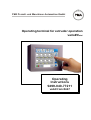
Operating instructions for varioECmini
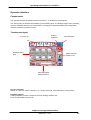
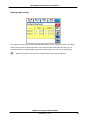
Page for drive operation
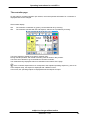
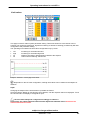
The r.p.m. of the master drive can be changed by touching the up or down button (for step width +
drive scaling) or by direct entry of the setpoint on this page.
New setpoint entries are possible only with the drive switched on. If the drive is switched off (button for
drive OFF feedback), the setpoint is always 0! With drive switch-on limit activated, drive switch-on is
not possible!
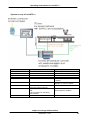
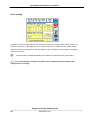
Safety switch-off for the drive:
Drive safety switch-off is at two levels:
§
§
in the terminal PLC
as direct wiring on KS vario
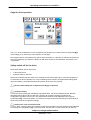
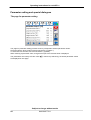
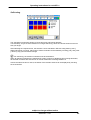
Switch-off is indicated as limit value error message on the alarm page and by red motor background
on the button for direct operation! For correct handling of this function, the appropriate settings (limit
value for enabling, stored absolute limit value alarm) in KS vario are required.
a KS vario must always be configured accordingly in advance!
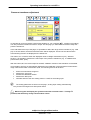
a Cold start inhibit
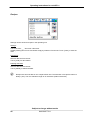
To prevent screw starting with insufficient melt temperature, the drive is disabled via the absolute
temperature limit values LIM 2 of KS vario, whereby all controller channels provided in the
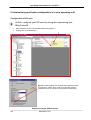
configuration are taken into account. The required limit values must be adjusted on the page for
configuration + of the limit values. For omission of single zones from monitoring, the limit values of
these zones must be changed accordingly.
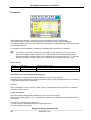
a Switch-off in case of excessive load
For max. load, a warning alarm and a switch-off alarm are provided. The limit values must be adjusted
on the page for configuration + of the limit value. Use the LIM 2 contact of KS vario for the pre-
subject to change without notice
9499 040 77211
21