1
Operation
Supply cable is not supplied with this appliance. Supply cable
used should be suitable for the rating of the appliance.
For wiring between the dryer and the spur outlet or isolation
switch, use a suitable heat resisting cable (e.g. butyl rubber or
high temperature PVC insulated).
The supply circuit to the dryer must incorporate a suitably rated
double pole isolating switch having a contact separation of at least
3 mm, in all poles.
Before carrying out any further mounting work, disconnect the
relevant circuit from the mains supply.
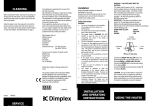
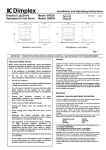
Strip the power supply cable and guide it through the opening
in the back plate of the device or the screwed cable gland.
Screw the back plate of the unit to the wall.
Connect the electrical cable to the terminal. Note the terminal
labels.
Final assembly
Insert plug A on the sensor cable into socket B. Make sure that
the cable will not be pulled in any way when the casing cover is
put on, and that the cable cannot come into contact with
moving parts.
When in use, the air outlet grille gets hot. Do not touch it or
cover it.
The hand dryer has an infrared proximity switch which switches
on automatically when hands are placed underneath the air
outlet grille to be dried and stays on until the hands are
removed from the stream of hot air.
The unit runs on for approximately 3 seconds. If the unit is too
sensitive, ask a suitably qualified person to change the jumper
position on the electrical circuit board (there are two positions
for high and low sensitivity). Please refer to the separate
service information for details.
Maintenance
WARNING – DISCONNECT FROM THE MAINS SUPPLY
BEFORE CARRYING OUT ANY MAINTENANCE
This dryer does not require any special maintenance.
Cleaning
The external appearance can be maintained by wiping
occasionally with a damp cloth; for stain removal, a weak soap
solution can be applied, then wipe dry. Do not use abrasive
products which could damage the polyester coating.
Guarantee
Your product is guaranteed for one year from the date of
purchase. We undertake to repair or exchange free of charge
within the guarantee period any part foud to be defective. Your
rights under the guarantee are additional to your statutory
rights, which in turn are unaffected by this guarantee.
If the product is not working correctly, please contact our
Customer Helpline on 0870 727 0101.
This guarantee only applies in the United Kingdom.
C
Replace the casing cover.
Insert the two casing screws in the bottom of the casing cover
(C) and screw them in tightly.
Trouble-shooting
Problem
No stream
of hot air
Unit will not
switch off
Possible cause
Remedy
Household fuse tripped.
Check fuse.
Overheat protection has triggered
Allow unit to cool for around 5 minutes
The sensor panel of the proximity
switch has been deliberately covered
(with something like chewing gum
or adhesive strips)
Remove foreign body from sensor panel, clean proximity switch
sensor panel.
Distance from fixed object beneath
dryer (e.g. sink or shelf) too small.
Distance from fixed object should be min. 300 mm.
If the problem cannot be remedied using the methods described above, disconnect the fuse and refer service to a qualified engineer,
or contact the Customer Helpline detailed below.
All repairs to the hand dryer must be carried out by a suitably qualified person.
This product complies with the European Safety Standard EN60335-2-23 and European Standards EN55014-2:1997,
EN550141+A1:1997, EN61000-3-2+A12:1996, EN61000-3-3:1995 for Electromagnetic Compatability. These standards cover the
requirements of the EEC Directives 73/23/EEC and 89/336/EEC.
Glen Dimplex UK Ltd
Millbrook House, Grange Drive
Hedge End, Southampton
SO30 2DF
Customer Helpline
Tel: 0870 727 0101 (8am-6pm Mon-Fri; 8:30am-1pm Sat.)
Fax: 0870 727 0102
Republic of Ireland: 01 842 4833