1
Brief Instructions for Reference Mediacenter DR+
Preparation
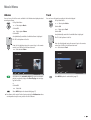
Radio
TV operation remote control
FM radio
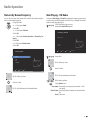
Stations by Name - select radio station
Mediacenter remote control
Internet radio
Switch device on/off
Insert disk
Insert disk in the slot-in disk drive on
the right side
Eject disk
Operating panel on the device
- Radio - Internet radio Category - Select radio station
DVB radio
- Radio - DVB radio Select station
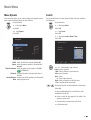
Operating modes
Screen off/on
Main Menu
Menu selection
- Radio - FM radio -
OK
Settings Menu
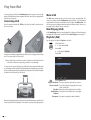
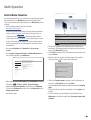
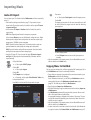
Audio CD Import
CD Import
- DVD/CD player - Import CD import
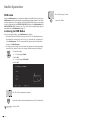
Play
DVD/CD player
- DVD/CD player - Select title
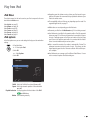
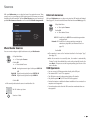
Music
- Music - Category - Select media
Play
Pause
Stop
Forward (press several times)
Backward (press several times)
Next/Previous Chapter
P+/-
Volume
V+/-
Sound on / Mute
Detailed information/DVD title menu
Close/ go back in menu
Menü Now Playing
-2
Please unfold this page.