1
Telephone operation
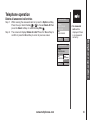
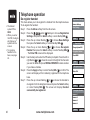
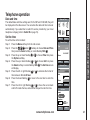
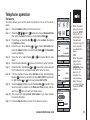
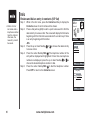
Dial an answered call entry
• No answered
calls will be
displayed if there
are no entries in
the answered
call log.
While the entry you want to call is displayed, press
or
to dial.
-ORPress the Options softkey. Press the up or down NavKey
or
to choose
Call then press the Select softkey or center NavKey/SEL/
to dial the
number.
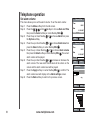
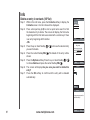
Delete an answered call entry
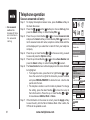
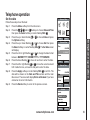
Step 1: To display the telephone feature menu, press the Menu softkey from
the idle screen.
Step 2: Press the , ,
and/or
NavKeys to choose Call Log then
press the Select softkey or center NavKey/SEL/ .
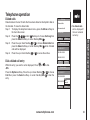
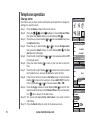
Step 3: Press the up or down NavKey
or
to choose Answered calls
then press the Select softkey or center NavKey/SEL/ . A list of
answered calls with name, telephone number, date and time will be
displayed if you subscribe to the caller ID service from your telephone
company.
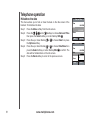
Step 4: Press the up or down NavKey
or
to choose an entry to delete
and press the Options softkey.
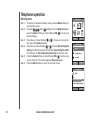
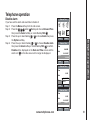
Step 5: Press the up or down NavKey
or
to choose Delete then press
the Select softkey or center NavKey/SEL/ . The selected entry will
be deleted from the screen.
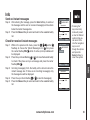
Answered calls
Thomas
1-222-333-4444
01/31 00:12
Mike
1-444-555-6666
Close
Options
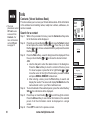
Answered calls
Thomas
1-222-333-4444
01/31 00:12 Call
Delete
Mike
Save Number
1-444-555-6666
Delete All
Back
Select
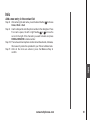
Answered calls
Thomas
1-222-333-4444
01/31 00:12
Mike
1-444-555-6666
Close
Options
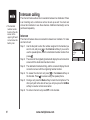
Answered calls
Thomas
1-222-333-4444
01/31 00:12 Call
Delete
Mike
Save Number
1-444-555-6666
Delete All
29
www.vtechphones.com
Back
Select